There's a moment every busy restaurant owner knows too well.
A server rushes to a table, scribbles an order, rushes back to the kitchen, and somewhere between the noise and the handwriting, a spicy tuna roll becomes a California roll. The guest is disappointed. The kitchen is frustrated. And your server is already three tables behind.
Rockin' Rolls Sushi decided they were done with that moment entirely.
Today, their restaurant runs 49 iPad ordering stations — and not a single paper menu in sight. Here's how they got there, and what other restaurant owners can learn from the decision.
The Problem With "Good Enough"
Most restaurants don't overhaul their ordering system because things are broken. They do it because they finally do the math on what "good enough" is actually costing them.
For a sushi restaurant, the stakes are especially high. Sushi menus are complex — dozens of rolls, customization options, combo sets, seasonal specials. A traditional paper menu creates real operational friction:
- Printing costs every time prices change or items rotate
- Order errors from verbal miscommunication in a noisy dining room
- Slower table turns when guests can't flag down a server to order
- Missed upsell opportunities when staff are stretched thin
None of these are catastrophic on their own. Together, they quietly chip away at margins every single service.
Why iPad Ordering — And Why Now?
Tableside iPad ordering isn't new. What's changed is how well it actually works.
Early tablet ordering systems were clunky, required constant WiFi connectivity, and were essentially just digital versions of a paper menu with no real integration to the kitchen or POS. Guests would tap their order and still wait for a server to confirm it.
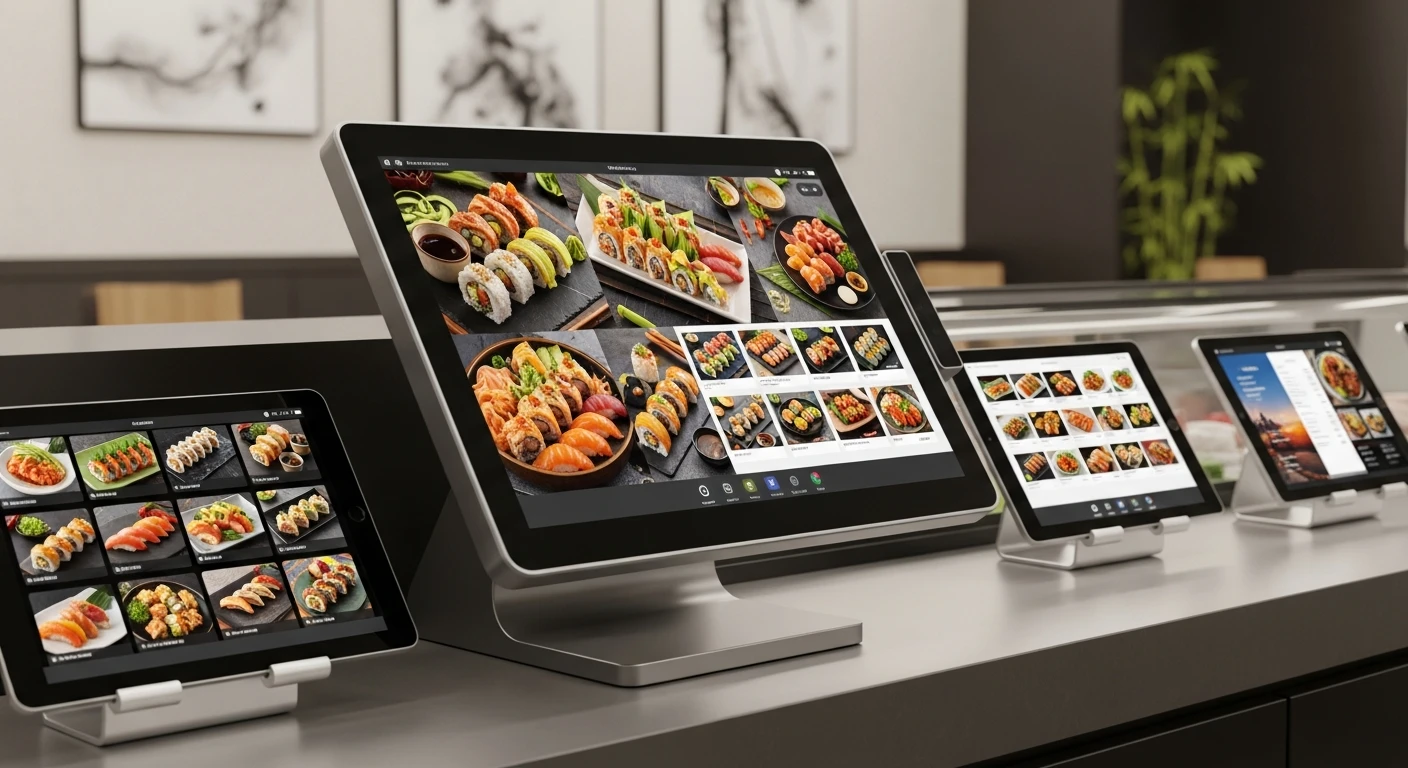
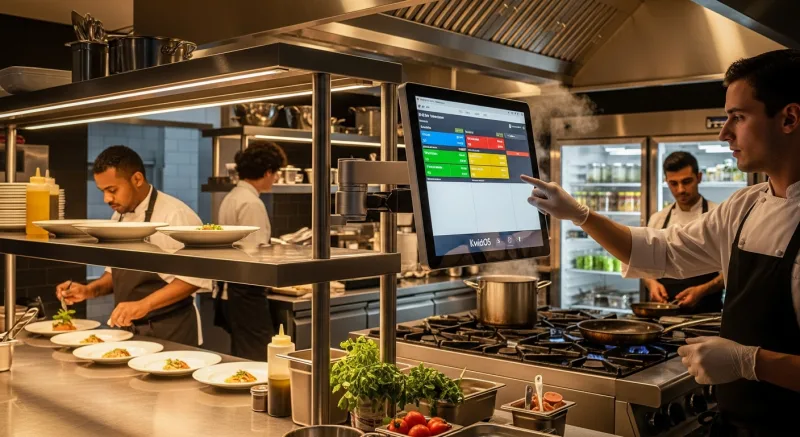
What Rockin' Rolls implemented through KwickOS is fundamentally different. Each of their 49 iPad stations is a fully integrated ordering terminal — connected in real time to the kitchen display, the POS, and the payment system. Guests browse, customize, and order at their own pace. The kitchen sees it instantly. No server required as a middleman.
The result isn't just a novelty. It's a structural change in how the restaurant operates.
What 49 iPad Stations Actually Changes
1. Guests Order More — And More Confidently
When guests control the pace of ordering, something interesting happens: they order more. There's no social pressure to decide quickly before the server moves on. Photos of every dish are right there on screen. Descriptions are clear. Customization options are easy to navigate.
For a sushi menu with visual appeal, this matters enormously. A guest who might have defaulted to a familiar roll will explore something new when a high-quality photo is one tap away.
2. Order Errors Drop Dramatically
When the guest inputs their own order, the game of telephone between table, server, and kitchen disappears. What's tapped on the iPad is exactly what the kitchen receives. For dietary restrictions and allergies — increasingly common and increasingly serious — this isn't just an efficiency gain. It's a liability reduction.
3. Servers Shift From Order-Takers to Hospitality Hosts
This is the part restaurant owners often underestimate. When servers aren't running back and forth transcribing orders, they become something more valuable: hosts. They can check in on guest experience, handle special requests, manage more tables, and actually connect with guests rather than just processing them.
The same staff, deployed more effectively.
4. Menu Updates Happen in Seconds
Seasonal roll added? Price adjustment needed? Item 86'd mid-service? In a paper menu world, that's a printing job, a restock, or an awkward "sorry, we're out of that" conversation. With KwickOS digital menus, changes push to all 49 stations simultaneously. Instantly. From one dashboard.
The Technology Behind It: Why KwickOS Specifically
Not all iPad ordering setups are created equal, and the infrastructure underneath matters more than the screen guests actually touch.
Hybrid Local + Cloud Architecture
KwickOS runs on a hybrid system — local processing and cloud backup. This means that if the internet drops mid-service (and it will, eventually), the iPads keep working. Orders keep flowing. The kitchen keeps cooking. Most cloud-only POS systems freeze or degrade during an outage. For a restaurant running 49 active stations during a Saturday dinner rush, that's not an acceptable risk.
1ms Local Processing Latency
When a guest taps "confirm order," that order hits the kitchen display in 1 millisecond. Compare that to 20ms or more for cloud-dependent systems. At 49 simultaneous stations, that responsiveness adds up — and guests notice when the system feels instant versus sluggish.
KwickMenu Integration
The iPad ordering experience is powered by KwickMenu, which supports high-resolution food photography, multi-language menus, and real-time item availability. For a restaurant like Rockin' Rolls with a visually rich menu, the photography capability alone changes how guests interact with the menu.
No Windows Dependency
KwickOS runs on web-based Linux, meaning no Windows licensing costs, no Windows update reboots mid-service, and no proprietary hardware lock-in. The system runs on standard iPads without requiring expensive proprietary terminals.
What This Looks Like in Practice: The Numbers
Let's be direct about what a 49-station iPad ordering system actually delivers operationally:
| Metric | Paper Menu / Server Ordering | iPad Ordering with KwickOS |
|---|---|---|
| Order accuracy | Dependent on staff | Guest-inputted, near-perfect |
| Menu update speed | Hours to days | Seconds, all stations |
| Table turn time | Slowed by server availability | Guest-paced, typically faster |
| Upsell consistency | Staff-dependent | Built into menu flow |
| Outage resilience | N/A | Continues offline |
| Languages supported | Print separate menus | Instant language switch |
The Objection Every Restaurant Owner Has
"Won't guests hate ordering on an iPad? Don't people want the human touch?"
It's a fair question. And the honest answer is: it depends entirely on execution.
What guests don't want is a slow, confusing, poorly designed tablet experience that replaces a competent server with a frustrating interface. That concern is valid.
What guests consistently respond well to is control — the ability to browse at their own pace, see what they're ordering, customize without feeling like a burden, and get their food faster. When the technology is seamless, guests don't think about the technology at all. They just think about how good the tuna tataki looks in that photo.
Rockin' Rolls didn't remove the human element from their dining experience. They removed the friction from it.
Is This Right for Your Restaurant?
iPad ordering at scale isn't the right move for every concept. But if you're running:
- A high-volume casual dining or fast-casual concept
- A menu with strong visual appeal (sushi, ramen, barbecue, bubble tea)
- Multiple locations where consistency matters
- A diverse customer base that benefits from multilingual menus
- A staffing environment where labor efficiency is a priority
...then the question isn't really whether to consider it. It's how soon, and with which platform.
The Bottom Line
Rockin' Rolls Sushi didn't implement 49 iPad stations to look modern. They did it because it made their restaurant run better — for guests, for kitchen staff, for servers, and for the bottom line.
The paper menu was never the point. The point was a great guest experience, accurate orders, and an operation that doesn't create unnecessary chaos for the people running it.
The iPads just happen to deliver all three.
KwickOS powers 5,000+ restaurants and retail businesses across North America, including multi-location chains like Crafty Crab (19 locations, 152 terminals) and T. Jin China Diner (15 locations, 75 terminals). Learn more at kwickos.com.