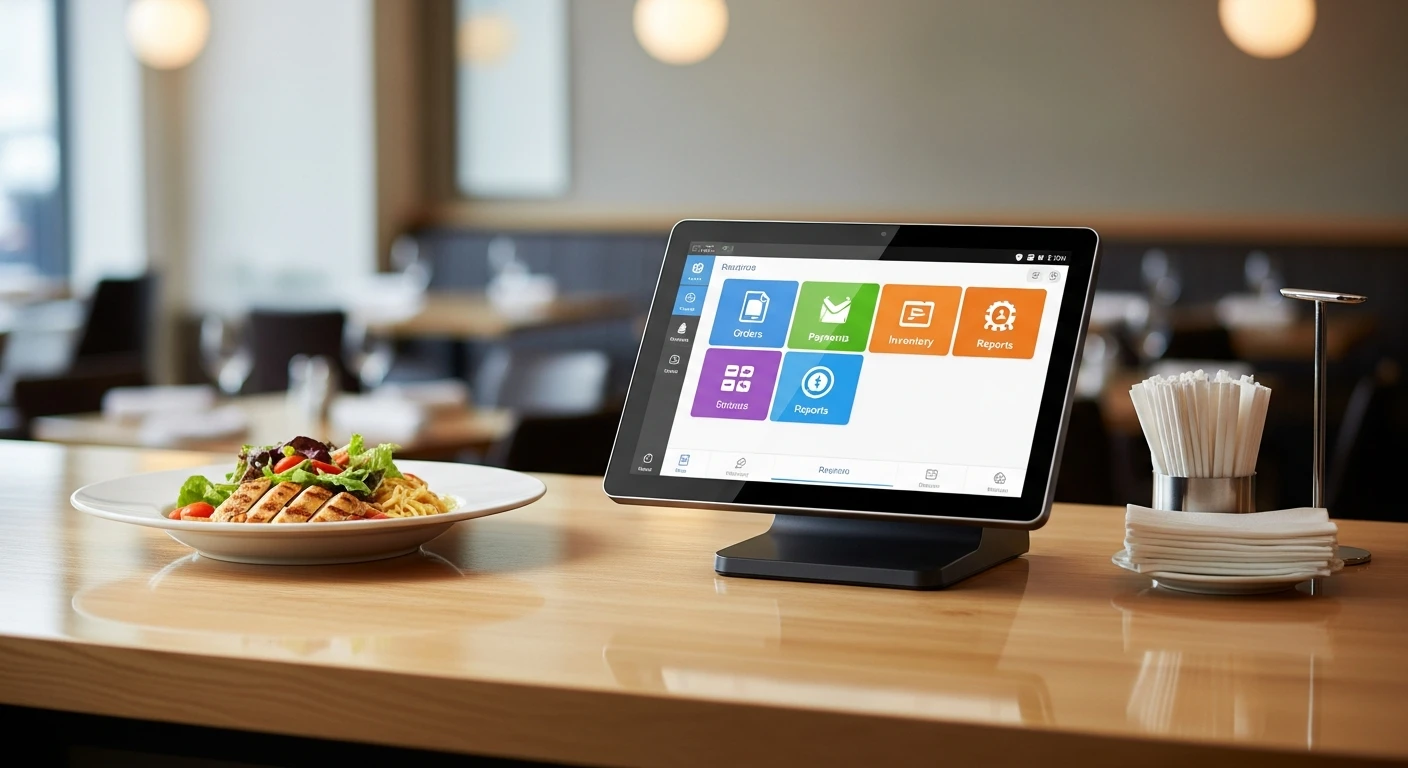
A point-of-sale system is the nerve center of any restaurant, retail store, or service business. It processes payments, tracks inventory, manages employees, and generates the reports you use to make decisions. Choosing the wrong one can cost you tens of thousands of dollars in hidden fees, lost productivity, and painful migrations. Choosing the right one can streamline your entire operation and put money back in your pocket.
This guide is written for business owners who are either buying their first POS system or replacing one that is not working. We will cover what to prioritize, what to avoid, how to decode vendor pricing, and the exact questions you should ask before signing anything.
Why This Decision Matters More Than You Think
Most business owners spend weeks choosing a location and days picking out furniture, but only a few hours evaluating their POS system. That is a mistake. Your POS will be the single piece of technology that every employee uses every day. It will determine how fast you can serve customers, how accurately you track your money, and how much you pay in processing fees over the life of your business.
Consider the math. A restaurant processing $40,000 per month in credit card transactions will pay somewhere between $9,600 and $18,000 per year in processing fees alone, depending on the rate. The difference between a POS that locks you into a 2.99% rate and one that lets you negotiate a 2.2% rate is $3,792 per year. Over a five-year period, that is nearly $19,000 — enough to renovate your dining room or hire another part-time employee.
And processing fees are just one piece of the puzzle. Add-on charges for online ordering, loyalty programs, inventory management, and reporting can easily add another $200 to $500 per month. Hardware lock-in can cost thousands if you need to replace devices. And switching costs — the pain and expense of migrating to a new system — mean that whatever you choose today, you will likely be living with for three to five years.
The 8 Things That Actually Matter
After working with over 5,000 businesses across restaurants, retail, and beauty and spa, we have identified the eight factors that matter most when choosing a POS system. Some of these may surprise you.
1. Payment Processor Freedom
This is the single most important factor, and it is the one that most buyers overlook. Many POS companies — including Toast, Square, and others — require you to use their proprietary payment processing. They bundle it into their "free" or "low-cost" plans, making it look like a deal. In reality, you are paying above-market processing rates on every single transaction, forever.
A processor-agnostic POS system lets you choose any payment processor and negotiate your own rates. This is especially important as your volume grows, because processing rates are negotiable at higher volumes. With a locked system, you have no leverage. With an open system, you can shop around, switch processors if you find a better rate, and keep 100% of your processing revenue.
Use our processing fee calculator to see exactly how much you could save with processor freedom.
2. Offline Reliability
Here is a scenario that happens more often than vendors want to admit: it is Friday night, your restaurant is packed, and your internet goes down. With a cloud-only POS system, you are suddenly unable to process orders, send tickets to the kitchen, or run credit cards. Your staff is paralyzed, your customers are frustrated, and you are losing money by the minute.
A hybrid POS system — one that runs locally on your network but syncs to the cloud — eliminates this problem entirely. Orders process at local network speed (under 1 millisecond) regardless of internet status. When connectivity returns, everything syncs automatically. This is not an edge case or a theoretical advantage. Internet outages happen, especially in older buildings, during storms, and in areas with unreliable ISPs.
When evaluating POS systems, ask the vendor: "What happens when my internet goes down?" If the answer involves the words "limited" or "basic offline mode," keep looking.
3. Total Cost of Ownership
The price you see on a POS vendor's website is almost never the price you will actually pay. To understand the true cost, you need to add up four components:
- Software subscription fees: The monthly or annual fee for the software itself. Watch for tiered pricing where essential features are only available on higher-priced plans.
- Payment processing fees: Usually the largest cost. For a business processing $40,000/month in cards, this ranges from $9,600 to $18,000 per year depending on the rate.
- Add-on module fees: Online ordering, loyalty programs, advanced reporting, inventory management, staff scheduling, and marketing tools are often sold as separate add-ons at $30 to $200+ per month each.
- Hardware costs: Some vendors require proprietary hardware (terminals, card readers, kitchen display screens) at marked-up prices. Others let you use standard tablets and printers.
When comparing options, create a spreadsheet with all four categories and project costs over three years. You will often find that the "cheapest" option on the surface is the most expensive when you factor in processing fees and add-ons.
4. Built-in Features vs. Add-on Nickel-and-Diming
The modern business needs more than a cash register. You need online ordering, delivery management, inventory tracking, employee scheduling, customer loyalty, marketing tools, and reporting — at minimum. The question is whether these come built into your POS or whether you will pay extra for each one.
The add-on model has a hidden cost beyond the subscription fees: complexity. When you are running five or six different software tools from different vendors, you spend more time managing integrations, troubleshooting sync issues, and training employees on multiple systems. An all-in-one platform eliminates this overhead.
A platform like KwickOS includes POS, online ordering, delivery management, inventory, staff scheduling, CRM and loyalty, marketing, and digital signage in a single integrated platform. Compare that to competitors where online ordering alone can cost $75-$150/month as an add-on.
5. Hardware Flexibility
Some POS vendors require you to buy their proprietary hardware. Toast, for example, sells its own terminals, handheld devices, and kitchen display screens. The hardware is well-made, but it is expensive, and if a device breaks or you want to add a terminal, you are buying from a single source at their prices.
A better approach is a POS system that runs in a web browser on standard hardware. This means you can use any Android tablet, iPad, or even a laptop as a terminal. You can buy printers, cash drawers, and barcode scanners from any manufacturer. If a device breaks, you can replace it the same day from any electronics store rather than waiting for a proprietary replacement to ship.
Web-based POS systems running on Linux are particularly cost-effective because they eliminate Windows licensing fees and run reliably on inexpensive hardware.
6. Multi-Location and Scalability
Even if you have a single location today, choose a POS system that can scale. Expanding to multiple locations with a POS that was not designed for it is one of the most painful technology migrations a business can face.
Key scalability features to look for include centralized menu management (change a price once, update all locations), consolidated reporting across locations, role-based access controls, and remote monitoring. Crafty Crab Seafood, for example, uses KwickOS across 19 locations with 152 terminals and can sync menu changes to all stores with a single click — a capability that would require significant manual work on most POS platforms.
7. Employee Management Features
Your POS system should do more than just process sales. It should help you manage your team. Look for built-in time clock functionality, role-based permissions, employee performance tracking, and tip management.
One feature that is often overlooked is biometric authentication. Fingerprint-based employee login prevents buddy punching (one employee clocking in for another), unauthorized discounts, and void abuse. Systems that support 1:N fingerprint matching — where employees simply touch the sensor without entering an ID first — are faster and more secure than PIN-based or card-based authentication.
Consider this: the American Payroll Association estimates that buddy punching costs U.S. employers $373 million annually. For a restaurant with 20 employees, eliminating even a few minutes of buddy punching per shift can save thousands of dollars per year.
8. Support Quality and Availability
When your POS system has a problem at 9 PM on a Saturday, you need help immediately — not on Monday morning. Evaluate the vendor's support based on three criteria: availability (24/7 or business hours only), response time (minutes or hours), and language support (especially important if your staff speaks multiple languages).
Ask for references from existing customers and specifically ask about their support experience. The smoothest onboarding and the prettiest interface mean nothing if you cannot get help when something breaks during service.
Red Flags to Watch For
In our experience working with thousands of business owners who switched from other POS systems, these are the warning signs that should make you hesitate:
- Long-term contracts with early termination fees. A confident vendor offers month-to-month terms. If they need a three-year contract to keep you, ask yourself why.
- "Free" hardware tied to processing commitments. Nothing is free. If the hardware is "free," you are paying for it through inflated processing rates over the contract term. Do the math.
- Processing rates buried in fine print. If a vendor is not transparent about their processing rates on their website, they are not competitive.
- Separate charges for basic features. Online ordering, basic reporting, and inventory tracking should be standard in 2026, not $50-$150/month add-ons.
- No offline mode or vague offline claims. "Limited offline mode" usually means you can accept cash but not credit cards. That is not a real offline mode.
- Proprietary hardware with no alternatives. If the vendor is the only source for terminals and peripherals, you will pay premium prices for the life of the system.
- No demo with your actual menu. Any serious vendor will set up a demo environment with your real menu, modifiers, and workflows. If they only show a generic demo, they may be hiding limitations.
The 12 Questions to Ask Every POS Vendor
Print this list and bring it to every sales call. The answers will tell you everything you need to know.
- Can I use any payment processor, or am I locked into yours? If locked, what is the exact rate including interchange markup?
- What happens when my internet goes down? Can I still process credit cards, send kitchen tickets, and accept orders?
- What is the total monthly cost with all the features I need? Get it in writing. Include processing, add-ons, and hardware lease payments.
- What is the contract term and what are the early termination fees? Ideal answer: month-to-month with no termination fee.
- Can I use my own hardware or do I need to buy yours? If proprietary, what is the replacement cost for each device?
- Is online ordering built in or an add-on? If add-on, what is the monthly cost and the per-order commission?
- How do you handle multi-location management? Can I update menus, prices, and settings centrally?
- What does your support look like at 10 PM on a Saturday? Ask for the actual SLA and average response time.
- Can I export my data if I decide to switch? Your sales data, customer records, and menu information should be yours.
- How long does onboarding take from signing to going live? A good answer is one to two weeks. If it takes months, the system may be overly complex.
- Do you support fingerprint authentication for employees? Especially important for restaurants with high staff turnover.
- Can I see a demo with my actual menu and workflow? This is non-negotiable. Never buy based on a generic demo.
Comparing the Major Players in 2026
Here is a honest summary of the main POS platforms available today, based on the criteria we have discussed.
| Criteria | KwickOS | Toast | Square | Clover |
|---|---|---|---|---|
| Processor freedom | Any processor | Locked | Locked | Limited |
| Offline capability | Full hybrid | Limited | Limited | Limited |
| All-in-one features | 8 modules included | Many add-ons | Basic included | Via app market |
| Hardware flexibility | Any device | Proprietary | Square hardware | Clover hardware |
| Fingerprint auth | 1:N and 1:1 | No | No | No |
| Multi-language | EN/CN/ES | English | English | English |
| Contract terms | Flexible | 2-year typical | Month-to-month | Varies by reseller |
For detailed head-to-head comparisons, see our dedicated pages: KwickOS vs Toast, KwickOS vs Square, and KwickOS vs Clover.
A Decision Framework That Works
If you are feeling overwhelmed, here is a simple framework. Score each POS system you are considering on a scale of 1 to 5 for each of the eight criteria above. Then weight the scores based on what matters most to your specific business:
- High-volume restaurant ($30K+ monthly card volume): Weight processor freedom and offline reliability heavily. The savings from negotiating your own processing rate will dwarf any difference in software subscription cost.
- Multi-location business: Weight scalability and centralized management. The ability to update all locations from a single dashboard saves hours per week.
- New business with limited budget: Weight total cost of ownership and hardware flexibility. Being able to use standard tablets and negotiate processing rates keeps startup costs low.
- Business with diverse staff: Weight multi-language support and employee management features. Fingerprint authentication and multi-language interfaces reduce training time and prevent fraud.
What About Implementation?
The best POS system in the world is worthless if the implementation is painful. Here is what a good onboarding process looks like:
- Timeline: Seven to ten days from purchase to installation. If a vendor quotes months, the system is likely overly complex.
- Installation: One to three hours for physical setup of hardware and network configuration.
- Training: One to two hours for staff to be proficient on the basics. If it takes longer, the interface is not intuitive enough.
- Data migration: The vendor should handle importing your menu, employee roster, and customer database. This should be included in the setup, not an extra charge.
- Go-live support: A good vendor will have someone available (in person or by phone) during your first few shifts on the new system.
Shogun Japanese Hibachi, for example, had their staff operating KwickOS proficiently in under five minutes after installation — with customized hibachi station displays tailored to their specific workflow. That is the kind of implementation experience you should demand.
The Bottom Line
Choosing a POS system is a decision that will affect your business every single day for years. Do not rush it, do not be swayed by flashy marketing, and do not let a salesperson pressure you into signing today. Take the time to evaluate your options using the framework and questions in this guide.
The trends in 2026 are clear: the best POS systems are moving toward all-in-one platforms, hybrid cloud-and-local architectures, processor-agnostic payment handling, and browser-based interfaces that run on any hardware. Systems that lock you into proprietary hardware, mandatory processing, and add-on pricing are yesterday's model.
Your business deserves technology that works for you, not for the vendor. Choose accordingly.
For a restaurant-by-restaurant comparison built from each vendor's published pricing, see the Restaurant POS Guide by KwickPOS.
Ready to See the Difference?
Schedule a free demo with your actual menu and see how KwickOS can simplify your operation and save you money.
Get Your Free Demo
Compare your options: see the full KwickOS Point of Sale System — POS hardware and software for restaurants, retail, and service businesses.