Your servers are drowning. It is Friday at 12:15, the belt is full, and every seat has a customer trying to flag someone down. Orders are getting lost between handwritten tickets and the POS terminal. The kitchen is reprinting receipts because "Sal roll" could mean salmon or salad. And every wasted minute — every re-made plate, every frustrated customer who walks out — is costing you $15-25 in lost revenue you will never recover.
It gets worse. You have already tried hiring more staff, but there is physically no room for another server to move around the belt without colliding with the others. You have tried simplifying the menu, but your customers come for the variety. You are stuck in a cycle where the harder you push, the more the system breaks — and peak-hour re-make rates of 8-12% are quietly bleeding your margins dry.
But what if you could remove the bottleneck entirely? What if every single seat had its own ordering station — no server needed, no miscommunication possible, no ticket lost? That is exactly what Rockin' Rolls Sushi Express did when they deployed 49 iPads across 3 locations and watched their order errors drop to zero overnight.
I have walked into hundreds of restaurants at 12:15 on a Friday. I can tell you within thirty seconds whether the operation is going to survive the next hour or collapse under its own weight. The signs are always the same: a server spinning in place trying to remember which table flagged her down first, a kitchen printer spitting tickets faster than anyone can read them, a manager on the expo line shouting over the noise because table twelve's sashimi platter went to table eight.
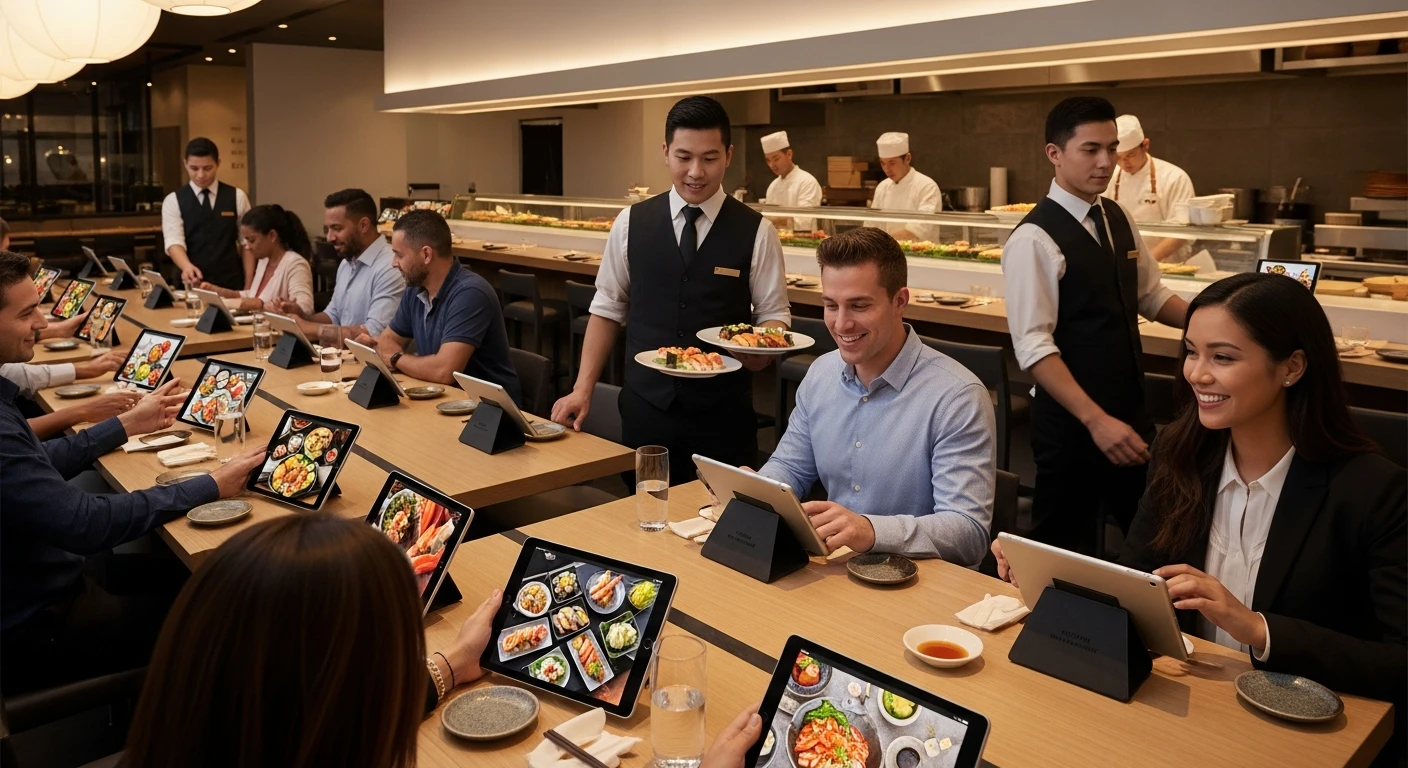
When I walked into the original Rockin' Rolls Sushi Express location in early 2024, I saw something different. I saw forty-nine iPads glowing softly along a conveyor belt line, customers tapping through a visual menu with the confidence of someone scrolling through their own phone, and a kitchen that moved with the quiet precision of a factory floor. Zero shouting. Zero confusion. Zero order errors.
But it had not always been that way.
The Problem Nobody Talks About in Conveyor Belt Sushi
Conveyor belt sushi is a deceptively difficult restaurant format to operate. From the outside, it looks simple: plates go around, customers grab what they want, you count plates at the end. But the modern kaiten-zushi model is far more complex. Customers want to order specific items made fresh. They want customizations — no wasabi, extra ginger, spicy mayo on the side. They want hot items from the kitchen alongside cold items from the sushi bar. And they want it all within minutes, because the entire business model depends on speed and volume.
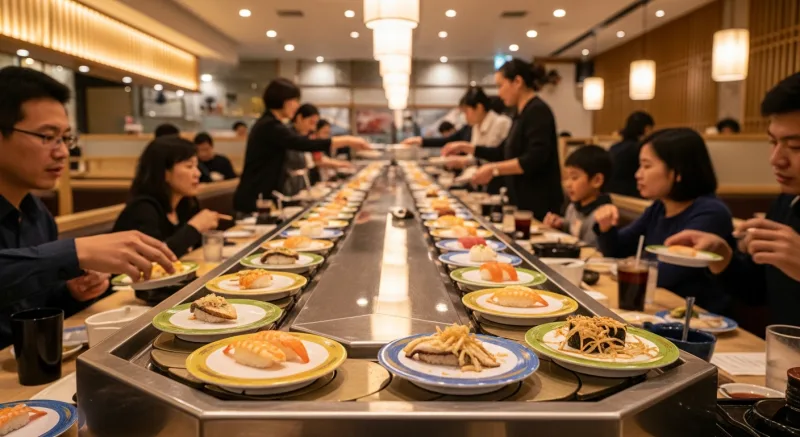
Rockin' Rolls Sushi Express operates three locations with this exact format. Before their transformation, each location ran on two POS terminals and a small army of servers who did double duty: taking orders tableside, entering them into the POS, running food, and clearing plates. During peak hours — essentially every Friday and Saturday evening and all of Sunday — the system buckled.
The math was punishing. Conveyor belt sushi is high-volume, low-ticket. The average check at Rockin' Rolls hovered around $22 per person. Margins live and die on throughput — how many customers you seat, serve, and turn per hour. (If you are not sure where your margins stand, try our free break-even calculator to see the math for your operation.) Every wasted minute is not just an inconvenience; it is revenue that evaporates and never comes back.
Here is what a typical Friday rush looked like before the iPads:
- Servers could not keep up. With 40+ seats along the belt and additional booth seating, two or three floor staff were constantly triaging. A customer at seat 12 would flag a server down, but the server was mid-order at seat 31. By the time she circled back, the customer at 12 had been waiting four minutes and was visibly irritated.
- Handwritten orders got misread. Under pressure, shorthand became illegible. "Sal roll" could be salmon roll or salad roll. "Sp tuna" might be spicy tuna or special tuna. The kitchen team was experienced, but experience only compensates for so much ambiguity. Re-makes during peak hours were running at 8-12% of all orders — a staggering waste rate for a low-margin operation.
- Kitchen had no priority intelligence. All tickets looked the same. A single nigiri order and a twelve-item family platter arrived with equal visual weight on the printer. The sushi chef had no way to know that seat 7 ordered fifteen minutes ago while seat 34 ordered thirty seconds ago. First-in-first-out broke down constantly because tickets got shuffled, reprinted, or lost entirely.
- Customers had no visibility. Once an order disappeared into the kitchen, the customer was in the dark. "Is my food coming?" became the most common question servers fielded. Answering it required walking to the kitchen, scanning the line, walking back — burning another two minutes that could have been spent taking new orders.
And here is the real kicker:
The owners knew they had an operational bottleneck. They had tried adding more staff, but the physical space around the belt limited how many servers could move without colliding. They had tried simplifying the menu, but that undercut the variety that drew customers in. They needed a fundamentally different approach.
The Solution: Remove the Middleman Entirely
The insight that changed everything was brutally simple: in a conveyor belt format, the server is not adding value to the ordering process. The server is a relay — taking information from the customer and carrying it to a machine. If the customer can talk directly to the machine, you eliminate an entire layer of latency, error, and labor cost.
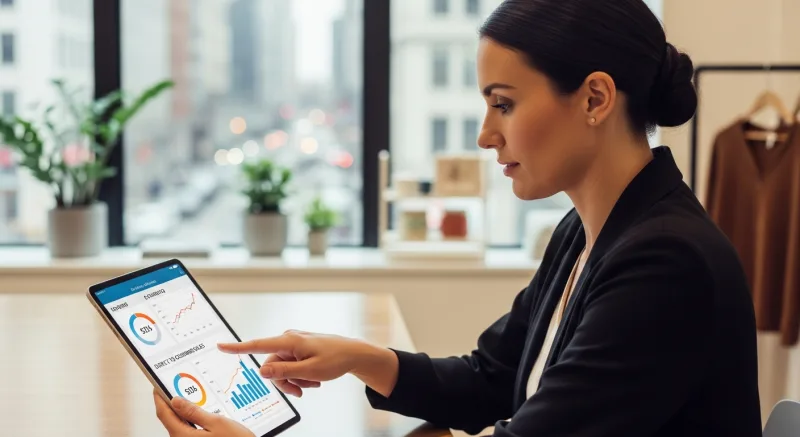
Rockin' Rolls deployed 49 iPads running KwickOS self-ordering software, mounted at each seat along their conveyor belt lines across all three locations. Here is how the system works in practice:
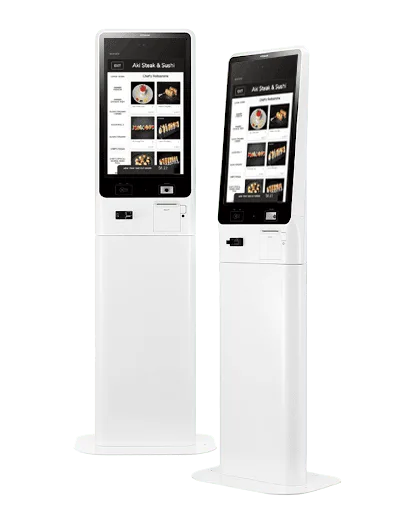
Self-ordering stations give every customer direct access to the full menu with photos, descriptions, and customization options.
Step 1: The Customer Orders Directly
Each iPad displays the full menu with high-resolution photos of every item. No guessing what "Rainbow Dragon Roll" looks like. No squinting at a laminated paper menu under dim lighting. The customer taps through categories — nigiri, specialty rolls, hot appetizers, drinks, desserts — and builds their order visually. Customization options appear contextually: spice level, sauce preferences, allergy flags, portion sizes. The interface is available in multiple languages, which matters enormously for a format that attracts international tourists and diverse local communities alike.
The customer confirms the order with a single tap. No server required. No waiting. No possibility of miscommunication.
Step 2: The Kitchen Display System (KDS) Sorts Automatically
This is where the real operational magic happens. When an order leaves the iPad, it does not arrive at the kitchen as a single undifferentiated ticket. KwickOS routes each item to the correct kitchen station automatically:
- Sushi bar receives nigiri, sashimi, and cold roll orders
- Hot kitchen receives tempura, gyoza, ramen, and cooked appetizers
- Drink station receives beverages, including preparation instructions for specialty drinks
Each station's KDS screen shows only the items relevant to that station, sorted by time received. The sushi chef never sees a tempura order. The fry cook never sees a salmon nigiri. Every screen shows exactly what that person needs to prepare, in exactly the order they need to prepare it.
Step 3: Priority and Timing Intelligence
The system tracks elapsed time from order placement. Items waiting longer than the target preparation window get highlighted. If seat 7 ordered a spicy tuna roll twelve minutes ago and it is still in queue, that item surfaces to the top with a visual urgency indicator. The kitchen does not need a manager barking about priorities. The screen tells them.
Multi-item orders are coordinated so that all items for a single customer are prepared to land at approximately the same time. If you order a miso soup and a chirashi bowl, the hot kitchen gets the soup ticket with a slight delay calibrated so both items are ready for delivery simultaneously. This kind of timing coordination is effectively impossible with paper tickets and human judgment under rush conditions.
Step 4: The Customer Sees Everything
Back at the seat, the customer's iPad shows real-time order status. "Preparing your Spicy Salmon Roll" transitions to "Ready for Delivery." There is no ambiguity. The customer never needs to flag down a server to ask where their food is. This alone eliminated what staff estimated was 30-40% of all customer-to-server interactions during peak hours.
The Numbers That Matter
Now, here is where it gets interesting.
I have seen a lot of restaurant technology promises. Most of them fall apart under scrutiny. But the operational data from Rockin' Rolls after six months with the iPad self-ordering system is difficult to argue with.
Order errors dropped to effectively zero. When the customer enters the order directly and the system routes it digitally, there is no transcription step where mistakes can enter. The 8-12% re-make rate vanished. In a low-margin, high-volume format, eliminating remakes alone saved an estimated $36,000-54,000 annually across the three locations (based on 8-12% of average daily revenue at $4,500 per location per day in wasted food cost).
Average ticket increased by 27%. This is the number that surprises people who have not studied self-ordering systems closely. When customers browse a visual menu at their own pace, they order more. They see the photo of the wagyu nigiri and add it. They notice the "Add a side of edamame?" prompt and tap yes. There is no social pressure, no sense that they are holding up the server. The menu design itself becomes the upsell engine — strategically placed high-margin items, combo suggestions, dessert prompts timed to appear after the main order.
Table turn time decreased by 18%. Customers were seated, ordered, served, and cleared faster. Not because they were rushed — satisfaction scores actually went up — but because dead time was eliminated. No waiting for a server to notice you. No waiting for your order to be entered. No waiting to find out where your food is.
Front-of-house labor requirements dropped by approximately 35%. The locations did not eliminate all servers. They still needed runners to deliver food from the kitchen to the belt, staff to clear plates, and a host to manage seating. But the order-taking function — which had consumed the majority of server time — was fully automated.
Why Self-Ordering Works Across Restaurant Formats
But wait — it is not just sushi restaurants seeing these results.
Rockin' Rolls is a dramatic example, but the underlying principles apply to any high-volume food service operation. I have seen the same pattern repeat across quick-service restaurants, fast-casual concepts, food halls, and even full-service restaurants that deploy tableside tablets for appetizer and drink ordering.
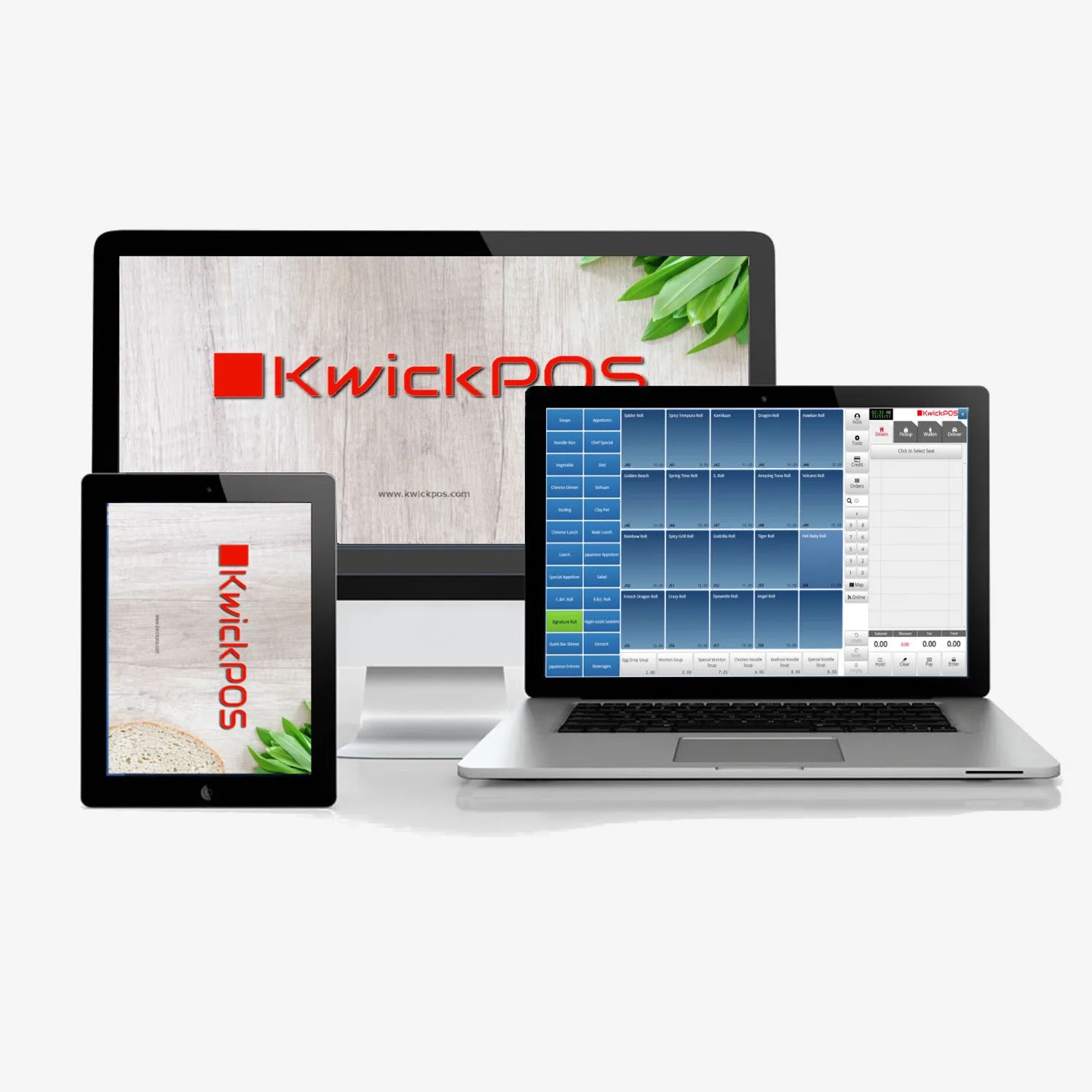
KwickOS self-ordering software runs on any device: iPad, Android tablet, or dedicated kiosk hardware.
The benefits are consistent:
- 20-30% higher average ticket. This range holds across virtually every self-ordering deployment I have analyzed. Visual menus with photos, strategic item placement, and automated upsell prompts outperform human suggestive selling consistently. Customers feel less judged adding extras when they are tapping a screen instead of telling a person.
- Reduced labor cost. The savings vary by format, but in quick-service and fast-casual, the order-taking function typically represents 25-40% of total front-of-house labor hours. Automating it does not mean eliminating jobs — it means reallocating staff to food preparation, hospitality, and throughput management where they generate more value per hour.
- Faster customer throughput. Self-ordering kiosks process orders in parallel. Ten customers can order simultaneously on ten devices. A single cashier processes orders sequentially. During a lunch rush, that parallelism translates directly to shorter lines, faster seating, and more covers per hour.
- Near-perfect accuracy. Digital ordering eliminates the two most common error sources: miscommunication between customer and order-taker, and transcription mistakes when entering orders into the POS. When the customer's tap is the order entry, the error chain is broken at the source.
- Consistent upselling. A human server has good days and bad days, busy moments when they skip the appetizer suggestion, and slow moments when they make a compelling dessert pitch. A kiosk delivers the same optimized upsell sequence to every single customer, every single time, without fatigue or distraction.
Tiger Sugar: A Different Format, Same Principle
To illustrate that this is not a sushi-specific phenomenon, consider Tiger Sugar, the bubble tea chain that deployed 2 KwickOS kiosks across their 2 locations. Bubble tea is a fundamentally different product — single-item orders, heavy customization (sugar level, ice level, toppings), and a customer base that skews young and tech-comfortable.
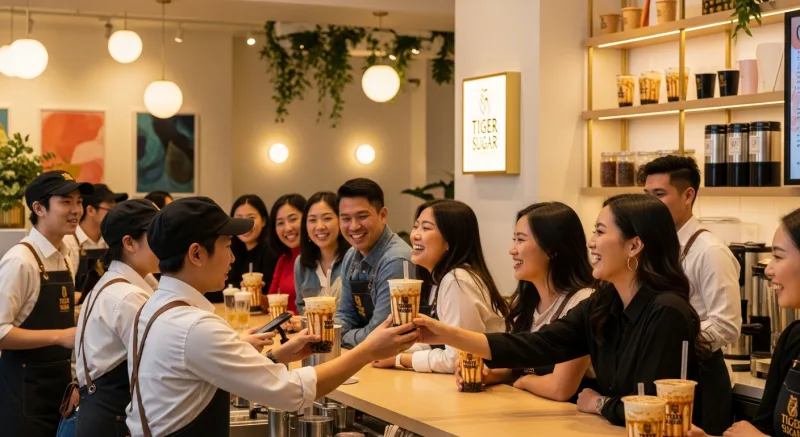
Tiger Sugar's challenge was not order errors; it was line speed. During afternoon and evening rushes, the queue would stretch out the door. Each customer's order involved a conversation: "What size? What sugar level? What ice level? Any toppings? Which toppings? Anything else?" That dialogue took 45-60 seconds per customer with a trained cashier. Multiply by 30 customers in line and you have a wait time that sends people to the competitor next door.
With self-ordering kiosks, that entire configuration dialogue happens on screen. The customer selects their drink, dials in their preferences visually, pays, and steps aside. Order time dropped to under 20 seconds. The line moves. The staff behind the counter focus exclusively on making drinks. Throughput increased, revenue per labor hour increased, and the customer experience actually improved because people prefer choosing toppings visually rather than trying to remember whether they want "50% sugar" or "30% sugar."
Two very different restaurant concepts. The same operational logic. Remove friction from the order path, let the kitchen focus on production, and let technology handle the information transfer.
Toast Kiosk vs. KwickOS Kiosk: The Hardware Lock-In Problem
If you are evaluating self-ordering kiosk solutions, you will inevitably compare options. Let me save you some time on the most common comparison I see in the field.
| Feature | Toast Kiosk | KwickOS Kiosk |
|---|---|---|
| Hardware requirement | Toast-branded hardware only | Any iPad, Android tablet, or dedicated kiosk terminal |
| Hardware sourcing | Must purchase or lease from Toast | Use existing devices or buy from any vendor |
| Device flexibility | Locked to Toast ecosystem | Mix and match devices freely |
| Scaling cost | High — each kiosk requires Toast hardware | Low — add any compatible device |
| KDS integration | Toast KDS only | KwickOS KDS on any screen |
| If you switch POS | Kiosk hardware becomes useless | Devices retain full value |
| Multi-location management | Per-location configuration | Centralized cloud management across all locations |
| Offline functionality | Limited | Full offline ordering capability |
The fundamental difference is architectural. (For a deeper side-by-side breakdown, see our full KwickOS vs Toast comparison.) Toast requires you to buy into their hardware ecosystem. Every kiosk, every KDS screen, every terminal must be a Toast device. That means Toast controls your hardware cost, your replacement timeline, and your upgrade path. If you want to scale from 2 kiosks to 10, you are buying 8 more Toast units at Toast prices.
KwickOS runs on any device. Rockin' Rolls deployed 49 iPads because they had negotiated a bulk purchase deal and preferred Apple's build quality for a customer-facing application. But they could just as easily have used Samsung Galaxy tablets, Lenovo tablets, or dedicated kiosk hardware from any manufacturer. Their KDS screens in the kitchen are a mix of Android tablets and mounted monitors. Everything talks to the same cloud backend. Everything just works.
This is not a minor distinction. When you are deploying 49 self-ordering stations, hardware flexibility translates to $8,000-15,000 in savings on a 49-station deployment. When a device breaks, you replace it with whatever is available, not whatever one vendor decides to ship you on their timeline. When a better tablet hits the market, you can adopt it immediately. Your technology investment is in the software platform, not in proprietary hardware that depreciates the moment a vendor releases a new model.
The Operational Shift: From Order-Taking to Hospitality
I want to address the concern that always comes up when restaurant operators hear about self-ordering: "Won't it feel impersonal? Don't customers want human interaction?"
In my experience across dozens of deployments, the answer is nuanced but consistent. Customers want human interaction for hospitality — a warm greeting, a knowledgeable recommendation when they ask for one, attentive service when they need something. They do not want human interaction for data entry. Nobody has ever left a glowing Yelp review that said "our server was great at typing our order into the POS."
What self-ordering does is separate the transactional work from the hospitality work. The technology handles transactions — capturing orders, routing them, tracking them, processing payment. The humans handle everything that requires emotional intelligence, judgment, and warmth. The result, counterintuitively, is that restaurants with self-ordering kiosks often score higher on customer service metrics because the remaining staff interactions are all high-quality touchpoints instead of a mix of pleasant conversation and mechanical order recitation.
At Rockin' Rolls, the servers who remained were retitled "guest experience specialists." Their job is to circulate the floor, check on satisfaction, make recommendations to customers who seem undecided, handle special requests, and ensure the dining experience feels premium. They are not carrying notepads. They are not queuing at POS terminals. They are doing the work that actually builds loyalty and drives repeat visits.
Implementation Realities
So what does this look like in practice?
If you are considering self-ordering kiosks or tableside ordering for your operation, here is what I tell every restaurant operator based on real deployment experience:
Start with your highest-friction ordering point. For Rockin' Rolls, it was the belt seats. For Tiger Sugar, it was the front counter queue. Identify where order-taking creates the biggest bottleneck and deploy there first.
Invest in menu photography. A self-ordering menu is only as good as its visual presentation. Every item needs a high-quality photo. This is not optional. Text-only self-ordering menus underperform by 30-40% compared to photo-rich menus on every metric that matters.
Design your upsell flow deliberately. The kiosk will only suggest what you program it to suggest. Map out your highest-margin items, your natural add-ons, and your combo logic before launch. This is where the 20-30% ticket lift comes from, and it requires intentional menu engineering.
Train your kitchen on the KDS workflow before launch. The technology is intuitive, but switching from paper tickets to screen-based kitchen management is a behavioral change. Give your kitchen team at least a week of dual-running (paper and digital) before cutting over fully.
Choose a platform that does not lock you to hardware. This is the single most expensive mistake I see restaurants make. Proprietary hardware locks create ongoing cost obligations and limit your flexibility to scale, replace, or evolve your deployment. KwickOS runs on any iPad, any Android tablet, and any dedicated kiosk terminal — giving you full control over your hardware decisions.
Ready to Deploy Self-Ordering in Your Restaurant?
KwickOS self-ordering runs on any iPad, Android tablet, or kiosk terminal. See how it works for your specific format — from conveyor belt sushi to bubble tea to full-service dining.
Book a Free DemoThe Bigger Picture
Forty-nine iPads at a conveyor belt sushi restaurant is a compelling story, but it is not really a story about iPads. It is a story about what happens when you rethink the flow of information in a restaurant.
For decades, the standard model has been: customer tells server, server tells POS, POS tells kitchen, kitchen tells server, server tells customer. Every handoff in that chain introduces delay, potential error, and labor cost. Self-ordering technology collapses that chain to: customer tells kitchen. Everything else — the routing, the prioritization, the tracking, the coordination — is handled by software that never gets tired, never mishears, and never forgets.
Rockin' Rolls did not just install iPads. They restructured the entire information architecture of their restaurants. The iPads were the visible change. The invisible change was a kitchen that suddenly had perfect information, perfect priority data, and perfect coordination across stations. That invisible change is what produced zero order errors, 27% higher tickets, and 18% faster table turns.
Whether you operate a three-location sushi chain or a single bubble tea shop, the question is the same: where is information getting lost, delayed, or distorted in your operation, and what would happen if you fixed it?
The technology to fix it already exists. It runs on the iPad sitting in your desk drawer. The only question is when you start.