An Open Letter to Full-Service Restaurant Owners Drowning in Disconnected Technology
Published March 2026 · 12 min read
Dear fellow restaurateur,
I've spent twenty years on the operations side of full-service restaurants — first as an operator, then as a consultant helping restaurants untangle the mess that accumulates when you grow faster than your systems can support. This letter is the advice I wish someone had given me when I was still behind the pass, trying to run a 180-seat dining room with technology that fought me at every turn.
The full-service restaurant has the most complex operational requirements of any hospitality format. You're managing table turns, coursing, wine service, server sections, split checks, tip distribution, kitchen timing, reservation flow, dietary accommodations, and guest preferences — simultaneously, during a four-hour dinner rush, with a team that turns over every six months. The technology you choose either makes this orchestration possible or makes it harder. There's no neutral option.
On Table Management and the Tyranny of the Paper Floor Chart
I still walk into restaurants where the host stand has a laminated floor plan with dry-erase markers tracking table status. Red dot means occupied. Blue dot means recently seated (don't seat the next table in that server's section yet). Green means clean and available. It works — until it doesn't. The host forgets to erase a dot. A server moves a party to a different table without telling anyone. The floor chart says Table 14 is open, but there's a four-top still finishing dessert.
Digital table management in KwickOS provides real-time status for every table. When a server opens a check at Table 14, the floor plan updates automatically. When the check closes, the table moves to "needs bussing" status. When the busser clears it and marks it ready, it turns green. No manual dot management. No he-said-she-said about table status. The host always knows exactly what's available, what's closing out soon, and which servers can take the next party.
For restaurants running multiple dining areas — main floor, patio, private dining room, bar seating — the system shows all zones on one screen. The host can balance covers across areas, respecting server section assignments and avoiding the classic mistake of triple-seating a server in three minutes because nobody was tracking the flow.
On Coursing: The Art That Technology Should Support, Not Hinder
Fine dining and upscale casual restaurants live and die by coursing. The appetizers fire first. The table is cleared. Entrees fire on the server's signal. Dessert follows at the guests' pace. The kitchen needs to know the sequence, the timing, and the current status of each course for each table.
A basic POS sends the entire order to the kitchen at once and relies on verbal communication between the server and the expo to manage timing. "Hold the entrees on Table 7 until I call for them" — shouted across a noisy kitchen, maybe heard, maybe not. One miscommunication and the filet hits the pass while the guests are still working on their Caesar salad.
KwickOS supports course-level ordering. The server enters apps, entrees, and desserts as separate courses within the same check. The kitchen sees Course 1 immediately. When the server marks Course 1 as cleared, Course 2 fires automatically to the kitchen display. The expo screen shows the status of every table's coursing progression. No shouting. No confusion. No cold entrees sitting under heat lamps while the server runs to the kitchen to call for fire.
Haidilao, the internationally renowned hot pot restaurant with over 600 locations worldwide, operates on KwickOS. Their service model requires extraordinary coordination — ingredients arriving at specific intervals, attention to cooking times, synchronized service across large parties. The coursing and kitchen display functionality handles this complexity at scale, from a single location to hundreds.
On the Wine Program: Where Most POS Systems Embarrass Themselves
If your restaurant has a wine list — and most full-service restaurants do — you know the pain of managing it through a generic POS. Adding wines is tedious. Vintage tracking doesn't exist. Bottle counts are manual. By-the-glass pours need separate items from bottle sales. Wine pairing suggestions for your staff? Not a chance.
KwickOS lets you build your wine list as a structured database: producer, varietal, region, vintage, bottle price, glass price, and par level. When a bottle sells, the count decrements. When inventory drops below par, you get an alert. Your sommelier or wine-savvy manager can add tasting notes and pairing recommendations that your servers see on their handheld when a guest asks "what goes with the halibut?"
The financial visibility matters too. Wine programs can be enormously profitable or quietly hemorrhaging money depending on pour costs, waste, and comps. KwickOS tracks every glass poured and every bottle opened. If your wine cost should be 28% but it's running at 34%, you can see exactly where the variance is — which servers are over-pouring, which bottles are being opened and not fully sold by the glass, where comps are concentrated.
On Server Sections and Equitable Table Distribution
The quickest way to destroy server morale is inequitable section assignment. When one server consistently gets the high-volume section near the bar while another gets the slow corner tables, resentment builds. The experienced servers demand the best sections. New servers get stuck with the worst. Tips vary by $100+ per shift based purely on section assignment, not performance.
KwickOS section management lets you define balanced sections based on historical cover counts and revenue data, not just table count. A section with four tables near the entrance that turn three times per night generates more revenue than a section with six tables in the back room that turn twice. The system helps you design sections with equitable revenue potential, and it rotates assignments to ensure fairness over time.
The data also reveals server performance in a way that's impossible to see without integrated reporting. Server A averages $42 per person in her section. Server B averages $36. Same menu, same clientele, different selling skills. That's a coaching opportunity — and it's visible only when your POS tracks performance per server, per shift, per section.
On Tip Management: Legal Complexity Meets Operational Reality
Tip distribution in full-service restaurants has become legally and operationally complex. Traditional tip-out models (servers tip the bussers and bar a percentage) are giving way to tip pooling, service charges, and hybrid models. State laws vary. The FLSA has specific rules. Getting it wrong exposes you to lawsuits.
KwickOS handles multiple tip distribution models. You configure your rules — server keeps 80%, bar gets 10%, busser gets 10%, for example — and the system calculates distribution automatically at the end of each shift. It tracks tip income per employee for payroll reporting. It separates service charges (which are the restaurant's property under federal law) from voluntary tips (which belong to employees). It generates the documentation you need for labor law compliance.
This automation eliminates the nightly 20-minute exercise where a manager manually calculates tip-outs while tired servers wait impatiently to cash out. It also eliminates the "I think I got shorted" disputes that erode team trust. The math is visible, consistent, and documented.
On the Kitchen Display System: Replacing the Ticket Rail
The paper ticket rail has served kitchens for decades, and plenty of chefs swear by it. But in a high-volume full-service restaurant doing 200+ covers on a Saturday night, that rail becomes a liability. Tickets stack up. Grease splatters obscure modifiers. A ticket falls behind the rail and an order gets lost. The expediter shouts modifiers that the saute station can't hear over the ventilation fan.
The KwickOS kitchen display system replaces the rail with screens at each station. The grill station sees only grill items. The saute station sees saute items. The expo screen shows every table's complete order with timing indicators — green for on time, yellow for approaching target, red for overdue. No shouting. No lost tickets. No ambiguity about which table needs the allergy modification.
The routing intelligence matters more than people realize. A properly configured KDS routes each item to the correct station based on prep requirements, not just category. A steak that needs to rest for four minutes before plating can have a built-in timer. Dishes that take 12 minutes to prepare fire before dishes that take 6 minutes so everything arrives at the pass simultaneously. This coordination is nearly impossible to achieve consistently with paper tickets and verbal fire calls.
On Reservations and the Walk-in Balance
Full-service restaurants walk a tightrope between reservations and walk-ins. Over-book reservations and you're turning away guests who are physically at your door, ready to spend money. Under-book and you have empty tables during peak hours because walk-in traffic is unpredictable.
KwickOS reservation management integrates with the table management system. As reservations come in, the system assigns tables based on party size, server section capacity, and estimated turn times derived from your actual historical data. It knows that a two-top typically dines for 72 minutes on a Friday night and a four-top takes 94 minutes. It uses those turn times to calculate how many walk-ins you can accommodate between reservation blocks.
The waitlist function handles walk-ins with grace. Guests give their number, receive a text when their table is ready, and can wait at the bar (generating additional revenue) instead of crowding the foyer. The host sees estimated wait times based on real table status, not guesswork.
On Multi-Language Operations: A Practical Necessity
In a full-service restaurant, your front-of-house staff may speak English fluently while your kitchen team communicates primarily in Spanish, or Chinese, or another language entirely. This is the operational reality of American restaurants, and pretending otherwise costs you in miscommunication errors.
KwickOS supports English, Chinese, and Spanish natively. Your servers enter orders in English. The kitchen display shows the same orders in the kitchen team's preferred language. Modifiers, cooking instructions, allergy alerts — everything translates consistently. This isn't a gimmick; it's a recognition that restaurant kitchens are multilingual environments, and the technology should accommodate that rather than pretend everyone speaks the same language.
On the Financial Picture: What Your POS Should Be Telling You
A full-service restaurant's finances are a matrix of interrelated variables: food cost, labor cost, beverage cost, average check, table turns, covers per labor hour, server efficiency, waste percentage, comp rate. Tracking any one of these in isolation is misleading. They interact, and understanding those interactions is what separates profitable restaurants from ones that are slowly dying while looking busy.
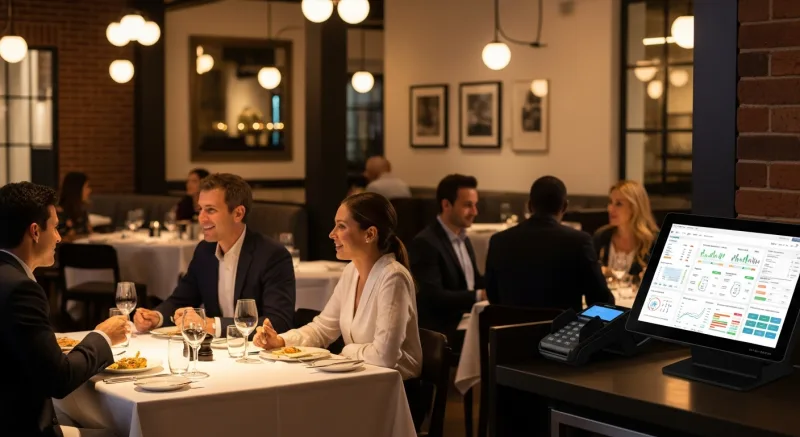
KwickOS reporting connects these dots. You can see that your food cost spiked 2% last week and trace it to a specific station (the garde manger had unusual waste) during a specific shift (Tuesday night when the new cook was training). You can see that Server C's average check is $8 higher than Server D's because C consistently sells wine pairings. You can see that your Saturday lunch is underperforming per-seat relative to Sunday brunch, suggesting a menu or pricing adjustment.
This kind of reporting isn't available when your data lives in five different systems. Your POS knows what sold. Your scheduling tool knows who worked. Your inventory system knows what was used. But none of them can correlate all three dimensions without manual export, merge, and analysis — which realistically means nobody ever does it.
On Payment Processing: The Quiet Margin Killer
Full-service restaurants typically do $60,000-150,000/month in card sales. At those volumes, the difference between a locked processing rate and a competitively negotiated rate is significant.
A restaurant doing $100,000/month in card sales at Toast's 2.99% + $0.15 pays approximately $3,140/month in processing. The same volume at a negotiated rate of 2.3% + $0.10 costs $2,450/month. That's $690/month — $8,280/year — going to processing markup rather than to your bottom line, your staff, your menu development, or your renovation fund.
KwickOS's processor-agnostic model means you negotiate directly with payment companies. If your current processor raises rates, you switch. If a new processor offers a better deal, you take it. Your POS continues working exactly the same regardless of who processes your payments. This freedom is how your technology should work — serving your business interests, not the POS company's revenue model.
On Security: Who Is Clocking In?
Full-service restaurants have a persistent time-theft problem. Buddy punching — one employee clocking in for another — costs the average restaurant $1,500-3,000/year in paid-but-not-worked labor. PIN-based systems don't solve this because PINs get shared. Swipe cards get passed around.
KwickOS includes fingerprint verification at the terminal. Employees clock in with their fingerprint. No PINs to share, no cards to lend, no buddy punching. The system supports both 1:N identification (fingerprint alone identifies the employee) and 1:1 verification (employee enters their ID, then verifies with fingerprint). This biometric approach eliminates buddy punching entirely.
Toast does not offer fingerprint verification. Square does not. Clover does not. For a full-service restaurant with 25-40 employees across multiple shifts, biometric time tracking provides both security and accountability that PIN-based systems cannot match.
On Choosing Wisely
I've consulted with restaurants that chose their POS based on the sales rep's demo, the lowest upfront cost, or what the restaurant down the street was using. These are poor criteria. The right questions are operational: Does it handle coursing? Does it process locally when internet fails? Can I choose my own payment processor? Does it track tips to legal standards? Does it scale if I open a second location?
Ask those questions. Demand live demonstrations with your actual menu and your actual service flow. Don't accept a canned demo with a fictional restaurant.
KwickOS provides on-site installation in 1-3 hours, with 1-2 hours of staff training. Within a week, your team should be operating at full proficiency. The 24/7 US-based support line — (888) 355-6996 — provides multilingual assistance for the inevitable questions that arise during the first few weeks.
Your full-service restaurant is a complex organism. It deserves technology that matches that complexity, not technology that forces you to simplify your operations to fit its limitations.
With respect and experience,
A fellow operator who learned the hard way
Schedule a consultation for your full-service restaurant. Call (888) 355-6996 or visit kwickos.com.
The Revenue Features Most "All-in-One" Systems Charge Extra For
When POS companies say "all-in-one," they rarely mean gift cards and loyalty are included. Toast charges $75/month for their loyalty add-on. Square Loyalty starts at $45/month. Clover requires third-party apps. KwickOS includes all of these natively — zero extra cost.
Physical & Electronic Gift Cards
Sell branded physical cards at the register. Send e-gift cards via text or email. Track balances across every location in real time. Gift card holders spend 20-40% more than face value — this is not a nice-to-have, it is a revenue multiplier.
Points-Based Loyalty System
Every transaction earns points. Customers see their balance on receipts and can redeem at checkout. Configurable earn ratios, tiered VIP levels, and automatic birthday rewards. No separate app required — it runs inside the POS your cashier already knows.
Membership & Subscription Management
Run coffee clubs, wine memberships, or VIP dining programs. Recurring billing, exclusive member pricing, and member-only items — managed from the same dashboard as your daily operations. Your customers feel special. Your revenue becomes predictable.
Real impact: businesses using KwickOS loyalty features see repeat visit rates increase by up to 35%. Gift card programs generate an average of 15% additional revenue during holiday seasons.

Tom Jin
Founder & CIO of KwickOS · 30 Years IT · 20 Years Restaurant Industry
Tom built KwickOS after decades running restaurants and IT companies. Today KwickOS serves 5,000+ businesses across 50 states.