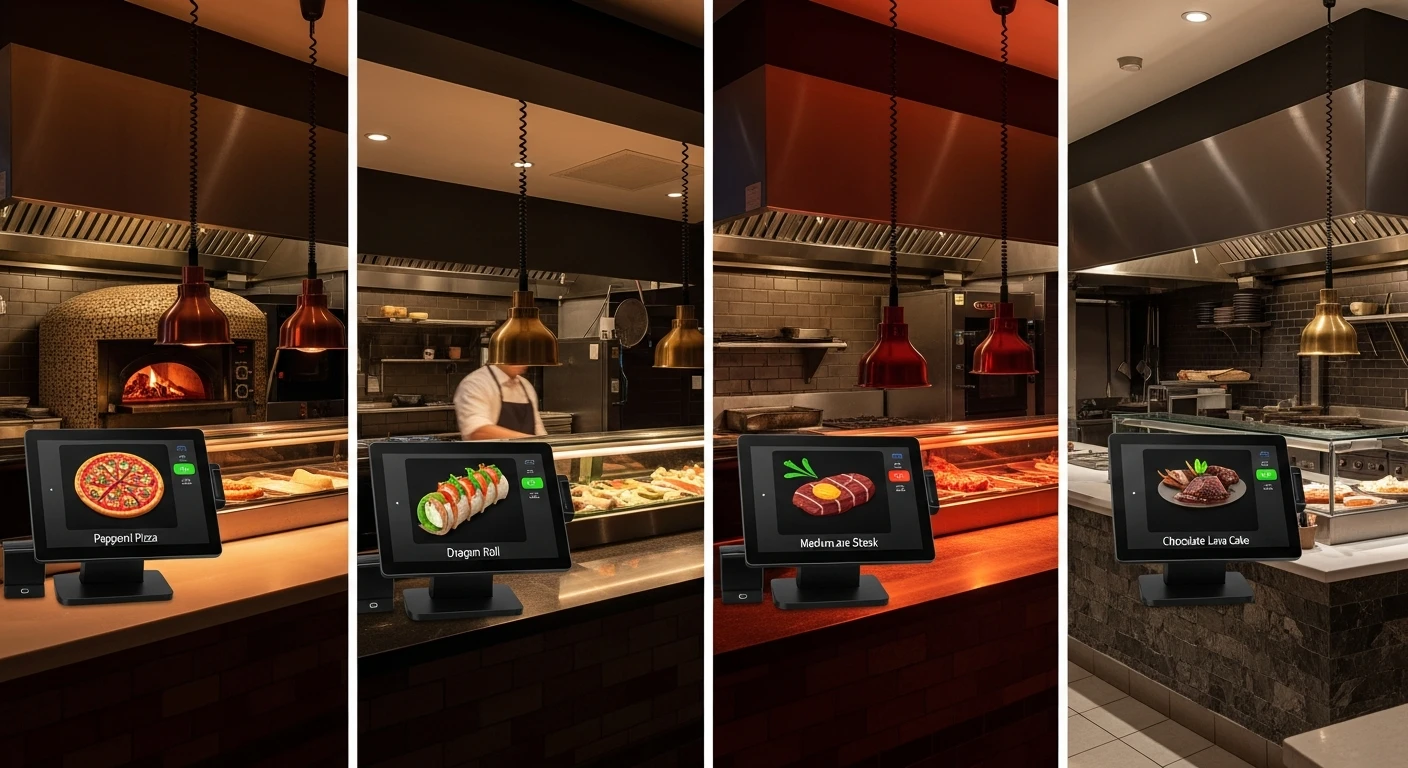
For restaurant operators, One Restaurant, Four Kitchen Stations, Four Different POS Displays isn't optional — it's the backbone of daily operations. I have been setting up technology for Japanese restaurants for close to fifteen years. Ramen shops, izakayas, omakase counters, conveyor belt sushi bars—each one presents its own operational puzzles. But nothing matches the sheer complexity of a hibachi restaurant. Nothing comes close.
Last year I got a call from the owner of Shogun Japanese Hibachi, a single-location teppanyaki restaurant in the suburbs of Atlanta. He had one store, four terminals, and a problem that had already defeated two POS vendors before me. His words on the phone were direct: “I need four different screens for four different jobs. Everyone keeps telling me I can only have one.”
That single sentence captures a problem that runs through the entire Japanese restaurant industry. And after working through the Shogun installation with KwickOS, I want to share what we learned—because the solution applies to far more than hibachi.
The Layout: One Restaurant, Four Worlds
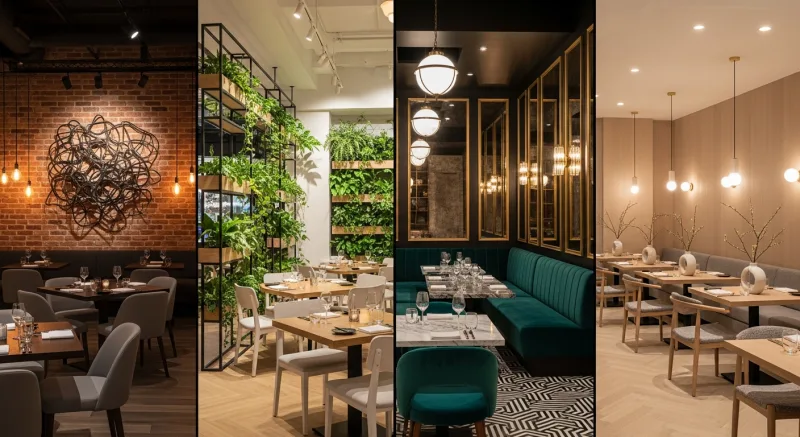
Walk into Shogun Japanese Hibachi and you encounter what appears to be one restaurant. But operationally, it functions as four distinct businesses under one roof.
Station 1: The Hibachi Grill
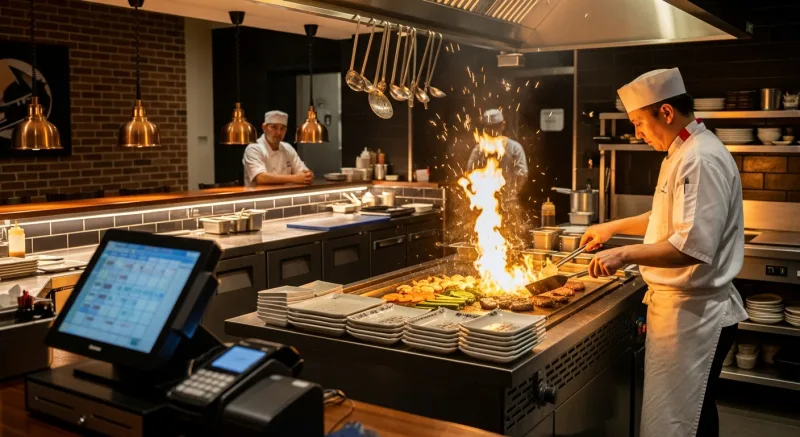
Four teppanyaki tables, each seating eight guests. The hibachi chef performs, cooks, and serves simultaneously. Orders are combo-based: choose a protein, two sides, a sauce, and a cooking preference. The chef needs to see only his table’s orders, in the exact sequence guests are seated.
Station 2: The Sushi Bar
A 12-seat sushi counter plus sushi orders from the dining room. The sushi chef works with raw fish, precise cuts, and plating that requires concentration. He needs to see sushi and sashimi orders only—no grill items, no drinks, no hibachi combos cluttering his display.
Station 3: The Bar
A full liquor bar handling cocktails, sake, Japanese beer, and non-alcoholic drinks. The bartender is moving fast during dinner service, often handling 30 to 40 drink orders per hour. She needs a simplified interface—large buttons, minimal taps, no scrolling through food menus.
Station 4: The Server Station
Two server POS terminals at the front where servers ring in complete orders for every station. This terminal needs to show everything—the full menu across all stations—but organized so that ringing in a hibachi combo, a sushi appetizer, and a round of drinks takes under sixty seconds.
The owner, Mr. Tanaka, had tried Square first. Square gave him four identical terminals. Every screen showed every item. The sushi chef was scrolling past hibachi combos to find his nigiri orders. The bartender was wading through 200 food items to get to the sake list. During Saturday night service, the confusion added three to five minutes per order cycle. For a restaurant doing 180 covers on a busy night, that time adds up to chaos.
He switched to Toast next. Toast offered some customization through its kitchen display system, but the front-of-house terminals still ran the same interface. The bartender still could not get a drink-only screen. The hibachi chef could not see orders organized by grill station. Mr. Tanaka called it “a nicer version of the same problem.”

Why Hibachi Restaurants Break Standard POS Systems
To understand why this is so hard, you need to understand what makes hibachi operationally unique. I have set up dozens of these restaurants, and the same five issues surface every single time.
1. Combo Ordering Is Deeply Nested
A hibachi dinner is not a single menu item. It is a decision tree. The guest chooses a protein (chicken, steak, shrimp, lobster, salmon, tofu, or a combination). Then two sides from a list of eight. Then a sauce (yum yum, ginger, teriyaki, spicy mayo, ponzu). Then a cooking preference (light, medium, well done for steaks; specific preparation for seafood). Then optional add-ons: extra shrimp, upgrade to filet mignon, add a lobster tail.
A single hibachi combo can generate a ticket with eight to twelve modifier lines. Multiply that by eight guests at a teppanyaki table, and the hibachi chef is reading a ticket that looks like a short novel. If that ticket also includes the sushi appetizers, the drinks, and the dessert orders for the entire table, it becomes unreadable. The chef needs to see only the grill-relevant items, broken down by seat position so he knows which guest ordered the filet mignon medium rare and which ordered the shrimp well done.
2. The Bartender Needs Speed, Not Completeness
I have watched bartenders in hibachi restaurants work. During dinner service, they are pouring sake, mixing cocktails, pulling Japanese draft beers, and handling soft drinks—simultaneously. When a server walks up and says “two Sapporos, a sake flight, and a virgin mojito,” the bartender needs to ring that in or confirm it within five seconds. She does not have time to navigate through categories, scroll past “Hibachi Chicken Combo” and “Dragon Roll,” or tap through three menu levels to find the sake list.
The bar terminal needs to show drinks and drinks only. Large buttons. Logical grouping: draft beer, bottled beer, sake by the glass, sake by the bottle, cocktails, non-alcoholic. Two taps to complete any drink order. That is the requirement.
3. Tip Allocation Is a Political Minefield
Here is a problem most POS consultants overlook until the staff revolts. In a hibachi restaurant, tips need to be split between three distinct roles:
- The hibachi chef — performs a 45-minute show, cooks the food, and interacts directly with guests. In most hibachi restaurants, guests tip the chef separately, often in cash placed on the grill, but increasingly on the card.
- The server — takes the initial order, brings appetizers and drinks, handles dessert, processes payment. The server expects a standard tip on the overall bill.
- The bartender — makes the drinks. At the bar itself, the bartender receives direct tips. For table service drinks, the bartender expects a portion of the server’s tip pool or a separate allocation.
Most POS systems offer a single tip line. Some allow a two-way split. Almost none support a three-way role-based allocation where the tip percentage varies depending on whether the guest sat at the hibachi grill (where the chef did most of the work), the sushi bar (where the sushi chef did most of the work), or a regular table (where the server did everything). At Shogun, the old system required the manager to manually calculate and distribute tips at the end of every shift using a spreadsheet. It took 45 minutes each night and still generated arguments.
4. Station Identity and Security
Four stations means four operators with different permission levels. The hibachi chef should be able to view and bump orders but not process payments or apply discounts. The bartender should be able to ring in drink orders and process bar tabs but not modify food orders. The server needs full ordering capability but limited access to reporting and configuration. And the manager needs everything.
When staff rotate—the lunch sushi chef covers a hibachi station during dinner—the terminal needs to recognize who is logged in and adjust permissions accordingly. A generic login screen with a shared four-digit PIN defeats the purpose.
5. The Kitchen Display Problem
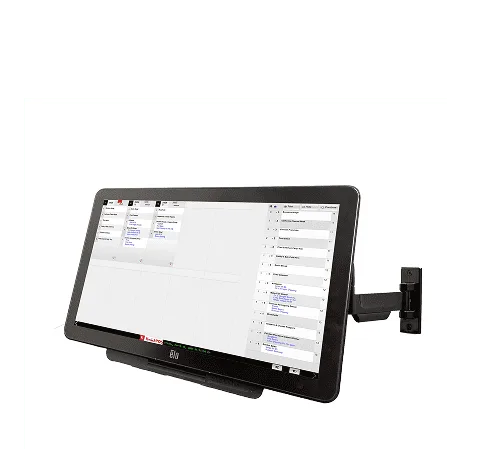
A single kitchen display showing all orders for all stations is worse than useless in a hibachi restaurant. It is actively harmful. The sushi chef sees grill orders he cannot fill. The hibachi chef sees sushi orders that distract from his timing. During peak service, when 15 to 20 orders are active simultaneously, an undifferentiated display becomes a wall of noise.
How KwickOS Solved the Shogun Challenge
When I brought KwickOS into Shogun, I told Mr. Tanaka something that surprised him: “We are not going to set up one POS system. We are going to set up four, and they will all talk to each other.”
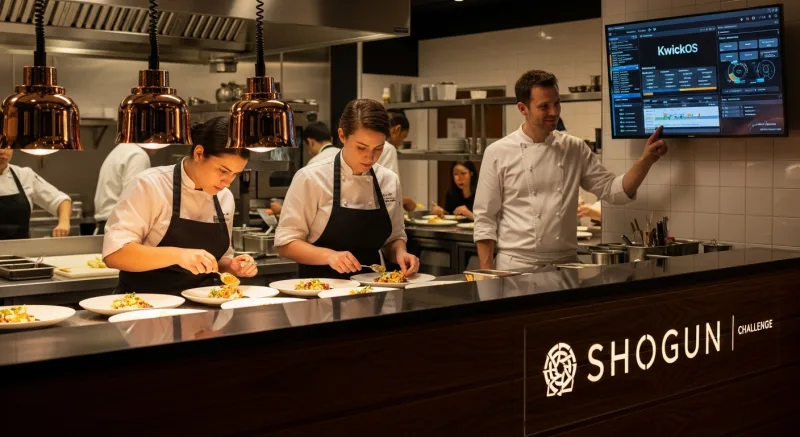
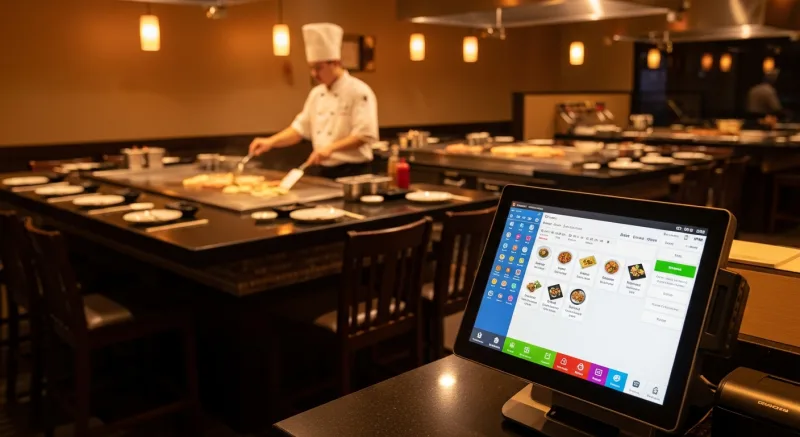
That is fundamentally how KwickOS approaches multi-station restaurants. Each terminal is independently configurable—its own display layout, its own menu categories, its own button sizes, its own color scheme, its own printer routing—while sharing a unified backend for order management, inventory, reporting, and payment processing.
Here is what the Shogun installation looked like in practice.
Customized Display Per Station
The sushi bar terminal shows only sushi and sashimi categories. The menu is organized exactly the way the sushi chef thinks: nigiri, sashimi, maki rolls, specialty rolls, hand rolls, appetizers. Each item shows the Japanese name alongside the English name. The display uses a calm blue color scheme—Mr. Tanaka’s preference, because the sushi bar is the “quiet” part of the restaurant.
The grill station display is organized by teppanyaki table. Table 1 orders appear in one column, Table 2 in another, and so on. Within each table, orders are listed by seat position. The hibachi chef glances at his display and sees: Seat 1, filet mignon medium rare, fried rice, mushroom, yum yum sauce. Seat 2, shrimp well done, noodles, zucchini, ginger sauce. Nothing else. No sushi, no drinks, no desserts.
The bar terminal is stripped down to essentials. Large buttons arranged in a grid: beer on the left, sake in the middle, cocktails on the right, non-alcoholic at the bottom. Each button is oversized for speed. The bartender can ring in a round of four drinks in three taps. The background is dark—easier on the eyes in the dim bar lighting.
The server station shows the complete menu, organized for efficient order entry. A hibachi combo order flows naturally: tap “Hibachi Combo,” select protein, sides auto-populate with defaults that the server can modify, sauce selection appears, cooking preference appears. The entire combo builds in six to eight taps. Add a sushi appetizer for the table, add drinks, send to all three stations simultaneously.
Simplified Alcohol Interface
The bar display deserves special mention because it illustrates a principle that most POS vendors fail to understand: less is more when speed matters. The Shogun bartender handles 200+ drink orders on a Saturday night. The KwickOS bar terminal shows exactly 32 buttons on one screen. No scrolling. No categories to navigate. The 32 most-ordered drinks are on the main screen, and a single “More” button reveals the complete drink list for the occasional unusual order. Tab management is on a persistent sidebar—open tabs listed by seat or name, one tap to add items, one tap to close.
Automated Tip Allocation
KwickOS allowed us to configure role-based tip allocation rules that matched Shogun’s tipping culture. When a guest pays at a hibachi table, the tip is automatically split: 40% to the hibachi chef, 45% to the server, 15% to the bar pool. When a guest pays at the sushi bar, it splits differently: 50% to the sushi chef, 35% to the server, 15% to the bar pool. When a guest pays at a regular dining table (non-hibachi), the server keeps 85% and 15% goes to the bar pool. Bar-only tabs: 100% to the bartender.
These rules run automatically at settlement. No spreadsheet. No manager spending 45 minutes after close doing arithmetic. The staff see their tip breakdown on their shift report, and disputes dropped to nearly zero.
Operator Proficiency in Under Five Minutes
I timed it. On the old system, training a new server took a full shift—four to six hours of shadowing before they could ring in orders independently. With KwickOS at Shogun, we ran a timed test: a new hire, no previous POS experience, was given five minutes with the server terminal. At the end of five minutes, she could ring in a complete hibachi combo with modifications, add a sushi appetizer, add drinks, and send the order. She made one error (forgot to change a sauce from default) which the system caught with a confirmation prompt.
The key is that KwickOS builds logical order flows. The combo builder walks the server through each decision in sequence. There is no way to skip the protein selection or forget the sauce—the system prompts for each required modifier before allowing the order to proceed. This guided workflow is what makes five-minute proficiency possible.
Fingerprint Verification Per Station
Each terminal at Shogun uses KwickOS’s fingerprint login. The hibachi chef touches the sensor, and the display immediately switches to his profile—grill-only view, his permission level, his tip tracking. When the shift changes and the night chef takes over, a fingerprint touch swaps the profile instantly. No typing PINs, no shared logins, no ambiguity about who is operating which station.
This also solved a security issue Mr. Tanaka had experienced before: with shared PIN logins, servers would occasionally ring in orders under another server’s ID, which corrupted the tip tracking. Fingerprint eliminates that entirely.
The Broader Lesson: Customizable Beats Generic, Every Time
The Shogun story is dramatic because hibachi restaurants are operationally extreme. But the underlying principle is universal: the best POS system for any restaurant is the one that adapts to how that restaurant actually works, not the one that forces the restaurant to adapt to how the software was designed.
Every restaurant type has workflows that a generic, one-size-fits-all POS cannot handle well. I have seen it over and over across every style of Japanese and Asian cuisine.
Dim Sum Restaurants: Cart-Based Ordering with Stamp Cards
Traditional dim sum service uses roaming carts. Guests choose items as carts pass their table, and a server stamps or marks a paper card to track what was ordered. The POS needs to support this workflow—quick item entry by category (small, medium, large, special, premium) with per-piece and per-basket pricing tiers. KwickOS handles this with a dim sum mode that mirrors the stamp card concept digitally: servers carry handheld tablets and tap items by size category as carts arrive at each table. The check builds in real time, and the kitchen knows exactly which items are moving fastest so carts can be restocked intelligently.
Hot Pot Restaurants: Per-Person Pricing with Add-On Tracking
Hot pot operates on a fundamentally different pricing model. Each guest selects a broth base (priced per person), then orders individual ingredient plates that arrive at the table for communal cooking. The POS must track per-person broth charges separately from shared ingredient orders, handle all-you-can-eat tiers where the base price includes certain ingredients but premium items (wagyu, lobster, abalone) cost extra, and manage time limits for all-you-can-eat sessions. KwickOS’s hot pot mode handles all of this, including a timer display on the server terminal that alerts when an AYCE table is approaching its time limit.
Buffet Restaurants: Fixed Price Plus Drink Add-Ons
Buffet seems simple—everyone pays the same price. But the POS still needs to handle lunch versus dinner pricing, child versus adult versus senior pricing, drink orders that are separate from the buffet price, and the occasional a la carte order for someone who only wants one dish. The drink ordering workflow at a buffet is particularly important because it is the primary source of variable revenue. KwickOS lets buffet operators set up a streamlined terminal that defaults to the buffet price per guest (with automatic head-count pricing), then shows a drinks-only ordering interface for add-ons.
Conveyor Belt Sushi: iPad Self-Ordering
Kaiten-zushi (conveyor belt sushi) is moving toward a hybrid model: some items travel on the belt, but guests also order directly from tablets at their seats for freshly made items. The POS needs to handle both channels—scanned plates from the belt and digital orders from the tablet—and merge them into a single check. KwickOS integrates iPad-based self-ordering for conveyor belt sushi, where guests can browse the full menu, place orders that route directly to the sushi station, and see their running total in real time.
Why Understanding Restaurant Workflows Matters More Than Features
Every POS vendor will show you a feature checklist. Table management, check. Online ordering, check. Kitchen display, check. Inventory tracking, check. The checklist tells you nothing about whether the system actually works in your restaurant.
What matters is whether the people who built the system have spent time in restaurants like yours. Whether they understand that a hibachi chef reads tickets differently than a line cook at a burger joint. Whether they know that a dim sum cart server needs a different interface than a fine dining waiter. Whether they have seen the 11 PM tip calculation argument between a hibachi chef and a server, and built a system that prevents it.
“I showed the KwickOS team a video of our Saturday dinner service. They watched the hibachi chef, the sushi chef, and the bartender all working at the same time. Then they said, ‘We know exactly what you need’—and they actually did.” — Mr. Tanaka, Owner, Shogun Japanese Hibachi
KwickOS is built on 30 years of IT infrastructure experience and over 20 years of direct restaurant operations consulting. The company does not design POS systems in a Silicon Valley office and then go looking for restaurants to use them. They start in the restaurant—watching the kitchen, timing the ticket flow, counting the taps it takes to ring in an order—and then build the software around what they observe.
That is why more than 5,000 businesses across North America run on KwickOS today, including some of the most operationally complex Asian restaurant concepts on the continent. The system was not built for the average restaurant. It was built for the restaurant that the average POS cannot handle.
What to Look for in a Hibachi (or Any Multi-Station) POS
If you are running a hibachi restaurant, teppanyaki grill, or any concept with multiple specialized stations, here is what to evaluate before choosing a POS system:
| Capability | Why It Matters for Hibachi | KwickOS | Generic POS |
|---|---|---|---|
| Per-terminal display customization | Each station needs its own menu, layout, and color scheme | Full customization per terminal | Same interface on all terminals |
| Station-specific order routing | Sushi chef sees only sushi; grill chef sees only grill | Automatic routing by item category | All orders shown on all displays |
| Complex combo/modifier builder | Hibachi combos have 5+ decision points per order | Guided sequential builder with defaults | Flat modifier lists, manual navigation |
| Role-based tip allocation | Chef, server, and bartender tips must be tracked separately | Automated rule-based allocation | Single tip line, manual splitting |
| Biometric operator login | Fast station switching, no shared PINs, accurate tip tracking | Fingerprint verification | PIN or swipe card |
| Simplified station interfaces | Bartender needs 2-tap drink ordering, not a full menu | Station-specific streamlined layouts | Full menu on every terminal |
The Bottom Line
Mr. Tanaka spent two years and two POS systems trying to make his hibachi restaurant work with generic technology. Both times, the system did what it was designed to do—serve a generic restaurant. Shogun Japanese Hibachi is not a generic restaurant. Neither is your dim sum house, your hot pot spot, your sushi bar, or your ramen shop.
The hibachi challenge is really a question about what you expect from your technology. Should your restaurant adapt to your POS system, or should your POS system adapt to your restaurant? If you believe it should be the latter—and after fifteen years in this business, I can tell you without hesitation that it should—then you need a platform that was built for customization from the ground up.
Four stations, four displays, four different workflows, one unified system. That is what KwickOS delivered at Shogun, and it is what it delivers every day for thousands of restaurants that refuse to settle for generic.
Running a Hibachi, Sushi, or Multi-Station Restaurant?
See how KwickOS customizes every terminal to match your exact workflow. Free demo with a restaurant technology specialist who has worked with Japanese and Asian concepts.
Book a Free Demo