Running a restaurant without the right online ordering is like driving without a dashboard. Pull up your DoorDash merchant portal. Look at last month's commission line.
If you're an average restaurant doing $15,000/month in delivery orders through third-party apps, you just found $3,750 leaving your business every month. That's $45,000 per year — paid to a company that doesn't cook your food, doesn't manage your staff, and doesn't clean your kitchen.
Here's the thing: you're not paying for delivery. You're paying for customer acquisition. DoorDash and Uber Eats are marketing channels — very expensive marketing channels that also happen to own the customer relationship, the customer data, and the ability to promote your competitors right next to your listing.
But it gets worse: that customer who ordered from you on DoorDash? They're not your customer. They're DoorDash's customer. You don't have their email. You can't send them a promotion. You can't build loyalty. The next time they're hungry, the app will suggest whatever restaurant is paying the highest placement fee — and it might not be you.
This guide shows you how to set up first-party online ordering — where customers order directly from your website — in less than 24 hours, for a fraction of what you're paying the apps.
The Real Cost of Third-Party Delivery Apps
Most restaurant owners know they're paying commission. Few have done the math on what that commission actually costs relative to their profit margin.
| Platform | Commission Rate | On a $35 Order | Annual Cost ($15K/mo volume) |
|---|---|---|---|
| DoorDash | 15-30% | $5.25 - $10.50 | $27,000 - $54,000 |
| Uber Eats | 15-30% | $5.25 - $10.50 | $27,000 - $54,000 |
| Grubhub | 15-25% | $5.25 - $8.75 | $27,000 - $45,000 |
| First-party (KwickMenu) | 0% commission | ~$0.90 processing | ~$4,500 processing only |
The difference between paying DoorDash 25% and processing orders through your own site is $40,500 per year on $15K/month in delivery volume. That's not a rounding error. That's a manager's annual salary.
Use our delivery fee calculator to see the exact savings based on your volume.
First-Party vs. Third-Party: What You're Really Choosing
The decision isn't just about commission rates. It's about who owns the customer relationship.
| Third-Party (DoorDash, Uber Eats) | First-Party (Your Website) | |
|---|---|---|
| Commission | 15-30% | 0% (processing fees only) |
| Customer data | Owned by the app | Owned by you |
| Customer emails | Not shared | You collect them |
| Reorder marketing | App decides who to promote | You control promotions |
| Menu control | Limited by app format | Full control |
| Branding | Your restaurant in their template | Your brand, your design |
| POS integration | Often requires tablet + manual entry | Direct to kitchen display |
| Customer discovery | Strong (millions of app users) | Requires your own marketing |
Here's the thing: third-party apps excel at one thing — discovery. They put you in front of customers who don't know you exist. That has real value. The mistake is using them for repeat customers who already know and love your restaurant.
The smart strategy: use third-party apps as a customer acquisition channel, then convert those customers to direct ordering. Include a card in every delivery bag: "Order direct at [yourrestaurant].com — save 10% on your next order." You're offering 10% off and still saving 15-20% compared to the app commission.
How KwickMenu Works (500K Clicks/Month Proves It)
KwickMenu.com processes 500,000 clicks per month across its restaurant network — making it one of the highest-traffic restaurant ordering platforms in North America. Here's why it works:
Direct POS Integration
When a customer places an order through KwickMenu, it flows directly into your KwickOS POS system and appears on the kitchen display screen. No separate tablet. No manual re-entry. No chance of transcription errors.
Compare that to the DoorDash tablet workflow: order comes in on a separate tablet, your staff re-enters it into the POS (if they even bother), the kitchen makes it, and errors happen at every handoff point. A McKinsey study found that manual order re-entry creates errors on 1 in 5 orders — leading to remakes, refunds, and bad reviews.
QR Code Dine-In Ordering
Online ordering isn't just for delivery. KwickMenu supports QR code ordering for dine-in customers — scan a code at the table, browse the menu on your phone, order and pay without waiting for a server.
Rockin' Rolls Sushi Express took this concept even further with 49 iPad self-ordering stations integrated with KwickOS. Customers browse the full menu with photos, customize their orders, and submit directly to the kitchen display system. The result: reduced serving time and more accurate orders because customers enter their own modifications.
Menu Sync With Your POS
Your KwickMenu online menu stays in sync with your POS menu automatically. Change a price in the POS? It updates online. 86 an item during dinner service? It disappears from the online menu in real time. Add a seasonal special? It's available online immediately.
No more customers ordering items you've run out of. No more price discrepancies between your in-house and online menus. No more manual updates across multiple platforms.
The Delivery Question: Build vs. Buy
Setting up online ordering is one thing. Delivery is another. You have three options:
Option 1: In-House Delivery Team
Hire your own drivers. Full control, but high fixed costs — insurance, vehicles, labor during slow periods. Makes sense if you do 50+ deliveries per day consistently.
Option 2: Third-Party Delivery Only (DoorDash Drive, Uber Direct)
Use third-party driver networks for delivery while taking orders through your own site. You keep the customer data and avoid the marketplace commission, but you still pay per-delivery fees of $6-10+.
Option 3: KwickDriver
KwickDriver is KwickOS's integrated delivery service. The pricing is transparent and predictable:
- $2 flat fee per delivery (restaurant pays)
- $6.99 per 5 miles (customer pays)
Compare that to DoorDash's 15-25% commission on the entire order value. On a $35 order, DoorDash takes $5.25-$8.75. KwickDriver costs $2.00 flat.
| Monthly Delivery Volume | DoorDash Cost (25%) | KwickDriver Cost ($2/delivery) | Annual Savings |
|---|---|---|---|
| 200 orders ($7,000) | $1,750/mo | $400/mo | $16,200 |
| 400 orders ($14,000) | $3,500/mo | $800/mo | $32,400 |
| 800 orders ($28,000) | $7,000/mo | $1,600/mo | $64,800 |
And that's not all: KwickDriver integrates directly with your KwickOS POS. Delivery orders flow from KwickMenu to the kitchen display to the driver assignment screen — no separate app, no manual coordination.
Setting Up First-Party Online Ordering: Step by Step
Here's the actual process, from zero to live orders in 24 hours.
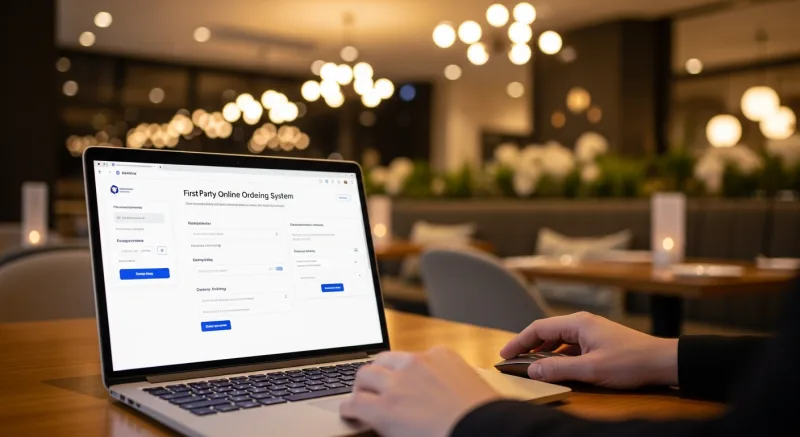
Step 1: Menu Setup (2-4 hours)
If you're already on KwickOS, your menu imports automatically. If not, you'll build your menu in the system — items, categories, modifiers, prices. This is the longest step, but you only do it once.
Pro tip: invest time in food photography. Menus with professional photos see 30% higher conversion rates than text-only menus. You don't need a professional photographer — a smartphone, natural light, and a clean plate go a long way.
Step 2: Configure Order Settings (30 minutes)
- Set operating hours for online ordering (which can differ from dine-in hours).
- Set prep time estimates by order size (15 min for 1-3 items, 25 min for 4-8 items, etc.).
- Configure delivery zones and minimum order amounts.
- Enable or disable specific order types: pickup, delivery, dine-in QR.
Step 3: Payment Processing (15 minutes)
Connect your payment processor. Because KwickOS is processor-agnostic, you use whatever processor gives you the best rate — not a locked platform processor. Standard processing fees run 2.3-2.6% for online card-not-present transactions.
Step 4: Test Orders (30 minutes)
Place test orders for every order type: pickup, delivery, dine-in. Verify they appear correctly on the kitchen display. Verify the receipt prints correctly. Verify the payment processes correctly.
Step 5: Go Live and Promote (Ongoing)
- Add a "Order Online" button to your website homepage.
- Print QR code table tents for dine-in ordering.
- Include a direct ordering card in every third-party delivery bag.
- Post your direct ordering link on Google Business Profile, Yelp, and social media.
- Add your online ordering URL to your email signature and voicemail.
The Customer Data Advantage
This is the part most restaurant owners overlook when comparing costs — and it's worth more than the commission savings.
When customers order through your website, you collect:
- Email addresses — for promotions, new menu announcements, loyalty rewards.
- Order history — what they ordered, when, how often, average order size.
- Delivery addresses — for targeted local marketing.
- Phone numbers — for SMS marketing (with consent).
Here's the thing: a restaurant's email list is one of its most valuable assets. An email to 1,000 past customers announcing a new seasonal menu costs essentially nothing and can generate $3,000-5,000 in orders over a weekend. Try doing that through DoorDash.
Customer data also enables the holy grail of restaurant marketing: automated reorder campaigns. A customer who ordered every Friday for three weeks suddenly skips a Friday? An automatic email with a 10% discount lands in their inbox at 4 PM. "We missed you this week — here's 10% off your next order." Restaurants using automated reorder campaigns see 15-25% higher repeat order rates.
The Hybrid Strategy: Use Both (But Be Smart About It)
We're not suggesting you abandon third-party apps entirely. They serve a purpose: putting your restaurant in front of people who've never heard of you. That discovery function has real value.
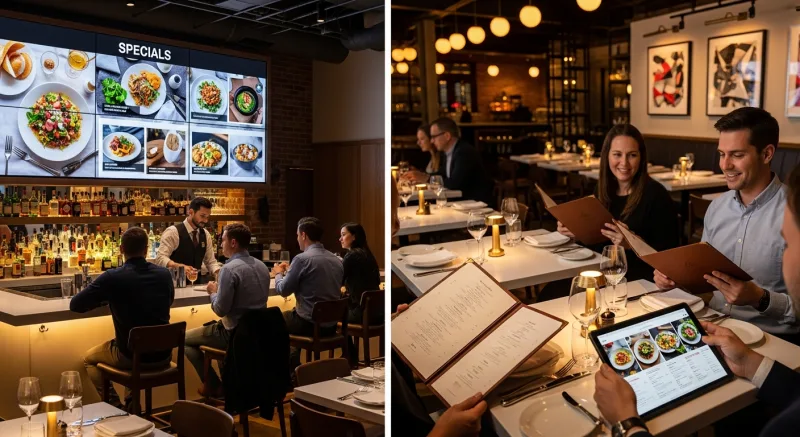
The optimal strategy looks like this:
| Channel | Use For | Goal |
|---|---|---|
| DoorDash / Uber Eats | New customer acquisition | Keep but minimize — accept the commission as a marketing cost |
| Your website (KwickMenu) | Repeat customers | Maximize — this is where your profit lives |
| QR code dine-in ordering | In-house upselling | Increase check size by 12-20% with photo menus and easy add-ons |
| Google Business Profile | Direct ordering link | Capture search traffic before they land on an app |
The target: shift your order mix from 80% third-party / 20% first-party to the inverse within 12 months. Every order that moves from DoorDash to your own site saves you $5-10 in commission and gives you a customer you can market to directly.
What About Rockin' Rolls? 49 iPad Stations, Zero Commission
Rockin' Rolls Sushi Express operates 3 stores with 49 iPad self-ordering stations. Every station is a first-party ordering terminal — customers browse, customize, and pay right at their seat or counter.
The impact:
- Zero commission on every order — no third-party apps involved for dine-in.
- Reduced serving time — orders go straight to the kitchen display from the iPad.
- Higher average check size — customers see food photos, add extras, and aren't rushed by a server standing over them.
- KDS integration — the kitchen display shows exactly what was ordered, with all modifications, reducing errors to near zero.
Tiger Sugar International Dessert uses a similar approach with 2 kiosks across 2 stores — minimal-step personalization where customers customize their drinks exactly the way they want, with electronic receipts and integrated loyalty tracking.
The Bottom Line
Third-party delivery apps aren't going away, and they're not your enemy. They're an expensive marketing channel that should be managed like any other marketing expense — with clear ROI expectations and a strategy to reduce dependency over time.
The math is straightforward: every order that moves from a 25% commission app to your own $0-commission website saves you $5-10 and gives you a direct customer relationship. At 400 orders/month, that's $32,400/year in savings plus a growing customer database that makes every future promotion more effective.
The setup takes 24 hours. The ROI starts with the first order. The only question is how many more months of commission you're willing to pay before you make the switch.
Stop Paying 30% to Delivery Apps
KwickMenu gives your restaurant a branded online ordering website with direct POS integration, QR dine-in ordering, and KwickDriver delivery at $2 per order. Setup takes 24 hours.
Get a Demo