I have watched more than 5,000 restaurants open their doors with KwickOS running behind the counter. Some of them thrive. Some of them struggle. And after three decades building technology for this industry, I can tell you that the restaurants that struggle almost always share one thing in common: they made the wrong technology decision in the first week, and they spent the next twelve months paying for it.
So what is it?
That decision is your POS system.
Not the logo on your awning. Not whether you went with pendant lights or recessed cans. Not even your menu pricing, which you can change on Tuesday. Your POS system — the piece of technology that touches every single dollar that flows through your business — is the decision that compounds. Get it right, and you barely think about it. Get it wrong, and it bleeds you slowly, in ways you do not notice until the quarterly books come in and the numbers do not add up.
Here is what nobody tells first-time restaurant owners about choosing a POS. And I mean nobody — not the real estate broker, not the contractor, not the guy at the restaurant supply store who sold you those beautiful copper pans.
What a POS System Actually Does (It Is More Than a Cash Register)
If you are opening your first restaurant, you might think of a POS system as a fancy cash register. Something that takes orders and prints receipts. That mental model is about twenty years out of date, and holding onto it will cost you.
A modern POS system is the central nervous system of your restaurant. Every transaction, every menu item, every employee clock-in, every inventory count, every customer interaction flows through it. Here is the minimum of what a POS handles in a typical restaurant day:
- Order entry and routing — A server punches in an order. The appetizer goes to the cold station display. The entree goes to the grill station. The drink goes to the bar printer. This happens in under two seconds.
- Payment processing — Credit cards, debit cards, Apple Pay, Google Pay, gift cards, split checks, tips. Every single payment your restaurant accepts runs through the POS.
- Inventory tracking — When you sell a burger, the system subtracts one beef patty, one bun, one portion of lettuce, one portion of tomato from your inventory. You find out you are running low on patties before the Friday rush (tools like our food cost calculator help you plan ahead), not during it.
- Employee management — Clock-ins, clock-outs, breaks, overtime calculations, tip distribution, role-based permissions. Who has access to voids? Who can apply discounts? Who can open the cash drawer?
- Reporting — Sales by hour, by day, by server, by menu item. Your best-selling dish. Your worst margin item. Your busiest hour. Your slowest Tuesday. All of it lives in the POS.
- Online ordering — Your website, your app, your Google listing — orders placed online need to flow into the same kitchen system as dine-in orders.
- Customer relationship management — Loyalty points, visit history, spending patterns, birthday promotions. The POS remembers your regulars even when your staff turns over.
That is a lot of responsibility for one system. And here is the thing most salespeople will not tell you: not all POS systems do all of these things. Some charge extra for online ordering. Some charge extra for loyalty. Some charge extra for inventory. Some charge extra for everything except the basic order entry, and by the time you have bolted on all the pieces you actually need, you are paying three times what you expected.
The 5 Mistakes That Sink First-Time Restaurant Owners
I am not going to sugarcoat this. These mistakes are expensive, they are common, and the POS companies that benefit from them have no incentive to warn you.
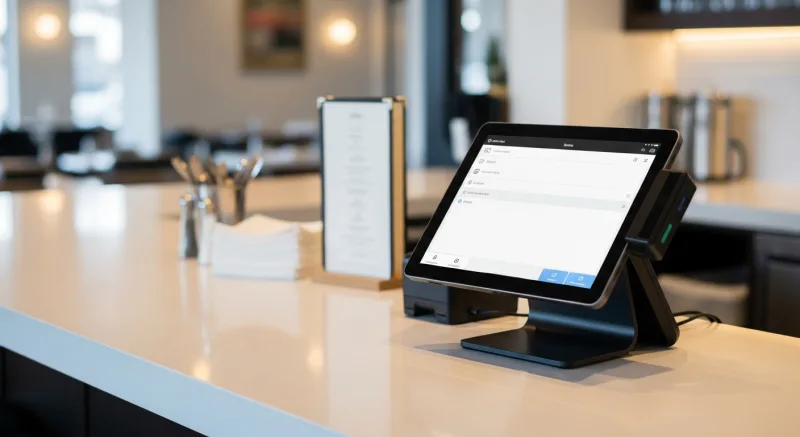
Mistake #1: Signing a Multi-Year Contract Before You Have Served a Single Customer
Several major POS providers will offer you a discount — sometimes 15–25% off — if you sign a three-year contract. When you are hemorrhaging cash on build-out costs (our restaurant startup cost calculator can help you plan) and your opening date is six weeks away, that discount looks irresistible.
But wait. Think about what a three-year contract actually means. It means that if the system does not work for your restaurant — if the reporting is inadequate, if the kitchen display keeps crashing, if the online ordering integration is clunky, if the customer support takes 45 minutes to answer the phone — you are stuck. For three years. Or you pay an early termination fee that can run $5,000 to $15,000 (the industry average is $8,200).
You would not sign a three-year lease on an apartment you have never walked through. Do not sign a three-year contract on a POS you have never operated during a Friday night rush.
Mistake #2: Getting Locked Into a Single Payment Processor
Now here is where it gets really expensive.
This is the big one. The one that costs restaurant owners the most money over time, and the one that is hardest to see coming.
Here is how it works. Some POS companies — Toast is the most prominent example — require you to use their built-in payment processing. You cannot shop around. You cannot negotiate rates. You pay what they charge, and what they charge includes a markup on top of the standard interchange fees that the card networks (Visa, Mastercard) set.
How much does that markup cost? Let us run the numbers for a small restaurant doing $40,000 per month in credit card sales:
A locked-in processor typically charges 2.99% + $0.15 per transaction. A negotiated rate with an independent processor can be as low as 2.3% + $0.10. On $480,000/year in card sales with 200 daily transactions (use our processing fee calculator to run your own numbers), the difference is $3,312 in percentage markup plus $1,460 in per-transaction fees — a minimum of $4,772 per year, and often much more.
And it gets worse.
That $4,772 is money that goes directly from your pocket to the POS company. Not to Visa. Not to Mastercard. To the company that sold you the software. And because you are locked in, you cannot do anything about it.
A processor-agnostic POS system — one that lets you choose any payment processor — lets you shop rates, negotiate terms, and switch providers if a better deal comes along. This is the single largest ongoing cost difference between POS systems, and most first-time owners do not learn about it until it is too late.
Mistake #3: Buying a Cloud-Only System Without Understanding the Risk
Cloud-based POS systems are marketed as modern, convenient, and always up to date. And they are — when your internet is working.
But what happens when your internet goes down? In a cloud-only system, the answer is: everything stops. Your servers cannot enter orders. Your kitchen displays go dark. Your credit card terminals cannot process payments. Your restaurant is dead in the water until Comcast or AT&T decides to fix the problem.
This is not hypothetical. The National Restaurant Association reports that the average restaurant experiences 3-5 internet outages per year. During a dinner rush, even a 20-minute outage can mean hundreds of dollars in lost sales and a dining room full of frustrated customers.
The alternative is a hybrid system — one that runs locally on your network but syncs to the cloud for reporting and remote access. When the internet drops, the local system keeps running. Orders flow from POS to kitchen display over your local network at 1ms latency, credit cards process through a stored offline queue, and your staff never notices the outage. When the internet comes back, everything syncs automatically.
KwickOS uses this hybrid architecture. It is the reason T. Jin China Diner — 15 stores across multiple states, 75 terminals — chose KwickOS for their entire operation. When you have 15 locations and any one of them can lose internet at any time, you cannot afford a system that stops working when the wifi drops.
Mistake #4: Underestimating the Importance of Security
This next one catches almost every new owner off guard.
When you hire your first employees, you are going to trust them. You should. But you also need to verify. Employee theft costs the restaurant industry an estimated $6 billion per year in the United States alone, and the majority of it happens through the POS: unauthorized discounts, voided transactions that were actually completed, time clock fraud (clocking in early, clocking out late, or “buddy punching” for a coworker who is not there).
Most POS systems use passwords or PIN codes for employee authentication. The problem is obvious: PINs get shared. A cook tells a server his code because the server needs to ring in a kitchen refire. A manager gives her PIN to a shift lead because she is busy. Within three months, half the staff knows codes that are not theirs.
Fingerprint authentication eliminates this entirely. KwickOS supports both 1:N matching (the employee just touches the scanner, and the system identifies them from all enrolled fingerprints) and 1:1 matching (the employee enters their ID and then verifies with a fingerprint). You cannot share a fingerprint. You cannot buddy-punch with a fingerprint. The system knows exactly who performed every transaction, every void, every discount, every clock-in.
Toast does not support fingerprint authentication. Square does not support it. Clover does not support it. This is not a marginal feature — it is the difference between trusting your team and trusting your team and verifying.
Mistake #5: Paying Extra for Features That Should Be Included
Here is a partial list of features that some POS companies charge extra for, on top of your monthly software fee:
- Online ordering — $50-$200/month
- Gift cards — $25-$75/month
- Loyalty program — $45-$100/month
- Kitchen display system — $15-$30/month per screen
- Advanced reporting — $25-$50/month
- Employee scheduling — $20-$40/month
- Inventory management — $50-$100/month
- Multi-location management — $30-$60/month per location
Add those up. If you need all of them — and most restaurants do — you are looking at an additional $260 to $655 per month on top of your base POS subscription. That is $3,120 to $7,860 per year in add-on fees alone.
And that is not even the worst part. The worst part is that these add-ons are often built by different companies and bolted onto the POS through integrations. The online ordering might come from one vendor, the loyalty from another, the scheduling from a third. Each one has its own login, its own support team, its own update schedule, and its own way of breaking when the POS updates.
An all-in-one system includes everything natively. One login. One support number. One system that was designed to work together from the start. Gift cards, e-gift cards, loyalty points, membership programs, online ordering, kitchen displays, digital signage, kiosk ordering, delivery management, employee scheduling, inventory — all built in. All included.
What Your First Week With a POS Actually Looks Like
Let me walk you through what should happen when you install a POS system for the first time, because knowing what “good” looks like will help you spot “bad” before you are committed.
Day 1: Installation. A proper installation should take 1-3 hours for a single-location restaurant. The technician sets up your terminals, connects your kitchen displays, installs your receipt printers, and configures your network. If the installation takes a full day or requires you to buy proprietary hardware that only works with that POS, that is a red flag.
Day 2: Menu programming. Your entire menu needs to be entered into the system — every item, every modifier, every price, every combo. A good POS company does this for you as part of onboarding. A bad one hands you a spreadsheet template and tells you to figure it out.
Day 3-4: Staff training. Your servers, bartenders, hosts, and kitchen staff need to learn the system. This is where the quality of the POS reveals itself. A well-designed system should be learnable in 1-2 hours. Shogun Japanese Hibachi, one of our KwickOS customers, reported that new operators achieved full proficiency in under 5 minutes. If your POS requires a full day of training, the interface is too complicated.
Day 5-7: Soft opening. You run the system with real orders, real customers, and real pressure. This is where problems surface: a modifier that was not programmed, a printer that is not routing correctly, a tax rate that needs adjusting. Your POS provider should have a dedicated support line for the first week, not a chatbot.
KwickOS onboarding runs 7-10 days from purchase to fully operational, including installation, menu programming, staff training, and soft opening support. The entire process is handled by our team, not by a third-party installer who has never used the software.
The Question Nobody Asks (But Everyone Should)
Here is the question that separates restaurant owners who make good technology decisions from those who do not:
“What happens when I outgrow this?”
Maybe you start with one location and open a second in 18 months. Maybe you add online ordering. Maybe you launch a catering program. Maybe you start selling gift cards. Maybe you hire 15 more employees and need serious scheduling tools. Maybe you open a food truck as a satellite operation.
With a modular, all-in-one system, you turn on the feature you need. No new vendor to evaluate. No new integration to test. No new contract to sign. The system you started with on day one is the system you are still running when you open location number five.
Crafty Crab Seafood started with a handful of locations. Today they run 19 stores with 152 KwickOS terminals. When they open a new location, they do not evaluate new POS systems. They replicate their existing configuration — menu, modifiers, kitchen routing, reporting — to the new store in a single deployment. One-click menu sync across all 19 locations means a price change or a new seasonal item goes live everywhere simultaneously.
That kind of scalability is not something you need on day one. But it is something you will desperately wish you had planned for on day 500.
A Real Cost Comparison: Year One
Let me lay out what a first-time restaurant owner actually pays in year one, comparing a typical locked-in POS (like Toast — see our full KwickOS vs Toast comparison) with a processor-agnostic all-in-one system (like KwickOS).
| Cost Category | Locked-In POS | KwickOS (All-in-One) |
|---|---|---|
| Hardware (2 terminals, 1 KDS, 1 printer) | $2,500 - $5,000 | $1,500 - $3,000 (standard hardware) |
| Monthly software | $165/mo ($1,980/yr) | Competitive monthly rate |
| Online ordering add-on | $75/mo ($900/yr) | $0 (included) |
| Loyalty & gift cards add-on | $50/mo ($600/yr) | $0 (included) |
| Processing fee markup (on $480K/yr) | $4,800 - $14,400 | $0 (you choose your processor) |
| KDS monthly fee | $15/mo ($180/yr) | $0 (included) |
| Year 1 Total (estimated) | $11,000 - $23,000+ | Significantly lower |
The difference is not subtle. It is the difference between making your rent comfortably in month three and sweating it out wondering where the money went.
What I Would Tell My Younger Self
Here is the bottom line.
I have been in the restaurant technology business for over 30 years. I have personally operated restaurants. I have built the technology that more than 5,000 active businesses rely on every day to process over $2 million in daily sales.
If I could go back and tell my younger self one thing about choosing restaurant technology, it would be this: the system you choose on day one is a marriage, not a date. Switching POS systems after you are operational is painful, expensive, and disruptive. It means retraining every employee, re-entering your entire menu, re-configuring all your hardware, and losing historical data.
So choose carefully. Choose a system that does not lock you into a processor. Choose a system that works when your internet does not. Choose a system that includes everything you need without nickel-and-diming you for add-ons. Choose a system that can grow with you from one location to twenty.
And if you are not sure, call us. We will give you a demo, walk you through the setup, and answer every question you have. Not a chatbot. Not a sales script. A person who has been doing this for decades and understands what it is like to open a restaurant for the first time.
Because the one decision that makes or breaks year one is not the one you think it is. It is the one you barely thought about — until now.
Opening Your First Restaurant?
KwickOS gives you POS, kitchen display, online ordering, gift cards, loyalty, and delivery — all in one system, no add-on fees. See why 5,000+ businesses chose KwickOS for their first (and only) POS.
Book Your Free Demo
Or call us directly: (888) 355-6996
Turn One-Time Diners into Regulars: Built-In Gift Cards & Loyalty
Most POS companies treat gift cards and loyalty as afterthoughts — expensive add-ons that cost $50-100/month extra. KwickOS includes them at no additional charge because we believe they are essential revenue tools, not luxury features.
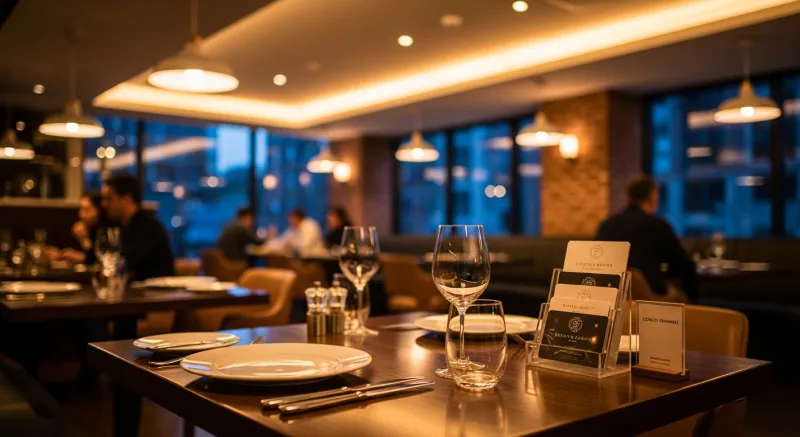
Gift Cards That Actually Drive Revenue
Here is what most restaurant owners do not realize: gift card buyers spend an average of 20-40% more than the card's face value. A $50 gift card typically generates $60-70 in actual spending. KwickOS supports both physical gift cards and electronic gift cards that customers can purchase, send, and redeem through their phones.
- Physical gift cards — branded plastic cards that sit on your counter and sell themselves during holidays
- E-gift cards — customers buy and send digitally via text or email, perfect for last-minute gifts
- Balance tracking — real-time balance across all your locations, no manual reconciliation
- Reload capability — customers top up their balance, creating a built-in prepayment habit
Loyalty Points That Keep Them Coming Back
KwickOS loyalty is not a punch card from 2005. It is a digital points system that tracks every dollar spent and automatically rewards your best customers:
- Earn points on every purchase — configurable ratio (e.g., $1 = 1 point, or $1 = 10 points)
- Tiered rewards — silver, gold, platinum levels to incentivize higher spending
- Birthday rewards — automated birthday offers that bring customers back during their special month
- Points-for-payment — customers redeem points directly at checkout, seamless for your staff
Membership Programs
For restaurants running VIP programs or subscription models (like monthly coffee clubs), KwickOS membership management handles recurring billing, exclusive pricing tiers, and member-only menu items — all within the same system your cashier already uses.
The bottom line: Toast charges $75/month extra for loyalty. Square's loyalty starts at $45/month. KwickOS includes gift cards, e-gift cards, loyalty points, and membership management in every plan. That is $540-900/year you keep in your pocket.
Ready to get started? Explore the KwickOS Restaurant POS System — all-in-one point of sale with online ordering, KDS, and AI phone ordering built in.