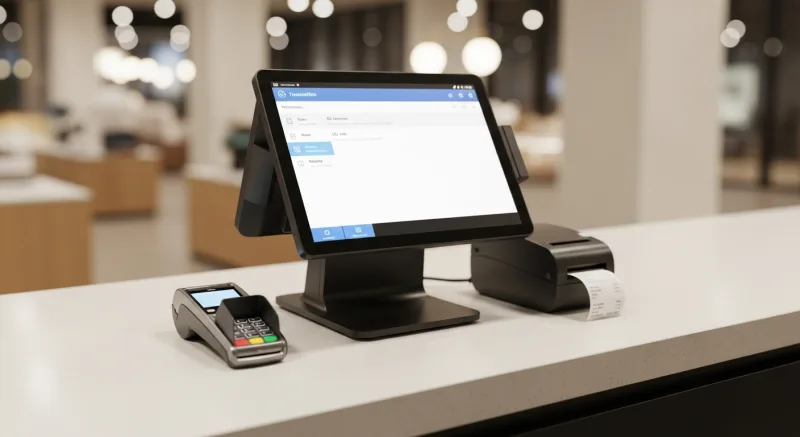
For restaurant operators, Before You Sign That Payment Processing Contract, Read This | Kwick... isn't optional — it's the backbone of daily operations. Every time a customer taps their credit card at your restaurant, money moves through a chain of companies you have probably never heard of. A percentage of that transaction goes to the card-issuing bank. A smaller percentage goes to Visa or Mastercard. And another percentage — the one you have the most control over, and the one most restaurants overpay on — goes to your payment processor.
That processor percentage, multiplied by every credit card transaction you process for the entire life of your restaurant, is the number we are going to talk about. Because the difference between getting it right and getting it wrong is $6,000 to $15,000 per year. Every year. For as long as you are open.
And the worst part? Most restaurant owners do not even realize they are overpaying, because the fees are deducted automatically before the money hits their bank account. The money just... disappears. You never held it, so you never feel like you lost it.
But you did lose it. Let me show you exactly where it went.
How Credit Card Processing Actually Works (The 30-Second Version)
When a customer pays $100 with a Visa credit card at your restaurant, here is what happens behind the scenes in about three seconds:
- Your payment terminal reads the card and sends the transaction to your payment processor.
- Your processor routes the transaction to Visa’s network.
- Visa routes it to the card-issuing bank (the bank that gave the customer the credit card — Chase, Capital One, Citi, etc.).
- The issuing bank approves or declines the transaction and sends the response back through the same chain.
- The terminal displays “Approved.” The customer walks away. The waiter drops the check.
That entire chain took about 2-4 seconds. But during those seconds, fees were assessed at every stop along the way. And understanding those fees is the difference between keeping your processing costs at 2.3% and watching them bloat to 3.5%.
The Three Layers of Processing Fees
Every credit card transaction carries three layers of fees. Two of them are fixed (you cannot negotiate them). One of them is negotiable (and this is where the money is).
Layer 1: Interchange (Fixed — goes to the card-issuing bank)
Interchange is the fee the card-issuing bank charges for every transaction. It is set by the card networks (Visa, Mastercard, Discover, Amex) and published in rate schedules that are updated twice a year.
Interchange rates vary by card type:
Typical Interchange Rates (Visa, Restaurant Category)
These rates are the same regardless of your processor. Nobody can negotiate interchange lower. Anyone who claims they can is misleading you.
The key thing to understand: interchange is non-negotiable. It is the same whether you process through Toast, Square, Stripe, or your local community bank. The only thing that varies is the mix of card types your customers use.
Layer 2: Network Assessment (Fixed — goes to Visa/Mastercard)
The card networks (Visa, Mastercard, Discover) charge a small assessment fee on every transaction for the privilege of using their network. These fees are typically 0.13% to 0.15% plus a tiny per-transaction fee. They are non-negotiable and universal.
Layer 3: Processor Markup (Negotiable — goes to your processor)
This is the layer that matters. This is where your money goes. This is the only fee you can control.
Your payment processor — the company that sits between your terminal and the card networks — charges a markup on top of interchange and network fees. This markup is how the processor makes money. And the range is enormous:
- Best-case (negotiated interchange-plus): 0.15% + $0.05 per transaction
- Average independent processor: 0.30% + $0.10 per transaction
- Flat-rate processor (Square, Stripe): Bundled at 2.6% + $0.10 (no transparency on markup)
- POS-locked processor (Toast): Bundled at 2.49% – 2.99% + $0.15 (no ability to negotiate or switch)
The difference between the best-case and worst-case markup is enormous when you multiply it by every transaction for an entire year.
The Two Pricing Models You Will Encounter
Model 1: Interchange-Plus (Transparent)
With interchange-plus pricing, you see the actual interchange fee for each transaction, plus a fixed markup from your processor. Your statement shows exactly what went to the bank, what went to Visa, and what went to the processor.
Example: A $100 transaction on a standard rewards card.
- Interchange: 1.80% + $0.10 = $1.90
- Network assessment: 0.14% = $0.14
- Processor markup: 0.25% + $0.08 = $0.33
- Total: $2.37 (effective rate: 2.37%)
This is the model used by most independent processors. It is transparent, it is competitive, and it gives you the ability to compare quotes from multiple processors side by side.
Model 2: Flat-Rate (Opaque)
With flat-rate pricing, you pay the same percentage on every transaction regardless of card type. The processor bundles interchange, network fees, and their markup into a single number.
Example: The same $100 transaction at a flat rate of 2.99% + $0.15.
- Total: $3.14 (effective rate: 3.14%)
You paid $3.14 instead of $2.37. The difference — $0.77 on a single transaction — looks small. But multiply it by 200 transactions per day, 365 days per year:
At interchange-plus: $500,000 × 2.37% = $11,850. At flat rate 2.99% + $0.15/txn (73,000 txns): $500,000 × 2.99% + $10,950 = $25,900. Difference: $14,050 per year. Over a 3-year contract, that is $42,150 in avoidable costs.
Flat-rate pricing is simple. It is easy to understand. And that simplicity is exactly why POS companies love it — because the simplicity hides the markup.
Why Some POS Companies Lock You Into Their Processor
Here is the question you should be asking: if interchange-plus pricing is so much cheaper, why does Toast force you to use their flat-rate processing?
The answer is straightforward, and it has nothing to do with technology. Toast’s payment processing revenue was $2.6 billion in 2024. Their software subscription revenue was $493 million. In other words, Toast makes roughly five times more money from processing fees than from software subscriptions.
The software is the hook. The processing fees are the revenue engine. This is the business model of every POS company that locks you into their processor. The cheap (or even free) hardware, the discounted software, the waived setup fees — all of it is subsidized by the processing markup they collect on every transaction for the life of your contract.
This is not a conspiracy. It is not even particularly hidden — Toast publishes their revenue breakdown in their SEC filings. But it is information that most restaurant owners never see, because by the time they are reading SEC filings, they have already signed the contract.
What “Processor-Agnostic” Actually Means
A processor-agnostic POS system is one that separates the software from the payment processing. You use the POS for order entry, kitchen management, reporting, and everything else — but you choose your own payment processor independently.
This means:
- You can shop rates. Get quotes from three or four processors, compare their interchange-plus markups, and choose the best deal. This alone typically saves 0.5% to 1.0% on your effective rate.
- You can negotiate. As your volume grows, you gain leverage. A restaurant processing $1 million per year can negotiate significantly better rates than one processing $200,000. With a locked processor, volume gives you no leverage — the rate is the rate.
- You can switch. If a better deal comes along, or if your current processor raises rates (which they do, often quietly and buried in a statement update), you can switch without changing your POS system. Try doing that with Toast.
- You keep 100% of the savings. Every dollar you save on processing goes directly to your bottom line. The POS company does not take a cut of your processing savings because they are not involved in your processing.
KwickOS is processor-agnostic. You choose any processor that works for your business. We do not touch your processing revenue, we do not take a markup, and we do not lock you in. Crafty Crab Seafood runs 19 locations with 152 KwickOS terminals and processes payments through the processor that gave them the best rate for their volume. If a better offer comes along next year, they switch processors without touching a single KwickOS terminal.
The Real Numbers: What Processing Freedom Saves
Let us run the math for three different restaurant sizes.
| Restaurant Size | Annual Card Sales | Locked Rate (2.99% + $0.15) | Negotiated Rate (2.3% + $0.10) | Annual Savings |
|---|---|---|---|---|
| Small (1 location, low volume) | $300,000 | $15,570 | $11,370 | $4,200 |
| Medium (1 location, moderate volume) | $500,000 | $25,900 | $18,800 | $7,100 |
| Multi-location (3 locations) | $1,500,000 | $77,700 | $56,400 | $21,300 |
T. Jin China Diner processes transactions across 15 locations and 75 terminals. At that volume, the difference between a locked rate and a negotiated rate is measured in six figures per year. This is why multi-location operators are almost universally processor-agnostic — the math makes it impossible to justify a lock-in.
What to Look for in a Processing Agreement
Whether you choose KwickOS or another processor-agnostic system, here is what to look for (and what to avoid) in any payment processing agreement.
Green Flags
- Interchange-plus pricing clearly stated. The contract should specify the processor’s markup as a separate line item from interchange. If you cannot see the markup, you cannot compare it.
- Month-to-month terms. No multi-year commitment required. If the processor is confident in their pricing, they should not need to lock you in.
- No early termination fee. Or at most, a minimal administrative fee ($100-$250). Anything above $500 is a trap.
- Next-day funding. Your money should hit your bank account the next business day. Some processors hold funds for 2-3 days, earning interest on your money.
- Clear statement format. You should be able to read your monthly statement and understand exactly what you paid, why, and how much went to interchange vs. markup.
Red Flags
- “Competitive rates” without specific numbers. If they will not put the rate in writing before you sign, the rate is not competitive.
- Flat-rate pricing on high volume. Flat rate makes sense for very small businesses doing under $10,000/month. Above that, you are almost certainly overpaying compared to interchange-plus.
- Multi-year contract required. Three-year processing contracts with early termination fees of $5,000+ are designed to prevent you from leaving when you discover the rates are too high.
- Rate increases buried in statement inserts. Some processors raise rates by mailing a notice in the same envelope as your monthly statement, knowing most people throw away the inserts. Read everything.
- PCI compliance fees, batch fees, monthly minimum fees, annual fees. These are junk fees. A reputable processor charges interchange-plus and nothing else.
- Equipment lease agreements. Never lease a credit card terminal. The equipment costs $300-$500 to buy outright. A 48-month lease at $50/month costs $2,400 for the same $500 terminal, and you often do not own it at the end.
Questions to Ask Before You Sign
Print this list and bring it to every processing conversation:
- What is your interchange-plus markup? (If they cannot answer this, walk away.)
- Is the contract month-to-month, or does it require a commitment?
- What is the early termination fee?
- Can you guarantee the markup will not increase for at least 12 months?
- Do you charge PCI compliance fees, batch fees, or statement fees?
- When will my funds be deposited — next day or later?
- If I switch processors in 6 months, what does that process look like?
- Can I see a sample monthly statement?
Any processor who answers these questions clearly and confidently is worth considering. Any processor who deflects, obfuscates, or redirects to a “we will discuss rates after you sign up” conversation is not.
The Bottom Line
Payment processing is not exciting. It is not the reason you got into the restaurant business. Nobody opens a restaurant because they are passionate about interchange rates.
But processing fees are the second-largest ongoing cost in most restaurants, after labor. They are also the cost you have the most control over — if you have a processor-agnostic POS that gives you the freedom to choose.
The math is not complicated. The savings are not theoretical. And the decision you make about processing in your first month will compound every single day for as long as your restaurant is open.
Choose a POS that does not trap you. Choose a processor that shows you exactly what you are paying. And read the contract — every word — before you sign.
Because the processing companies are counting on the fact that you will not.
Stop Overpaying for Processing
KwickOS is processor-agnostic. Choose any payment processor, negotiate your own rates, and keep 100% of the savings. We will show you exactly how much you could save with a free processing analysis.
Get a Free Processing AnalysisOr call us: (888) 355-6996
Turn One-Time Diners into Regulars: Built-In Gift Cards & Loyalty
Most POS companies treat gift cards and loyalty as afterthoughts — expensive add-ons that cost $50-100/month extra. KwickOS includes them at no additional charge because we believe they are essential revenue tools, not luxury features.
Gift Cards That Actually Drive Revenue
Here is what most restaurant owners do not realize: gift card buyers spend an average of 20-40% more than the card's face value. A $50 gift card typically generates $60-70 in actual spending. KwickOS supports both physical gift cards and electronic gift cards that customers can purchase, send, and redeem through their phones.
- Physical gift cards — branded plastic cards that sit on your counter and sell themselves during holidays
- E-gift cards — customers buy and send digitally via text or email, perfect for last-minute gifts
- Balance tracking — real-time balance across all your locations, no manual reconciliation
- Reload capability — customers top up their balance, creating a built-in prepayment habit
Loyalty Points That Keep Them Coming Back
KwickOS loyalty is not a punch card from 2005. It is a digital points system that tracks every dollar spent and automatically rewards your best customers:
- Earn points on every purchase — configurable ratio (e.g., $1 = 1 point, or $1 = 10 points)
- Tiered rewards — silver, gold, platinum levels to incentivize higher spending
- Birthday rewards — automated birthday offers that bring customers back during their special month
- Points-for-payment — customers redeem points directly at checkout, seamless for your staff
Membership Programs
For restaurants running VIP programs or subscription models (like monthly coffee clubs), KwickOS membership management handles recurring billing, exclusive pricing tiers, and member-only menu items — all within the same system your cashier already uses.
The bottom line: Toast charges $75/month extra for loyalty. Square's loyalty starts at $45/month. KwickOS includes gift cards, e-gift cards, loyalty points, and membership management in every plan. That is $540-900/year you keep in your pocket.