There is a moment, about six weeks before your restaurant opens, when the build-out is almost done, the menu is almost finalized, and the reality of actually running this thing starts to hit. You have spent months thinking about food, design, and atmosphere. You have not spent ten minutes thinking about technology. And suddenly, you need to make seven decisions in the next two weeks — decisions that will shape your operations, your costs, and your sanity for the next three to five years.
I know this moment well. I have lived it myself, and I have watched over 5,000 restaurant owners go through it with KwickOS. Some of them made these decisions carefully. They asked the right questions, avoided the common traps, and ended up with a technology foundation that served them well as they grew. Others rushed. They took the first recommendation, signed the first contract, and spent the next eighteen months wishing they could start over.
The difference was almost never about budget. It was about knowing what questions to ask.
Here are the seven technology decisions, the trap that catches most beginners, and the approach that experienced operators take.
Decision 1: Your POS System
What it controls: Literally everything. Every order, every payment, every report, every employee action, every customer interaction. The POS is the brain of your restaurant.
The beginner trap: Choosing the POS with the lowest monthly fee. This is like choosing an apartment based on the rent alone, without checking if heat, water, and electricity are included. A POS that costs $69/month but charges separately for online ordering ($75/mo), loyalty ($50/mo), gift cards ($25/mo), and kitchen displays ($15/mo per screen) actually costs $249/month before you add processing fees. Meanwhile, a POS that costs $150/month but includes all of those features is $99/month cheaper.
But it gets worse. The biggest cost of a POS is not the software fee — it is the payment processing. If the POS locks you into a processor with a 0.5-1.0% higher effective rate, you are paying an extra $2,500 to $10,000 per year on top of everything else. That $69/month POS just became the most expensive option in the room.
What experienced operators do: They calculate the total cost of ownership — software fee plus add-ons plus processing markup plus hardware — and compare that number. They choose a processor-agnostic system that includes all core features and runs on standard hardware. They verify that the system works offline (hybrid local + cloud architecture). And they insist on month-to-month terms so they can leave if the system does not deliver.
Crafty Crab Seafood made this calculation when they chose KwickOS for their first few locations. Today they run 19 stores with 152 terminals. They have never switched POS providers, because the system they chose on day one scaled to 19x without breaking, without add-on fees, and without processing lock-in.
Decision 2: Your Kitchen Display System
What it controls: Communication between the front of house and the kitchen. Every order your servers enter, every online order that comes in, every kiosk order — all of it needs to reach the correct kitchen station at the correct time.
The beginner trap: Starting with paper tickets to “save money” and switching to KDS later. The problem with this plan is that paper tickets work fine in month one, when you are doing 80 covers a night and still learning the menu. By month six, when you are doing 200 covers and running online orders simultaneously, the paper system is drowning. Tickets are falling, smudging, getting stuck together. Modifications are getting missed. The expediter is shouting. And switching to KDS at that point means retraining the entire kitchen in the middle of busy operations.
The other trap: buying a KDS from a different vendor than your POS. Third-party KDS integrations add latency (the order takes 3-5 seconds to appear instead of 1), create sync issues (the KDS shows different information than the POS), and require a separate support relationship (when the kitchen screen goes down, whose number do you call — the POS company or the KDS company?).
What experienced operators do: They launch with KDS from day one, built into the same platform as their POS. Orders route from terminal to kitchen screen over the local network in under two seconds. No internet required. No third-party integration. One vendor, one system, one call when something needs attention.
Shogun Japanese Hibachi runs customized hibachi station displays through KwickOS. Each station sees only its orders. When a modification or allergy note comes through, it is highlighted in a different color. New operators achieve full proficiency in under 5 minutes. That is what a well-designed, natively integrated KDS delivers.
Decision 3: Your Online Ordering Platform
What it controls: How customers order from you outside your four walls. In 2026, online ordering accounts for 30-40% of total revenue at many restaurants. This is not a nice-to-have anymore. It is core revenue.
The beginner trap: Putting all your online ordering eggs in the DoorDash/UberEats basket. These platforms charge 15-30% commission on every order. A $30 delivery order nets you $21-$25.50 after commission. On $10,000/month in delivery volume, you are paying $1,500-$3,000/month in commissions — $18,000-$36,000 per year.
And here is the part that really stings: you do not own the customer relationship. DoorDash owns the customer data. The customer is DoorDash’s customer, not yours. You cannot email them. You cannot add them to your loyalty program. You cannot market to them directly. You are renting access to your own customers at 15-30% commission.
What experienced operators do: They use third-party platforms for discovery (new customers finding them for the first time) but drive repeat ordering through their own branded platform. KwickMenu, part of the KwickOS ecosystem, processes 500,000+ clicks per month across the KwickOS merchant network. When a customer orders through your own platform, you pay zero commission, you own the customer data, and the order flows directly into your POS and kitchen — no middleware, no tablet farm, no manual entry.
Use DoorDash to acquire customers. Use your own platform to keep them. The math is that simple.
Decision 4: Your Delivery Strategy
What it controls: How food gets from your kitchen to a customer’s door. This decision directly impacts your margins on every delivery order.
The beginner trap: Assuming DoorDash/UberEats drivers are the only option. Many restaurant owners do not realize there are alternatives to paying 15-25% commission on delivery.
What experienced operators do: They evaluate three delivery models and often use a combination:
- In-house drivers. If you have consistent delivery volume, hiring your own drivers gives you full control over the customer experience and eliminates commission. But you are responsible for insurance, scheduling, and vehicle costs.
- Flat-fee delivery services. KwickDriver charges a flat $2 per delivery plus $6.99 per 5 miles — not a percentage of the order total. On a $30 order, that is $8.99 vs. $4.50-$9.00 through DoorDash. On a $100 catering order, it is $8.99 vs. $15-$30. The higher the ticket, the bigger the savings.
- Third-party platforms for peak demand. Use DoorDash during Friday night rush when your own capacity is maxed, but route routine weekday deliveries through cheaper channels.
The key is having a POS that integrates with all three models. When a delivery order arrives — whether from your website, DoorDash, or a phone call — it should enter the same kitchen queue as every other order. One system. One workflow. No separate tablets cluttering the counter.
Decision 5: Your Digital Signage
What it controls: What customers see on screens throughout your restaurant — menu boards, promotional displays, wait-time indicators, and branded content.
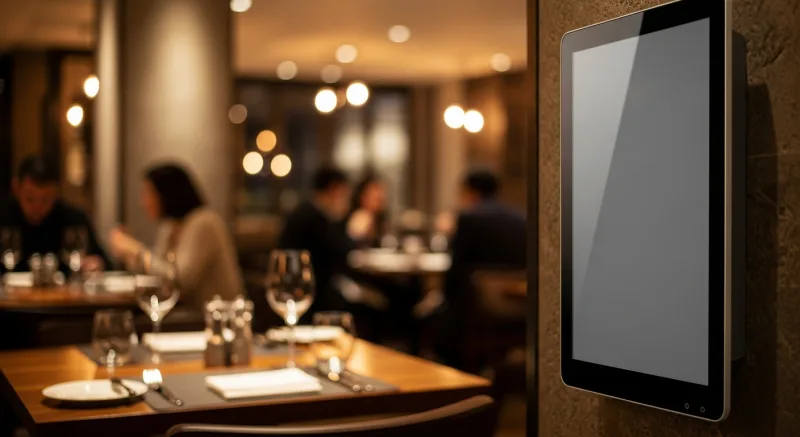
The beginner trap: Printing static menu boards and planning to “go digital later.” Or buying a standalone digital signage system from a vendor who has never heard of your POS.
The problem with standalone signage: it is not connected to your menu. When you change a price in the POS, you have to manually change it on the signage platform separately. When you sell out of an item, you have to remember to update the display. When you add a lunch special, you are updating two systems. Multiply that by however many screens you have, and the “simple” signage system is consuming 30 minutes of management time every day.
What experienced operators do: They run signage through the same platform as their POS. When a price changes, the menu board updates automatically. When an item sells out, it disappears from the display. When a new promotional image is uploaded, it goes live across all locations simultaneously. KwickSign, part of the KwickOS platform, does exactly this — digital menu boards that stay in sync with the POS without any manual intervention.
Haidilao Hot Pot operates 600+ locations worldwide and understands the importance of consistent, centrally managed signage. When you are running hundreds of locations across multiple countries, the signage cannot be a separate system that someone has to manually update at each store. It has to be part of the platform.
Decision 6: Your Employee Scheduling and Security
What it controls: Who works when, who has access to what, and how you verify that the person clocking in is actually the person scheduled to work.
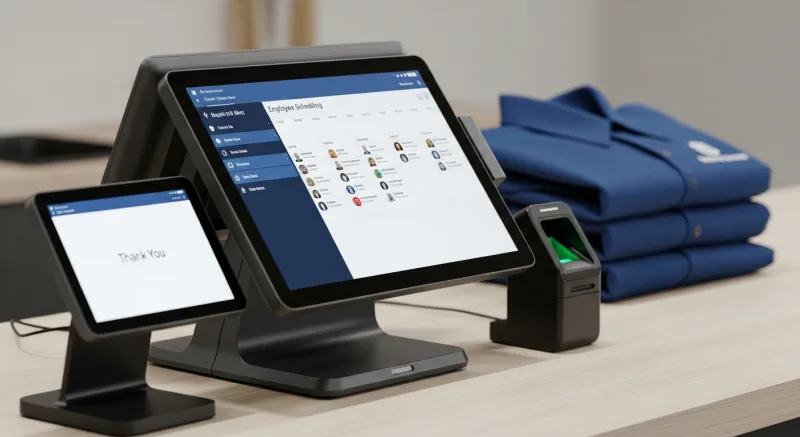
The beginner trap: Managing schedules in a spreadsheet and using PIN codes for POS access. Both of these “solutions” work for the first month. By month three, the spreadsheet is a nightmare of overlapping shift requests, missed availabilities, and overtime violations you did not catch until the payroll bill arrived. And the PIN codes? Three of your employees know each other’s PINs. One of them is buddy-punching for another. You do not know it yet, but you will — when the labor numbers stop making sense.
What experienced operators do: They use scheduling built into their POS platform, so labor costs are visible alongside sales data in real time. If you are overstaffed on a slow Tuesday afternoon, the system shows you. If a shift swap creates an overtime situation, the system flags it before you approve it.
For security, they use fingerprint authentication. KwickOS supports both 1:N matching (the employee touches the scanner and the system identifies them from all enrolled prints) and 1:1 matching (the employee enters their ID and verifies with a fingerprint). No PINs to share. No buddy punching. No unauthorized discounts or voids. Every action in the system is tied to a verified identity.
This is not paranoia. Employee theft costs the restaurant industry $6 billion per year. Buddy punching alone costs $373 million per year. A $200 fingerprint scanner pays for itself in the first month. Toast does not support fingerprint authentication. Square does not support it. Clover does not support it. If employee accountability matters to you (and it should), this is a differentiator.
Diva Nail Beauty, a KwickOS customer with 4 locations, uses fingerprint authentication combined with automated commission tracking. The result: a 90% increase in operational efficiency. Every stylist’s services are tracked automatically, commissions are calculated without manual spreadsheets, and management time spent on payroll dropped dramatically.
Decision 7: Your Loyalty and Gift Card Program
What it controls: Customer retention. The single most important metric for long-term restaurant survival. Acquiring a new customer costs 5-7 times more than keeping an existing one. Loyalty programs are the mechanism that tips the balance.
The beginner trap: Planning to “add loyalty once we are established.” The flaw in this thinking is that “established” means you have already been operating for months without capturing any customer data. Every guest who visited and enjoyed their meal left with nothing connecting them to your restaurant except a fading memory. The competitor down the street with a loyalty program has their phone number, their visit history, and a reason to send them a promotion.
The other trap: paying $70-$175/month for a third-party loyalty and gift card platform that operates independently of your POS. Fragmented data, multiple dashboards, manual synchronization, and a support experience that involves calling one company for POS issues and another for loyalty issues.
What experienced operators do: They launch gift cards (physical and e-gift cards) and loyalty from day one, using features built into their POS. The loyalty enrollment happens at the register during checkout. Points are applied automatically. Gift card balances sync across all locations. Customer profiles accumulate data from every transaction — visit frequency, average spend, favorite items, birthday — and that data is available to every server at every terminal.
KwickOS includes physical gift cards, e-gift cards, loyalty points, and membership programs in every installation. No add-on fees. No third-party integrations. Launch from the first transaction.
The Pattern You Should Notice
Read back through all seven decisions. The beginner trap in every single one is the same: fragmentation. Separate POS and KDS. Separate POS and signage. Separate POS and loyalty. Separate POS and scheduling. Separate POS and online ordering. Each separation adds cost, complexity, a second support relationship, and a data silo that makes it harder to see your business clearly.
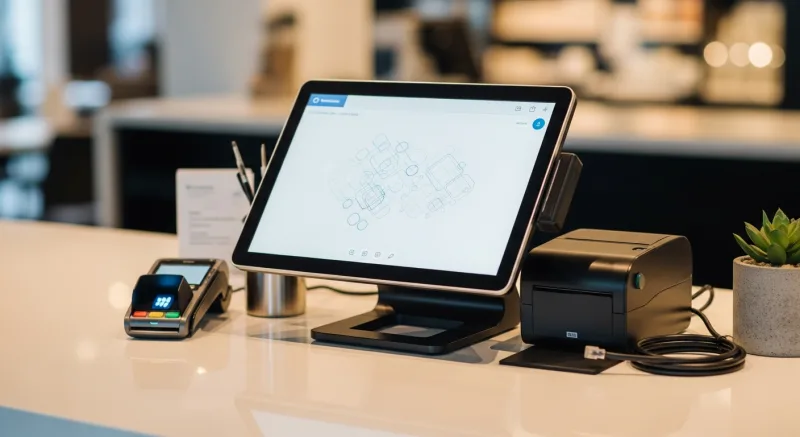
The experienced operator pattern is also the same in every case: integration. One platform that handles POS, KDS, online ordering, delivery, signage, scheduling, loyalty, gift cards, and security. One vendor. One support number. One place where all your data lives, so when you ask “what is my best-selling item on Friday evenings when ordered through our loyalty program by customers who found us through online ordering?” the system can actually answer that question. Because all the data is in one place.
That is not a luxury. That is how you make decisions. That is how you grow. And that is what an operating system — as opposed to a collection of disconnected tools — is designed to provide.
The Conversation I Have With Every New Restaurant Owner
When a new restaurant owner calls KwickOS, the conversation almost always starts the same way: “I need a POS system.”
And I always say the same thing: “You need more than a POS system. You need a restaurant operating system. Let me show you what that means.”
By the end of the conversation, they understand that the POS is not a standalone purchase. It is the foundation of a technology stack that will either work together seamlessly or fight each other every day. They understand that the $69/month POS with $300 in add-ons costs more than the all-in-one platform. They understand that the “free” hardware from a locked-in processor is the most expensive hardware in the building.
And they understand that making these seven decisions carefully, once, at the beginning, means they do not have to make them again for years.
That is the advice I wish someone had given me before I opened my first restaurant. Not a product recommendation. Not a brand name. Just the framework for thinking about technology as a system, not as seven separate purchases.
If you are about to open a restaurant, you have that framework now. Use it well.
One Platform. All 7 Decisions. Solved.
KwickOS replaces 7 separate technology purchases with one integrated platform: POS, KDS, online ordering, delivery, digital signage, scheduling, loyalty, gift cards, and fingerprint security. All included. No add-ons. No processing lock-in.
See the Complete PlatformCall us: (888) 355-6996 · We answer 24/7 in English, Chinese, and Spanish