For restaurant operators, Restaurant Cybersecurity isn't optional — it's the backbone of daily operations. Last year, a family-owned Italian restaurant in New Jersey processed cards like normal on a Tuesday night. Forty-seven tables. Three hundred credit card swipes. Nothing unusual.
Except every single card number was being copied.
RAM-scraping malware had been sitting on their POS system for 11 weeks before their processor flagged the breach. By that time, 8,400 card numbers had been stolen. The forensic investigation cost $42,000. PCI fines added another $25,000. And the restaurant's name ended up on local news with the headline nobody wants: "Popular Restaurant Exposes Thousands of Customer Credit Cards."
They closed within four months.
Here's the thing: the malware got in through a default admin password on their POS system that had never been changed. Four characters. "1234."
That is a $67,000 lesson in cybersecurity. And it is more common than you think.
This guide will show you exactly how hackers target restaurant POS systems, what it costs when they succeed, and the specific steps you need to take to make sure your restaurant is not the next headline. No jargon. No scare tactics. Just the practical stuff that actually protects your business.
Why Hackers Love Restaurants
You might think hackers go after banks, tech companies, and government agencies. They do. But they also go after restaurants — a lot.
According to the Verizon Data Breach Investigations Report, the accommodation and food services industry ranks among the top five most-targeted sectors for cyberattacks. And 43% of all cyberattacks target small businesses, which includes the vast majority of restaurants in the United States.
But it gets worse: only 14% of those small businesses are prepared to defend themselves.
Why restaurants specifically? Three reasons:
- High transaction volume. A restaurant processing $40,000/month in card sales handles roughly 1,100+ individual card swipes. Each one is a data point worth money on the dark web. A single stolen credit card number sells for $5 to $45 depending on the card type and available balance.
- Low security investment. Most restaurants spend exactly $0 on cybersecurity. No firewall. No network segmentation. No intrusion detection. The POS vendor handles "all that stuff," right? Wrong.
- High staff turnover. The restaurant industry has a turnover rate above 70%. That means new employees constantly accessing systems, shared passwords that never get changed, and former employees who still know the login credentials.
Hackers are not picking locks. They are walking through open doors. And that's not all — once they are inside your POS system, they can sit there for weeks or months before anyone notices.
The 5 Ways Hackers Get Into Your POS System
Understanding the attack vectors is the first step to blocking them. Here are the five most common ways restaurant POS systems get compromised:
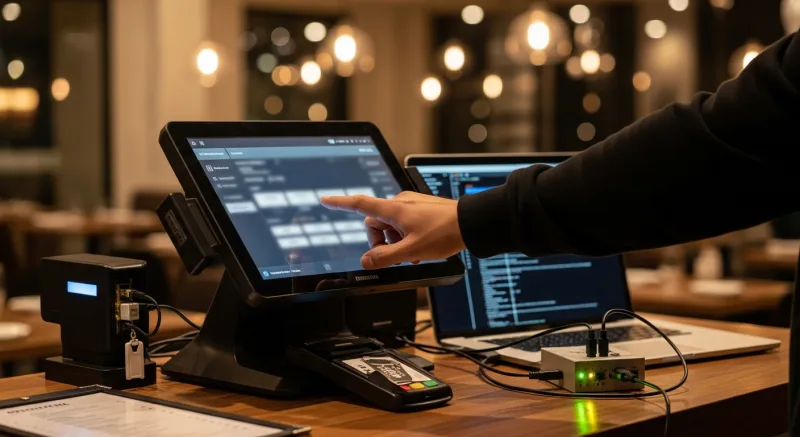
1. Phishing Emails (The #1 Entry Point)
A manager gets an email that looks like it is from their POS vendor: "Critical system update required — click here to install." They click. They download what looks like an update. It is malware.
Phishing accounts for over 36% of all data breaches. In restaurants, it is even more effective because managers often use the same computer for email and POS management, and few restaurants have email security filters in place.
2. Default and Weak Passwords
This is the Italian restaurant story from the introduction. Default passwords like "admin," "1234," "password," or the POS vendor's factory-set credentials are shockingly common. Remote access tools (like VNC or TeamViewer) left with default passwords give hackers direct access to your POS terminal from anywhere in the world.
Here's a number that should keep you up at night: 81% of hacking-related breaches involve stolen or weak passwords.
3. Unsegmented Wi-Fi Networks
Your customers love free Wi-Fi. Hackers love it more. If your guest Wi-Fi and your POS system share the same network, anyone sitting in your dining room with a laptop can potentially access your payment terminals.
Network segmentation — putting your POS on a completely separate network from guest Wi-Fi — is one of the simplest and most effective defenses. Yet most restaurants never do it.
4. Outdated Software and Unpatched Systems
That "update later" button on your POS system? Every time you press it, you are leaving a known vulnerability wide open. Hackers actively scan for systems running outdated software because the vulnerabilities are publicly documented. They do not need to find a new exploit — they just need to find a restaurant that has not updated.
Cloud-only POS systems are not immune here either. When a cloud POS provider gets breached, every restaurant on the platform is exposed simultaneously. A single vulnerability in the cloud infrastructure can compromise thousands of businesses at once.
5. Physical Access
Not all attacks are digital. A USB drive plugged into an unattended POS terminal can install malware in seconds. An unlocked back-office computer gives direct access to your admin panel. A departing employee who was never logged out still has system access.
Physical security is cybersecurity. If anyone can walk up to your POS terminal and plug something in, your digital defenses are irrelevant.
What a Breach Actually Costs (It's More Than You Think)
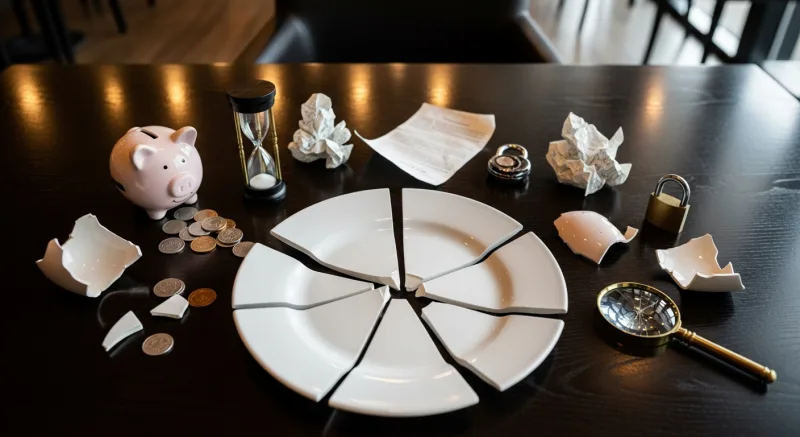
Restaurant owners tend to underestimate breach costs because they only think about the obvious ones. Here is the full picture:
| Cost Category | Typical Range |
|---|---|
| Forensic investigation | $10,000 - $75,000 |
| PCI non-compliance fines | $5,000 - $100,000/month |
| Customer notification | $1 - $3 per record |
| Credit monitoring (if required) | $10 - $30 per affected customer |
| Legal fees | $5,000 - $50,000+ |
| Card brand fines (Visa/MC) | $5,000 - $500,000 |
| Revenue loss from reputation damage | 15% - 40% drop for 6-12 months |
| POS system replacement | $3,000 - $20,000 |
Add it all up and the average small business data breach costs $120,000 to $1.24 million. For a restaurant operating on 5-10% net margins, that is the equivalent of $1.2 million to $12.4 million in lost revenue.
And that's not all: approximately 60% of small businesses that suffer a major data breach close permanently within six months. Not because the fines bankrupt them — but because customers stop coming.
The question is not whether you can afford to invest in cybersecurity. The question is whether you can afford not to.
The Restaurant Cybersecurity Checklist: 12 Steps to Lock Down Your POS
Good news: you do not need a six-figure security budget. Most restaurant cyberattacks succeed because of basic failures, which means basic fixes stop them. Here is your action plan:
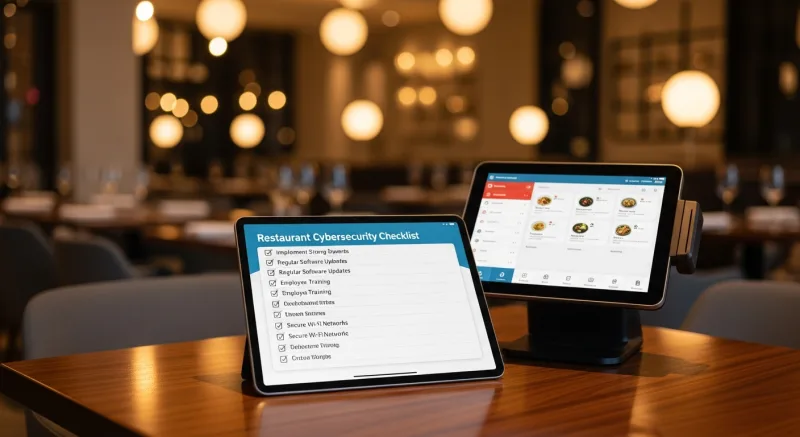
Step 1: Change Every Default Password (Today)
Go through every device connected to your network: POS terminals, routers, printers, kitchen display systems, security cameras. If any of them still have the factory-default password, change it now. Use passwords with at least 12 characters, mixing uppercase, lowercase, numbers, and symbols.
Better yet, eliminate passwords altogether where possible. Biometric authentication — specifically fingerprint 1:N matching — removes the password vulnerability entirely. An employee places their finger on the sensor and the system identifies them instantly. No password to share, write down, or steal.
T. Jin China Diner uses fingerprint authentication across all 15 locations and 75 terminals. Every clock-in, every void, every discount is tied to a specific employee's fingerprint. When a manager in their corporate office reviews activity, they know exactly who did what, at which location, down to the second. No shared passwords. No "I used the manager's code." Just an unbreakable audit trail.
Step 2: Segment Your Network
Your POS system, your guest Wi-Fi, and your back-office computers should be on three separate network segments. At minimum, your POS must be isolated from guest Wi-Fi. This is a PCI DSS requirement, and it costs less than $200 in hardware (a managed switch and a second access point).
Think of it like your kitchen and your dining room. They connect through a controlled point (the service window), but customers cannot wander into the kitchen. Your network should work the same way.
Step 3: Enable End-to-End Encryption (E2EE)
End-to-end encryption means card data is encrypted the instant the card is dipped, tapped, or swiped — and it stays encrypted until it reaches the payment processor. Even if malware is sitting on your POS terminal, it captures only encrypted gibberish, not usable card numbers.
Ask your POS vendor and payment processor whether they support E2EE and point-to-point encryption (P2PE). If they do not, that is a serious red flag. Compare POS systems that offer built-in encryption versus those that leave it to third parties.
Step 4: Keep Your POS Software Updated
Enable automatic updates if your POS supports them. If not, check for updates weekly and install them immediately. This applies to your POS software, your operating system, your router firmware, and any other connected devices.
Here's the thing: systems running on web-based Linux architectures (like KwickOS) have a significant security advantage here. Linux receives faster security patches than Windows, has a smaller attack surface, and does not require expensive Windows licenses that some restaurant owners avoid renewing — leaving their systems permanently unpatched.
Step 5: Use a Firewall (A Real One)
Your router's built-in firewall is a start, but it is not enough. Install a dedicated firewall appliance or configure your router with specific rules that block all incoming traffic except what your POS system explicitly needs. Block all ports except those required for payment processing and POS operations.
Step 6: Disable Remote Access (Or Secure It Properly)
Remote desktop tools like VNC, TeamViewer, and RDP are the second most exploited entry point after phishing. If you do not actively use remote access, disable it completely. If you need it for your POS vendor to provide support, ensure it requires multi-factor authentication and is only enabled during support sessions.
Multi-location operators need remote access for daily operations. Crafty Crab Seafood manages 19 locations and 152 terminals remotely — but they do it through a centralized management platform with role-based access controls, not through open remote desktop connections. Every access point is authenticated, logged, and restricted to specific permissions.
Step 7: Train Your Staff (Seriously)
Your employees are your biggest vulnerability and your first line of defense. A 15-minute training session during onboarding can prevent the most common attacks:
- Never click links in emails claiming to be from the POS vendor — go directly to the vendor's website instead
- Never plug unknown USB drives into any terminal or computer
- Never share login credentials with other employees
- Always log out of the POS when stepping away from the terminal
- Report anything suspicious immediately — a strange pop-up, a terminal acting slow, an unfamiliar device plugged in
With a 70%+ turnover rate in restaurants, this training needs to happen every time a new employee starts. Build it into your onboarding checklist. Your opening procedures should include a security component.
Step 8: Implement Role-Based Access Controls
Not every employee needs admin access to your POS. Servers need to place orders and process payments. Managers need to run reports and process voids. Only owners should have access to system settings, employee records, and financial data.
A proper POS system lets you define roles with specific permissions. Combined with biometric authentication, this means a server physically cannot access manager functions — even if they somehow knew the manager's password — because the system identifies them by their fingerprint, not by what password they enter.
Diva Nail Beauty operates four locations where commission calculations drive employee pay. With fingerprint authentication and role-based access, each stylist can only see their own performance data. Managers see their location. Owners see everything. The 90% efficiency improvement they experienced was not just about speed — it was about eliminating the disputes and errors that happen when employees can access each other's records.
Step 9: Secure Physical Access to Terminals
Lock your back-office computer. Disable USB ports on POS terminals (your vendor can help with this). Position terminals so customers cannot see the screen or reach the ports. Use cable locks on portable devices. Install security cameras covering POS terminal areas.
Self-ordering kiosks need special attention. Baked Cravings runs a self-serve kiosk at Lego Land where the terminal operates 24 hours with minimal supervision. The kiosk hardware is physically secured in a tamper-resistant enclosure, and the software runs in a locked-down kiosk mode that prevents access to the underlying operating system.
Step 10: Run PCI Compliance Scans Quarterly
PCI DSS requires quarterly vulnerability scans from an Approved Scanning Vendor (ASV). These scans check your external-facing systems for known vulnerabilities. They typically cost $100-$300 per quarter — a fraction of what a breach costs.
Complete your annual Self-Assessment Questionnaire (SAQ) as well. Most single-location restaurants qualify for SAQ B or SAQ B-IP, which are the simplest versions. Your payment processor can tell you which SAQ applies to your setup.
Step 11: Choose a Hybrid Architecture Over Cloud-Only
Cloud-only POS systems store your transaction data on someone else's servers. If that cloud provider gets breached, your data is exposed — along with every other restaurant on the platform. You have zero control over the security of infrastructure you do not own.
A hybrid local+cloud architecture keeps sensitive data encrypted on local hardware you control, while syncing operational data to the cloud for remote access and backup. This approach offers multiple security advantages:
- Reduced attack surface — your card data is not sitting in a cloud database alongside thousands of other businesses
- Operational continuity — if the internet goes down, your POS keeps processing payments locally at 1ms latency
- Data ownership — you control your data, not the POS vendor, which matters for both data ownership and compliance
Step 12: Have an Incident Response Plan
If a breach happens, the first 24 hours determine whether you lose $20,000 or $200,000. Have a written plan that includes:
- Who to call first (your payment processor's security team, then your POS vendor)
- How to isolate affected terminals (disconnect from network but do not power off — forensic investigators need the system state)
- Where your backups are and how to restore service
- Your PCI compliance documentation (to prove you were compliant at the time of breach)
- Contact information for a PCI-certified forensic investigator
Print this plan and keep a physical copy in the manager's office. When your network is compromised, you may not be able to access a digital version.
Passwords vs. PINs vs. Fingerprints: The POS Authentication Comparison
Authentication is the most critical security decision for your POS system. Here's how the three main approaches compare:
| Factor | Passwords/PINs | Swipe Cards | Fingerprint (1:N) |
|---|---|---|---|
| Can be shared | Yes (and commonly is) | Yes | No |
| Can be stolen | Yes (shoulder surfing, sticky notes) | Yes | No |
| Can be guessed | Yes | No | No |
| Creates audit trail | Weak (who really typed it?) | Moderate | Definitive |
| Speed | 3-5 seconds | 2-3 seconds | <1 second |
| Prevents buddy punching | No | No | Yes |
Fingerprint 1:N authentication — where the system identifies the employee from their fingerprint alone, without entering a PIN first — is the gold standard for POS security. It is also faster, which means less time authenticating and more time serving customers. Toast and Square do not offer fingerprint authentication at all, leaving their users dependent on the PIN and password system that accounts for 81% of breach entry points.
The Multi-Location Security Challenge
If you operate multiple locations, your security is only as strong as your weakest location. One compromised terminal at one location can give attackers a foothold into your entire network if your locations share cloud credentials or VPN connections.
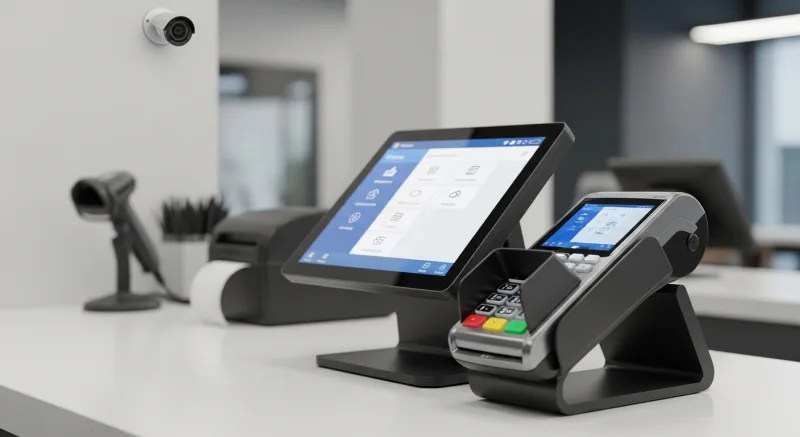
Shogun Japanese Hibachi solved this with compartmentalized access — each of their 4 terminals has role-specific configurations for hibachi station displays. Staff got up to speed in under 5 minutes, but more importantly, each terminal only accesses the data it needs. A compromised kitchen display cannot access payment data because it was never configured to have that access in the first place.
For larger operations, like T. Jin China Diner's 15 locations, centralized security management is essential. When a security patch needs to go out, it needs to reach all 75 terminals — not just the ones where the manager remembered to click "update." A centralized management platform pushes updates, enforces password policies, and monitors all locations from a single dashboard.
Your 30-Day Cybersecurity Action Plan
Do not try to do everything at once. Here is a prioritized plan that tackles the highest-risk items first:
Week 1: Stop the Bleeding
- Change all default passwords on POS, routers, and connected devices
- Verify your guest Wi-Fi is on a separate network from your POS
- Disable remote access tools you are not actively using
Week 2: Build the Foundation
- Install available software updates on all POS terminals and routers
- Enable your router's firewall and close unnecessary ports
- Confirm end-to-end encryption is active for card transactions
Week 3: Human Layer
- Train all current employees on phishing awareness and physical security
- Implement role-based access controls on your POS system
- Add security training to your new-employee onboarding checklist
Week 4: Compliance and Planning
- Schedule your first PCI compliance vulnerability scan
- Complete your PCI Self-Assessment Questionnaire
- Write and print your incident response plan
Not sure if your current POS system supports the security features you need? Use our free comparison tools to evaluate your options, or see how KwickOS stacks up against Toast, Square, and Clover on security features.
The Bottom Line
Restaurant cybersecurity is not about becoming an IT expert. It is about closing the doors that hackers walk through — and 90% of those doors are basic: default passwords, unsegmented networks, untrained staff, and outdated software.
The cost of prevention is measured in hundreds of dollars and a few hours of your time. The cost of a breach is measured in tens of thousands of dollars, months of reputation damage, and — for 60% of small businesses — permanent closure.
You lock your restaurant's front door every night. Your POS system deserves the same protection.
Security That Works Without Passwords
KwickOS is the only all-in-one restaurant platform with fingerprint 1:N authentication, hybrid local+cloud architecture, and processor-agnostic freedom. See how it protects your business.
Get a Demo