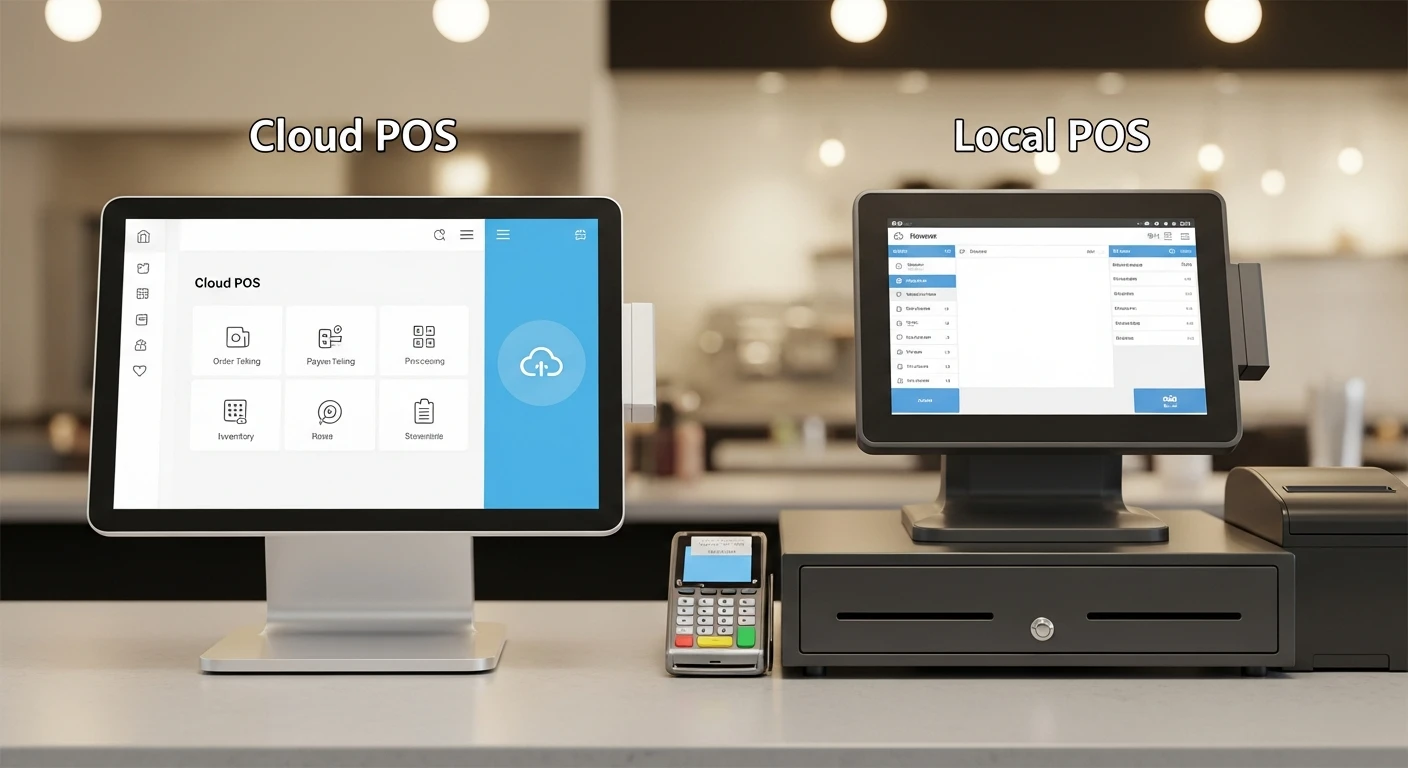
Before committing to Cloud POS vs Local POS, you need to understand what each platform actually delivers (and what it hides in the fine print). It is 7:42 PM on a Friday night. Your restaurant is packed. Every table is full. The kitchen is firing on all cylinders. Your servers are moving at top speed.
Then your internet drops.
If you are running a cloud-only POS system, your entire operation just went dark. Orders cannot be placed. Payments cannot be processed. The kitchen display goes blank. Your hostess cannot see the waitlist. Your servers are standing there with tablets that display nothing but a spinning wheel.
You are losing $1,200 to $3,000 for every hour this continues. And there is absolutely nothing you can do about it except wait for your ISP to fix the problem.
Here's the thing: this is not a hypothetical scenario. The average US business experiences 17 hours of internet downtime per year. If even half of that hits during service hours, you are looking at $10,000 to $25,000 in lost revenue annually — not from bad food, not from bad service, but from a technology architecture decision someone made when they chose your POS system.
And that's not all: the internet outage is just the most dramatic symptom of a much deeper problem with cloud-only POS. The speed gap, the data ownership question, the hidden dependency on someone else's servers — these costs add up every single day, even when your internet is working perfectly.
This guide is the comparison your POS vendor does not want you to read.
The Speed Gap Nobody Talks About: 20ms vs 1ms
Every time a server taps a menu item on a cloud POS terminal, here is what happens: the request leaves your tablet, travels through your router, hits your ISP, bounces through multiple internet nodes, arrives at a data center (often hundreds or thousands of miles away), gets processed by a server, and then makes the entire journey back.
That round trip takes approximately 20 milliseconds on a good day. On a busy network, during peak hours, with server load spikes? It can jump to 50ms, 100ms, or more.
Now here is what happens with a local POS: the request leaves the tablet, travels a few feet of cable or Wi-Fi signal to your on-premise server, gets processed, and returns. Total time: approximately 1 millisecond.
Twenty times faster. Every single tap.
"But it gets worse:" that 20ms delay compounds. A typical order entry involves 8 to 15 taps — selecting items, modifiers, quantities, seat numbers. At 20ms per tap, you are adding 160ms to 300ms of pure latency to every order. During a dinner rush with 40 tables turning simultaneously, your staff is collectively waiting minutes for the cloud to respond.
| Metric | Cloud POS | Local POS | Hybrid (Local + Cloud) |
|---|---|---|---|
| Transaction latency | 20-100ms | ~1ms | ~1ms (local processing) |
| Order entry (10 taps) | 200-1,000ms | ~10ms | ~10ms |
| Kitchen ticket fire time | 200-500ms | ~5ms | ~5ms |
| Works during internet outage? | No (or very limited) | Yes | Yes |
| Remote management? | Yes | No | Yes |
Shogun Japanese Hibachi experienced this firsthand. With their previous cloud POS, servers had to wait for each screen to load before entering the next modifier — a frustrating experience at a hibachi table where guests are customizing every dish in real time. After switching to a hybrid local system, new operators reached full proficiency in under 5 minutes because the interface responded instantly to every tap. The customized hibachi station displays showed each cook exactly what they needed without cloud-induced lag.
The $51,000 Internet Dependency Problem
Cloud POS vendors love to say "you need internet anyway." And yes, you need internet for credit card processing, online ordering, and remote management. But there is a massive difference between using the internet and being completely dependent on it.
Let us do the math on what internet dependency actually costs:
| Variable | Value |
|---|---|
| Average internet downtime per year (US business) | 17 hours |
| Percentage occurring during service hours | ~50% |
| Downtime during service hours | 8.5 hours |
| Revenue loss per hour (mid-volume restaurant) | $1,200-$3,000 |
| Annual revenue at risk | $10,200-$25,500 |
For a multi-location group, multiply that by the number of locations. Crafty Crab Seafood operates 19 locations with 152 terminals. If each location lost just 4 hours of peak service per year to internet issues, the chain-wide exposure would be over $91,000 in potential lost revenue.
Here's the thing: a hybrid POS eliminates this risk entirely. When the internet drops, local processing takes over seamlessly. Orders keep flowing. Payments process (credit cards queue and batch when connectivity returns). Kitchen tickets fire. Your staff does not even notice the outage — and neither do your customers.
T. Jin China Diner runs 15 locations with 75 terminals across multiple states. Their hybrid architecture means the owner can monitor all 15 stores remotely from a single dashboard — the cloud advantage — while each location operates independently on its local server. When a storm knocked out internet at their Virginia location for 3 hours during a Saturday dinner rush, the restaurant never missed a beat.
Data Ownership: The Question Your POS Vendor Hopes You Never Ask
Where does your restaurant data live right now? Not your napkins-and-receipts data — your real data. Years of sales history. Customer ordering patterns. Employee performance records. Menu item profitability analysis. Inventory trends.
If you are on a cloud-only POS, the answer is simple: it lives on someone else's server. You are renting access to your own business data.
And that's not all: what happens when you want to leave? Most cloud POS vendors make data portability deliberately difficult:
- Limited export formats — you might get a CSV of transactions, but not your customer profiles, employee records, or menu configurations
- No historical access — cancel your subscription and you lose access to years of business intelligence
- Export fees — some vendors charge $500 to $2,000 for a "complete data export" that is anything but complete
- API restrictions — want to build custom reports or integrate with your accountant's software? That is often a premium tier feature
With a local or hybrid POS, your data sits on hardware you own. You can back it up, export it, analyze it, and take it with you if you switch systems. Nobody can hold your business history hostage.
This matters more than most owners realize. Your sales data from the last 3 years is not just history — it is the foundation for forecasting, menu engineering, labor scheduling, and investor conversations. Losing access to it is like burning your business's medical records. You can rebuild, but you will never get back what you lost.
The Real Comparison: Cloud vs Local vs Hybrid
The POS industry has framed this as a binary choice — cloud or local. But it gets worse: both pure approaches have serious drawbacks.
Pure cloud gives you remote access and automatic updates but takes away speed, reliability, and data ownership. Pure local gives you speed and control but isolates each location — no remote management, no centralized reporting, no automatic backups.
The answer is neither. It is both.
| Feature | Cloud-Only (Toast, Square) | Local-Only (Legacy POS) | Hybrid (KwickOS) |
|---|---|---|---|
| Processing speed | 20-100ms | ~1ms | ~1ms |
| Works offline | No / very limited | Yes | Yes |
| Remote management | Yes | No | Yes |
| Automatic updates | Yes | Manual | Yes (cloud-pushed) |
| Data ownership | Vendor-controlled | Owner-controlled | Owner-controlled |
| Multi-location sync | Yes | No | Yes |
| Processor choice | Usually locked | Varies | Any processor |
| Upfront hardware cost | Low (vendor-subsidized) | High | Moderate |
| Total 3-year cost | $15,000-$45,000+ | $8,000-$15,000 | $7,000-$14,000 |
The total cost line surprises most people. Cloud POS looks cheap upfront — subsidized hardware, low monthly fees — but the locked processing rates add $3,000 to $8,000 per year in excess fees. Over three years, a "free hardware" cloud POS deal can cost $15,000 to $45,000 more than a hybrid system where you choose your own processor. (We broke down the exact math in our credit card processing fees guide.)
What "Cloud-Based" Actually Means (And Why Vendors Mislead You)
Here is a pattern interrupt most restaurant owners need: "cloud-based" is a marketing term, not a technology specification.
When Toast says they are "cloud-based," they mean your data is stored on Amazon Web Services. When Square says "cloud-based," they mean Google Cloud. What neither of them will tell you is that "cloud-based" in this context means "completely dependent on our servers and our internet connection."
It is the equivalent of a car manufacturer advertising "fuel-powered!" as a feature. Yes, the car runs on fuel. But does it have a reserve tank? Does it get good mileage? Can you fill up anywhere, or only at their branded stations?
The questions you should be asking are not "is it cloud-based?" but:
- What happens when the internet goes down? (If the answer is anything other than "nothing changes for your staff," keep looking.)
- Where is the processing happening? (Local processing = fast. Cloud processing = latency on every tap.)
- Who owns the data? (If you cannot export everything and take it with you, it is not really yours.)
- Can I choose my own payment processor? (If no, you are paying a processing tax every month.)
- What does the system cost over 3 years, including processing fees? (This is the only number that matters.)
Real-World Performance: How Hybrid Architecture Works in Practice
Theory is one thing. Here is what hybrid architecture looks like in actual restaurants.
Rockin' Rolls Sushi Express operates 3 locations with 49 iPad self-ordering stations. Every kiosk processes orders locally — no cloud round-trip, no latency — which keeps the self-ordering flow fast enough that customers never feel like they are waiting for technology. Menu updates sync from the cloud to all 49 stations simultaneously, but the ordering itself happens at local speed.
Tiger Sugar runs 2 locations with 2 self-ordering kiosks. Their bubble tea customization process — size, ice level, sugar level, toppings — involves 4 to 6 taps per order. At 20ms per tap on a cloud system, each customer would wait an extra second just for the interface to respond. On their hybrid kiosks, the response is instantaneous, which means shorter lines and more orders per hour.
Diva Nail Beauty has 4 locations that need centralized commission tracking. Their cloud dashboard calculates and displays real-time commissions across all stores — the owner checks one screen and knows exactly what each technician earned. But each location's POS runs locally, so check-out and payment processing never depend on an internet connection. The result: 90% efficiency improvement in commission management without sacrificing point-of-sale speed.
And then there is Haidilao, with 600+ locations worldwide. A chain at that scale cannot afford to have a single restaurant go down because of an internet outage in one city. Hybrid architecture is not optional at that level — it is the only architecture that works.
The Hidden Cost of Cloud Dependency: Vendor Lock-In
Here is the part that should concern you most: cloud POS vendors have designed their systems to make leaving as painful as possible.
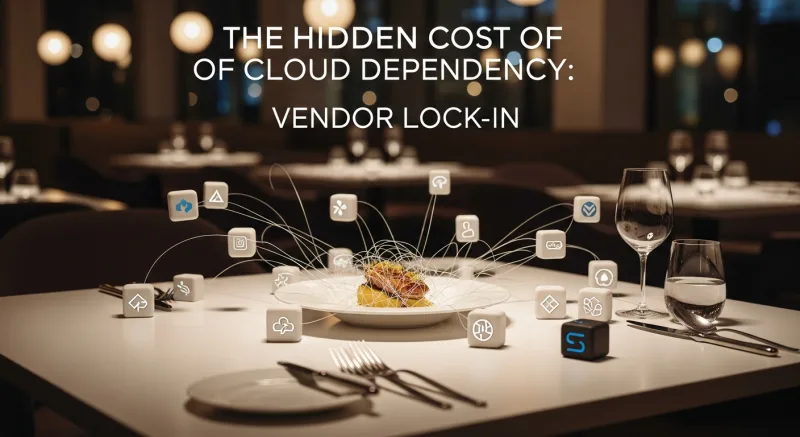
Toast requires a 2-year contract. If you leave early, you pay an early termination fee. But even after the contract ends, switching is painful because your entire operation — menu, employee data, sales history, customer profiles, online ordering setup, loyalty program — lives on Toast's servers. Rebuilding that on a new system takes weeks of work and thousands of dollars in consulting fees.
This is vendor lock-in by design. And it is the real reason many POS companies push cloud-only architecture. It is not because cloud is better for your restaurant. It is because cloud is better for their retention metrics.
A processor-agnostic, hybrid POS flips this dynamic. Your data is on your hardware. Your processing relationship is with a processor you chose. Your menu, employees, and customers are stored locally and can be exported at any time. If a better POS comes along in three years, you switch without losing anything.
That freedom has a dollar value. Restaurant owners who have tried to leave Toast report spending $5,000 to $15,000 in transition costs — not because the new system is expensive, but because extracting their data and rebuilding their setup from a cloud-only platform is so labor-intensive.
Making the Switch: What to Look For
If you are evaluating POS systems — or considering switching from a cloud-only platform — here is what to prioritize:
- Hybrid architecture is non-negotiable. Local processing for speed and reliability. Cloud sync for remote management and backups. Both, not either-or.
- Processor freedom saves $3,000-$8,000/year. Any POS that locks you into their processing is making money off your transactions. Compare the total cost across POS vendors including processing fees.
- Data portability protects your future. Ask for a sample data export before you sign. If the vendor hesitates, that tells you everything.
- Offline functionality should be full, not partial. "Limited offline mode" means you can ring up a few sales. Full offline means your restaurant operates normally — orders, kitchen tickets, payments, everything.
- Multi-language support matters more than you think. If your kitchen staff speaks Spanish or Chinese, a POS that supports English, Chinese, and Spanish natively (like KwickOS) reduces training time and order errors. Use our POS savings calculator to estimate your total cost.
The Bottom Line
"Cloud POS" is not a feature. It is an architecture decision — and for restaurants, it is usually the wrong one when implemented as the only architecture.
The numbers are clear: cloud-only POS costs you 20x in latency, $10,000-$25,000/year in downtime risk, $3,000-$8,000/year in locked processing fees, and your data independence. The only thing it gives you that local cannot is remote access — and hybrid architecture gives you that too.
The restaurant industry is one of the most connectivity-sensitive businesses that exists. When a law firm's internet drops, they switch to phone calls. When a restaurant's POS goes down during a Friday dinner rush, people walk out.
Your technology should be built for that reality. Not for a marketing slide.
See Hybrid Architecture in Action
KwickOS combines 1ms local processing with full cloud management. No internet dependency. No processor lock-in. No compromises.
Get a Demo