For restaurant operators, Managing Multiple Restaurant Locations isn't optional — it's the backbone of daily operations. You're sitting in your office reviewing last night's numbers. Store #3 missed its sales target by 22%. Store #7 had three comps that nobody can explain. Store #12 ran out of shrimp during the dinner rush — even though you ordered enough to last the weekend.
You found out about all of this at 9 AM this morning. The problems happened 14 hours ago.
Here's the thing: when you ran one restaurant, you could feel when something was off. You saw the line cook over-portioning. You noticed the server giving away drinks. You knew the walk-in was running low before anyone told you. Your presence was the quality control system.
But it gets worse: the operational gap between your best location and your worst location is probably 15-25% in revenue and 5-8 percentage points in profitability. That gap isn't caused by bad managers or bad locations. It's caused by a lack of real-time visibility into what's happening across your stores.
This guide is for operators managing 3 to 50+ locations who need systems — not more site visits — to maintain consistency, control costs, and scale without the wheels falling off.
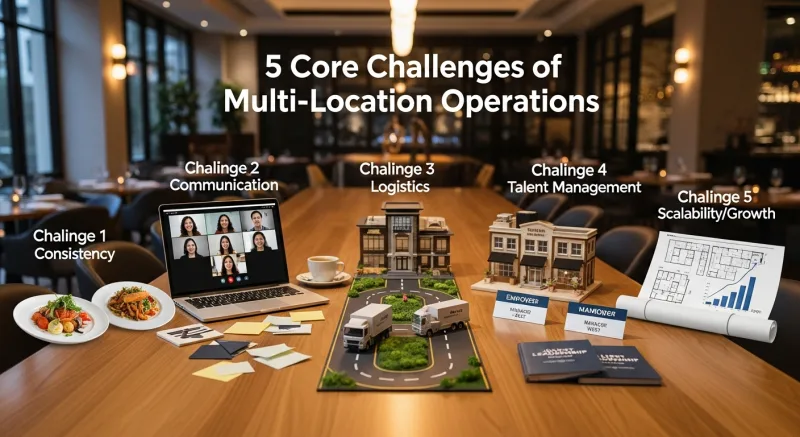
The 5 Core Challenges of Multi-Location Operations
Every multi-location problem falls into one of five categories. Solve these five, and you solve multi-location management.
| Challenge | Single-Location Impact | Multi-Location Impact (15 stores) |
|---|---|---|
| Menu inconsistency | Minor annoyance | Brand damage + pricing errors = $30K+/year |
| Delayed financial visibility | Manageable | Problems compound for days before detection |
| Inconsistent employee management | You handle it personally | 15 different standards = 15 different experiences |
| Technology outages | $500-1,500/hour | $7,500-22,500/hour system-wide |
| Security and access control | You know who's doing what | Unauthorized discounts, voids, and comps across locations |
Challenge #1: Menu Management Across Locations
A menu change sounds simple. New seasonal item. Price increase on chicken dishes. Discontinue a slow-moving appetizer.
At one location, it takes five minutes. At 15 locations, it becomes a project. Someone has to update every terminal, reprint every menu board, update the online ordering system, notify every kitchen, and verify that every location actually made the change.
And that's not all: the failure modes are expensive. Location #8 didn't get the price update and sold the new chicken entree at the old price for two weeks — $2,400 in lost revenue. Location #14 never removed the discontinued appetizer and had to comp three tables when they couldn't deliver what was on the menu.
Case Study: Crafty Crab Seafood — 19 Stores, One-Click Menu Sync
Crafty Crab Seafood operates 19 stores with 152 terminals across multiple states. Their menu includes seasonal seafood items with prices that fluctuate with market rates — sometimes changing weekly.
Before KwickOS, menu updates were distributed via email to general managers, who were responsible for updating their local terminals. The process took 2-3 days to fully propagate, and verification was manual — someone from corporate had to call each store to confirm.
With KwickOS's centralized menu management:
- One-click sync pushes menu changes to all 152 terminals simultaneously. A price change made at 10 AM is live at every register by 10:01 AM.
- Customized KDS displays at each location reflect the updated menu automatically — kitchen staff see exactly what's current without manual updates.
- Special request handling is standardized across locations. Crafty Crab's customized KDS for special requests ensures that a "no Old Bay, extra butter" modification is handled identically at every store.
- Location-specific pricing is supported where needed — a store in Manhattan can have different prices than a store in suburban New Jersey, all managed from the same central dashboard.
The result: zero menu inconsistencies across 19 locations, price updates that propagate in seconds instead of days, and the elimination of the revenue leakage that comes from outdated menus.
Challenge #2: Real-Time Visibility Across All Locations
When you can't see what's happening at a location until the next morning's report, problems have 12-18 hours to compound before you can respond. A kitchen running at 40% food cost during a dinner rush. A server giving unauthorized discounts. A location understaffed with a line out the door.
Here's the thing: day-old data isn't data. It's history. And you can't manage a business on history.
Case Study: T. Jin China Diner — 15 Stores, 75 Terminals, Real-Time Remote Monitoring
T. Jin China Diner operates 15 stores with 75 terminals. The ownership team doesn't visit every location every day — that would be physically impossible. Instead, they manage all 15 stores from a single dashboard that shows real-time data from every terminal.
What real-time monitoring looks like in practice:
| Metric | What They See | How They Act |
|---|---|---|
| Live sales by location | Current-hour sales vs. same hour last week | Spot underperforming locations immediately |
| Active terminals | Which terminals are processing, which are idle | Identify equipment issues or staffing gaps |
| Voids and comps | Every void/comp across all locations, in real time | Call the manager when unusual patterns appear |
| Labor vs. sales ratio | Current labor cost % at each store | Redirect staff or adjust scheduling for next shift |
| Employee clock-ins | Who's on the floor at each location right now | Verify staffing levels without calling the store |
The 75 terminals across 15 stores all feed into one system. The ownership team doesn't need 15 logins, 15 different reports, or 15 phone calls to know what's happening. They open one dashboard and see everything.
But it gets worse for operators not using centralized systems: when each location runs independently, data consolidation becomes a weekly or monthly task — usually done by an accountant or office manager who's manually pulling numbers from multiple systems. By the time the consolidated report is ready, the information is two to four weeks old.
Challenge #3: The Offline Problem (And Why It Matters More at Scale)
Internet outages are an inconvenience at a single location. At 15 or 50 locations, they're a financial emergency.
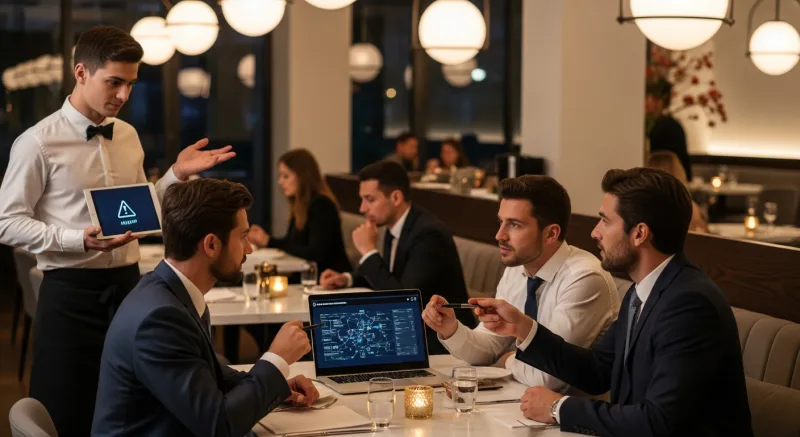
Cloud-only POS systems — Toast, Square, Clover — depend on a constant internet connection to process transactions. When the internet goes down:
- Credit card processing stops (or switches to a limited offline mode that doesn't verify cards).
- Online orders stop flowing to the kitchen.
- Cloud-based KDS screens go blank.
- Management dashboard shows no data from the affected location.
The average cost of a POS outage during peak hours: $500 to $1,500 per hour per location. For a 15-location operator experiencing a regional internet outage (not uncommon — a single ISP issue can affect multiple stores), a 2-hour outage costs $15,000 to $45,000.
Hybrid Local + Cloud: The Architecture That Never Goes Down
KwickOS uses a hybrid architecture: all processing happens locally on the in-store system at 1ms latency, with data syncing to the cloud when connectivity is available.
Compare that to cloud-only systems at 20ms+ latency on a good connection — and infinite latency when the internet drops.
What this means in practice:
- Internet goes down: The store continues operating exactly as before. Card processing, kitchen display, receipts — everything works.
- Internet comes back: Data syncs automatically. No reconciliation headaches. No missing transactions.
- Power goes out: Linux-based terminals on battery backup continue operating. No Windows reboot cycle.
Haidilao Hot Pot, with 600+ locations worldwide, requires this level of reliability. When you're operating across multiple countries with varying internet infrastructure quality, a cloud-only POS is a liability. Every location needs to be self-sufficient — and the central office needs to see aggregated data when connectivity is available.
Challenge #4: Standardized Employee Management
At a single location, you know everyone. You know who's reliable, who needs supervision, who deserves a promotion. At 15 locations with 200+ employees, you know almost nobody personally.

Here's the thing: the systems you use to manage employees need to enforce consistency that you can no longer enforce personally.
- Fingerprint clock-in at every location. The same biometric verification system across all stores. No buddy punching at any location. Consistent, accurate timekeeping for payroll.
- Role-based access control. A shift manager at Store #5 can void a $50 order. They cannot change menu prices, access Store #6's data, or modify payroll settings. Permissions are consistent across all locations, assigned by role, not by person.
- Standardized training interface. Every new hire at every location sees the same POS screens, the same workflow, the same buttons in the same places. Multi-language support (English, Chinese, Spanish) means the interface works for your entire workforce. Shogun Japanese Hibachi reported new employees reaching proficiency in under 5 minutes on their customized station displays.
- Consolidated labor reporting. Labor cost percentage, overtime hours, schedule adherence — all visible by location and in aggregate from the central dashboard.
Challenge #5: Security and Access Control at Scale
Unauthorized discounts, unexplained voids, manager-level functions performed by non-managers — these problems exist at every restaurant. At a single location, you notice them. At 15 locations, they happen invisibly.
The numbers are significant: the National Restaurant Association estimates that internal theft costs the average restaurant 5-6% of annual revenue. For a 15-location group doing $1.2M per store, that's up to $1,080,000 per year — if you're not actively controlling it.
And that's not all: the problem compounds with scale. Each additional location without proper access controls adds another set of opportunities for unauthorized transactions.
What Effective Multi-Location Security Looks Like
| Security Layer | Without System Controls | With KwickOS |
|---|---|---|
| Voiding orders | Any manager, any amount, no trail | Fingerprint required, dollar limits by role, real-time alert to owner |
| Discounts | Shared manager code used by anyone | Biometric verification, pre-set discount types only |
| Cash drawer access | Drawer stays open, multiple users | Fingerprint-assigned drawer, individual accountability |
| Refunds | Processed at store level, reviewed monthly | Real-time refund alerts, pattern detection across locations |
| Manager functions | Single PIN shared among managers | Individual fingerprint + role verification |
Fingerprint 1:N identification is the foundation. When every sensitive function requires a fingerprint — not a PIN, not a card, not a code — accountability is automatic and tamper-proof.
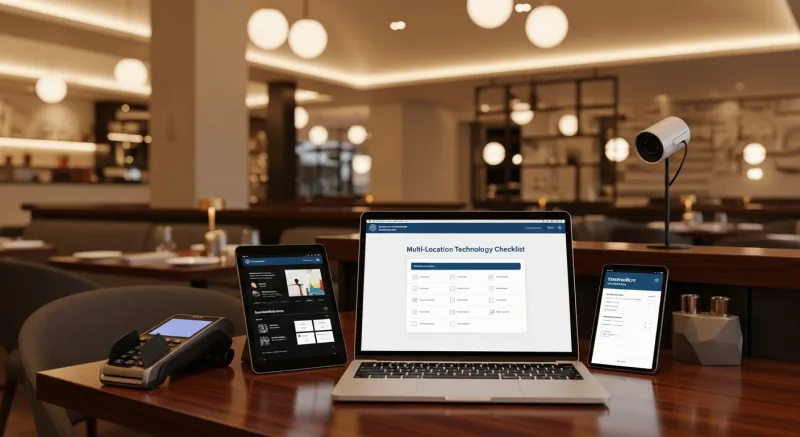
The Multi-Location Technology Checklist
If you're evaluating technology for a multi-location operation, here are the non-negotiable requirements. Any system missing these will create problems as you scale.
| Requirement | Why It Matters | Toast | Square | KwickOS |
|---|---|---|---|---|
| Centralized menu management | One change, all locations | Yes | Limited | Yes |
| Real-time cross-location dashboard | See all stores at once | Yes | Limited | Yes |
| Offline operation | Never lose a sale | Limited | Limited | Full |
| Fingerprint access control | Prevent theft at scale | No | No | Yes (1:N) |
| Processor-agnostic payments | Negotiate bulk rates | No | No | Yes |
| Multi-language interface | Diverse workforce support | Limited | Limited | EN/CN/ES |
| Location-specific customization | Different markets, different needs | Yes | Limited | Yes |
Scaling From 1 to 5 to 50 Locations
The technology and processes you need change at each stage of growth. Here's what matters most at each milestone:
1-3 Locations: Foundation
Get your core systems right before you scale. Standardize recipes, implement fingerprint clock-in, centralize menu management. The habits you build here will either enable or constrain your growth.
4-10 Locations: Systematization
You can no longer manage by walking around. You need a real-time dashboard, consolidated reporting, and role-based access control. This is where most operators realize their single-location POS doesn't scale — and switching POS systems at 8 locations is far more painful than choosing the right one at 2.
11-50 Locations: Optimization
At this stage, small improvements compound dramatically. A 1% reduction in food cost across 15 locations saves $144,000/year (at $80K/month per store). Processor-agnostic payments save another $40,000-75,000/year in processing fees at this volume. Regional managers need location-group views with drill-down capability.
50+ Locations: Enterprise Scale
Haidilao Hot Pot operates 600+ locations worldwide. At this scale, the system needs to support multiple countries, multiple currencies, multiple languages, and variable internet infrastructure — all while maintaining sub-second transaction processing at every terminal. This is where hybrid local+cloud architecture becomes not just beneficial but essential.
The Bottom Line
Multi-location restaurant management is not a bigger version of single-location management. It's a fundamentally different discipline that requires different tools, different processes, and different thinking.
The operators who scale successfully — T. Jin with 15 stores, Crafty Crab with 19, Haidilao with 600+ — share three things in common: centralized control, real-time visibility, and systems that work even when the internet doesn't.
If you're running 3+ locations on a system that doesn't give you all three, every additional location you open is amplifying the gap between what you should be earning and what you actually take home.
One Dashboard. Every Location.
KwickOS gives multi-location operators real-time monitoring, one-click menu sync, fingerprint security, and offline reliability across every store. See how T. Jin manages 15 stores from one screen.
Get a Demo