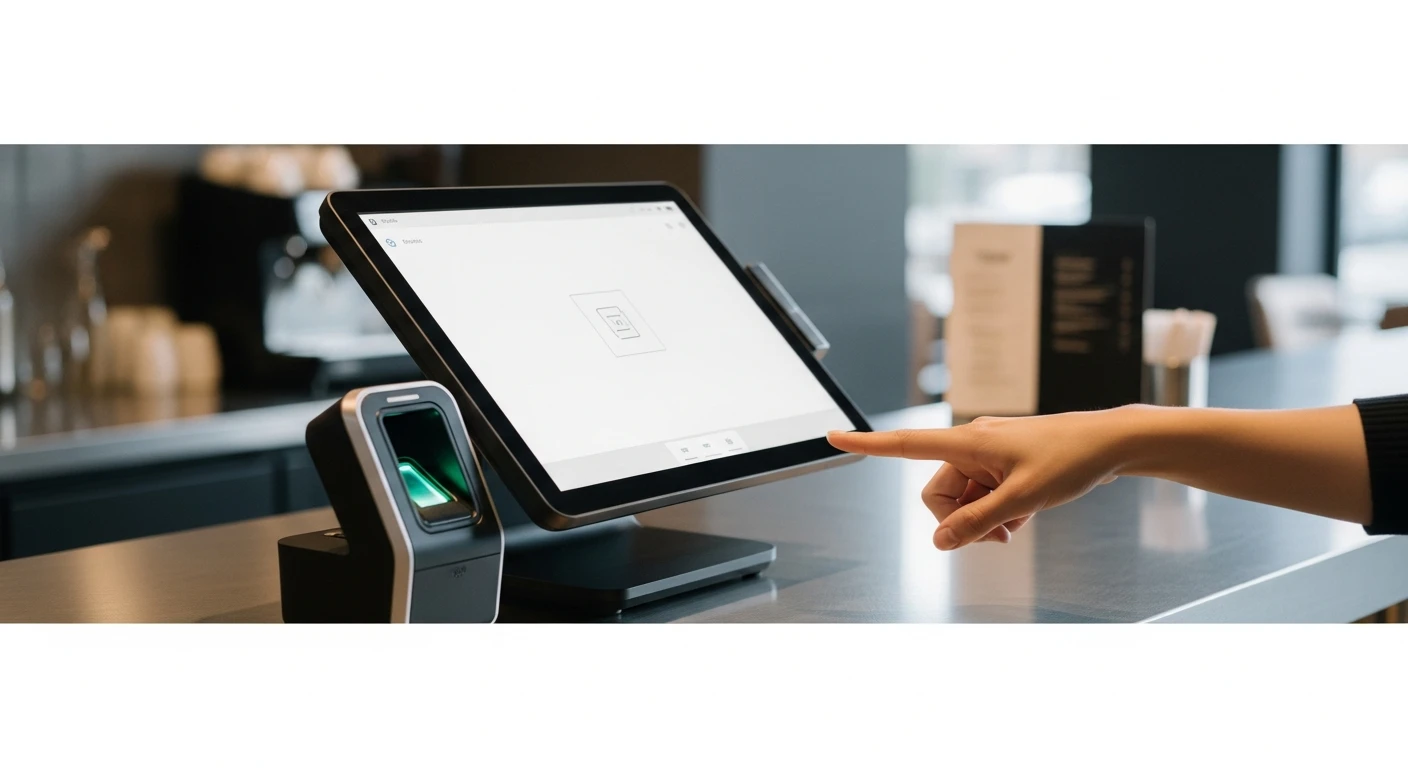
Fingerprint Authentication Is the Future of POS Security | Kwic... isn't just a technology decision — it's an operational one. On any given day in the United States, approximately 16% of hourly employees admit to having clocked in or out for a coworker. The practice is so common it has its own name: buddy punching. The American Payroll Association estimates that buddy punching costs U.S. businesses $373 million per year. For a restaurant with 20 hourly employees, the average cost of time theft — including buddy punching, early clock-ins, and late clock-outs — runs between $1,500 and $4,500 per year.
That number sounds manageable until you realize it is pure profit loss. On a 6% net margin, your restaurant would need to generate $25,000 to $75,000 in additional revenue to offset $1,500 to $4,500 in time theft. Or you could simply make buddy punching impossible.
This is where fingerprint authentication enters the picture — not as a futuristic concept or an expensive add-on, but as a proven, practical solution that is already in use across thousands of businesses. And yet, remarkably, the three largest POS platforms in the restaurant industry — Toast, Square, and Clover — do not support biometric fingerprint authentication at the terminal level.
That gap is worth examining, because the implications go far beyond time and attendance.
The Problem with PINs, Passwords, and Swipe Cards
Every POS system requires some form of employee identification. When a server clocks in, opens a check, processes a void, or applies a discount, the system needs to know who is performing that action. The standard methods are PINs (typically 4-digit codes), magnetic swipe cards, and passwords.
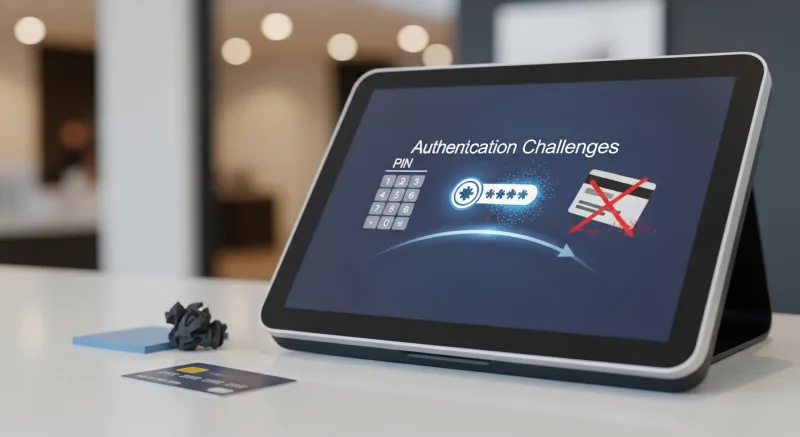
Each of these methods has the same fundamental flaw: they authenticate the credential, not the person. Knowing someone's PIN does not mean you are that person. Having someone's swipe card does not mean you are authorized to use it. And in the fast-paced, high-turnover environment of a restaurant, credentials are shared constantly.
The security failures cascade from there:
- Time theft through buddy punching. Employee A is running five minutes late. They text Employee B: "Can you clock me in?" Employee B enters Employee A's PIN. The system records Employee A as present at 11:00 when they did not arrive until 11:07. Seven minutes of paid time, stolen. Multiply by 250 workdays and 20 employees, and the minutes add up to thousands of dollars.
- Unauthorized voids and discounts. A server learns the manager's PIN by watching them enter it. Now the server can void items off checks, apply discounts, or process refunds without manager approval. The POS audit log shows the manager authorized the transaction. The manager did not.
- Cash drawer access. In many restaurants, multiple employees share access to the same drawer using a single PIN. When the drawer is short at the end of the night, there is no way to determine who was responsible. The loss gets absorbed as a cost of doing business.
- Shift manipulation. Employees clock in early and clock out late, adding 10 to 15 minutes per shift. With no way to verify that the person clocking in is actually the person starting work, the system accepts the fraudulent punch.
These are not hypothetical scenarios. They are daily realities in restaurants across the country. A 2023 survey by the National Restaurant Association found that 75% of restaurant operators identified employee theft — including time theft — as a significant operational concern.
The American Payroll Association estimates that buddy punching alone costs U.S. businesses $373 million per year. The average employee who buddy punches steals approximately 4.5 hours per pay period — nearly $1,560 per employee per year at $15/hour.
How Fingerprint Authentication Works in a POS Environment
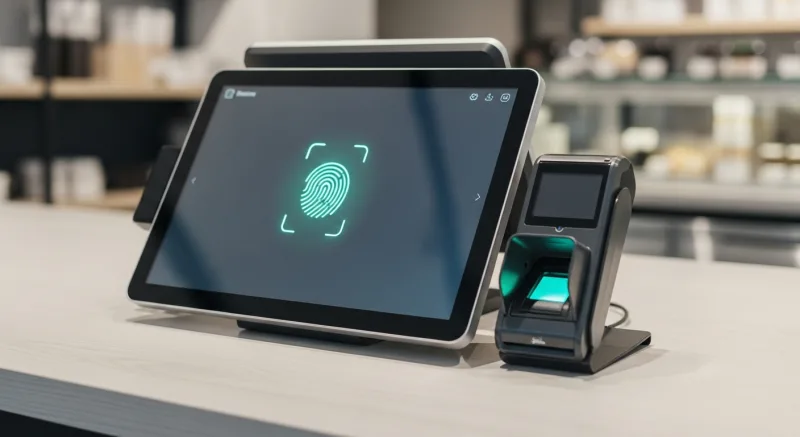
Fingerprint authentication at the POS terminal replaces the "something you know" (PIN) or "something you have" (swipe card) model with "something you are." When an employee places their finger on the scanner, the system matches their fingerprint against the stored templates and identifies them in under one second. No PIN to remember. No card to carry. No credential to share.
There are two fundamentally different approaches to fingerprint matching, and understanding the difference matters for both security and usability.
1:1 Matching (Verification)
In 1:1 matching, the employee first identifies themselves — usually by entering an employee number or selecting their name from a list — and then places their finger on the scanner. The system compares the scanned fingerprint against the single stored template for that employee. It is a verification question: "Is this fingerprint the one that belongs to Employee #12?"
1:1 matching is faster because the system only needs to compare against one template. But it requires the additional step of employee identification, which slows down the login process and introduces a dependency on the employee remembering their ID number.
1:N Matching (Identification)
In 1:N matching, the employee simply places their finger on the scanner. The system compares the scanned fingerprint against every stored template in the database and identifies the employee automatically. No ID number, no name selection, no additional step. Touch the scanner. You are logged in.
1:N matching is more computationally demanding because the system must compare against N templates (where N is the number of enrolled employees). For a restaurant with 30 employees, this means 30 comparisons per scan. Modern fingerprint engines handle this in under one second, making the latency imperceptible to the user.
1:N matching is the superior approach for a POS environment because it eliminates every manual step. The cook walks up to the terminal, touches the scanner, and they are in. No fumbling for a card, no entering a PIN with greasy hands, no scrolling through a list of names. Just a touch.
KwickOS supports both 1:N and 1:1 fingerprint matching. In practice, the vast majority of KwickOS operators use 1:N because the speed and simplicity are unmatched. When your hands are covered in flour or sauce and you need to clock in, touching a scanner is dramatically easier than typing a 4-digit PIN on a touchscreen.
Beyond Time Clocks: Five Security Layers Fingerprint Enables
Most people associate fingerprint authentication with clocking in and out. That is one application. But when fingerprint authentication is integrated into the POS itself — not just a standalone time clock — it enables multiple layers of security that PINs and cards simply cannot provide.
Layer 1: Verified Time and Attendance
The most obvious application. Every clock-in, clock-out, and break punch is tied to a biometric that cannot be shared. Buddy punching becomes physically impossible. The financial impact is immediate and measurable.
For a restaurant with 20 hourly employees, eliminating time theft saves an estimated $1,500 to $4,500 per year. For a multi-location operation, the savings scale linearly. A 10-store chain with 200 employees could be leaking $15,000 to $45,000 per year in time theft alone.
Layer 2: Transaction-Level Accountability
When every POS action requires a fingerprint scan, every transaction is tied to a verified individual. Voids, discounts, refunds, cash drawer opens, and no-sale transactions all have an irrefutable audit trail. There is no "someone used my PIN" defense. If the fingerprint matches, the person was there.
This accountability has a deterrent effect that goes beyond catching theft after the fact. When employees know that every action is biometrically verified, the temptation to test the system disappears. Stores that implement fingerprint POS authentication typically see a 30% to 50% reduction in unauthorized voids and discounts within the first month — before any investigation or disciplinary action occurs. The technology itself changes behavior.
Layer 3: Role-Based Access Control
Different employees need different levels of POS access. A server should be able to open checks and process payments but should not be able to void items or access the cash management screen. A shift manager should be able to authorize voids but should not be able to change menu prices. The owner should have full access to everything.
With PIN-based systems, role-based access is only as strong as PIN secrecy — which is to say, not strong at all. With fingerprint authentication, access levels are tied to the physical identity of the person at the terminal. A server literally cannot perform a manager-level action because their fingerprint does not have manager permissions. There is no PIN to borrow, no card to swipe.
Layer 4: Shift Handoff Verification
Cash drawer discrepancies are a chronic issue in restaurants. When one shift ends and another begins, the outgoing cashier counts the drawer and the incoming cashier accepts it. If the count is wrong and multiple people accessed the drawer during the shift, determining responsibility is nearly impossible.
Fingerprint-authenticated drawer access creates a precise log of every person who opened the cash drawer, at what time, and for what transaction. When the drawer is $40 short at the end of the night, the investigation starts with a complete, verified access history — not a guess.
Layer 5: Multi-Location Remote Monitoring
For operators running multiple locations, fingerprint authentication provides a level of remote accountability that is simply not possible with PINs. When the owner of a 15-store chain reviews the daily activity report and sees that a void was processed at Store #7 at 2:15 AM, they know exactly who did it. Not "PIN #4523 was used" — but exactly which person, verified by biometric.
T. Jin China Diner, which operates 15 stores with 75 terminals on KwickOS, uses fingerprint authentication across all locations combined with real-time remote monitoring. The owner can view any terminal's activity from any location. Every action, every transaction, every clock event is tied to a verified fingerprint. Across 75 terminals and hundreds of employees, the system provides complete visibility without requiring the owner to be physically present at every store.
The Competitive Landscape: Who Offers Fingerprint and Who Does Not
Here is where the conversation becomes pointed. The three dominant POS platforms in the restaurant industry — Toast, Square, and Clover — do not support native biometric fingerprint authentication at the POS terminal.
| POS Platform | Fingerprint Support | Authentication Methods |
|---|---|---|
| Toast | No | 4-digit PIN only |
| Square | No | 4-digit passcode, team member selection |
| Clover | No | PIN, passcode |
| KwickOS | Yes — 1:N and 1:1 | Fingerprint, PIN, or both |
This is not a minor feature gap. For businesses where employee accountability, time theft, and unauthorized access are real operational concerns — which is to say, nearly every restaurant, retail store, and service business in the country — the absence of biometric authentication is a significant security limitation.
Toast's approach is instructive. Toast has invested heavily in building a comprehensive restaurant platform, but it relies entirely on 4-digit PINs for employee authentication. A 4-digit PIN has 10,000 possible combinations. In a restaurant with 30 employees, where PINs are entered dozens of times per shift on a touchscreen in plain view of other employees, PIN compromise is not a question of if but when.
The reason these platforms do not offer fingerprint authentication likely comes down to hardware architecture. Toast, Square, and Clover design their own proprietary hardware terminals, and adding a fingerprint scanner would require redesigning the physical device. KwickOS, which runs on standard Linux hardware and is processor-agnostic, can integrate with any USB fingerprint scanner — a $30 to $80 peripheral that plugs in and works immediately.
For a deeper comparison of platform capabilities, see our detailed breakdowns: KwickOS vs Toast, KwickOS vs Square, and KwickOS vs Clover.
Real-World Impact: Diva Nail Beauty
The value of fingerprint authentication extends well beyond restaurants. Diva Nail Beauty, a nail salon chain with 4 stores and 4 terminals running on KwickOS, implemented fingerprint authentication to solve a specific, costly problem: commission tracking accuracy.
In a nail salon, technician commissions are based on the services they perform. Under a PIN-based system, commission disputes were frequent. Did Technician A or Technician B perform that $85 gel manicure set? The PIN log showed one answer, the technician claimed another. With 15 to 20 technicians across 4 stores, these disputes consumed management time and created staff friction.
After implementing fingerprint authentication on KwickOS, every service is tied to the technician who scanned in to perform it. No disputes. No ambiguity. The biometric record is definitive.
The result was dramatic: Diva Nail Beauty reported a 90% increase in operational efficiency after implementing fingerprint-authenticated commission tracking. The efficiency gain came not just from eliminating disputes, but from the cascading effects: managers spent less time adjudicating commission arguments, technicians trusted the system and focused on service, and payroll processing became faster because the data was accurate from the source.
"Before fingerprint, we had commission disputes every single week. Now the system handles it automatically. The technician scans in, performs the service, and the commission is tracked perfectly. No arguments. It has changed our entire operation." — Diva Nail Beauty, 4 locations on KwickOS
Fingerprint-authenticated commission tracking eliminated disputes, accelerated payroll processing, and freed management to focus on customer service rather than internal administration.
Privacy and Employee Concerns: Addressing Them Honestly
Employee resistance to fingerprint scanning is real and should be addressed directly rather than dismissed. The most common concerns are privacy-related: "Is the company storing my fingerprint?" and "Can my fingerprint be stolen?"

The honest answers are reassuring:
- Fingerprint images are not stored. Modern fingerprint systems, including KwickOS, do not store photographs of fingerprints. The scanner captures the fingerprint, the software extracts a mathematical template — a set of data points representing the ridge patterns — and the original image is immediately discarded. The template cannot be reverse-engineered back into a fingerprint image. It is a one-way mathematical conversion.
- Templates are encrypted. The stored templates are encrypted at rest and in transit. Even if someone gained access to the template database, the data would be meaningless without the decryption keys and the proprietary matching algorithm.
- Biometric data laws are followed. Several states, including Illinois (BIPA), Texas, and Washington, have biometric data privacy laws. KwickOS operators in these states follow the required procedures: written disclosure, explicit consent, data retention policies, and secure storage. If your state has biometric privacy laws, your POS vendor should be helping you comply with them.
- Enrollment is voluntary where legally required. In jurisdictions where biometric consent is required, employees can opt out and use PIN authentication instead. KwickOS supports both methods simultaneously, so fingerprint and PIN users can work side by side on the same system.
The best approach to employee onboarding is transparency. Explain what the system does and does not store. Show them the enrollment process. Let them see that the scanner captures data points, not a photograph. Most employees, once they understand how the technology works, prefer fingerprint to PIN — because they do not have to remember anything, they cannot lose anything, and clocking in is faster.
The ROI Calculation
Let us put specific numbers on the return from fingerprint authentication. We will use a single-location restaurant with 25 hourly employees as the example.
| Savings Category | Estimate | Annual Value |
|---|---|---|
| Eliminated buddy punching (avg 4.5 hrs/pay period across staff) | ~150 hrs/year @ $15/hr average | $2,250 |
| Reduced unauthorized voids/discounts | 30-50% reduction in shrinkage | $1,200 - $3,000 |
| Cash drawer accountability | Faster discrepancy resolution | $500 - $1,000 |
| Management time saved | 2-3 hrs/week on investigations | $2,600 - $3,900 |
| Reduced early clock-in / late clock-out | ~5 min/shift/employee eliminated | $3,000 - $4,500 |
| Total estimated annual savings | $9,550 - $14,650 |
The hardware cost for a USB fingerprint scanner is $30 to $80 per terminal. For a restaurant with 3 terminals, the total hardware investment is $90 to $240. The payback period is measured in days, not months.
Use our employee cost calculator to model the specific impact of time theft reduction on your labor costs, and our payroll calculator to see how tighter time tracking changes your payroll numbers.
Implementation: Simpler Than You Think
Adding fingerprint authentication to a KwickOS installation takes less than an hour. The process:
- Plug in the USB fingerprint scanner to each terminal. KwickOS recognizes the device automatically — no driver installation, no configuration files.
- Enroll each employee. The employee places their finger on the scanner three times. The system captures the template and associates it with their employee profile. Total time per employee: about 30 seconds.
- Configure authentication requirements. Set which actions require fingerprint: clock in/out, opening checks, processing voids, accessing reports, opening the cash drawer. You can require fingerprint for high-security actions and allow PIN for routine tasks, or require fingerprint for everything.
- Go live. There is no transition period. Once enrolled, employees start using fingerprint immediately.
Because KwickOS runs on Linux and standard hardware, there is no proprietary scanner requirement. Any USB fingerprint reader that supports the standard protocol works. If a scanner fails, you replace it with another $30 device from any electronics supplier, not a $500 proprietary component from your POS vendor.
For businesses evaluating POS systems, fingerprint support should be on the requirements list alongside core POS features, inventory management, and overall security architecture. It is not a luxury feature. It is a security essential that directly impacts your labor costs and operational accountability.
Secure Your Business with Biometric Authentication
KwickOS is the only major POS platform with native 1:N fingerprint authentication. See how it eliminates time theft and unauthorized access across your operation.
Book Your Free Demo