For restaurant operators, Who Owns Your Restaurant Data? The POS Question Nobody Asks isn't optional — it's the backbone of daily operations. Open your POS system right now. Look at your customer database — the names, emails, phone numbers, order history, and spending patterns you have collected over months or years of operation.
That data is worth money. Real money.
A mid-size restaurant with 2,500 active customer records is sitting on a database valued at $37,500 to $62,500 — based on the standard $15-$25 per engaged customer record that data brokers and acquisition buyers use. It is one of the most valuable assets you would transfer if you ever sold your restaurant.
But here's the thing: do you actually own it?
Pull up the terms of service for your POS provider. Search for the word "data." What you find will probably make your stomach turn. Most cloud-only POS systems — including Toast, Square, and Clover — retain broad rights to access, use, aggregate, and in some cases sell your business data. They store it exclusively on their servers. They control the export options. And if you cancel your subscription, you have a narrow window to extract whatever they allow before it is gone forever.
You are not the owner. You are the tenant. And the landlord can change the locks whenever they want.
This guide breaks down exactly what is happening with your restaurant data, which POS vendors give you real ownership versus the illusion of ownership, and what you can do to protect the most valuable digital asset your business has.
The $47,000 Asset Hiding in Your POS System
Before we talk about ownership, let us talk about value — because most restaurant owners dramatically underestimate what their data is worth.
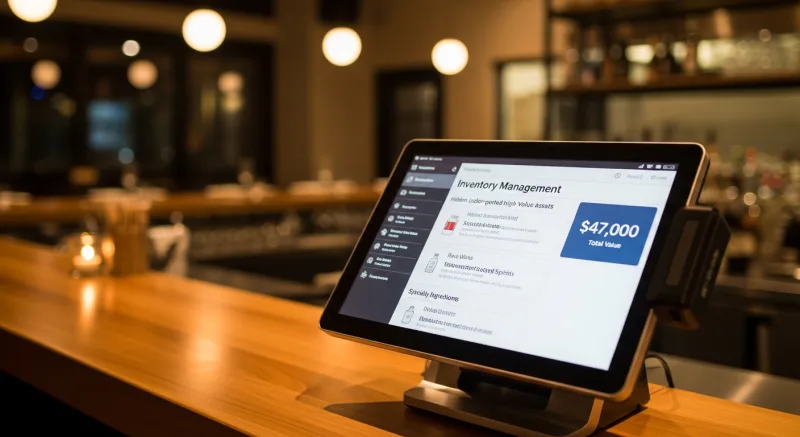
Your POS system collects four categories of data, each with its own value:
| Data Category | What It Includes | Estimated Value |
|---|---|---|
| Customer records | Names, emails, phone numbers, visit frequency, average spend, preferences | $15-$25 per active record |
| Transaction history | Every sale, item sold, time of day, payment method, discount applied | Drives all financial reporting and tax compliance |
| Menu & operations data | Menu configurations, recipes, modifiers, pricing history, inventory patterns | Months of setup work — $5,000-$15,000 to recreate |
| Employee records | Schedules, payroll data, performance metrics, certifications | Legal compliance requirement — cannot afford to lose |
Add it up for a restaurant with 2,000 active customers, three years of transaction history, and a fully configured menu system. You are looking at a data asset worth $40,000 to $65,000 — money that walks out the door if you lose access.
And that's not all. This data has compounding value. The longer you collect it, the more powerful it becomes for targeted marketing, demand forecasting, and menu engineering decisions. A customer record with 50 visits and detailed order history is worth five times more than one with two visits. Every month you operate, the asset grows.
But it gets worse: while your data grows more valuable every day, your control over it may actually be shrinking.
What Your POS Vendor's Terms of Service Actually Say
We read the terms of service so you do not have to. Here is what the major POS vendors say about your data:
The "We Can Use Your Data" Clause
Nearly every cloud POS vendor includes language granting themselves a license to use your data in aggregated or anonymized form. This means your sales trends, customer behavior patterns, and operational metrics get folded into the vendor's analytics products — products they sell to other companies, investors, and industry analysts.
Toast, for example, publishes a quarterly "Restaurant Trends Report" built on aggregated data from their 120,000+ restaurant clients. That report drives media coverage, investor interest, and Toast's own stock price. Your data helps build that. You do not see a dime.
Here's the thing: you probably clicked "I agree" without reading a single paragraph. Most restaurant owners do. But that click gave your vendor rights you never intended to give.
The "Limited Export" Problem
POS vendors advertise "data export" as a feature. But try it. What you actually get is a handful of CSV files with partial data. Customer emails — maybe. Full order history with item-level detail — usually not. Menu configurations with all modifiers, recipes, and pricing tiers — almost never.
Here is how the major POS systems compare on data portability:
| POS System | Customer Export | Full Transaction History | Menu Config Export | Data After Cancellation |
|---|---|---|---|---|
| Toast | CSV (limited fields) | 90-day reports only | No | 90 days, then deleted |
| Square | CSV | Yes (CSV) | No | Accessible while account active |
| Clover | CSV (basic) | Limited reports | No | Varies by reseller |
| KwickOS | Full database access | Complete history (local + cloud) | Yes | Data stays on your hardware |
The menu configuration issue is particularly painful. If you have spent months building a complex menu with hundreds of modifiers, special instructions, kitchen routing rules, and KDS display configurations, that work exists only inside your POS vendor's database. Switch vendors and you are rebuilding everything from scratch. For a multi-location operation like Crafty Crab Seafood with 19 stores and 152 terminals, recreating menu configurations alone could take weeks and cost thousands in labor.
The "Cancel and Lose Everything" Trap
This is where data ownership gets truly dangerous. Most POS vendors give you a 30 to 90-day window after cancellation to export whatever limited data they allow. After that window closes, your data is permanently deleted from their servers.
Think about what that means. Three years of customer relationships. Every transaction ever processed. Your entire operational history. Gone. Not because of a disaster — because you decided to switch to a different POS system.
And that's not all: this creates a chilling effect on competition. Even if you find a better, cheaper POS system, the cost of losing your data makes switching feel impossible. The vendor knows this. It is not a bug — it is the business model.
The Cloud-Only Trap: Why Server Location Matters
When your data exists only on a vendor's cloud servers, you have no physical control over it. You are trusting the vendor to:
- Keep their servers running (what happens during outages?)
- Maintain proper security (what happens during breaches?)
- Honor their data retention promises (what happens during bankruptcy?)
- Provide adequate export tools (what happens when you want to leave?)
But it gets worse. Cloud-only also means cloud-dependent. When your internet goes down — and in the restaurant industry, it will go down — a cloud-only POS cannot process transactions, access customer data, or even open your cash drawer on some systems.
This is not hypothetical. In January 2025, a major AWS outage took down Toast's cloud services for several hours. Restaurants running Toast could not access their sales reports, customer databases, or in some cases process credit card transactions. The restaurants had no local backup because Toast stores everything in the cloud.
Compare that to a hybrid local+cloud architecture. With a system like KwickOS, your data is stored locally on your own hardware first, then synced to the cloud for backup and remote access. If the internet drops, your restaurant keeps running on local data with 1ms response times. If the cloud provider has an outage, your data is safe on your local server. If you cancel your POS subscription, your data stays on hardware you own.
T. Jin China Diner operates 15 stores with 75 terminals across multiple states. Their data for each location lives on local hardware at that location, with cloud sync for the corporate office to monitor all 15 stores remotely. If any single location loses internet, it operates independently. If the cloud service went down entirely, all 15 locations would continue processing orders without interruption — because the data is local first.
The State Privacy Law Problem You Do Not Know You Have
Here is a dimension of data ownership most restaurant owners have never considered: you may be legally responsible for data you do not actually control.
As of 2026, comprehensive consumer privacy laws are active in California (CCPA/CPRA), Virginia, Colorado, Connecticut, Utah, Iowa, Indiana, Tennessee, Montana, Texas, Oregon, and Delaware — with more states adding laws every year. These laws give consumers the right to:
- Know what personal data you have collected about them
- Request a copy of their data
- Request deletion of their data
- Opt out of data sales
When a customer emails your restaurant and says, "I want all my data deleted" — and they have the legal right to make that demand — you need to actually do it. But if your customer data lives exclusively on Toast's servers, and Toast's export tools do not give you granular control over individual records, how do you comply?
You are legally liable. Your POS vendor is not.
This is not a theoretical problem. California's CCPA has already resulted in over $50 million in enforcement actions. The penalties are $2,500 per unintentional violation and $7,500 per intentional violation — per consumer record. For a restaurant with 2,000 customer records, a single compliance failure could theoretically generate millions in liability.
A system that gives you direct database access — where you can query, modify, and delete individual records without waiting on a vendor — is not just a convenience. It is a compliance requirement.
What Data Ownership Actually Looks Like
True data ownership means five things:
- Physical control. Your data exists on hardware you own, not exclusively on a vendor's servers. If you stop paying the vendor, the data does not disappear.
- Full export capability. You can export everything — every customer record, every transaction, every menu configuration, every employee record — in a standard, usable format (SQL, CSV, JSON) at any time.
- No usage rights granted to the vendor. The vendor does not have the right to use, aggregate, analyze, or sell your data for their own purposes.
- Independent operation. Your system continues to function and your data remains accessible even if the vendor's servers are down, if your internet is out, or if the vendor goes out of business.
- Granular control. You can access, modify, and delete individual records — not just bulk exports — for compliance, CRM management, and operational needs.
How many of these does your current POS system deliver?
If you are on Toast, the answer is zero. If you are on Square, the answer is one (partial export capability). If you are on a hybrid local+cloud system like KwickOS, the answer is all five.
The Real Cost of Vendor Lock-In
Data lock-in creates costs that go far beyond the data itself. Here is what restaurant owners actually lose when they are locked into a POS vendor:
Processing Cost Lock-In
When your data is trapped in Toast's system, switching POS means losing your data. That means you keep paying Toast's 2.99% + $0.15 processing rate even when interchange-plus pricing would save you $3,000-$8,000 per year. Your data hostage situation is costing you real money on every single transaction.
Marketing Capability Lock-In
Your customer data drives your marketing. Email campaigns, birthday promotions, loyalty programs, re-engagement sequences — all depend on clean, accessible customer records. When your POS vendor controls that data and limits how you can access it, your marketing effectiveness is capped by their tools, not your creativity.
Diva Nail Beauty runs 4 stores with automated commission tracking through KwickOS. Because they own their data locally, they can run custom reports on customer visit frequency, service preferences, and spending patterns — then use that data in their own marketing tools without any vendor limitations. Their 90% efficiency increase came partly from having unrestricted access to their own operational data.
Negotiating Power Lock-In
The moment a vendor knows you cannot leave without losing your data, you lose all negotiating power. Rate increase? You accept it. Feature removal? You live with it. Contract renewal at higher terms? You sign it. Data lock-in is the reason POS vendors can raise prices year after year — they know the switching cost is too high for most restaurants to bear.
How to Protect Your Data Starting Today
Whether you are choosing a new POS system or stuck with one that limits your data access, here are actionable steps to protect your business:
If You Are Choosing a New POS
- Ask the "bankruptcy question." "If your company goes out of business tomorrow, what happens to my data?" The answer tells you everything about their architecture. If your data only lives on their cloud, it dies with them.
- Request a full data export demo. Before you sign, ask the vendor to show you exactly what a complete data export looks like. If they cannot export menu configurations, you will be rebuilding from scratch when you switch.
- Read the data rights section of the contract. Look for phrases like "aggregate data," "anonymized usage," and "license to use." These are the clauses that let the vendor profit from your business data.
- Prioritize hybrid architecture. A system that stores data locally on your hardware and syncs to the cloud gives you the best of both worlds — physical control plus remote access. Use our POS comparison tool to evaluate architecture differences.
- Verify processor independence. Data lock-in and payment lock-in are two sides of the same coin. A processor-agnostic system that also gives you data ownership removes both forms of vendor control.
If You Are Stuck With a Locked POS
- Export everything you can, monthly. Set a calendar reminder to export customer lists, transaction reports, and any other available data on the first of every month. Store it in your own cloud storage (Google Drive, Dropbox — anything you control).
- Maintain a parallel customer database. Use a separate CRM (even a spreadsheet) to track your most valuable customer relationships independently of your POS. This way, if you switch POS systems, your customer data survives.
- Document your menu configurations. Screenshot or manually record every menu item, modifier, price, kitchen routing rule, and display setting. When you eventually switch systems, this documentation saves weeks of setup time.
- Plan your migration. Do not wait until you are frustrated to start planning. Research alternative systems, understand what data you can transfer, and build a timeline. The best time to plan a POS migration is when you are not desperate to do one.
Why This Matters More for Multi-Location Restaurants
The data ownership problem scales with every location you add. A single-location restaurant might have 2,000 customer records. A 15-location operation like T. Jin China Diner has tens of thousands — plus unique menu configurations, employee rosters, and operational data for each location.
Shogun Japanese Hibachi built custom KDS station displays that route specific dishes to specific cooking stations in their hibachi setup. That configuration data — which stations display which items, in what order, with what preparation notes — is operational IP. It took time to develop and it makes their kitchen run efficiently. On a cloud-only POS, that configuration belongs to the vendor. On KwickOS, it lives on Shogun's local hardware.
For multi-location groups evaluating POS systems, data ownership should be the first question, not an afterthought. The cost of losing data across 5, 10, or 19 locations is not just inconvenient — it is operationally catastrophic.
The Bottom Line
Your restaurant data is one of your most valuable business assets. It drives your marketing, informs your menu decisions, enables customer loyalty, and holds real monetary value if you ever sell your business. Handing exclusive control of that asset to a POS vendor — one that can restrict your access, limit your exports, use your data for their own profit, and delete everything if you cancel — is a business risk that most restaurant owners do not recognize until it is too late.
The fix is straightforward: choose a POS system that stores data on your hardware, gives you full export capability, does not claim usage rights to your data, and continues working when the internet drops. That is not asking for something extraordinary. That is asking for what you already expect from every other business tool you use.
Your data. Your hardware. Your control. That is what data ownership means.
Own Your Data. Own Your Business.
KwickOS stores your data locally on your hardware with cloud sync — giving you full ownership, full control, and full portability. No lock-in. No data hostage situations.
Get a Demo