Internet outages are not rare. They are not unpredictable. They happen to every restaurant, multiple times per year. The FCC reports that the average American business experiences 15-20 hours of internet downtime annually. For restaurants, even a single hour during peak service can mean thousands in lost revenue.
And yet, the three most popular POS systems in America — Toast, Square, and Clover — are built on cloud-first architecture that degrades or fails completely when the internet drops.
I built KwickOS with a different philosophy: the internet is a convenience, not a dependency. Your restaurant should work perfectly whether the internet is up, down, or flickering. Here is why that matters, how the technology works, and what it means for your bottom line.
The $3,200 Friday Night: A Minute-by-Minute Breakdown
Let me walk through what actually happens during a peak-hour internet outage at a restaurant running a cloud-dependent POS. This scenario is assembled from real reports by restaurant owners, not a hypothetical.
7:28 PM: Internet connection drops. Could be Comcast, AT&T, the building’s switch, or a construction crew that cut a fiber line three blocks away. Does not matter. The result is the same.
7:29 PM: POS screens show loading spinners. Some display “Connection lost” banners. Servers try to enter orders. Some transactions hang. Others fail outright.
7:30 PM: Kitchen display system goes blank or shows stale data. New orders are not reaching the kitchen. The expo line has no visibility into what is being ordered. Cooks keep working on tickets they already have, but nothing new is coming in.
7:32 PM: Servers start handwriting tickets and walking them to the kitchen. This worked in 1995. In 2026, most kitchen staff are not trained for handwritten tickets. Errors multiply. A table that ordered the gluten-free option gets the regular version because the server’s handwriting was misread.
7:35 PM: A table of six is ready to pay. They only have credit cards. The POS cannot process cards without an internet connection. The server explains the situation. The table is understanding — for now.
7:40 PM: Three more tables want to pay. All cards. The manager starts writing down card numbers with the plan to process them later. This creates a PCI compliance nightmare — card numbers written on paper are a security liability.
7:45 PM: New guests arrive at the host stand. The waitlist app does not work (it is cloud-based). Seating estimates are guesses. Two parties leave rather than wait without a clear estimate.
7:50 PM: The kitchen is backed up because orders are coming in as handwritten tickets, not through the KDS. Cooking times are longer. Mistakes are more frequent. Food quality drops because dishes sit while the kitchen tries to decipher which order goes where.
8:15 PM: A party of eight who had a reservation walks out after learning the POS is down and they cannot open a tab. They go to the restaurant across the street. That is an estimated $350-$500 check — gone.
9:30 PM: Internet comes back. The POS reconnects. Now the manager has to manually enter 90 minutes of handwritten orders, reconcile payments, and figure out which tables paid cash versus which cards need to be processed from the numbers written on paper.
Final tally:
| Impact Category | Estimated Loss |
|---|---|
| Parties that left (could not process cards or gave up waiting) | $1,200 |
| Reduced table turns (slower service, kitchen confusion) | $800 |
| Comped dishes (kitchen errors from handwritten tickets) | $350 |
| Manager overtime (3 hours reconciling after close) | $150 |
| Lost future visits (customers who had a bad experience) | $700+ (estimated lifetime value) |
| Total impact | $3,200+ |
$3,200 from a single 2-hour outage on a Friday night. And this is a conservative estimate for a restaurant doing $50,000+ per week in revenue. A higher-volume restaurant could lose $5,000-$8,000 in the same scenario.
How Often Does This Actually Happen?
Restaurant owners often treat internet outages like lightning strikes — unlikely and unplannable. The data says otherwise:
- Average US business internet uptime: 99.5-99.9%. That sounds great until you do the math. 99.9% uptime = 8.7 hours of downtime per year. 99.5% = 43.8 hours. Even at 99.9%, you are virtually guaranteed at least one outage during peak hours over the course of a year.
- ISP maintenance windows often overlap with restaurant hours. Comcast and AT&T schedule maintenance between 12 AM and 6 AM — but equipment failures during business hours are common and unscheduled.
- Local infrastructure failures are unpredictable. Construction crews cut cables. Power surges fry network equipment. Building switches fail. These have nothing to do with your ISP’s overall uptime statistics.
- Weather events correlate with high restaurant volume. Snow storms, hurricanes, and severe weather drive people to restaurants (especially those near airports, hotels, or entertainment venues). These are exactly the conditions that cause power and internet disruptions.
- Shared connections are a single point of failure. In strip malls and shopping centers, multiple businesses often share a single internet connection. One tenant’s equipment problem can take down the connection for everyone.
Based on reports from our 5,000+ merchant base, the average restaurant experiences 3-5 internet disruptions per year of 15 minutes or longer. At least one of those will occur during peak hours. The question is not if but when.
What “Offline Mode” Actually Means on Toast, Square, and Clover
All three major cloud POS providers claim some form of offline capability. Let me be specific about what each one actually does:
| Feature During Outage | Toast | Square | Clover | KwickOS |
|---|---|---|---|---|
| Take orders | Limited | Limited | Limited | Full functionality |
| Process credit cards | Cash only (or store & forward with limits) | Offline payments (with caps) | Limited offline payments | Full processing |
| Kitchen display system | Depends on network setup | N/A (no native KDS) | Limited | Full functionality |
| Receipt printing | Limited | Limited | Limited | Full functionality |
| Reporting and analytics | Not available | Not available | Not available | Local reporting available |
| Gift card redemption | Not available | Not available | Not available | Local balance lookup |
| Loyalty point lookup | Not available | Not available | Not available | Local database available |
| Employee clock in/out | Limited | Not available | Limited | Full (fingerprint included) |
The pattern is clear: cloud-dependent POS systems offer degraded offline modes that handle basic cash transactions but fail on the operations that matter most during peak service — credit card processing, kitchen display routing, and the speed that keeps a 200-cover dinner service from collapsing.
How KwickOS Hybrid Architecture Actually Works
I want to explain the technology, because understanding it makes the value proposition obvious.
Most cloud POS systems follow this architecture:
Terminal --> Internet --> Cloud Server --> Internet --> Payment Processor
Every action requires a round trip to the cloud.
If internet is down, the chain breaks.
KwickOS follows this architecture:
Terminal --> Local Server --> Payment Processor (via local network or cellular backup)
Local Server <--> Cloud (sync when internet available)
Every action processes locally first.
Cloud sync happens in the background.
Internet down? Nothing changes for the restaurant.
The key difference: the local server is the primary processing engine, not the cloud. The cloud is for backup, remote access, and cross-location sync. It is important but not critical to second-by-second operations.
What 1ms vs. 20ms Actually Means During Service
Cloud POS round-trip latency is typically 20-100ms, depending on internet speed, server load, and geographic distance. KwickOS local processing is under 1ms.
On a single transaction, 20ms versus 1ms is imperceptible. But compound it across a busy service:
| Scenario | Cloud POS (20ms avg) | KwickOS Local (1ms) |
|---|---|---|
| 200 orders in a dinner rush (2 hours) | 4 seconds total latency | 0.2 seconds total latency |
| Each order with 5 item entries + modifiers | 20 seconds latency per server shift | 1 second latency per server shift |
| During peak load (cloud server strain) | 100-500ms spikes = visible lag | 1ms constant = no perceptible lag |
The real impact is not the aggregate seconds but the feel of the system. Servers notice when a POS feels sluggish versus instant. During a rush, a quarter-second delay on every tap creates frustration and slows the rhythm of service. KwickOS feels instant because it is instant — the processing happens on the same network as the terminal.
Real Scenarios: When Offline Capability Saved the Night
Scenario 1: ISP Outage During Saturday Dinner Rush
A KwickOS restaurant in Houston lost internet at 6:45 PM on a Saturday. The ISP confirmed a neighborhood-wide outage affecting hundreds of businesses. Estimated restoration: 3 hours.
On KwickOS: nothing changed. Orders continued. Kitchen displays continued. Credit cards processed through the local payment terminal’s cellular backup. Customers never knew. The manager did not know until he checked his email after closing and saw a notification: “Internet connectivity lost 6:45 PM, restored 9:52 PM. All transactions synced successfully.”
Estimated revenue protected: $4,800 (Saturday dinner service revenue that would have been lost on a cloud-only system).
Scenario 2: Power Flicker Resets Network Equipment
This is the most common outage type. A momentary power flicker — common during thunderstorms — resets the router. The router takes 2-5 minutes to reboot and re-establish the internet connection.
On a cloud POS, that 2-5 minutes means every terminal loses connectivity. Orders in progress may be lost. Payment processing halts. The kitchen goes blind.
On KwickOS, the local server has a UPS (uninterruptible power supply) and does not reboot during a flicker. The terminals connect to the local server, not the internet. Router reboot is invisible to restaurant operations.
Scenario 3: Multi-Location Group, One Location Loses Internet
T. Jin China Diner has 15 locations spread across different areas with different ISPs. When one location loses internet, the owner’s concern is: does it affect the other 14?
On KwickOS: no. Each location runs independently on its local server. If Location 7 loses internet, Locations 1-6 and 8-15 are completely unaffected. Location 7 continues operating normally on its local server. When internet returns, it syncs to the cloud, and the owner’s dashboard updates.
This independence is a fundamental architectural benefit of hybrid local+cloud. On a purely cloud-dependent system, a cloud server outage (which does happen — ask anyone who was on Square during their 2023 outage) affects every location simultaneously.
The Annual Cost of Internet Dependency
Let me quantify the risk for different restaurant types:
| Restaurant Type | Weekly Revenue | Revenue/Peak Hour | Cost of 2-Hour Peak Outage | Estimated Outages/Year | Annual Risk |
|---|---|---|---|---|---|
| Counter-service (1 location) | $15,000 | $400 | $800 | 2-3 | $1,600-$2,400 |
| Full-service (1 location) | $35,000 | $800 | $1,600 | 2-3 | $3,200-$4,800 |
| High-volume (1 location) | $50,000+ | $1,200 | $2,400 | 2-3 | $4,800-$7,200 |
| Multi-location (5 stores) | $175,000 | $4,000 (combined) | $8,000 | 5-8 (across all locations) | $12,000-$24,000 |
For a multi-location group, the annual risk exposure from internet dependency is $12,000-$24,000. That is the expected annual cost, not the worst case. A major ISP outage during a holiday weekend could double these numbers for a single event.
Beyond Outages: Why Speed Matters Every Day
Internet outages are dramatic, but the daily performance difference between cloud and local processing is arguably more important over time.
Kitchen Display Speed
When a server enters an order, the time between pressing “Send” and the order appearing on the kitchen display is critical during a rush. On a cloud POS, the order travels: Terminal → Internet → Cloud → Internet → KDS. On KwickOS: Terminal → Local Server → KDS. The difference is measurable:
- Cloud POS: 200-500ms (quarter to half a second) under normal load. 1-3 seconds during peak cloud load or internet congestion.
- KwickOS: Under 10ms consistently. The order appears on the KDS before the server’s finger lifts from the screen.
Shogun Japanese Hibachi needed this speed for their customized hibachi station displays. Orders are grouped by cooking station, and any delay between the server’s input and the cook’s display means wasted time and potential errors during the high-performance hibachi cooking show. KwickOS delivers those orders in milliseconds.
Payment Processing Speed
Card dip or tap to approval. On cloud POS, the authorization request goes through the POS cloud before reaching the payment processor. On KwickOS, the local terminal communicates directly with the processor. The difference: 2-4 seconds versus 1-2 seconds. For restaurants processing 150-300 card transactions per day, the cumulative time savings reduces checkout line waits and improves table turn times.
Employee Authentication Speed
When a server logs into the POS at the start of their shift or before performing a restricted action (void, discount, register access), the authentication request on a cloud system goes to the cloud for verification. On KwickOS, the fingerprint scan processes locally.
KwickOS supports 1:N fingerprint matching — the employee touches the sensor, and the system identifies them from the entire employee database without them entering any ID number. This happens in under 200ms locally. On a cloud system, PIN verification (fingerprint is not even supported on Toast) requires a round-trip that adds seconds, and the shared-PIN security model is fundamentally weaker.
What to Ask Your POS Provider About Offline Capability
If you are evaluating POS systems or questioning your current provider, here are the specific questions to ask. Vague answers like “we have offline mode” are not sufficient. Demand specifics:
- “During an internet outage, can my servers take orders and send them to the kitchen display?” If the answer is anything other than “yes, full functionality,” probe further.
- “During an internet outage, can I process credit card payments?” Ask about caps (some systems limit offline card processing to a certain dollar amount or number of transactions). Ask about card types (some offline modes only work with chip, not tap).
- “If the outage lasts 4 hours during a Saturday dinner rush, what specifically stops working?” This is the question that reveals the truth. Four hours is not a fringe case — it is a realistic ISP outage duration.
- “How does data sync when the internet returns?” Manual reconciliation? Automatic sync? What about transactions that were processed offline — are any at risk of being lost?
- “Where does the primary data processing happen — on a local server or in the cloud?” This is the architectural question that determines everything else. If the answer is “cloud with local caching,” you are on a cloud-first system that will degrade during outages.
The Insurance Analogy
Hybrid local+cloud POS architecture is like insurance for your restaurant’s busiest nights. You hope you never need it. But when Comcast goes down at 7:30 PM on a Friday with every table full, the difference between “business as usual” and “controlled chaos” is whether your POS runs on the internet or on your local network.
The cost of that “insurance” with KwickOS? $0 extra. Hybrid architecture is not an add-on or a premium tier. It is how the system is built. Every KwickOS installation runs locally first, syncs to cloud second.
Compare that to the alternative: hoping your internet stays up during every peak hour, every weather event, every ISP maintenance window, for the entire life of your restaurant. That is a bet I would not take, and I have 30 years of IT experience and 20 years of restaurant experience telling me exactly how often that bet loses.
The Broader Reliability Picture
Internet outages are the most dramatic failure mode, but they are not the only one. Consider:
- Cloud POS provider outages. In 2023, Square experienced a major outage that affected thousands of businesses nationwide. The merchants had working internet, but Square’s servers were down. Result: same as an internet outage — no card processing, no order routing. With KwickOS, a cloud server outage only affects remote access and cross-location sync. Local operations continue uninterrupted.
- DNS failures. Your internet connection might be working, but if the DNS server your POS uses goes down, the POS cannot resolve the cloud server address. To the POS, it is indistinguishable from an internet outage. Local processing eliminates this dependency.
- Slow internet (not down, just slow). An ISP throttling your connection or a bandwidth-heavy neighbor on shared infrastructure can make a cloud POS feel sluggish without actually going offline. Local processing runs at full speed regardless of internet quality.
Your Next Step
The next time your internet flickers — even for 30 seconds — pay attention to what your POS does. Does it keep working? Do orders still flow to the kitchen? Can you still run a credit card?
If the answer is no, calculate what that would cost you during a Friday dinner rush. Multiply by 2-3 outages per year. That is the annual price of cloud dependency.
Then ask yourself: is your POS company absorbing that risk, or are you?
See Hybrid Architecture in Action
Schedule a demo and we will show you KwickOS running on a local network — then disconnect the internet and show you that nothing changes. POS, KDS, credit cards, gift cards, loyalty — all running at 1ms latency, completely independent of the internet.
Get Your Free DemoOr call us directly: (888) 355-6996
Turn One-Time Diners into Regulars: Built-In Gift Cards & Loyalty
Most POS companies treat gift cards and loyalty as afterthoughts — expensive add-ons that cost $50-100/month extra. KwickOS includes them at no additional charge because we believe they are essential revenue tools, not luxury features.
Gift Cards That Actually Drive Revenue
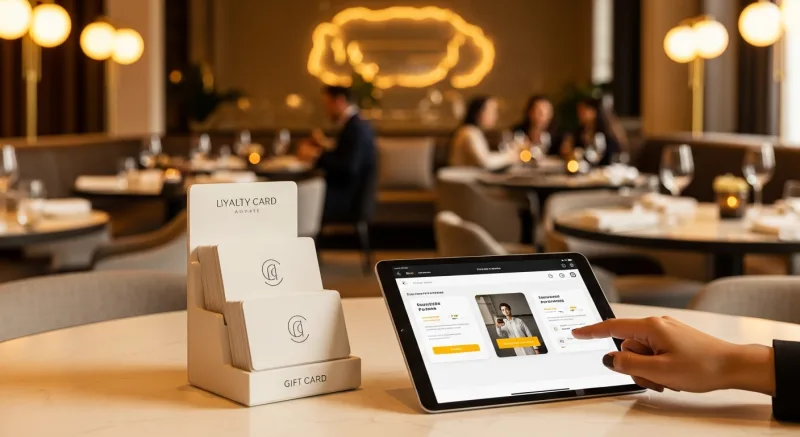
Here is what most restaurant owners do not realize: gift card buyers spend an average of 20-40% more than the card's face value. A $50 gift card typically generates $60-70 in actual spending. KwickOS supports both physical gift cards and electronic gift cards that customers can purchase, send, and redeem through their phones.
- Physical gift cards — branded plastic cards that sit on your counter and sell themselves during holidays
- E-gift cards — customers buy and send digitally via text or email, perfect for last-minute gifts
- Balance tracking — real-time balance across all your locations, no manual reconciliation
- Reload capability — customers top up their balance, creating a built-in prepayment habit
Loyalty Points That Keep Them Coming Back
KwickOS loyalty is not a punch card from 2005. It is a digital points system that tracks every dollar spent and automatically rewards your best customers:
- Earn points on every purchase — configurable ratio (e.g., $1 = 1 point, or $1 = 10 points)
- Tiered rewards — silver, gold, platinum levels to incentivize higher spending
- Birthday rewards — automated birthday offers that bring customers back during their special month
- Points-for-payment — customers redeem points directly at checkout, seamless for your staff
Membership Programs
For restaurants running VIP programs or subscription models (like monthly coffee clubs), KwickOS membership management handles recurring billing, exclusive pricing tiers, and member-only menu items — all within the same system your cashier already uses.
The bottom line: Toast charges $75/month extra for loyalty. Square's loyalty starts at $45/month. KwickOS includes gift cards, e-gift cards, loyalty points, and membership management in every plan. That is $540-900/year you keep in your pocket.