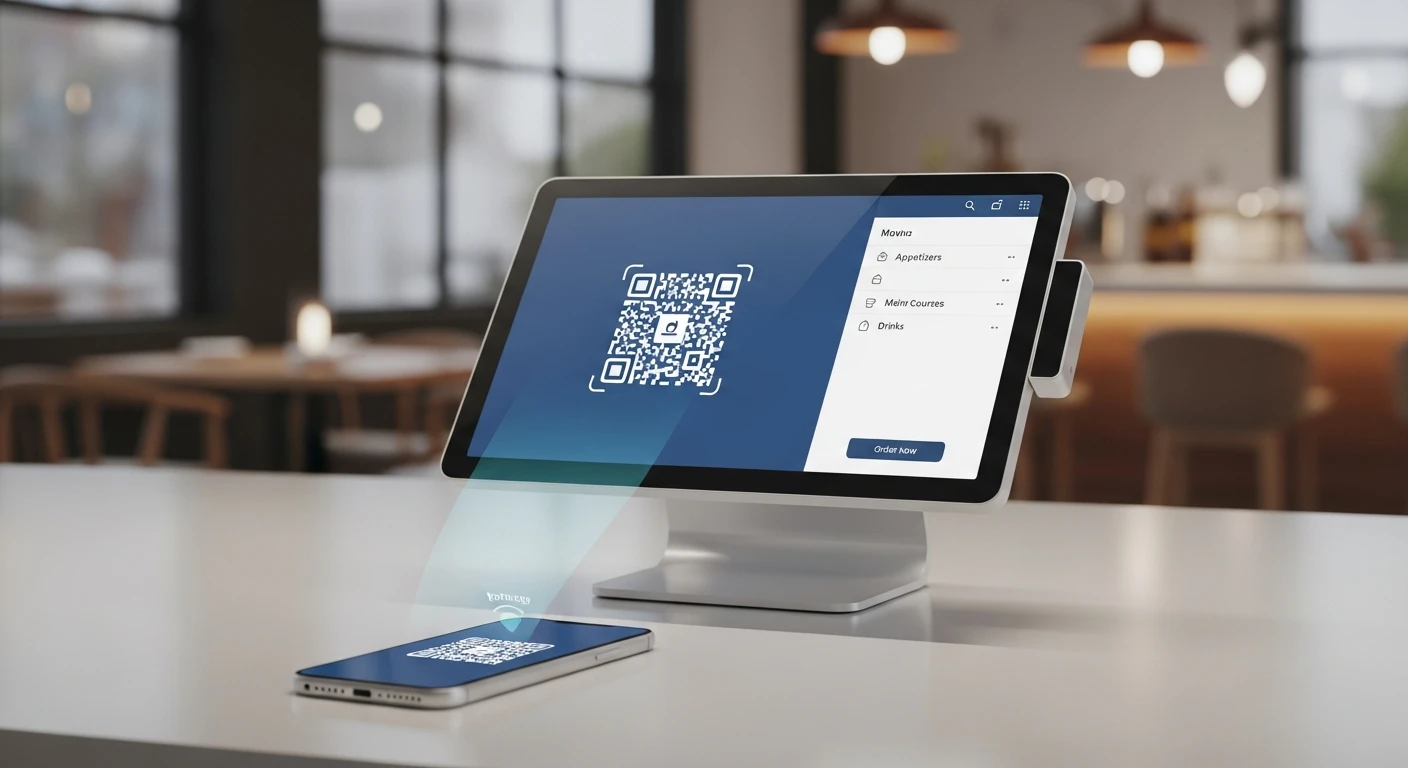
The best QR Code Ordering for Restaurants handles everything from checkout to closing — without extra apps or workarounds. You are losing money every time a customer wants to order but cannot get a server's attention.
Think about it. A four-top sits down at 7:15 PM. The server is busy running food to another table. The guests browse the menu, decide what they want, and then wait. And wait. By the time the server arrives at 7:23 PM, one person has changed their mind about the appetizer. Another skips the cocktail because "it took too long." The table that would have spent $147 spends $118 instead.
That $29 gap happened because your ordering system requires a human intermediary. Multiply that across 40 tables a night, 6 nights a week, and you are looking at roughly $36,000 in lost annual revenue — not from customers who left, but from customers who wanted to spend more and could not.
Here's the thing: QR code ordering eliminates this gap entirely. And the data proves it works. Restaurants using QR code ordering see an average 23% increase in order size compared to server-only ordering. Not because the food is better. Not because the menu is different. Because removing friction from the ordering process lets customers buy what they actually want, when they want it.
This guide covers everything you need to know to implement QR code ordering at your restaurant — from the psychology behind why it works, to the exact setup process, to the mistakes that will tank your guest experience if you are not careful.
Why QR Code Orders Are Larger (The Psychology Nobody Talks About)
The 23% increase in average order size is not magic. It is behavioral psychology at work. Understanding why customers spend more through QR ordering helps you optimize the system for maximum impact.
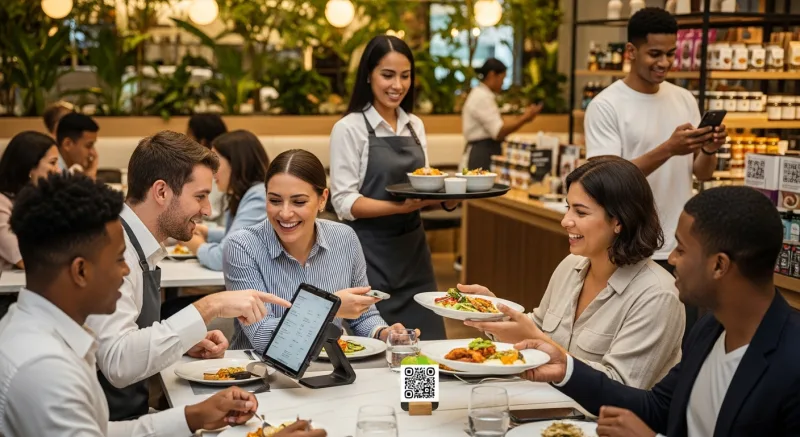
1. The Judgment-Free Zone Effect
When a server stands at the table, customers feel observed. Studies in consumer psychology show that people order fewer indulgent items when they perceive social judgment — even if the server could not care less about what they order. The dessert gets skipped. The extra side gets dropped. The premium upgrade gets ignored.
When ordering from a phone screen, that social pressure disappears. Customers add the loaded fries. They upgrade to the premium cut. They order that second dessert for the table. The screen does not raise an eyebrow.
2. Full Menu Visibility Without Time Pressure
With a server standing tableside, customers feel rushed. They scan the menu, pick the first thing that looks good, and close the menu. They never see the specials on page three or the seasonal cocktail at the bottom of the drinks list.
But it gets worse: with QR ordering, every item is browsable at the customer's pace. They scroll through appetizers while sipping water. They discover the chef's special after they have already ordered their main course — and add it anyway. The absence of time pressure turns browsing into buying.
3. Visual Upselling That Never Sleeps
Your best server remembers to suggest the guacamole add-on 70% of the time. A QR ordering system suggests it 100% of the time. Every single order. Every single table. No training required, no bad days, no forgetting.
When a customer adds a burger, the system can automatically display: "Add avocado +$2.50 | Add bacon +$1.75 | Make it a double +$4.00." With photos. Modifier attachment rates on QR systems run 35-45% compared to 15-20% with verbal upselling.
And that's not all: the best QR systems also show "Frequently ordered together" suggestions based on actual purchasing data. If 60% of people who order the pad thai also get the Thai iced tea, the system shows that pairing. Your servers do not have access to that data in real time — but the software does.
The Real Numbers: What QR Ordering Actually Does to Your Bottom Line
Let us move past the theory and look at what this means in dollars for a mid-size full-service restaurant.
| Metric | Without QR Ordering | With QR Ordering | Impact |
|---|---|---|---|
| Average check size | $34.50 | $42.44 (+23%) | +$7.94 per check |
| Tables per night (60 seats) | 120 | 132 (faster turns) | +12 tables |
| Nightly revenue | $4,140 | $5,602 | +$1,462/night |
| Monthly revenue (26 nights) | $107,640 | $145,652 | +$38,012/month |
| Annual revenue increase | — | — | +$456,144/year |
Now, the 23% check increase and 10% table turn improvement will not apply to every table. Some guests will use traditional ordering. Some tables are already turning fast. A conservative estimate that accounts for partial adoption (50-60% of tables using QR) still yields a $150,000 to $250,000 annual revenue increase for a 60-seat restaurant.
The cost? A few hundred printed QR codes and a POS system that supports it. The ROI is not even close.
How to Set Up QR Code Ordering (Step by Step)
Implementation is simpler than most owners expect. Here is the process from zero to live in under a week.
Step 1: Ensure Your POS Supports It
Not all POS systems handle QR ordering the same way. Some require third-party integrations that add monthly fees and create sync issues. Others build it in natively.
What to look for in your POS:
- Native QR ordering module — not a third-party bolt-on
- Real-time menu sync — when you 86 an item, it disappears from the QR menu instantly
- Direct-to-KDS routing — orders go straight to the kitchen display without server intervention
- Modifier and combo support — customers need to customize orders the same way they would verbally
- Table assignment — the system knows which table scanned which code
- Payment integration — pay at the table, split checks, tip on screen
KwickOS includes all of these as a built-in module — no extra subscription, no third-party app, no additional hardware. The QR ordering feeds directly into the same KDS that handles server-entered orders, so the kitchen sees one unified ticket stream. Rockin' Rolls Sushi Express runs 49 iPad self-ordering stations across 3 locations using exactly this setup, and their serving time dropped measurably with KDS integration handling the flow.
Compare that to Toast, which requires a separate "Toast Mobile Order & Pay" add-on at additional cost, or Square, which only supports QR ordering through Square Online — a separate product with its own fee structure.
Already evaluating systems? Our POS comparison tool breaks down QR ordering capabilities across major platforms.
Step 2: Build Your Digital Menu
Your QR menu is not just a PDF of your paper menu. It is a sales tool. Here is what separates a high-converting digital menu from one that frustrates customers:
- Photos on at least 60% of items. Items with photos sell 30% more than text-only listings. You do not need professional photography — well-lit phone photos work. But you need something visual.
- Logical categories. Group items the way customers think, not the way your kitchen is organized. "Shareable Starters" converts better than "Appetizers." "Quick Bites Under $10" creates a category that drives impulse adds.
- Visible modifiers. Every customization option should be one tap away. If your burger has 6 cheese options, show them all. Each modifier is a revenue opportunity.
- Suggested pairings. At the bottom of each item, show 2-3 items that pair well. "Goes great with: Thai Iced Tea ($4.50) | Jasmine Rice ($3.00)."
- Load time under 2 seconds. If your QR menu takes 5 seconds to load, 40% of customers will give up and ask the server instead. Optimize images, minimize scripts, use a CDN.
Tiger Sugar, with 2 locations and 2 self-service kiosks, took this approach to the extreme — they designed their digital ordering flow with the absolute minimum number of steps for personalization. Customers choose size, sugar level, ice level, and toppings in four taps. The result: faster throughput and higher customer satisfaction because the process felt effortless.
Step 3: Generate and Place Your QR Codes
Each table needs its own unique QR code that maps to that table number in your POS system. This is critical — if all tables share one generic QR code, you lose table attribution and your kitchen has no idea where to send the food.
Placement best practices:
- Table tents or acrylic stands — eye level, impossible to miss
- Laminate everything — QR codes on paper get destroyed by spills within a week
- Include brief instructions — "Scan to view menu & order. No app needed."
- Add your WiFi network and password — eliminate the "I don't have data" objection
- Print at high resolution — a blurry QR code that fails to scan is worse than no QR code at all
Pro tip: order QR code stands in bulk. A set of 50 acrylic table stands with custom QR codes costs about $150-200. That is a one-time investment that pays for itself in a single night's upselling revenue.
Step 4: Configure Your Kitchen Workflow
This is where most restaurants stumble. QR orders hit the kitchen differently than server orders, and if you do not adjust your workflow, you will create chaos.
Here's the thing: with server ordering, orders arrive in batches. A server takes three tables' orders, enters them all at once, and the kitchen gets a predictable flow. With QR ordering, orders trickle in continuously — one appetizer here, a drink add-on there, a dessert 20 minutes later.
Your KDS needs to handle this by:
- Grouping orders by table — so the kitchen sees "Table 14" with all items, not scattered individual items
- Distinguishing QR orders visually — a different color or icon so the kitchen knows this order came from a phone, not a server
- Supporting "add to existing order" — when Table 14 adds dessert 30 minutes after their entree, it appends to the same ticket
- Auto-firing by course — appetizers fire immediately, entrees hold until apps are cleared
Shogun Japanese Hibachi solved this by customizing their KDS station displays through KwickOS — each hibachi station sees only the orders relevant to their grill, regardless of whether the order came from a QR scan or a server. The setup took less than 5 minutes, and new operators were proficient almost immediately.
Step 5: Train Your Staff (This Is Non-Negotiable)
Your servers will resist QR ordering if they think it threatens their tips. Address this head-on.
The data actually shows the opposite: servers at QR-enabled restaurants earn 12-18% higher tips because check sizes are larger (tips are percentage-based) and they have more time for hospitality instead of order-taking. A server managing 6 tables with QR ordering provides better service than a server drowning in 6 tables of manual ordering.
Training checklist:
- Show servers the check size data — let the numbers make the case
- Role-play the new greeting: "Welcome! You can scan to order anytime, or I'm happy to take your order whenever you're ready"
- Practice handling the "I don't want to use my phone" response gracefully
- Train on monitoring QR orders in the POS so servers can proactively check on tables
- Emphasize that QR ordering frees them to upsell desserts and drinks in person — the high-touch moments that build tips
The 5 Mistakes That Kill QR Ordering Programs
For every restaurant that successfully implements QR ordering, another tries it and pulls the plug within a month. Here is why they fail — and how to avoid the same fate.
Mistake #1: Making It the Only Option
Forcing customers to use QR ordering backfires immediately. Older diners, international visitors without data plans, and anyone with a dead phone battery will have a terrible experience. Always keep physical menus available. QR ordering should feel like a convenience, not a mandate.
Mistake #2: Slow Load Times
If your QR menu loads in 6 seconds, you have already lost. Customers will put their phone down and never try again. Optimize your digital menu for mobile — compress images, minimize page weight, and test on a 4G connection (not your restaurant's WiFi). Target under 2 seconds for full menu display.
Mistake #3: Ignoring the Kitchen Flow
We covered this above, but it bears repeating: dumping QR orders into a kitchen workflow designed for server batching will crash your line during a rush. Your KDS system needs to handle continuous order flow, and your kitchen staff needs to be trained on the new rhythm.
Mistake #4: Forgetting to Update the Menu
Your paper menu changes quarterly. Your QR menu is live 24/7. If a customer orders the seasonal salad that was discontinued two weeks ago because nobody updated the digital menu, you have created a service recovery situation that costs far more than the time to keep the menu current.
This is where POS integration matters. With KwickOS, menu changes sync across dine-in POS, QR ordering, online ordering, and kiosk — one update, everywhere. Crafty Crab Seafood uses this one-click menu sync across 19 locations with 152 terminals. When they add a seasonal item or adjust pricing, it propagates to every QR code, every kiosk, and every terminal simultaneously.
Mistake #5: Not Capturing Customer Data
This is the biggest missed opportunity. Every QR order is a chance to capture an email address, phone number, or loyalty sign-up. If your system processes QR orders anonymously, you are leaving the most valuable part of the transaction on the table.
Set up your QR flow to offer (not require) a simple data exchange: "Enter your email for a receipt and 10% off your next visit." Conversion rates on this prompt average 35-45% — far higher than a server asking "Would you like to join our loyalty program?" while clearing plates.
Over 6 months, a 60-seat restaurant capturing 40 emails per night builds a list of 6,200+ verified customer contacts. That list, used for email marketing campaigns, drives repeat visits worth $42 per $1 spent — the highest ROI channel in restaurant marketing.
QR Ordering and the Labor Equation
Let us be direct about the labor question, because every restaurant owner is thinking it.
QR ordering does not mean fewer servers. It means fewer servers doing more, better.
A typical full-service restaurant allocates server sections of 4-5 tables. With QR ordering handling the order-taking step, servers can comfortably manage 6-7 tables while providing better hospitality. For a 60-seat restaurant, that means covering the floor with 8-9 servers instead of 12 — during a staffing crisis where finding 12 reliable servers is nearly impossible.
But the real labor savings are not in headcount reduction. They are in what your existing staff can do with the recovered time:
- Faster table turns — no waiting for the server to come take the order; customers order immediately after sitting
- More upselling conversations — "How is everything? Can I bring out the dessert menu?" becomes proactive instead of reactive
- Better hospitality — water refills, check-ins, clearing plates — the things that actually drive satisfaction and tips
- Fewer order errors — no more "I said no onions" disputes; the customer entered the modification themselves
T. Jin China Diner, managing 15 stores with 75 terminals, uses this model to maintain consistent service quality across locations. When ordering friction is handled by the system, staff can focus on the human elements that differentiate a good restaurant from a great one — and management can monitor performance across all locations in real time.
QR Code Ordering for Different Restaurant Types
QR ordering is not one-size-fits-all. Here is how to optimize it for your specific format.
Full-Service Restaurants
Use QR as a supplement, not a replacement. Servers greet tables, offer the QR option, and handle hospitality. The biggest win is mid-meal add-ons — drinks, desserts, and extras that customers order without waiting for the server to circle back. This is where the 23% check increase is most pronounced.
Quick-Service / Fast Casual
QR ordering at each table or at the counter essentially creates a self-ordering kiosk on every customer's phone — without the $3,000-$5,000 hardware cost per kiosk. Baked Cravings uses this approach with their self-serve kiosk at Lego Land, proving that self-ordering works even in high-traffic entertainment venues.
Bars and Nightclubs
This is where QR ordering shows the largest percentage increase in revenue. Customers at a bar will order 2-3 more drinks per visit when they can order from their phone instead of fighting for the bartender's attention. Place QR codes on every table, at bar rail intervals, and in lounge areas. The happy hour strategy becomes even more powerful when customers can instantly act on time-limited specials displayed on their screen.
Bubble Tea and Coffee Shops
Customization-heavy concepts benefit enormously from QR ordering. Instead of a verbal back-and-forth about sugar level, ice level, and toppings, customers tap through options at their own pace. Tiger Sugar's minimal-step approach is the gold standard — four taps to a fully customized drink.
The Data Goldmine You Are Sitting On
Every QR order generates data that server-taken orders do not. And this data is worth far more than the revenue increase itself.
What QR ordering data tells you:
- Exact order timing — when customers order, how long they browse, what they look at but do not buy
- Modifier preferences — which add-ons are most popular, which are never selected (and should be removed)
- Reorder patterns — which items drive second and third orders during a visit
- Menu item performance — which items get viewed but not ordered (a pricing or description problem)
- Peak ordering windows — when add-on orders spike, informing your kitchen prep and staffing
This is menu engineering on autopilot. Instead of guessing which items are stars and which are dogs, you have real behavioral data showing exactly how customers interact with your menu.
And because KwickOS runs on a hybrid local+cloud architecture, this data processes at 1ms locally — meaning your analytics dashboard updates in real time, not with a 20-minute cloud delay. When the Friday dinner rush hits, you see ordering trends as they happen, not after the fact.
Cost Comparison: QR Ordering Implementation
Let us break down what this actually costs versus what it returns.
| Item | Cost | Frequency |
|---|---|---|
| QR code stands/table tents (50 units) | $150-200 | One-time |
| Digital menu setup (photos, descriptions) | $0-500 (DIY to professional) | One-time |
| POS with built-in QR ordering (KwickOS) | $0 additional | Included |
| Third-party QR ordering add-on (Toast, etc.) | $50-200/month | Monthly |
| Staff training | 2-3 hours of meeting time | One-time |
Total investment with a platform like KwickOS: under $700 one-time. Total investment with a platform that charges extra for QR ordering: $700 + $600-2,400/year in subscription fees. Total revenue increase: $150,000-$250,000/year for a 60-seat restaurant.
That is not an investment decision. That is a no-brainer.
Want to see the exact dollar impact for your restaurant? Run your numbers through our free restaurant calculators to model revenue impact based on your seat count, average check, and table turn rate.
Getting Started This Week
You do not need a six-month technology rollout. Here is the fastest path to live QR ordering:
- Monday: Confirm your POS supports native QR ordering (or evaluate one that does)
- Tuesday-Wednesday: Build your digital menu — add photos, descriptions, modifiers, and suggested pairings
- Thursday: Order QR code table stands and print your codes
- Friday: Run a staff training session over the pre-shift meal
- Saturday: Go live on your busiest night — you will see the revenue impact immediately
The restaurants that hesitate are the ones still losing $29 per table to ordering friction. The restaurants that move are the ones adding $150,000+ per year to their top line with a $700 investment.
The math is not complicated. The decision should not be either.
Add QR Ordering to Your Restaurant This Week
KwickOS includes QR code ordering, online ordering, KDS, and 20+ modules in one platform — no add-on fees, no third-party integrations. See how it works.
Get a Demo