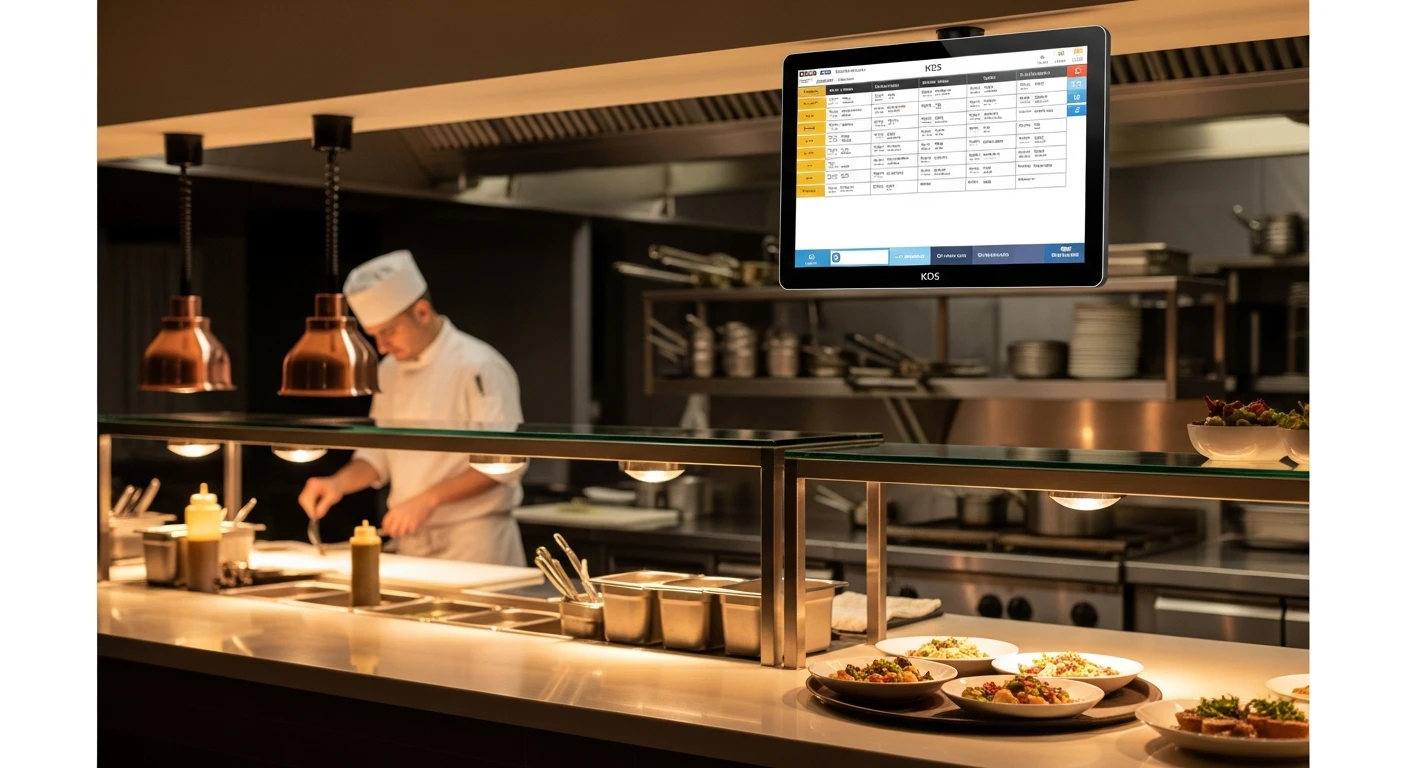
Walk into any high-volume restaurant kitchen during peak service and you will see one of two things. Either you will see a rail crammed with paper tickets — some curling from heat, some grease-stained, some partially obscured by the ticket in front of them — while an expediter shouts across the line trying to coordinate timing. Or you will see a row of bright screens, each one showing exactly the orders that station needs to prepare, color-coded by urgency, with a running timer on every ticket.
The first kitchen is fighting its technology. The second kitchen is being served by it.
A kitchen display system — KDS — is the digital replacement for the paper ticket printer that has been the backbone of restaurant kitchen communication since the 1970s. But calling a KDS a "digital ticket" understates the transformation by a wide margin. A paper ticket tells you what to cook. A KDS tells you what to cook, when it was ordered, how long the customer has been waiting, what other items need to be coordinated for the same table, which station is behind, and whether the overall kitchen pace is meeting your service targets.
The difference between those two kitchens is not just technology. It is the difference between running your kitchen on incomplete information and running it on complete information. And in a business where minutes matter and mistakes cost money, that difference is worth understanding thoroughly.
What a Kitchen Display System Actually Does
At its most basic level, a KDS receives orders from your POS system and displays them on screens mounted in the kitchen. When a server enters an order at the terminal, or a customer places an order through your online ordering system, or a guest taps through a self-ordering kiosk, the order appears on the appropriate kitchen screen within one to two seconds.
But the real value of a KDS lives in the intelligence layer between the POS and the display. Here is what happens when an order enters a well-configured KDS:
- Intelligent station routing. The system breaks the order into components and routes each component to the correct station. A table ordering a Caesar salad, a grilled ribeye, and a pan-seared salmon does not appear as a single ticket on a single screen. The salad appears on the cold station display. The ribeye and salmon appear on the grill station display. The expediter screen shows the complete order with all components and their status.
- Order prioritization. Not all orders are equal. A dine-in table that has been waiting 18 minutes needs more urgency than a takeout order scheduled for pickup in 30 minutes. A KDS applies rules-based prioritization: dine-in orders escalate in urgency as wait time increases, catering orders are timed to their pickup window, and delivery orders factor in driver arrival time.
- Timing coordination. This is where a KDS fundamentally outperforms paper. When Table 12 orders an appetizer and two entrees, the kitchen needs the appetizer to go out first, then the entrees together — the steak and the pasta arriving at the same time, both hot. A KDS can fire courses automatically: display the appetizer immediately, then fire the entrees to the appropriate stations after the appetizer is marked complete, with a configurable delay.
- Modification highlighting. "No onions, sub broccoli, extra sauce on the side, allergy to shellfish." On a paper ticket, these modifications are printed in the same font as everything else and are easy to miss. A KDS highlights modifications in a different color, enlarges allergy alerts, and can require the cook to acknowledge allergy items with a tap before the order is marked as in progress.
- Real-time timing alerts. Every order gets a running timer from the moment it enters the system. When an order exceeds the target cook time — say, 12 minutes for a typical entree — the display changes color. Yellow at 12 minutes. Red at 15 minutes. This gives the expediter and the line cooks immediate visual feedback on which orders need attention, without anyone having to mentally track 30 tickets.
According to industry research, the elimination of handwriting interpretation, lost tickets, and printer malfunctions accounts for the majority of accuracy improvements. Digital orders are legible, persistent, and impossible to lose in a grease trap.
Paper Tickets vs. KDS: A Direct Comparison
The argument for paper tickets usually comes down to familiarity. Chefs who have worked with paper for 20 years are understandably reluctant to change. But the comparison, when laid out objectively, is not close.
| Capability | Paper Tickets | Kitchen Display System |
|---|---|---|
| Order routing to stations | Manual — expediter distributes tickets | Automatic — routes to correct station instantly |
| Timing visibility | None — requires mental tracking or a timer | Real-time timer on every order with color alerts |
| Modification visibility | Printed in-line, easy to miss | Color-highlighted, allergy alerts enlarged |
| Course firing | Verbal communication between servers and kitchen | Automatic course sequencing with configurable delays |
| Order history | Paper bin — unsearchable, usually discarded | Digital archive — searchable, analyzable |
| Legibility | Depends on printer quality, ink, and paper | Always clear, backlit, high contrast |
| Ticket loss | Common — falls behind equipment, sticks together | Impossible — digital orders persist until cleared |
| Kitchen performance data | None available | Average ticket times, station throughput, peak analysis |
| Environmental impact | 2-3 rolls of thermal paper per day | Zero paper consumption |
| Ongoing supply cost | $30-50/month in thermal paper and ribbons | $0 after initial hardware |
The paper savings alone — $360 to $600 per year per printer — are modest but real. The operational improvements in accuracy, speed, and coordination are where the significant ROI lives.
Station Routing: The Feature That Changes Everything
If you take away one thing from this guide, let it be this: intelligent station routing is the single most impactful feature of a KDS. It is also the feature that most restaurants under-configure.
In a paper ticket kitchen, the expediter is the router. Every ticket comes out of the printer, the expediter reads it, decides which stations need to work on it, and either calls it out verbally or physically moves tickets to different rails. In a busy kitchen doing 200 covers on a Friday night, the expediter is making routing decisions on 50 to 80 tickets per hour. They are the bottleneck, the single point of failure, and the highest-stress position on the line.
A KDS eliminates the routing function entirely. When the menu is properly configured, each item is tagged with its preparation station. A grilled chicken breast goes to the grill station. A Caesar salad goes to the cold station. French fries go to the fry station. The system handles the routing automatically, instantly, and without error — every single time.
This frees the expediter to do what they should actually be doing: coordinating timing between stations, quality-checking plates before they leave the window, and managing the overall pace of service. They go from being a ticket sorter to being a kitchen conductor.
Custom Station Routing in Practice: The Shogun Hibachi Example
The power of station routing becomes especially apparent in complex kitchen setups. Shogun Japanese Hibachi, operating on KwickOS with 4 terminals, presented a unique challenge: hibachi-style restaurants have individual cooking stations where chefs perform tableside preparation. Each hibachi grill is essentially its own station, and orders need to route to the specific grill assigned to that table's seating area.
KwickOS configured custom station displays for Shogun that route orders to the correct hibachi station based on table assignment. Each grill chef sees only the orders for their station — no confusion, no cross-talk, no accidentally preparing another station's order. The non-hibachi items (sushi, appetizers, drinks) route separately to the appropriate prep areas.
The result: new operators at Shogun achieve proficiency with the KDS system in under five minutes. The routing logic is built into the software, not into tribal knowledge that takes months to learn. When a new hibachi chef starts, they do not need to understand the restaurant's table numbering system or memorize which tables belong to which grill. The screen tells them exactly what to cook.
"The customized station displays changed our kitchen completely. New cooks used to need days to learn which orders go where. Now the screen does it for them. They are cooking on their first shift." — Shogun Japanese Hibachi, KwickOS operator
Timing Alerts: Turning Speed into a Managed Metric
In a paper ticket kitchen, speed is managed by feel. An experienced expediter develops a sense for when tickets have been hanging too long. But "too long" is subjective, and the feel breaks down when the kitchen is slammed and the expediter is managing 40 active tickets simultaneously.
A KDS makes ticket time an objective, visible, managed metric. Every order has a timer. Every station can see, at a glance, which orders are on time (green), approaching their limit (yellow), and overdue (red). There is no ambiguity, no argument, and no tickets that quietly age behind other tickets while no one notices.
The timing data also creates an invaluable performance record. Over weeks and months, you accumulate data on average ticket times by item, by station, by day of week, and by staffing level. This data reveals patterns that would otherwise be invisible:
- Which items consistently take longer than their target time? Maybe the prep is too complex or the recipe needs simplification.
- Which station is the bottleneck during peak hours? Maybe the grill station needs an additional cook on Fridays.
- Does ticket time increase after a specific hour? Maybe your late-shift crew needs additional training.
- How does staffing level correlate with ticket time? Maybe four cooks produce the same throughput as five, which means you are overstaffing on certain shifts.
This kind of data-driven kitchen management is simply impossible with paper tickets. You cannot analyze paper. You can analyze digital records.
KDS and Online Ordering: A Critical Integration
As online ordering, third-party delivery, and self-service kiosks have grown to represent 30% to 50% of many restaurants' order volume, the kitchen has had to absorb orders from multiple channels simultaneously. Paper ticket kitchens handle this poorly. Orders from the POS, from online, and from kiosks all print on the same printer in the order they are received, with no differentiation in urgency or channel.
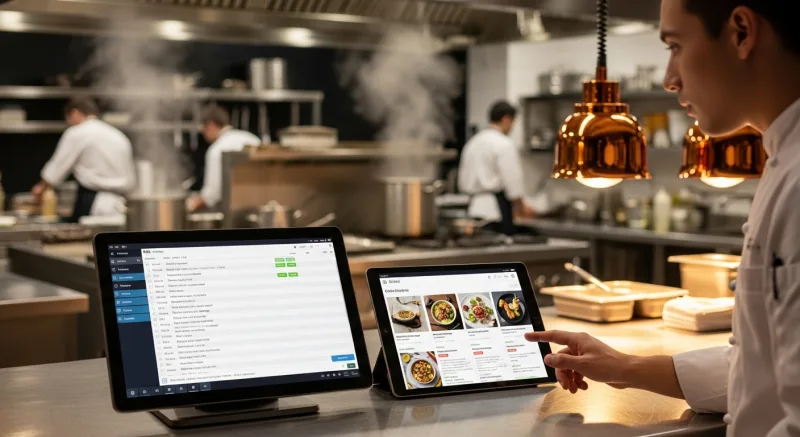
A KDS can display orders differently based on their channel:
- Dine-in orders show the table number and number of guests, with timing based on course sequencing.
- Online orders show the promised pickup or delivery time, with a countdown timer so the kitchen knows exactly when each order needs to be ready.
- Kiosk orders show the order number, with an alert that fires to the front counter when the order is ready for pickup.
- Third-party delivery orders can display the driver's estimated arrival time, so the kitchen avoids preparing food that will sit under a heat lamp for 15 minutes waiting for the DoorDash driver.
Rockin' Rolls Sushi Express runs 49 iPad self-ordering stations across 3 locations on KwickOS. Every one of those kiosk orders flows directly into the KDS, interleaved with dine-in orders from servers. The kitchen does not need to know or care how the order was placed. The KDS handles the routing, the timing, and the prioritization. The cooks just cook.
The reduced serving time that Rockin' Rolls achieved came directly from this integration. Eliminating the manual step of a server taking a written order, walking to a terminal, and entering it — that step alone adds 2 to 4 minutes per order. Multiplied by hundreds of orders per day, it is a meaningful acceleration of the entire service flow.
What to Look for When Choosing a KDS
Not all kitchen display systems are created equal. If you are evaluating KDS options, here are the features that separate a system that genuinely improves your kitchen from one that is just a screen on a wall:
| Feature | Why It Matters |
|---|---|
| Multi-station routing | Each station sees only its orders. Without this, the KDS is just a shared TV showing all tickets to everyone — barely better than paper. |
| Course firing | Automatic sequencing of appetizers, entrees, and desserts. Essential for full-service restaurants. |
| Color-coded timing alerts | Visual urgency indicators that the entire kitchen can read at a glance from across the line. |
| Modification highlighting | Allergens and special requests must be impossible to miss. Color coding and enlarged text are the minimum standard. |
| Multi-channel order support | Dine-in, online, kiosk, and delivery orders should all flow through the same system with channel-specific display. |
| Bump-bar or touchscreen interface | Cooks need to mark items complete. Bump bars work with gloves on. Touchscreens are more intuitive. Best systems support both. |
| Offline functionality | If your internet goes down, your kitchen cannot stop. The KDS must continue operating on the local network. |
| Performance reporting | Average ticket times, station throughput, peak-hour analysis. The data that lets you continuously improve. |
| POS integration depth | The KDS must be natively integrated with your POS — not a bolt-on third-party product with sync delays. |
The last point deserves emphasis. A KDS that runs as a separate application from your POS — connected through an API or middleware — introduces latency, sync failures, and configuration complexity. The reason KwickOS operators consistently report smooth KDS deployments is that the KDS is built into the same platform as the POS, online ordering, and checkout system. There is no integration to manage because there is nothing to integrate. It is one system.
Because KwickOS runs on a hybrid local + cloud architecture, orders route to the kitchen display through the local network at 1ms latency — not through the cloud at 20ms+. When your internet goes down, the kitchen keeps running.
The ROI of KDS: Real Numbers
Restaurant owners want to know what a KDS will save them. Here is a realistic breakdown for a mid-volume restaurant doing 250 covers per day:
| Improvement Area | Impact | Estimated Annual Value |
|---|---|---|
| Reduced comps from order errors | 60% fewer kitchen errors | $3,600 - $7,200 |
| Faster table turns | 3-5 minutes faster per table | $8,000 - $15,000 |
| Paper and printer savings | Eliminate thermal paper costs | $400 - $600 |
| Reduced food waste from errors | Fewer remakes of wrong orders | $2,400 - $4,800 |
| Labor efficiency | Expediter freed for quality control | $3,000 - $6,000 |
| Total estimated annual ROI | $17,400 - $33,600 |
The faster table turns line deserves explanation. If a KDS reduces average ticket time by 3 minutes, and your restaurant turns each table 3 times during a peak dinner service, you save 9 minutes per table per night. For a 20-table restaurant, that is 180 minutes of freed-up table time — enough for potentially 3 to 5 additional covers per night. At an average check of $35, that is $105 to $175 per night, or $38,000 to $64,000 per year in potential additional revenue. Even capturing a fraction of that potential is transformative.
Use our profit margin calculator to see how improvements in kitchen speed and accuracy translate to your specific bottom line.
Common Objections — And Why They Do Not Hold Up
"My cooks won't use it." This is the most common objection and the least valid. KDS interfaces are designed for kitchen environments — large buttons, high contrast, minimal text. The Shogun Hibachi example demonstrates that operators achieve proficiency in under five minutes. If your cooks can use a smartphone, they can use a KDS.
"What if the screen breaks?" Kitchen-rated KDS displays are designed for heat, steam, and grease. They use commercial-grade panels rated for 50,000+ hours of continuous operation. And because KwickOS runs on standard hardware, a backup display can be any Android tablet or monitor in the building. You are not dependent on proprietary hardware that takes a week to replace.
"We're too small for KDS." A single-station kitchen benefits just as much from timing visibility and modification highlighting as a ten-station kitchen. Even if you only have one screen behind the line, the ability to see all active orders with timers, highlighted modifications, and multi-channel integration is a significant improvement over paper. KDS is not a big-restaurant technology. It is a right-size-for-every-kitchen technology.
"I don't want to be dependent on the internet." This is a legitimate concern — and one that most cloud-only POS systems cannot address. If your KDS runs through a cloud server and the internet drops, your kitchen goes dark. KwickOS solves this with its hybrid local + cloud architecture. Orders route from POS to KDS over the local network. The internet can go down completely and the kitchen continues operating without interruption.
Getting Started with KDS
Implementing a KDS is not a multi-week project. For a KwickOS installation, the KDS is part of the initial system setup — typically completed in 1 to 3 hours alongside the POS, printers, and other hardware. The configuration process involves mapping each menu item to its preparation station, setting target cook times, and positioning displays where each station can see them comfortably.
The hardware requirements are modest: a commercial display or tablet for each kitchen station, mounted at eye level, plus a bump bar or touchscreen for marking orders complete. KwickOS runs on Linux and standard hardware — no proprietary screens, no special brackets, no vendor lock-in on equipment.
For multi-location operators like Crafty Crab Seafood (19 stores, 152 terminals), KDS configuration can be standardized across locations and deployed remotely. When every store runs the same KDS routing logic, a cook who transfers between locations does not need retraining. The screens work the same way everywhere.
Ready to Upgrade Your Kitchen?
KwickOS KDS integrates natively with POS, online ordering, and kiosk — no bolt-on required. See it in action with a live kitchen demo.
Book Your Free Demo