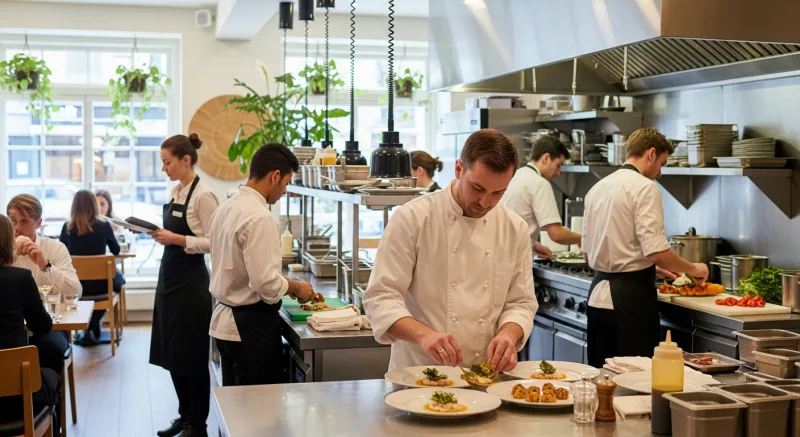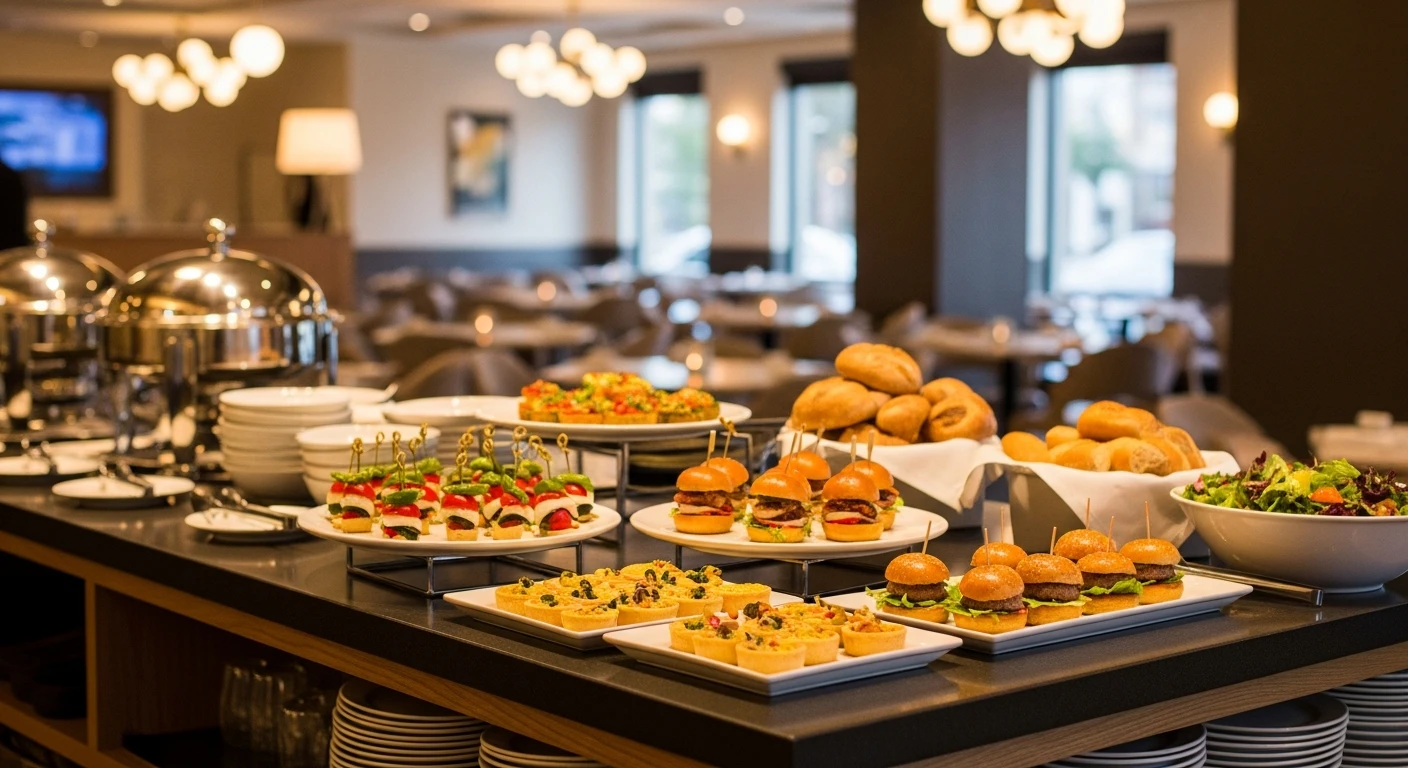
Your restaurant is closed on Monday. Your prep cooks start at 10 AM on Tuesday, but the dining room doesn't fill until 6 PM. Wednesday lunch is a ghost town.
Now picture this: a $4,200 corporate lunch order for 80 people that your team preps Tuesday morning using ingredients you already bought. A $6,500 wedding rehearsal dinner that fills your private dining room on a Thursday. A standing weekly order from the law firm three blocks away — $1,800 every Friday, like clockwork.
That's $120,000 or more in annual revenue you're leaving on the table. And the margins are better than dine-in because there's no front-of-house labor, no table turns to worry about, and deposits are collected weeks in advance.
Here's the thing: you already have everything you need to start. A commercial kitchen. A food service license. Staff who know how to cook. The only thing missing is a system — and this guide gives you the complete playbook.
Why Catering Margins Crush Dine-In (And Why Most Owners Don't Realize It)
The average full-service restaurant operates on net margins of 3-9%. Catering, done right, operates at 40-55% gross margin. The math is not even close.
Here's why catering is structurally more profitable:
- No front-of-house labor. You don't need servers, bussers, or hosts for a drop-off catering order. Even for full-service catering events, you send 2-3 staff instead of the 8-12 running your dining room.
- Predictable volume. You know exactly how many people you're feeding 48-72 hours before the event. No waste from over-prepping for a slow Tuesday. No comps because a steak came out wrong.
- Bulk purchasing power. When you're making chicken marsala for 100 instead of individual orders, your food cost per plate drops 15-25% from bulk ingredient pricing.
- Advance payment. Deposits at booking, full payment before the event. Compare that to a dine-in model where you're floating labor costs until credit card batches clear.
- Off-peak utilization. Your kitchen sits idle 60+ hours per week. Catering fills those hours without adding fixed overhead.
But it gets worse for owners who ignore this: while your kitchen sits empty on Tuesday morning, the catering company down the street is using a rented commercial kitchen to fill orders that your existing setup could handle at zero additional rent.
You're not competing against other restaurants for catering business. You're competing against companies that have to pay for kitchen access you already own.
Step 1: Build a Catering Menu That Actually Works
The number one mistake restaurants make with catering is photocopying their dine-in menu and calling it a catering menu. That's a recipe for logistical nightmares and thin margins.
Your catering menu should be a curated subset of 8-12 items that meet four criteria:
- Travels well. If it wilts, separates, or gets soggy in 30 minutes, it doesn't belong on the catering menu. Braised proteins, grain salads, roasted vegetables — yes. Crispy fried items, delicate sauces that break, intricate plating — no.
- Holds temperature. Items need to look and taste great after sitting in a chafer or cold display for 45-60 minutes. Test everything at hold temperature before adding it to the menu.
- Scales easily. If a dish requires precise, order-by-order execution (think individual soufflés), it's a dine-in item. Catering items should scale from 20 to 200 servings with the same recipe, just multiplied.
- Carries high margin. Prioritize dishes where your food cost is 25-30% of the per-person price. Pasta dishes, chicken-based entrées, and grain bowls are margin powerhouses. Steak and seafood can work but price them accordingly.
And that's not all: structure your menu as tiered packages, not a la carte items. This simplifies ordering for the client and increases your average order value.
Sample Catering Package Structure
| Package | Includes | Per Person | Minimum | Your Food Cost |
|---|---|---|---|---|
| Essential | 2 entrées, 2 sides, bread, disposable serviceware | $18-22 | 20 guests | ~28% |
| Premium | 3 entrées, 3 sides, salad, bread, beverages, real serviceware | $28-36 | 25 guests | ~26% |
| Deluxe | 4 entrées, 4 sides, appetizers, salad, dessert, beverages, staffed service | $45-60 | 30 guests | ~24% |
Notice the pattern: as the package price goes up, your food cost percentage goes down. The Deluxe package adds perceived value through variety and service, but the incremental food cost of adding a third side dish or a simple dessert is minimal. That's menu engineering at work — the same psychology behind profitable restaurant menu design.
Step 2: Set Up Pricing and Payment Systems That Protect Your Cash Flow
Cash flow kills more catering operations than bad food. Here's the pricing and payment structure that prevents it:
Pricing Rules
- Per-person pricing, always. Never quote a flat rate for an event. Per-person pricing scales naturally and prevents scope creep ("Can we add 15 more people?" becomes $15 × the per-person rate, not a negotiation).
- Minimum headcount. Set a 15-20 person minimum. Below that, the logistics don't justify the disruption to your kitchen workflow. For orders under the minimum, offer a flat minimum charge (e.g., $400 for any order under 20 people).
- Delivery and setup fees. Charge $50-$75 for delivery within 10 miles, $100-$200 for full setup and breakdown. These fees are not profit centers — they're recovery for the staff time and vehicle costs that most restaurants forget to account for.
- Staffing surcharge for full-service events. If you're sending staff to serve, add $35-$50 per server per hour. This covers their wages, transportation, and the fact that they're unavailable for your dining room during that time.
Payment Terms (Non-Negotiable)
Here's where most restaurants get burned. They take a verbal confirmation, buy $2,000 in ingredients, and the client cancels two days before the event.
- 50% deposit at booking. No exceptions. The deposit is non-refundable if cancelled within 7 days of the event. This covers your ingredient procurement and locks in the commitment.
- Final headcount 72 hours before the event. The client can increase (up to 15% over the original count) but cannot decrease below the booked number. You've already ordered ingredients based on their commitment.
- Remaining 50% due 48 hours before the event. Not "at the event." Not "net 30." Before. Your staff should never set up a catering event that hasn't been paid in full.
Your POS system should handle this automatically. With a modern platform like KwickOS, you can create catering invoices, collect deposits via saved payment methods, send automated payment reminders at the 72-hour and 48-hour marks, and track every order from booking to completion — all within the same system that runs your daily operations.
Step 3: Nail the Logistics (This Is Where Amateurs Fall Apart)
Great food means nothing if it arrives late, cold, or incomplete. Logistics separates the restaurants that build $120,000/year catering businesses from the ones that do three events and quit.
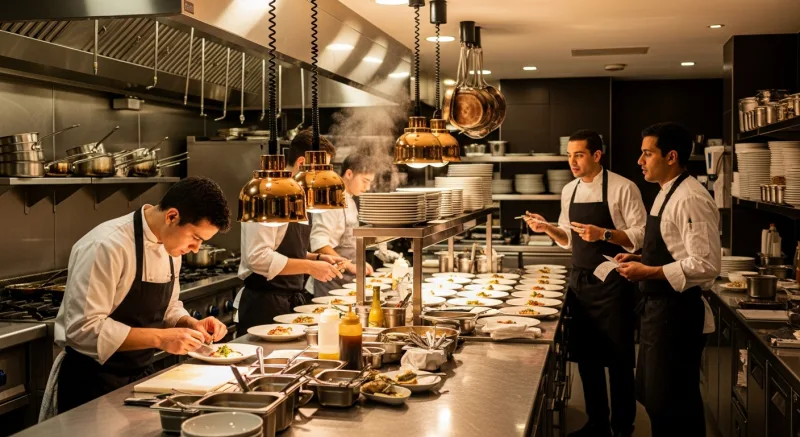
The Catering Prep Timeline
| Timeframe | Action |
|---|---|
| 7+ days before | Confirm order details, finalize menu, place specialty ingredient orders |
| 72 hours before | Lock final headcount, pull prep sheets, confirm delivery address and contact |
| 48 hours before | Collect final payment, begin cold prep (sauces, marinades, pre-cut vegetables) |
| Day of (AM) | Hot prep, portion into transport containers, load vehicle, quality check |
| 90 min before event | Depart for venue, set up chafers/displays, final temperature check |
| Event time | Service (if staffed), or hand off to client contact (if drop-off) |
| Post-event | Breakdown, equipment recovery, follow-up email with rebooking offer |
Now here's the critical detail most guides skip: schedule all catering prep during your restaurant's off-peak hours. Tuesday through Thursday mornings are ideal. Your kitchen is staffed but not busy. Your walk-in has space. Your line cooks welcome the extra hours.
Crafty Crab Seafood, which operates 19 locations with 152 terminals on KwickOS, uses their centralized kitchen management to coordinate catering prep across multiple locations. When one location gets a large catering order, they can pull inventory and staff from a nearby location — something only possible with a multi-location management platform that gives real-time visibility across all stores.
Equipment You'll Need
Don't overthink this. Start with the basics and upgrade as volume justifies it:
- Insulated food carriers (Cambro-style): $150-$300 each. Buy 4 to start — 2 hot, 2 cold.
- Chafer sets (for full-service): $40-$80 each. Buy 6 sets. These pay for themselves after one event.
- Disposable serviceware: Invest in quality eco-friendly options. The $0.15 plate looks cheap. The $0.35 plate looks professional. The difference at 100 guests is $20 — charge $2/person for serviceware and pocket the margin.
- A reliable vehicle. Your personal SUV works for drop-off orders under 50 people. Beyond that, consider a used cargo van ($15,000-$25,000) or partner with a local delivery service.
Total startup investment for catering equipment: $1,500-$3,000. That's recovered after 1-2 mid-size events.
Step 4: Build a CRM That Turns One-Time Clients into Repeat Revenue
Here's the thing about catering clients: they don't order once. Corporate offices need lunch every week. Event planners book 10-20 events per year. Wedding venues recommend caterers for every reception.
The difference between a $30,000/year catering side hustle and a $120,000/year catering business is repeat clients and referrals. And that requires a CRM.
What Your Catering CRM Should Track
- Client contact info (obvious, but track the decision-maker, not just the office admin)
- Event history — dates, headcounts, menu selections, special requests
- Dietary restrictions — "Last time they had 3 vegans and 2 gluten-free" is gold for rebooking
- Budget range — don't pitch the Deluxe package to a company that always books Essential
- Rebooking triggers — annual company picnic? Holiday party? Quarterly board meetings?
- Feedback notes — what they loved, what they'd change
KwickOS includes a built-in CRM module that ties directly into your POS data. Every catering transaction automatically populates the client's profile with order history, payment records, and preferences. Set automated follow-up reminders — 30 days after an event, your system prompts you to reach out about their next one.
T. Jin China Diner, operating 15 stores with 75 terminals, uses this kind of centralized CRM to manage catering relationships across all locations. When a corporate client moves offices from one neighborhood to another, any T. Jin location can pull up their full history and preferences — no starting from scratch.
Step 5: Market Your Catering Without Spending a Fortune
You don't need a separate catering website or a dedicated sales team. You need five things:
- A catering page on your website. One page. Menu, pricing tiers, an inquiry form, and photos of past events. Link it from your main navigation and your Google Business Profile.
- A "We Cater" line on every receipt and takeout bag. Your existing customers are your best catering leads. They already love your food. Remind them you can bring it to their office.
- Cold outreach to local businesses. Walk into every office building, law firm, medical practice, and co-working space within a mile of your restaurant. Drop off a sample platter and a catering menu. Do this once per week for 12 weeks. You'll land 3-5 recurring accounts.
- Partner with event venues. Hotels, community centers, and event spaces that don't have in-house kitchens need preferred caterer lists. Get on those lists. Offer the venue coordinator a 5-10% referral commission.
- Follow-up emails after every event. Ask for a review, offer 10% off the next booking if they rebook within 30 days, and ask if they know anyone else who needs catering. One happy corporate client often leads to 3-4 referrals.
Cost of all five: essentially zero beyond your time. No ads budget required.
The Numbers: What a $120,000/Year Catering Business Looks Like
Let's break down a realistic first-year ramp:
| Quarter | Events/Month | Avg Order | Quarterly Revenue | Gross Profit (45%) |
|---|---|---|---|---|
| Q1 (Launch) | 4 | $1,500 | $18,000 | $8,100 |
| Q2 (Growth) | 6 | $2,000 | $36,000 | $16,200 |
| Q3 (Repeat clients) | 8 | $2,500 | $60,000 | $27,000 |
| Q4 (Holiday surge) | 10 | $3,000 | $90,000 | $40,500 |
| Year 1 Total | $204,000 | $91,800 |
That's conservative. Notice how the average order value climbs as you gain confidence, refine your process, and start landing larger events. By Q4, holiday party season creates a natural surge — corporate holiday parties alone can generate $30,000-$50,000 in a six-week window.
And here's the part that should make you stop scrolling: $91,800 in gross profit from catering is equivalent to generating roughly $900,000 in additional dine-in revenue at a typical 10% net margin. Except catering requires no new lease space, no additional dining room furniture, and minimal new equipment.
Common Mistakes That Kill Catering Businesses Before They Start
Before you start booking events, avoid these five traps:
- Saying yes to everything. A 500-person outdoor wedding when you've never done more than 50? That's a recipe for disaster and a 1-star review. Start with corporate lunches and small events (20-50 people). Scale up only when your systems are proven.
- Underpricing to win business. Your per-person price must cover food cost, labor (including prep, transport, and cleanup), disposables, transportation, and a profit margin. If you're pricing below 2.5x your food cost, you're losing money when you account for everything.
- Ignoring insurance. Your standard restaurant liability policy may not cover off-premises events. Get a catering rider — typically $500-$1,200/year — before your first delivery. One slip-and-fall at a client's venue without coverage could shut you down.
- No contracts. Every catering order needs a written agreement covering menu, headcount, pricing, payment terms, cancellation policy, and liability. A one-page agreement protects both parties. Have a lawyer draft it once — $300-$500 — and use it for every event.
- Treating it as an afterthought. If catering orders are scribbled on sticky notes while your POS handles dine-in, you'll drop the ball. Use an integrated system that manages catering alongside your regular operations. Inventory should draw from the same pool. Scheduling should account for catering prep. Revenue should appear in the same reports.
Your Technology Stack for Catering Operations
Running catering alongside dine-in requires a POS platform that does both — not a separate system bolted onto the side. Here's what matters:
- Integrated invoicing and deposits. Create catering quotes, convert them to invoices, collect deposits, and process final payments — all within your POS.
- Inventory visibility. When a 100-person catering order claims 40 pounds of chicken breast, your kitchen needs to know that before they start dine-in prep. Real-time inventory tracking prevents double-booking ingredients.
- CRM with order history. Every catering client should have a profile with full event history, preferences, and automated follow-up reminders.
- Multi-location coordination. If you operate multiple locations, catering should draw from whichever kitchen has capacity. This is exactly how Crafty Crab manages catering across their 19 stores — the centralized dashboard shows which location can handle each order without disrupting dine-in service.
- Processor-agnostic payments. Catering invoices tend to be large ($2,000-$10,000+). On those amounts, the difference between a locked 2.99% rate and a negotiated interchange-plus rate adds up fast. On a $5,000 catering order, you're paying $150 in fees with a locked processor versus $110 with interchange-plus. That's $40 per order — or $2,000+ per year just on catering transactions alone.
KwickOS handles all of this in a single platform. The same system that processes your Friday night dinner rush manages your Tuesday morning catering prep, tracks the ingredients across both, and gives you one P&L that shows exactly how each revenue stream performs. No separate apps. No manual reconciliation. No data silos.
Getting Started This Week
You don't need three months of planning to launch catering. Here's your one-week action plan:
- Day 1-2: Select 8-10 items from your current menu that travel well. Price them into three per-person tiers.
- Day 3: Create a one-page catering menu (PDF and print). Write a basic catering agreement with your payment terms.
- Day 4: Set up catering as an order type in your POS. Configure deposit collection and automated reminders.
- Day 5: Print 50 copies of your catering menu. Walk them to every office building within a mile of your restaurant.
- Day 6-7: Add a catering page to your website. Update your Google Business Profile to include "catering" as a service.
Your first order will likely come within two weeks. Your first repeat client within two months. And within a year, you'll wonder how you ever left that kitchen sitting empty.
Ready to Add Catering to Your Restaurant?
KwickOS gives you integrated invoicing, CRM, inventory, and multi-location management in one platform — everything you need to run catering alongside your daily operations.
Get a Demo