The best Get More 5-Star Reviews (Without Asking Awkwardly) handles everything from checkout to closing — without extra apps or workarounds. You have a review problem. Not because your restaurant is bad — but because the wrong people are reviewing you.
Think about it. When does a customer feel compelled to leave a review? When something goes wrong. The overcooked steak. The 40-minute wait. The server who forgot the check. Those experiences burn, and they drive people straight to Google with a one-star rant.
Meanwhile, the 95% of customers who had a great meal? They paid, they left, and they forgot about your restaurant before they reached their car.
That asymmetry is costing you real money. Harvard Business School research shows that a single star increase on review platforms translates to a 5-9% revenue boost. For a restaurant doing $800,000 a year, that is $72,000 sitting on the table — and all it takes is moving your rating from 3.8 to 4.8.
Here's the thing: getting more reviews is not about begging. It is not about bribing. And it is definitely not about standing at the door asking every guest to "please leave us a review on Google." That makes everyone uncomfortable, and it barely works anyway.
The restaurants that dominate their local Google results have a system. One that runs quietly in the background, captures happy customers at exactly the right moment, and turns them into your most powerful marketing channel — for free.
This guide gives you that system.
The Math Behind Reviews: Why 0.3 Stars = $27,000
Before we build the strategy, you need to understand why reviews matter more than almost any other marketing investment you could make.
Here are the numbers that should keep every restaurant owner up at night:
- 76% of consumers "always" or "regularly" read online reviews when browsing for local businesses
- 88% of consumers trust online reviews as much as personal recommendations
- A 0.1-star increase on Google correlates with a 2% bump in conversion rates for local businesses
- Restaurants below 4.0 stars lose an estimated 70% of potential first-time diners who searched for them online
- The average restaurant in Google's local 3-pack has 200+ reviews
But it gets worse. Reviews do not just affect whether people choose your restaurant — they affect whether people even see your restaurant. Google uses review signals (quantity, quality, velocity, and recency) as a major ranking factor for local search. A restaurant with 50 reviews and a 4.6 rating will outrank one with 200 reviews and a 3.9 rating almost every time.
So you are not just losing the customers who see your rating and walk away. You are losing the customers who never see your restaurant at all because Google buried you on page two.
And that's not all. Let us translate this into real dollars for a restaurant doing $65,000 per month in revenue:
| Current Rating | Target Rating | Revenue Impact (Annual) |
|---|---|---|
| 3.5 stars | 4.0 stars | +$35,100 to $70,200 |
| 4.0 stars | 4.5 stars | +$35,100 to $70,200 |
| 4.5 stars | 4.8 stars | +$21,060 to $42,120 |
That is not a marketing expense. That is a revenue multiplier. And unlike running Google Ads at $3 to $8 per click, review improvements compound — every new 5-star review permanently raises your baseline.
Why "Just Ask" Does Not Work (And What to Do Instead)
You have heard the standard advice. "Just ask your customers for reviews!" Every marketing blog, every consultant, every POS vendor says the same thing.
Here is the problem: verbal review requests have a conversion rate of roughly 1-3%. A server asks 50 tables per shift to leave a review. Maybe one or two actually do it. Why? Because the request creates an awkward social dynamic (the customer feels put on the spot), it requires multiple steps (open phone, find Google, search for restaurant, navigate to reviews, write something), and by the time they get home, they have forgotten.
Here's the thing: the issue is not motivation. Most happy customers would leave a review if it were easy enough. The issue is friction.
The restaurants generating 15-30 new reviews per month are not asking harder. They are removing friction. And the difference comes down to three elements:
- Timing — Catching customers in the right emotional window
- Channel — Meeting them where they already are (their phone)
- Simplicity — Making the review process take under 30 seconds
Let us break each one down.
The 3-Hour Window: When to Trigger the Ask
There is a psychological sweet spot for review requests: 1-3 hours after the dining experience.
Too soon (at the table, on the receipt) and it feels transactional. The customer is still processing the bill, calculating the tip, gathering their coat. Asking for a review at this moment competes with exit logistics and feels like "one more thing."
Too late (next day, next week) and the emotional intensity fades. The customer may remember the meal was good, but they can not recall the specific details that make a compelling review. "Food was good, service was nice" gets fewer stars than "the braised short rib literally fell off the bone and our server Marcus recommended the perfect wine pairing."
The 1-3 hour window captures the customer when they are relaxed (home, in the car, watching TV), still emotionally connected to the experience, and — critically — already on their phone.
But how do you reach someone 1-3 hours after they leave? This is where your POS system becomes a review generation machine.
Digital Receipts: The Trojan Horse of Review Requests
Every transaction in your POS is a timestamp. When a check closes at 7:43 PM, your system knows exactly when that customer finished dining. A modern POS platform can trigger an automated text or email 2 hours later — at 9:43 PM — with a message like:
"Thanks for dining with us tonight! If you enjoyed your experience, we'd love a quick Google review. It takes 30 seconds and helps us more than you know."
Followed by a direct link that opens the Google review form — not the business listing, not the search results, but the actual review input box.
Restaurants using timed digital follow-ups report review conversion rates of 8-15%, compared to 1-3% for verbal asks. That is a 5x improvement in review generation from the same number of customers.
Tiger Sugar, a bubble tea chain running 2 stores with KwickOS self-ordering kiosks, uses electronic receipts with built-in review prompts. Customers who order through the kiosk receive a digital receipt with a one-tap review link. Because the kiosk already captured the customer's contact for loyalty points, the follow-up is automatic and personalized.
The QR Code Strategy That Actually Works
QR codes for reviews have been around for years. Most restaurants use them wrong.
Here is what does not work: a generic QR code on the table tent that links to your Google Business Profile. The customer scans it, lands on your profile page, has to scroll down, find the review button, tap it, and then write something. That is four steps too many. They bail.
Here is what works: a QR code that links directly to the Google review input form using the place_id parameter. The customer scans, their Google account auto-fills, and they are staring at an empty text box with the star rating selector. One tap for stars, one sentence of text, submit. Done in 20 seconds.
But location matters more than the QR code itself. The highest-converting placements are:
- On the check presenter — The customer is already holding it, already looking at it, and the dining experience is fresh. Conversion rate: 4-7%.
- On the digital receipt — If your POS sends digital receipts via text or email, embed the review link. This catches people after they have left but before they forget. Conversion rate: 8-12%.
- On the bathroom mirror — Odd but effective. Customers in the restroom are alone, on their phone, and have a free hand. A small, tasteful card that says "Enjoying your visit? Tell Google" with a QR code converts at 2-4%.
- At self-ordering kiosks — After payment confirmation, display a "Leave a Review" screen with a QR code. Rockin' Rolls, running 49 iPad self-ordering stations across 3 locations, captures reviews at the point of maximum satisfaction — right after the customer has ordered exactly what they wanted.
And that's not all. The best-performing restaurants use multiple QR code touchpoints simultaneously. One on the check, one on the receipt, one in the restroom. Not because each one converts at a high rate, but because the cumulative effect adds up to 15-25 new reviews per month.
Responding to Reviews: The 24-Hour Rule
Getting reviews is only half the strategy. How you respond to them — especially the negative ones — determines whether those reviews help or hurt you.
Let us start with a number that should change how you prioritize review responses: 45% of consumers say they are more likely to visit a business that responds to negative reviews. Not positive reviews — negative ones. A thoughtful response to a 1-star review can actually build more trust than a wall of generic 5-star praise.
Here's the thing: potential customers do not expect perfection. They expect accountability. When they see a restaurant owner who acknowledges a problem, apologizes sincerely, and offers to make it right, they think "this is someone who cares." When they see a negative review with no response, they think "this is someone who does not listen."
The Response Framework for Negative Reviews
Every negative review response should follow this structure:
- Thank them for the feedback — Even if it stings. "Thank you for letting us know about your experience."
- Acknowledge the specific issue — Do not be generic. If they complained about a long wait, address the long wait. "You're right that a 45-minute wait for your entrees is unacceptable."
- Take responsibility — No excuses, no "but we were short-staffed." Just ownership. "That is not the experience we aim to deliver, and we take full responsibility."
- Describe the fix — Show that you are doing something about it. "We've since added an expeditor to our Friday night kitchen line to prevent this from happening."
- Move it offline — "I'd love to make this right personally. Please reach out to me at [name]@[restaurant].com so we can invite you back for the experience you deserved."
What you should never do: argue, get defensive, blame the customer, or explain why their complaint is invalid. Even if the customer is objectively wrong, the audience reading your response is not the reviewer — it is the hundreds of potential customers who will judge your restaurant based on how you handle criticism.
The Response Framework for Positive Reviews
Positive reviews need responses too. They are not just "thanks!" opportunities — they are SEO fuel. Google weighs review responses as fresh content, and including keywords naturally in your responses helps your local search ranking.
A strong positive review response:
- Thanks the reviewer by name
- References something specific from their review ("So glad you loved the lobster mac and cheese — it's our chef's favorite too!")
- Naturally includes a keyword ("We work hard to be the best [cuisine type] restaurant in [city]")
- Invites them back ("Can't wait to see you again — ask for the new seasonal menu next time!")
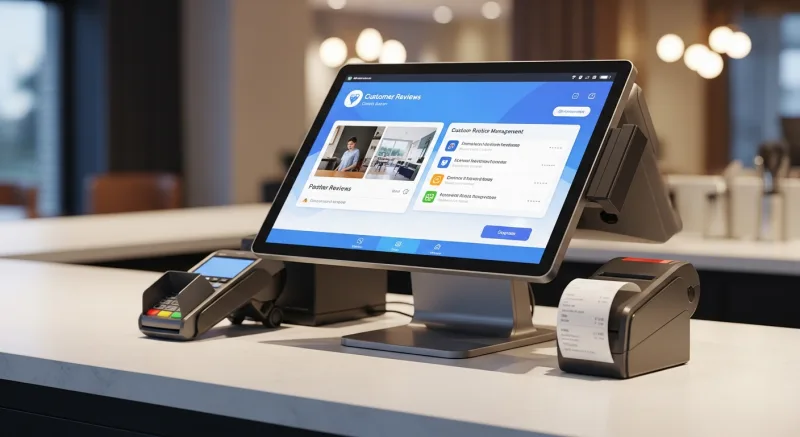
Crafty Crab Seafood, managing 19 locations across multiple states, uses centralized review monitoring to ensure every location responds to every review within 24 hours. Their multi-location dashboard — powered by KwickOS's unified management system — flags new reviews across all 19 stores and routes them to the appropriate regional manager. One-click menu sync keeps the brand consistent; the review response system keeps the reputation consistent.
Review Velocity: Why 10 Reviews This Month Beats 100 Reviews Last Year
Google's algorithm heavily favors recent reviews. A restaurant that received 100 reviews over the past three years but only 2 in the last month will rank below a competitor with 60 total reviews but 12 in the last month.
This is review velocity, and it is one of the most overlooked factors in local SEO. It signals to Google that your business is active, relevant, and consistently delivering experiences worth reviewing.
Here is the target to aim for, based on your restaurant size:
| Monthly Revenue | Target Reviews/Month | Target Average Rating |
|---|---|---|
| Under $50,000 | 8-12 | 4.5+ |
| $50,000-$100,000 | 12-20 | 4.5+ |
| $100,000+ | 20-40 | 4.5+ |
| Multi-location | 10-20 per location | 4.3+ per location |
If you are getting fewer than 8 reviews per month, your review generation system needs work. Here is a realistic implementation timeline:
- Week 1: Set up your direct Google review link (using your Place ID). Print QR codes for check presenters.
- Week 2: Configure digital receipt follow-ups through your POS. Set the trigger to 2 hours post-transaction.
- Week 3: Train staff on the "mention, don't ask" approach: "We just started a new menu — we'd love to hear what you think online." Not "Can you leave us a review?"
- Week 4: Add QR codes to additional touchpoints (restroom, kiosk confirmation screen, takeout bags).
Most restaurants that implement this system see review volume increase by 300-500% within the first 60 days.
Handling Fake and Unfair Reviews
It happens. A competitor pays for negative reviews. A disgruntled ex-employee leaves a 1-star rant. Someone confuses your restaurant with the one next door. Fake and unfair reviews are an unfortunate reality — but they are manageable.
Here is the step-by-step process for dealing with them:
- Flag the review. On Google, click the three dots next to the review and select "Report review." Choose the appropriate violation category (spam, conflict of interest, off-topic).
- Respond publicly. Even while the review is being investigated, post a professional response: "We take all feedback seriously, but we cannot find any record of this visit in our system. We'd love to look into this — please contact us directly at [email] so we can help."
- Document everything. Screenshot the review, note the date, and save your flagging report. If you need to escalate, this paper trail matters.
- Escalate if needed. If Google does not remove the review within 7-10 days, use the Google Business Profile support form to appeal directly. Include your documentation.
- Bury it with volume. The most effective counter to a fake 1-star review is 10 real 5-star reviews. Focus your energy on generating genuine positive reviews rather than fighting the fake one.
A modern POS system that tracks every transaction with timestamps, server assignments, and table numbers gives you a powerful tool for identifying fake reviews. If someone claims they waited an hour for food at your restaurant on Tuesday night, and your analytics dashboard shows average ticket times of 22 minutes that evening, you have data to support your dispute.
The Technology Stack for Review Management
Manual review management works for a single location doing 50 covers a night. But as you grow — or if you are managing multiple locations like T. Jin China Diner with 15 stores and 75 terminals — you need systems that automate the repetitive work.
Here is what the technology stack looks like:
- POS with CRM integration — Your POS captures the transaction data and customer contact. A system like KwickOS that includes built-in CRM means you do not need a separate tool to collect emails and phone numbers.
- Automated follow-up triggers — Text or email sent 1-3 hours post-visit with a direct review link. The POS transaction close event fires the trigger automatically.
- Review monitoring dashboard — Aggregates reviews from Google, Yelp, Facebook, and TripAdvisor into one feed. Alerts you to new reviews within minutes.
- Response templates — Pre-written frameworks (not copy-paste scripts) that managers can personalize in under 2 minutes per response.
- Multi-location routing — For chains, reviews are automatically routed to the correct location manager. Crafty Crab's 19-store operation would be unmanageable without this.
The key insight: your POS system is the foundation of your review strategy, not an afterthought. It captures the customer data, timestamps the visit, and triggers the follow-up. A POS that does not integrate with your review workflow is leaving money on the table.
If you are evaluating POS systems and review management is a priority, our POS comparison tool shows which platforms include CRM and automated follow-up capabilities — and which charge extra for features that should be standard.
Turning Reviews Into Revenue: The Feedback Loop
The most overlooked benefit of a strong review strategy is the operational intelligence it provides. Reviews are not just marketing — they are free consulting.
Every review is a data point. When you aggregate hundreds of reviews, patterns emerge:
- Three reviews in one week mention slow service on Friday nights → You need an additional server or expeditor on Fridays
- Multiple reviews praise a specific dish → Feature it more prominently on your menu (menu engineering matters)
- Repeated complaints about noise levels → Consider acoustic panels or rearranging the layout
- Customers mention a competitor by name → Read that competitor's reviews to understand what they are doing differently
Diva Nail Beauty, managing 4 stores with automated commission tracking through KwickOS, uses review data to identify which stylists consistently earn praise — and adjusts scheduling to maximize those stylists' visibility during peak hours. The result: a 90% efficiency increase that was informed as much by customer feedback as by operational data.
Your KPI dashboard should include review metrics alongside your financial metrics. Track your average rating, review count, review velocity, and response rate the same way you track food cost percentage and labor cost percentage. If you are not measuring it, you are not managing it.
The 30-Day Review Turnaround Plan
If your rating is below 4.0 and you need to move fast, here is the aggressive 30-day plan:
Days 1-3: Set up infrastructure. Create your direct Google review link. Print 50 QR code cards. Configure digital receipt follow-ups in your POS. Assign a manager as the review response owner.
Days 4-10: Launch multi-channel collection. QR codes on every check presenter. Digital follow-ups on every transaction. Staff briefing on the "mention, don't ask" approach. QR code in the restroom.
Days 11-20: Respond to every existing review — yes, even the ones from 6 months ago. This signals to Google that you are actively managing your profile, and it shows future readers that you care. Prioritize the negative reviews. Use the response framework above.
Days 21-30: Analyze and optimize. Which channel is generating the most reviews? What time do most reviews come in? What are customers saying most often? Double down on what is working. Fix the operational issues that reviews are highlighting.
Expected results: Restaurants that implement this plan typically see 20-40 new reviews in the first 30 days and a rating increase of 0.2-0.5 stars. That 0.3-star improvement on an $800,000/year restaurant? That is $27,000 in additional annual revenue.
Optimize your Google Business Profile at the same time. A complete, optimized profile with fresh photos, updated hours, and active review engagement ranks significantly higher than a neglected listing — regardless of review count.
What Not to Do: Review Strategy Mistakes That Get You Penalized
Before you implement anything, avoid these common mistakes that can backfire badly:
- Never offer incentives for reviews. No discounts, no free desserts, no loyalty points in exchange for reviews. Google, Yelp, and the FTC all prohibit this. If caught, your reviews get stripped and your listing can be suspended.
- Never review-gate. This means sending happy customers to Google and unhappy customers to a private feedback form. Google explicitly bans this practice and has penalized businesses for it.
- Never buy reviews. Fake review services are easy to find and tempting when you are stuck at 3.2 stars. But Google's fake review detection has improved dramatically. Getting caught means losing all your reviews — real ones included.
- Never ask employees to leave reviews. Google can detect reviews from devices connected to your business WiFi and from accounts associated with your business.
- Never copy-paste identical responses. "Thanks for your review! We hope to see you again soon!" on 50 reviews in a row looks robotic and can actually hurt your local ranking. Personalize every response.
The Bottom Line
Your online reputation is not a vanity metric. It is a revenue driver that compounds over time. Every 5-star review makes it easier to get the next customer, rank higher in local search, and charge premium prices.
The restaurants winning the review game are not doing anything magical. They are removing friction from the review process, responding to every review within 24 hours, and using their POS system to automate what used to be manual work.
A 3.8-star restaurant and a 4.7-star restaurant can serve the exact same food. The difference is that the 4.7-star restaurant has a system — and that system runs on data from every transaction, every customer interaction, and every follow-up.
That is not a marketing tactic. That is an operating system advantage.
Turn Every Transaction Into a Review Opportunity
KwickOS captures customer data at the point of sale and automates follow-ups that drive 5-star reviews. See how it works for your restaurant.
Get a Demo