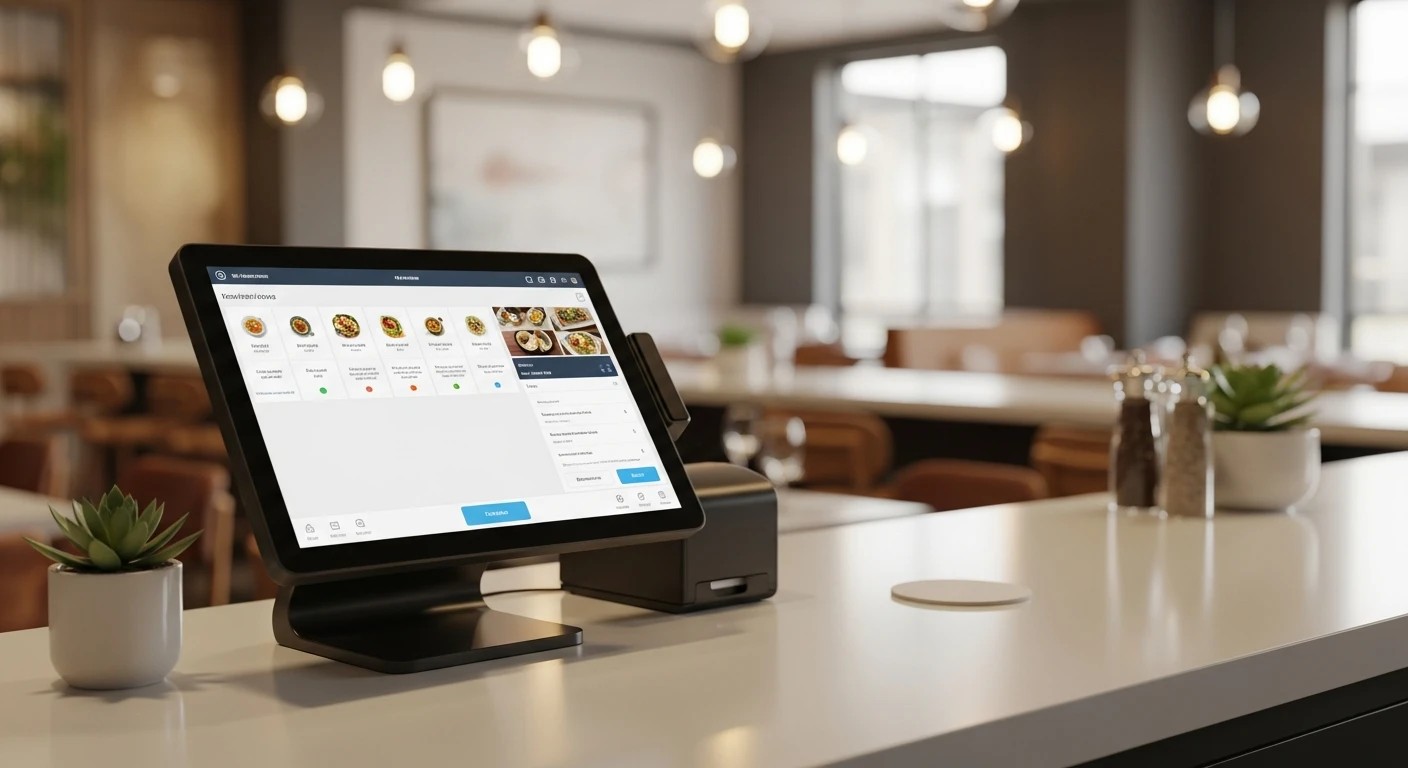
I have deployed POS systems in restaurant groups ranging from 3 locations to 600+. The pattern is always the same: the POS that worked fine for one store starts breaking down at three. By the time you hit five locations, you are spending hours every week on problems that should not exist.
These are not minor inconveniences. Each one has a measurable cost. I will quantify them, explain why they happen, and show you how we solved them. If you are currently managing 3 or more locations, at least two of these problems will be painfully familiar.
Problem #1: Gift Cards Do Not Sync Between Locations
The Cost: $4,200-$12,000/year in Lost Revenue and Customer Frustration
This is the problem that generates the most customer complaints for multi-location operators. A customer buys a $50 gift card at your downtown location. They try to use it at your suburban location. The balance does not show up. The cashier has to apologize. The customer is frustrated. Often, the transaction falls through — the customer either pays out of pocket (resentful) or walks out.
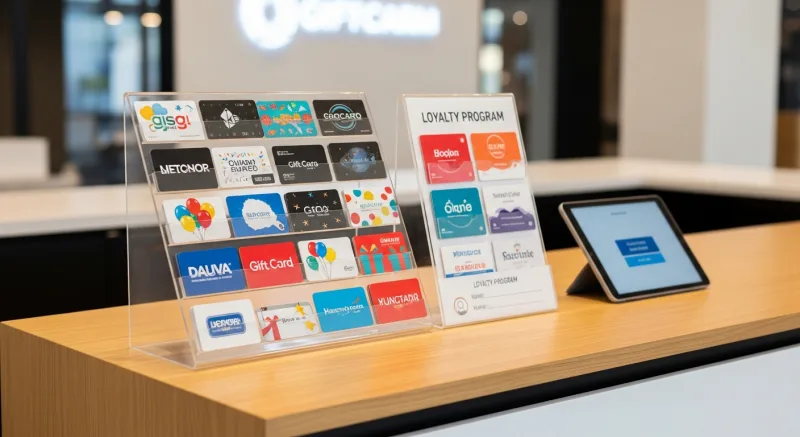
Why does this happen? Because many POS systems treat each location as a separate installation. Gift card data lives on the local server. Location A does not know what Location B sold or redeemed. Some systems offer “multi-location gift card sync,” but it is often delayed by hours or requires manual reconciliation.
The revenue impact is twofold:
- Direct lost sales: Customers who cannot redeem gift cards may leave. Even at 1-2 walk-outs per week across multiple locations, that is $4,000-$8,000/year in lost tickets.
- Gift card purchase suppression: If your customers learn that gift cards do not work everywhere, they stop buying them. Gift cards drive 20-40% overspend and 10-15% breakage revenue. Suppressing gift card sales costs you that multiplier effect.
The KwickOS Solution: Real-Time Cross-Location Gift Card Sync
On KwickOS, gift card balances are stored centrally and sync in real time. When a customer buys a $50 gift card at Location A, the balance is immediately available at Locations B, C, D, and every other location in your group. When they redeem $30 at Location B, the remaining $20 balance updates instantly everywhere.
This works for both physical gift cards and e-gift cards. Customers can also purchase e-gift cards online through KwickMenu (your branded ordering page), and the digital gift card works at every location from the moment of purchase.
Crafty Crab Seafood, with 19 locations and 152 terminals, runs a unified gift card program where a card purchased at any location works at every location. No sync delay. No manual reconciliation. No angry customers at the register.
Problem #2: No Single Dashboard for All Locations
The Cost: 5-10 Hours/Week of Owner and Manager Time
You manage three restaurants. You want to know how last night went. On most POS systems, this means:
- Log into Location A’s back office. Pull the daily summary. Export to spreadsheet.
- Log into Location B’s back office. Repeat.
- Log into Location C’s back office. Repeat.
- Manually combine the three reports into a master spreadsheet.
- Calculate combined totals, compare location performance, identify anomalies.
This takes 30-60 minutes per day. Five days a week. That is 2.5-5 hours per week just pulling reports. Over a year, that is 130-260 hours of owner or manager time — time that could be spent on operations, training, menu development, or marketing.
The problem compounds as you add locations. At 5 locations, you are logging into 5 separate back offices. At 10 locations, the process becomes so time-consuming that many operators simply stop reviewing daily numbers — which means problems go undetected for days or weeks.
The KwickOS Solution: Unified Multi-Location Dashboard
KwickOS provides a single dashboard that shows all locations simultaneously. From your phone, tablet, or desktop — anywhere, anytime — you see:
- Real-time sales: Current-hour, current-day, and trending data for each location side by side.
- Comparative performance: Location A did $3,200 at lunch. Location B did $2,800. Location C did $4,100. Why was Location B down? Drill into the data without switching dashboards.
- Labor metrics: Which location is overstaffed right now? Which one needs another server?
- Inventory alerts: Location C is low on a key ingredient. You see it before the kitchen manager calls you.
- Exception alerts: A void over $50 happened at Location A. A discount pattern looks unusual at Location B. You get notified in real time, not in a weekly report review.
T. Jin China Diner uses this dashboard across 15 locations and 75 terminals. The owner monitors all 15 stores from a single screen. Real-time. Not a 15-minute delay. Not yesterday’s numbers. Right now.
The time savings alone — 5-10 hours per week of owner time recaptured — is worth thousands per year in opportunity cost. But the bigger value is catching problems early. A slow lunch at one location might indicate a staffing issue, a kitchen problem, or a competitor’s promotion. The sooner you know, the sooner you act.
Problem #3: Menu Changes Require Updating Each Terminal Individually
The Cost: $1,500-$6,000/year in Labor + Pricing Errors
You decide to raise the price of your signature dish by $1.50 across all locations. On many POS systems, this means:
- Log into each location’s management console.
- Find the item.
- Change the price.
- Verify the change took effect on all terminals at that location.
- Repeat for every location.
For a simple price change on a 5-location group, this might take 30 minutes. For a seasonal menu overhaul with 40 item changes, modifiers, and new categories, it can take half a day per location. That is 2.5 days of manager time for a 5-location rollout.
And then there are the errors. When a human manually updates 5 separate systems, mistakes happen. Location C gets $14.50 instead of $13.50. Location E forgets to add the new modifier. A lunch special runs at Location A but not Location B. These pricing inconsistencies create customer confusion and revenue leakage.
The KwickOS Solution: One-Click Menu Sync
On KwickOS, you make the change once at headquarters. Click sync. Every terminal at every location updates simultaneously. Price changes, new items, removed items, modifier updates, category reorganization — all pushed in a single action.
You can also maintain location-specific variations. Maybe your airport location charges $2 more. Maybe your downtown store has a bar menu the suburbs do not. KwickOS supports a master menu with location-level overrides. Change the master, and all locations update — except where you have explicitly set a local override.
Crafty Crab Seafood needed exactly this. Their menu includes seafood boils with dozens of sauce combinations, spice levels, and add-ons. A new sauce at headquarters means a new modifier that needs to appear at all 19 locations. With KwickOS, it is one change and one click. Before KwickOS, it was 19 separate updates and days of coordination with location managers.
The labor savings are real: 5-20 hours per month of manager time, depending on menu complexity and frequency of changes. But the bigger win is consistency. Every location runs the exact same menu with the exact same prices. No discrepancies. No customer confusion.
Problem #4: Different Processors at Different Locations Create Chaos
The Cost: $3,000-$15,000/year in Processing Inefficiency
This problem is more common than most owners realize. Here is how it happens:
You open Location A with Processor X. You negotiate a decent rate based on projected volume. A year later, you open Location B. The sales rep who sold you Location B’s POS bundles a different processor. Now you have two processors. When you open Location C, the deal involves yet another processing arrangement.
Suddenly you have three locations with three different processors, three different rate structures, three different settlement schedules, and three different monthly statements. The chaos this creates:
- No volume leverage. Each processor sees you as a single-location account. Your aggregate card volume across 3 locations should give you negotiating leverage for a better rate. But because the volume is split, you negotiate from a weaker position at each.
- Reconciliation nightmare. Three different settlement dates. Three different fee structures. Three different report formats. Your bookkeeper spends hours reconciling. Or worse, nobody reconciles, and overcharges go undetected.
- Rate creep. Processors quietly raise rates over time. With three separate processors, you have three separate rate increase schedules to monitor. Most operators miss at least one.
The KwickOS Solution: Processor-Agnostic with Unified Negotiation Power
Because KwickOS is processor-agnostic, you can use the same processor across all locations. One relationship. One rate structure. One settlement schedule. One monthly statement.
More importantly, you negotiate as a multi-location operator with aggregate volume. A restaurant group processing $200K/month across 5 locations has much stronger negotiating leverage than 5 separate $40K/month accounts. The rate difference can be 0.10-0.20% — which on $200K/month translates to $2,400-$4,800/year in additional savings.
And if your processor tries to raise rates? You get one competing quote, call them once, and the issue is resolved across all locations simultaneously. On a locked-in system (Toast, Clover), you cannot negotiate at all — the POS company sets the rate, and you pay it.
Problem #5: Loyalty Program Does Not Work Across Locations
The Cost: $8,000-$25,000/year in Lost Customer Lifetime Value
Your customer visits Location A every Tuesday for lunch. They have 80 loyalty points — 20 away from a free entree. One Saturday, they are near Location C and decide to have dinner. They give their phone number at the register. The system does not find their account. Their 80 points? Invisible. They earn points at Location C starting from zero.
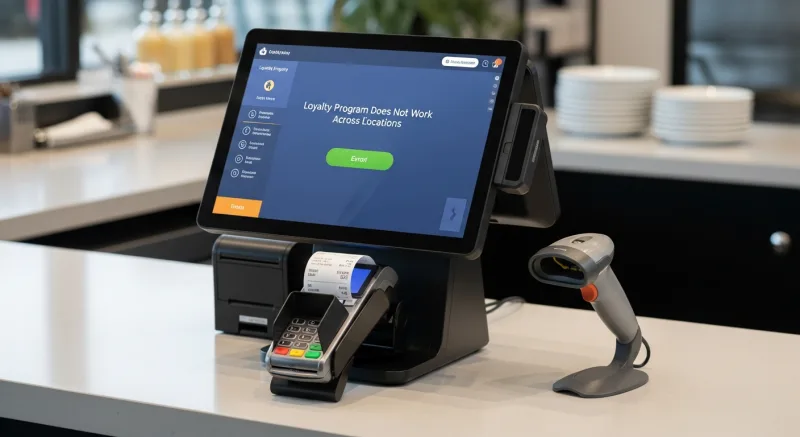
Now you have two separate loyalty accounts for the same customer. The customer is confused. They lose trust in the program. The behavioral data is split — your reporting shows two low-frequency customers instead of one high-frequency customer. Your marketing targets them as casual visitors instead of loyal regulars.
The lifetime value loss is significant. Our data (from the 500-member loyalty tracking study) shows loyalty members generate $180/year more than non-enrolled customers. If fragmented loyalty causes 50 customers to disengage, that is $9,000 in annual incremental revenue lost.
The KwickOS Solution: Unified Loyalty Across All Locations
On KwickOS, one customer profile. One point balance. One membership tier. Whether they visit Location A, B, C, or order online through KwickMenu, everything ties to a single account.
- Points earned anywhere count everywhere. 80 points at Location A + 20 points at Location C = 100 points = reward redeemable at any location.
- Membership tiers are unified. A Gold member is a Gold member at every location. The kitchen display shows their status. The staff knows to treat them as a VIP.
- Gift cards and stored credit work everywhere. As discussed in Problem #1, the balance is centralized.
- Marketing is unified. You send one birthday email, not three. You segment by actual spend across all locations, not fragmented per-location data.
- Fingerprint authentication works everywhere. Employees who work at multiple locations log in with the same fingerprint. Their access permissions follow them. KwickOS 1:N fingerprint matching identifies them without entering any ID number — just touch the sensor.
Tiger Sugar, with 2 locations and self-ordering kiosks, uses unified loyalty to track customers across both stores. Because the kiosks automatically enroll customers via electronic receipts, the loyalty database grows with every transaction. A customer who discovers Tiger Sugar at Location A and later visits Location B sees their points, their tier status, and their preferences waiting for them. The experience feels seamless because it is.
The Compound Effect: How These 5 Problems Interact
These problems do not exist in isolation. They compound each other:
- Fragmented gift cards reduce gift card sales, which reduces the loyalty engagement that drives repeat visits.
- No unified dashboard means you discover menu pricing errors days late, which causes revenue leakage.
- Split processors mean you overpay on processing at each location, and the cost is hidden across three separate statements.
- Fragmented loyalty means your CRM data is unreliable, which means your marketing campaigns target the wrong segments.
- Manual menu updates mean your staff wastes hours on admin, which is time not spent managing the floor, training employees, or improving operations.
For a 5-location restaurant group, the combined cost of these five problems conservatively reaches $20,000-$60,000 per year. That range depends on volume, gift card program size, and how much owner time you value.
| Problem | Conservative Annual Cost (5 locations) |
|---|---|
| #1: Gift card sync failures | $4,200-$12,000 |
| #2: No unified dashboard (owner time) | $5,000-$10,000 |
| #3: Manual menu updates (labor + errors) | $1,500-$6,000 |
| #4: Processor fragmentation | $3,000-$15,000 |
| #5: Fragmented loyalty | $8,000-$25,000 |
| Total annual cost | $21,700-$68,000 |
How Crafty Crab Solved All 5 at Once
Crafty Crab Seafood is the case study that demonstrates what happens when all five problems are solved simultaneously. With 19 locations and 152 terminals, they were the exact type of operation where these problems cause maximum damage.
After switching to KwickOS:
- Gift cards: Unified across 19 locations. A card purchased in one state works in another. Balance syncs in real time.
- Dashboard: One screen shows all 19 locations. The owner monitors from anywhere. Real-time sales, labor, and inventory data for every store.
- Menu management: One-click sync pushes menu changes to all 152 terminals simultaneously. New sauces, new specials, price changes — done in minutes, not days.
- Processing: Processor-agnostic. They negotiate a single rate with one processor based on their aggregate volume across 19 locations.
- Loyalty: One loyalty program. One customer profile. One point balance. Customers earn and redeem at any of the 19 locations.
- KDS customization: Their seafood boil menu has complex modifiers. KwickOS’s kitchen display was customized to show these clearly to kitchen staff, reducing errors and cook times.
The result is an operation that runs like one restaurant with 19 dining rooms, not 19 separate restaurants trying to coordinate.
The Multi-Location Readiness Checklist
If you are operating 3+ locations or planning to expand, ask your current POS provider these specific questions. If the answer to any of them is “no” or “sort of,” you have an expensive problem:
- Can a gift card purchased at Location A be redeemed at Location B in real time (not synced overnight)?
- Can I see sales data for all locations on a single screen without logging into separate back offices?
- Can I change a menu item price once and have it automatically update at every terminal in every location?
- Can I use the same payment processor across all locations and negotiate one rate based on aggregate volume?
- Does a customer’s loyalty account (points, tier, preferences) follow them across all locations?
- Can employees who work at multiple locations use the same login credentials (or fingerprint) everywhere?
- If one location loses internet, do the other locations continue to function independently?
KwickOS answers “yes” to all seven. With hybrid local+cloud architecture, each location runs independently (1ms local latency, full offline capability) while staying connected to the centralized management layer. If one location’s internet drops, it keeps running. The other locations are unaffected. When connectivity returns, data syncs automatically.
What Expansion Looks Like on KwickOS
Opening a new location on KwickOS follows a straightforward process:
- Clone the master menu. Your new location starts with the same menu as your existing stores. Adjust for local variations if needed.
- Configure hardware. Standard commercial devices. 1-3 hours of on-site installation.
- Staff training: 1-2 hours. Shogun Japanese Hibachi’s staff reached full proficiency in under 5 minutes because the interface is consistent across all locations.
- Go live. The new location appears on your unified dashboard immediately. Gift cards, loyalty, processing — everything is connected from day one.
Total timeline: 7-10 days from purchase to operational. That is faster than getting a liquor license transfer approved, let alone building out a new kitchen.
T. Jin China Diner followed this model for their 15 locations. Each new store was operational within the standard 7-10 day window, with the owner having full visibility into the new location from the same dashboard he uses for all the others.
The Bottom Line for Multi-Location Operators
Single-location POS problems are annoying. Multi-location POS problems are expensive. The five problems outlined here — fragmented gift cards, no unified dashboard, manual menu updates, processor chaos, and broken loyalty — cost restaurant groups $20,000-$68,000 per year. For larger groups like Crafty Crab (19 locations), the numbers are even higher.
The solution is not a better single-location POS. It is a system that was designed from the ground up for multi-location operations. Centralized management with local resilience. Unified data with location-specific customization. One processor rate, one loyalty program, one dashboard, one menu sync.
We built KwickOS for this exact scenario because we saw the pattern across 5,000+ business deployments: the moment a restaurant group crosses three locations, the old POS becomes the biggest drag on growth.
See Multi-Location Management in Action
Schedule a demo and we will show you the unified dashboard, one-click menu sync, cross-location gift cards, and unified loyalty — configured for your specific restaurant group. We will also calculate your processing savings at aggregate volume.
Get Your Free DemoOr call us directly: (888) 355-6996