You know your POS system is costing you too much. The processing fees are higher than they should be, the add-ons keep stacking up, and every month you watch $600, $800, $1,000 disappear into a system that was supposed to be “free.” For a restaurant running on 3-5% net margins, that hidden bleed is the difference between a profitable year and a break-even one.
But here is what keeps you stuck: What about my $8,000 in gift card balances? What about my 2,000 loyalty members? What about my sales history for tax season? The fear of losing your data paralyzes you into paying $10,500 a year more than you need to. Every single month you delay, another $875 walks out the door.
I have been in the restaurant technology business for over 30 years. I have built POS systems, deployed them in 5,000+ restaurants, and migrated hundreds of businesses off Toast, Square, Clover, and SpotOn. Here is the truth: every one of those data fears has a concrete, proven solution — and the cost of staying is almost always higher than the cost of switching.
Let me show you exactly how the math works.
The $14,000 Breakdown: What “Free” Toast Really Cost
A restaurant owner I worked with — let us call him David — signed up for Toast’s pay-as-you-go plan in 2024. No upfront hardware cost. Seemed like a great deal. Here is what the first 14 months actually looked like:
| Cost Category | Monthly | 14-Month Total |
|---|---|---|
| Processing fees (2.99% + $0.15 on $55K/mo card volume) | $1,810 | $25,340 |
| What he would have paid at interchange-plus (~2.2%) | $1,210 | $16,940 |
| Processing overpayment | $600 | $8,400 |
| Toast loyalty add-on | $75 | $1,050 |
| Toast online ordering add-on | $75 | $1,050 |
| Toast marketing add-on | $75 | $1,050 |
| Toast Team scheduling add-on | $50 | $700 |
| Hardware lease (2 terminals) | $125 | $1,750 |
| Total overspend vs. all-in-one system | $1,000 | $14,000 |
$14,000 in 14 months. That is $1,000 per month that could have gone toward better ingredients, higher wages, or straight into his pocket. And the worst part? He stayed for 14 months because he was afraid of losing his gift card data and loyalty members.
But it gets worse.
The Real Cost of Staying: A 3-Year Projection
Most restaurant owners think about switching costs in terms of what they pay upfront. They rarely think about what they pay by not switching. Let me project David’s numbers forward.
| Timeframe | Cumulative Overpayment on Toast | What That Money Could Buy |
|---|---|---|
| Year 1 | $12,000 | Complete new kitchen line equipment |
| Year 2 | $24,000 | Full dining room renovation |
| Year 3 | $36,000 | Down payment on a second location |
$36,000 over three years. For a restaurant operating on 3-5% net margins, that is the equivalent of $720,000 to $1.2 million in additional revenue needed just to cover the cost of the wrong POS system. Read that again.
So why do owners keep paying? Here is the real reason.
The Fear That Keeps You Stuck: “What About My Data?”
Every restaurant owner I talk to about switching has the same worry. It comes in five flavors. Let me address each one with specifics.
1. “I Have $8,000 in Outstanding Gift Card Balances”
This is the number one fear, and it is completely solvable. Here is how gift card migration works:
- Export: Your current POS provider is legally required to give you your gift card data. This includes card numbers, balances, and activation dates. Request a CSV or Excel export.
- Import: KwickOS accepts bulk gift card imports. We load every balance, every card number, into the new system. Your customers walk in, swipe the same physical card, and the balance is there.
- Timeline: Gift card migration takes 24-48 hours during onboarding. Zero downtime for your customers.
KwickOS also supports both physical gift cards and e-gift cards from day one — no add-on required. Your customers can buy digital gift cards from your website, send them via text or email, and recipients redeem them at any of your locations. Toast charges $75/month for their loyalty module to get comparable gift card management.
2. “I Have 2,000 Loyalty Members Who Will Lose Their Points”
No, they will not. Loyalty migration follows the same pattern:
- Export: Pull your member list with names, phone numbers, email addresses, and current point balances.
- Import: KwickOS loads all of this data. Every member keeps their exact point balance. Their phone number still works for lookups at the register.
- Bonus move: We have seen smart operators use the migration as a marketing opportunity — send an email to all loyalty members announcing an upgraded program with better perks. Turn a backend change into a customer engagement moment.
KwickOS loyalty goes beyond basic points. The system supports tiered memberships (Silver, Gold, Platinum), birthday rewards that drive 15% incremental visits, accumulated spending tiers, and stored credit systems. All included. No $75/month add-on fee.
3. “I Need My Sales History for Tax Season”
Your sales history does not disappear when you switch POS systems. Two approaches:
- Export before you switch: Download all transaction reports, daily summaries, and end-of-day reports as PDFs or CSVs. Keep them in a folder on your computer or cloud storage. You own this data.
- Parallel access: Most POS providers give you continued read-only access to your back office for 30-90 days after cancellation. Toast provides 90 days.
Your accountant does not need live POS access to do your taxes. They need summary reports, which you already have or can export in 20 minutes. Our daily sales report template can help you organize these exports.
4. “My Staff Will Have to Relearn Everything”
This fear is overblown. Modern POS systems all follow the same basic workflow: select items, send to kitchen, take payment. The learning curve is not about the concept — it is about button placement and navigation.
Shogun Japanese Hibachi — a single location with four terminals — switched to KwickOS and their entire staff reached full operational proficiency in under five minutes. Not five hours. Not five days. Five minutes.
Why? Because KwickOS is browser-based, and the interface is intuitive enough that anyone who can use a smartphone can use it. We also customize the layout for your specific menu before installation, so your staff sees their actual items, not generic placeholders.
KwickOS onboarding includes 1-2 hours of hands-on training with your team. In our experience with 5,000+ installations, the average staff member is comfortable within a single shift.
5. “What If Something Goes Wrong During the Switch?”
This is the rational version of the fear. And the answer is: you do not switch cold. Here is how a proper POS migration works with KwickOS:
- Days 1-3: Menu programming and system configuration. We build your menu remotely based on your current setup. No disruption to your operations.
- Days 4-7: Hardware setup. If you are using existing devices, we configure them. If you need new hardware, it arrives and gets staged.
- Day 8: On-site installation. Takes 1-3 hours. We install during off-hours (between lunch and dinner, or early morning before opening).
- Day 8-9: Staff training. 1-2 hours with your team. We stay on-site for the first service to make sure everything runs smoothly.
- Day 10: You are fully operational on the new system.
Total timeline: 7-10 days from purchase to going live. Your restaurant stays open the entire time. There is no dark period. There is no moment where you have no POS.
Now here is the part that most people miss entirely.
What Toast Does Not Want You to Think About
Toast has invested heavily in making switching feel frightening. Their contracts, their proprietary hardware, their payment processing lock-in — all of it is designed to increase the perceived cost of leaving. Let me decode three specific tactics:
Proprietary Hardware Lock-in
Toast sells proprietary terminals. If you bought a Toast Flex ($799-$899) or Toast Go handheld ($409-$509), that hardware only works with Toast software. When you leave Toast, those terminals become expensive paperweights.
KwickOS runs on any hardware with a web browser — iPads, Android tablets, Windows PCs, Linux terminals. You can use equipment you already own. And if you need new hardware, you buy standard commercial devices at market prices, not proprietary terminals at premium markups. If you ever switch away from KwickOS, your hardware still works for anything else.
Processing Revenue Extraction
Toast requires you to use Toast Payments. This is not a convenience — it is their primary revenue model. Their S-1 filing (they are publicly traded) reveals that payment processing accounts for approximately 80% of their revenue. They are not a software company that happens to process payments. They are a payment processing company that happens to sell POS software.
That distinction matters because it means their financial incentive is to keep your processing rate as high as possible. When you ask for a lower rate, you are asking them to cut their primary revenue stream. With KwickOS, processing is not our revenue model. We make money on software. Your processing rate is between you and your processor, and we have zero financial interest in keeping it high.
The “Free” Starter Plan Trap
Toast advertises a $0/month starter plan. What they do not emphasize: the pay-as-you-go plan charges 2.99% + $0.15 per transaction — the highest processing rate in the industry for a major POS provider. On $50,000/month in card sales, that is $1,710/month just in processing. You would pay less with a KwickOS subscription plus your own processor at interchange-plus pricing.
There is no free POS. There is “free software with expensive processing” or “paid software with affordable processing.” The second option saves you money in every scenario above $15,000/month in card volume. See the full breakdown in our KwickOS vs Toast comparison.
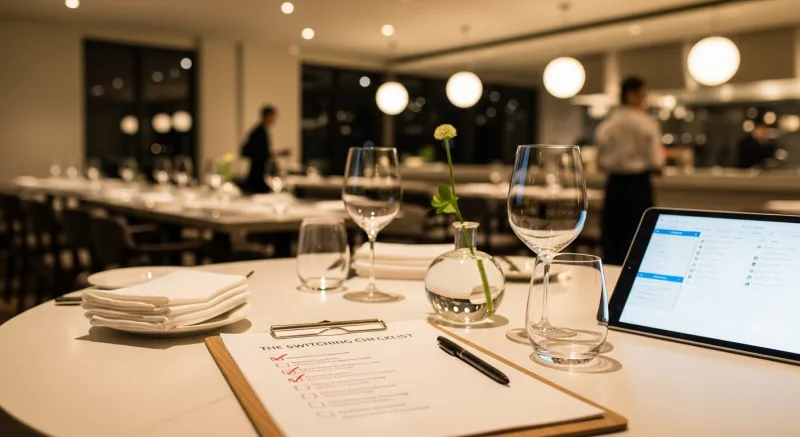
The Switching Checklist: Everything You Need in Order
If you are considering a switch — from Toast, Square, Clover, or any other system — here is the exact checklist to follow. I have refined this over hundreds of migrations.
Week 1: Gather Your Data
- Export your full menu with pricing, modifiers, and categories
- Export gift card balances (card numbers + remaining balances)
- Export loyalty member list (name, phone, email, point balance)
- Export customer database / CRM contacts
- Download the last 12 months of sales reports (daily summaries, product mix, labor reports)
- Photograph your current terminal layout and kitchen display setup
- List all integrations you currently use (accounting, delivery, reservation)
Week 2: Choose Your Processor
- Get quotes from 2-3 payment processors (ask for interchange-plus pricing)
- Compare effective rates — aim for 2.1-2.4% depending on your volume and card mix (use our processing fee calculator to see your exact numbers)
- Negotiate — processors compete for restaurant accounts because of high volume
- Choose the processor that gives you the best rate, best contract terms, and next-day funding
Week 3: Install and Train
- KwickOS team programs your menu remotely (days 1-5)
- Hardware arrives or existing devices get configured (days 3-7)
- On-site installation during off-hours (day 7-8)
- Staff training: 1-2 hours with your team (day 8-9)
- Go live with KwickOS support standing by (day 9-10)
Three weeks. That is the entire timeline. And during those three weeks, your restaurant operates normally on your existing system until the instant you flip the switch.
Case Study: Crafty Crab Seafood — 19 Locations, Zero Data Loss
Crafty Crab Seafood operates 19 locations with 152 terminals. When they migrated to KwickOS, the data migration challenge was significant: gift card programs running across multiple states, loyalty members spanning all locations, and menus with dozens of sauce and spice combinations for their seafood boil customization.
Here is how it went:
- Gift card balances: Migrated in bulk across all 19 locations. Customers could redeem at any location from day one.
- Menu sync: KwickOS’s one-click menu sync meant a change at headquarters instantly propagated to all 152 terminals. On their previous system, menu updates required updating each location individually.
- KDS customization: Their seafood boil menu has complex modifiers (choice of shellfish, sauce type, spice level, add-ons). KwickOS’s kitchen display was customized to show these special requests clearly to kitchen staff — something their previous system could not handle cleanly.
- Result: 19 locations, 152 terminals, zero data loss, and a centralized management dashboard the owner uses daily to monitor all locations in real time.
Case Study: T. Jin China Diner — 15 Stores, Full Visibility
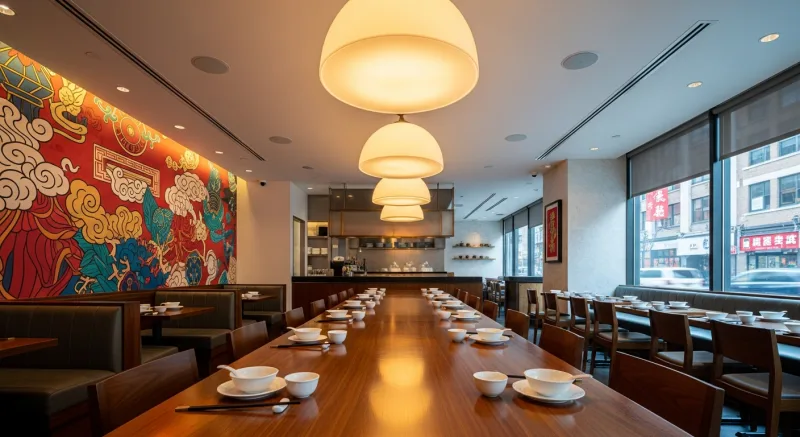
T. Jin China Diner operates 15 stores with 75 terminals. The owner needed real-time visibility into every location from a single dashboard — not the delayed, fragmented reporting he was getting from his previous system.
After switching to KwickOS:
- Real-time monitoring: Every terminal, every transaction, every kitchen order — visible from any device, anywhere.
- Offline resilience: With locations spread across different areas, internet reliability varied. KwickOS’s hybrid architecture meant each location functioned independently, then synced when connectivity returned.
- Unified gift cards: Customers buy a gift card at one location, use it at any of the 15. The balance updates instantly.
The Math of Switching vs. Staying
Let me put this in the starkest terms possible. For a single-location restaurant doing $55,000/month in card volume:
| Cost of Switching to KwickOS | Cost of Staying on Toast (per year) | |
|---|---|---|
| One-time migration cost | $0 (included in onboarding) | N/A |
| Staff retraining | ~$200 (2 hours of payroll) | N/A |
| New hardware (if needed) | $0-$2,000 (use existing or buy standard) | N/A |
| Annual processing overpayment | N/A | $7,200 |
| Annual add-on fees (loyalty, ordering, marketing, scheduling) | N/A | $3,300 |
| Total | $200-$2,200 one-time | $10,500 every year |
The one-time cost of switching pays for itself in the first 8-12 weeks. Every week you delay costs you approximately $200. Every month, $875. Every year, $10,500.
That is the real cost of the “what if I lose my data” fear: $10,500 per year, paid to a company whose primary business model depends on you never doing the math.
What About Early Termination Fees?
Some POS providers charge early termination fees (ETFs). Here is the reality:
- Toast: Standard contracts are 2-year terms. ETFs can range from $200-$500 per remaining month on the hardware lease. However, Toast has been known to waive ETFs in competitive situations — always negotiate.
- Square: Month-to-month. No ETF. You can leave anytime.
- Clover: Check your specific contract. Some merchant service providers bundle Clover hardware with long-term processing agreements that carry ETFs.
Even in the worst case — a $2,000 early termination fee — the math still works. You recoup that cost in under 3 months of processing savings alone. An ETF is a one-time cost. Overpaying on processing is a recurring cost that compounds every month.
And that is not even the best part.
The One Thing Nobody Tells You About Switching
Here is the part that genuinely surprises restaurant owners when they go through a migration: the new system is usually better in ways they did not expect.
Owners come to us focused on cost savings. That is the rational reason to switch. But after they are live on KwickOS, they mention things like:
- “I did not know fingerprint login was even possible. My managers love it — no more buddy punching, no more shared PINs for voids.” (KwickOS supports 1:N fingerprint matching, where employees just touch the sensor without entering any ID.)
- “The KDS actually makes sense for my kitchen. It shows orders the way my cooks think, not the way the software thinks.”
- “I can see all three locations from my phone. Real-time. Not a 15-minute-delayed summary.”
- “My online ordering is built into the same system. No more tablet hell with three different delivery platforms open.”
- “The system still works when Comcast goes down.” (KwickOS hybrid architecture: 1ms local latency, full offline capability.)
Tiger Sugar, a bubble tea brand with 2 stores and self-ordering kiosks, switched to KwickOS expecting cost savings. What they did not expect: the kiosk interface could be customized for minimal-step personalization (size, sugar level, ice level, toppings — three taps and done), and the electronic receipts automatically enrolled customers in the loyalty program. Customer throughput increased. Repeat visits increased. And they stopped paying for a separate loyalty add-on.
The Decision Framework
I will make this simple. You should switch POS systems if any three of these are true:
- You are paying more than 2.5% effective rate on credit card processing
- You are paying for loyalty, online ordering, or scheduling as separate add-ons
- You have lost sales during an internet outage in the past 12 months
- You cannot see real-time data for all your locations from one screen
- Your staff uses shared PINs instead of individual secure authentication
- Your gift cards or loyalty programs do not sync across locations
- You are locked into proprietary hardware that has no resale value
- You want to offer your own delivery but your POS does not support it
If three or more of those resonate, you are leaving money on the table. And now you know that the data migration fear — the one thing keeping you stuck — has a straightforward solution.
Take the First Step
The hardest part of switching is not the migration. It is making the decision. Once you decide, the process is mechanical: export data, choose processor, install, train, go live. Seven to ten days.
I have done this for Crafty Crab across 19 locations. For T. Jin across 15 stores. For Tiger Sugar with their kiosks. For Shogun with their custom hibachi displays. For over 5,000 businesses across 50 states.
The data migrates. The gift card balances transfer. The loyalty points carry over. The staff learns the new system in one shift. And the processing savings start hitting your bank account immediately.
The only question is how many more months of overpayment you are willing to absorb before you act.
Ready to See the Numbers for Your Restaurant?
Schedule a free demo and we will calculate your exact savings — processing fees, add-on costs, and total cost of ownership — based on your actual transaction volume. No pressure, just math.
Get Your Free DemoOr call us directly: (888) 355-6996
Turn One-Time Diners into Regulars: Built-In Gift Cards & Loyalty
Most POS companies treat gift cards and loyalty as afterthoughts — expensive add-ons that cost $50-100/month extra. KwickOS includes them at no additional charge because we believe they are essential revenue tools, not luxury features.
Gift Cards That Actually Drive Revenue
Here is what most restaurant owners do not realize: gift card buyers spend an average of 20-40% more than the card's face value. A $50 gift card typically generates $60-70 in actual spending. KwickOS supports both physical gift cards and electronic gift cards that customers can purchase, send, and redeem through their phones.
- Physical gift cards — branded plastic cards that sit on your counter and sell themselves during holidays
- E-gift cards — customers buy and send digitally via text or email, perfect for last-minute gifts
- Balance tracking — real-time balance across all your locations, no manual reconciliation
- Reload capability — customers top up their balance, creating a built-in prepayment habit
Loyalty Points That Keep Them Coming Back
KwickOS loyalty is not a punch card from 2005. It is a digital points system that tracks every dollar spent and automatically rewards your best customers:
- Earn points on every purchase — configurable ratio (e.g., $1 = 1 point, or $1 = 10 points)
- Tiered rewards — silver, gold, platinum levels to incentivize higher spending
- Birthday rewards — automated birthday offers that bring customers back during their special month
- Points-for-payment — customers redeem points directly at checkout, seamless for your staff
Membership Programs
For restaurants running VIP programs or subscription models (like monthly coffee clubs), KwickOS membership management handles recurring billing, exclusive pricing tiers, and member-only menu items — all within the same system your cashier already uses.
The bottom line: Toast charges $75/month extra for loyalty. Square's loyalty starts at $45/month. KwickOS includes gift cards, e-gift cards, loyalty points, and membership management in every plan. That is $540-900/year you keep in your pocket.