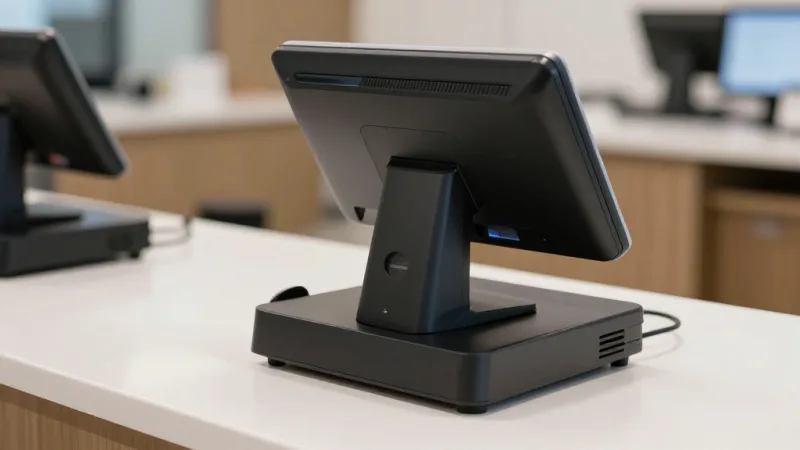
 Ming Ye
A nervous twenty-something puts a bottle of vodka on your counter. Friday night, line forming behind him. Your cashier glances at the ID, the photo looks close enough, and waves it through.
Except the customer was nineteen. And the "regular" two spots back in line was a compliance officer running a sting.
Here's the thing: that single transaction can cost you $10,000 or more in fines, depending on your state — and a repeat offense can suspend or pull your license entirely. The license you spent months and thousands of dollars to obtain. The license that is your business.
But it gets worse. Even if you never sell to a minor, a liquor store running on a generic cash register is bleeding money in a place you can't see: inventory. You buy by the case and sell by the bottle, you stock thousands of SKUs that all look alike, and shrinkage in this category walks out the door in a backpack. When your margins on a bottle are already thin and the competition down the street is matching your prices, every miscounted case and every untracked void is profit you'll never get back.
The fix for both problems is the same: a point-of-sale system actually built for the realities of selling alcohol. Not a tablet app borrowed from a coffee shop — a system where age verification, case-and-bottle inventory, state reporting, and customer loyalty all work as one. This guide walks through exactly what that looks like.
Why Liquor Retail Breaks a Generic POS
Most POS systems are designed for a restaurant ringing up menu items or a boutique selling a few hundred products. A liquor store is a fundamentally different operation, and the gaps show up fast:
- Every sale is age-restricted. Unlike a grocery store where alcohol is one aisle, your entire inventory requires an ID check. The verification step can't be an afterthought — it has to be the default.
- Case-to-unit complexity. You receive a case of 12 from your distributor and sell singles, four-packs, six-packs, and the full case. The POS has to understand all of those as the same product in different quantities.
- Thousands of near-identical SKUs. Forty brands of vodka, a wall of craft IPAs, hundreds of wine labels that differ only by vintage. Without barcode-level tracking, accurate counts are impossible.
- State-specific tax and reporting. Excise tax, sales tax, bottle deposits, and periodic state filings differ everywhere — and control states add their own rules on top.
- Brutal price competition. Customers comparison-shop on a $25 bottle. Your defense is margin discipline and customer loyalty, both of which run through the POS.
A generic system forces your staff to paper over these gaps manually — a sticky note to check IDs, a spreadsheet to track cases, a guess at the tax breakdown. Every manual step is a chance for a fine, a slowdown, or a shrink event. A purpose-built liquor POS closes the gaps. Let's go feature by feature.
Age Verification: The Five-Second Check That Saves Your License
This is the feature that matters more than any other, so let's start here. The goal is simple: make it impossible to complete an alcohol sale without verifying age, and take the decision off the cashier's tired shoulders.
A proper liquor POS enforces a hard stop at checkout. Because every product in your store is flagged as age-restricted, the transaction physically cannot proceed to payment until age is confirmed. There's no "skip" button, no manager workaround built for convenience.
Pair that with an integrated ID scanner and the workflow gets both faster and safer. The cashier scans the barcode on the back of the driver's license; the system reads the birthdate directly, calculates whether the customer meets your state's legal age, and checks the expiration date. A modern scanner also flags the telltale signs of a fake — a barcode whose encoded data doesn't match the printed front, or a format that doesn't conform to a real state license. The check takes about five seconds, it's logged with a timestamp, and it removes human judgment from the equation entirely.
That log matters as much as the check itself. When a compliance officer or your state board asks for proof of due diligence, you have a verifiable, time-stamped record that every restricted sale was screened. That documentation is often the difference between a warning and a license-threatening penalty.
Case-and-Bottle Inventory: Selling Singles From a Case You Bought Whole
Here's where most systems fall apart for liquor specifically. You don't buy and sell in the same unit. Your distributor delivers a case of 24; your customer wants one can, or a six-pack, or the full case at a discount. If your POS can't model that relationship, your inventory counts are wrong the moment the truck pulls away.
A liquor-grade POS handles unit-of-measure conversion natively. You define the product once — say, a case of 24 that breaks into 4 six-packs or 24 singles — and the system does the math automatically. Receive one case by scanning it in, and inventory adds 24 sellable units. Sell a six-pack, and it decrements 6. Sell the case whole, and it clears 24 at the case price. Your on-hand count stays accurate no matter how the customer buys.
That accuracy compounds across your whole operation:
- Real-time, SKU-level counts that update with every scan, so you always know what's actually on the shelf.
- Low-stock and reorder alerts so your best-selling labels never hit an empty facing on a Friday night.
- Distributor receiving that lets you check a delivery against the invoice as you scan it in, catching shorts and mispicks before they become phantom inventory.
- Vintage and lot tracking for wine and limited releases, where this year's bottle is a different SKU than last year's.
The fundamentals of scanning and stock control carry over directly from general retail — our complete guide to retail inventory and barcode scanning covers the scanner hardware and cycle-counting workflow in depth, and all of it applies to a bottle shop running 3,000 SKUs.
Loss Prevention: Stopping Shrink Before It Walks Out
Alcohol is one of the most-stolen retail categories there is — small, high-value, easy to conceal, easy to resell. And not all of it walks out the front door. A meaningful share of liquor-store shrink happens at the register: unauthorized voids, sweetheart discounts to friends, returns that never came back.
This is where the POS becomes your loss-prevention system, not just your cash register. KwickOS supports 1:N and 1:1 fingerprint verification, which ties every sensitive action — a void, a refund, a manager override, a discount — to a specific, real employee rather than a shared four-digit PIN that everyone on staff already knows. When accountability is biometric, register shrink drops sharply, because there's nowhere to hide.
Layer on the exception reporting that comes from clean transaction data — voids by employee, discounts by employee, after-hours activity — and patterns that used to be invisible become obvious. Our guide to how your POS catches shrinkage details the specific controls that shut down theft at the point of sale.
State Compliance Reporting: From a Weekend of Spreadsheets to a Few Clicks
Selling alcohol means living with paperwork. Depending on your state, you may owe periodic sales reports, excise tax filings, and sales tax breakdowns that separate alcohol from non-alcohol items. In control states, there can be additional purchase and reporting obligations layered on top. Get it wrong and you're looking at penalties; do it by hand and you're losing a weekend a month to a spreadsheet.
A liquor POS turns this into a data problem the software already solved. Because every transaction is recorded with its category, tax treatment, tender type, and timestamp, the system can generate the reports you actually need on demand:
- Sales summaries by category and period for state filings.
- Tax breakdowns separating excise, sales tax, and bottle deposits.
- Age-verification logs you can produce instantly if the board comes asking.
- Exportable raw data so your accountant or compliance service can work from a clean file.
One point worth emphasizing here, because it's a trap many retailers fall into: make sure you actually own your data. Some POS vendors treat your transaction and customer history as theirs, locked inside their platform and hard to export. KwickOS keeps your data exportable and under your ownership — which matters enormously when an audit lands or when you decide to switch systems. We dug into why this matters in our piece on who really owns your POS data.
Checkout Speed and the Architecture Behind It
Friday and Saturday evenings are when a liquor store makes its money, and they're also when the line is longest. Every second per transaction matters. A liquor POS keeps checkout fast by combining quick barcode scanning, instant ID verification, and a register that responds without lag.
That last part is an architecture decision, and it's one I care about deeply as the person who designs ours. A cloud-only POS sends every keystroke and scan to a server somewhere and waits for the answer — fine until your internet hiccups, at which point your registers freeze and your busiest hour becomes your worst. KwickOS runs on a hybrid local-plus-cloud architecture: the full product database, prices, and age-verification rules live on hardware right in your store. Local response is near-instant — roughly 1ms versus the 20ms-plus of cloud round-trips — and, critically, if the internet drops, your registers keep ringing and keep enforcing ID checks. Sales sync to the cloud automatically the moment the connection returns.
For a deeper look at why this matters, our comparison of cloud POS versus local POS breaks down the latency and uptime trade-offs that cloud-only vendors would rather you didn't think about. For a liquor store, "the system is down so we can't sell" during peak hours isn't an inconvenience — it's thousands of dollars an hour gone.
Loyalty, Memberships, and Gift Cards: How a Bottle Shop Wins on Repeat Business
In a category where customers comparison-shop on price, the store that builds relationships and prepaid revenue wins. Your POS is the engine for both — if it has the features built in rather than bolted on.
Loyalty and points. A built-in loyalty program turns a price-shopper into a regular. Points on every purchase, member-only pricing on featured spirits, and rewards redeemed right at checkout give people a concrete reason to drive to your store instead of the big-box down the road. The customer data is just as valuable: you learn which customers buy premium bourbon versus budget beer, and you can market to each accordingly.
Memberships and clubs. Wine-of-the-month clubs, whiskey society tiers, a flat-fee membership for case discounts — these are some of the most reliable revenue a liquor store can build, because they're recurring and they create loyalty that price alone can't. All of it is managed through the POS, from enrollment to the member price that applies automatically at the register.
Gift cards and e-gift cards. Gift cards are among the highest-margin "products" a liquor store can sell — prepaid revenue you collect today against a purchase made later, and a portion is never fully redeemed. A liquor POS should sell and reload both physical and digital e-gift cards at the register and on your website, and let customers check balances in seconds. Around the holidays — when a bottle of something nice is the default gift — a prominent gift card display and an e-gift card link on your site can drive a serious revenue spike. To see how points, memberships, and gift cards tie together in one place, take a look at the KwickOS CRM and loyalty platform.
Real-World Proof: Retail That Already Runs This Way
This isn't theory. Baked Cravings runs a self-serve retail kiosk at Lego Land on a 24-hour footing using a PaxA35 terminal — high-volume, age-and-attention-sensitive retail where scanning, payment, and inventory all have to just work without a cashier hovering over every step. The same engine that powers that kiosk runs full-service retail lanes, age prompts included.
For owners with more than one store, the centralized model is the real unlock. Crafty Crab Seafood runs 19 locations and 152 terminals with one-click price and menu sync across every site. Translate that to a chain of bottle shops and it means a single change — a new shelf price, a holiday gift card promotion, an updated tax rule — rolls out to all your stores at once, from one dashboard, instead of being re-keyed location by location. That's the power of an all-in-one platform versus stitching together a separate scanner vendor, an ID-scanning app, a compliance tool, and a loyalty add-on.
One more advantage that matters in this business specifically: KwickOS ships with multi-language support built in — English, Chinese, and Spanish — which is a real asset for both staff and customers in the diverse neighborhoods most independent liquor stores serve.
What to Look For When You Choose
Before you sign with any POS vendor, make them prove it against the realities of your store. Ask for a live demo of:
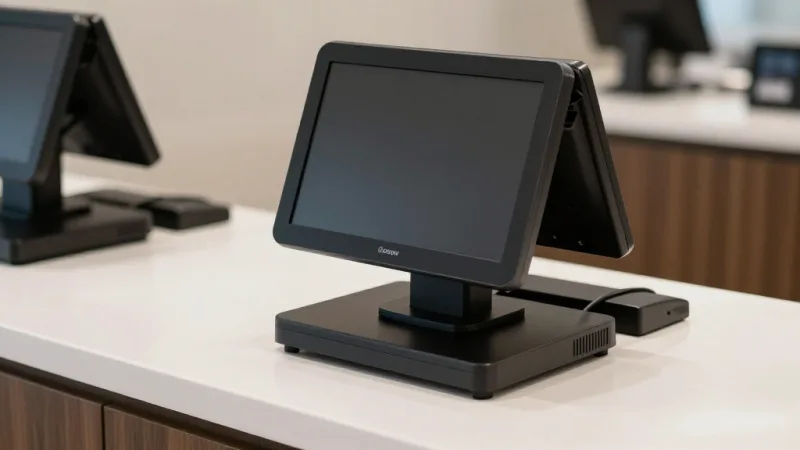
- A blocked sale. Try to ring up a bottle without verifying age and confirm the system physically stops you — then scan an ID and watch it clear and log the check.
- A case received, singles sold. Receive a case, then sell a single and a six-pack, and confirm inventory decrements correctly every time.
- A compliance report. Have them generate a category sales and tax summary for a date range on the spot.
- An offline test. Pull the internet and confirm checkout — and age verification — keep running.
- The processing terms. Many POS companies lock you into their payment processing at non-negotiable rates. KwickOS is processor-agnostic — you keep the freedom to choose your processor and negotiate your own rate, which on liquor-store card volume can save thousands a year. Run your own numbers with our processing fee calculator.
- Built-in loyalty and gift cards — not a third-party integration you'll pay extra for every month.
If you're weighing KwickOS against the big names, our side-by-side comparisons break down processor freedom, offline mode, and total cost. And if you're a reseller serving liquor stores and specialty retail, the KwickOS partner program is built for exactly this kind of vertical.
A Note for Owners Who Also Sell Groceries
Plenty of stores blur the line — a bottle shop with a cooler of snacks, or a market with a serious wine and spirits section. If that's you, the same platform handles both worlds: weighed deli items, EBT-eligible groceries, and age-restricted alcohol all flowing through one checkout. Our companion grocery store POS guide covers the scale-integration and EBT-splitting side of that setup in detail.
The Bottom Line
A liquor store carries a risk most retailers never face: one careless transaction can cost you the license that is your business. The right POS removes that risk by making age verification automatic, mandatory, and documented — so your livelihood never rides on whether a tired cashier remembered to ask for ID.
But protection is only half the value. The same system that guards your license also guards your margins — exact case-and-bottle inventory, fingerprint-secured registers that stop shrink, and compliance reports that turn a lost weekend into a few clicks. And the loyalty, membership, and gift card programs running through that same POS turn a price-shopped, thin-margin business into one with regulars and prepaid revenue.
Scanning, ID checks, inventory, compliance, and customer retention aren't five separate problems to solve with five separate tools. They're one workflow that should happen in a single, fast, accurate flow at every sale. To see how the pieces fit for your store, explore the KwickOS retail platform or book a walkthrough with our team.
Protect Your License and Your Margins
KwickOS runs your whole liquor store — mandatory ID verification, case-and-bottle inventory, state compliance reporting, fingerprint-secured registers, and built-in loyalty and gift cards — on hardware that keeps working, and keeps checking IDs, even when the internet doesn't.
Get a Free DemoFrequently Asked Questions
How does a liquor store POS verify a customer's age?
A liquor store POS makes age verification a mandatory hard stop at checkout. Any age-restricted item blocks the transaction until the cashier confirms the customer's date of birth. With an integrated ID scanner, the system reads the birthdate directly off the driver's license barcode, calculates eligibility against your state's legal age, flags fake or expired IDs, and logs the check with a timestamp. No valid date, no completed sale — so the decision never depends on a tired cashier's memory.
Can a liquor store POS track inventory by both case and individual bottle?
Yes. A proper liquor POS handles unit-of-measure conversion: you receive product by the case from your distributor, but you sell by the bottle, the six-pack, or the single. The system breaks a received case into its sellable units automatically, so one scanned case adds the right number of bottles to inventory and each sale decrements the correct count. That keeps your on-hand numbers accurate across thousands of SKUs without manual recounting.
Does a liquor store POS help with state compliance reporting?
It should. Many states require liquor retailers to file periodic sales and tax reports, and some control states have additional purchase or reporting rules. Because a liquor POS records every transaction with category, tax, and timestamp data, it can generate the sales summaries, excise and sales tax breakdowns, and age-verification logs you need at audit or filing time in minutes instead of days. KwickOS keeps that data exportable and under your ownership.
What happens to a liquor store POS if the internet goes down?
With a cloud-only POS, an outage can halt checkout entirely. KwickOS runs on a hybrid local-plus-cloud architecture: your full product database, prices, and age-verification rules live on local hardware in the store, so registers keep ringing — and keep enforcing ID checks — even when the connection drops. Sales sync to the cloud automatically once the internet returns, so you never lose a transaction or a compliance record.
Can a liquor store run a loyalty and gift card program through its POS?
Yes, and in a price-competitive category it's one of the smartest moves you can make. A POS with built-in loyalty lets customers earn points on every purchase, unlock member pricing on featured spirits and wine club tiers, and redeem rewards at checkout — driving the repeat visits that make a liquor store profitable. The same system sells and reloads physical and e-gift cards, which are high-margin prepaid revenue and a major holiday seller. With KwickOS, loyalty, memberships, points, and gift cards are part of the POS, not a third-party add-on.