 Tom Jin
It's 5:40 on a Saturday. Six people deep in every lane. The customer at the front has a cart with 60 items — produce that has to be weighed, a six-pack that needs an ID check, a hot rotisserie chicken, and an EBT card that only covers part of the basket.
Your cashier is doing math in her head. The scale is a separate device that doesn't talk to the register. She types a price wrong, voids it, tries again. The line isn't moving. Two shoppers put their baskets down and walk out.
Here's the brutal part: grocery runs on margins of 1% to 3%. When a customer abandons a $90 cart, you didn't lose $90 — you lost the $1.80 of profit that cart represented, and you'll need to ring up roughly 50 more baskets just to make it back. A checkout that's slow or error-prone isn't an inconvenience. In grocery, it's an existential threat.
And it gets worse: the same checkout that's costing you customers is also where you're exposed on compliance. One sale of beer to a minor, one EBT basket rung up wrong, and you're staring at a fine that wipes out a week of profit.
The fix isn't more lanes or more staff. It's a point-of-sale system actually built for the unique demands of grocery — one where scanning, weighing, tendering, and compliance all happen in a single, fast flow. This guide walks through exactly what that looks like, feature by feature.
Why Grocery Breaks Generic POS Systems
Most POS systems are built for a restaurant ringing up 30 menu items or a boutique selling 200 SKUs. Grocery is a different animal entirely. Consider what one mid-size store juggles every single day:
- 2,000 to 40,000 SKUs across dry goods, refrigerated, frozen, produce, deli, bakery, and general merchandise.
- Mixed pricing models — packaged items sold per-unit, produce and deli sold by weight, bulk bins sold by the pound.
- Multiple tender types in one transaction — card, cash, EBT food, EBT cash, WIC, and gift cards, often split across a single basket.
- Legal compliance at the register — age checks, tax rules that differ by category (food is often tax-exempt; prepared food and household goods are not), and EBT eligibility flags.
- Hundreds of transactions a day where every extra second per item compounds into lost throughput.
A generic system forces your staff to bridge these gaps manually — a separate scale here, a workaround for EBT there, a sticky note reminding cashiers to check IDs. Every manual step is a chance for an error, a slowdown, or a compliance miss. A purpose-built grocery POS removes the gaps. Let's go through the features that matter most.
Barcode Scanning Built for Volume
Scanning sounds simple — until you're doing it 400 times an hour. The difference between a 0.3-second scan and a 3-second fumble, multiplied across thousands of items a day, is the difference between a lane that flows and a lane that backs up.
A grocery-grade POS pairs with 2D omnidirectional scanners (the kind that read a barcode at any angle without the cashier lining it up) and bi-optic scanner-scales for the main lanes. It needs to handle UPC and EAN codes, store-generated barcodes for in-house packaged items, and weight-embedded barcodes printed by your deli and meat scales — where the barcode itself contains the weight and price.
Just as important is what happens behind the scan. Every item that crosses the scanner should decrement inventory in real time, so your stock counts stay accurate without a manual recount. For more on building a clean scanning and inventory foundation, see our deep dive on retail inventory and barcode scanning.
Scale Integration: Selling by Weight Without the Math
Here's where most systems fall apart. A huge share of a grocery basket — produce, deli meats, cheese, seafood, bulk foods — is sold by weight. If your scale is a standalone device, your cashier reads the weight off one screen, calculates the price in her head or on a calculator, and keys it into the register. That's slow, and it's a magnet for errors.
A grocery POS connects directly to legal-for-trade integrated scales. The flow is clean: the cashier scans or keys the PLU (price look-up) code on the bananas, the customer's items sit on the integrated scale, and the system instantly multiplies weight by the live per-pound price — automatically subtracting tare weight for any container. No mental math, no transcription errors, no arguments at the register about whether the price is right.
The payoff goes beyond speed. Because the per-pound price is pulled from your central item database, changing a price changes it everywhere at once — every lane, every deli scale, every backroom label printer. When avocados jump from $1.49 to $1.99 a pound, you update one record, not twenty devices. Our full breakdown of POS scale integration for deli, butcher, and grocery covers the hardware and PLU setup in detail.
EBT and SNAP: Getting It Right Automatically
If you accept SNAP, the rules are strict and the penalties for getting them wrong are real. Only eligible food items can be purchased with EBT food benefits — hot prepared foods, household supplies, pet food, and alcohol cannot. Mixing these up isn't a minor slip; it's a compliance violation.
This is exactly the kind of thing software should handle, not your cashier's memory. A proper grocery POS flags every item in the database as SNAP-eligible or not, then automatically splits a mixed basket at checkout. The eligible groceries draw from the EBT food account; the rotisserie chicken, paper towels, and beer route to a second tender — card or cash — in the same transaction. The customer pays part EBT, part card, in one smooth flow, and the cashier never has to separate items or do the math.
That automatic split does two things at once: it keeps you compliant with USDA rules, and it keeps your line moving during the busiest hours, when EBT-heavy baskets would otherwise create the worst bottlenecks.
Age Verification: One Prompt Stands Between You and a $10,000 Fine
Let's talk about the scariest item in the store: the one that can cost you your license. Selling beer, wine, or tobacco to a minor carries fines that routinely run into the thousands — and repeat violations can shut you down. Relying on a tired cashier at the end of a double shift to remember to check every ID is a risk no owner should accept.
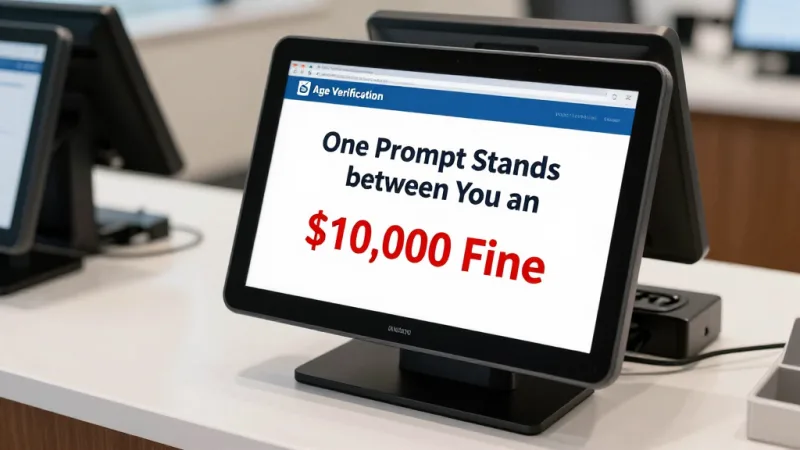
A grocery POS makes the check mandatory and automatic. Any age-restricted item triggers a hard stop at checkout — the transaction cannot proceed until the cashier enters or scans the customer's date of birth. Pair it with an ID scanner and the system reads the birthdate straight off the license barcode, calculates eligibility, and logs the check. No date entered, no sale completed. It's a five-second prompt that stands between you and a five-figure fine.
For age-restricted retail with even tighter state-reporting requirements, our companion guide on liquor store POS and compliance goes deeper on ID scanning and state-level rules.
Inventory Control That Protects Thin Margins
In a business running 1% to 3% margins, shrink and dead stock are the silent killers. You can't manage what you can't see, and a grocery store sees thousands of items move every day. Your POS has to be the system of record.
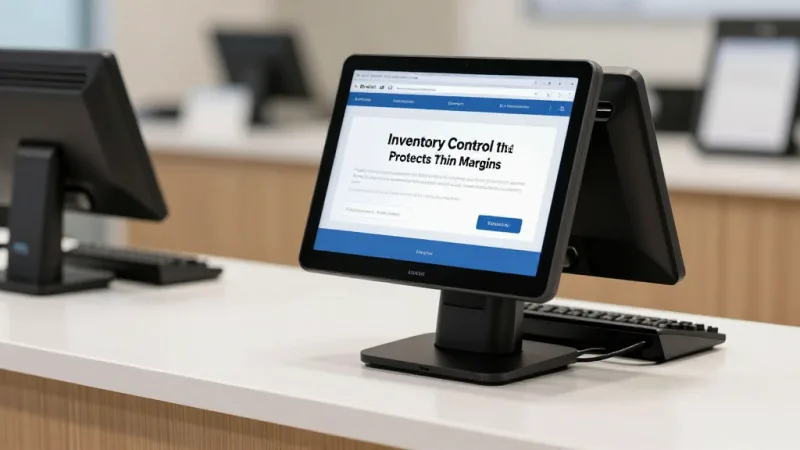
A grocery-grade system gives you real-time, SKU-level inventory that updates with every scan, plus the tools to act on it:
- Low-stock and reorder alerts so fast-movers never hit an empty shelf during peak hours.
- Spoilage and shrink tracking for perishables, with date-based flags so you can mark down produce before you have to throw it away.
- Vendor and purchase-order management tied to actual sell-through, so you order to demand instead of guessing.
- Fingerprint-secured voids and discounts — KwickOS supports 1:N and 1:1 fingerprint verification, so every void, refund, or manager override is tied to a real employee, not a shared PIN that everyone knows. That single feature shuts down one of the most common sources of grocery shrink.
If loss prevention is top of mind, our guide to how your POS catches shrinkage details the specific controls that stop theft at the register.
The Checkout Flow That Ties It All Together
Now picture that same Saturday-rush basket on a system built for grocery. The cashier scans the dry goods — inventory decrements with each beep. She keys the PLU for the produce; the integrated scale weighs it and prices it instantly. The six-pack triggers an automatic age prompt; she scans the ID and the system clears it. At tender, the POS splits the EBT-eligible groceries onto the food account and the rest onto a card — no manual sorting.
Then comes the part that actually grows the business: the loyalty prompt. The customer's phone number pulls up their account, applies member pricing on the items that qualify, adds points for the visit, and offers to apply a reward they've earned. The whole 60-item basket clears in a fraction of the time the old setup took — accurately, and compliantly.
That's the difference between a checkout that loses customers and one that builds them. And speed at the register isn't just a nicety — when your POS runs on KwickOS's hybrid local-plus-cloud architecture, the item database and scanning live on hardware right in the store. Local response is near-instant (about 1ms versus the 20ms-plus lag of cloud-only systems), and — critically — if your internet drops, your registers keep ringing. A grocery store that can't check out during an outage is a grocery store losing thousands by the hour. Sales sync back to the cloud automatically the moment the connection returns.
Loyalty, Memberships, and Gift Cards: Where Grocery Margins Get Healthy
If you only take one thing from this guide, take this: in a thin-margin business, repeat customers and prepaid revenue are where you actually make money. The POS isn't just a cash register — it's your most powerful retention tool, if it has the right features built in.
Loyalty and points. A built-in loyalty program turns one-time shoppers into weekly regulars. Points on every basket, member-only pricing on featured items, and rewards redeemed right at checkout give people a concrete reason to choose your store over the chain down the road. The data is just as valuable — you learn what your best customers buy and can market to them directly.
Memberships. Some of the most successful independent grocers and specialty markets now run paid membership tiers — a flat monthly fee for member pricing, bonus points, or free delivery. That's predictable, recurring revenue layered on top of every sale, and it's managed entirely through the POS.
Gift cards and e-gift cards. Gift cards are some of the highest-margin "products" a grocery store can sell — they're prepaid revenue you collect today against purchases made later, and a meaningful share is never fully redeemed. A grocery POS should sell and reload both physical and digital e-gift cards at the register and online, and let customers check balances in seconds. Around the holidays, a prominent gift card display and an e-gift card link on your site can drive a serious revenue spike. Want to see how a built-in CRM ties points, memberships, and gift cards together? Take a look at the KwickOS CRM and loyalty platform.
Real-World Proof: Retail That Runs This Way
This isn't theory. Baked Cravings runs a self-serve retail kiosk at Lego Land on a 24-hour footing using a PaxA35 terminal — high-volume, unattended retail where scanning, payment, and inventory all have to just work without a cashier babysitting them. The same engine that powers that kiosk runs full-service grocery lanes.
For multi-store operators, the centralized model is the real unlock. Crafty Crab Seafood manages 19 stores and 152 terminals with one-click menu and price sync across every location. Translate that to grocery and it means a single price change — or a new loyalty promotion, or an updated tax rule — rolls out to all your stores at once, from one dashboard. That's the power of an all-in-one platform versus stitching together a scanner vendor, a scale vendor, an EBT processor, and a separate loyalty app.
One more advantage worth naming for grocery specifically: KwickOS is built-in multi-language (English, Chinese, and Spanish), which matters enormously for the diverse neighborhoods most independent grocers serve — both for your staff and your customers at self-checkout.
What to Look For When You Choose
Before you sign with any POS vendor, run their demo against the realities of your store. Ask them to show you, live:
- A mixed basket with packaged goods, weighed produce, an age-restricted item, and a split EBT-plus-card tender — start to finish, on the actual hardware.
- A price change pushed to every register and scale at once.
- An offline test — pull the internet and confirm checkout keeps running.
- The processing terms. Many POS companies lock you into their payment processing at non-negotiable rates. KwickOS is processor-agnostic — you keep the freedom to choose your processor and negotiate your own rate, which on grocery volume can save thousands a year. Run your own numbers with our processing fee calculator.
- Built-in loyalty and gift cards — not a third-party integration you'll pay extra for every month.
If you're weighing KwickOS against the big names, our side-by-side comparisons break down the differences on processor freedom, offline mode, and total cost. And if you're a reseller serving grocery and specialty retail clients, the KwickOS partner program is built for exactly this kind of vertical.
The Bottom Line
Grocery is the most demanding retail format there is — and the one where the right POS makes the biggest difference. Scanning, weighing, EBT splitting, age verification, and inventory aren't separate problems to solve with separate tools. They're one workflow that should happen in a single, fast, accurate flow at every lane.
Get that flow right and the margin math changes. Lines move. Compliance is automatic. Shrink drops. And the loyalty, membership, and gift card programs running through the same system turn a thin-margin transaction business into one with repeat customers and prepaid revenue. For a store living on 1% to 3% margins, that's not an upgrade. It's the whole game.
To see how the pieces fit for your specific store, explore the KwickOS retail platform or book a walkthrough with our team.
One System for Scanning, Weighing, EBT, and Loyalty
KwickOS runs your whole grocery store — high-speed scanning, integrated scales, automatic EBT splitting, age verification, real-time inventory, and built-in loyalty and gift cards — on hardware that keeps working even when the internet doesn't.
Get a Free DemoFrequently Asked Questions
What POS features does a grocery store actually need?
A grocery POS needs five core capabilities working together: high-speed barcode scanning for packaged goods, integrated scales for produce and deli items priced by weight, EBT/SNAP tender support, age-verification prompts for restricted items like beer, wine, and tobacco, and real-time inventory that updates across all registers as items sell. Add a built-in loyalty and gift card program and you have a system that handles checkout, compliance, and customer retention in one place rather than four disconnected tools.
Can a grocery POS handle items sold by weight, like produce and deli?
Yes. A proper grocery POS connects directly to legal-for-trade scales using PLU (price look-up) codes. The cashier keys or scans the PLU, the integrated scale captures the weight, and the system calculates price automatically using the current per-pound price — with tare weight subtracted for containers. This eliminates the manual math that causes pricing errors, and because the price is pulled live from your item database, a single price change updates every register and scale at once.
How does a grocery POS handle EBT and SNAP payments?
The POS flags each item as SNAP-eligible or not in the product database. At checkout it automatically splits the basket: eligible food items can be paid with the EBT food account, while non-eligible items (hot prepared foods, household supplies, alcohol) move to a second tender like card or cash. The customer can pay part EBT and part card in a single transaction without the cashier doing any math, which keeps the line moving and keeps you compliant with USDA rules.
What happens to a grocery POS if the internet goes down?
With a cloud-only POS, an internet outage can stop checkout entirely — a disaster during a Saturday rush. KwickOS uses a hybrid local-plus-cloud architecture: the full item database, prices, and scanning run on local hardware in the store, so registers keep ringing sales even when the connection drops. Transactions sync to the cloud automatically once the internet returns, so you never lose a sale or your reporting.
Can a grocery store run a loyalty and gift card program through its POS?
Yes, and it should. A grocery POS with built-in loyalty lets shoppers earn points on every basket, unlock member-only pricing, and redeem rewards right at checkout — the single biggest driver of repeat visits in a thin-margin business. The same system sells and reloads physical and e-gift cards, which are pure prepaid revenue and a major holiday traffic source. With KwickOS, loyalty, memberships, points, and gift cards are part of the POS, not a bolt-on you pay a third party for.