 Kelly Ho
Picture this: it's Saturday morning. Your deli counter has a six-person line. Your employee weighs 1.4 pounds of smoked turkey, squints at the scale, manually types in the PLU code, and rings it up at $8.99/lb instead of $9.99/lb.
Nobody notices. Not the employee, not the customer, not you.
But it gets worse: that same mistake happens 8 to 12 times per day across your staff. According to industry research, manual price entry errors in weight-based retail operations average 3% of all transactions. For a butcher shop or deli doing $30,000/month, that's $10,800 per year walking out the door — and you never see it on a single report because each individual error is too small to flag.
Here's the thing: this problem was solved years ago. POS-integrated scales eliminate manual entry entirely. The scale weighs, the POS prices, the label prints — no human math required. Yet the majority of independent butcher shops and delis in the U.S. still use disconnected systems: a standalone scale on the counter, a separate POS at the register, and a lot of trust that employees type the right numbers under pressure.
This guide covers exactly what a modern butcher shop and deli POS needs to do, how scale integration works, why label printing is more than just convenience, and how to turn your counter operation into a customer loyalty machine.
Why Generic POS Systems Fail Butcher Shops
A butcher shop isn't a coffee shop. It isn't a clothing store. And it definitely isn't a restaurant. Yet most POS vendors try to sell you the same software they sell to all three.
The fundamental problem? Butcher shops sell by weight. Most POS systems sell by unit.
When a customer orders 2.7 pounds of bone-in ribeye at $14.99/lb, your POS needs to:
- Receive the exact weight from a legal-for-trade scale (not a kitchen scale)
- Pull the correct price-per-pound from your product database
- Calculate the total ($40.47) automatically
- Print a label with weight, price per pound, total price, pack date, and sell-by date
- Add it to the same transaction as a $6.99 jar of house-made chimichurri (a fixed-price item)
- Apply loyalty points to the combined total
Most generic POS systems can handle step 5. Almost none can handle steps 1 through 4 without workarounds, manual entry, or expensive add-ons.
And that's not all: butcher shops need PLU code management for hundreds of cuts, tare weight handling for containers, real-time cost tracking by cut type, and pre-order management for holidays. Try doing any of that on Square or Toast.
Scale Integration: The Core of Butcher Shop POS
Scale integration means your POS communicates directly with your counter scale. When your employee places meat on the scale, the weight flows instantly into the POS — no typing, no reading, no rounding errors.
There are two types of integration that matter:
Direct Serial/USB Integration
The scale connects physically to your POS terminal via serial cable or USB. Weight data transfers in real time (under 100 milliseconds). This is the most reliable method because there's no network dependency — the connection works even if your internet drops.
This is where KwickOS's hybrid local+cloud architecture makes a real difference. Because the POS runs locally with 1ms response time, the scale-to-screen-to-label workflow happens instantly. Cloud-dependent systems like Toast and Square send every transaction through their servers first, which adds 20-50ms of latency per interaction. At a busy deli counter processing 200+ weigh-and-price transactions per day, that latency adds up — and if your internet drops, a cloud-only POS stops working entirely.
Network-Connected Scales
Higher-end setups connect scales via ethernet or WiFi to a central POS server. This allows multiple scales across different counter stations to share the same product database. When you update the price of ground chuck from $5.99/lb to $6.49/lb, every scale in the shop reflects the change immediately.
For multi-location butcher shops, this means price changes propagate from headquarters to every store in one click — the same way Crafty Crab Seafood manages menu updates across 19 locations and 152 terminals.
What "Legal-for-Trade" Means and Why It Matters
Any scale used to determine the price of a product sold by weight must be "legal-for-trade" — certified by the National Type Evaluation Program (NTEP) and inspected by your state's weights and measures office. Using a non-certified scale for commercial transactions is a violation that carries fines of $500 to $5,000 per occurrence in most states.
Your POS scale integration must work with NTEP-certified scales. KwickOS supports all major legal-for-trade scale brands including CAS, Avery Berkel, Mettler Toledo, and Rice Lake. Check our complete POS scale integration guide for specific model compatibility.
Label Printing That Actually Works at Speed
Labels aren't just stickers. In a butcher shop, they're legal documents.
Federal and state regulations require weight-based food labels to include: product name, net weight, price per pound, total price, pack date, sell-by or use-by date, establishment number (for USDA-inspected facilities), and safe handling instructions for raw meat. Miss any of these and you're exposed to health department citations and potential USDA enforcement actions.
Here's the thing: a POS-integrated label printer generates all of this automatically. Your employee places the meat on the scale, selects the product, and the label prints in under 2 seconds with every required field populated correctly. No handwriting. No calculator. No guesswork on expiration dates.
Speed at the Counter
The average deli transaction takes 3 to 5 minutes when employees manually weigh, calculate, and write labels. With an integrated system, the same transaction takes 45 to 90 seconds. That's not a marginal improvement — it's a 3x throughput increase at your busiest counter.
For a shop serving 150 customers on a Saturday, cutting 2 minutes per transaction saves 5 hours of labor. At $18/hour, that's $90 in labor savings on a single busy day — or roughly $4,700/year just from faster label printing on weekends.
Pre-Packaged vs. Counter Service Labels
Many butcher shops operate two workflows: pre-packaged items in the display case with labels already applied, and custom cuts weighed at the counter. Your POS needs to handle both seamlessly.
For pre-packaged items, staff can batch-print labels during morning prep. The POS tracks each label as pre-packaged inventory. When a customer grabs a pack from the case and brings it to the register, the barcode scans and the item rings up instantly — just like standard barcode-scanned retail.
For counter service, the workflow is weigh-label-ring in one fluid motion. The best systems let the employee complete the entire transaction at the counter scale station without walking to a separate register.
PLU Codes: The Backbone of Your Product Database
A typical butcher shop carries 200 to 400 active PLU codes. Beef alone can have 50+ distinct cuts, each with different pricing: ribeye bone-in vs. boneless, chuck roast vs. ground chuck, prime vs. choice grade. Add pork, poultry, lamb, deli meats, prepared foods, and specialty items, and you're managing a database more complex than most restaurants.
Your POS needs to make PLU management fast and intuitive:
- Category-based organization — Beef, Pork, Poultry, Deli, Prepared, Specialty — with subcategories for each
- Quick search — Type "rib" and see all ribeye, baby back ribs, spare ribs, and short ribs instantly
- Price tiers — Different prices for the same cut based on grade (Prime, Choice, Select) or preparation (bone-in, boneless, trimmed)
- Seasonal items — Turkey and ham PLUs that activate for Thanksgiving and Christmas, then deactivate
- Cost tracking — Purchase cost per pound linked to each PLU, so your profit margin is visible per item, not just in aggregate
But it gets worse: most generic POS systems cap PLU codes at 100 to 200 items on their basic plans, then charge $30 to $80/month more for "unlimited" products. KwickOS has no PLU limits on any plan. Because when you're running a butcher shop, 200 products isn't a premium feature — it's a Tuesday.
Pre-Order Management: The Holiday Revenue Machine
Thanksgiving week. Christmas week. Easter. Super Bowl weekend. Fourth of July.
These five windows represent 15 to 25% of annual revenue for most butcher shops. And that's not all — they're also the five weeks most likely to destroy your customer relationships if you mishandle orders.
A typical butcher shop takes 150 to 300 pre-orders for Thanksgiving alone. Without a POS managing the queue, here's what goes wrong:
- Orders written on paper get lost or misread
- Two customers get promised the same 22-pound turkey
- Deposit tracking is a spreadsheet nightmare
- Pickup time windows overlap, creating a 45-minute line at 10 AM on Wednesday
- Balance-due calculations are wrong because actual weights differ from estimates
A proper POS pre-order module fixes every one of these:
- Digital order entry — Customer name, phone, email, specific cut, estimated weight range, preparation notes, pickup date and time window
- Deposit collection — Take 25-50% upfront via card (stored securely in the POS), with automatic balance calculation at pickup based on actual weight
- Capacity management — Set maximum orders per pickup window so you don't overbook Wednesday at noon
- Fulfillment tracking — Mark each order as Received, In Progress, Ready, Picked Up
- Automated reminders — Text or email customers their pickup time 24 hours in advance
Here's the math that matters: the average Thanksgiving pre-order is $85 to $120. Losing even 5 orders to mismanagement costs $425 to $600 in direct revenue — plus the lifetime value of those customers who will never trust you with a holiday order again.
Gift Cards and E-Gift Cards: The Butcher Shop Secret Weapon
Most butcher shop owners don't think of gift cards as a growth strategy. That's a mistake worth thousands.
Butcher shop gift cards have the highest redemption multiplier in food retail. According to industry data, customers who redeem a $50 butcher shop gift card spend an average of $67 to $82 — a 34% to 64% overspend rate. Compare that to 10-15% overspend at general retailers.
Why? Because meat is sold by weight, and customers rarely buy exactly $50 worth. They order their usual cuts and the total comes to $67. They don't put the ribeye back to hit an exact number.
And that's not all: e-gift cards are the fastest-growing segment. A customer in Denver can buy a $100 e-gift card for their father in Philadelphia and the recipient gets it by email in minutes. No shipping. No expiration worries. Your POS processes it at checkout just like cash.
The holiday pre-order window is the perfect time to push gift cards. When a customer picks up their Thanksgiving turkey, your checkout screen prompts: "Add a KwickOS e-gift card for $25, $50, or $100? Perfect for the steak lover on your holiday list." One prompt, one tap — that's $25 to $100 in future revenue locked in before December even starts.
For gift card program setup and advanced marketing strategies, see our e-gift card marketing guide.
Loyalty Programs Built for By-Weight Businesses
Standard loyalty programs award points per transaction or per item. Neither works for a butcher shop where one customer buys $12 of ground beef and another buys $180 of prime cuts.
Dollar-based loyalty is the answer: 1 point per $1 spent, with reward tiers that match your average customer spend.
Here's a loyalty structure that works for butcher shops:
| Points Earned | Reward | Average Time to Earn |
|---|---|---|
| 250 points ($250 spent) | $10 off next purchase | 4-6 weeks |
| 500 points ($500 spent) | 1 lb free ground beef + $10 off | 8-12 weeks |
| 1,000 points ($1,000 spent) | Free 2-lb ribeye + $20 off | 4-6 months |
The key insight: loyalty programs for butcher shops don't just drive repeat visits — they drive cut upgrades. A customer who normally buys Choice grade starts buying Prime because they know they're earning toward a free ribeye. Their average ticket goes from $35 to $52 without any discounting on your part.
KwickOS tracks loyalty points automatically at checkout — no paper punch cards, no separate app, no "I forgot my card" excuses. The customer's phone number is their loyalty ID. Your POS pulls up their profile, shows their points balance, and applies rewards in one tap. For more advanced loyalty strategies, check our loyalty gamification guide.
Specialty Cuts Tracking and Custom Orders
Your best customers don't just buy "steak." They buy a specific cut, a specific thickness, a specific trim level. And they expect you to remember.
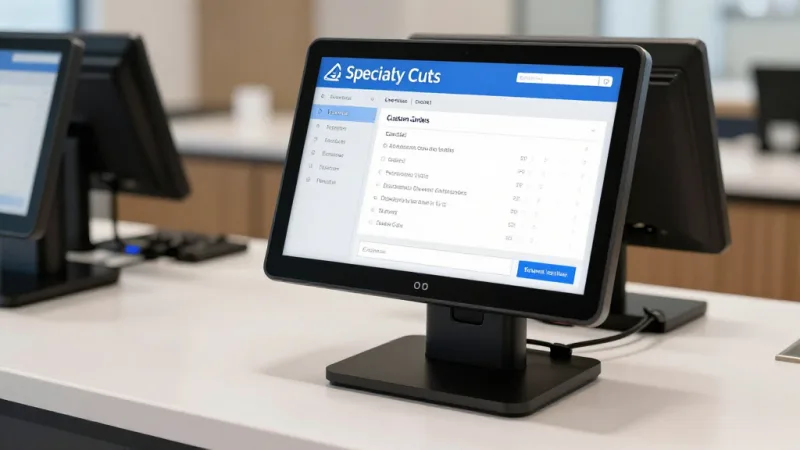
A POS with customer purchase history tracking lets you do exactly that. When a regular walks in, pull up their profile and see:
- Last 20 purchases with exact cuts, weights, and prices
- Preferred thickness (1-inch vs. 1.5-inch ribeye)
- Standing orders ("2 lbs ground chuck every Tuesday")
- Dietary notes ("wife doesn't eat pork")
- Gift card balance and loyalty points
"The usual, Mr. Rodriguez?" is the most powerful phrase in butcher shop customer service. Your POS makes it possible even when the employee has only worked there for two weeks.
Diva Nail Beauty uses a similar approach across their 4 stores — automated customer profiles that track preferences so any staff member can deliver personalized service. The same principle applies whether you're tracking nail art preferences or ribeye thickness. The technology is identical; the application is different.
Checkout Flow: Weighing, Scanning, and Mixed Carts
The ideal butcher shop checkout handles three types of items in a single transaction without mode switching:
- Weighed items — Counter-cut meat priced by the pound, with weight pulled from the integrated scale
- Pre-packaged items — Display case items with barcode labels, scanned like standard retail
- Fixed-price items — Marinades, rubs, sauces, prepared sides, gift cards — scanned or entered by PLU
A typical Saturday transaction might include 2.3 lbs of custom-sliced bacon (weighed), a pre-packaged tray of Italian sausage (scanned), a jar of house BBQ sauce (scanned), and a $50 e-gift card for a friend. The POS handles all four seamlessly, applies loyalty points to the total, and processes payment — all in under 90 seconds.
KwickOS's checkout flow supports exactly this mixed-cart workflow. And because the system is processor-agnostic, you choose your own payment processor and negotiate your own rates. For a butcher shop processing $30,000 to $50,000/month in card transactions, that processor freedom saves $3,000 to $8,000/year compared to locked-in systems like Toast or Square. That's enough to cover a new display case or an extra employee for Saturday rushes.
Inventory and Waste Tracking by Cut
Here's the problem most butcher shop owners know but can't quantify: you buy a whole beef primal at $4.80/lb, but you sell cuts ranging from $5.99/lb (ground beef) to $24.99/lb (tenderloin). Your actual margin depends entirely on your cutting yield — and most shops have no idea what their yield actually is.
A POS with cut-level inventory tracking changes this:
- Receive a whole primal — Enter total weight and purchase cost
- Break it down — Record each cut produced with its weight
- Track shrink — The difference between input weight and total output weight is your cutting loss (bone, fat, trim)
- Calculate real margins — If you get 12 lbs of ribeye from a 20-lb primal at $4.80/lb, your true cost on that ribeye is $8.00/lb, not $4.80/lb
Without this tracking, you think your ribeye margin is 67%. In reality, after cutting loss and trim waste, it's closer to 48%. That 19-point gap is the difference between a profitable butcher shop and one that's slowly bleeding money without knowing why.
Multi-Language Support at the Counter
Butcher shops and delis in diverse neighborhoods need staff and customer-facing interfaces in multiple languages. When your counter staff speaks Spanish and your POS only displays English PLU descriptions, errors multiply.
KwickOS runs natively in English, Chinese, and Spanish — product names, labels, receipts, and customer-facing displays all switch languages based on the operator or the customer's preference. For a butcher shop in a bilingual neighborhood, this isn't a nice-to-have. It's the difference between "costillas de cerdo" ringing up correctly and a confused employee guessing at PLU codes.
Real-World Setup: What a Modern Butcher Shop POS Looks Like
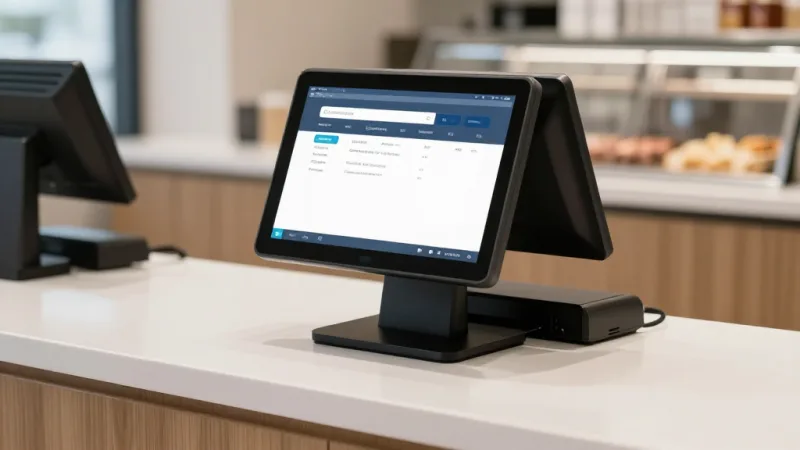
Here's the hardware stack for a typical two-counter butcher shop with a front register:
| Station | Equipment | Function |
|---|---|---|
| Counter 1 | POS terminal + CAS CL-5500 scale + label printer | Weigh, price, label, ring up |
| Counter 2 | POS terminal + CAS CL-5500 scale + label printer | Weigh, price, label, ring up |
| Front Register | POS terminal + barcode scanner + receipt printer + payment terminal | Scan pre-packaged, ring fixed-price, process payment |
| Back Office | Desktop or tablet | Inventory, reporting, pre-orders, loyalty management |
Total hardware investment: $3,500 to $6,000 depending on scale models. Compare that to the $11,000/year in pricing errors you eliminate on day one — the system pays for itself in under 6 months.
And because KwickOS is processor-agnostic, you're not locked into any specific payment terminal. Use a Pax A35 or A80, connect your preferred processor, and start processing at interchange-plus rates from day one. Learn more about payment terminal options.
Online Pre-Orders and Delivery
The pandemic permanently changed customer expectations. Even butcher shop customers now want to order online, pay ahead, and pick up at a scheduled time — or have it delivered.
KwickMenu integrates directly with your butcher shop POS, letting customers browse your full product list, place pre-orders for specific cuts and quantities, schedule pickup windows, and pay online. The order flows directly into your POS queue — no phone tag, no misheard requests, no scribbled notes.
For delivery, KwickDriver charges a $2 flat fee + $6.99 per 5 miles — a fraction of the 15-25% commission that third-party apps take. For a $75 meat order, that's $8.99 on KwickDriver vs. $18.75 on DoorDash. Your customer saves money, you keep your margin, and the delivery driver earns more per trip.
Fingerprint Authentication for Employee Access
Butcher shops handle high-value inventory. A single ribeye primal is worth $150 to $300. Employee theft — whether voiding transactions, manipulating weights, or taking product — is a real concern.
KwickOS's fingerprint 1:N authentication ensures that every POS action is tied to a verified employee. No shared passwords. No buddy punching. No "I didn't do that void." The system logs who weighed what, who adjusted which price, and who processed every transaction — all linked to a fingerprint that can't be shared or faked.
For stores with multiple employees behind the counter, this also speeds up shift changes. Tap a finger, the POS switches users instantly. No logout, no login, no forgotten passwords during the Saturday rush.
Your Deli Counter Deserves Better Than Manual Entry
KwickOS connects to your scales, prints compliant labels, manages pre-orders, and tracks every cut — all while saving you $3,000 to $8,000/year on payment processing. See it in action.
Get a Free Demo