Somewhere in your kitchen right now, there is a paper ticket stuck to the bottom of someone's shoe. There is another one that fell behind the prep line 40 minutes ago—a customer still waiting for their appetizer, and nobody knows it exists. There is a third one that is physically present and visible, but the handwriting is so smeared by steam and grease that your line cook is guessing whether that says "no onion" or "no union."
This is not a bad kitchen. This is every kitchen that runs on paper tickets.
We tracked the hidden costs across dozens of KwickOS installations and found that paper ticket systems waste an average of 23 minutes per shift in aggregate lost time. That is time spent searching for dropped tickets, re-printing lost orders, deciphering handwriting, manually sequencing courses, walking across the kitchen to check on stations, and remaking food because of misread modifications.
Twenty-three minutes does not sound catastrophic. But multiply it across 2 shifts per day, 365 days per year, and you are looking at 280 hours of wasted kitchen labor annually. At $18/hour average kitchen wage, that is $5,040 in pure waste—and it does not account for the remakes, the unhappy customers, and the servers standing at the pass waiting for food that nobody is working on because the ticket fell.
A kitchen display system eliminates all of it. And on KwickOS, it costs $0 per month in software.
What Paper Tickets Actually Cost You (The Math Nobody Does)
Let us build the real cost model. This is the analysis that makes paper ticket defenders go quiet.
Annual Cost of Paper Ticket Systems (Mid-Volume Restaurant, 250 Covers/Day)
The numbers are overwhelming. Even the most conservative estimate shows paper tickets costing a mid-volume restaurant over $20,000 per year when you account for all the hidden costs. A KDS pays for itself in the first month—often the first week.
How a KDS Transforms Kitchen Operations: The 7 Core Capabilities
1. Intelligent Station Routing
In a paper ticket kitchen, the expo or lead cook reads each ticket and mentally routes items to the appropriate station. Grill items to the grill cook. Fried items to the fryer. Salads to the cold station. This manual routing is slow, error-prone, and completely dependent on one person's attention.
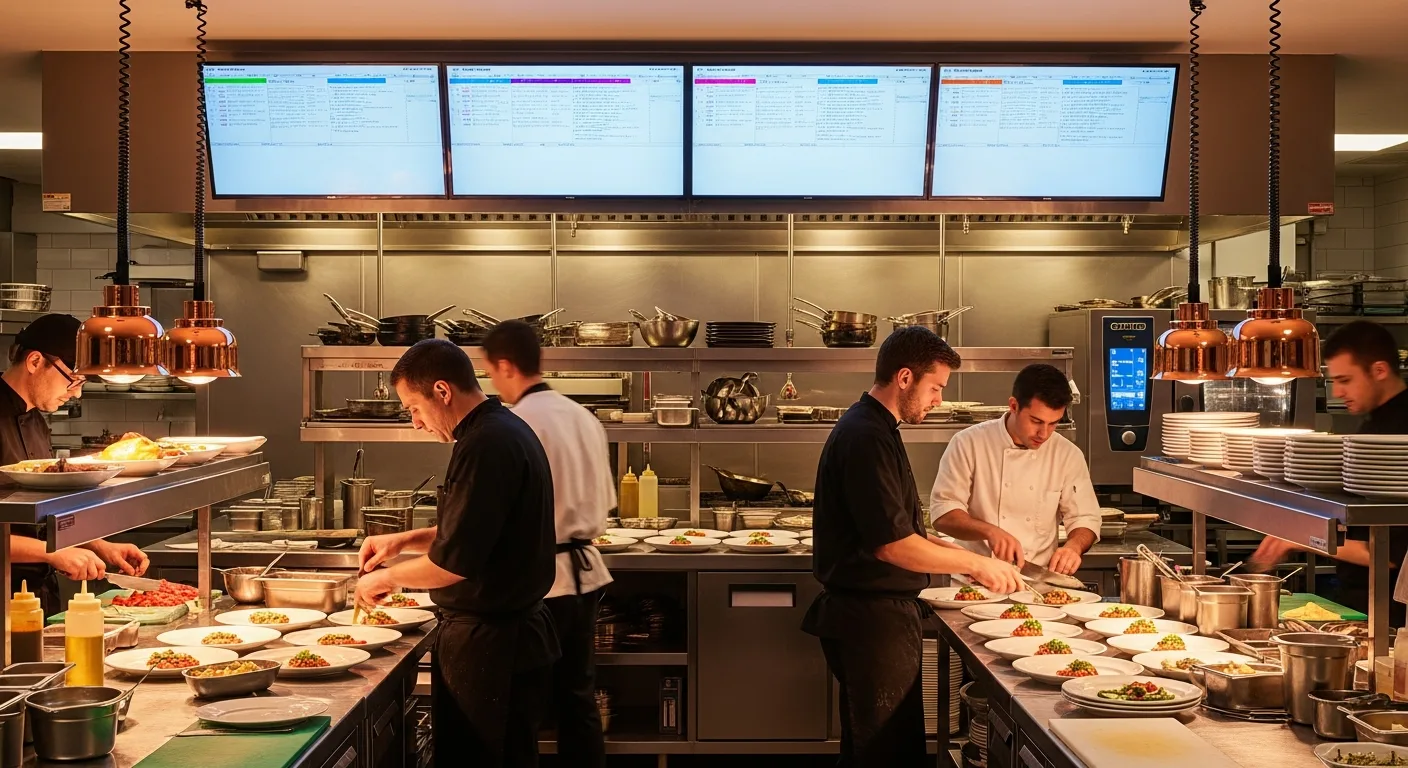
A KDS does this automatically. When an order comes in, KwickOS reads the menu items and routes each one to the correct station's display. The grill station sees only grill items. The fry station sees only fry items. The cold station sees only cold items. Each cook sees exactly what they need to prepare, nothing more.
Case study: Crafty Crab Seafood (19 stores, 152 terminals) uses KwickOS KDS with customized station routing for their specialized seafood preparation. When a customer orders a seafood combination with specific spice levels and add-ons, the KDS routes the base preparation to the boil station, the sides to the prep station, and the special requests (no corn, extra garlic butter, Old Bay substitution) are highlighted in red on every relevant screen. Across 19 locations, this eliminates the verbal communication chain that used to cause errors on complex, customized seafood orders.
2. Color-Coded Timing Alerts
Paper tickets have no sense of time. A ticket that has been waiting 3 minutes looks identical to a ticket that has been waiting 30 minutes. The only timing mechanism is the cook's memory or a shouting expo.
KwickOS KDS uses color-coded timing progression:
- Green (0-8 minutes): On track. Normal preparation time.
- Yellow (8-12 minutes): Approaching threshold. Attention needed.
- Red (12+ minutes): Over target. Immediate action required.
- Flashing (15+ minutes): Critical. This order needs to go out now.
These thresholds are configurable per menu item. A steak at 12 minutes is on time. A salad at 12 minutes is a crisis. KwickOS lets you set different timing targets for different items so the color coding reflects your actual kitchen workflow, not a one-size-fits-all timer.
3. Modification and Allergy Highlighting
On a paper ticket, "NO PEANUTS" and "add extra peanuts" look dangerously similar if the printer is running low on ink or the ticket gets splashed. Allergy-related errors are not just customer complaints—they are potential lawsuits and, in severe cases, life-threatening events.
KwickOS KDS highlights modifications in a distinct color (configurable, typically red or orange) and displays allergy-flagged items with a persistent alert icon. The modification "NO PEANUTS - ALLERGY" appears in large, high-contrast text that is impossible to miss, even on a steam-filled line at 7pm on a Saturday.
4. Course Firing and Sequencing
Fine dining and full-service restaurants need course coordination: appetizers before entrees, entrees timed so all guests at a table receive food simultaneously. Paper tickets require the expo to manually track which courses have gone out and verbally fire the next course for each table.
KwickOS KDS manages course firing automatically. When a server marks the appetizer course as cleared (or the kitchen bumps it as complete), the entree course fires automatically with a visual alert on the appropriate stations. The timing is coordinated so all entrees for a table begin preparation simultaneously, regardless of which stations are involved.
5. Multi-Channel Order Aggregation
Modern restaurants receive orders from multiple channels simultaneously: dine-in from the POS, online orders through KwickMenu, kiosk orders from self-ordering stations, and third-party delivery orders from DoorDash, UberEats, and GrubHub.
Paper ticket systems create separate physical tickets from each source, often on different printers, creating a chaotic mix of paper that the kitchen must mentally sort and prioritize.
KwickOS KDS aggregates all channels onto a single screen (or distributes them by station) with clear visual labeling: "DINE-IN TABLE 7," "ONLINE ORDER #1247," "KIOSK ORDER #K-089," "DOORDASH #DD-456." The kitchen sees all orders in one unified queue, prioritized by time and type. Delivery orders can be automatically given a time buffer (start 5 minutes before pickup time) so they are ready when the driver arrives, not sitting under a heat lamp for 15 minutes.
6. Bump-Bar and Touchscreen Workflow
When a cook finishes an item, they need to mark it complete. On paper, this means physically moving the ticket to a "done" rail or calling out to the expo. On KwickOS KDS, the cook presses a bump bar button or taps the touchscreen. The item disappears from their station and the system tracks completion time automatically.
Bump bars are the preferred interface for high-volume kitchens: physical buttons that can be operated with wet, greasy hands without touching a screen. KwickOS supports both bump bars and direct touchscreen interaction, so you choose the interface that fits your kitchen environment.
7. Performance Analytics
Paper tickets generate zero data. When the shift is over, the tickets go in the trash and all performance information is lost forever. You cannot measure what you cannot track.
KwickOS KDS tracks every order from the moment it hits the screen to the moment it is bumped complete. This generates actionable analytics:
- Average ticket time by station: Which station is the bottleneck?
- Average ticket time by menu item: Which items take longer than expected?
- Peak hour throughput: How many orders per hour can your kitchen handle before times start slipping?
- Remake frequency: How many orders are voided and re-fired?
- Station performance by shift/employee: Which cooks are fastest? Which need training?
This data lets you make informed decisions about staffing, station layout, menu design, and training priorities. Without a KDS, you are running your kitchen blind.
Case Study: Shogun Japanese Hibachi—Custom Station Displays
Shogun Japanese Hibachi operates a single location with 4 terminals and a unique kitchen challenge: hibachi stations where chefs cook in front of guests, requiring precise timing and theatrical presentation.
KwickOS KDS was customized for Shogun's specific workflow:
- Each hibachi station has its own KDS display showing only orders assigned to that station's seating area
- Course timing is coordinated so the chef knows when to start each course for the table, maintaining the entertainment rhythm
- Special requests are highlighted prominently—critical for a kitchen where the chef has one chance to get it right in front of the customer
The most remarkable data point: new operators at Shogun achieve full KDS proficiency in under 5 minutes. The interface is designed for kitchen environments—large buttons, high contrast, minimal text, intuitive layout. If a cook can use a smartphone, they can use the KwickOS KDS.
KDS Platform Comparison: KwickOS vs. Toast vs. Square vs. Clover
Kitchen Display System Comparison
| Feature | KwickOS | Toast | Square | Clover |
|---|---|---|---|---|
| Monthly KDS fee (per screen) | $0 | $25/mo | $20/mo | $0-$40/mo (app-dependent) |
| Annual cost (3 screens) | $0 | $900/yr | $720/yr | $0-$1,440/yr |
| Offline functionality | Full (1ms local routing) | Cloud dependent | Cloud dependent | Cloud dependent |
| Station routing | Unlimited stations | Yes (per-screen fee) | Yes (per-screen fee) | Limited |
| Course firing | Automatic | Yes | Basic | Varies |
| Multi-channel orders | POS + Online + Kiosk + 3rd party | POS + Toast Online | POS + Square Online | POS only (most apps) |
| Hardware requirement | Any screen/tablet | Toast hardware | iPad only | Varies |
| Performance analytics | Included | Basic | Basic | Limited |
The critical differentiator is offline functionality. Toast, Square, and Clover all run their KDS through the cloud. When your internet goes down—and in a commercial kitchen with steam, water, and physical impacts to networking equipment, it will go down—their KDS goes dark. Your kitchen is suddenly blind.
KwickOS routes orders from POS to KDS over the local network. The latency is 1 millisecond. The internet is not involved. Your kitchen keeps running regardless of what your ISP is doing.
Setting Up KDS on KwickOS: Hardware and Configuration
Hardware Requirements
KwickOS KDS runs on any screen with a web browser or native KwickOS client. Your options:
- Commercial kitchen displays ($200-$400): Ruggedized, heat-resistant, designed for kitchen environments. Best for high-volume kitchens with steam and grease.
- Consumer tablets ($150-$300): iPads or Android tablets in protective cases. Adequate for lower-volume kitchens or stations away from heat sources.
- Repurposed monitors ($100-$200): Any TV or monitor with HDMI input, connected to a $50 mini-PC running the KwickOS KDS client. The most cost-effective option for adding stations.
Mount displays at eye level for each station cook. Angle them to avoid glare from overhead lighting. For high-volume kitchens, add a bump bar ($50-$100) rather than relying on touchscreen interaction with greasy hands.
Configuration Walkthrough
- Define your stations in KwickOS Admin → Kitchen → Stations. Name each station (Grill, Fry, Cold, Prep, Expo) and assign menu categories to each.
- Set timing thresholds per station. Grill station might be 10/14/18 minutes for green/yellow/red. Cold station might be 4/6/8 minutes.
- Configure order source labels. Decide how you want kiosk, online, delivery, and dine-in orders to appear on the KDS. Different colors? Different sections? KwickOS supports both.
- Enable course firing if you run a multi-course service. Set the course sequence and automatic firing rules.
- Test with live orders. Place 5-10 test orders from each source (POS, online, kiosk) and verify routing, timing, and bump completion.
Total setup time: 30-60 minutes for a 3-station kitchen. No IT contractor needed. No server installation. KwickOS KDS runs on the same local network as your POS.
Frequently Asked Questions
Ready to Eliminate Paper Tickets?
KwickOS KDS is included free—unlimited stations, offline capability, multi-channel routing. See it in action with a live kitchen demo.
Book Your Free Demo(888) 355-6996 · 6405 Cypresswood Dr #250, Spring TX 77379