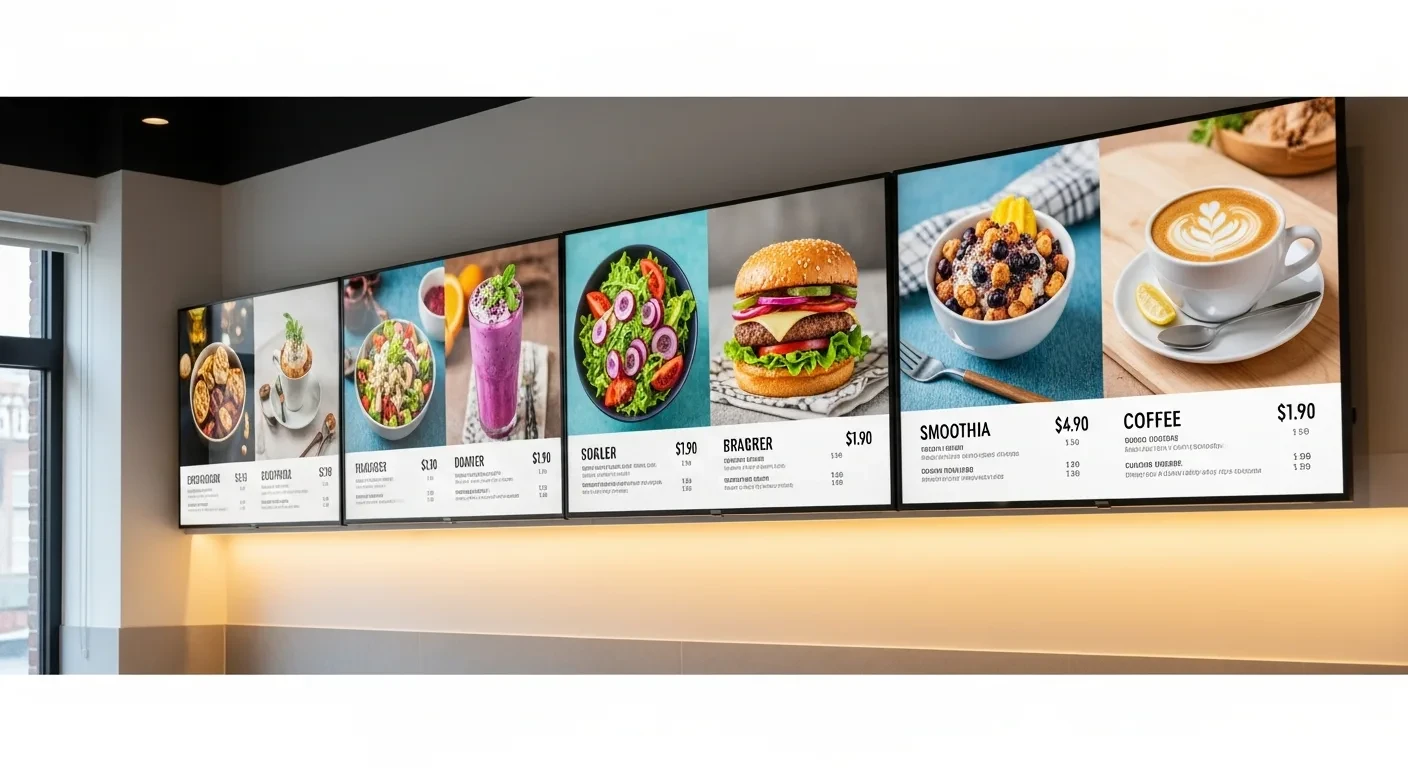
There is a TV on the wall of your restaurant right now. Maybe it is showing ESPN. Maybe it is showing a static menu printed on foam board taped next to it. Maybe it is turned off entirely, a dark rectangle collecting dust above the bar.
That TV is a marketing channel. A powerful one. And you are paying nothing extra to turn it on.
Here is what that screen could be doing right now: displaying your menu with high-resolution food photos that make every customer hungry. Rotating through daily specials and limited-time offers. Showing real-time order status for takeout and kiosk customers. Promoting your gift card program during the holiday season. Running happy hour pricing that activates automatically at 4pm and deactivates at 7pm. Displaying your loyalty program enrollment QR code.
All of this. From the POS. Updated in real-time. At zero monthly cost.
That is KwickSign—the digital signage module built into KwickOS. And in this guide, we are going to cover exactly how to set it up, what content to display, how it integrates with your POS for automatic price updates, and why paying $50-$200 per month for a standalone signage service makes no sense in 2026.
The Problem with Static Menus (And Why Restaurants Lose Money Every Day Because of Them)
Let us count the ways a printed menu board fails you:
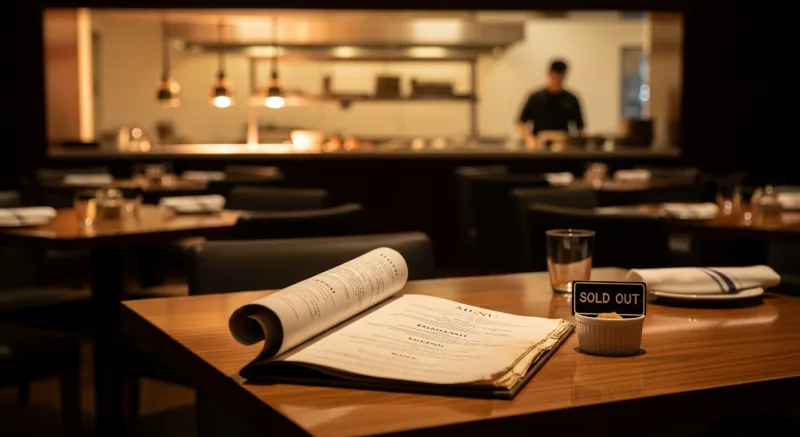
Price changes require reprinting. When your food cost on chicken thighs spikes 15% and you need to raise the price of three menu items by a dollar, a printed menu requires ordering new signage. The turnaround is 3-7 business days. The cost is $50-$200 per sign. During the gap, you are selling at the old price and absorbing the cost increase.
With KwickSign, you change the price in KwickOS and the menu board updates within seconds. The same evening. No print order. No waiting. No design fee.
Seasonal menus are a logistics nightmare. You want to run a summer cocktail menu from June through August, a fall menu featuring pumpkin and apple flavors from September through November, and holiday specials in December. With printed signage, that is four sign changes per year, each costing time and money.
With KwickSign, you schedule seasonal content in advance. The summer menu appears on June 1st at 12:00am and disappears on September 1st. No manual swaps. No forgetting to take down the Valentine's Day special on February 15th.
You cannot run timed promotions. Happy hour pricing from 4-7pm. Lunch specials from 11am-2pm. Late-night menu after 10pm. Printed menus cannot change throughout the day. Your servers verbally communicate the specials, inconsistently and incompletely.
KwickSign runs daypart-specific content automatically. The lunch menu appears at 11am. Happy hour pricing replaces it at 4pm. The full dinner menu takes over at 7pm. Every customer sees the right menu at the right time without a single manual intervention.
No upselling capability. A printed menu is passive. It sits there. It does not suggest. It does not highlight. It does not rotate featured items based on what you need to move today.
KwickSign actively merchandises your menu. High-margin items get prominent placement. Low-inventory items can be automatically hidden. Daily specials rotate through an attention-grabbing animation. Featured items are displayed with high-resolution photos that drive impulse ordering.
5 Types of Digital Signage Displays (And How to Use Each One)
1. Digital Menu Boards
The most common and highest-impact application. Replace printed menu boards with one or more screens displaying your full menu with photos, descriptions, and pricing. Position behind the counter or at the entrance where customers make ordering decisions.
Revenue impact: Restaurants that switch from printed to digital menu boards report a 3-5% increase in average check size. The mechanism is simple: high-quality food photos drive appetite appeal and impulse additions. A photo of a dessert on the screen sells more desserts than a line of text on a printed board.
KwickSign integration: Menu items, prices, descriptions, and photos are pulled directly from the KwickOS menu database. Change a price in the POS, and the menu board updates in real-time. Mark an item as 86'd (out of stock), and it disappears from the digital board instantly—no customer orders an item you cannot make.
2. Promotional Displays
Screens dedicated to marketing content: daily specials, seasonal promotions, gift card promotions, loyalty program signup, upcoming events, catering services, and social media feeds.
Where to place them: Waiting areas, bar areas, restroom hallways (yes, really—captive audience), and any high-dwell-time zone where customers are not actively ordering.
Content rotation: KwickSign supports content playlists. Set up a 30-second rotation: 10 seconds of daily special, 10 seconds of gift card promo, 10 seconds of loyalty QR code. The playlist runs continuously without manual intervention.
3. Customer-Facing Order Status
For takeout-heavy restaurants, fast-casual concepts, and any business using self-ordering kiosks, a customer-facing order status display is transformative. Customers see their order number, preparation status, and "READY" notification on a large screen near the pickup area.
The operational benefit: Eliminates the noise of calling out names or numbers. Reduces counter crowding from customers asking "is my order ready?" Frees up staff from order-status inquiries to focus on actual food preparation and customer service.
KwickSign integration: Order status pulls directly from the KDS. When the kitchen bumps an order as complete, the customer-facing display updates to "READY" automatically. The flow is: order placed → "Preparing" on screen → kitchen completes → "Ready for Pickup" on screen. Zero manual steps.
4. Employee-Facing Information Displays
A screen in the back of house or break room displaying: today's specials (so servers can sell them accurately), shift schedule for the day, daily sales target and current progress, kitchen prep lists, and internal announcements.
This is an underrated use case. Restaurants that display daily sales targets on a back-of-house screen report that staff become more engaged with upselling because the goal is visible and the progress is real-time. When the team can see they are $200 away from the daily target at 8pm, energy shifts.
5. Window and Exterior Displays
High-brightness screens positioned in windows or behind glass facing the street. Display your menu, daily specials, and current wait time to attract walk-in traffic. This is the digital equivalent of a sandwich board, but with dynamic content and zero daily maintenance.
KwickSign supports brightness scheduling: screens automatically increase brightness during daylight hours and reduce at night, ensuring visibility without excessive power consumption.
How KwickSign Works: The Technical Architecture
KwickSign is not a separate product you buy, integrate, and maintain. It is a native module within the KwickOS platform. Here is how the pieces connect:
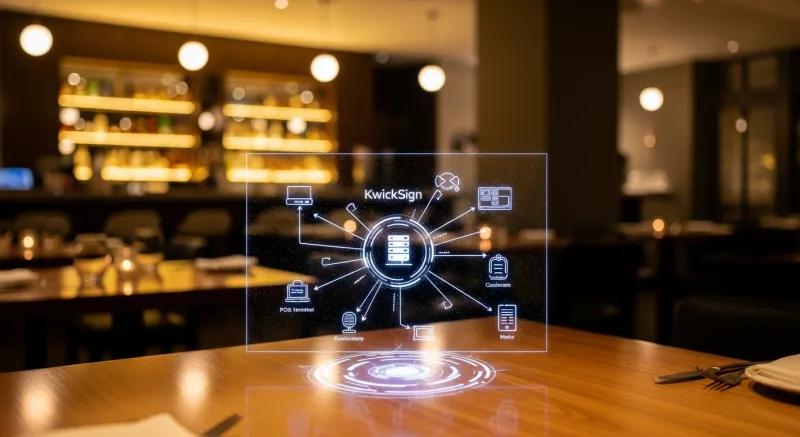
- KwickOS POS is the single source of truth for menu items, prices, descriptions, and availability.
- KwickSign content engine reads the POS database and generates display layouts automatically.
- Media player device (mini-PC, Android stick, smart TV browser) receives the layout and renders it on the connected screen.
- Real-time sync: Price changes, stock-outs, and schedule-based content swaps push to all connected screens within seconds.
Because KwickSign reads directly from KwickOS, there is no content duplication. You do not maintain a separate menu in the signage system. You do not re-upload photos. You do not manually sync prices. The POS is the source. The screens are the output. One system.
The Real Cost Comparison: KwickSign vs. Dedicated Signage Solutions
Digital Signage Cost Comparison (3 Screens, 1 Year)
| Cost Factor | KwickSign (KwickOS) | ScreenCloud | Rise Vision | Menuboard Manager |
|---|---|---|---|---|
| Monthly software fee | $0 | $20-$30/screen | $10-$20/screen | $50-$70/screen |
| Annual software cost (3 screens) | $0 | $720-$1,080 | $360-$720 | $1,800-$2,520 |
| POS price sync | Automatic (native) | Manual / API integration | Manual | Manual |
| Menu database shared with POS | Yes (same system) | No (separate system) | No (separate system) | No (separate system) |
| Order status display | Native (KDS integration) | No | No | No |
| 86'd item auto-removal | Yes (instant) | No | No | No |
| Hardware requirement | Any TV + $50 player | Any TV + player | Any TV + player | Specific hardware |
The cost difference is significant, but the operational difference is what matters most. Dedicated signage solutions require you to maintain a separate content management system. You have two menus: one in the POS and one in the signage platform. Every price change, every new item, every stock-out must be updated in both places. People forget. Menus drift out of sync. Customers order items at incorrect prices or items that are not available.
KwickSign eliminates this dual-maintenance problem because the POS and the signage share the same database. There is one menu. One source of truth. One update that propagates everywhere.
Real-World Signage Strategies That Drive Revenue
Happy Hour Automation
Configure KwickSign to display happy hour pricing, drink specials, and appetizer deals on a schedule. At 4:00pm, the bar TV switches from the regular menu to the happy hour display with updated prices and featured cocktails. At 7:00pm, it switches back to dinner service. No bartender needs to remember to change anything. No customer misses the promotion because the sign was not updated.
Layer in the loyalty integration: display a QR code during happy hour that enrolls customers in your rewards program. Happy hour customers are high-frequency visitors—exactly the audience you want in your loyalty database.
Daily Specials Rotation
Set up a weekly special schedule in KwickSign: Monday is half-price appetizers, Tuesday is taco night, Wednesday is wine night. Each day, the signage automatically displays the relevant promotion. The chef can update tomorrow's special from the KwickOS admin panel at any time, and the screen will reflect the change when the day arrives.
Gift Card Seasonal Push
During November and December, dedicate a screen zone or a playlist slot to gift card promotions. "Give the gift of great food. Gift cards available at the register or scan to send digitally." Include a QR code that links directly to your e-gift card purchase page (KwickMenu). After December 25th, the gift card promo automatically stops and is replaced by your standard content.
Social Proof Display
Display your Google review rating, recent positive reviews, or user-generated photos from Instagram on a rotating screen. Social proof at the point of purchase reinforces the customer's decision to dine with you and encourages them to leave their own review. KwickSign supports image and text widgets that can be updated remotely.
Wait Time and Queue Management
For restaurants with wait times, display the current estimated wait on a screen near the entrance. This serves two purposes: it sets expectations for arriving customers (reducing walk-aways) and it is visible from the street (encouraging customers who see a short wait to come in). KwickSign can display wait times pulled from the KwickOS reservation/waitlist system.
Hardware Setup: The 15-Minute Installation
You probably already have the TV. Here is what else you need and how to connect it.
Option 1: Smart TV with Browser ($0 Additional Hardware)
If your TV has a built-in web browser (most smart TVs made after 2018), you can run KwickSign directly in the browser. Open the browser, navigate to your KwickSign display URL, and enter full-screen mode. The display updates in real-time via the local network.
Limitation: Some smart TV browsers have limited capabilities. Test your specific TV model before relying on this approach for production use.
Option 2: Android TV Stick ($30-$50)
A small Android device (Amazon Fire TV Stick, Chromecast with Google TV, or generic Android stick) plugged into the TV's HDMI port. Install the KwickSign app or open the browser to the display URL. This is the most cost-effective dedicated player option.
Option 3: Mini-PC ($50-$150)
A Raspberry Pi, Intel NUC, or similar mini-PC connected via HDMI. This option provides the most reliable performance and supports multiple displays from a single device. The mini-PC runs the KwickOS client natively on Linux—no Windows license, no manual updates.
Option 4: Repurposed Tablet ($100-$300)
For smaller displays (waiting area, hostess stand), an iPad or Android tablet running KwickSign in kiosk mode. Mount it on a wall stand or counter stand. This works well for interactive displays where customers can browse the menu or check order status by touch.
Configuration Steps
- Connect the media player to your TV and to your local network (Wi-Fi or Ethernet).
- In KwickOS Admin, navigate to Signage → Displays → Add Display. Name it (e.g., "Bar TV," "Counter Menu Board").
- Select display type: Menu Board, Promotional Playlist, Order Status, or Custom Layout.
- Configure content: Select which menu categories to display, set daypart schedules, add promotional content, and configure rotation timing.
- Generate the display URL and open it on the media player. The screen activates immediately.
Total setup time: 15 minutes per screen, including hardware connection. No IT contractor. No signage vendor. No ongoing maintenance contract.
Multi-Location Signage Management
For operators running multiple locations, KwickSign provides centralized management with location-specific content. From a single admin dashboard, you can:
- Push a promotion to all locations simultaneously. New seasonal menu? One click deploys it to every screen in every store.
- Maintain location-specific content. Location A has a beer garden and needs a beer menu on the patio TV. Location B is near a college campus and features a late-night menu. Each location's screens are independently configurable.
- Monitor screen status remotely. See which screens are online, which are offline, and what content is currently displaying—without physically visiting each location.
For chains like T. Jin China Diner (15 stores) or Crafty Crab Seafood (19 stores), this centralized management eliminates the need for local managers to update signage content. Corporate controls the brand message. Local operators focus on food and service.
The ROI of Digital Signage: Conservative Math
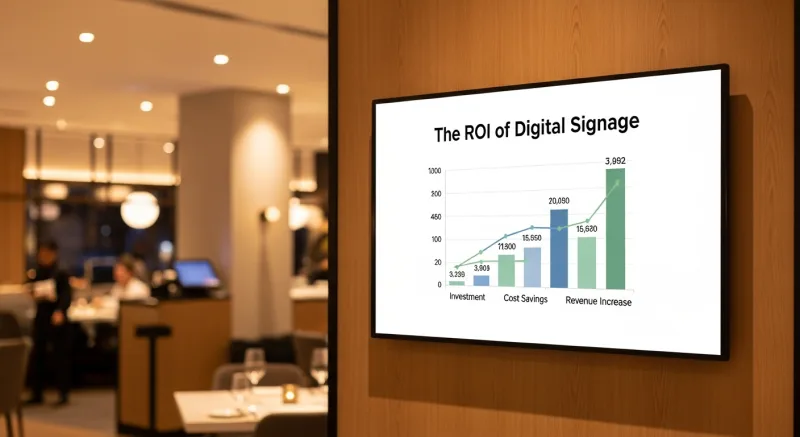
Digital Signage ROI (Single Location, 3 Screens)
Even at the most conservative estimates, digital signage generates tens of thousands in additional annual revenue against a near-zero cost base. If you are paying $50-$200 per month for standalone signage software, that money is pure waste when KwickSign does the same thing—plus POS integration—at no additional charge.
Frequently Asked Questions
Ready to Turn Your TVs Into Revenue Generators?
KwickSign is included free with KwickOS—menu boards, promotional displays, order status, and multi-location management. No monthly fees. No separate signage vendor. See it in action.
Book Your Free Demo(888) 355-6996 · 6405 Cypresswood Dr #250, Spring TX 77379