Menu Photos That Sell: How KwickPhoto Turns Every Dish Into a Revenue Driver
Menu Photos That Sell isn't just a technology decision — it's an operational one. A menu item without a photo is invisible. Here's how to photograph your food in-house, enhance it automatically, and push it everywhere your customers look—without hiring a photographer.
Open DoorDash or Uber Eats right now and scroll through the listings. What do you notice? You skip the restaurants without photos. Every single time. Your eye goes to the bright, appetizing image of pad thai or the glistening burger—never to the gray placeholder icon that says "No photo available."
Your customers do the same thing on your online ordering page, at your kiosk, and in front of your digital menu board. A menu item without a photo isn't just less appealing—it's functionally invisible. It exists on the menu, but it doesn't exist in the customer's decision-making process.
The Photo Effect: Why Images Outsell Text 30 to 1
The data on menu photography is remarkably consistent across studies and restaurant types:
- Menu items with photos see 30% higher ordering rates compared to text-only listings (GrubHub internal data, confirmed across 50,000+ restaurant partners)
- Online ordering platforms report 25–35% higher conversion rates for restaurants with full photo menus vs. partial or no photos
- Self-service kiosks with photo menus generate 20–28% higher average tickets than text-only kiosks
- Restaurants that add photos to their top 20 items typically see a 12–18% increase in overall revenue from those items within the first month
Why? Because food purchasing is an emotional decision, not a rational one. Text descriptions engage the analytical brain: "Grilled salmon fillet with roasted vegetables and lemon butter sauce." The customer processes the words, considers the price, and decides logically. It's slow, and the answer is often "I'll just get what I always get."
A photo engages the emotional brain instantly. The customer sees the golden crust on the salmon, the vibrant green of the asparagus, the glisten of the butter sauce. The decision happens in under two seconds: "I want that." The price becomes secondary to the desire.
This isn't speculation. It's why every fast food chain on earth uses backlit menu board photos. It's why grocery stores put photos on packaging. Visual selling works because human beings are visual decision-makers—65% of people are visual learners, and the brain processes images 60,000 times faster than text.
KwickPhoto: Professional Results Without a Professional
The traditional approach to menu photography goes like this: hire a food photographer ($500–$2,000 per session), schedule a shoot (usually requires closing or shooting before open), prep every dish perfectly, photograph 20–40 items in 3–4 hours, wait 1–2 weeks for edited photos, and then manually upload them to your website, ordering platform, and third-party apps.
The result is beautiful. The problem is practical: you do this once or twice a year, if ever. New dishes get added without photos. Seasonal items never get photographed. Your menu slowly becomes a patchwork of professionally shot items and text-only listings.
KwickPhoto takes a different approach. It's a product photography module built into KwickOS that lets anyone on your staff take professional-quality food photos using a tablet or phone, right in the restaurant, at any time.
How KwickPhoto Works
- Plate the dish exactly as it would be served to a customer.
- Open KwickPhoto on any KwickOS device (tablet, phone, POS terminal with camera).
- Select the menu item from your existing menu database.
- Take the photo using the guided framing overlay (shows you optimal composition).
- Auto-enhance applies: white balance correction, color vibrancy boost, background cleanup, and sharpening.
- One-click publish pushes the photo to every channel simultaneously: online ordering, kiosk, digital signage (KwickSign), customer-facing display, and the POS menu.
Total time from plating to published across all channels: under 3 minutes per item.
The key advantage: Because KwickPhoto is integrated into KwickOS, the photo is automatically linked to the correct menu item in the database. There's no manual uploading to five different platforms. Change the photo, and it updates on the POS, the kiosk, the online ordering page, and the digital menu board—instantly.
How to Photograph Food That Sells: A Practical Guide
You don't need photography training. You need to follow five rules consistently.
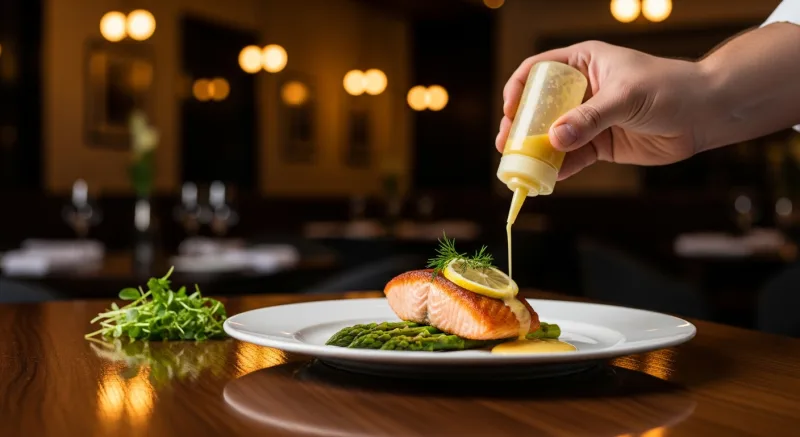
Rule 1: Natural Light Is Your Best Friend
Shoot near a window whenever possible. Natural daylight makes food look warm, fresh, and appetizing. Overhead fluorescent lighting (the kind in most kitchens) makes food look flat and institutional.
If you can't get to a window, use a simple LED panel light ($30–$60 on Amazon) placed at a 45-degree angle to the dish. Avoid direct flash—it creates harsh shadows and makes surfaces look greasy.
Timing matters: The best natural light for food photography is between 10 AM and 2 PM on a day with light cloud cover. Direct sunlight creates hard shadows; overcast light is soft and even.
Rule 2: Shoot at a 45-Degree Angle (The "Diner's View")
The most appetizing food photos are taken from roughly the angle a seated customer would see the dish. That's about 30–45 degrees from horizontal. This angle shows both the top of the dish and the front profile, giving depth and dimension.
Exceptions:
- Flat items (pizza, flatbread, salads): Shoot directly overhead (90 degrees) to show the full spread of toppings.
- Tall items (burgers, layer cakes, stacked sandwiches): Shoot straight on (0 degrees) to emphasize height.
- Bowls (ramen, poke, soup): Shoot at 45–60 degrees to show the contents without losing the bowl's shape.
Rule 3: Garnish and Fill the Frame
The dish should fill 70–80% of the frame. Too much empty space makes the portion look small. Too tight and you lose context.
Add a garnish even if you don't normally garnish for service: a sprig of herbs, a lemon wedge, a sprinkle of sesame seeds. These small additions add color contrast and signal freshness. The photo version of a dish should be the best possible version of that dish.
Rule 4: Use a Clean, Simple Background
The background should not compete with the food. Best options:
- A clean white plate on a dark wood surface
- A textured cutting board
- Your actual restaurant tabletop (if it's clean and visually appealing)
- A simple cloth napkin as a base
Avoid cluttered backgrounds with other dishes, condiment bottles, or kitchen equipment visible. The customer's eye should go to the food and nowhere else.
Rule 5: Shoot While It's Fresh
Food has a "photo window" of about 5–10 minutes after plating. After that, sauces congeal, greens wilt, cheese stops glistening, and hot items lose their steam. Prep your camera setup before the dish is plated, then shoot immediately.
For items that look best with steam (soups, coffee, fresh-from-the-oven bread), shoot within 60 seconds of plating. KwickPhoto's auto-enhance will handle the color and sharpness; you just need to capture the moment when the food looks alive.
One Photo, Every Channel: The Integration Advantage
Here's what happens when a restaurant takes a photo with a standalone camera or phone, outside of any integrated system:
- Transfer photo from camera to computer
- Edit in Photoshop or similar (30–60 minutes if you know what you're doing)
- Upload to online ordering platform
- Upload to third-party delivery apps (DoorDash, Uber Eats, Grubhub—each requires separate uploads)
- Send to signage system for digital menu boards
- Update the kiosk menu if different from POS
- Update the website gallery
That's 7 steps per photo. For a 60-item menu, that's 420 individual actions. Most restaurants give up after step 3.
With KwickPhoto, the workflow is:
- Take photo in KwickPhoto
- Tap "Publish"
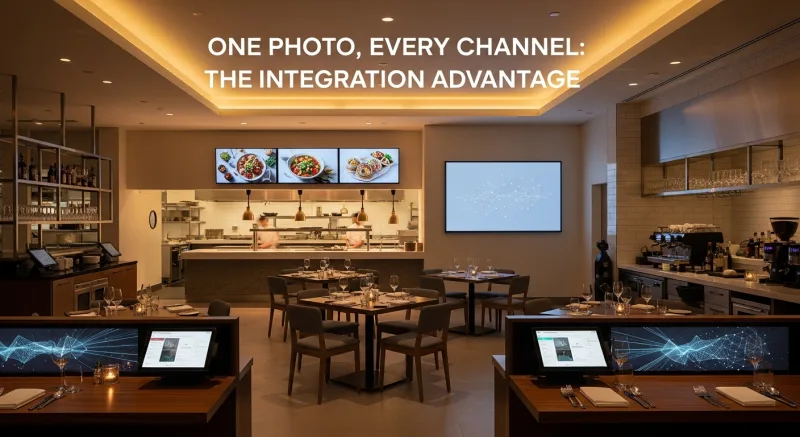
Two steps. The photo propagates to every channel automatically because KwickOS is a single unified platform. The POS, online ordering (KwickMenu), kiosks, digital signage (KwickSign), and customer-facing displays all pull from the same image library.
| Channel | Without KwickPhoto | With KwickPhoto |
|---|---|---|
| POS register display | Manual upload | Automatic |
| Online ordering page | Manual upload | Automatic |
| Self-service kiosk | Manual upload (different system) | Automatic |
| Digital menu board | Manual upload to signage software | Automatic |
| Customer-facing display | Often skipped entirely | Automatic |
Cost Comparison: KwickPhoto vs Professional Photography
| Factor | Professional Photographer | KwickPhoto |
|---|---|---|
| Cost per shoot (30–50 items) | $500–$2,000 | $0 (included with KwickOS) |
| Time to schedule | 1–3 weeks | Anytime |
| Turnaround for edited photos | 1–2 weeks | Instant (auto-enhance) |
| New item added to menu | Wait for next scheduled shoot | Photograph today, live today |
| Seasonal menu refresh (4x/year) | $2,000–$8,000/year | $0 |
| Photo quality | Excellent (studio-grade) | Very good (auto-enhanced) |
The honest take: A professional photographer will produce slightly better photos than KwickPhoto. But 90% quality on every single menu item beats 100% quality on 30 items (with the rest having no photo at all). Coverage matters more than perfection.
Common Menu Photo Mistakes (and How to Fix Them)
Mistake 1: Using stock photos
Customers can tell. A stock photo of a burger doesn't look like your burger. When the real dish arrives and doesn't match the glossy stock image, you've created a trust problem. Always photograph your actual dishes.
Mistake 2: Inconsistent photo styles
Half your photos are bright and professional; the other half are dark, blurry, and taken under fluorescent lights. This makes your entire menu look amateurish. KwickPhoto's auto-enhance normalizes white balance and exposure across all photos, creating a consistent visual style even if different staff members took the photos on different days.
Mistake 3: Photographing only some items
A menu where 10 items have photos and 50 don't actually hurts the unphoto'd items more than having no photos at all. The contrast draws attention to the photographed items and makes everything else feel like an afterthought. Commit to photographing your entire menu or at least every item in a given category.
Mistake 4: Outdated photos
If you changed the plating on your signature dish six months ago but the menu still shows the old presentation, customers will feel deceived when the actual dish looks different. With KwickPhoto, re-shooting is so fast (under 3 minutes per item) that there's no excuse for outdated images.
Mistake 5: Tiny portions in large frames
If the food occupies 30% of the frame and the rest is empty plate and table, the dish looks small and overpriced. Fill the frame. Get closer. Use KwickPhoto's framing guide to ensure the dish dominates the image.
Your Menu Photo Strategy: Where to Start
Don't try to photograph your entire 80-item menu in one afternoon. Follow this priority sequence:
Phase 1: Top 10 Sellers (Day 1)
Photograph your 10 highest-volume items. These are already popular—great photos will make them even more popular and boost their average modifier/upsell attachment. This phase alone can impact 40–60% of your revenue.
Phase 2: High-Margin Items (Day 2)
Photograph items with the highest profit margin, especially those that aren't top sellers yet. A great photo can shift customer attention toward these items. If your $16 pasta has a 78% margin but your $22 steak has a 55% margin, the pasta photo might be the better investment.
Phase 3: Complete Categories (Week 1)
Choose your most-viewed category (usually appetizers or entrees) and photograph every item in it. A fully photo'd category looks professional and drives higher ordering rates across the entire section.
Phase 4: Full Menu (Week 2–3)
Fill in the remaining items. By this point, you've developed a rhythm: plate, shoot, publish. A staff member can photograph 10–15 items during a slow afternoon shift.
Ongoing: New Items and Seasonal Updates
Every new menu item gets photographed before it goes live. Seasonal specials get dedicated photo sessions. With KwickPhoto, this takes minutes, not days. No more "we'll add the photo later" items that never get photographed.
The Return on Menu Photography
Let's run the numbers for a typical restaurant doing $600,000 in annual revenue:
| Scenario | Revenue Impact | Annual Value |
|---|---|---|
| Photos on top 10 items (conservative 10% lift on those items representing 50% of sales) | +$30,000 | $30,000/year |
| Full photo menu on online ordering (+25% conversion rate improvement on 20% of revenue from online orders) | +$30,000 | $30,000/year |
| Photo-driven upsell on kiosk (+20% average ticket on kiosk orders) | Varies by kiosk volume | $12,000–$24,000/year |
| Fewer returns/complaints (customer knows what they ordered) | Reduced waste + goodwill | $3,000–$6,000/year |
Conservative total: $75,000–$90,000 in annual revenue impact from menu photography. The cost with KwickPhoto: zero beyond what you already pay for KwickOS. The cost of not doing it: invisible, which is exactly why so many restaurants ignore it.
Your menu is your primary sales tool. Make sure customers can see what they're buying.
Photograph your menu this week
KwickPhoto is included with every KwickOS installation. Take professional food photos, auto-enhance them, and publish to every channel in one tap.
Schedule a Demo (888) 355-6996