 Ming Ye
Walk through any restaurant at 2:45 p.m. The lunch rush is over. The dinner rush is two hours away. The ovens are on, the cooks are on the clock, the rent meter is running — and almost nothing is being sold.
Here's the uncomfortable truth every operator knows but few say out loud: you're paying 100% of your rent, labor, and equipment costs to use maybe 60% of your kitchen's capacity. That gap — the dead hours, the idle stations, the fixed costs that don't care whether tickets are printing — is pure overhead with nothing to show for it.
And it gets worse. The instinct, when you want to grow, is to open a second location. That means a new lease, a new build-out, a new $175,000-to-$750,000 bet, and a new set of ways to go bankrupt. Most owners assume growth requires more square footage. It's the single most expensive assumption in the business.
But there's a version of "opening a second restaurant" that costs you no rent, no lease, and under $1,000 to launch. It runs out of the kitchen you already have, during the hours you're already paying for. It's called a virtual brand — and for the right operator, it can add $42,000 or more in annual revenue without a single new wall.
This guide is the build manual: how to name and design a virtual brand, shoot food that sells on a tiny screen, optimize your listings on the delivery apps, market a restaurant that has no address, and — the part almost everyone gets wrong — wire it all into one POS so a second (or third) concept doesn't turn your kitchen into chaos. Let's build it.
What a Virtual Brand Actually Is (and Isn't)
A virtual brand is a restaurant that exists only online. It has its own name, its own menu, its own photos, and its own listings on delivery apps and your own ordering site — but it's cooked out of a kitchen that's already running under a different name. Customers order "Nashville Hot Bird Co." and never know it came out of the same line that plates your Italian dinner menu.
Let's clear up the vocabulary, because it trips people up:
- Virtual brand — a new delivery-only concept run from your existing restaurant kitchen. That's what this guide is about.
- Ghost kitchen / dark kitchen — a physical space (often rented) built only for delivery, with no dining room at all. It's the real estate; the virtual brand is the concept that lives inside it. We cover the operations side in depth in our ghost kitchen multi-brand guide and the dark kitchen setup guide.
The key distinction: a virtual brand doesn't need new rent because it borrows a kitchen you already pay for. That's the whole magic trick. You're not adding overhead — you're finally using the overhead you already carry.
Why the Math Is So Good (When You Do It Right)
Here's the thing about a virtual brand: because the rent, the equipment, and most of the labor are already covered by your primary restaurant, the incremental cost of each order is mostly just food and packaging. That means a much larger slice of every virtual-brand dollar drops toward your bottom line than it does for your main concept.
Say your kitchen can absorb 20 extra delivery orders a night at an average ticket of $28. That's $560/night, roughly $14,000/month in gross sales from capacity you were already paying for. Even after food cost and delivery, a well-run virtual brand can add $3,000–$4,000/month in real contribution — call it $42,000+ a year — without a lease, a landlord, or a loan.
But here's the trap that quietly kills the math: third-party commissions. Run every order through a 25%–30% delivery app and you can gross $80,000 and keep almost nothing. That's the difference between a virtual brand that's a genuine profit center and one that's just free advertising for DoorDash. We'll come back to this — it's the most important decision you'll make.
Step 1: Name and Position the Brand
Your virtual brand lives or dies in a search results list on a phone, sandwiched between a dozen competitors, judged in about a second and a half. The name and the category do most of the work before a single photo loads.
- Be literal, not clever. On a delivery app, "Midnight Wings & Tenders" beats "The Gilded Feather" every time. People search by craving — "wings," "birria," "loaded fries," "smash burger." Put the food in the name so the app's search surfaces you.
- Pick a lane you can already cook. The smartest virtual brands are built from your existing ingredients and equipment. If you run a burger spot, a "loaded fries" brand uses the same fryer, the same proteins, the same cheese. New revenue, near-zero new prep. A Chinese restaurant can spin up a dedicated dumpling or fried-rice-bowl brand from the same wok line.
- Fill a gap in your market, not a gap in your ego. Look at what's missing on the delivery apps in your ZIP code. If nobody's doing late-night comfort food and your kitchen's open till 11, that's your brand.
- Check the name is clear on delivery apps and searchable on Google. A quick search saves you from launching a name three competitors already own.
You don't need a $10,000 branding agency. A clean wordmark, one strong accent color, and a consistent look across every listing is enough. What matters is that it looks like a real, deliberate restaurant — not a side hustle.
Step 2: Design a Menu Built for the Bag, Not the Plate
This is where restaurant instincts betray you. A dish that dazzles on a ceramic plate under warm dining-room light can arrive as a sad, steamed mess after 25 minutes in a delivery bag. Your virtual-brand menu has to be engineered for the trip.
- Travel-proof the food. Fried items that stay crispy, saucy items served with sauce on the side, anything that holds heat. Skip the delicate plating and the fries that die in transit — or fix them with vented packaging.
- Keep it tight. A focused menu of 8–15 items is easier to execute alongside your main concept and easier for a hungry customer to decide on. Every extra SKU is another thing your line has to track during a rush.
- Build in modifiers and combos. This is where average ticket grows. A "make it a meal," an add-a-drink, an extra dipping sauce — these are the digital equivalent of "would you like fries with that," and on a well-configured menu they add several dollars to every order automatically. Our online ordering menu optimization guide breaks down the modifier tricks that lift average order value 30%+.
- Price for the commission. If a chunk of orders will flow through 25%-commission apps, your app pricing has to account for that — while your own first-party ordering can be priced friendlier to pull customers directly to you.
Step 3: Shoot Food Photography That Sells on a 2-Inch Screen
On a delivery app, the photo is the salesperson. There's no server describing the special, no aroma from the kitchen, no dining room to set the mood. Just a thumbnail. Industry data on delivery platforms consistently shows that listings with strong, complete photography convert dramatically better than those with stock images or empty photo slots — often by a wide margin.
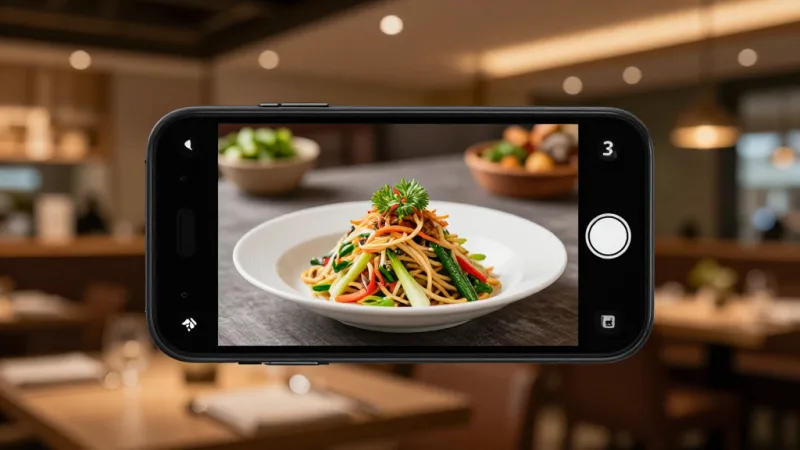
You don't need a studio:
- Shoot every hero item. Not just the logo — every dish you want to sell needs its own bright, appetizing photo. Empty photo slots are lost sales.
- Natural light, close crop, real portions. A window, a clean surface, and a modern phone camera beat a mediocre studio shot. Show the actual portion the customer will get, or you'll pay for it in refunds and bad reviews.
- Stay consistent. The same lighting and style across every photo makes the brand read as legitimate and premium, not thrown-together.
If you'd rather have it done for you, that's exactly what KwickPhoto is built for — professional menu photography that plugs straight into your ordering system. Great photos are the highest-ROI thing you can spend on a virtual brand; the whole storefront is the picture.
Step 4: Optimize Your Delivery-Platform Listings
Getting listed is easy. Getting found is the game. The delivery apps rank listings, and small optimizations move you up the results:
- Complete the profile 100%. Photos on every item, full descriptions, accurate hours, correct category tags. Half-finished listings get buried.
- Write descriptions with the words people search. "Crispy Korean fried chicken, double-fried, tossed in gochujang glaze" hits more searches than "our famous wings."
- Protect your rating like it's cash. On delivery apps, rating is ranking. Consistent packaging, accurate orders, and fast prep times keep the stars up — and the stars keep you visible.
- But don't let the apps own you. This is the pivot point. Every order you can push to your own first-party ordering site is an order without a 30% commission — and a customer whose email and phone number you actually keep.
That last point deserves its own paragraph, because it's where most virtual brands leave the real money on the table.
Step 5: Own the Customer — Don't Rent Them From an App
Here's the difference between a virtual brand that builds equity and one that just feeds a delivery app's algorithm: who owns the customer.
When an order comes through DoorDash or Uber Eats, the app owns that customer. You pay 25%–30%, you never see their contact info, and next week the app will happily recommend a competitor to the exact person you just fed. You're not building a business — you're renting attention by the order.
The fix is to run your own first-party ordering alongside the apps and steadily migrate customers to it. A flyer in every delivery bag: "Order direct next time and get 15% off — same kitchen, no app fees." When they order direct through KwickMenu, you pay a flat fee instead of a percentage, you keep your own payment processor instead of a locked 2.6%–2.99% rate, and — most importantly — you capture the customer. Our first-party ordering guide walks through the whole migration.
Once you own the customer, the tools that actually build a durable brand come into play:
- Gift cards and e-gift cards. A virtual brand can sell e-gift cards at checkout the same way a physical restaurant sells them at the register. A happy delivery customer buying a $50 e-gift card for a friend is free customer acquisition — the friend becomes a new customer, and you got paid upfront. Our gift card system guide covers setup end to end.
- Loyalty and points. Every direct order can earn points and enroll the customer in a loyalty program that pulls them back — away from the app, straight to you. That's how a one-time delivery order becomes a regular.
- Membership. The most advanced move: a paid membership ("free delivery + 10% off, $9/month") that turns your best virtual-brand customers into predictable recurring revenue. Our restaurant membership guide shows how.
Step 6: Run It All From One POS (or Drown in Chaos)
Now the operational reality. The moment your kitchen is cooking for two, three, or four brands at once, the danger isn't demand — it's confusion. A cook who has to check three tablets and two printers to figure out which sauce goes in which brand's bag is a cook who's about to ship the wrong order.
This is exactly the problem KwickOS was built to solve, and it's why the platform matters more here than almost anywhere else:
- Every channel into one ticket stream. Third-party apps and your first-party site all funnel into a single POS, so the kitchen sees one clean, unified queue instead of a wall of buzzing tablets.
- Each ticket tagged by brand. The KDS labels every order with its concept and its packaging, so the line always knows whether this one goes in the burger box or the wing clamshell — the same customized-station approach Shogun Japanese Hibachi and Crafty Crab Seafood use to keep complex, high-volume kitchens accurate.
- One-click menu sync across brands and locations. Crafty Crab Seafood runs 19 stores and 152 terminals on KwickOS and pushes a menu change to every one of them in a single click. That same engine lets you launch or tweak a virtual brand across your whole operation instantly — critical when you're testing concepts and need to move fast.
- Processor-agnostic checkout on first-party orders. Because KwickOS lets you keep your own payment processor, your direct virtual-brand orders don't hemorrhage 2.6%–2.99% to a locked flat rate. On thin delivery margins, that spread is the difference between profit and busywork — the full breakdown is in our processing fees guide.
- One CRM across every brand. All your virtual brands feed a single customer database, so gift cards, loyalty points, and marketing lists compound across concepts instead of living in silos.
Trying to run multiple brands on a POS that locks you into its own processing and can't cleanly separate concepts is how promising virtual brands collapse under their own complexity. The kitchen was never the bottleneck — the software was.
What to Do With the Results
Launch, then read the data honestly after 30–60 days. Your POS reporting should tell you the truth quickly:
- Orders climbing, healthy average ticket, food cost in line? Green light. Add a second virtual brand from the same kitchen and stack the contribution.
- Selling, but the app commissions are eating everything? The concept works; your channel mix doesn't. Push harder on first-party ordering, gift cards, and loyalty to shift customers direct.
- Crickets? You just learned it for the cost of some photos and an afternoon of setup — not a $250,000 lease. Kill it, keep the photos and the lessons, and try a different craving. That's the entire point: virtual brands make failure cheap and success repeatable.
The operators who scale this well don't stop at one. They treat their kitchen as a platform and their POS as the control panel — three or four concepts sharing one line, one customer database, and one set of loyalty tools. Explore what that looks like for your category on our restaurant solutions page, and if you run a multi-location group, our POS comparison hub shows how KwickOS stacks up against the locked-in platforms for exactly this kind of growth.
The Bottom Line
Growth in the restaurant business has always been sold as "more locations." But a new location is a new lease, a new build-out, and a new way to lose everything. A virtual brand flips that: it turns the capacity you're already paying for into new revenue, for under $1,000 and zero new rent.
The winners aren't the ones who launch the most brands — they're the ones who own the customer. Run your concepts through your own first-party ordering, capture every guest into one CRM, sell them gift cards and loyalty and memberships, and route the whole thing through a single processor-agnostic POS. Do that, and a quiet kitchen at 2:45 p.m. becomes a second restaurant that pays rent it doesn't owe.
KwickOS gives virtual brands the tools the 5,000+ businesses on our platform already use every day: one POS for every channel and concept, one-click menu sync, your own payment processor, and built-in gift cards, loyalty, and CRM so a delivery order becomes a customer you keep. Test a brand this month — the kitchen's already on.
Turn Idle Kitchen Hours Into a Second Restaurant
KwickOS runs every virtual brand from one screen — unified tickets, one-click menu sync, your own processor, and built-in gift cards and loyalty so a delivery order becomes a customer you own, not one you rent from an app.
Get a Free DemoFrequently Asked Questions
What is a virtual restaurant brand?
A virtual brand (also called a ghost brand or delivery-only concept) is a restaurant that exists only online. It has its own name, menu, and photos on delivery apps and your own ordering site, but it's cooked out of a kitchen you already run. Customers never see a dining room because there isn't one — every order is delivery or pickup. It lets one kitchen sell under several different concepts without paying a dollar of extra rent.
How much does it cost to launch a virtual brand?
If you build it on your existing kitchen and equipment, the hard costs are small: a name and logo ($0–$500 if you design it yourself), professional food photos ($300–$800 or done in-house), and a few hours configuring menus on the delivery platforms and your own ordering site. Most operators launch a virtual brand for under $1,000, versus the $175,000–$750,000 it takes to build a new physical restaurant.
How do I take orders and payments for a virtual brand?
Route every channel — third-party delivery apps and your own first-party ordering site — into one POS so your kitchen sees a single, unified ticket stream. KwickOS runs multiple virtual brands on one screen, tags each ticket by concept so the line cooks know which packaging to use, keeps your own payment processor on first-party orders (instead of a locked 2.6%–2.99% rate), and captures the customer's email and order into a shared CRM so a delivery order becomes a loyalty member you can market to directly.
Are virtual brands worth it, or are they a fad?
They're worth it when the math is honest. A virtual brand fills the dead hours and unused capacity of a kitchen you're already paying for, so the incremental revenue drops toward the bottom line faster than a new location ever could. The trap is running everything through 30%-commission apps — you can gross $80,000 and keep almost nothing. The operators who win pair virtual brands with their own first-party ordering, gift cards, and loyalty so they own the customer, not just rent them from an app.