 Rain Lee
You left the restaurant at 11 PM. You got home at 11:30. At midnight, you're still sitting at your kitchen table with a laptop open, checking today's sales, building tomorrow's schedule, and answering a text from your line cook about a shift swap.
Sound familiar?
Here's the thing: the average restaurant owner spends 12 to 16 hours per week on administrative tasks that could be done from a phone in a fraction of the time. That's nearly two full workdays every week — burned on spreadsheets, phone calls, and manual processes that modern apps eliminated years ago.
But it gets worse. While you're drowning in admin work, your competitors who've built a mobile toolkit are making smarter decisions faster. They're approving schedule changes from their kid's soccer game. They're catching a $400 void from the parking lot. They're responding to a 1-star review within 8 minutes — before it tanks their rating.
The gap between restaurant owners who run their business from their phone and those who don't isn't just about convenience. It's about $47,000 per year in combined time savings, faster decision-making, and prevented losses.
We surveyed operators running everywhere from single-unit neighborhood spots to 19-location chains like Crafty Crab Seafood. The owners who adopted a full mobile toolkit reported saving 8 to 14 hours per week and catching problems an average of 3 hours faster than before.
Here are the 12 apps that make that possible — ranked by impact on your bottom line.
1. Mobile POS Dashboard — Your Restaurant's Vital Signs in Real Time
If you only install one app from this list, make it this one.
A mobile POS dashboard gives you live access to sales, labor costs, voids, discounts, and transaction-level detail from anywhere. You're not waiting until tomorrow morning to find out what happened tonight. You're watching it happen in real time — from your couch, from the bank, from your other location across town.
And that's not all: the operators who check their mobile dashboard daily catch discrepancies 3.2 hours faster on average than those who wait for end-of-day reports. That $400 void your bartender just pushed through? You see it instantly. The unexplained discount on a $180 table? Flagged before the shift ends.
What to look for:
- Real-time sales by location, employee, and daypart
- Void and discount alerts pushed to your phone
- Labor cost as a percentage of sales — updated live
- Multi-location comparison on a single screen
- Historical data for trend spotting
T. Jin China Diner runs 15 locations with 75 terminals. Their owner monitors all 15 stores from one mobile dashboard — real-time revenue, employee clock-ins, and void alerts across every location without driving to a single one. That's the power of a processor-agnostic POS platform with a proper mobile layer.
KwickOS advantage: The KwickOS mobile dashboard is built into the platform at no extra cost. You get live sales, labor tracking, inventory alerts, and multi-location comparison — all in one app. No separate subscription. No third-party integration. It works because your POS, scheduling, and inventory data already live in one system with cloud-synced reporting and 1ms local response time.
2. Staff Scheduling App — The 6-Hour-Per-Week Time Saver
This is the app that saves more hours than any other on the list. And it's the one most restaurant owners resist the longest.
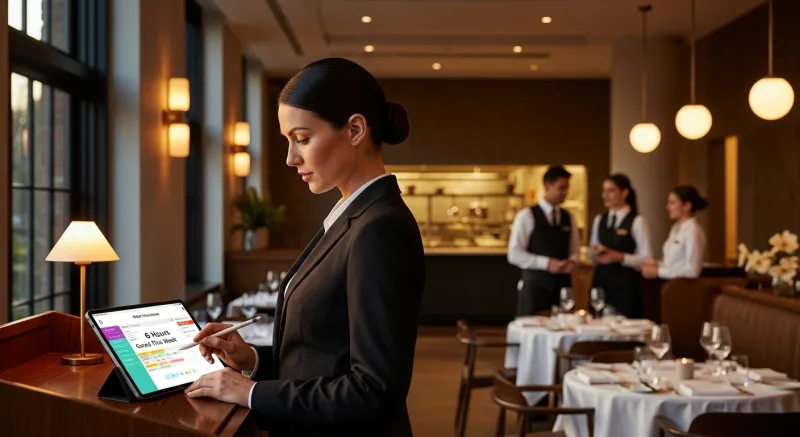
Here's why: you've been building schedules on paper or Excel for years. It "works." But it doesn't — not when you add up the real cost. The average restaurant manager spends 4 to 6 hours per week building and adjusting schedules manually. That's 250+ hours per year. At a manager's hourly rate, you're paying $5,000 to $7,500 per year for a task an app handles in 20 minutes.
But the real savings come from what mobile scheduling prevents:
- Overtime surprises: Real-time alerts when an employee approaches 40 hours
- No-call no-shows: Automated shift reminders reduce no-shows by 30-45%
- Shift swap chaos: Employees handle swaps in-app — you just approve or deny
- Understaffing during peak: Sales-per-labor-hour tracking tells you when you need more bodies
One owner told us: "I used to get 15 texts every Sunday about the schedule. Now I get zero. The app handles it." That's not a convenience upgrade. That's 6 hours of your life back every single week.
When your POS and scheduling live in the same system, your labor cost percentage updates in real time. You don't need to export data, match timecards, or wait for payroll to know if you're running lean or bleeding money. Mobile scheduling apps that integrate with your POS are the difference between guessing and knowing.
3. Accounting & Bookkeeping App — Know Your Cash Position Daily
Most restaurant owners check their bank balance. Few check their actual cash flow. There's a massive difference.
Your bank balance says you have $34,000. But you have $12,000 in payroll due Friday, $8,000 in food deliveries due Monday, and $3,200 in rent due the 1st. Your actual available cash is $10,800 — and if you don't know that, you'll overspend.
A mobile accounting app shows you three things that matter:
- What you owe (accounts payable)
- What you're owed (accounts receivable — catering invoices, gift card settlements)
- Your real cash runway — how many days of expenses your current cash covers
Here's the thing: restaurants that review cash flow weekly have a 23% lower rate of financial distress than those that review monthly. And the ones using mobile accounting apps review it daily — because it takes 90 seconds to open the app and check.
Connect your accounting app to your POS for automatic daily sales import. No more manual entry. No more "I'll update the books this weekend" that turns into never. The data flows in. You review. You decide. Use our profit margin calculator to set your targets, then track them from your phone.
4. Inventory Alert App — Stop Finding Out About 86'd Items from Angry Customers
Nothing kills a dinner service faster than running out of your top seller at 7:30 PM. And nothing makes it worse than finding out from a server who just promised it to table 12.
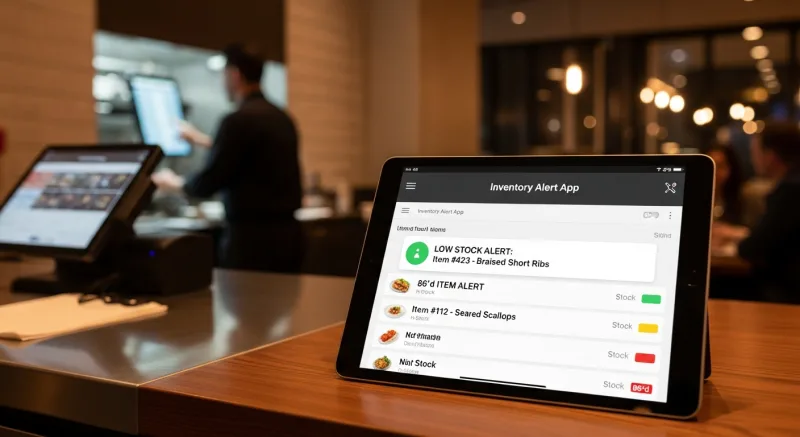
A mobile inventory alert system sends push notifications when stock levels hit your reorder threshold. You're not counting chicken breasts at midnight. Your POS is tracking depletion in real time, and your phone buzzes before you hit zero.
The math is brutal without it. The average restaurant loses $4,200 per year in emergency food orders — paying rush delivery fees, accepting substitute items at higher prices, or losing sales entirely on 86'd items. A mobile alert system cuts that by 60-70% because you're ordering before you run out, not after.
Crafty Crab Seafood manages inventory across 19 locations. When their commissary updates pricing or availability, all 152 terminals sync automatically. When a location runs low on a key ingredient, the manager's phone buzzes — not when stock hits zero, but when it hits the reorder point. That's the difference between a plan and a panic. Mobile inventory scanning takes the rest of the pain out of counting.
5. Online Ordering Management — Control Your Digital Storefront From Anywhere
Your online ordering channel is generating 20 to 40% of your revenue. If you can't manage it from your phone, you're leaving money on the table — literally.
A mobile ordering management app lets you:
- Pause ordering when the kitchen is slammed (instead of accepting orders you can't fulfill)
- Update menu items instantly — 86 an item, change a price, add a special
- Monitor order flow and estimated completion times
- Adjust delivery zones based on real-time driver availability
And that's not all. Here's what most owners don't realize: every minute an online order sits unconfirmed, the cancellation probability increases by 8%. If your average online order is $38 and you lose even 3 orders per week to slow confirmation, that's $5,928 per year — gone.
Mobile management means instant confirmation. It means you're never more than a thumb-tap away from adjusting your operation to match demand. Operators using first-party ordering through platforms like KwickMenu keep full control — and keep the 25-30% commission that third-party apps would have taken. That's $2 flat + $6.99 per delivery through KwickDriver versus $8 to $12 per order to DoorDash. Compare the full cost difference.
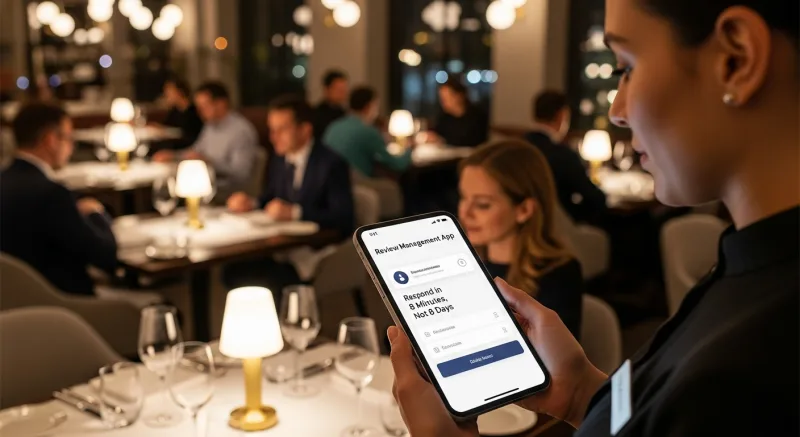
6. Review Management App — Respond in 8 Minutes, Not 8 Days
A 1-star review posted at 9 PM on a Friday will be seen by 200+ potential customers before you wake up Saturday morning — unless you respond first.
Review response time directly impacts your rating. Restaurants that respond to negative reviews within 24 hours see a 0.12-star average rating improvement over those that respond in a week or not at all. That sounds small, but the difference between 4.2 and 4.3 stars translates to roughly 5-9% more foot traffic, according to Harvard Business School research.
But it gets worse: 53% of customers expect a response within 7 days. 33% expect one within 3 days. And if you never respond? Future customers see an owner who doesn't care.
A mobile review management app aggregates Google, Yelp, Facebook, and TripAdvisor reviews into one feed with push notifications. You see the review. You respond — empathetically, specifically, publicly. The entire exchange takes 2 minutes on your phone. The alternative is checking four separate platforms manually, which is why most owners don't do it consistently.
Pro tip: Draft 5 to 8 response templates for common complaint categories (wait time, food quality, service attitude, pricing). Customize each one with specific details from the review. Templates save 70% of your writing time while still feeling personal.
7. Team Communication App — Replace 47 Daily Text Threads With One Channel
This is the app that saves 6 hours per week. Not because it does something complicated — but because it eliminates the single biggest time drain in restaurant management: scattered communication.
Right now, your communication looks like this: text chain with the kitchen, separate text chain with FOH, a group chat that's 60% memes, one-on-one texts about schedule changes, and a phone call from your bartender about a broken ice machine. You're managing 8 to 15 different conversations across 3 apps and your phone's native messaging.
Here's what that costs you: context switching. Every time you jump between conversations, you lose 90 seconds of focus. Do that 40 times a day and you've burned a full hour just re-orienting. Multiply by 7 days and that's 7 hours per week — on nothing productive.
A dedicated team communication app creates organized channels: one for the kitchen, one for FOH, one for management, one for announcements. Pin the important stuff. Archive the noise. When someone calls in sick, the message goes to one place. When the walk-in is making a weird noise, the photo goes to one place. When you need to announce a menu change, one message reaches everyone.
Shogun Japanese Hibachi got their entire team operational in under 5 minutes — that's the standard you should aim for with any tool you introduce. If your staff needs a training session to use a communication app, it's the wrong app.
8. Delivery Driver Tracker — Know Where Every Order Is
"Where's my food?" is the most common customer complaint in delivery. And if you can't answer that question in real time, your Yelp rating takes the hit — not the driver's.
A delivery tracking app shows you every active delivery on a map: which driver has it, estimated arrival time, and delivery confirmation with a timestamp. When a customer calls asking about their order, you answer in 5 seconds instead of calling the driver, waiting for a callback, and relaying information 10 minutes later.
Here's what most owners are paying for delivery management right now: 15-25% commission to DoorDash or UberEats, which on $15,000/month in delivery sales equals $2,250 to $3,750/month. That's $27,000 to $45,000 per year — for the privilege of handing your customer relationship to a third party.
KwickDriver charges a $2 flat fee plus $6.99 per 5 miles. On that same $15,000/month in delivery sales (roughly 400 orders), your total delivery cost is approximately $3,596/month — versus $3,750 at 25% commission. But here's the real difference: you own the customer data, you control the experience, and you see every driver on your phone in real time. Run the numbers yourself with our delivery cost calculator.
9. Social Media Scheduler — Post Consistently Without Living on Instagram
You know you should post more. Every marketing article says so. But between running the restaurant and sleeping, social media falls to the bottom of the priority list.
Here's the pattern interrupt: you don't need to post daily. You need to post consistently. Three posts per week, every week, outperforms seven posts one week and zero the next. A social media scheduler lets you batch-create a week's content in 45 minutes on Monday morning, then forget about it.
What works for restaurants on social media in 2026:
- Behind-the-scenes kitchen prep (highest engagement — 3.2x more than food photos alone)
- Staff spotlights ("Meet Maria, our pastry chef of 8 years")
- User-generated content reposts (customers love seeing their photos shared)
- Limited-time specials with countdown urgency
- Short-form video of plating, pouring, or sizzling — 15 seconds max
Schedule them in advance. Let the app post automatically. Spend your freed-up time actually running the restaurant.
10. Digital Loyalty & Gift Card Manager — Revenue That Runs on Autopilot
Your regulars are your most valuable asset. A customer who visits twice a month at $42/check is worth $1,008/year. Lose them, and you need 25 new first-time customers to replace that revenue.
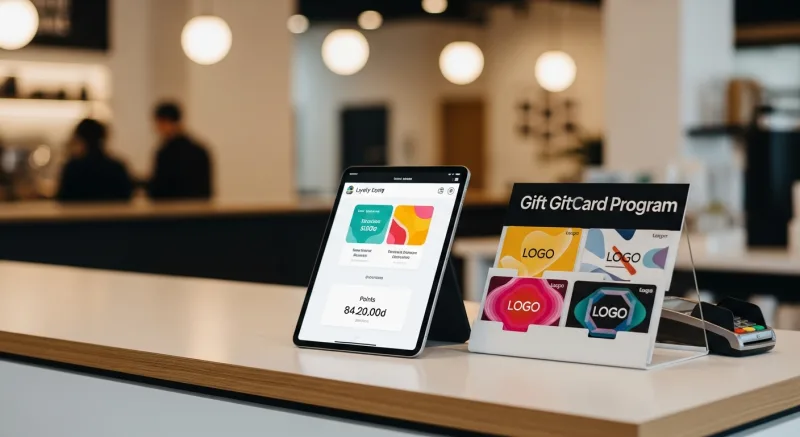
A mobile loyalty and gift card management app lets you monitor program health from your phone: active members, redemption rates, reward costs, and — most importantly — which loyal customers haven't visited in 30 days. That last metric is gold. A simple "We miss you" push notification with a small incentive brings back 15-22% of lapsed loyal customers.
Tiger Sugar runs 2 locations with self-ordering kiosks that automatically enroll customers in their digital loyalty program with minimal steps. The result: higher enrollment rates, more repeat visits, and customer data that drives targeted promotions — all visible from the owner's phone.
Digital loyalty programs get 3x more redemptions than paper punch cards. And e-gift card campaigns can generate $50,000+ per year with the right strategy. Both should be manageable from your phone.
11. Food Cost Calculator — Pricing Decisions in Your Pocket
Your food supplier just raised chicken prices by $0.40/lb. Do you absorb it, raise your menu price, or swap to a different protein? You need to make that decision now — not after a 2-hour spreadsheet session tonight.
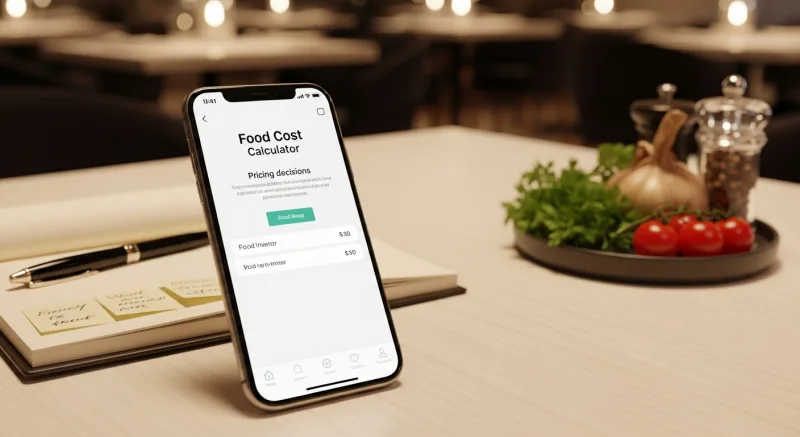
A mobile food cost calculator lets you punch in ingredient costs and get an instant margin analysis. Change one ingredient price and see the ripple effect across every dish that uses it. Restaurants that recalculate food costs monthly instead of quarterly save an average of $3,800/year because they catch cost creep before it compounds.
Here's the thing: your food cost isn't what your spreadsheet says. It's what your POS says — because your POS knows what you actually sold, not what you planned to sell. When your food cost calculator pulls real sales data from your POS, you get actual food cost, not theoretical. That's the difference between thinking your food cost is 31% and knowing it's 38%. Use our free food cost calculator to start, then look for a POS platform that gives you this data in real time.
12. Bank & Payment Notification App — Never Miss a Deposit or Dispute
The least glamorous app on this list — and one of the most important.
Your payment processor deposits money into your account daily (or should). Your bank sends deposit confirmations, flags chargebacks, and alerts you to unusual activity. If you're not getting these notifications on your phone, you're trusting that everything is going right — and in the restaurant business, it often isn't.
Chargebacks alone cost the average restaurant $4,000 to $8,000 per year. You have a limited window (usually 7 to 14 days) to respond to a chargeback dispute. Miss the window and you lose automatically. A push notification the moment a chargeback is filed gives you maximum response time.
Because KwickOS is processor-agnostic, you work directly with your chosen payment processor — including their mobile alerts, dispute management, and deposit tracking. You're not going through a middleman like Toast or Square who bundles processing and limits your visibility. You see every transaction, every fee, every deposit. Operators typically save $3,000 to $8,000 per year just by having the freedom to choose their own processor and negotiate rates.
The Hidden Cost of Using 12 Separate Apps
Before you go download a dozen apps, stop. There's a problem with the 12-app approach — and it's the same problem that made you need a mobile toolkit in the first place: fragmentation.
Twelve separate apps means:
- 12 logins to manage
- 12 monthly subscriptions ($200 to $500/month combined)
- 12 data silos that don't talk to each other
- Zero ability to see the full picture on one screen
Your scheduling app doesn't know your sales data. Your inventory app doesn't know your menu prices. Your accounting app doesn't know your labor costs in real time. You end up being the human integration layer — manually connecting data across tools. That's exactly the admin time you were trying to eliminate.
And that's not all: multi-location operators feel this pain at scale. Imagine Crafty Crab managing 19 locations across 12 different apps. That's 228 app instances to configure, maintain, and troubleshoot.
The alternative: an all-in-one platform.
KwickOS consolidates apps 1, 2, 4, 5, 7, 8, 10, and 11 from this list into a single system — POS dashboard, scheduling, inventory, online ordering, team communication, delivery tracking, loyalty/gift cards, and food cost analysis. One login. One subscription. One mobile dashboard. All your data in one place, all visible from your phone.
That leaves you needing only 4 external apps: accounting, review management, social media scheduling, and your bank's app. Instead of managing 12 tools, you manage 5. Instead of paying $200-$500/month in subscriptions, you pay for one platform plus 3 utilities.
Diva Nail Beauty experienced this firsthand across their 4 locations. Before consolidating onto an all-in-one platform, they were juggling separate tools for scheduling, commission tracking, and client management. After consolidation, they saw a 90% improvement in operational efficiency — largely because their staff stopped toggling between systems and started actually working.
Your 30-Minute Mobile Setup Plan
You don't need a weekend to set this up. You need 30 minutes and this checklist:
- Minutes 1-5: Install your POS mobile app and enable push notifications for voids, discounts, and daily sales summaries.
- Minutes 5-10: Set up inventory reorder alerts for your top 20 ingredients. Just the top 20 — that covers 80% of your risk.
- Minutes 10-15: Enable your bank's push notifications for deposits, chargebacks, and transactions over $500.
- Minutes 15-20: Download a review management app and connect Google, Yelp, and Facebook. Turn on push notifications.
- Minutes 20-25: Set up a team communication channel and add your managers. Send one message: "This is where we communicate now."
- Minutes 25-30: Schedule 3 social media posts for this week using photos already on your phone.
That's it. You're now more connected to your business than 90% of restaurant owners. Refine over the next 2 weeks. Add scheduling, loyalty, and delivery tracking as you get comfortable.
Run Your Restaurant From Your Pocket
KwickOS puts POS, scheduling, inventory, ordering, delivery, loyalty, and reporting in one mobile dashboard. See how 5,000+ businesses manage everything from their phone.
Get a Demo