 Ming Ye
You spend 4 hours every week building the schedule. That is 208 hours per year — more than five full work weeks — doing something that software can handle in minutes.
But it gets worse.
Those 4 hours do not account for the call-outs, the shift-swap negotiations, the overtime surprises, and the frantic group texts at 6 AM asking "Can anyone cover for Sarah?" That adds another 2 to 3 hours per week of reactive scheduling chaos.
Here's the thing: the best-run restaurants do not schedule better. They schedule differently. They hand employees the tools to manage their own availability, request their own swaps, and pick up open shifts — all from their phones, all with automatic guardrails that prevent overtime, compliance violations, and understaffing.
The result? Managers go from 4+ hours of scheduling work to about 20 minutes of approvals. Employees feel more in control. And labor costs drop 3% to 5% because the system forecasts staffing needs based on actual sales data, not gut feeling.
This guide covers exactly how mobile scheduling apps work, what features actually matter, and how to set up a system where your team schedules itself — while you focus on running the restaurant.
The Real Cost of Manual Scheduling
Before we solve the problem, let us quantify it. Most restaurant managers underestimate how much scheduling actually costs because they only count the hours spent building the schedule. They forget the hidden costs:
| Hidden Scheduling Cost | Weekly Hours | Annual Cost (at $22/hr) |
|---|---|---|
| Building the schedule | 3-5 hrs | $3,432 - $5,720 |
| Handling call-outs and swaps | 2-3 hrs | $2,288 - $3,432 |
| Communicating changes | 1-2 hrs | $1,144 - $2,288 |
| Overtime corrections (after the fact) | 0.5-1 hr | $572 - $1,144 |
| Total | 6.5-11 hrs | $7,436 - $12,584 |
That is $7,400 to $12,500 per year in manager time alone. And that does not include the financial impact of scheduling mistakes: overstaffing during slow periods (wasted labor), understaffing during rushes (lost sales and bad reviews), and overtime violations that trigger compliance penalties.
A National Restaurant Association survey found that labor scheduling errors cost the average full-service restaurant $18,000 to $27,000 annually when you factor in overtime overages, understaffing lost revenue, and turnover driven by schedule dissatisfaction.
And that's not all: 33% of restaurant employees who quit cite scheduling issues as a top-three reason. Replacing a single hourly employee costs $3,500 to $5,000 in recruiting, training, and lost productivity. If poor scheduling drives even two extra quits per year, that is another $7,000 to $10,000 in hidden costs.
What Modern Scheduling Apps Actually Do
Forget the Excel spreadsheet with colored cells. Modern mobile scheduling apps are fundamentally different from what most managers picture. Here is what they handle:
1. Employee-Driven Availability
Employees set their own availability from their phones — not by texting the manager, not by writing on a clipboard in the break room. They mark which days and times they can work, block off recurring commitments (classes, second jobs, childcare), and update it in real time. The manager never has to ask "Are you available Tuesday?" again.
2. Auto-Generated Schedules
The app builds a draft schedule based on three inputs: employee availability, role qualifications (who is trained as a server vs. host vs. bartender), and labor demand forecasts from POS sales data. The manager reviews and approves — they do not build from scratch.
Here's the thing: this is where POS integration changes everything. A standalone scheduling app guesses how many staff you need. A POS-integrated scheduling module knows exactly how many covers you served last Tuesday, what your average ticket was, and how many server hours it took — and uses that data to forecast this Tuesday's staffing needs within 5% accuracy.
3. Self-Service Shift Swaps
This is the feature that saves the most manager time. When an employee cannot make a shift, they post it as available in the app. Qualified coworkers see the open shift, claim it, and the swap routes through the manager for one-tap approval. No phone calls. No group texts. No manager playing matchmaker.
The key word is "qualified." The system only shows the open shift to employees who are trained for that role and whose availability allows it — preventing a host from claiming a bartender shift or someone from accidentally going into overtime.
4. Overtime Alerts Before They Happen
The most expensive scheduling mistake is unplanned overtime. At time-and-a-half, a single employee working 5 extra hours at $15/hr costs you $37.50 in overtime premium — and if that happens across 4 employees every week, that is $7,800 per year in avoidable overtime.
Mobile scheduling apps flag employees approaching 40 hours before the shift is published, not after the paycheck goes out. The manager can reassign shifts proactively, keeping labor costs predictable.
5. Labor Cost Forecasting
The best scheduling tools show you the projected labor cost of your schedule as a percentage of forecasted sales — before the week starts. If your target is 28% labor and the draft schedule projects 33%, you know to cut hours before anyone clocks in.
Compare that to the old way: finding out your labor was 33% last week when you review the P&L ten days later. By then, that money is gone.
Standalone App vs. POS-Integrated Scheduling
This is where most restaurant owners make a costly mistake. They buy a standalone scheduling app (7shifts, HotSchedules, When I Work) without realizing their POS system might already include scheduling — or that integration gaps between separate systems create real problems.
| Feature | Standalone App (7shifts, etc.) | POS-Integrated (KwickOS, etc.) |
|---|---|---|
| Schedule building | Yes | Yes |
| Shift swap | Yes | Yes |
| Overtime alerts | Yes | Yes |
| Sales-based labor forecasting | Requires POS API sync | Built-in, real-time |
| Actual vs. scheduled comparison | Manual export required | Live dashboard |
| Fingerprint clock-in/out | No | Yes (1:N matching) |
| Buddy-punching prevention | GPS only | Biometric verification |
| Cost per employee/month | $2-$4 | $0 (included) |
| Annual cost (30 employees) | $720-$1,440 | $0 |
The cost difference alone is significant: $720 to $1,440 per year for a 30-person restaurant. But the real advantage of POS integration is data accuracy. When your scheduling system lives inside your POS, every labor decision is informed by real sales data, real clock-in times, and real performance metrics — with zero manual syncing.
Crafty Crab Seafood runs 19 locations with 152 terminals on KwickOS. Their scheduling module pulls sales data from every location to forecast staffing needs per store, per shift, per role — and flags any location where projected labor exceeds 30% before the schedule goes live. Before switching, their managers were each spending 5+ hours weekly on scheduling across the chain. Now it is under 30 minutes per location.
The Shift-Swap Workflow That Eliminates Phone Tag
Let us walk through exactly how a self-service shift swap works, because this is the feature that converts skeptical managers into believers.

Old way (without app):
- Employee texts manager: "I can't work Friday night"
- Manager texts 8 servers: "Can anyone cover Friday 5-close?"
- 3 say no. 2 don't respond. 1 says maybe.
- Manager follows up. Waits. Calls.
- Finally gets coverage — 47 minutes and 23 texts later
- Has to manually update the schedule and notify everyone
Total manager time: 45-60 minutes per swap. With 3 swaps per week, that is 2.5 to 3 hours of phone tag weekly.
New way (with scheduling app):
- Employee opens the app, taps "Can't work this shift," posts it
- App notifies all qualified, available servers instantly via push notification
- Qualified server claims the shift in one tap
- Manager gets a notification: "Alex wants to cover Sarah's Friday 5-close." Approves with one tap
- Schedule updates automatically. Both employees get confirmation
Total manager time: 15 seconds.
That is not an exaggeration. The approval step is literally a single tap on a push notification. The system has already verified that Alex is qualified for the role, is available during those hours, and will not go into overtime by picking up the shift.
Labor Cost Forecasting: Know Before You Spend
Here is where the money gets real. Labor is typically 25% to 35% of a restaurant's total revenue — the single largest controllable expense. A 3% to 5% reduction in labor cost through better scheduling translates to massive savings:
| Monthly Revenue | Current Labor (32%) | Optimized Labor (29%) | Annual Savings |
|---|---|---|---|
| $80,000 | $25,600 | $23,200 | $28,800 |
| $150,000 | $48,000 | $43,500 | $54,000 |
| $300,000 | $96,000 | $87,000 | $108,000 |
Those are not theoretical numbers. They come from the gap between "scheduling by gut feel" and "scheduling by data." When your POS tells you that last Tuesday between 2 PM and 4 PM you served 12 covers and had 4 servers on the floor, you know you can safely cut to 2 servers during that window this Tuesday. Do that across every shift, every day, and the savings compound fast.
T. Jin China Diner uses KwickOS across 15 locations and 75 terminals. Their real-time labor dashboard shows actual labor percentage against sales for every location, every hour. When one location trends above target, the manager gets an alert and can send someone home early — saving $40 to $80 in labor for that single shift. Across 15 locations, those micro-adjustments add up to over $40,000 per year in labor savings.
Fingerprint Clock-In: The Buddy-Punching Problem You're Ignoring
While we are talking about labor costs, let us address the elephant in the room. The American Payroll Association estimates that buddy punching (one employee clocking in for another) costs U.S. employers $373 million annually. For a single restaurant with 20 employees, that translates to roughly $2,000 to $4,000 per year in time theft.
Most standalone scheduling apps solve this with GPS-based clock-in: the employee must be at the restaurant's location to clock in. But that is easy to fool — an employee can hand their phone to a coworker in the parking lot.
KwickOS uses fingerprint 1:N authentication for clock-in. The employee touches the sensor, the system matches their fingerprint against all enrolled employees, and logs the exact clock-in time. No phone needed. No PIN to share. No buddy punching possible.
Here is the math: if fingerprint clock-in eliminates even 15 minutes of buddy punching per employee per week across a 25-person team, that is 325 hours per year of paid-but-not-worked time eliminated — worth $4,875 at $15/hr average.
Combined with schedule optimization and overtime prevention, a POS-integrated scheduling system with biometric clock-in typically recovers $8,000 to $15,000 per year per location in labor cost savings. For a multi-location operator like T. Jin (15 stores) or Crafty Crab (19 stores), that is six figures annually.
5 Features That Separate Good Scheduling Apps from Great Ones
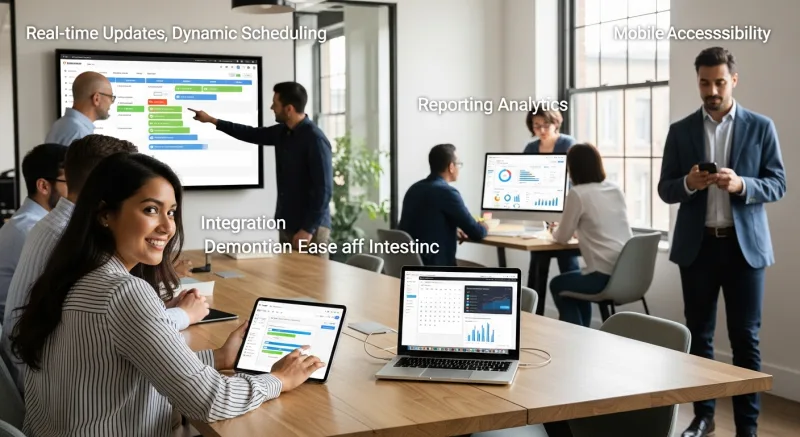
Not all scheduling tools are created equal. Here are the five features that make the biggest practical difference:
1. Role-Based Qualification Filters
The system should know which employees are trained for which roles. A server cannot claim a bartender shift. A line cook cannot cover expo. This prevents well-intentioned but unqualified swaps that create chaos during service.
2. Multi-Location Visibility
For operators with more than one location, the scheduling app should show staffing levels across all locations on one screen. If Location A is overstaffed Tuesday lunch and Location B is short, you should see that side-by-side and move people accordingly. Crafty Crab's 19-location operation relies on this daily.
3. Predictive Scheduling Compliance
Several states and cities (Oregon, San Francisco, New York City, Seattle, Chicago, Philadelphia) now have predictive scheduling laws that require restaurants to post schedules 7 to 14 days in advance and pay premiums for last-minute changes. A good scheduling app tracks your compliance automatically and warns you before you trigger a premium.
Non-compliance penalties can reach $500 per violation per employee. One surprise schedule change affecting 8 employees could cost $4,000. The app pays for itself by preventing a single violation.
4. Communication Built Into the Schedule
The schedule should be the communication hub. Notes attached to shifts ("VIP party tonight — wear black"), broadcast messages to the team, and read-receipt tracking should all live inside the scheduling tool. When communication is separate from the schedule (in a group text, on a whiteboard), things get missed.
5. Actual vs. Scheduled Reporting
After every week, you should be able to see, in one report: how many hours were scheduled vs. how many were actually worked, which employees clocked in late, which shifts went over, and what your actual labor percentage was vs. the plan. Without this feedback loop, you are scheduling blind.
KwickOS generates this report automatically because the scheduling data and the POS clock-in data live in the same system. No CSV exports, no manual matching, no "I'll get to it next week."
Setting Up Mobile Scheduling: A Step-by-Step Approach
If you are switching from spreadsheets or paper to a mobile scheduling app, here is the implementation path that minimizes disruption:
Week 1: Foundation
- Enter all employees with their roles, pay rates, and maximum hours
- Have every employee download the app and set their availability (deadline: Friday)
- Input your labor cost targets by day-part (lunch, dinner, late night)
Week 2: Parallel Run
- Build the schedule in the app AND your old method simultaneously
- Compare the two for accuracy and completeness
- Resolve any issues (missing availability, wrong role assignments)
Week 3: Go Live
- Use only the app for the schedule. Print a backup copy for the wall if needed
- Enable shift-swap requests with manager approval turned on
- Monitor labor forecast accuracy daily
Week 4: Optimize
- Review actual vs. scheduled report for Week 3
- Adjust templates based on what you learned
- Consider enabling auto-generated schedules based on POS data
- Enable push notifications for schedule changes
Most restaurants are fully transitioned within 3 to 4 weeks. The learning curve is minimal — if your employees can use Instagram, they can use a scheduling app. The KwickOS scheduling module is available in English, Chinese, and Spanish, which matters in multilingual teams.
What About Diva Nail and Other Service Businesses?
Scheduling complexity is not limited to restaurants. Diva Nail Beauty operates 4 locations with appointment-based scheduling that also requires commission tracking. Their challenge: matching technician skills (gel, acrylic, nail art) to specific appointments while ensuring commission splits are calculated automatically.
Before KwickOS, their managers spent over 3 hours daily on scheduling and commission spreadsheets. Now the POS handles both: the schedule assigns technicians based on their service qualifications, and the commission module calculates payouts automatically — a 90% reduction in administrative time.
The same principles apply to any service business: match employee skills to demand, automate the math, and let the team manage their own availability. The tool adapts; the workflow stays the same.
The Overtime Trap: How Scheduling Apps Save Thousands
Let us do the overtime math one more time, because this is money most restaurants are losing right now without realizing it.
A restaurant with 30 employees where just 4 employees average 3 hours of overtime per week:
- 4 employees × 3 hrs × $7.50 overtime premium (half of $15/hr) = $90/week
- $90 × 52 weeks = $4,680/year
A scheduling app with real-time overtime alerts can eliminate 80% to 90% of unplanned overtime. That is $3,744 to $4,212 saved annually — from one feature.
But it gets worse if you consider compliance. Under the Fair Labor Standards Act, failure to properly track and pay overtime can result in back-pay claims of up to 3 years of unpaid overtime plus liquidated damages — effectively doubling the amount owed. A $5,000 overtime tracking error becomes a $30,000 lawsuit.
Automated scheduling with overtime guardrails is not just a convenience. It is legal protection.
The Bottom Line: 20 Minutes vs. 4 Hours
The math is straightforward. A mobile scheduling app — especially one integrated into your POS — delivers three layers of savings:
- Manager time: 4+ hours/week → 20 minutes/week = $7,400-$12,500/year in recovered productivity
- Labor optimization: 3-5% reduction in labor cost = $8,000-$54,000/year depending on revenue
- Overtime and compliance: $3,700-$4,700/year in avoided overtime + legal protection
For a restaurant doing $80,000/month in revenue, the total annual impact is $19,000 to $45,000 — and the scheduling module itself costs $0 when it is included in your POS platform.
Your employees want schedule control from their phones. Your labor budget wants data-driven staffing. Your P&L wants 3% less labor waste. The technology exists today to deliver all three. The only question is whether you are still going to spend your Sunday nights in a spreadsheet.
Schedule Smarter, Not Harder
KwickOS includes built-in staff scheduling with POS-driven labor forecasting, shift swaps, overtime alerts, and fingerprint clock-in — at no extra per-employee cost. See how it works for your team.
Get a Free Demo