Your Digital Signage Doesn't Sync With Your POS? You're Updating Prices Twice.
By Tom Jin · March 25, 2026 · 14 min read
You invested in digital menu boards to modernize your restaurant. But if your signage runs on a separate platform from your POS, you have created a new problem: two systems that need to agree on every price, every menu change, every time an item sells out. And they never quite do.
You already made the smart move. You ditched the printed menus. You bought the TVs, mounted them on the walls, signed up for a digital signage service. Your menu boards look great.
But something keeps nagging at you.
Every time you change a price in the POS, you have to remember to log into a completely separate signage platform and change it there too. Every time you 86 an item in the kitchen, the menu board still shows it until someone manually removes it from the signage software. Every time you add a new seasonal item, it is a two-system process.
And the worst part? You have already had the moment. The one where a customer orders something at the price on the board, and the register rings up a different number. The awkward pause. The explanation. The discount you give to keep them happy.
That moment is the symptom of a systemic problem. And it will keep happening until your signage and your POS speak the same language.
The Double-Entry Problem Nobody Warned You About
When you bought your standalone digital signage solution, the sales pitch was simple: upload your menu, design beautiful layouts, display them on your TVs. Done.
What they did not tell you is that your signage system and your POS system are two separate databases. Two separate sources of truth. And keeping them synchronized is now your problem.
Here is what the double-entry workflow actually looks like for a single price change:
- Log into your POS back office
- Find the item, update the price
- Save and push to terminals
- Log into your signage platform (different login, different interface)
- Find the same item in the signage content
- Update the price to match
- Preview the layout to make sure nothing broke
- Publish to screens
Eight steps for one price change. And you might have 150 menu items.
Now here is the thing that makes this dangerous...
Steps 1-3 happen in the heat of operations. A manager notices food cost went up and quickly adjusts the POS price between the lunch and dinner rush. Steps 4-8? Those get pushed to "later." And later becomes tomorrow. And tomorrow becomes next week. And by then, three more prices have changed in the POS, and your signage is a mess of outdated information.
This is not a discipline problem. It is a systems design problem. You cannot expect humans to perfectly synchronize two independent databases under the pressure of restaurant operations. It will fail. The question is not if, but how often and how costly.
The Real Cost of Price Mismatches
Let me quantify what happens when your board says one thing and your register says another.
Scenario 1: Board Price Is Lower Than POS Price
Your menu board shows a combo at $11.99. You raised it to $13.99 in the POS last week but forgot to update the signage. A customer orders the combo and sees $13.99 on the receipt.
You have three options, and they all cost money:
- Honor the board price — You eat $2.00 per order. If 50 people order that combo today, that is $100 lost.
- Charge the POS price — The customer feels deceived. They tell three friends. They leave a one-star review mentioning "bait and switch pricing." The lifetime value of that customer relationship is now negative.
- Negotiate and discount — You spend 3-5 minutes per customer resolving the conflict, backing up the line, frustrating other customers, and stressing out your cashier.
None of these are acceptable. And all three happen because of a systems gap that should not exist.
Scenario 2: Board Shows a Sold-Out Item
Your kitchen ran out of the salmon special at 7 PM. The cook marked it 86'd in the POS. But the menu board still shows it with a beautiful photo and the label "Chef's Special."
Every customer who walks in for the next hour orders the salmon. Every one of them is told it is unavailable. Every one of them has a slightly worse experience than they should have had. Some of them change their mind and order something cheaper. Some of them leave.
This scenario repeats itself in restaurants across the country every single night. And it is entirely preventable.
Scenario 3: Multi-Location Price Chaos
If you run multiple locations, the synchronization problem multiplies. You change prices at headquarters. The POS update goes out to all stores. But the signage update? That is a separate push through a separate system. Maybe the Denver store gets updated today and the Houston store tomorrow. For 24 hours, two locations of the same brand are advertising different prices for the same menu.
Customers notice. Especially regulars who visit multiple locations.
6 Ways Disconnected Signage Fails You Daily
Price mismatches are the most visible failure. But they are not the only one. Here are six operational headaches that come from running signage separately from your POS:
1. Daypart Menus Out of Sync
Your POS switches from lunch to dinner pricing at 4 PM. Your signage system has its own separate schedule. If someone set the signage transition at 4:30 PM, there is a 30-minute window every day where your POS charges dinner prices but your board still shows lunch prices. Thirty minutes of disputes, every single day.
2. New Items Delayed on Boards
You add a new seasonal item to the POS and start selling it immediately. But it takes two days to design the signage layout, upload the photo, and publish to screens. For two days, your staff is verbally promoting an item that is invisible on the board. Walk-in customers who do not ask never know it exists.
3. Promotional Pricing Misalignment
You run a happy hour special: half-price appetizers from 4-7 PM. The POS automatically applies the discount. But your signage shows the happy hour visual on a different schedule — maybe 3:30-6:30 PM because someone entered the wrong times. Customers who arrive at 3:45 expect the deal. Customers at 6:45 feel cheated.
4. Online Ordering Adds a Third System
If you also have online ordering through a separate platform, you now have three databases to synchronize: POS, signage, and online ordering. The probability of all three showing the same prices at any given moment is almost zero. Customers who order online at one price and see a different price on the board when they pick up feel confused at best, deceived at worst.
5. No Automatic 86 Management
Your POS knows when items are 86'd. Your standalone signage does not. There is no automatic connection. Someone has to manually hide items from the signage when they sell out and manually restore them when they are back in stock. This task gets forgotten constantly because the kitchen is busy doing kitchen things.
6. Reporting Blind Spots
Your POS tracks which items sell and when. Your standalone signage tracks which content displays and when. But the two systems do not talk, so you cannot correlate signage content with sales data. Did putting a hero photo on the screen for the salmon increase salmon orders? You have no idea because the data lives in two separate, unconnected silos.
How POS-Integrated Signage Actually Works
The solution is not better discipline. It is not more checklists. It is not hiring someone to manage signage updates.
The solution is eliminating the second system entirely.
KwickSign is not a signage product that connects to your POS through an API. It is a signage module built into the same operating system as your POS, your online ordering, your kiosks, and your kitchen display. There is one database. One source of truth.
Here is what happens when you change a price in KwickOS:
- You update the price in the KwickOS back office (one place, one time)
- The POS terminals update immediately
- The digital menu boards update within 60 seconds
- The online ordering site updates simultaneously
- The self-service kiosks update simultaneously
- The KDS displays adjust if needed
One action. Six touchpoints. Zero chance of mismatch.
And here is what happens when the kitchen 86s an item:
- The cook marks the item as 86'd on the KDS or POS
- The item disappears from the digital menu board within seconds
- The item becomes unavailable on online ordering
- The item grays out on self-service kiosks
No manual signage update. No second login. No forgotten steps. The system handles it because the signage is part of the system.
This is the difference between integration (connecting two separate products with an API bridge) and unification (building one product that does both). KwickOS is the unified approach.
Case Study: Crafty Crab Across 19 Locations
Crafty Crab Seafood operates 19 stores with 152 terminals. Think about the synchronization nightmare that would create with standalone signage: 19 locations, each with multiple display screens, all needing to match their respective POS pricing.
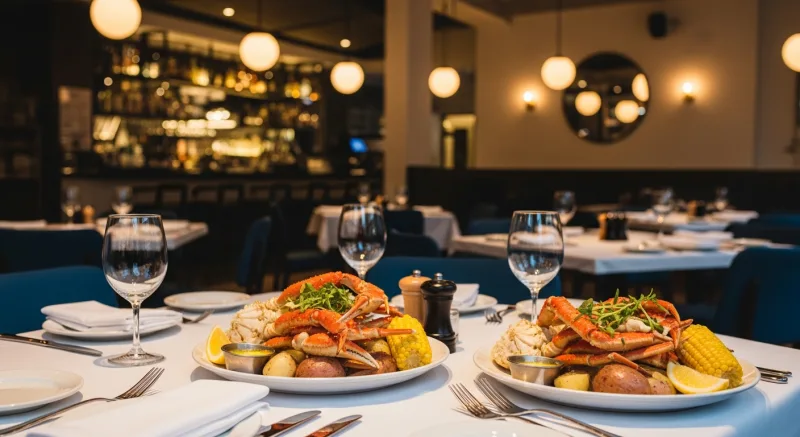
With KwickOS, Crafty Crab manages all signage from a single dashboard. When headquarters changes the price of a seafood boil, every POS terminal and every menu board across all 19 locations updates simultaneously. One click, 19 stores, perfect consistency.
But the real transformation was in their menu management. Crafty Crab uses one-click menu sync — their customized KDS handles special requests for each station, and the customer-facing displays always reflect exactly what is available at that moment. No sold-out items lingering on boards. No price mismatches between locations.
Before KwickOS, maintaining signage consistency across 19 locations required a dedicated person spending hours every week manually pushing updates. Now it takes one person less than five minutes to update every screen in the entire chain.
That is the operational efficiency that comes from true unification — not integration, not API bridges, but one system doing everything.
Signage That Sells: Gift Cards and Loyalty Integration
When your signage is integrated with your POS, it unlocks something standalone signage cannot do: dynamic promotion of gift cards and loyalty programs based on real-time customer data and transaction patterns.
Smart Gift Card Promotions
Because KwickSign shares a database with KwickOS gift card management, your digital boards can display gift card promotions that respond to actual sales data:
- Seasonal gift card pushes — automatically increase gift card promotion frequency on screens during November-December when gift card purchases peak
- E-gift card QR codes — display scannable codes that let customers purchase and send electronic gift cards instantly from their phones
- Balance check reminders — "Have a KwickOS gift card? Check your balance at the register" keeps dormant balances active
- Reload incentives — "Add $50 to your gift card, get $10 bonus" promotions displayed during checkout drive prepaid revenue
Here is the number that matters: gift card buyers spend 20-40% more than the card's face value. A $50 gift card typically generates $60-70 in revenue. Every gift card your digital board sells is incremental revenue that did not require a server's upsell pitch.
Loyalty Program Visibility
With standalone signage, your loyalty program promotion is a static image. With POS-integrated signage, it can be dynamic:
- Points earned today — a subtle display near the register showing aggregate loyalty points earned, creating social proof
- Tier progression — "You are 200 points from Gold status" displayed after a loyalty member scans, visible on nearby screens
- Reward redemption reminders — "You have enough points for a free appetizer" on the order-facing display
- Birthday club sign-up — rotating QR code that takes customers to birthday reward enrollment
KwickOS includes loyalty, gift cards, e-gift cards, and membership management at no extra cost. Toast charges $75/month for loyalty alone. Square charges $45/month. When you factor in the signage integration capability (which neither Toast nor Square offer natively), the value gap widens further.
Membership and Subscription Promotion
Running a coffee subscription or VIP dining club? KwickSign can promote these programs during specific dayparts — show the lunch subscription deal between 11 AM and 2 PM, the coffee club during morning hours. Because the signage and membership systems share data, the promotions can be context-aware and time-specific.
Migrating from Standalone to Integrated Signage
If you already have standalone digital signage, you might be wondering: is switching worth the hassle?
Here is the honest assessment.
What You Keep
- Your TVs and display hardware work with KwickSign as-is. No hardware replacement needed.
- Your wall mounts and installation stay the same.
- Your WiFi infrastructure remains unchanged.
What Changes
- Your signage software moves from a standalone platform to KwickSign within KwickOS.
- Your content design happens in the KwickOS back office instead of a separate tool.
- Your menu data comes directly from the POS database instead of being manually entered.
Migration Timeline
For a typical single-location restaurant, the migration takes less than a day:
- Morning: KwickOS team configures your menu data and KwickSign templates
- Afternoon: Point your existing TVs to the new KwickSign display URLs
- Evening: Verify everything looks correct from customer viewing positions
For multi-location operators, the migration rolls out location by location over 1-2 weeks, depending on the number of stores. KwickOS handles onboarding in 7-10 days from purchase to installation, with 1-3 hours of on-site install time and 1-2 hours of training.
What You Eliminate
- Monthly standalone signage subscription fee (typically $20-50/month per location)
- Manual price synchronization labor
- Price mismatch incidents and customer disputes
- Delayed 86 updates on boards
- Separate login and training for signage software
Most operators who migrate from standalone to integrated signage report that the time savings alone justify the switch within the first month.
Platform Comparison: Who Actually Offers True Sync
Let us be specific about what the major POS platforms offer for digital signage synchronization:
| Capability | KwickOS | Toast | Square | Clover |
|---|---|---|---|---|
| Native signage module | Yes, included | Add-on cost | No | No |
| Real-time price sync | Under 60 seconds | Varies | Manual | Manual |
| Automatic 86 management | Yes | Limited | No | No |
| Syncs with online ordering | Same database | Separate system | Third-party | Third-party |
| Works on any hardware | Yes | Proprietary | N/A | N/A |
| Offline operation | Yes (hybrid local+cloud) | Cloud-dependent | Cloud-dependent | Cloud-dependent |
| Processor freedom | Any processor | Toast only | Square only | Fiserv only |
The offline operation row deserves attention. KwickOS uses a hybrid local-plus-cloud architecture with 1ms local latency versus 20ms for cloud-only systems. Your signage content is cached locally, so if your internet drops during the dinner rush, your menu boards keep running. Toast, Square, and Clover are cloud-dependent — if the internet goes down, so do their cloud-connected features.
And the processor freedom row is the one that affects your bottom line most directly. Toast, Square, and Clover all lock you into their payment processing. KwickOS is processor-agnostic — you choose your processor, you negotiate your rates, you keep 100% of your processing revenue. For a restaurant processing $500,000 annually, the difference in processing costs between a locked-in rate and a negotiated rate can be $5,000-15,000 per year.
Stop updating prices twice
KwickSign syncs your POS, menu boards, online ordering, and kiosks from one database. One change updates everything. Included with every KwickOS plan.
Schedule a Demo (888) 355-6996Frequently Asked Questions
What happens when digital signage prices don't match POS prices?
Price mismatches create customer disputes, lost trust, and potential legal issues. When the board shows $12.99 but the register charges $14.99, staff must either honor the lower price (losing margin) or explain the discrepancy (losing goodwill). With POS-integrated signage like KwickSign, this scenario is eliminated because both the board and the register pull from the same database.
How does POS-integrated signage work?
KwickSign pulls menu data directly from the same database as your POS, online ordering, and kiosks. When you change a price in the back office, it updates across all customer touchpoints simultaneously. No separate signage software, no manual syncing, no double entry.
Can I use POS-integrated signage across multiple locations?
Yes. With KwickOS, multi-location operators manage all signage from a single dashboard. Push a price change to one location, a group, or all locations at once. Crafty Crab uses this across 19 stores with 152 terminals to keep menus perfectly synchronized.
Does KwickSign work if the internet goes down?
Yes. KwickOS uses a hybrid local-plus-cloud architecture. Your signage content is cached locally, so displays continue running even during internet outages. When connectivity returns, any queued updates sync automatically. This is a major advantage over cloud-only systems like Toast and Square.
