Digital Menu Boards & Signage: Turn Your TV Into a Revenue Machine
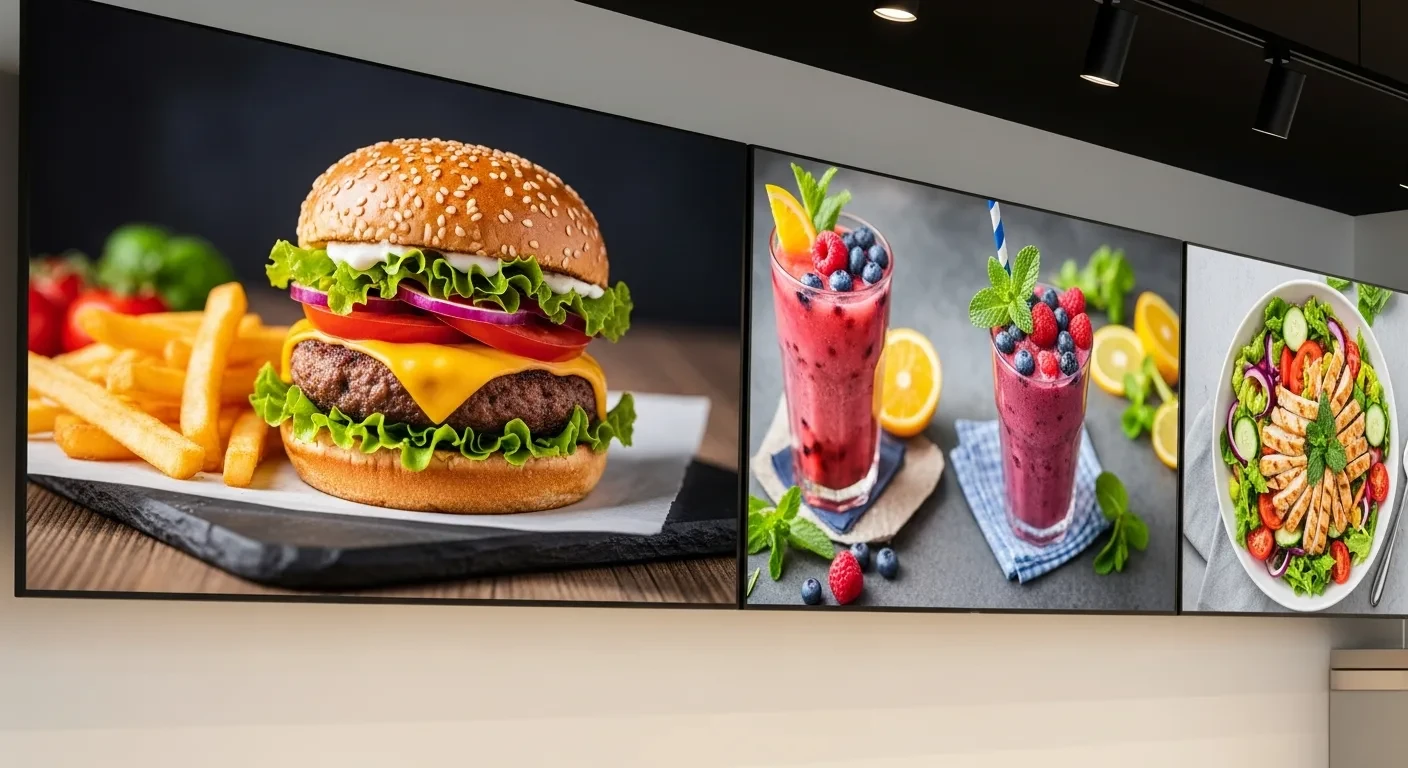
Digital Menu Boards & Signage isn't just a technology decision — it's an operational one. Your menu board is the single most-viewed piece of marketing in your restaurant. If it's still a static poster behind the counter, you're leaving money on the table every hour you're open.
Every customer who walks through your door looks at your menu board. Every single one. It's the highest-impression surface in your restaurant—more viewed than your website, more read than your social media, more influential than any ad you'll ever run.
And yet most restaurants treat it as a one-time design project. Print it, frame it, hang it, forget it. Change the price of chicken wings? Time to call the designer, wait three days, pay $150, and hope the new print arrives before Friday.
Digital menu boards change the entire equation. Prices update in seconds. Promotions appear and disappear on a schedule. Your highest-margin items get premium screen real estate during peak hours. And when a dish sells out, it vanishes from the board instead of disappointing customers who already decided they wanted it.
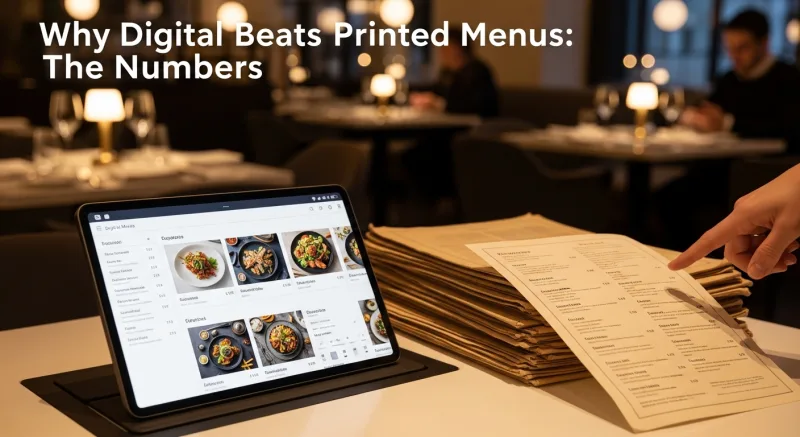
Why Digital Beats Printed Menus: The Numbers
| Factor | Printed Menu Board | Digital Menu Board |
|---|---|---|
| Price change turnaround | 2–5 business days | Under 60 seconds |
| Cost per price change | $50–$200 (redesign + print) | $0 |
| Daypart menu switching | Staff manually swaps boards | Automatic on schedule |
| Sold-out item handling | Tape over it or tell customers | Auto-hides when 86'd |
| Visual impact (photos, animation) | Static images only | HD photos, video, animation |
| Average ticket influence | Baseline | +8–15% (with photo menus) |
The cost-per-change metric is the one that adds up silently. A restaurant that adjusts prices quarterly—four times a year—might spend $400–$800 annually on reprints. A restaurant that adjusts prices in response to ingredient cost fluctuations (which is what you should be doing) might need changes monthly, at $1,200–$2,400 per year. Digital eliminates that line item entirely.
But the revenue uplift from dynamic content is where digital truly pays for itself. Studies by Intel and Samsung on digital signage in quick-service restaurants consistently show an 8–15% increase in average check when menus feature high-quality food photography and animated callouts on promoted items. A restaurant doing $15,000/day that captures even an 8% lift generates an extra $1,200 daily—$36,000 per month—from a piece of technology that costs less than a single month's rent.
KwickSign: Signage That Lives Inside Your POS
Most digital signage solutions are standalone products. You buy a subscription from a signage company, design your boards in their separate software, and manually keep prices synchronized between your POS and your signage. When your POS says a burger is $14.99 but your menu board still shows $13.99, you've got a problem—either you're undercharging or you're angering customers at the register.
KwickSign is fundamentally different because it's integrated directly into KwickOS. Your menu board pulls from the same database as your POS, your online ordering system, and your kiosk. Change a price once in the back office, and it updates everywhere simultaneously:
- POS register screen
- Digital menu boards (KwickSign)
- Online ordering (KwickMenu)
- Self-service kiosks
- Customer-facing displays
One source of truth. Zero synchronization errors. Zero "we forgot to update the menu board" moments.
Why integration matters: Standalone signage companies like Rise Vision charge $200–$500/month per screen and require you to manually update content. KwickSign is included with KwickOS at no additional per-screen fee, and content updates are automatic because it reads directly from your POS menu database.
86'd Items Auto-Hide
When the kitchen 86's an item in the POS, it disappears from the digital menu board within seconds. No staff member has to remember to cover it with tape. No customer orders the lobster bisque only to hear "sorry, we're out" at the register. The board always shows what's actually available.
Photos That Sell
KwickSign displays full-resolution food photos captured with KwickPhoto (KwickOS's built-in product photography module). Static printed menus are limited by print resolution and size. A 55-inch TV running KwickSign shows a hero image of your signature dish in vivid, mouth-watering detail. Research consistently shows that menu items with photos sell 30% more than items listed as text only.
Time-Based Scheduling: The Set-and-Forget Revenue Lift
This is where digital signage shifts from "nice to have" to "competitive advantage." Time-based scheduling lets you program different menu content for different times of day—automatically, with zero daily staff involvement.
How Scheduling Works in Practice
| Time | Menu Board Shows | Strategy |
|---|---|---|
| 6 AM – 10:30 AM | Breakfast menu with coffee combos | Promote high-margin breakfast sandwiches |
| 10:30 AM – 2 PM | Lunch specials with quick-serve items | Feature combo deals for speed-focused lunch crowd |
| 2 PM – 4 PM | Afternoon snacks and beverages | Push smoothies, desserts, and appetizers |
| 4 PM – 6 PM | Happy hour pricing with drink specials | Discounted drinks auto-appear; full-price returns at 6:01 |
| 6 PM – close | Full dinner menu with featured entrees | Hero images of signature dishes, wine pairings |
The happy hour example is particularly powerful. At 3:59 PM, your menu board shows regular drink prices. At 4:00 PM, it switches to happy hour pricing with animated "HAPPY HOUR" callouts—automatically. At 6:01 PM, it switches back. Your staff doesn't have to remember to change anything. There's no confusion about whether happy hour pricing is active. And you never accidentally leave discount prices up past the window.
Day-of-Week Scheduling
Taco Tuesday? Wing Wednesday? Your board can feature those specials prominently on the right days and hide them on others. A separate "Weekend Brunch" layout can appear Saturday and Sunday mornings without anyone touching a thing.
Dynamic Pricing and Promotion Strategies
Digital menu boards enable pricing strategies that are physically impossible with printed menus:
Surge Pricing (Done Tastefully)
During your busiest hour, you can feature premium items more prominently and minimize discount callouts. You're not raising prices—you're curating what gets visual emphasis. During the 7–8 PM rush, your board highlights the $28 ribeye and the $14 craft cocktails. During the 3 PM lull, it pushes the $9.99 lunch special that's still valid until 4.
Weather-Based Menu Suggestions
Integrate a simple weather data feed, and your menu board can adapt to conditions. Cold, rainy day? Feature soups, hot drinks, and comfort food. 95-degree afternoon? Push iced beverages, cold salads, and frozen desserts. This isn't science fiction—it's a data feed and a few scheduling rules.
Inventory-Driven Promotion
If your walk-in has 40 pounds of salmon that needs to move by Friday, promote the salmon entree with a hero image on Wednesday and Thursday. When inventory drops below your threshold, the promotion automatically pulls back. You're reducing waste and driving revenue simultaneously.
Limited-Time Offer Countdowns
"Available until 8 PM tonight" with a countdown timer creates urgency. Customers who might have "thought about" ordering the special now feel the pull to order it before it disappears. Digital makes this real-time countdown possible; print obviously cannot.
Hardware: Cheaper Than You Think
The biggest misconception about digital menu boards is that they require expensive, specialized hardware. They don't.
| Hardware | Cost | Best For |
|---|---|---|
| Any smart TV (43–65") | $200–$500 | Wall-mounted menu boards. Use the built-in browser. |
| Commercial display (Samsung/LG) | $500–$1,200 | High-brightness for window-facing or sunlit areas. |
| Chromecast / Fire TV Stick | $30–$50 | Turns any TV (even old ones) into a smart display. |
| TV wall mount | $20–$60 | Fixed or tilting mount for clean installation. |
Total cost for a single digital menu board: as low as $250 (budget TV + wall mount) or $280 (existing TV + Chromecast + mount). Compare that to standalone signage solutions that charge $200–$500 per month per screen—your hardware pays for itself in the first month or two.
Pro tip: Consumer TVs work fine for most restaurant menu board applications. You only need a commercial-grade display if the screen faces a window with direct sunlight (you need 700+ nits brightness) or if the TV will run 18+ hours per day (commercial panels are rated for continuous operation). For a typical behind-the-counter menu board, a $300 consumer TV will last 3–5 years.
Multi-Location Signage Management
For chains and multi-unit operators, centralized signage management is a game-changer. KwickSign lets you push content updates to all locations from a single back-office dashboard.
The Crafty Crab example: With 19 stores, Crafty Crab needed menu consistency across locations. A price change or new seasonal item had to appear on every menu board in every store simultaneously. With KwickSign integrated into KwickOS, one-click menu sync pushes updates to all 19 locations instantly. No calling each store. No hoping the manager remembers to update the board. No discovering three weeks later that Store #14 is still showing last month's prices.
Multi-location signage management lets you:
- Push global updates: A price increase across all locations takes one action.
- Allow local overrides: Store #7 runs a local charity event? Override their boards for that day without affecting the other 18 locations.
- Schedule regionally: West Coast stores switch to dinner menu at 5 PM Pacific; East Coast stores switch at 5 PM Eastern. One schedule handles both.
- Monitor display health: See which screens are online, which have lost connection, and which need attention.
KwickSign vs Standalone Signage vs Print: Full Comparison
| Feature | KwickSign (KwickOS) | Standalone Signage | Printed Menu Boards |
|---|---|---|---|
| Monthly software cost | Included with KwickOS | $200–$500/screen/mo | $0 (but reprint costs) |
| POS price sync | Automatic (same database) | Manual or API (lag) | Manual reprint |
| 86'd item auto-hide | Instant | Not available | Tape over it |
| Daypart scheduling | Unlimited time slots | Yes | Staff swaps boards |
| Hardware requirements | Any TV + browser | Proprietary media player | Frame + printed board |
| Multi-location management | Built-in, centralized | Yes (additional cost) | Per-store manual effort |
| Year 1 cost (3 screens) | $750–$1,500 (hardware only) | $7,200–$18,000 (+ hardware) | $600–$2,400 (reprints) |
Getting Started: Your First Digital Menu Board in a Day
You don't need to overhaul your entire restaurant to test digital signage. Start with one screen and prove the concept.
Morning: Buy and Mount (2 hours)
- Pick up a 43" or 55" smart TV from any electronics retailer ($250–$400).
- Get a fixed wall mount ($20–$40). If mounting above the counter isn't an option, a TV stand on a high shelf works.
- Mount the TV where customers naturally look when ordering. For counter-service restaurants, that's directly behind or above the register area.
- Connect to your restaurant WiFi.
Afternoon: Configure KwickSign (1 hour)
- In the KwickOS back office, navigate to KwickSign.
- Select which menu categories to display on this board (e.g., "Main Menu" or "Drinks Only").
- Choose a layout template: single-zone (full menu), split-screen (menu + promotional content), or rotating (cycle through categories).
- Upload hero images for your top 5–10 items using KwickPhoto.
- Set up your daypart schedule if applicable.
- Preview on the TV. Adjust font sizes and image placement until it looks right from customer viewing distance (typically 6–10 feet).
Evening: Go Live
- Open the KwickSign display URL in the TV's built-in browser (or on a connected Chromecast/Fire Stick).
- Set the TV to stay on during business hours and auto-sleep after close.
- Watch customer reactions. You'll notice people looking at the board longer, asking about featured items, and ordering photographed dishes at a higher rate.
Beyond the Menu: Other Digital Signage Uses
Once you have a digital display infrastructure, the use cases expand well beyond menu boards:
- Order status displays: Show customers when their order is ready (number-based or name-based). Reduces "is my order ready?" counter traffic.
- Wait time boards: Display estimated wait times in the lobby. Reduces walkaways during busy periods.
- Social media feeds: Display your Instagram feed or curated customer posts on a lobby screen.
- Employee-facing boards: In the kitchen or break room, display daily specials, shift reminders, or performance targets.
- Event promotion: Got live music on Friday? Display the announcement all week leading up to it.
The Bottom Line
Digital menu boards are one of the highest-ROI investments a restaurant can make. The hardware costs less than a commercial blender. The software is included with KwickOS. And the revenue impact—from dynamic promotion, automated dayparting, food photography, and real-time menu management—compounds every day you're open.
Your menu board is your most-viewed marketing asset. Make it work as hard as the rest of your team.
Turn your TVs into revenue drivers
KwickSign is included with KwickOS. Manage menu boards, promotions, and signage from the same back office as your POS.
Schedule a Demo (888) 355-6996