iPad & Tablet Ordering for Restaurants: Tableside, Counter, and Self-Service
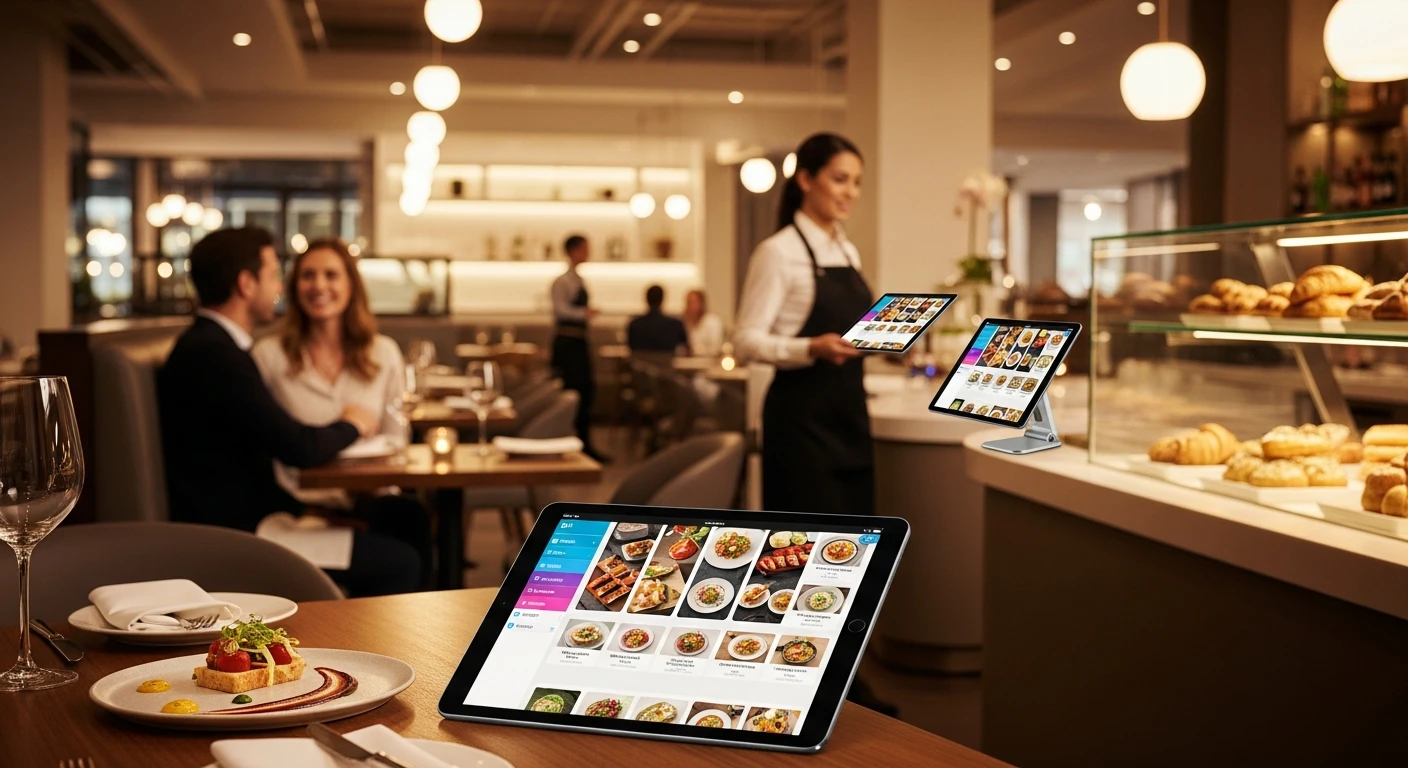
Tablet ordering isn't a novelty anymore. It's the dividing line between restaurants that grow and restaurants that plateau. Here's how to choose the right mode, the right hardware, and the right platform in 2026.
When Rockin' Rolls Sushi Express rolled out 49 iPad self-ordering stations across three locations, their serving time dropped by more than half. That wasn't magic. It was the result of choosing the right tablet ordering mode for each situation—and running it on a platform flexible enough to work on any device with a browser.
Most restaurant owners think "tablet ordering" means one thing. It actually means three very different things, each solving a different operational problem. Understanding the distinction is the difference between a smooth rollout and an expensive mess.
The Three Modes of Tablet Ordering
1. Server-Side Tableside Ordering
Your server carries a tablet—typically a compact 8-inch iPad Mini or Android device—and takes orders directly at the table. The order fires to the kitchen display system the moment the server taps "send." No walking back to a terminal. No scribbling on a notepad and deciphering it later.
This mode works best in full-service restaurants where the server-guest relationship matters. The server still controls the pace, still suggests dishes, still reads the table. But the order reaches the kitchen 90 to 120 seconds faster than the traditional walk-to-terminal workflow.
Operational math: In a 120-seat restaurant doing 2.5 turns on a Friday night, saving 2 minutes per table translates to an extra half-turn. At a $45 average check, that's an additional $2,700 in revenue on a single Friday.
2. Customer-Facing Counter Ordering
A tablet mounted on a counter or stand faces the customer. They browse the menu, customize their order, and pay—all without waiting for a cashier. The staff member who used to work the register now handles food prep or customer service.
Counter ordering dominates fast-casual and quick-service concepts: bubble tea shops, poke bowls, bakeries, pizza-by-the-slice. Tiger Sugar International Dessert uses this exact model across their locations—customers personalize drinks with minimal steps on a tablet kiosk, and electronic receipts with loyalty rewards print automatically.
The psychology works in your favor here. Research consistently shows that customers order more when they're not face-to-face with a cashier. There's no social pressure to "hurry up" or embarrassment about adding a third topping. The tablet is infinitely patient, and that patience translates to larger tickets.
3. Self-Service Kiosks on Tablets
Freestanding kiosks in the dining area or lobby let customers order entirely on their own. Think of it as the McDonald's kiosk experience, but running on commodity hardware instead of a $5,000 proprietary unit.
Self-service kiosks are the highest-ROI tablet deployment because they replace a dedicated labor position entirely. A single kiosk handles the equivalent of 1.5 cashier shifts per day. At $15/hour plus benefits, that's roughly $3,200/month in labor savings per kiosk.
Baked Cravings proved this model in one of the more unusual deployments we've seen: a self-serve kiosk running on a PaxA35 terminal at Lego Land, operating 24-hour retail with zero staffing at the point of sale. The entire ordering and payment workflow runs autonomously.
Speed and Accuracy: The Real Numbers
Tablet ordering doesn't just feel faster. It is measurably, provably faster—and more accurate.
| Metric | Traditional (Verbal / Handwritten) | Tablet Ordering | Improvement |
|---|---|---|---|
| Average order time | 2.5 – 3.5 minutes | 45 – 90 seconds | 55–70% faster |
| Order error rate | 8–12% | 1–2% | 85% fewer errors |
| Ticket-to-kitchen delay | 3–5 minutes (walk + enter) | Under 2 seconds | Instant fire |
| Average check size | Baseline | +15–22% | Automated upsell |
The error rate drop is where the money hides. Every wrong order costs you the remade food (cost of goods), the time to cook it again (labor), and the goodwill damage with the customer. At a 10% error rate on 200 tickets per day, you're remaking 20 orders. At $8 average food cost per remake, that's $160/day or $4,800/month in pure waste.
Tablet ordering eliminates handwriting interpretation entirely. The customer or server selects from structured options. "No onion" doesn't get confused with "extra onion" when it's a tap on a screen instead of shorthand on a notepad.
Automated Upselling That Actually Works
Here's the uncomfortable truth about upselling: servers forget. They're juggling six tables, a forgotten drink refill, and a kitchen that just 86'd the salmon. The last thing on their mind is asking whether the customer wants to add avocado for $2.
Tablet ordering systems upsell on every single order, every single time. And they do it in a way that feels helpful rather than pushy—a photo of guacamole appears with a gentle "Add fresh guacamole? $2.49" prompt.
Common upselling strategies that tablets execute flawlessly:
- Add-ons at the item level: Extra cheese, bacon, avocado. Presented visually after each item selection.
- Size upgrades: "Make it a large for just $1.50 more" with side-by-side size comparison.
- Combo suggestions: "Add a drink and side for $3.99" when a standalone entree is ordered.
- Dessert prompts at checkout: Before the customer confirms, one final screen shows top desserts with photos.
- Seasonal or high-margin pushes: The system can be configured to promote specific items during certain hours or days.
The 15–22% average ticket increase comes from compounding these micro-upsells. On a $25 average check doing 300 covers per day, an 18% lift means an extra $1,350 daily—$40,500 per month in incremental revenue from prompts that cost nothing to deliver.
Hardware: What to Buy and What to Skip
This is where most restaurants overspend. The tablet itself is the cheapest part of the system. It's the ecosystem lock-in that gets expensive.
| Hardware | Use Case | Cost Range | Notes |
|---|---|---|---|
| iPad 10th Gen (10.9") | Counter / Kiosk | $329–$449 | Most popular. Great display, reliable. |
| iPad Mini (8.3") | Tableside | $499 | Compact for server carry. Premium price. |
| Samsung Galaxy Tab A9 | Counter / Kiosk / Tableside | $159–$229 | Budget-friendly. KwickOS runs in browser. |
| Amazon Fire HD 10 | Self-service kiosk | $139 | Lowest cost. Works with KwickOS via Silk browser. |
| Kiosk enclosure + stand | Freestanding kiosk | $80–$250 | Locking, tamper-proof. Floor or counter mount. |
The critical distinction: KwickOS runs in a web browser. Any device with a modern browser becomes an ordering terminal. You're not locked into buying specific hardware from your POS vendor at a 3x retail markup.
Watch out for: Toast requires you to buy their proprietary Toast Tap, Toast Flex, or Toast Go hardware. A Toast Go 2 handheld costs $409. A comparable setup on KwickOS using a Samsung Galaxy Tab A9 costs $159—and you own the device outright.
Case Study: Rockin' Rolls Sushi Express — 49 iPad Self-Ordering Stations
Rockin' Rolls Sushi Express operates three locations with a high-volume, fast-casual sushi model. Their challenge was throughput: how do you serve 400+ customers during a lunch rush without a line out the door?
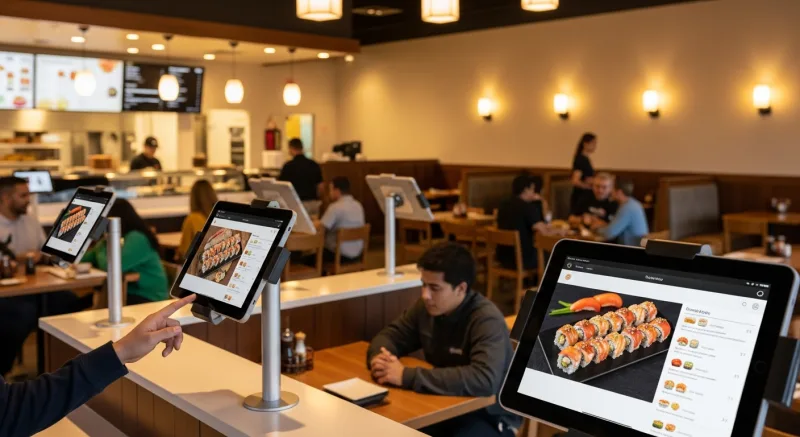
The answer was 49 iPad self-ordering stations—roughly 16 per location—distributed across counter positions and dining tables. Every seat effectively has its own ordering terminal.
What happened after deployment:
- Serving time dropped significantly with orders firing directly to the KDS
- Labor reallocation: 3 fewer cashier shifts per location per day, redeployed to food prep and customer service
- Order accuracy improved to over 99% (customers enter their own modifications)
- Average ticket increased as photo-driven menus and upsell prompts engaged every diner
- Customer satisfaction scores improved—no more waiting to flag down a server
The KDS integration was the critical piece. Each iPad order routes directly to the correct kitchen station. Sushi orders go to the sushi bar display. Fried items go to the fry station. Drinks go to the beverage station. No expeditor manually sorting tickets.
The per-station cost was roughly $400 (iPad + enclosure + charging). Across 49 stations, that's a $19,600 investment. With labor savings of approximately $9,600/month across three locations (3 cashier shifts x 3 locations x $15/hour x 160 hours/month equivalent), the payback period was just over two months.
KwickOS vs Toast vs Square: Tablet Flexibility Compared
| Feature | KwickOS | Toast | Square |
|---|---|---|---|
| Supported tablets | Any (browser-based) | Toast hardware only | iPad only |
| Minimum hardware cost (1 station) | $139 (Fire tablet) | $409 (Toast Go 2) | $329 (iPad) |
| Offline ordering | Yes (hybrid local+cloud) | Limited offline mode | No |
| Self-service kiosk mode | Built-in, any device | Toast Kiosk ($799+) | Not available natively |
| Tableside ordering | Any tablet | Toast Go only | iPad only |
| Photo menu on ordering screen | Yes (KwickPhoto) | Yes | Limited |
| Payment processor choice | Any processor | Toast Payments only | Square Payments only |
The hardware flexibility matters more than most operators realize. When you're deploying 49 stations like Rockin' Rolls, the cost difference between $139/device and $409/device is $13,230. That's a meaningful budget item—and it's money that could go toward kitchen equipment, staff training, or marketing.
Then there's the replacement factor. Tablets break in restaurants. Grease, water, drops—it happens. When your system runs on any tablet, replacing a broken device means a $139 trip to Best Buy, not a $409 order from your POS vendor with a 5-day shipping wait. Your operation doesn't skip a beat.
Implementation Checklist: Rolling Out Tablet Ordering
Based on our experience deploying tablet ordering for 5,000+ businesses across 50 states, here's the sequence that minimizes disruption:
Week 1: Infrastructure
- Audit your WiFi. You need dedicated 5GHz coverage in the dining room with at least 50 Mbps throughput and under 30ms latency. A consumer router won't cut it for 10+ simultaneous tablets—invest in a commercial access point ($150–$300).
- Order tablets and enclosures. Budget $200–$350 per station (tablet + case or stand + charging cable).
- Verify your KwickOS menu is photo-ready. Tablets with images convert dramatically better than text-only menus. Use KwickPhoto to capture professional-quality dish images if you haven't already.
Week 2: Configuration
- Set up ordering modes in KwickOS back office: tableside, counter, or kiosk per device.
- Configure KDS routing so orders fire to the correct station.
- Set up upsell rules: which items get upsell prompts, in what order, with what images.
- Configure payment: integrated card reader, tap-to-pay, or QR-code pay for each tablet.
Week 3: Soft Launch
- Deploy 2–3 tablets during slower shifts (Tuesday lunch, Wednesday dinner).
- Train staff on the workflow change. Servers need to understand they're not being replaced—they're being freed up to focus on hospitality.
- Collect feedback from both staff and customers. Adjust button sizes, menu flow, and upsell prompts based on real usage.
Week 4: Full Rollout
- Deploy remaining tablets across all stations and shifts.
- Monitor KDS timing reports to identify kitchen bottlenecks created by the faster order flow.
- Review first week's upsell data and adjust prompts based on conversion rates.
- Celebrate with your team: this is a significant operational upgrade.
Choosing the Right Mode for Your Restaurant
Not every restaurant needs all three modes. Here's a quick decision framework:
Full-service (servers, courses, wine lists):
Start with tableside ordering. It speeds up service without changing the guest experience. Add self-service only if you have a bar or waiting area where guests want to order independently.
Fast-casual (counter ordering, partial table service):
Deploy counter ordering tablets first. They reduce your cashier labor immediately. Add tableside for the dining room if you want to offer table-service upgrades during dinner hours.
Quick-service / high-volume (sushi bars, bubble tea, pizza):
Go straight to self-service kiosks. Maximum throughput, minimum labor. This is the Rockin' Rolls model. Pair with KDS routing for seamless kitchen integration.
The Bottom Line
Tablet ordering isn't about looking modern or following a trend. It's about three things: speed (more turns = more revenue), accuracy (fewer remakes = less waste), and average ticket (automated upsells = higher checks).
The restaurants winning in 2026 aren't the ones with the fanciest decor or the most Instagram-worthy plating. They're the ones where the order gets to the kitchen 90 seconds faster, every modification is captured perfectly, and every guest sees a photo of the chocolate lava cake before they close their tab.
That's what tablet ordering does. And when the platform runs on any device with a browser—no proprietary hardware, no vendor lock-in—the economics become irresistible.
Ready to modernize your ordering?
KwickOS runs on any tablet, any browser, with any payment processor. See how tablet ordering fits your operation.
Schedule a Demo (888) 355-6996