 Tom Jin
Open your appointment book right now. Count the gaps from the past two weeks — the clients who just never showed up, the ones who texted "something came up" 10 minutes before their balayage appointment.
Now do the math.
If your salon averages just 4 no-shows per week across all stylists, and your average service ticket is $85, that is $340/week walking out the door. Multiply it out: $17,680 per year from a single no-show per day.
But it gets worse.
Most salons with 6 or more stylists are not losing 4 appointments per week. They are losing 15 to 20. At that rate, the annual damage climbs to $67,000 or more — and that does not account for the product you prepped, the color you mixed, or the client you turned away because the schedule looked full.
Here's the thing: no-shows are not an attitude problem. They are a systems problem. And systems problems have technology solutions.
After 30 years in IT and two decades building technology for service businesses, I have seen this pattern repeat in every salon, spa, and nail studio we work with. The owners who treat no-shows as inevitable lose tens of thousands. The owners who deploy the right technology stack cut their no-show rate by 60-80% — sometimes in a matter of weeks.
These are the 5 fixes that work.
1. Automated Multi-Touch Reminders (The 30-45% Reduction)
The simplest fix is the most powerful. Most no-shows are not malicious — they are forgetful. Your client booked a keratin treatment three weeks ago and genuinely forgot it was today.
A single reminder helps. But a three-touch automated sequence is what moves the needle from "some improvement" to "dramatic reduction."
Here is the sequence that consistently delivers a 30-45% drop in no-shows:
- Touch 1: Instant booking confirmation. The moment a client books — online, by phone, or in person — they receive an automated text and email confirming the date, time, stylist, and service. This is not a reminder. It is a commitment anchor. People who receive instant confirmation are 23% more likely to follow through.
- Touch 2: 48-hour advance reminder. Two days before the appointment, an automated SMS goes out: "Hi Sarah, just a reminder about your balayage with Jessica this Thursday at 2 PM. Reply C to confirm or R to reschedule." The 48-hour window is critical — it gives the client time to reschedule and gives you time to fill the slot if they cancel.
- Touch 3: Day-of reminder. Two hours before the appointment: "See you at 2 PM today! Please arrive 5 minutes early. Need to reschedule? Call us at (555) 123-4567." This catches the clients who confirmed two days ago but got swept up in their morning.
Why SMS and not email? Because 98% of text messages are opened within 3 minutes. Email sits at 20% open rates on a good day. For time-sensitive appointment reminders, text is not optional — it is the only channel that reliably reaches people.
And that's not all. The confirmation reply ("Reply C to confirm") is not just a courtesy. It is a psychological commitment device. Research on behavioral economics shows that active confirmation — where the client takes an action to affirm their intent — increases show rates by an additional 12-15% compared to passive reminders alone.
A POS system with built-in appointment management handles this automatically. You set the sequence once, and every client who books through your system gets the full three-touch treatment without your front desk lifting a finger.
2. Card-on-File and Deposit Requirements (The 55-70% Reduction)
Reminders address forgetfulness. Deposits address commitment.
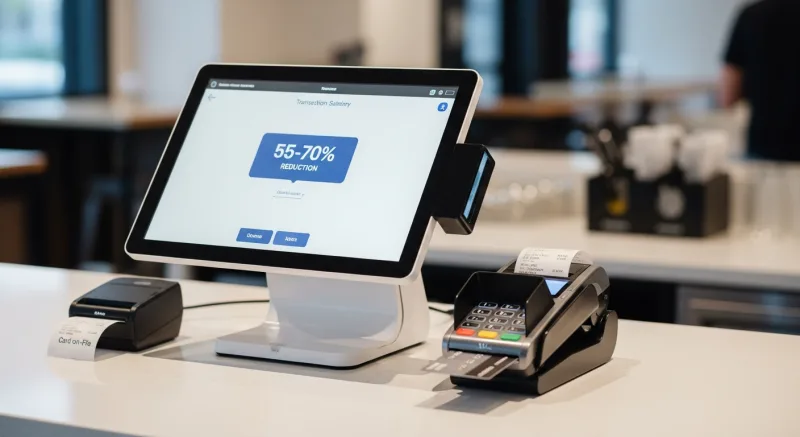
When a client books a $200 color service with nothing at stake, canceling is frictionless. They lose nothing. You lose $200 in revenue plus stylist wages, product, and the opportunity cost of a turned-away client.
But when that same client has a card on file — and knows that a no-show or late cancellation triggers a 50% charge — the calculus changes entirely. Clients with financial skin in the game show up 93% of the time.
There are three levels of financial commitment, and the right one depends on your clientele:
Level 1: Card on File (Low Friction, High Impact)
You collect the client's card at the time of booking — or better, it is already stored from their last visit. The card is only charged if they no-show or cancel within your policy window (typically 24 hours). This feels natural because most clients pay by card anyway. They are not being charged upfront; they are simply agreeing to your cancellation policy.
Impact: no-show rates drop 40-55% with card-on-file alone.
Level 2: Deposit (20-50% of Service)
For high-value services — color corrections, extensions, bridal packages — a deposit of 20-50% at booking time is industry standard and clients expect it. A $400 extension appointment with a $100 deposit ensures the client shows up or you at least recover partial costs.
Impact: no-show rates drop 55-70% for deposited services.
Level 3: Full Prepayment
Common for specialty treatments, spa packages, and class-based services. The client pays the full amount at booking. No-shows become virtually zero — but this model only works for premium services where clients are already accustomed to advance payment.
Here's the thing about deposits that salon owners get wrong: the fear of losing clients is almost always overblown. When Diva Nail Beauty implemented card-on-file across their 4 locations, the owner expected pushback. Instead, they saw a 90% efficiency increase in their booking-to-service pipeline. Clients who are serious about their appointments appreciate a system that respects everyone's time. The ones who balk at a basic cancellation policy are statistically the ones who no-show most often.
Your POS system needs to support tokenized card storage (for PCI compliance) and automated policy enforcement. Manual deposit tracking — where the front desk remembers to charge no-shows — fails within a week. The system must handle it automatically.
3. Smart Waitlist Management (The Revenue Recovery System)
No-shows and last-minute cancellations will still happen, even with reminders and deposits. The question is whether that empty chair stays empty or gets filled.
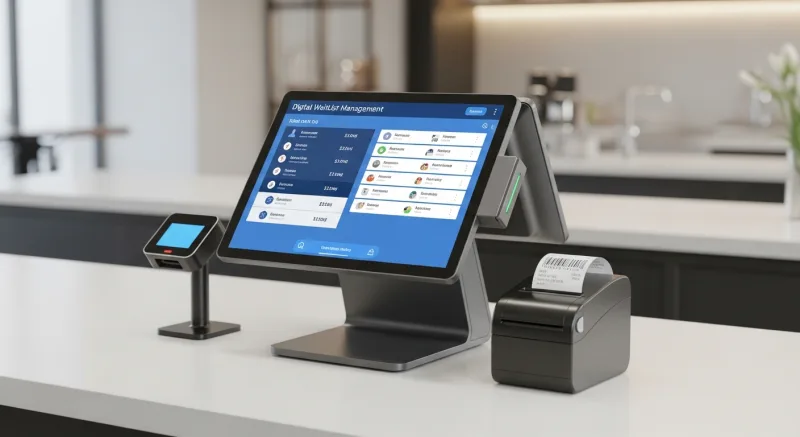
A smart automated waitlist turns cancellations from lost revenue into recovered revenue — instantly.
Here is how it works in a modern POS-integrated system:
- Client A cancels their 2 PM Thursday cut-and-color.
- The system immediately identifies waitlisted clients who match the time slot and service type.
- Those clients receive an automated text: "Great news! A Thursday 2 PM opening just became available with Jessica. Tap to book instantly."
- The first client to confirm gets the slot. The system updates the schedule automatically.
The entire cycle — from cancellation to re-booking — takes minutes instead of the hours (or days) it takes when your front desk manually calls through a paper waitlist.
Salons using automated waitlists recover 40-60% of cancelled appointment revenue. On a busy week, that is the difference between losing $1,200 and recovering $600 of it.
But it gets better. Smart waitlist systems also build client goodwill. The client who was told "We're fully booked this week" and then gets a text 3 days later offering the exact slot they wanted? They feel taken care of. They feel prioritized. That emotional response drives loyalty far more than any points program ever could.
A POS with built-in waitlist management also gives you data. Over time, you can see which time slots have the highest cancellation rates and proactively overbook those windows — just like airlines do — because you know from historical data that 2 of your 14 Tuesday appointments will cancel.
4. Online Self-Service Booking with Policy Enforcement (The Prevention Layer)
Phone bookings are where no-show problems begin.
When a client calls and your receptionist books them in, the cancellation policy might get mentioned in passing — or not at all. The client has no written record of the policy. There is no card on file. There is no digital confirmation. It is a verbal agreement that evaporates the moment they hang up.
Online booking fixes every one of these gaps:
- Policy acknowledgment is built into the flow. Before completing a booking, the client sees your cancellation policy and checks a box. This is legally enforceable and psychologically powerful.
- Card collection is natural. Online booking forms that request a card-on-file feel expected — the same way hotel booking does. In-person requests can feel confrontational.
- Instant confirmation is automatic. The booking system sends the confirmation text and email immediately, starting the three-touch reminder sequence.
- Self-service rescheduling reduces cancellations. When clients can reschedule online in 30 seconds, they reschedule instead of no-showing. A client who cannot reach your front desk by phone on a Sunday night will simply not show up Monday morning. Give them a self-service option, and they will move the appointment instead of abandoning it.
The data backs this up: salons that move 60% or more of their bookings online see a 25-35% reduction in no-shows compared to phone-only booking — even before adding reminders or deposits.
And that's not all. Online booking captures accurate client contact information automatically. No more wrong phone numbers scribbled on appointment cards. No more reminders going to a number the client changed 6 months ago. The client enters their own information, so the reminder system works every time.
Your POS needs to offer an integrated online booking module — not a third-party tool that syncs with your calendar. Third-party booking tools create duplicate records, syncing delays, and policy gaps. When booking, scheduling, reminders, deposits, and POS are all in one system, every piece reinforces the others.
5. No-Show Fee Automation and Graduated Consequences (The Accountability System)
Even with the best prevention technology, some clients will no-show. The question is: what happens next?
Most salons do nothing. The stylist grumbles. The front desk makes a note. The client rebooks a month later and does it again.
A POS system with automated no-show tracking and graduated consequences breaks this cycle.
Here is the graduated model that works:
| Offense | Automated Action | Client Communication |
|---|---|---|
| First no-show | Flag in client profile; send policy reminder | "We missed you today! As a reminder, our policy requires 24-hour notice for cancellations." |
| Second no-show | Charge 50% of service via card on file | "Per our policy, a 50% fee of $42.50 has been charged for the missed appointment. We'd love to see you — please rebook at your convenience." |
| Third no-show | Require full prepayment for future bookings | "To reserve your next appointment, we ask for full prepayment at booking. This ensures your spot is guaranteed." |
This is not about punishment. It is about accountability. And when it is automated — when the system enforces the policy consistently, without emotion, without awkward front desk conversations — it works.
Here's the thing: the clients you lose to a no-show policy were costing you money. A client who no-shows 3 times per year at an $85 average ticket is not a $1,020/year client. They are a negative-value client — they block slots that paying clients would fill, demoralize your stylists, and cost you money in prepped product.
The graduated system gives every client a fair second chance while protecting your business from chronic offenders. And it does it without your staff having to be the bad guy.
The Real-World Math: Stacking All 5 Fixes
These five technologies do not operate in isolation. They stack. Here is what the math looks like for a salon with 6 stylists, $85 average ticket, and 20 no-shows per week before any intervention:
| Metric | Before | After (All 5 Fixes) |
|---|---|---|
| Weekly no-shows | 20 | 4 |
| Weekly revenue lost | $1,700 | $340 |
| Annual revenue lost | $88,400 | $17,680 |
| Revenue recovered via waitlist | $0 | $12,240 |
| No-show fees collected | $0 | $3,400 |
| Net annual improvement | $86,360 |
That is not a typo. By reducing no-shows from 20/week to 4/week, recovering revenue through waitlist fills, and collecting fees from the remaining no-shows, a 6-stylist salon can recapture over $86,000 in annual revenue.
For a business operating on 15-20% net margins, that $86,000 in recovered revenue has the same bottom-line impact as generating $430,000 to $575,000 in new revenue. And unlike marketing for new clients, this revenue requires zero additional cost — your stylists are already there, the chairs are already empty, the rent is already paid.
What to Look For in a Salon POS System
Not every POS system can deliver these five fixes. Many salon software platforms offer appointment booking but lack the integrated reminder, deposit, waitlist, and tracking capabilities needed to truly solve no-shows.
Here is what your POS must support:
- Built-in SMS and email reminders — not a third-party integration that breaks every 6 months.
- PCI-compliant card tokenization — so you can store cards on file safely and charge no-show fees automatically.
- Automated waitlist with instant notification — text alerts to waitlisted clients when slots open, with one-tap booking.
- Online booking with policy enforcement — checkbox acknowledgment, card collection, and instant confirmation baked into the flow.
- Client history tracking — no-show counts, late cancellations, and graduated consequence automation at the profile level.
- Processor-agnostic payment — because your POS handling deposits and no-show charges should not lock you into a payment processor that charges 2.99% per transaction. On $3,400 in no-show fees alone, the difference between a locked processor at 2.99% and interchange-plus at 2.2% is real money.
- Multilingual support — if your clientele or staff speak multiple languages, your reminders and booking flow need to match. English, Spanish, and Chinese coverage ensures no client misses a reminder because of a language barrier.
KwickOS includes all of these capabilities in a single platform. The appointment module integrates with POS, CRM, and messaging — so your reminder sequence, waitlist, deposits, and no-show tracking all operate from one system. And because KwickOS is processor-agnostic, you save an additional $3,000-$8,000 per year on payment processing that would otherwise go to a locked-in provider.
Diva Nail Beauty — with 4 locations and 4 terminals — experienced this firsthand. After implementing KwickOS with automated commission tracking and appointment management, they saw a 90% efficiency increase across their booking-to-service pipeline. The automated systems handled what used to require a full-time receptionist at each location.
Implementation: The First 30 Days
You do not need to deploy all five fixes simultaneously. Here is the recommended rollout:
Week 1: Activate automated SMS reminders with the three-touch sequence. This is the fastest win — requires no policy changes and no client communication. Just turn it on.
Week 2: Implement card-on-file for all new bookings. Train your front desk on the script: "We keep a card on file for all appointments — it's only charged if there's a same-day cancellation. Would you like to use the card you've been paying with?" Most clients will say yes without hesitation.
Week 3: Launch online booking with policy acknowledgment and card collection built in. Promote it to clients via text: "Book online 24/7 at [your link] — it's faster than calling!" Every booking that moves online is one fewer that slips through without a card on file.
Week 4: Activate the waitlist system and no-show tracking. By now, your team is comfortable with the technology, and your clients have adjusted to the new booking flow. The waitlist and graduated consequences are the final layer.
By day 30, you will have measurable data on your new no-show rate. Most salons see a 40-50% improvement in the first month alone, with continued improvement as more clients move to online booking and card-on-file becomes standard.
Ready to see what this looks like for your salon? Use our free business calculators to model the revenue impact, or explore how KwickOS works for salons and nail studios specifically.
Stop Losing $67,000 a Year to Empty Chairs
KwickOS gives salons automated reminders, card-on-file deposits, smart waitlists, online booking, and no-show tracking — all in one system. See how much you could recover.
Get a Free Demo