
 Tom Jin
You sold 14 units of your best-selling candle on your website last Saturday. Your POS showed 8 left in the store. But when a walk-in customer tried to buy one, your staff checked the shelf and found zero.
The website never told the store. The store never told the website. And your customer walked out, pulled up Amazon on their phone, and ordered from a competitor before they reached their car.
That is not a technology problem. That is a revenue hemorrhage.
According to industry research, 73% of consumers now use multiple channels during a single shopping journey. They expect your inventory to be accurate. They expect their loyalty points to work everywhere. They expect to buy online and pick up in-store without calling ahead. And that's not all: they expect their gift card to work whether they're shopping on your website, standing in your store, or ordering through your social media page.
Most small retailers know they need to be "omnichannel." What they don't know is that their current POS system makes it nearly impossible.
Here's the thing: this article is not about aspiration. It is about the specific architecture, tools, and tactics that let a 1-to-5 location retailer deliver a unified shopping experience without hiring an IT department or spending $50,000 on custom integrations.
The Real Cost of Disconnected Channels
Before we fix the problem, let's quantify it. Because the damage from running separate systems is worse than most retailers realize.
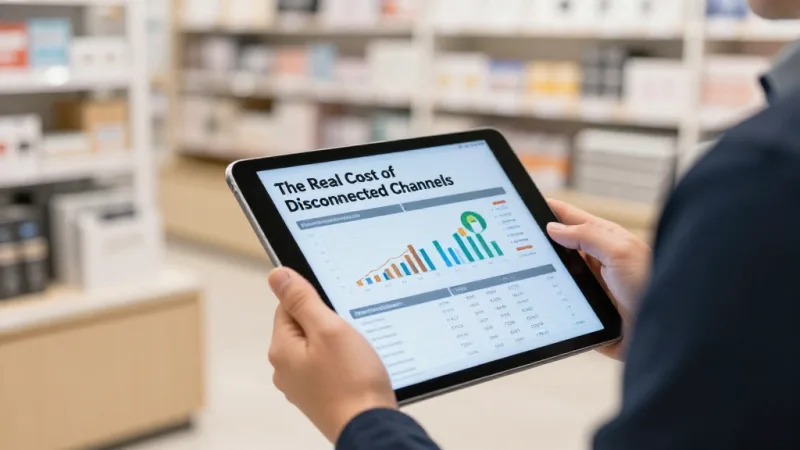
Overselling. When your website doesn't know what your store sold (and vice versa), you sell inventory you don't have. Industry data suggests that overselling costs small retailers between $5,000 and $18,000 per year in canceled orders, refund processing, and lost customer trust. One bad oversell experience is enough to lose a customer permanently — and they'll tell their friends.
Missed BOPIS revenue. Buy Online, Pick Up In-Store (BOPIS) customers spend 15-25% more than online-only shoppers, according to retail industry data. They come into your store to pick up their order and grab extra items on impulse. If you don't offer BOPIS because your systems aren't synced, you're leaving that incremental revenue on the table.
Fragmented customer data. Your website knows Sarah browsed three products and abandoned her cart. Your POS knows Sarah spent $340 last quarter. Your loyalty program knows Sarah has 2,400 points. But none of these systems know all three things simultaneously. That means you can't send Sarah a personalized offer based on her complete shopping behavior.
But it gets worse: you're probably running separate loyalty programs for online and in-store, or worse — no loyalty program online at all. Industry research suggests that customers who engage with a brand across multiple channels have a 30% higher lifetime value than single-channel shoppers. If your loyalty program only works at the register, you're ignoring the most valuable segment of your customer base.
The total cost of disconnected channels for a retailer doing $500,000 in annual revenue? Conservatively $25,000 to $45,000 per year in overselling, missed upsells, duplicate marketing spend, and lost customer lifetime value.
What Omnichannel Actually Means (Not What You Think)
Let's clear up the confusion. Most retailers think omnichannel means "I sell on my website AND in my store." That's multichannel, and it's what you already have.
Omnichannel means every channel is connected in real time. Specifically:
- Inventory syncs instantly. A sale on your website decreases in-store inventory in real time. A stock adjustment in-store updates your online catalog before the next customer clicks "Add to Cart."
- Customer profiles are unified. One customer, one profile, regardless of where they shop. Their purchase history, loyalty points, gift card balance, and preferences follow them across every touchpoint.
- Pricing is consistent. No more customers finding a lower price on your website and demanding a price match at the register (or finding a higher online price and losing trust in your brand).
- Orders flow freely. Buy online, pick up in-store. Browse in-store, ship to home. Start a cart on mobile, finish it at the register. Return an online purchase at the physical store.
- Gift cards and loyalty work everywhere. A gift card purchased online can be redeemed in-store. Points earned at the register can be spent on the website. E-gift cards sent via email can be scanned from a phone at checkout.
Here's the kicker: achieving this used to require enterprise-grade software costing $10,000+/month and a team of IT consultants. Today, a properly designed all-in-one POS platform does it out of the box.
The 5 Pillars of a Working Omnichannel Setup
Pillar 1: Real-Time Inventory Sync
This is the foundation. Nothing else works without it.
Your POS needs to update inventory counts across all channels the moment a transaction completes — not every hour, not every night, the moment it happens. The difference between real-time sync and batch sync is the difference between a smooth customer experience and an embarrassing "Sorry, we're actually out of stock" email after someone already paid.
KwickOS uses a hybrid local+cloud architecture for exactly this reason. Inventory updates process locally in under 1 millisecond, so your in-store checkout never slows down. Those updates sync to the cloud within seconds, where they propagate to your online store, social selling channels, and any connected marketplace. Even if your internet drops, the local system keeps running and syncs everything once the connection resumes.
Compare this to cloud-only POS systems that require a constant internet connection just to process a sale. One WiFi hiccup during a busy Saturday and your entire checkout grinds to a halt — while your online store keeps selling inventory that may or may not exist anymore.
For multi-location retailers, this gets even more critical. T. Jin China Diner manages 15 locations and 75 terminals on KwickOS, with real-time inventory visibility across every store from a single dashboard. When a product sells out at one location, staff can immediately check stock at nearby locations and arrange a transfer — or direct the customer to a store that has it.
Pillar 2: Unified Customer Profiles and Loyalty
And that's not all. Inventory sync is useless if your customer data lives in silos.
A true omnichannel loyalty program lets customers earn and redeem points regardless of channel. Bought something on the website? Points credited automatically. Made a purchase in-store? Same account, same balance. Received a $50 e-gift card via email? They can pull it up on their phone and scan it at the register, or apply it at online checkout.
Here's the thing: most POS-locked loyalty programs (like Toast's or Square's) only work within their own ecosystem. If you bolt on a separate e-commerce platform, your online customers and in-store customers become two different databases. Good luck sending a "We miss you" email to someone who shops online every week but hasn't visited the store in three months — you don't even know they're the same person.
With a unified CRM, you can segment customers by their total behavior:
- High-value cross-channel shoppers (your VIPs — treat them accordingly)
- Online-only customers who live near a store (send them an in-store exclusive offer)
- In-store regulars who've never visited your website (retarget them with digital coupons)
- Lapsed customers across all channels (trigger a win-back campaign with a gift card incentive)
This is where gift cards become a powerful omnichannel bridge. E-gift cards are the perfect tool for driving customers between channels. Send an e-gift card to an online-only shopper with a message like "Redeem in-store for a bonus 10% added to your balance." Now you've moved a digital customer into your physical store, where they'll likely spend more than the gift card value.
Pillar 3: Consistent Pricing and Promotions
Nothing erodes customer trust faster than price inconsistency. If a customer sees a product for $24.99 on your website and finds it tagged at $29.99 in the store, they won't assume it's a pricing error. They'll assume you're trying to overcharge them in person.
A unified POS platform manages pricing from one central catalog. Change a price once, and it updates everywhere — online, in-store, on your kiosk, across all locations. Same goes for promotions: a "20% off summer clearance" sale shouldn't require manual changes in four different systems.
Crafty Crab Seafood runs 19 stores with 152 terminals and uses one-click menu sync across all locations. While they're a restaurant chain, the principle is identical for retail: centralized catalog management means consistent pricing everywhere, instantly, without any location falling out of sync.
Pillar 4: Flexible Fulfillment Options
Modern customers don't think in channels. They think in convenience. Your job is to let them buy however they want and receive however they want:
- BOPIS (Buy Online, Pick Up In-Store). The customer orders on your website, you pick and pack the order, and they walk in to collect it. This drives foot traffic and impulse purchases.
- Ship-from-store. Instead of maintaining a separate warehouse for e-commerce, ship online orders directly from your store's inventory. This reduces shipping time and warehousing costs.
- In-store ordering with home delivery. A customer visits your store, tries a product, but wants a different color that's out of stock at this location. Your staff places the order on the spot and ships it to their home.
- Curbside pickup. A variation of BOPIS where the customer never leaves their car. The POS system alerts staff when the customer checks in, and someone runs the order out.
Each of these options requires your inventory, order management, and POS to work as a single system. If they're separate tools patched together with plugins, the seams will show — and they'll show at the worst possible moments.
Pillar 5: Social Commerce Integration
Instagram Shopping, Facebook Marketplace, TikTok Shop — social platforms are becoming storefronts. Industry data suggests social commerce will exceed $100 billion in the US alone within the next few years.
But here's where most small retailers fall apart: they connect their social shop to their e-commerce platform, but not to their POS. So social media sales happen in a completely separate system, with separate inventory tracking, separate customer data, and zero integration with in-store operations.
When social commerce connects to your POS, a sale on Instagram immediately decreases your in-store stock count. A new customer who buys through TikTok Shop gets added to the same CRM as your walk-in regulars. Their loyalty points accumulate from day one. Their e-gift card works everywhere.
How to Build Your Omnichannel Stack (Without Enterprise Budget)
Here's the practical playbook. If you're a small retailer with 1 to 5 locations, this is the sequence that works.
Step 1: Start with the right POS. Everything else depends on this choice. You need a POS that natively includes inventory management, CRM, loyalty, gift cards, and online ordering — not one that requires bolting on third-party integrations for each capability. Processor-agnostic is non-negotiable too. If your POS locks you into a specific payment processor, you're already overpaying by $3,000 to $8,000 per year. Use our processing fee calculator to see exactly what you could save.
Step 2: Connect your online store. Launch your online catalog using the same product database as your POS. Don't import/export CSVs between separate systems. If your POS has a built-in e-commerce module, use it — it guarantees real-time sync without middleware. If you use a separate platform like Shopify, ensure the POS integration is real-time, not batch.
Step 3: Activate unified loyalty and gift cards. Set up a single loyalty program that works across all channels. Issue e-gift cards that can be purchased and redeemed online or in-store. This is your secret weapon for cross-channel customer migration. A customer who has a gift card balance or loyalty points at your store will choose you over a competitor every time — because switching means leaving money behind.
Step 4: Enable BOPIS. This is the highest-ROI omnichannel feature for most small retailers. Customers buy online (giving you the sale before they even arrive), pick up in-store (saving you shipping costs), and often add impulse items to their order when they arrive. It requires accurate real-time inventory and a staff workflow for order picking. Most POS systems can trigger a notification to staff when an online BOPIS order comes in.
Step 5: Connect social channels. Once your POS and online store are synced, connecting social commerce is an incremental step. List your bestsellers on Instagram Shopping and Facebook Marketplace with inventory pulled from the same central catalog.
Want to see how KwickOS compares to other POS platforms on omnichannel capabilities? Check our comparison pages for head-to-head breakdowns against Toast, Square, Clover, and Lightspeed.
Omnichannel Checkout: Where the Sale Actually Happens
All the syncing and strategy in the world doesn't matter if checkout is clunky. Here's what the POS checkout flow needs to handle in an omnichannel environment:
- Accept any payment method. Credit, debit, cash, mobile wallets (Apple Pay, Google Pay), gift cards, e-gift cards, split payments. If a customer has a $25 e-gift card and wants to pay the remaining $18 with their credit card, that should take one tap.
- Look up customer profiles instantly. The cashier should be able to pull up a customer's loyalty balance, purchase history, and any stored gift card balances in seconds — by phone number, email, or loyalty card scan.
- Apply cross-channel promotions. If the customer has an online coupon code, they should be able to use it in-store. If the store is running a promotion that also applies online, the POS should honor it automatically.
- Process returns from any channel. A customer bought online and wants to return in-store? The POS should pull up the online order, process the return, and update inventory across all channels simultaneously.
This level of checkout flexibility requires a POS built for omnichannel from the ground up — not a traditional register with add-ons bolted on later. KwickOS supports all of these scenarios natively, including fingerprint 1:N authentication for staff (so only authorized employees can process returns and overrides) and multilingual interfaces in English, Chinese, and Spanish.
Real-World Omnichannel: What It Looks Like in Practice
Let's walk through a day in the life of a retailer running a connected omnichannel operation.
9:00 AM. A customer in Dallas browses your website, adds a $65 candle set to their cart, and applies a $20 e-gift card they received for their birthday. They choose BOPIS at your downtown store for afternoon pickup. The POS at your downtown location receives the order notification and reserves the inventory.
11:30 AM. A walk-in customer at your downtown store asks for the same candle set. Your staff sees 3 in stock (1 reserved for BOPIS). They sell one, and the inventory count updates across your website and social channels within seconds. The website now shows 1 available (the last unreserved unit).
2:00 PM. The BOPIS customer arrives, picks up their candle set, and — while they're there — grabs a $28 diffuser they spotted near the register. They pay with their loyalty points for the diffuser. Total additional revenue from the BOPIS visit: $28 that wouldn't have happened with shipping.
4:00 PM. Someone on Instagram sees your bestselling candle set in a post, taps "Shop Now," and buys it. The sale syncs to your POS, inventory drops to zero, and the website automatically shows "Out of Stock" with a "Notify Me" button. No overselling.
5:30 PM. You check your mobile dashboard from your couch. Today's revenue: $4,200 across all channels. Top customer segment: cross-channel shoppers averaging $87 per visit vs. $52 for single-channel.
That's omnichannel. Not a buzzword — a daily reality.
The Processor-Agnostic Advantage in Omnichannel
Here's something nobody talks about: your payment processing costs go up in omnichannel because you're processing more transactions across more touchpoints. If your POS locks you into a single processor at 2.99% + $0.15, every additional online sale, every BOPIS transaction, every social commerce order compounds that overpayment.
A processor-agnostic POS lets you negotiate rates for different transaction types. In-person chip transactions have lower interchange than card-not-present (online) transactions. With a locked processor, you pay the same inflated rate on everything. With processor freedom, you can optimize.
For a retailer doing $500,000 across all channels, the difference between a locked processor and negotiated interchange-plus pricing is $3,000 to $8,000 per year. That's money that should fund your omnichannel expansion, not pad your POS vendor's margins.
Run the numbers yourself with our free processing fee calculator.
Common Omnichannel Mistakes (and How to Avoid Them)
After 30 years in IT and 20 years working with retail and restaurant businesses, I've seen these mistakes kill omnichannel initiatives repeatedly:
- Starting with social commerce before fixing inventory sync. If your in-store and online inventory aren't synced, adding social channels just creates more overselling risk. Fix the foundation first.
- Running separate loyalty programs per channel. Every separate loyalty system is a wall between you and your customer's total spending power. One program, all channels.
- Ignoring gift cards as an omnichannel tool. E-gift cards are the single easiest way to move customers between channels. Issue them online, redeem them in-store (and vice versa). They also create guaranteed future visits.
- Choosing a POS based on features, not architecture. Features can be added. Architecture can't. If your POS is cloud-only with no local processing, you'll have reliability problems. If it locks you into a processor, you'll have cost problems. If it doesn't natively include CRM and loyalty, you'll have integration problems. Get the architecture right first.
- Trying to build omnichannel with integrations. Connecting 5 separate tools (POS + e-commerce + loyalty + inventory + CRM) with plugins and APIs creates a fragile Frankenstein system. When one integration breaks, the whole experience breaks. An all-in-one platform eliminates this risk.
Getting Started: Your 30-Day Omnichannel Roadmap
Week 1: Audit your current state. How many separate systems manage your inventory, customer data, and sales? How often does inventory mismatch between online and in-store? What percentage of customers shop across multiple channels?
Week 2: Evaluate your POS. Does it natively support real-time inventory sync, unified CRM, loyalty, gift cards, and online ordering? Is it processor-agnostic? If not, calculate the cost of staying on your current system vs. switching. Our retail industry page breaks down exactly what to look for.
Week 3: Implement unified loyalty and gift cards. Launch a single loyalty program across all channels. Activate e-gift cards. This is the fastest win because it immediately connects your online and in-store customer bases.
Week 4: Launch BOPIS. Enable online ordering with in-store pickup. Train staff on the pickup workflow. Promote it to your email list and social followers. Monitor the incremental revenue from BOPIS add-on purchases.
Within 30 days, you'll have the three most impactful omnichannel capabilities live: inventory sync, unified loyalty, and BOPIS. Social commerce integration can follow in month two.
Ready to see what omnichannel looks like with KwickOS? Visit our partner program page to connect with a local expert who can walk you through a live demo tailored to your retail operation.
Your Channels Should Talk to Each Other
KwickOS unifies your store, website, and social sales with real-time inventory sync, one loyalty program, and gift cards that work everywhere. See it in action.
Get a Free Demo