 Tom Jin
You're losing money right now. Not on food waste, not on labor — on the numbers printed next to your dishes.
Every restaurant owner obsesses over food cost percentages and labor scheduling. But there's a lever sitting in plain sight that almost nobody touches: how your prices appear on the menu.
Here's the thing: behavioral scientists have spent decades studying how humans make purchasing decisions. The findings are clear — small changes in price format, placement, and framing can shift customer spending by 8% to 20% without changing the actual price of a single item.
That's not theory. For a restaurant doing $50,000/month in sales, an 8% increase from pricing psychology alone is $48,000 in additional revenue per year. Same food. Same staff. Same overhead.
And that's not all: every one of these 11 tricks can be implemented in a single afternoon. No construction. No new hires. No recipe changes. Just a menu reprint — or a few taps on your POS system's digital menu editor.
Let me walk you through each one. I've used these strategies across our 5,000+ KwickOS merchant network, and the results are consistent.
Trick #1: Remove the Dollar Sign
This is the single most impactful change you can make. Research from Cornell's Center for Hospitality Research showed that diners spent significantly more when menus displayed prices as plain numbers (16) versus dollar-formatted prices ($16.00).
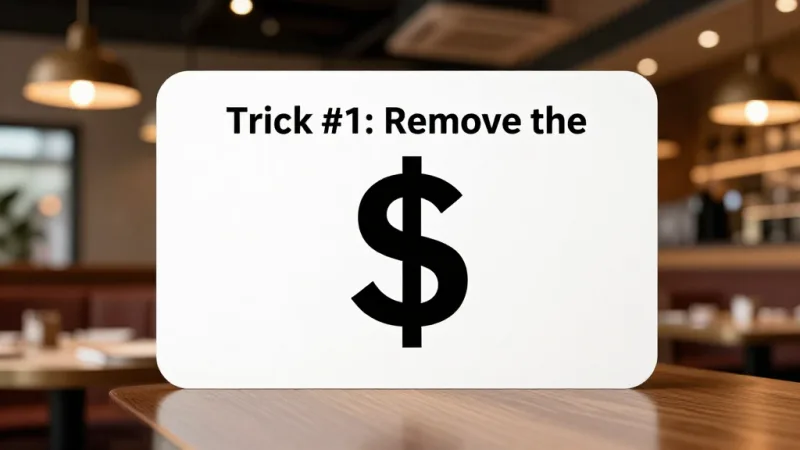
Why does this work? The dollar sign triggers what psychologists call the "pain of paying." It's a subconscious reminder that you're about to spend money. Remove that visual cue, and the friction disappears.
Here's what this looks like in practice:
| Format | Example | Effect on Spending |
|---|---|---|
| Dollar sign + decimals | $16.00 | Lowest spending (maximum price pain) |
| Dollar sign, no decimals | $16 | Slightly better |
| Plain number | 16 | Highest spending (minimal price pain) |
| Written out | sixteen dollars | High spending but impractical for most menus |
But it gets worse: if you're using $16.00 with two decimal places, you're not just triggering price pain — you're making the number look bigger. More characters = bigger perceived number. Drop the dollar sign and the decimals.
Fine dining restaurants figured this out years ago. Now it's time for every restaurant to catch up.
Trick #2: Use the Anchor Item
Put a $95 Wagyu steak on the menu. Watch what happens to your $38 ribeye.
This is anchoring — the human brain's tendency to judge prices relative to the first or most prominent number it encounters. That $95 item doesn't need to sell well. Its job is to make everything else on the menu look like a reasonable deal.
One of our KwickOS merchants, a steakhouse in Houston, added a $110 dry-aged tomahawk to the top of their steak section. Orders of their $42 NY Strip increased by 17% in the first month. The tomahawk itself? It sold four times a week. But that wasn't the point.
Here's how to deploy anchoring effectively:
- Place your anchor item at the top of each menu section — it's the first price the brain registers
- The anchor should be 2x to 2.5x the price of your target item
- Make the anchor legitimate — customers will see through fake-expensive items
- Use your menu engineering calculator to identify which items benefit most from anchoring
Trick #3: Deploy the Decoy Effect
Imagine you sell two sizes of pasta:
- Regular (8 oz): 14
- Large (14 oz): 22
Most customers pick the regular. Now add a decoy:
- Regular (8 oz): 14
- Medium (10 oz): 20
- Large (14 oz): 22
Suddenly the large looks like an incredible deal — only $2 more than the medium for 4 extra ounces. According to restaurant industry data, introducing a strategic decoy option can shift 20-30% of orders toward the higher-priced target.
The decoy (medium) rarely gets ordered. It exists purely to make the large look irresistible. This works for drinks, appetizers, steaks, desserts — anything with size variants.
And that's not all: when customers order the larger size, they're more likely to add a drink, a side, or a dessert. The upsell cascade from one pricing trick compounds throughout the check.
Trick #4: Bundle Psychology — The Combo That Feels Like Stealing
Individual pricing: Burger 14 + Fries 6 + Drink 4 = 24.
Bundle pricing: Burger Combo (burger + fries + drink) = 21.
You're discounting $3, right? Not exactly. The perceived savings is $3, but the actual cost of adding fries and a drink to the combo is around $1.80 in food cost. You're giving up $1.20 in margin on the bundle — but you're selling 40% more combos than you would individual burgers.
The math works because bundling increases attachment rate (the percentage of entrees that come with sides and drinks). Without bundling, according to industry data, roughly 60% of quick-service customers order just an entree. With smart bundling, that drops to 35%.
Here's the thing: bundling also simplifies the POS checkout process. At Rockin' Rolls Sushi Express, their 3-store, 49-iPad self-ordering setup uses pre-built combo buttons that guide customers through bundle selection. Average order value went up, and checkout time went down.
Your POS system should make combo creation easy. KwickOS lets you build custom combo configurations with automatic pricing, so staff don't have to calculate discounts manually.
Trick #5: Charm Pricing — The .95 That Tricks Your Brain
$9.95 feels closer to $9 than $10. Your rational brain knows better, but your purchasing brain doesn't care.
This is left-digit bias — humans anchor on the leftmost digit when evaluating prices. The jump from $9.95 to $10.00 feels like a dollar increase. The jump from $10.00 to $10.95 feels like loose change.
But wait — didn't we just say to remove dollar signs? Here's the nuance:
| Restaurant Type | Best Price Format | Example |
|---|---|---|
| Fine dining | Round numbers, no dollar sign | 42 |
| Upscale casual | Round numbers, no dollar sign | 24 |
| Casual dining | Charm pricing, no dollar sign | 15.95 |
| Fast casual | Charm pricing | $11.95 |
| QSR / Fast food | Charm pricing | $8.99 |
The rule is simple: the higher your average check, the more you should lean toward round, clean numbers. The lower your check, the more charm pricing helps. Match the psychology to your positioning.
Trick #6: Strategic Menu Placement — The Golden Triangle
Eye-tracking studies show that diners reading a single-page menu follow a predictable pattern: center first, then upper right, then upper left. This is called the "Golden Triangle."
Your highest-margin items belong in these three zones. Yet most restaurant owners design menus logically (appetizers at top, entrees in middle, desserts at bottom) rather than strategically.
Here's what to do:
- Center of the menu: Place your highest-margin signature item here. Use a box, a border, or a "Chef's Recommendation" callout to draw even more attention.
- Upper right: Second-highest margin item. This is where impulse decisions happen.
- Upper left: Your anchor item (the expensive one that makes everything else look reasonable).
- Bottom of each section: The lowest-margin items customers would order anyway.
This same principle applies to digital menus. If you're using digital menu boards through KwickSign, position your highest-margin items in the visual sweet spots — center and upper portions of each screen.
Trick #7: Price-Quality Signaling — Charge More, Sell More
This is counterintuitive, but it's real: raising the price of certain items can actually increase orders.
When a bottle of wine is priced at $24 on a list where everything else is $30-$80, diners skip it — not because it's too expensive, but because they assume it's the "cheap" wine. Raise that same bottle to $32, and orders increase. The wine hasn't changed. The perception has.
This principle applies to any item where quality perception matters: steaks, seafood, specialty cocktails, desserts. If you have a premium item priced too close to your mid-range items, you're sending the wrong signal.
According to restaurant industry data, items priced in the bottom 15% of their menu category sell 40% fewer units than items priced in the 30th-50th percentile. Customers avoid the cheapest option because they associate low price with low quality.
Shogun Japanese Hibachi discovered this with their lunch specials. When they moved their entry-level bento from $12.95 to $14.95, orders actually increased — because $12.95 was so far below the rest of their menu that customers viewed it with suspicion.
Trick #8: Description Length = Perceived Value
There's a direct correlation between the length of a menu description and how much a customer is willing to pay for that item.
"Grilled Chicken" commands $14. "Free-Range Chicken Breast, Herb-Marinated and Grilled Over Applewood, Served with Roasted Garlic Mashed Potatoes and Seasonal Vegetables" commands $22. Same chicken.
Longer descriptions work because they:
- Activate sensory imagination (customers taste the food before ordering)
- Justify higher prices through perceived quality
- Create differentiation that prevents direct price comparison
- Signal that effort and care went into preparation
But here's the thing: this doesn't mean you should write a paragraph for every item. Reserve long, evocative descriptions for your top 5 highest-margin items. Keep commodity items (side salad, french fries) short and functional. The contrast itself drives attention to the profitable items.
Trick #9: The Nested Pricing Trick — Hide the Price in the Description
Traditional menu layout puts the item name on the left and the price on the right, often with a line of dots connecting them. This creates a "price column" that makes it dead simple for customers to scan prices and pick the cheapest option.
The fix: nest the price at the end of the description in the same font size. No dots. No right-alignment. No price column.
When prices are hidden within the text, customers read the description first and encounter the price second. By the time they see the number, they've already been sold on the item through the description. According to restaurant industry data, eliminating the dotted price column can increase average check size by 5-8%.
This is especially powerful on digital signage menus where you can control formatting precisely. KwickSign's menu builder lets you position prices inline with descriptions rather than in a separate column.
Trick #10: Limited-Time Offers and Scarcity Framing
"Available this week only." "While supplies last." "Chef's limited batch — 20 portions daily."
Scarcity drives action. When customers believe an item might not be available next visit, they order it now — and they're less price-sensitive when they do.
This is why seasonal menu items and daily specials consistently outperform permanent menu items on a per-item basis. They carry built-in urgency that overrides price comparison.
But it gets worse for restaurants that don't use scarcity: every item on your permanent menu becomes a "I'll get it next time" option. And "next time" often means "never."
Smart operators rotate 2-3 limited-time items per month and price them 15-20% above comparable permanent items. Customers pay the premium without blinking because the scarcity justifies the price.
Here's where your gift card and e-gift card program amplifies this effect: limited-time items give gift card holders a reason to visit now rather than letting that card sit in their wallet. KwickOS gift card holders who visit during limited-time promotions spend an average of 22% more than the card's face value — because they're already in a spending mindset and the scarcity pushes them to add that special item to their order.
Trick #11: The Strategic Price Increase — Raise Prices Nobody Notices
Most restaurant owners are terrified of raising prices. They imagine customer backlash, empty tables, angry Yelp reviews.
Here's the reality: according to industry data, restaurants can raise prices on most items by 3-5% without any measurable decrease in traffic or order frequency. Customers simply don't notice small incremental increases — especially when combined with the other tricks in this guide.
The key is where you raise prices:
- Raise prices on low-visibility items: sides, add-ons, modifiers, drinks. A $0.50 increase on fries that 800 customers order per week is $400/week — $20,800/year — and nobody notices.
- Keep your most popular entree stable: if your signature burger is $14.95 and everyone knows it, leave it alone. Raise the items around it.
- Raise prices during a menu redesign: when the whole menu looks different (new layout, new descriptions, new photos), price changes blend into the overall refresh.
- Use your POS data: identify items with the lowest price sensitivity. These are items customers order regardless of small price changes — and they're your best candidates for increases.
T. Jin China Diner, operating 15 locations with 75 terminals on KwickOS, uses centralized menu management to test price increases at 2-3 locations before rolling out chain-wide. The data from their POS system shows which items can absorb a price increase and which ones can't — eliminating guesswork entirely.
How to Implement All 11 Tricks Using Your POS System
Here's the practical implementation checklist:
- Audit your current menu: Use your POS sales mix report to identify your top 10 sellers, top 10 highest-margin items, and bottom 10 performers. Our menu engineering calculator can help with the analysis.
- Redesign the price format: Remove dollar signs and decimals (for casual and above). Switch to charm pricing for QSR.
- Add an anchor item to each section of your menu.
- Introduce one decoy in your most profitable category.
- Create 2-3 bundles that increase attachment rate for sides and drinks.
- Rewrite descriptions for your top 5 margin items — longer, more sensory, more specific.
- Rearrange placement: high-margin items in the Golden Triangle.
- Eliminate the price column: nest prices in descriptions.
- Add 2 limited-time items at a 15-20% premium.
- Raise prices 3-5% on low-visibility items.
- Track results: Compare average check, sales mix, and total revenue week over week for at least 30 days.
A processor-agnostic POS system like KwickOS makes this easier because you can update menus across all locations from a single dashboard, run A/B tests at specific locations, and pull detailed sales mix reports that show exactly how each change affects revenue.
The Loyalty and Gift Card Multiplier
Here's what most pricing psychology guides won't tell you: these tricks work even better on loyalty members and gift card holders.
Why? Because loyalty members and gift card customers are already committed to spending. The "pain of paying" is reduced (points feel free, gift card money feels like "found money"), which means pricing psychology tricks that remove friction have an amplified effect.
Specific strategies:
- Members-only pricing tiers: Show loyalty members a slightly different menu with exclusive items that use all 11 tricks. KwickOS loyalty integration lets you display member-only pricing at checkout automatically.
- Points-based anchoring: "Redeem 500 points for a free appetizer OR save your points — you're only 200 away from a free entree!" The points anchor makes the entree reward feel close, driving continued visits.
- Gift card bonus framing: "Load $50, get $60 in dining credit." The $60 feels like free money, and gift card holders consistently order higher-priced items because they're spending "house money." Promote e-gift cards during holidays with the same psychology — recipients spend 22% over face value on average.
- Tiered membership rewards: Gold members get 10% off limited-time specials. Since the special is already priced at a 15-20% premium, you're still making more margin than regular menu items — but the member feels like they're getting an exclusive deal.
This is where your CRM and loyalty program stops being a cost center and starts being a pricing psychology amplifier. The combination of membership psychology + menu pricing psychology is what separates restaurants doing 5% margins from restaurants doing 12%.
What Not to Do: 4 Pricing Psychology Mistakes
Before you start reprinting menus, avoid these traps:
- Don't change everything at once. Implement 2-3 tricks at a time, measure for 2-4 weeks, then add more. If you change everything simultaneously, you won't know what's working.
- Don't use manipulative pricing on core items. Your signature dish is sacred. Customers know what it costs. Use psychology on supporting items, sides, drinks, and add-ons.
- Don't ignore your POS data. Every trick in this guide should be validated with sales data within 30 days. If a change isn't moving the needle, revert it. Data beats theory every time.
- Don't forget digital menus. If you have a digital menu board, online ordering menu, or kiosk, apply the same psychology there. Many operators redesign their paper menu but leave their online ordering menu unchanged — losing the digital customers who now represent 30-40% of revenue.
The Bottom Line
You don't need to change your food, hire more staff, or spend money on renovations to increase revenue. You need to change how you present your prices.
These 11 pricing psychology tricks are not gimmicks. They're grounded in decades of behavioral science research and proven across thousands of restaurants. The restaurants in the KwickOS network that implement even 3-4 of these strategies consistently see average check increases of 8-15% within the first month.
On $50,000/month in sales, that's $48,000 to $90,000 in additional annual revenue. No new costs. No new complexity. Just smarter pricing.
Start with tricks #1 (remove the dollar sign) and #2 (add an anchor item) this week. They take 15 minutes to implement and deliver the biggest impact.
Then, once you see the results in your POS dashboard, come back for the rest.
Ready to Optimize Your Menu Pricing?
KwickOS gives you the sales mix data, digital menu control, and multi-location management to implement and measure every pricing strategy. See how 5,000+ businesses use data-driven pricing.
Get a Free Demo