 Tom Jin
Open your POS right now. Pull up your top-selling item. Now look at its food cost.
If you are like most restaurant owners, your best seller has a food cost that has crept up 8% to 15% since the last time you set that price. On a dish that sells 40 times a day, that hidden margin erosion is costing you $2.80 per plate — $1,120 every single week — $58,240 a year.
And that is just one item.
Here's the thing: your POS system already has every number you need to fix this. Sales velocity, food cost per item, profit per plate, hourly demand curves, modifier acceptance rates. The data is sitting there, collected every time a server rings in an order. But most owners never look at it — and the ones who do often don't know what the numbers are telling them.
After 30 years in IT and 20 years in the restaurant industry, I have seen the same pattern at every level — from single-location diners to 19-store chains. The restaurants that price by instinct leave 12% to 18% of their potential profit on the table. The restaurants that price by data capture every dollar they have earned.
This guide shows you exactly how to use POS data to find your pricing blind spots, test increases without losing customers, and build a pricing system that adapts as your costs and customers change.
Why Gut-Feel Pricing Is Costing You Thousands
Most restaurant owners set menu prices using one of three methods: copying competitors, applying a blanket food cost percentage, or going with whatever "feels right." All three methods leave money on the table.
Copying competitors assumes they have priced correctly. They probably have not. According to restaurant industry data, roughly two-thirds of independent restaurants have never done a formal menu pricing analysis. You may be copying someone else's mistake.
Blanket food cost targeting — "keep everything at 30%" — ignores the fact that customers have wildly different price sensitivity for different items. A customer who won't pay $1 more for rice will happily pay $4 more for a craft cocktail. Treating every item the same leaves the high-tolerance items underpriced and the low-tolerance items potentially overpriced.
But it gets worse: gut-feel pricing never adapts. Ingredient costs have risen an average of 4% to 7% per year over the last three years. If you set your prices 18 months ago and have not adjusted, you are subsidizing your suppliers with your margin.
Your POS collects thousands of data points every day. Here is how to turn that raw data into prices that actually reflect what your customers will pay — and what your food actually costs.
The 4 POS Reports That Drive Pricing Decisions
Before you change a single price, you need four reports from your POS system. If your POS cannot generate these reports, that alone is a reason to switch — you are flying blind.
1. Product Mix Report (What Sells)
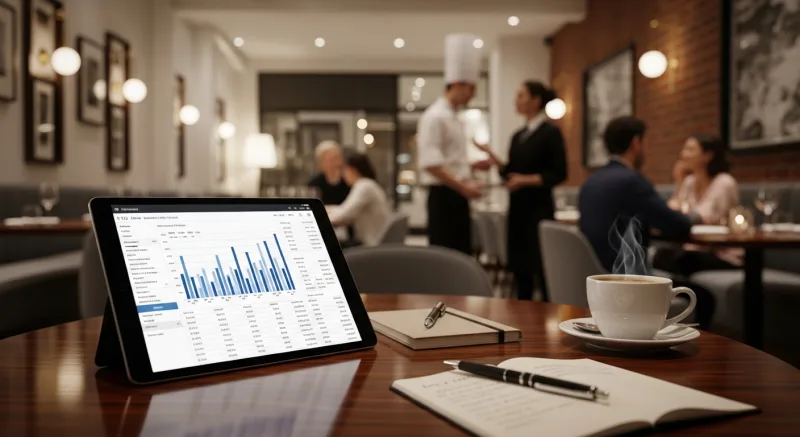
This report shows every menu item ranked by units sold over a given period. Pull it for the last 90 days. You want to see the top 20% of items that drive 80% of your sales. These are your "volume drivers" — the items customers come in for, the ones that fill seats and generate repeat visits.
Why this matters for pricing: your volume drivers are almost certainly underpriced. High demand with consistent sales velocity means customers place significant value on these items. When industry research suggests the top-selling items in most restaurants can absorb a $1 to $3 increase with less than 5% drop in orders, you are leaving real money behind.
2. Profit Margin Report (What Earns)
This report shows the food cost and gross profit for every item. Sort it by gross profit dollars — not food cost percentage. This distinction matters more than anything else in this article.
Here is why: a chicken dish with a 25% food cost and $9.75 gross profit sounds efficient. A ribeye with a 40% food cost and $22 gross profit sounds expensive to serve. But the ribeye puts $12.25 more into your bank account every time someone orders it. Your bank deposits dollars, not percentages.
And that's not all: when you sort by gross profit, you will likely find that your bottom 20% of items contribute less than 3% of your total gross profit — but they occupy menu space, require ingredient inventory, add kitchen complexity, and dilute your staff's attention. These are candidates for removal or dramatic repricing.
3. Daypart Sales Report (When It Sells)
This report breaks down sales by time period — lunch, dinner, late night, weekday, weekend. The same item can have very different demand and price sensitivity depending on when it is ordered.
A lunch crowd ordering a $14 salad is price-sensitive — they are watching the clock and comparing you to the sandwich shop next door. A Friday dinner crowd ordering the same salad as a starter before a $38 entree barely notices the price. This is where daypart-specific pricing or strategic promotion timing unlocks hidden revenue.
KwickOS generates daypart breakdowns automatically, letting you compare lunch versus dinner performance for every item on a single screen. When Crafty Crab Seafood needed to understand why certain combo platters underperformed at lunch across their 19 locations, the daypart report revealed those items were priced for dinner margins — too high for the lunch crowd's $15 average check. A simple lunch-specific pricing adjustment recovered over $2,000 per month per location.
4. Modifier and Add-On Report (What Customers Upgrade)
This is the report most owners overlook entirely — and it might be the most valuable. It shows which modifiers and add-ons customers actually accept when prompted during the upsell at checkout.
If 40% of customers add avocado for $2, you are probably undercharging. If 3% add the premium protein upgrade for $6, you are probably overcharging. Modifier acceptance rates are a direct signal of price sensitivity — and they let you test pricing changes on additions rather than base items, which feels far less risky to customers.
Sales Mix Analysis: The Menu Engineering Matrix
Once you have your reports, it is time to categorize every item. The menu engineering matrix — developed decades ago and refined with modern POS data — sorts items into four quadrants:
| Category | Popularity | Profitability | Action |
|---|---|---|---|
| Stars | High | High | Protect and promote. Test modest price increases ($0.50–$1.50). |
| Plowhorses | High | Low | Re-engineer. Reduce portion, swap ingredients, or raise price. |
| Puzzles | Low | High | Promote harder. Better menu placement, server suggestions, photos. |
| Dogs | Low | Low | Remove or completely reimagine. They are costing you money. |
Here's the thing: most restaurants have never done this analysis, even though the data has been sitting in their POS for years. When T. Jin China Diner ran this analysis across their 15 locations and 75 terminals, they discovered that 11 menu items — about 8% of their menu — were generating negative profit after accounting for food waste and prep labor. Removing those items and redirecting menu space to high-margin dishes increased average gross profit per check by $3.20.
The beauty of running this on a system like KwickOS is the hybrid local+cloud architecture. All 15 locations feed data into a centralized dashboard in real time, but each location continues operating on 1ms local latency even if the connection drops. Tom can run a sales mix analysis across all stores from his phone at 2 AM — something that used to require pulling spreadsheets from each store individually.
How to Test Price Increases Without Losing Customers
This is the part that terrifies restaurant owners. "If I raise prices, customers will leave." But here is what POS data consistently shows across the 5,000+ businesses on KwickOS: small, strategic price increases on high-demand items rarely cause measurable volume drops.
The key word is strategic. Here is the method:
Step 1: Pick the Right Items
Start with your Stars — high popularity, high profitability. These items have proven demand. Customers order them because they want them, not because they are the cheapest option. Signature dishes, items you are known for, and anything with no direct comparison at nearby competitors are the safest to adjust.
Do not start with commodity items (plain rice, side salads, soda) where customers have a clear mental benchmark for "what this should cost."
Step 2: Increase by $0.50 to $1.50
Never jump more than 8% to 10% on a single item at once. On a $16 entree, that means $1.25 to $1.60 maximum. On a $9 appetizer, cap it at $0.75 to $0.90.
Here is the math that makes this worth doing: if your $16 dish sells 35 times per day and you raise it by $1.25, that is $43.75 per day, $1,312 per month, $15,750 per year — from one item, at one location. Multiply that across a multi-location operation and pricing accuracy becomes the single largest profit lever you have.
Step 3: Monitor for 2 to 4 Weeks
After the increase, watch the POS data daily for two to four weeks. You are looking at three metrics:
- Units sold per day — compare to the same day of the week from the prior period
- Total gross profit from that item — even if units drop slightly, total profit may increase
- Attachment rate — are customers still ordering sides, drinks, and desserts with it?
If units sold drop less than 5%, the increase is a clear win. Between 5% and 10%, evaluate whether total profit still increased. More than 10% drop? Roll it back and try a smaller increment.
And that's not all: gift cards and e-gift cards provide an additional buffer. When customers have store credit loaded onto a gift card, they are statistically less sensitive to small price increases — the money is already "spent" psychologically. Restaurants that actively promote e-gift card programs often find they can implement price adjustments more smoothly because a portion of their customer base is paying with pre-committed value.
Seasonal Price Adjustments: When to Charge More (and Less)
Your POS data doesn't just tell you what to price — it tells you when to reprice. Seasonal patterns are one of the most underleveraged pricing tools in the restaurant industry.
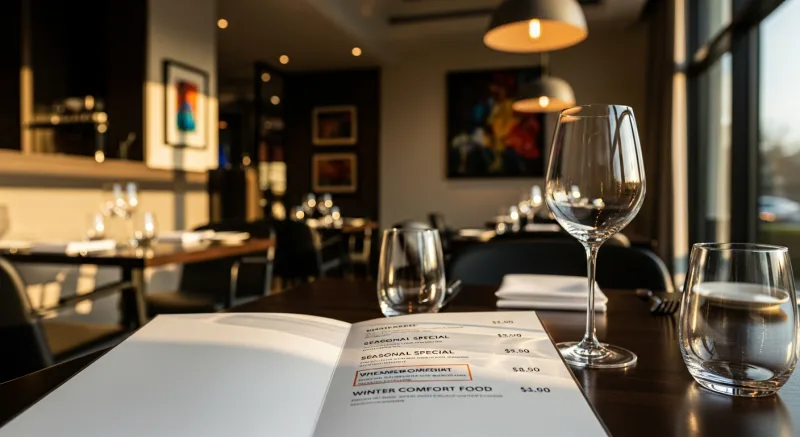
Pull your daypart and weekly reports for the past 12 months. You will see patterns:
- Peak demand periods — Friday and Saturday dinner, holidays, local events. During high demand, customers accept higher prices because they chose to dine out and expect to spend more.
- Low demand periods — Tuesday lunch, January/February, periods between holidays. Strategic discounts or value-focused promotions can fill seats without training customers to expect low prices year-round.
- Seasonal ingredient windows — when key ingredients are in season and cheap, your margins expand naturally. When they go out of season and costs spike, your prices should follow.
The trick is using your POS to implement daypart-specific pricing rather than changing the entire menu at once. KwickOS lets you schedule price changes by time of day and day of week — so your lunch combo can be $12.99 on Tuesday and $14.99 on Saturday without anyone manually changing prices each day.
But it gets worse for owners who don't adapt: according to restaurant industry data, restaurants that adjust prices seasonally generate an average of 6% to 11% higher annual revenue than those that use flat pricing year-round. On $1.2 million in annual sales, that is $72,000 to $132,000 left behind.
Loyalty and membership programs amplify this strategy. Members who earn points on every visit are less likely to balk at seasonal price adjustments — the rewards they accumulate create a sense of ongoing value that offsets small price changes. One KwickOS operator saw zero churn among loyalty members after a 5% seasonal increase, while non-member visits dipped 3%. The data was clear: loyalty programs are a pricing shock absorber.
The Competitor Benchmarking Trap
Let's be direct: competitor benchmarking is useful but dangerous.
Knowing what the steakhouse down the street charges for a 12 oz ribeye gives you a reference point. But pricing your ribeye at exactly $2 below theirs is a race to the bottom. You do not know their food costs, their volume, their supplier deals, or their margin targets. You could be undercutting a competitor who is already losing money on that dish.
Use competitor prices as a ceiling check, not a target. Your POS data tells you what your costs are and what your customers will pay. That is infinitely more valuable than guessing what the restaurant next door is thinking.
Here's the thing: when you run on a processor-agnostic POS, you are already saving $3,000 to $8,000 per year in processing fees compared to operators locked into Toast or Square's mandatory payment processing. That savings gives you pricing flexibility your locked-in competitors do not have. You can afford to be competitive on price and maintain healthy margins — because your technology costs are lower.
Real-World Pricing Wins: What the Data Looks Like
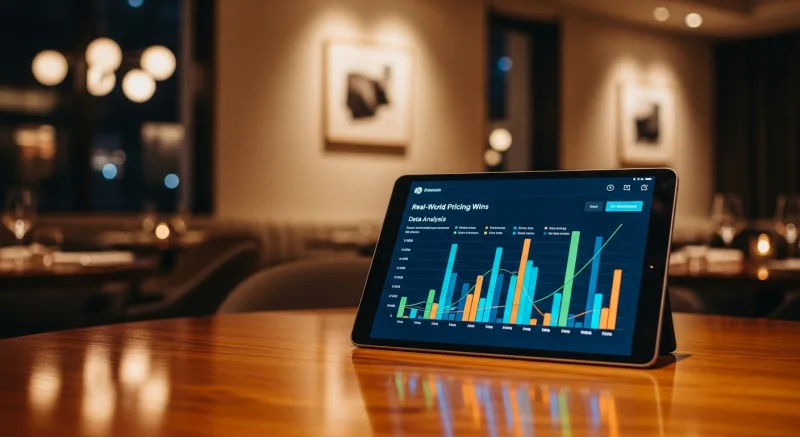
Let me walk you through three actual pricing adjustments based on POS data analysis — the kind of changes that compound into tens of thousands of dollars annually.
The Underpriced Signature Dish
A restaurant's signature fried rice was the #1 seller at $13.95, moving 65 units per day. Food cost was $3.20 (23%). Sales mix analysis flagged it as a Star. A $1.50 increase to $15.45 was tested.
Result after 30 days: units dropped from 65 to 62 per day (4.6% decline). Gross profit per unit went from $10.75 to $12.25. Daily gross profit increased from $698.75 to $759.50 — an extra $60.75 per day, $22,173 per year. From one item.
The Overpriced Add-On
A premium shrimp add-on was priced at $7.95 with a 4% acceptance rate (roughly 8 orders per day out of 200 entrees). It was a Puzzle — high margin, low popularity. The price was dropped to $5.95.
Result: acceptance jumped to 11% (22 orders per day). Despite the lower per-unit margin, total gross profit from the modifier increased from $38.40/day to $83.60/day — a 117% increase in daily gross profit from a price decrease.
The Seasonal Lunch Adjustment
A lunch special was flat-priced at $11.99 year-round. POS data showed summer lunch traffic was 30% higher than winter. The price was raised to $12.99 from May through September and dropped to $10.99 from November through February with a "Winter Warm-Up" promotion.
Result: summer revenue increased 11% (higher price on higher volume). Winter volume increased 14% (promotional pricing brought in new traffic). Net annual increase: $18,400 versus the flat-pricing baseline.
Building a Pricing Review System
Data-driven pricing is not a one-time project. It is a quarterly discipline. Here is the system I recommend after seeing what works across thousands of KwickOS merchants:
- Monthly: Review your top 10 and bottom 10 items by gross profit. Flag any item where food cost has risen more than 2% since the last price change. Check modifier acceptance rates for outliers.
- Quarterly: Run a full sales mix analysis. Re-categorize all items as Stars, Plowhorses, Puzzles, or Dogs. Test one to three price adjustments on Star and Plowhorse items. Review seasonal trends from the prior year to plan upcoming adjustments.
- Annually: Complete menu audit. Remove Dogs, promote Puzzles, protect Stars. Recalculate food costs for every item based on current supplier pricing. Benchmark against competitors (as a reference, not a target).
With KwickOS, this entire process takes about 90 minutes per quarter. Every report pulls automatically. Multi-location operators like Crafty Crab (19 stores, 152 terminals) can run the analysis across all locations simultaneously and push price updates to every store with a single click — no calling individual managers, no printing new menus at each location.
The POS checkout flow itself becomes a data collection engine. Every transaction, every modifier selection, every gift card redemption, every loyalty point earned feeds the next pricing decision. Use our food cost calculator to model scenarios, or compare how KwickOS reporting stacks up against Toast to see why 5,000+ businesses trust their pricing data to this platform.
The Bottom Line
Your POS is not just a cash register. It is the most sophisticated pricing research tool your restaurant has — if you actually use it.
The restaurants that treat menu pricing as a quarterly data exercise outperform the ones that set-and-forget by $20,000 to $60,000 per year in captured margin. That is not theoretical. That is the difference between a restaurant that survives and a restaurant that thrives.
Stop guessing. Start reading the data your POS has been collecting since day one. And if your current POS cannot generate the four reports we discussed — product mix, profit margin, daypart sales, and modifier acceptance — you are paying for a system that is actively hiding money from you.
See What Your POS Data Is Hiding
KwickOS gives you real-time sales mix, food cost, and pricing analytics across every location. See the numbers your current system won't show you.
Get a Free Demo