 Kelly Ho
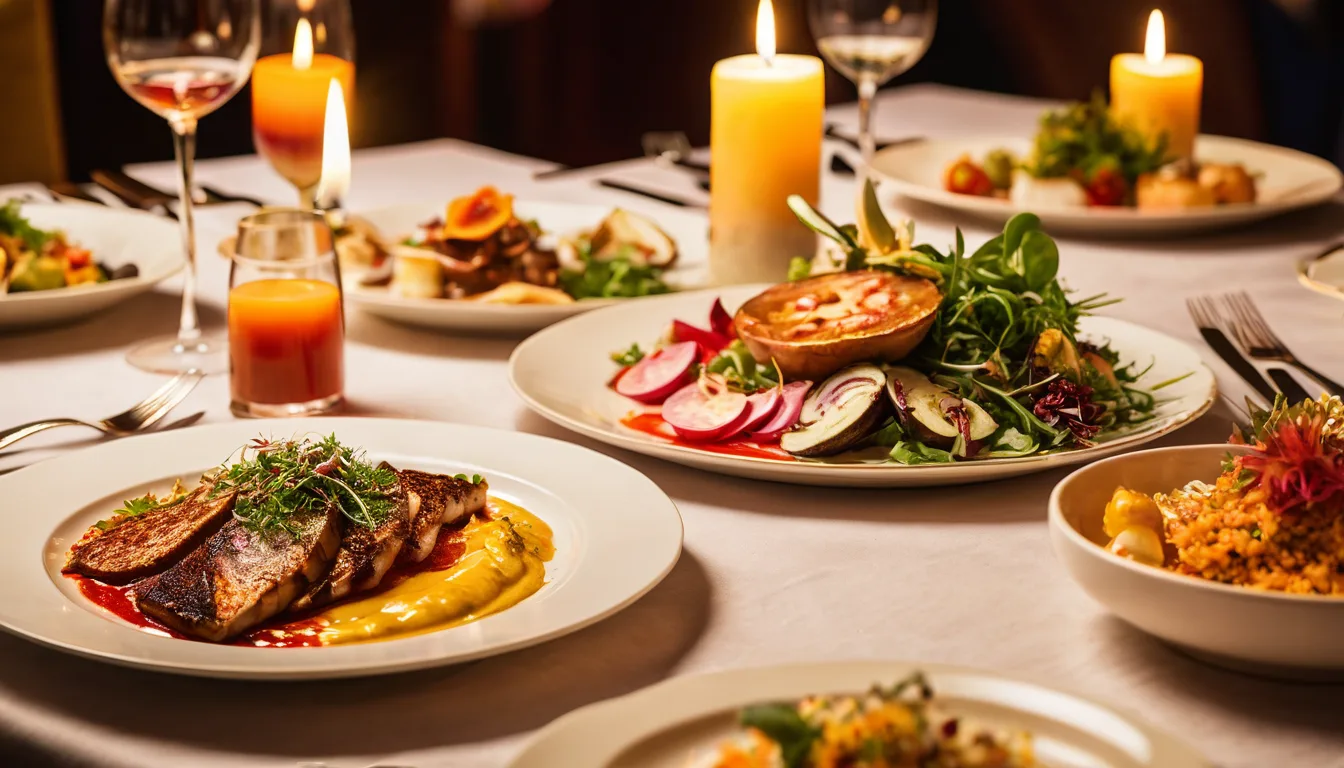
Open your menu right now. Pick any item. Read the description out loud.
If it sounds like "Grilled chicken breast with mashed potatoes and seasonal vegetables" — you are leaving money on the table. Literally.
Here's the thing: that same dish, described as "Free-range chicken breast, herb-crusted and pan-seared until golden, served over hand-whipped Yukon Gold potatoes with chef's garden vegetables" sells for $2 to $4 more — and customers feel like they are getting a better deal. Not because the food changed. Because the words changed.
According to restaurant industry data, descriptive menu labels increase sales of individual items by up to 27% and raise customers' perceived value by roughly $0.80 per item. On a menu with 40 items, that is a meaningful revenue lift that costs you absolutely nothing in food, labor, or equipment.
But it gets worse: most restaurants do not just underwrite their descriptions — they underwrite their highest-margin items. The dishes that should carry the most persuasive language get the least attention. Meanwhile, the items that sell themselves (burgers, fries, soup) get the same treatment as everything else.
This guide breaks down the exact copywriting techniques that turn a menu into a revenue driver. You will learn which words trigger appetite, how to structure descriptions for maximum impact, and how to use your POS sales data to identify which items need better copy first.
Why Menu Descriptions Are Your Highest-ROI Marketing Investment
Most restaurant marketing dollars go to social media, flyers, loyalty programs, and online ads. Those channels bring people through the door. But the menu is where the actual spending decision happens — and it influences every single transaction.
Consider the math. A restaurant serving 150 covers per day with a $32 average check generates about $4,800 daily. If better menu descriptions shift the average check up by just 6% — roughly $1.90 per customer — that is an extra $285 per day, or $104,000 per year. No ad spend. No new customers required. Just better words on the page.
And that's not all: unlike a social media campaign that stops performing when you stop paying, menu copy works 365 days a year. It works during lunch. It works during dinner. It works on your online ordering platform where customers cannot ask their server for recommendations.
If you are running digital menu boards through a system like KwickSign, you can A/B test different descriptions and measure the results in real time. Print menus require a reprint. Digital menus let you optimize continuously.
The 5 Pillars of Menu Descriptions That Sell
Not every word on a menu carries equal weight. The most effective menu descriptions combine five specific elements that trigger both appetite and perceived value. Here's the framework.
1. Sensory Language: Make Them Taste It Before They Order
The human brain processes sensory words differently than abstract ones. When a customer reads "crispy," the same neural pathways activate as when they actually hear something crunch. When they read "smoky," they can almost smell it.
This is not poetry — it is neuroscience applied to sales.
Weak: "Salmon with rice and asparagus."
Strong: "Wild-caught Atlantic salmon, cedar-plank roasted with a honey-miso glaze, served over jasmine rice with charred asparagus."
The strong version triggers four senses: taste (honey-miso), smell (cedar-plank), sight (charred), and texture (implied by roasting). The weak version triggers none. Same dish. Same cost. Different revenue.
The most powerful sensory words for menu descriptions:
- Texture: crispy, tender, silky, flaky, crunchy, velvety, hand-pulled, whipped
- Temperature: sizzling, chilled, warm, fire-roasted, iced
- Flavor: tangy, caramelized, smoky, zesty, savory, rich, bright
- Aroma: fragrant, herb-infused, wood-fired, aromatic
A word of caution: use two to three sensory words per description, not seven. Overcrowding descriptions makes them feel desperate. Restraint signals confidence.
2. Origin Stories: Where It Comes From Matters
Customers pay more for provenance. "Tomato" is worth less than "heirloom tomato," which is worth less than "heirloom tomato from Peterson Family Farm." Each layer of specificity adds perceived value — and justifies a higher price point.
But here's the thing: you do not need a farm partnership to use origin language effectively. These origin signals work even without a specific farm name:
- Geographic: "Maine lobster," "Berkshire pork," "New Zealand lamb," "imported Italian San Marzano tomatoes"
- Method: "house-made," "scratch-baked," "hand-rolled daily," "slow-braised for 8 hours"
- Quality tier: "prime-grade," "wild-caught," "pasture-raised," "single-origin"
- Chef-driven: "chef's signature," "our award-winning," "a house specialty since 2014"
Crafty Crab Seafood, a KwickOS customer with 19 locations, uses geographic origin on every seafood item. "Gulf shrimp," "Chesapeake blue crab," "Pacific halibut." The specificity builds trust and justifies premium pricing across all 152 terminals and every digital menu board.
3. Preparation Method: Show the Work
Customers intuitively understand that more labor equals more value. When you describe how a dish is prepared, you are making the invisible work visible — and making the price feel fair.
Weak: "Braised short ribs — $28"
Strong: "Slow-braised beef short ribs, red wine and rosemary, 6 hours in the oven until fork-tender — $32"
The second version costs $4 more and gets fewer complaints about price. "6 hours in the oven" communicates time, care, and craft. The customer is not paying $32 for meat — they are paying for six hours of a chef's attention.
Preparation words that increase perceived value:
- "Slow-roasted" (implies patience and care)
- "Hand-cut" (implies craft over automation)
- "House-smoked" (implies on-site expertise)
- "Double-fried" (implies technique — Korean fried chicken operators like those using KwickOS know this sells)
- "Flame-grilled" (implies authenticity over flat-top convenience)
4. Ingredient Quality Signals: Name the Upgrades
When a customer reads "cheese," they picture the cheapest cheese they have ever eaten. When they read "aged white cheddar," they picture something worth paying for. The ingredient itself has not changed — only the specificity.
This is where most menus fail. They use generic ingredient names when specific ones would sell the dish for more money.
| Generic (Loses Money) | Specific (Makes Money) |
|---|---|
| Cheese | Aged Gruyère, burrata, smoked gouda |
| Bread | Sourdough, brioche, ciabatta |
| Greens | Baby arugula, frisée, watercress |
| Sauce | Beurre blanc, chimichurri, house-made aioli |
| Rice | Jasmine, forbidden black rice, arborio risotto |
| Mushrooms | Chanterelles, shiitake, king oyster |
You are not lying. You are being precise. And precision pays.
5. Emotional Triggers: Nostalgia, Indulgence, and Exclusivity
The most powerful menu descriptions do not just describe food — they promise an experience. Three emotional triggers consistently drive higher-ticket orders:
Nostalgia: "Grandma's recipe," "just like Sunday dinner," "old-fashioned." These phrases tap into comfort and trust. They work especially well for desserts, soups, and comfort food.
Indulgence: "Decadent," "loaded," "generous portion," "triple-layered." These give customers permission to splurge. They are choosing to treat themselves, not overspending.
Exclusivity: "Limited availability," "seasonal special," "while supplies last," "chef's daily selection." Scarcity increases desire. If it might not be there tomorrow, customers order it today.
Tiger Sugar, a KwickOS customer with 2 self-ordering kiosks, uses exclusivity language on their seasonal bubble tea offerings. Limited-time items generate higher order rates and more social media shares — all displayed through the KwickOS kiosk interface with descriptions that change seasonally.
The Description Length Sweet Spot
How long should a menu description be? The answer depends on the item's margin and your menu format.
High-margin signature items (25+ words): Your best-margin dishes deserve the most descriptive real estate. These are the items you want customers to choose, so give them the full sensory treatment. A 25-to-30-word description with origin, preparation, and sensory language sells the dish and justifies the price.
Mid-tier items (12-20 words): Standard entrées and popular items need enough detail to sound appealing but not so much that they compete with your signatures for attention. Two sensory or origin details are sufficient.
Low-margin staples (5-10 words): French fries, house salad, soup of the day. These sell themselves. A brief, clean description keeps the menu uncluttered and directs attention to where it matters.
Here is the pattern interrupt most restaurants miss: your descriptions should be longest on the items you most want to sell, not the items you think need the most explanation. Most menus do the opposite — spending 40 words explaining the unfamiliar appetizer and 5 words on the $34 entrée that carries a 72% gross margin.
Menu Copywriting for Online Ordering and Digital Menus
Everything above applies double for online ordering and digital menu boards. Here is why.
In a restaurant, a diner can see the plate at the next table, ask the server a question, or smell the kitchen. Online, they get a name, a description, maybe a photo. That description has to do all the selling by itself.
Industry research suggests that online ordering menus with detailed descriptions and photos generate average ticket sizes roughly 30% higher than menus with item names only. If your online ordering average is $28, better descriptions could push it to $36. At 40 online orders per day, that is $320 more per day — over $116,000 per year.
If you are using a platform like KwickMenu for online ordering, every item description is a sales pitch. And unlike a printed menu, you can update digital descriptions instantly based on what your menu engineering data tells you about item performance.
Tips for online menu descriptions specifically:
- Front-load the most appealing detail. On mobile, customers see only the first 50-60 characters before the description truncates. Put the sensory hook first.
- Include allergen and dietary info at the end. "Gluten-free" and "contains nuts" matter, but they should come after the selling language, not before.
- Describe modifiers and add-ons. "Add house-smoked bacon +$2" sells more than "Add bacon +$2." The modifier description is a micro-sales pitch.
- Match the tone to your brand. A fine dining restaurant and a barbecue joint should not sound the same online. Your descriptions should feel like your restaurant sounds.
Using POS Data to Prioritize Your Rewrite
You do not need to rewrite your entire menu at once. Use your POS sales mix report to identify which items need copywriting attention first.
Priority 1 — High-margin items with low order rates: These are your biggest opportunities. The dish is profitable, but customers are not choosing it. A better description can move it from the bottom third of your mix to the top. This is where a single rewritten description can add thousands in annual revenue.
Priority 2 — Signature items that already sell well: If your best seller has a weak description, imagine what it could do with a strong one. Even a 5% lift on a high-volume item generates meaningful revenue.
Priority 3 — New items or seasonal additions: Customers have no history with these. The description is their only reference point. Make it count.
T. Jin China Diner, operating 15 locations and 75 terminals on KwickOS, uses centralized menu management to update descriptions across all stores simultaneously. When they rewrote descriptions for their dim sum menu — adding origin details and preparation notes — they tracked the results through the KwickOS dashboard. The items with updated descriptions showed measurably higher selection rates compared to items left unchanged.
And that's not all: this kind of data-driven menu optimization ties directly into your loyalty and CRM system. When you know which items your loyalty members order most, you can write descriptions that specifically appeal to repeat visitors — and promote those items through gamified loyalty rewards or targeted e-gift card campaigns during slow periods.
Gift Cards, Loyalty, and the Menu Description Connection
Here is a connection most operators miss: your menu descriptions power more than dine-in sales. They drive gift card redemption and loyalty program engagement too.
When a customer receives a gift card or e-gift card, they browse your menu to decide where to spend it. Weak descriptions mean they default to the cheapest item that seems safe. Strong descriptions tempt them into higher-ticket items — and since it is "free money" from a gift card, they are more willing to splurge on the $34 entrée with the mouthwatering description.
The same applies to loyalty members redeeming points. A member with 500 points worth $10 off will choose differently when the menu describes "House-aged 28-day prime ribeye, char-grilled over mesquite" versus "Ribeye steak." The description turns the redemption into an upgrade moment — and the customer often adds a dessert or cocktail on top.
KwickOS integrates POS checkout, gift card tracking, e-gift card sales, and loyalty point management into one system. When you update a menu description, it flows through to your online ordering portal, your in-store kiosk, your digital menu board, and the menu your gift card recipients browse online. One rewrite, every channel updated.
7 Common Menu Description Mistakes (And How to Fix Them)
Before you start rewriting, avoid these traps:
- "Market price" with no description. If a customer sees "Lobster — MP," they skip it. They do not want to ask the server what it costs. At minimum, write a description and add "ask your server for today's price" — or better yet, use a POS system that lets you update prices in real time across print, digital, and online menus.
- All caps item names. "GRILLED CHICKEN CAESAR" looks like it is yelling. Mixed case is more appetizing and easier to read.
- Dollar signs before prices. Research consistently shows that removing the dollar sign from menu prices increases average spending. "$32.00" becomes "32" — the number feels less like a financial transaction.
- Exclamation points. "Our famous wings!" sounds desperate. Confidence does not need punctuation.
- Listing every single ingredient. A description is not a recipe. Highlight the 3-4 most interesting components and let the rest be a pleasant surprise.
- Using the same adjectives everywhere. If every item is "delicious" and "fresh," neither word means anything. Vary your sensory vocabulary. Use "crispy" once, not six times.
- Ignoring the checkout moment. Your POS checkout screen is the last chance to upsell. If your system supports item descriptions at the point of sale — like KwickOS does on its customer-facing display — those descriptions should be as strong as the ones on your menu. "Add our hand-made tiramisu?" sells more than "Add dessert?"
A Before-and-After Rewrite Example
Let us take a real-world example and apply everything from this guide.
Before:
Chicken Parmesan — $18
Breaded chicken breast with marinara sauce, mozzarella cheese, and spaghetti.
After:
Chicken Parmigiana — 22
Hand-pounded free-range chicken breast, panko-crusted and pan-fried golden, smothered in our slow-simmered San Marzano tomato sauce and melted fresh mozzarella. Served over house-made spaghetti. A guest favorite since day one.
What changed:
- "Parmigiana" instead of "Parmesan" (sounds more authentic, more Italian)
- "Hand-pounded" and "panko-crusted" (preparation signals)
- "Free-range" (quality signal)
- "Pan-fried golden" (sensory — texture and color)
- "Slow-simmered San Marzano" (origin + method)
- "Fresh mozzarella" (ingredient specificity)
- "House-made spaghetti" (craft signal)
- "A guest favorite since day one" (social proof)
- No dollar sign, price increased from $18 to $22
The description costs nothing to change. The price increase adds $4 per order. If this dish sells 25 times per day, that is $100/day or $36,500 per year — from words alone.
Putting It All Together: Your Menu Rewrite Action Plan
Do not try to rewrite everything at once. Follow this sequence:
- Pull your POS sales mix report. Sort by gross margin contribution. Your top 10 margin items are your first priority.
- Audit those 10 descriptions. Count the sensory words, origin signals, and preparation details. Most will have zero or one.
- Rewrite using the 5-pillar framework. Add 2-3 sensory words, 1 origin detail, and 1 preparation method to each. Keep high-margin items at 25-30 words.
- Update across all channels. With a system like KwickOS, push the updated descriptions to your dine-in menu, online ordering, kiosks, and digital menu boards simultaneously.
- Measure after 2 weeks. Compare the order rate and revenue of rewritten items against their previous baseline. Your POS data will show the lift clearly.
- Expand to the next 10 items. Keep going until every high- and mid-margin item has a description that sells.
Shogun Japanese Hibachi, a KwickOS customer, discovered this when they added preparation stories to their hibachi items — describing the tableside cooking experience in the online menu. Customers who had never tried hibachi before started ordering it for takeout, not realizing it was typically a dine-in experience. The descriptions created curiosity that drove trial.
Your menu is not a list. It is a sales tool that reaches every customer, influences every transaction, and costs nothing to improve. The restaurants that treat it like marketing copy outperform the ones that treat it like a spreadsheet — by thousands of dollars per month.
Your Menu Should Sell as Hard as Your Best Server
KwickOS gives you one platform to manage menu descriptions across POS, online ordering, kiosks, and digital signage — plus the sales data to know which descriptions are working. See how it works for your restaurant.
Get a Free Demo