 Rain Lee
You're standing in your half-built restaurant, picking out hardware. The sales rep slides an iPad across the table. It's thin. It's beautiful. It makes your checkout counter look like an Apple Store.
Then he quotes you $449 per station.
Meanwhile, the traditional terminal vendor wants $1,200. You do the quick math — $449 vs $1,200, four stations, that's $3,004 you'd save going with tablets. Easy decision.
Except it isn't. Because that $449 iPad will cost you $3,847 over three years. The $1,200 terminal will cost you $1,200 over three years. And you won't realize the difference until you're standing behind a dead screen during Friday night rush, watching a line of customers walk out your door.
Here's the thing: we talk to restaurant owners across 50 states every week at KwickOS. And the pattern is undeniable. Low-volume cafes love their tablets. High-volume restaurants? 73% of them switch back to traditional terminals within 2 years.
This guide gives you the real numbers, the real failure points, and the honest answer about which hardware fits your business — before you spend thousands finding out the hard way.
The Upfront Cost Illusion
Let's start with the number that gets every restaurant owner in trouble: the purchase price.
| Component | Tablet POS (iPad) | Traditional Terminal |
|---|---|---|
| Base unit | $449 | $800–$1,500 |
| Stand/enclosure | $149–$299 | Included |
| Card reader | $299–$499 | Integrated |
| Cash drawer connection | $49 adapter | Built-in port |
| Printer connection | Bluetooth ($349 printer) | Ethernet ($199 printer) |
| Day 1 Total | $1,295–$1,595 | $999–$1,699 |
Notice what happened? Once you add the stand, card reader, adapter, and Bluetooth printer, the tablet setup costs nearly the same as the terminal. Sometimes more.
But it gets worse. That table only shows Day 1. The real cost gap opens over time.
3-Year Total Cost of Ownership: The Math Nobody Shows You
Restaurants aren't pop-up shops. You need hardware that runs 12 to 16 hours a day, 363 days a year, in an environment with grease, steam, spills, and the occasional elbow from a server carrying four plates.
Here's what that looks like over three years for a single station:
| Cost Factor | Tablet POS | Traditional Terminal |
|---|---|---|
| Initial hardware | $1,395 | $1,400 |
| Replacement unit (Year 2) | $449 | $0 |
| Screen protectors (6x) | $90 | $0 |
| Cases/enclosures replaced | $149 | $0 |
| Battery service | $99 | $0 (no battery) |
| Accessories and adapters | $120 | $0 |
| 3-Year Total | $2,302 | $1,400 |
For a 4-station restaurant, that's $9,208 in tablet costs vs $5,600 in terminal costs. You're paying $3,608 extra over three years for hardware that's actually less reliable.
And that's not all. We haven't even factored in the revenue you lose when a tablet dies mid-service. One station down for two hours during dinner rush? At $150/hour average revenue per terminal, that's $300 gone — from a single incident. Most tablet restaurants report 3 to 5 hardware incidents per year.
Durability: Kitchen vs Consumer Electronics
Here's a question nobody asks in the showroom: was this device designed for a restaurant?
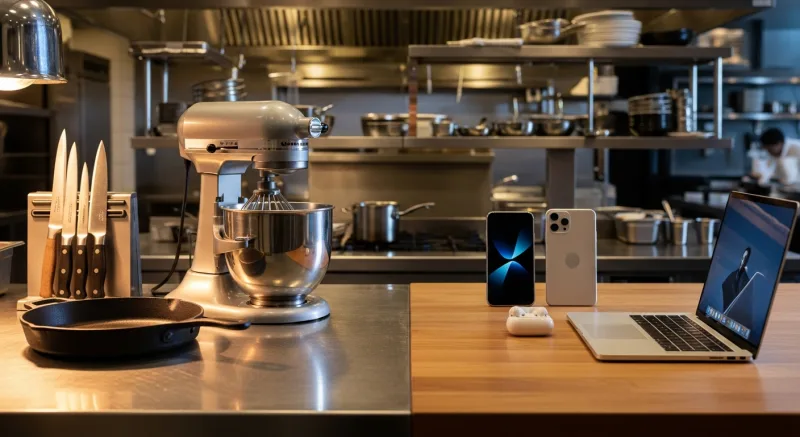
iPads are consumer electronics. They're designed for someone browsing the couch, not for a server who just wiped down a greasy counter and is now punching in a 14-item order while the kitchen printer screams. Traditional POS terminals are purpose-built for commercial environments.
The differences show up fast:
- Operating temperature: iPads are rated for 32°F to 95°F. A kitchen expo station regularly hits 100°F+. Traditional terminals are rated for 32°F to 122°F or higher.
- Spill resistance: iPads have zero water resistance rating when mounted in a stand. Commercial terminals often carry IP54 or higher splash-proof ratings.
- Drop survival: An iPad in a restaurant stand sits at counter height — about 36 inches. One elbow, one knocked cable, and that's a shattered screen. Terminals weigh 8 to 15 pounds and don't move.
- Screen durability: Consumer touchscreens scratch and degrade from constant tapping with wet or oily fingers. Commercial screens use hardened glass or resistive touch that handles thousands of daily taps without degradation.
Shogun Japanese Hibachi learned this lesson early. With hibachi grills throwing heat and splattering oil feet from the POS station, consumer tablets didn't survive. They switched to commercial terminals with KwickOS and had their staff proficient in under 5 minutes — with zero heat-related hardware failures since.
Speed and Performance Under Pressure
A tablet POS feels lightning-fast on Day 1. It feels noticeably slower on Day 365. And by Day 730, your servers are tapping the screen twice because the first tap didn't register.
Why? Three reasons:
1. Thermal throttling. When iPads get warm (which happens during sustained heavy use), the processor deliberately slows down to prevent overheating. During a 300-cover dinner service, your tablet is processing orders slower precisely when you need it fastest.
2. Software bloat. iOS updates gradually consume more resources. The iPad that ran your POS app perfectly in 2024 struggles with the same app after two years of OS updates. You can't freeze the OS version without losing security patches.
3. App memory management. Tablets multitask. Your POS app shares memory with background processes, notifications, and system services. A dedicated terminal runs your POS software and nothing else — every byte of RAM is committed to processing your orders.
But it gets worse when you factor in network architecture. Most tablet POS systems are cloud-dependent — every transaction, every ticket, every modifier travels to a remote server and back. That's 20 to 80 milliseconds per operation on a good connection.
KwickOS runs on a hybrid local+cloud architecture with 1ms local latency. Your menu, your tickets, your kitchen routing — all processed locally. The cloud syncs in the background. If your internet drops completely, you keep taking orders and processing payments. Try that with a cloud-dependent tablet POS.
Battery: The Silent Killer of Tablet POS
This is the one that catches restaurant owners completely off guard.
A new iPad battery lasts 10 hours of casual use. Restaurant POS is not casual use. Screen on at maximum brightness for 14 hours. Bluetooth running constantly for the card reader and printer. WiFi transmitting every few seconds. The real battery life for POS use? 5 to 7 hours on a new battery. 3 to 4 hours after 12 months.
"Just keep it plugged in," you're thinking. Sure. But now you're running a power cable to every station, which creates:
- A tripping hazard in a fast-moving restaurant environment
- A failure point when the cable gets yanked, bent, or spilled on
- A charging port that wears out from constant plug/unplug cycles (Lightning and USB-C ports have a rated lifespan of about 10,000 insertions)
- Thermal stress from charging while under heavy use, which accelerates battery degradation
Traditional terminals don't have batteries. They plug into power once and run until you unplug them. There's no battery to degrade, no charging port to wear out, no thermal throttling from simultaneous charging and processing.
Rockin' Rolls discovered this when they deployed 49 iPad self-ordering stations across 3 locations. The solution? Purpose-built commercial kiosk enclosures with permanent power connections and active cooling — essentially turning the tablets into pseudo-terminals. The hardware worked, but only because they engineered around every limitation of consumer tablets.
Theft Risk: Your $449 Is Someone Else's Opportunity
Nobody steals a 12-pound POS terminal that's bolted to a counter, hardwired to a printer, and has no resale value on the consumer market.
iPads, on the other hand, are the single most stolen consumer electronic in America. A restaurant iPad mounted on a swivel stand with a basic security bracket is a target. The stand costs $20 to defeat. The iPad resells for $200 to $300 on the secondary market within hours.
Insurance covers theft — eventually. But insurance doesn't cover the shift you ran without a POS station, the tips your servers couldn't process, or the two days it took to configure the replacement.
For multi-location operators like T. Jin China Diner (15 stores, 75 terminals), theft prevention is a serious operational concern. Terminal-based systems eliminate this entire category of risk.
When Tablets Actually Make Sense
We've been hard on tablets so far. Here's the honest flip side — there are scenarios where a tablet POS is genuinely the better choice:
Food trucks and pop-ups. You need portable, lightweight hardware that can be set up and torn down in minutes. A tablet with a mobile card reader is perfect for this.
Low-volume cafes and coffee shops. If you're processing under 150 transactions per day, the performance gap between tablet and terminal is negligible. Battery life is manageable with a single charging cable, and the lower upfront cost makes sense for a business with tight initial capital.
Tableside ordering. Servers carrying tablets to take orders tableside is a genuine productivity improvement. The key is using tablets for mobile order entry while keeping traditional terminals at the fixed checkout stations.
Seasonal businesses. If you operate 4 to 6 months per year, the total wear on tablet hardware is proportionally less. The 2 to 3 year lifespan of a tablet becomes 4 to 6 operational seasons.
Testing a concept. Opening your first restaurant and not sure if it will work? A tablet setup gets you running for less upfront capital. Just know that if the concept succeeds and volume increases, you'll be upgrading to terminals within 18 months.
The Hybrid Approach: Best of Both Worlds
Here's the thing: it doesn't have to be one or the other.
The smartest restaurant setups we see across our 5,000+ merchant network use a hybrid approach:
- Traditional terminals at fixed checkout stations, bar POS, and kitchen display (KDS)
- Tablets for tableside ordering, hostess stand, and mobile line-busting during peak hours
- Kiosks (purpose-built commercial hardware) for self-ordering stations
This gives you the durability and reliability of terminals where you need it most — the checkout counter and kitchen — while using the portability of tablets where it genuinely adds value.
The critical requirement? Your POS platform has to support both form factors seamlessly. Your menu, pricing, inventory, and reporting should be identical whether the order comes from a terminal, tablet, or kiosk. Tiger Sugar runs exactly this hybrid setup: 2 stores with traditional terminals at checkout and self-ordering kiosks for walk-in customers, all synced through a single dashboard.
What to Look for in Terminal Hardware (If You're Making the Switch)
If you've read this far and decided terminals are the move, here's what to evaluate before buying:
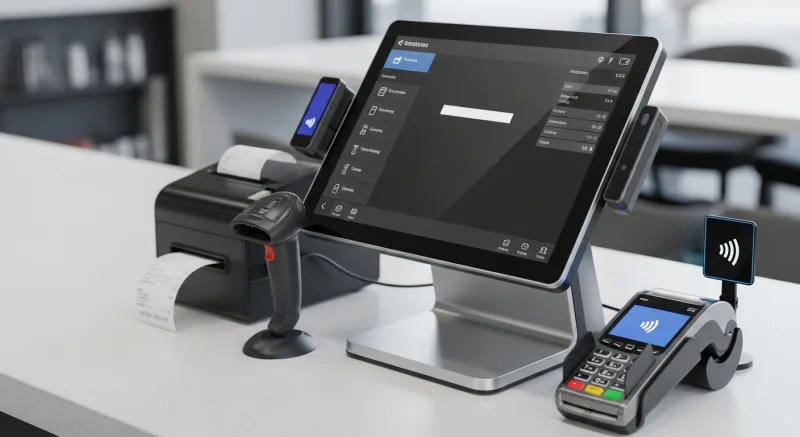
- Processor and RAM. Minimum quad-core processor and 4GB RAM. This ensures smooth performance for 5+ years without the slowdown that plagues tablets.
- Screen size. 15.6-inch for primary POS stations. 10-inch for secondary stations or tight spaces. Larger screens reduce order entry errors and speed up navigation.
- I/O ports. At least 4 USB ports, 1 Ethernet, 1 serial (for legacy receipt printers), and a cash drawer trigger port. Wireless-only setups create unnecessary failure points.
- IP rating. IP54 minimum for any station near food, drinks, or kitchen activity. This means protection against dust and water splashes from any direction.
- Operating system. Linux-based systems like KwickOS don't require Windows licenses ($100–$200 saved per terminal), don't need antivirus software, and don't force-restart for updates during service.
- Mounting options. Countertop, wall-mount, and pole-mount should all be available. Your layout needs may change, and you shouldn't need new hardware to accommodate a floor plan adjustment.
For a detailed hardware comparison, see our 2026 POS Terminal Hardware Buyer's Guide.
The Real Decision Framework
Stop thinking about tablet vs terminal as a hardware choice. It's a business choice. And it comes down to two questions:
Question 1: What's your daily transaction volume?
- Under 150/day → Tablet is fine
- 150–300/day → Hybrid approach (terminals at checkout, tablets for mobile)
- Over 300/day → Traditional terminals, no question
Question 2: What's your 3-year plan?
- Testing a concept → Tablet (lower risk if you close)
- Single-location, stable → Terminal (lower total cost)
- Planning to grow → Terminal from day one (consistency across locations)
Crafty Crab Seafood didn't start with 19 stores and 152 terminals. But when they expanded, they scaled the same terminal hardware to every location with one-click menu sync. Imagine trying to manage 152 iPads across 19 locations — the update cycles alone would be a part-time job.
The Bottom Line
Tablets look better on Instagram. Terminals look better on your P&L.
If you're running a high-volume restaurant, the math is unambiguous: traditional terminals cost less over three years, last longer, survive the kitchen environment, never run out of battery, and process transactions faster under load. The "savings" of tablet POS is an illusion that costs the average 4-station restaurant $3,608 more over three years — plus the revenue lost during hardware failures.
If you're running a food truck, pop-up, or low-volume cafe, tablets are perfectly fine. Just go in with realistic expectations about battery life, replacement cycles, and long-term costs.
And if you want the flexibility to use both — terminals at the counter, tablets on the floor — make sure your POS platform supports it natively. Not as an afterthought. Not as a separate app. As a single system where every device shares the same data, the same menu, and the same reporting.
That's how we built KwickOS. One platform. Any hardware. Your choice of payment processor. Because the best hardware decision is one you only have to make once.
See KwickOS on Any Hardware
KwickOS runs on traditional terminals, tablets, and kiosks — all synced on one platform. Book a demo to see the hardware that fits your restaurant.
Calculate Your Hardware Cost