 Tom Jin
Open your POS system right now. Pull up last month's cash report.
Look at the variance line — the gap between what the system says should be in the drawer and what was actually there at close.
If you are like most restaurant and retail owners, that number is somewhere between $200 and $800 per month. Not enough to trigger a police report. Not enough to fire anyone over. But absolutely enough to drain $2,400 to $9,600 from your business every single year.
Here's the thing: that money is not "shrinkage." It is not a rounding error. It is not the cost of doing business.
It is a failure of your cash drawer setup.
The wrong cash drawer — or worse, a decent drawer connected to a POS that does not track openings — is essentially an unlocked safe sitting on your counter. Every shift, every employee, every "no sale" button press is an opportunity for cash to walk out the door.
But it gets worse: even if every employee is honest, a poorly configured cash drawer creates counting errors, slows down transactions, and makes your close-out process take 30 minutes longer than it needs to.
This guide covers everything you need to know about choosing, configuring, and managing a POS cash drawer — from bill compartments and auto-open triggers to under-counter mounting and smart cash management features that tie every drawer opening to a specific employee.
Why Your Cash Drawer Choice Matters More Than You Think
Most business owners spend weeks researching their POS terminal, their payment processor, even their receipt printer. Then they grab whatever $40 cash drawer shows up first on Amazon.
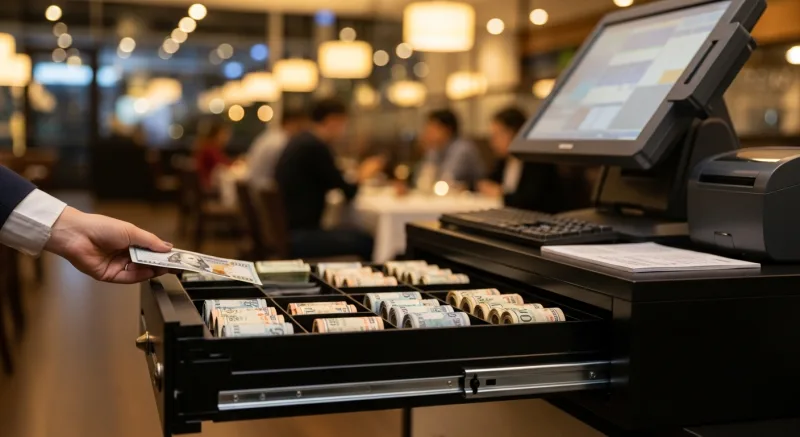
That is a $9,600/year mistake.
A cash drawer is not just storage. In a modern POS setup, it is a security device, an accountability tool, and a workflow component that directly impacts three things:
- Theft prevention. The National Restaurant Association estimates that 75% of inventory shrinkage is caused by employee theft. Cash is the easiest thing to steal because it is untraceable — unless your drawer and POS create a digital trail for every single opening.
- Transaction speed. A well-organized drawer with the right number of compartments and proper bill orientation shaves 3-5 seconds off every cash transaction. At 100 cash transactions per day, that is 5-8 minutes of labor saved daily — or 40+ hours per year.
- Close-out accuracy. If your drawer does not match denominations to POS expectations, your managers spend 15-30 extra minutes every night reconciling. That is 91-182 hours per year of manager time wasted on counting.
And that's not all: the drawer you choose also determines whether your POS system can enforce cash accountability policies. A drawer that simply sits on the counter and opens with a key? That is 1990s technology. A drawer that connects to your POS via RJ12 or USB, logs every opening, and ties each one to an employee fingerprint? That is the difference between knowing you lost $800 and knowing who took it.
Bill Compartments: How Many Do You Actually Need?
This is where most owners get it wrong. They buy a 4-compartment drawer because it is cheaper, then wonder why their cashiers are stuffing $10s behind $5s and losing track of denominations.
Here is what you actually need based on your business type:
5-Compartment Drawers (Minimum for Most Businesses)
Five bill slots handle the standard denominations: $1, $5, $10, $20, and a catch-all for $50/$100 bills. This works for businesses that process fewer than 80 cash transactions per day and rarely see large bills.
But here's the catch — that fifth slot holding both $50s and $100s is a problem. If your cashier grabs a $100 thinking it is a $50, you just gave away $50 in one mistake. One mistake per week is $2,600/year.
6-8 Compartment Drawers (Recommended)
Six or more compartments let you separate every denomination and add a dedicated "drop" slot. The drop slot is critical for high-volume businesses: any bill $50 or above goes straight into a locked compartment beneath the main tray. This accomplishes two things:
- Reduces robbery exposure. If someone demands the register, your cashier can open the main tray and hand over the visible cash — typically $200-$400. The large bills in the drop slot remain locked and inaccessible without a manager key.
- Prevents large-bill mistakes. When $50s and $100s are dropped immediately, they cannot be accidentally given as change.
T. Jin China Diner runs this exact setup across all 15 locations and 75 terminals. Every register has a 6-compartment drawer with a drop slot, and the KwickOS POS system tracks each drop by employee and timestamp. Their cash variance dropped 94% within the first quarter of implementation.
Coin Compartments
Most drawers come with 5-8 coin slots. For restaurants where exact change is rare (customers typically pay in round dollars or leave the coins as a tip), 5 coin slots is fine. For retail businesses processing many exact-change transactions, look for 8 coin compartments with removable cups — this makes counting at close-out dramatically faster.
Auto-Open Triggers: The Feature That Prevents "No Sale" Theft
This is the single most important feature in a modern cash drawer, and it is the one most often misconfigured.
An auto-open trigger means the cash drawer only opens when the POS system sends a signal — typically through an RJ12 cable connected to your receipt printer, or via direct USB connection to the POS terminal. The drawer physically cannot open unless the POS authorizes it.
Here's why this matters: without an auto-open trigger, your drawer has a manual release button or key. Anyone who knows where the button is (every employee) can open it at any time, for any reason, with no record. That "no sale" button on older POS systems? It is the single biggest enabler of cash theft in the hospitality industry.
How Auto-Open Works With Your POS
There are three connection methods:
| Connection | How It Works | Best For |
|---|---|---|
| Printer-driven (RJ12) | Drawer connects to receipt printer via RJ12 cable. Printer relays the POS open signal. | Most setups. Simple, reliable, no extra drivers needed. |
| Direct USB | Drawer connects directly to POS terminal via USB. POS controls opening independently of the printer. | Setups where the printer is wireless or wall-mounted away from the register. |
| Bluetooth/Wireless | Drawer receives open signal wirelessly from the POS or tablet. | Mobile POS, pop-up shops, or counters without cable routing. |
The printer-driven RJ12 method is the industry standard and works with virtually every POS system including KwickOS POS. One cable from your drawer to your receipt printer, and the POS controls everything.
Controlling "No Sale" Opens
Even with an auto-open trigger, most POS systems still allow a "no sale" function — opening the drawer without processing a transaction (for making change, for example). The question is: does your POS track these opens?
With KwickOS, every no-sale open is logged with:
- Employee ID (verified by fingerprint authentication)
- Timestamp
- Duration the drawer was open
- Whether a transaction occurred within 60 seconds before or after
If an employee opens the drawer 14 times in a shift but only processes 6 cash transactions, the system flags it. That is not possible with a drawer that opens with a manual key.
Under-Counter vs. On-Counter: The Mounting Decision
Where you mount your cash drawer affects security, speed, and counter space. Both approaches have trade-offs.
On-Counter (Traditional)
The drawer sits directly under or beside your POS terminal on the counter surface. This is the default setup at most businesses.
Advantages:
- Fastest cashier access — no bending or reaching
- Easy to swap out or move to another station
- Simple setup with no mounting hardware
Disadvantages:
- Visible and accessible to customers when open
- Takes up valuable counter space (16-18 inches of depth)
- Higher grab-and-run theft risk
Under-Counter (Recommended for High-Risk Environments)
The drawer mounts beneath the counter surface on slide rails or a bracket. It pulls out like a kitchen drawer when triggered by the POS.
Advantages:
- Invisible to customers — reduces temptation and robbery exposure
- Frees 16-18 inches of counter space for customer-facing displays, tablet ordering, or product merchandising
- Much harder for a customer to reach across and grab cash
Disadvantages:
- Slightly slower access (0.5-1 second for the pull-out motion)
- Requires mounting hardware and counter modification
- Cannot easily move between stations
For most restaurants and retail stores, the security benefit of under-counter mounting outweighs the minor speed trade-off. Diva Nail Beauty moved to under-counter drawers across all 4 locations and reported zero cash discrepancies in the first 6 months — compared to $300-$500/month in shortages with on-counter drawers.
Flip-Top Drawers: The Third Option
Flip-top drawers are compact units where the lid flips up instead of sliding out. They are popular in tight spaces like coffee shop counters and food truck windows. The trade-off is smaller bill compartments and fewer coin slots, but for businesses processing fewer than 40 cash transactions per day, they work well and take up about 60% less counter space than traditional drawers.
Smart Cash Management: What Your POS Should Track
A cash drawer connected to a modern POS system becomes a smart cash management device. Here is what the integration should provide — and what you are missing if your POS does not support it.
Expected Cash Tracking
Your POS knows exactly how much cash should be in the drawer at any given moment. It tracks the starting bank amount, every cash sale, every cash refund, and every change given. At close-out, the system tells you the expected total by denomination.
If the actual count does not match the expected total, you have a variance. Good POS systems like KwickOS track variance by shift, by employee, and by day — so you can identify patterns. An employee who is consistently $10-$20 short every Tuesday might not be stealing. They might be making change incorrectly and need retraining. But you cannot know unless the data is there.
Blind Close-Out
The most effective cash management technique is the "blind close" — where the closing cashier counts the drawer and enters the amount without seeing the expected total. This prevents employees from adjusting their count to match the expected number (which hides real discrepancies).
KwickOS supports blind close-out natively. The cashier scans their fingerprint, counts the drawer, enters each denomination, and the system calculates the variance after submission. No way to fudge the numbers.
Cash Drops and Safe Counts
For high-volume businesses, the drawer should not hold more than $200-$400 at any time. Excess cash gets "dropped" to the safe. Your POS should track each drop — when it happened, who did it, and how much was moved. This creates a complete chain of custody from the register to the safe to the bank deposit.
Without drop tracking, you have a gap in your cash trail. Money leaves the drawer and enters a black hole until someone counts the safe. That gap is where theft hides.
Multi-Drawer Assignments
If you run multiple registers, each cashier should have their own assigned drawer. Shared drawers make accountability impossible — when three employees use the same drawer and the count is $40 short, who is responsible?
Crafty Crab Seafood runs 152 terminals across 19 locations, each with an individually assigned cash drawer. Every drawer is tied to a specific employee for the entire shift. If a drawer is $5 short, there is exactly one person to ask about it. Cash variance across the chain dropped to under 0.1% of total cash sales after implementing per-employee drawer assignments.
Cash Drawer Specifications: What to Look For
When shopping for a cash drawer, these specifications separate a reliable business tool from a flimsy metal box that will fail during a Friday rush:
| Spec | Budget ($40-$60) | Mid-Range ($80-$150) | Commercial ($150-$350) |
|---|---|---|---|
| Construction | Plastic housing, thin steel front | Full steel construction | Heavy-gauge steel, reinforced lock |
| Bill slots | 4-5 | 5-6 | 6-8 with drop slot |
| Coin slots | 5 | 5-6 with removable cups | 8 with removable cups |
| Connection | Manual key only | RJ12 printer-driven | RJ12 + USB + manual key backup |
| Media slot | None | 1 slot | 2-3 slots for checks, coupons, cards |
| Lock type | Basic tumbler | 3-position lock | 3-position lock + dead bolt |
| Rated openings | ~500,000 | 1,000,000+ | 4,000,000+ |
| Best for | Low-volume, temporary setups | Most restaurants and retail | High-volume, multi-shift operations |
The 3-position lock is worth understanding. Position 1: locked (drawer does not open even with POS signal). Position 2: normal operation (POS-controlled auto-open). Position 3: manual override (drawer opens without POS signal, for emergencies). You want Position 2 as the default during business hours and Position 1 when the register is unattended.
The media slots on the front of mid-range and commercial drawers accept checks, gift card receipts, coupons, and credit card slips without opening the drawer. This reduces unnecessary drawer opens — which means fewer opportunities for cash to disappear and fewer false flags in your POS theft-monitoring reports.
Common Cash Drawer Mistakes (and How to Fix Them)
After 30 years in IT and 20 years in the restaurant industry, I have seen every cash drawer mistake imaginable. Here are the five that cost businesses the most money:
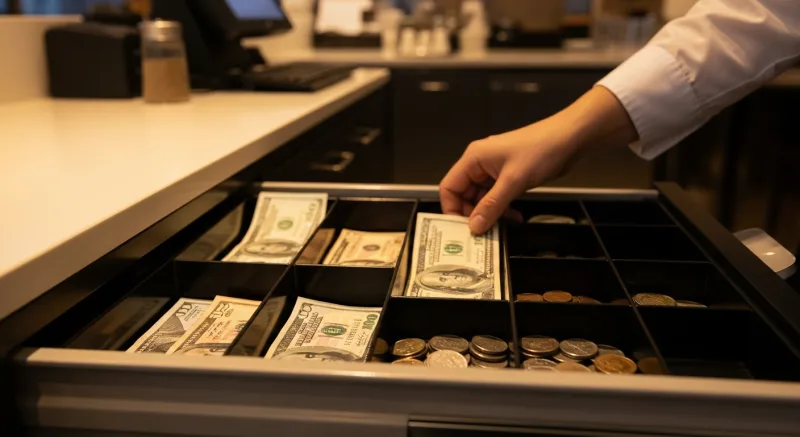
1. Using the Same Drawer Key for Every Register
Most budget drawers ship with two identical keys — and every unit of that model uses the same key. If you buy four drawers from the same manufacturer, one key opens all four. Any employee with a key can access any drawer at any time.
Fix: Buy drawers with unique key codes or re-key them from a locksmith ($15-$25 per drawer). Better yet, rely on POS-controlled auto-open and keep the physical key locked in the manager's office for emergencies only.
2. Not Setting a Starting Bank Amount
If you do not count the starting bank and enter it into the POS at the beginning of each shift, your close-out variance is meaningless. Was the drawer $30 short because someone took $30, or because the previous shift left $30 less than expected?
Fix: Standardize a starting bank amount ($200 is common for restaurants, $300-$500 for retail). Count it in, enter it in the POS, and make the outgoing cashier and incoming cashier both verify.
3. Ignoring Small Variances
A $5 shortage feels insignificant. It is not worth confronting an employee over $5. So you let it go. Then it happens again. And again. Five dollars per shift, two shifts per day, 365 days a year — that is $3,650 in annual shrinkage from "insignificant" variances.
Fix: Set a variance threshold in your POS ($3-$5) and review every instance. The goal is not to punish — it is to identify whether the issue is theft, training, or a mechanical problem with the drawer itself.
4. Leaving the Drawer Open Between Transactions
Some cashiers develop the habit of leaving the drawer open during slow periods so they do not have to wait for it to auto-open. This is a massive security risk and eliminates your POS opening logs entirely.
Fix: Configure a timeout alarm. KwickOS can alert managers when a drawer has been open for more than 60 seconds without a transaction. Some commercial drawers also have audible alarms that beep after 30 seconds of being open.
5. Skipping the Physical Inspection
Cash drawers have moving parts. The spring mechanism, the roller bearings, and the latch all wear over time. A drawer that does not fully close can be opened by hand without triggering the POS log. A drawer with a worn spring that pops open on its own creates phantom "open" events that clutter your reports.
Fix: Include cash drawer inspection in your monthly POS hardware maintenance checklist. Check the spring tension, the latch engagement, the lock mechanism, and the cable connection. A $120 replacement drawer is cheaper than a month of unexplained variances.
Setting Up Your Cash Drawer With KwickOS
KwickOS supports all three drawer connection methods (RJ12, USB, and Bluetooth) and includes built-in cash management features that turn a simple drawer into an accountability system:
- Fingerprint-verified drawer opens. Every time the drawer opens, the employee's fingerprint is on record. No more "I didn't open the drawer" disputes. KwickOS supports 1:N fingerprint matching, meaning the employee just touches the sensor — no PIN code required.
- Real-time variance alerts. If the running cash total deviates from expected by more than your threshold, the system alerts the manager immediately — not at close-out when the money is already gone.
- Blind close-out with denomination entry. Cashiers count each denomination and enter amounts separately. The system calculates the variance after submission. No way to "make the numbers work."
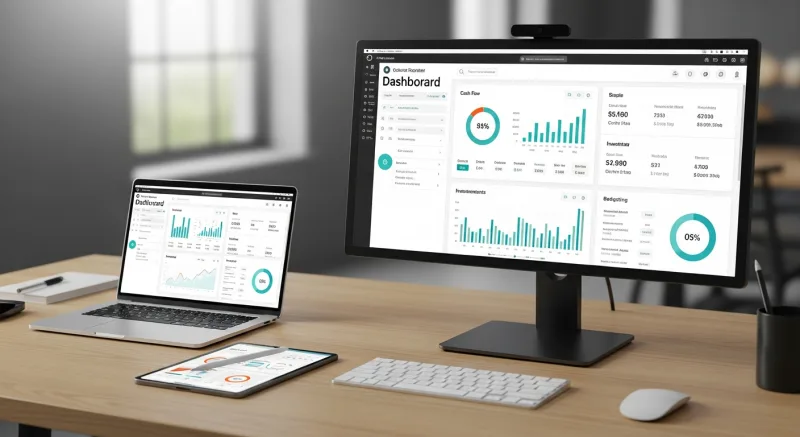
- Multi-location cash reporting. For operators like T. Jin (15 stores) or Crafty Crab (19 stores), KwickOS provides a single dashboard showing cash variance across every location, every shift, every employee — accessible from any device, anywhere.
- Offline mode. Because KwickOS runs on a hybrid local+cloud architecture with 1ms local latency, cash drawer operations continue working perfectly even if your internet drops. All drawer events sync to the cloud when connectivity returns.
The setup takes about 10 minutes. Connect the RJ12 cable from the drawer to the receipt printer, configure the starting bank in KwickOS settings, assign the drawer to a station, and you are live. No special drivers. No complicated software configuration. The system recognizes the drawer and starts logging immediately.
The ROI of a Proper Cash Drawer Setup
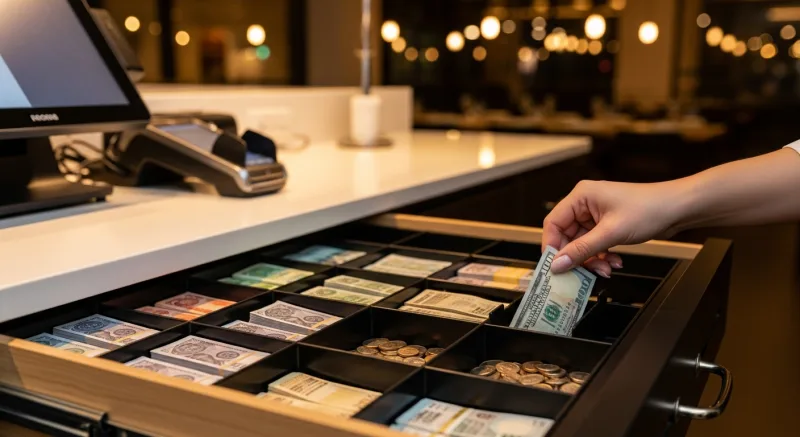
Let us do the math for a typical restaurant processing $15,000/month in cash transactions:
| Cost/Saving | Without Smart Drawer | With Smart Drawer + KwickOS |
|---|---|---|
| Cash variance (monthly) | $400-$800 | $15-$30 |
| Annual variance cost | $4,800-$9,600 | $180-$360 |
| Manager close-out time | 25 min/night | 8 min/night |
| Annual manager time saved | — | 103 hours ($2,575 at $25/hr) |
| Drawer hardware cost | $45 (budget) | $130 (mid-range) |
| Annual net savings | — | $6,835-$11,815 |
An $85 upgrade in drawer hardware — from a $45 manual box to a $130 POS-connected smart drawer — pays for itself in the first week. The remaining 51 weeks are pure savings.
And unlike cutting credit card processing fees or optimizing food cost percentages, this is a one-time hardware investment with zero ongoing cost. Buy the drawer once, connect it to your POS, and let the system do the work.
Take Control of Your Cash
KwickOS turns every cash drawer into a smart accountability system with fingerprint verification, real-time variance alerts, and multi-location reporting. See how it works.
Get a Demo