
 Kelly Ho
You know the feeling. It's 7:12 AM on a Tuesday. The line snakes past the condiment bar. The espresso machine screams. Your one barista on bar is drowning in a sea of oat milk lattes. Three people in line look at their watches, step out, and drive to the chain down the street.
That's $17.50 in lost revenue. Per customer. Per day.
But it gets worse: those three people don't just disappear for one morning. Industry research suggests that a single negative wait experience at a coffee shop creates a 40% chance that customer never returns. Multiply those three walkouts by 250 working days, and you're staring at $13,125 in annual lost revenue from a staffing gap that lasted 13 minutes.
Here's the thing: the solution isn't "hire more people." Every coffee shop owner who's tried throwing bodies at the morning rush knows what happens — labor cost explodes to 42%, afternoon shifts sit idle, and you're bleeding money from both ends.
The solution is precision staffing — using actual transaction data to put exactly the right number of people in exactly the right positions at exactly the right time. And it starts with understanding one number that most coffee shop owners have never calculated.
The Number That Controls Everything: Sales Per Labor Hour
Sales Per Labor Hour (SPLH) is the single most important metric for coffee shop staffing decisions. It answers one question: for every dollar I spend on labor, how much revenue am I generating?
Here's how it works:
SPLH = Total Sales in a Time Period ÷ Total Labor Hours Worked in That Period
According to industry data, healthy coffee shop benchmarks look like this:
| Time Period | Target SPLH | Overstaffed | Understaffed |
|---|---|---|---|
| Peak hours (6:30-9 AM) | $65-$100 | Below $50 | Above $110 |
| Mid-morning (9-11 AM) | $45-$65 | Below $35 | Above $75 |
| Afternoon (11 AM-3 PM) | $35-$50 | Below $28 | Above $60 |
| Late afternoon (3-6 PM) | $30-$45 | Below $25 | Above $55 |
And that's not all: when your SPLH exceeds $110 during peak, you're not just "busy" — you're actively losing customers. Every dollar above $110 SPLH represents drinks that aren't getting made fast enough, lines that are growing too long, and customers who are choosing to leave rather than wait.
A POS system with built-in labor tracking calculates this in real time. KwickOS overlays scheduled labor hours against actual sales by 15-minute interval, so you can see the exact moment you cross from "efficiently busy" to "losing customers."
The 15-Minute Staffing Curve: How to Build Your Perfect Schedule
Forget shift schedules based on gut feeling. Here's the data-driven method used by the highest-performing coffee shops:
Step 1: Pull 4 weeks of transaction data by 15-minute intervals.
Your POS records every transaction timestamp. Export 4 weeks of data and calculate average transaction count per 15-minute block. You'll see a pattern like this:
- 6:00-6:15 AM: 4 transactions
- 6:15-6:30 AM: 8 transactions
- 6:30-6:45 AM: 14 transactions
- 6:45-7:00 AM: 22 transactions
- 7:00-7:15 AM: 28 transactions (peak)
- 7:15-7:30 AM: 31 transactions (peak)
- 7:30-7:45 AM: 27 transactions
- 7:45-8:00 AM: 23 transactions
Step 2: Calculate required positions per interval.
One barista on espresso bar handles 15-20 drinks per hour (4-5 per 15-minute block). One register person processes 20-25 transactions per 15-minute block. One cold bar/food person handles 8-12 cold drinks plus food orders per 15-minute block.
Step 3: Schedule arrivals 15 minutes BEFORE the rush starts.
If your data shows the rush begins at 6:30 (when transactions jump from 8 to 14), your peak team arrives at 6:15. Not 6:30. Not 7:00. This single adjustment — scheduling to data rather than to the hour — typically captures 15-23 additional customers during the ramp-up period.
Position Rotation: The Secret Weapon of High-Volume Shops
Here's the thing about barista fatigue: after 90 minutes on espresso bar during peak, speed drops 18-22%. Hands cramp. Steaming precision declines. Latte art becomes latte abstract.
The highest-performing coffee shops rotate positions every 60-90 minutes during peak. It looks like this:
- 6:15 AM start: Barista A on espresso, Barista B on register, Barista C on cold bar/food prep
- 7:30 AM rotate: B moves to espresso (fresh hands), A moves to cold bar (recovery), C moves to register
- 8:45 AM rotate: C on espresso, B on cold bar, A back on register
This rotation keeps everyone sharp and cross-trained. But it only works if every team member can perform every position competently.
Cross-Training: The 4-Week Investment That Pays Forever
Most coffee shops train new hires on register, maybe let them make drip coffee, and call it done. Then when someone calls out sick on a Wednesday morning, the whole operation crumbles.
But it gets worse: without cross-training, you can't rotate positions. Without rotation, you get fatigue. With fatigue, you get slow drinks. With slow drinks, you get walkouts. It's a cascading failure that starts with a training gap.
Here's the cross-training progression that works:
Week 1: Register mastery — POS navigation, payment processing (cash, card, mobile pay, QR code payments), gift card sales and redemption, loyalty enrollment at checkout, modifier accuracy
Week 2: Basic drink production — drip coffee, teas, blended drinks, cold brew pours. Introduce espresso machine fundamentals: shot pulling, milk steaming, temperature standards
Week 3: Espresso bar mastery — full drink menu production, milk alternatives, latte art basics, speed drills (target: 18 drinks/hour within 4 seconds of quality standard)
Week 4: Cold bar and food — cold brew/nitro pours, specialty seasonal drinks, food prep and plating, inventory awareness (knowing when to 86 items in the POS)
Track each employee's skill level in your POS employee profile. KwickOS lets you tag certifications per position, so when you're building next week's schedule, you can instantly see who's qualified for which stations — no guessing, no spreadsheet hunting.
The Gift Card and Loyalty Rush: Why Peak Hour Is Your Enrollment Window
Here's a pattern most coffee shop owners miss: your highest-value loyalty enrollments happen during peak hours — not slow periods.
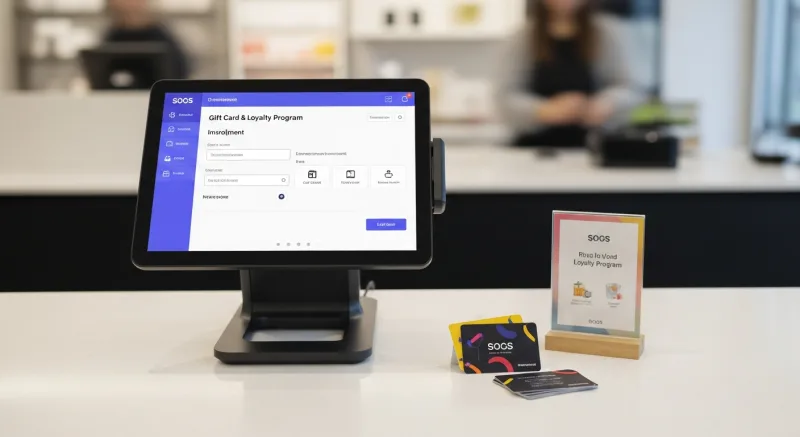
Why? Because peak-hour customers are habitual. They're the 7:15 AM every-single-day crowd. They're already loyal in behavior. You're just giving them a reason to formalize it.
And that's not all: a dedicated register person during peak (instead of making the barista ring up AND make drinks) has 8-12 seconds of natural "dead time" while the payment terminal processes. That's your enrollment window.
The 8-second loyalty pitch during peak:
"Your total's $5.75. While that processes — have you joined our rewards? Every 10th drink is free, plus you get a birthday drink and e-gift cards you can send from your phone."
Shops using this approach during peak hours report 3-4 loyalty enrollments per hour during rush vs. 0-1 during slow periods. Over a month, that's 60-80 new members who are already coming every day — now with a points balance that makes them psychologically committed.
Gift card sales follow the same pattern. A register display with $10, $25, and $50 e-gift cards right next to the payment terminal catches impulse purchases: "Oh, Sarah's birthday is tomorrow — let me grab a $25 card while I'm here." Peak hour foot traffic makes this profitable without any additional labor.
The Labor Cost Math: Finding Your Staffing Sweet Spot
Coffee shop labor should run 28-35% of revenue. Here's the math that determines your peak staffing ceiling:
Let's say your morning peak (6:30-9:00 AM) generates $1,200 in revenue on a typical weekday.
| Staffing Level | Labor Hours (2.5 hrs each) | Labor Cost (@$17/hr) | Labor % | SPLH |
|---|---|---|---|---|
| 3 baristas | 7.5 hrs | $127.50 | 10.6% | $160 (UNDERSTAFFED) |
| 4 baristas | 10 hrs | $170 | 14.2% | $120 (borderline) |
| 5 baristas | 12.5 hrs | $212.50 | 17.7% | $96 (OPTIMAL) |
| 6 baristas | 15 hrs | $255 | 21.3% | $80 (still healthy) |
But here's where it gets interesting. With 3 baristas, your labor percentage looks amazing at 10.6%. But you're losing 23+ customers to walkouts. Those 23 customers at $5.75 average ticket = $132 in lost daily revenue.
Add the 5th barista for $42.50 more in labor (the difference between 4 and 5 people), capture those 23 customers ($132), and your actual return on that labor investment is $89.50 per day — a 210% ROI.
The POS makes this visible. When you can see transaction count by 15-minute interval overlaid against staffed hours, the gaps become obvious. You're not guessing anymore — you're investing in labor with a measurable return.
Stagger Scheduling: Nobody Needs to Work the Same Shift
The biggest staffing mistake in coffee shops? Scheduling everyone for the same start and end time.
If your peak runs 6:30-9:00 AM, you don't need all 5 baristas for that entire window. You need a ramp:
- 5:45 AM: Opener + 1 (prep, machine warm-up, display setup)
- 6:15 AM: +2 baristas (anticipating 6:30 rush)
- 6:45 AM: +1 barista (peak surge coverage)
- 8:30 AM: -1 barista (rush tapering)
- 9:00 AM: -1 barista (return to mid-morning staffing)
This stagger approach keeps your SPLH in the optimal range across the entire morning instead of being understaffed at the start and overstaffed at the tail.
And that's not all: stagger scheduling also gives you split-shift options that appeal to part-time employees. A 6:15-9:15 AM shift is perfect for students, parents with school-age kids, or anyone who wants to earn $51 before the rest of the world wakes up.
Mobile Ordering: Shift 25% of Peak Volume Off the Counter
Every mobile order that comes in before the customer arrives is one less person in your physical line. It's free labor — the customer does the ordering work, the POS routes it directly to the bar, and the barista makes it without any register interaction.
Coffee shops using their own mobile ordering platform (not third-party apps that take 30%) typically shift 20-30% of peak volume to mobile within 3 months of launch. That means:
- Your register person handles 30% fewer in-store transactions
- The physical line stays shorter (reducing walkout perception)
- Mobile orders tend to include more add-ons (+$1.80 average) because there's no social pressure to "hurry up"
- Mobile customers pre-pay (including tips), speeding up the pickup interaction to 8 seconds
KwickMenu integrates directly with the POS — no tablet on the side, no manual re-entry. A mobile order appears on the KDS exactly like a register order, with a pickup time estimate the customer sees on their phone. Your baristas don't even know the difference between a counter order and a mobile order. It's just the next cup in the queue.
The Fingerprint Clock-In: Eliminate Buddy Punching During Shift Changes
Quick pattern interrupt: are you paying for hours nobody worked?
Buddy punching — one employee clocking in for another — costs the average coffee shop $1,400-$2,800 per year, according to industry estimates. During morning shift changes when it's chaotic and the manager is making drinks, it's invisible.
Fingerprint 1:1 authentication eliminates this completely. The barista touches the sensor, it matches their print, and the clock-in records to the second. No PINs to share. No cards to swipe for a buddy. Just biometric proof that the person being paid actually showed up.
KwickOS uses fingerprint verification for both clock-in and register access. So you know who arrived when, who processed which transactions, and who was actually working during that $1,200 peak hour — not who was supposed to be.
Scheduling Software vs. Spreadsheets: The Time Investment Comparison
Building a coffee shop schedule takes the average owner 3-4 hours per week using spreadsheets or paper. That's 160+ hours per year spent on scheduling instead of growing your business.
With POS-integrated scheduling tools:
- Auto-generate schedules based on historical sales patterns and employee availability
- Employees swap shifts via mobile app without manager involvement
- Overtime alerts fire before anyone crosses the threshold
- Labor cost forecasts update in real time as you build the schedule
- POS data feeds directly into scheduling recommendations — no manual data transfer
The result? 20 minutes per week instead of 4 hours. And better schedules, because they're based on data instead of memory.
Real-World Application: What Peak Staffing Looks Like in Action
Consider a shop like Tiger Sugar, which operates with a focused menu but extreme customization depth — every drink has sweetness level, ice level, and topping combinations. Their 2 self-ordering kiosks handle the ordering complexity, freeing staff to focus purely on drink production.
That's the principle at work: separate the ordering labor from the production labor.
For a traditional coffee shop without kiosks, the POS register serves the same function. A dedicated register person during peak hours doesn't "waste" a barista — they free up every other barista to focus on production speed. The math always works in favor of specialization during high volume.
Shops running KwickOS track this split automatically. The labor report shows "register hours" vs. "production hours" separately, so you can optimize each one independently. Maybe you need 1.5 register hours during peak (one person full-time, one person splitting between register and cold bar) and 3 production hours. That precision eliminates both waste and bottlenecks.
The Afternoon Trap: Don't Staff for Peak All Day
One more critical mistake: owners who finally nail their morning staffing often over-staff the afternoon out of habit.
Your 2:00-4:00 PM window probably does 25-35% of your peak hour volume. If you have 5 people during peak, you need 2 — maybe 3 — in the afternoon. That delta of 2-3 unnecessary labor hours per day at $17/hour = $34-$51/day, or $8,500-$12,750/year in wasted labor.
Use the afternoon lull for two things: (1) deep cleaning and restock prep for tomorrow's rush, and (2) loyalty program engagement. Afternoon customers have time to chat. They're the ones who'll listen to a full explanation of your membership program, sign up for your e-gift card auto-reload, or fill out a feedback card. Low volume doesn't mean low value — it means different value.
See Your Staffing Gaps in Real Time
KwickOS labor tracking overlays sales against scheduled hours in 15-minute intervals. Stop guessing when you need more staff — see the data, schedule with confidence, and capture every peak-hour dollar.
Get a Free Demo