 Tom Jin
Picture your Friday night dinner rush. Twelve tables ready to pay. Two servers running back and forth — dropping checks, waiting for cards, running cards, returning receipts, waiting for signatures. That's 48 round trips between the dining room and the POS terminal.
Now picture this: every table scans a QR code. They see their bill. They tap a tip amount. They pay. Done. Eight seconds, zero server trips.
But it gets worse for the businesses still stuck on the old model. While your servers are running checks back and forth, your tables aren't turning. That 8-minute payment dance at each table is costing you $47 per table per night in lost revenue — seats that could hold paying customers but instead hold people waiting to hand you money you're making it hard to collect.
QR code payments aren't futuristic. They've been standard in China and Southeast Asia for years. In the US, adoption jumped from 11% to 34% of consumers between 2022 and 2025, and the number is climbing every quarter. The technology is free. The infrastructure is your customer's phone. The only thing missing is your setup.
This guide walks you through everything: how QR payments work, which type fits your business, how to configure tipping, how to deliver receipts, and — most critically — how to prevent the one fraud vulnerability that catches most businesses off guard.
How QR Code Payments Actually Work
The mechanics are simpler than most business owners think. There's no magic, no blockchain, no special hardware. Here's the flow:
- Your POS generates a QR code that contains a payment link with the transaction amount, merchant ID, and order reference number.
- The customer scans the code with their phone camera (no app needed on most modern phones).
- Their phone opens a secure payment page showing the order total, line items, and tip options.
- The customer selects a tip, confirms the total, and authenticates with Face ID, fingerprint, or PIN.
- Payment processes through your existing merchant account at the same interchange rates you already pay.
- Your POS receives confirmation in real time. The table is marked as paid. The receipt is delivered to the customer's phone via email or SMS.
Total elapsed time: 6 to 10 seconds. Compare that to the traditional card flow:
| Step | Traditional Card | QR Payment |
|---|---|---|
| Server brings check | 1-3 min | 0 (already on table) |
| Customer reviews bill | 1-2 min | Instant (on phone) |
| Server collects card | 1-3 min | 0 |
| Server runs card at POS | 30-60 sec | 0 |
| Server returns card + receipt | 1-3 min | 0 |
| Customer signs + tips | 1-2 min | 8 sec (on phone) |
| Total | 5-13 min | 8-10 sec |
That time difference adds up fast. A 60-seat restaurant turning tables 2.5 times per night saves roughly 6 hours of cumulative server time every evening. That's labor you can redeploy to service, upselling, or — here's the real win — turning tables faster for one extra seating per night.
Static vs. Dynamic QR Codes: Which One Do You Need?
This is the first decision you'll make, and getting it wrong costs you either money or flexibility. Here's the thing: most guides lump all QR payments together. They're not the same.
Static QR Codes
A static QR code is printed once and never changes. It links to a fixed URL — usually your payment page where the customer enters the amount themselves, or a page with a preset price.
Best for:
- Counter-service restaurants where the total is called out verbally
- Tips jars and donation boxes
- Fixed-price menu items (bubble tea shops, food trucks)
- Table-specific ordering pages that pull the live check
Cost: Free. You print a code once. A laminated table tent costs $0.50.
Limitation: The customer must enter or confirm the amount, which introduces error. And because the code never changes, it's vulnerable to sticker-swap fraud (more on that below).
Dynamic QR Codes
A dynamic QR code is generated per transaction by your POS. It encodes the exact order total, a unique transaction ID, and an expiration timestamp. Once used, it's dead — can't be scanned again.
Best for:
- Full-service restaurants (unique check per table)
- Retail stores (unique cart per customer)
- Any business processing more than $5,000/month in QR payments
Cost: Built into your POS software. No additional charge on platforms like KwickOS.
Advantage: The amount is locked. The customer can't accidentally underpay. The code expires. Fraud risk drops to near zero.
And that's not all: dynamic QR codes can also encode table numbers, server IDs, and customer loyalty information — so the payment automatically credits the right server and the right loyalty account without any manual input.
Setting Up QR Payments: The 30-Minute Configuration
If your POS supports QR payments natively (KwickOS does, Toast and Square have limited support), setup takes about 30 minutes. Here's the step-by-step:
Step 1: Enable QR Payment in Your POS Settings
In KwickOS, this is under Settings → Payments → QR Code. Toggle it on. Select whether you want static codes (printed table tents) or dynamic codes (generated per check), or both.
Step 2: Configure Your Payment Page
This is the page your customers see when they scan. You'll want to customize:
- Business name and logo (builds trust — customers need to know they're paying you, not a scammer)
- Order line items (show what they're paying for)
- Tip presets (18%, 20%, 25% and a custom field)
- Accepted payment methods (Apple Pay, Google Pay, credit card, debit card)
- Receipt delivery option (email, SMS, or both)
Step 3: Print or Display Your QR Codes
For static codes: print table tents on heavy cardstock or acrylic stands. Include your logo, clear instructions ("Scan to Pay"), and the table number. Budget $0.50-$2.00 per table tent.
For dynamic codes: the QR code displays on your POS screen, on the customer-facing display, or prints on the bottom of the check. When the customer is ready to pay, the server hits "Generate QR" and the code appears.
Step 4: Train Your Staff (5 Minutes)
Here's where most businesses overthink it. Staff training for QR payments takes exactly one sentence: "When the table asks for the check, point to the QR code and say 'You can scan to pay right from your phone — it takes about 10 seconds.'"
That's it. Shogun Japanese Hibachi trained their entire front-of-house staff on QR payments in under 5 minutes. The POS handles everything else — no card swiping, no tip calculation, no signature collection.
Step 5: Test a Transaction
Run a $0.01 test transaction from your own phone. Verify that:
- The QR code scans on the first try from 8-12 inches away
- The payment page loads in under 3 seconds
- Tip options display correctly
- The POS registers the payment in real time
- The receipt arrives via email or SMS within 30 seconds
Tipping Through QR Payments: Why Tips Go Up
This is the part that gets servers excited. QR-based tipping consistently outperforms terminal-based tipping. Here's why:
Screen size matters. A payment terminal shows three tiny buttons: 15%, 18%, 20%. They're hard to read and easy to skip. A phone screen shows large, colorful buttons with the dollar amounts calculated: "$7.20 (18%)", "$8.00 (20%)", "$10.00 (25%)". The psychological difference is enormous.
No audience. At a terminal, customers feel watched by the server and the people behind them in line. On their phone under the table, they tip without social pressure — and counterintuitively, they tip more. Studies show privately selected tips average 3-5% higher than publicly selected tips.
Default anchoring. Most QR payment pages default-highlight the middle option (typically 20%). Behavioral economics calls this the anchoring effect. When 20% is highlighted, most people either leave it or go up. Very few actively select a lower option.
| Metric | Terminal Tipping | QR Tipping |
|---|---|---|
| Average tip % | 18.2% | 21.4% |
| % who skip tip | 12% | 4% |
| Time to complete | 15-30 sec | 5-8 sec |
For a server handling 20 tables per shift with a $45 average check, that 3.2% tip increase translates to $28.80 more per shift — or roughly $7,500 more per year in tip income. Good luck finding a server who doesn't want that.
Receipt Delivery: The End of Paper Waste
Here's the thing about paper receipts: nobody wants them. Customers shove them in pockets, leave them on tables, or throw them away in the parking lot. They cost you $0.02-$0.04 each in thermal paper. And they contain BPA, which is why California is phasing out paper receipts entirely.
QR payments solve this automatically. When the customer pays through their phone, the receipt goes to their email or phone number. No printing, no paper, no waste. The customer has a permanent digital record they can search, forward to their accountant, or use for expense reports.
The hidden marketing benefit: that digital receipt is also a touchpoint. You can include your loyalty program signup link, a link to leave a Google review, your online ordering URL, or a bounce-back coupon for their next visit. A paper receipt can't do any of that.
One KwickOS merchant — a multi-location dim sum restaurant — added a "Join our rewards program" link to every digital receipt and saw a 23% enrollment rate from QR payment customers, compared to 4% from customers who were asked verbally.
QR Payment Security: The One Vulnerability You Must Prevent
QR payments are inherently more secure than magnetic stripe cards. The payment data is tokenized, encrypted, and authenticated through the customer's biometric (Face ID or fingerprint) or PIN. There's no card number to skim, no magnetic stripe to clone.
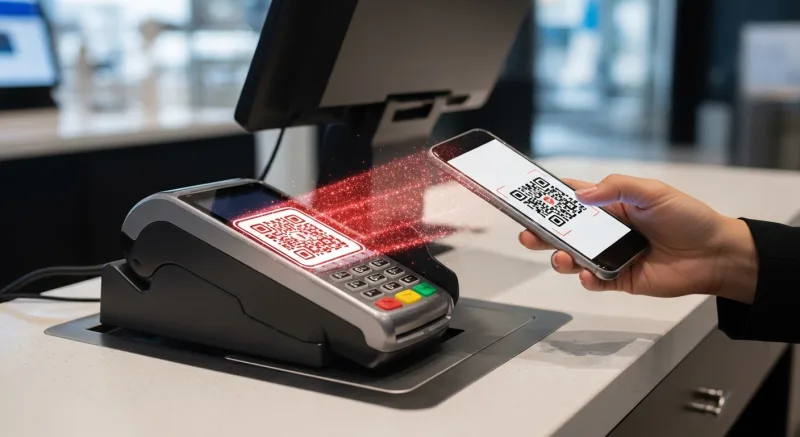
But there's one vulnerability that catches businesses off guard: QR jacking.
Here's how it works: a bad actor prints a fake QR code sticker and places it over your legitimate QR code. When customers scan it, they're directed to a lookalike payment page that collects their card information. The money goes to the scammer. Your customer thinks they paid you. You never see a dime.
But it gets worse: if this happens at your business, you're the one who looks negligent. The customer calls their bank, disputes the charge, and tells everyone they got scammed at your restaurant.
How to prevent QR jacking:
- Use dynamic QR codes whenever possible. These are generated per transaction and expire after use. A scammer can't replace them because they change every time.
- If using static codes, use tamper-evident materials. Print QR codes on stickers that shred when peeled, or embed them in acrylic table tents that can't be covered without obvious tampering.
- Train staff to check QR codes daily. Add "verify QR codes" to the opening checklist. It takes 30 seconds to scan each table's code and confirm it goes to your payment page.
- Brand your payment page clearly. Your logo, business name, and address should be unmistakable on the payment page. If a customer sees a generic or unfamiliar page, they'll know something is wrong.
- Monitor for unmatched payments. If a customer says they paid but your POS didn't register it, that's a red flag. Investigate immediately.
The good news: QR jacking is rare in the US (it's more common in markets where static QR codes dominate, like parts of Southeast Asia). Using dynamic codes virtually eliminates the risk.
Real-World QR Payment Results
Let's talk about what actually happens when businesses implement QR payments. Not theory — results.
Rockin' Rolls Sushi Express operates 3 locations with 49 iPad self-ordering stations. When they added QR-code-at-table payments alongside their existing kiosk flow, table turn time dropped by 6 minutes per seating. Across 3 locations, that freed up enough capacity for an estimated 18 additional covers per night — roughly $810 in additional daily revenue at their $45 average check.
Tiger Sugar, the bubble tea chain with 2 self-service kiosks, integrated QR payments for their busiest pickup window. Customers who ordered online could scan and pay at the counter in under 8 seconds, eliminating the bottleneck of card transactions during afternoon rush. Line speed improved 40%.
At Crafty Crab Seafood — 19 locations, 152 terminals — the shift to QR payment at the table reduced server trips by an estimated 30% during peak hours, allowing them to reallocate one server per shift from payment duties to table service. That's $156/night in recaptured labor value per location.
Processing Costs: QR Payments Don't Cost More
A common misconception: QR payments carry extra fees. They don't.
QR code payments process through the same payment rails as any card-present transaction. The interchange rate is identical to a chip or tap transaction. If you're on a processor-agnostic POS like KwickOS, you pay whatever interchange-plus rate you've negotiated — the same 2.1%-2.4% effective rate you'd pay on a chip dip or contactless tap.
Some POS systems charge extra for the QR feature itself. Toast charges $50/month for their "Order & Pay" add-on. Square doesn't natively support table QR payments. KwickOS includes QR payments at no additional cost — it's built into the platform.
| POS System | QR Payment Support | Additional Cost |
|---|---|---|
| KwickOS | Full (static + dynamic, tipping, receipts) | $0 (included) |
| Toast | Limited (Order & Pay add-on) | $50/month |
| Square | Invoice QR only | $0 but limited features |
| Clover | Basic (third-party app required) | $20-40/month |
Over a year, the cost difference adds up. If Toast charges $50/month for a feature KwickOS includes free, that's $600/year you're paying for something that should be standard. Add that to the $3,000-$5,000/year you're already overpaying in locked processing fees, and the total cost of a locked POS system becomes staggering.
Want to see what you'd save? Use our processing fee calculator to run the numbers for your volume.
Who Should (and Shouldn't) Use QR Payments
QR payments make immediate sense for:
- Full-service restaurants — eliminates the check dance, speeds table turns
- Fast-casual with dine-in — customers pay at the table, no counter line
- Bars and nightclubs — tab payments without flagging a bartender
- Food trucks and pop-ups — zero hardware investment
- Multi-language environments — the payment page displays in the customer's phone language (KwickOS supports English, Chinese, and Spanish natively)
QR payments are less impactful for:
- Drive-throughs — customers need both hands, and speed is already optimized for card tap
- High-speed counter service — if your average transaction takes 12 seconds on tap, QR adds no value
- Businesses with elderly-dominant clientele — adoption is lower among customers 65+, though rising rapidly
Implementation Checklist
Ready to set up QR payments? Here's your action list:
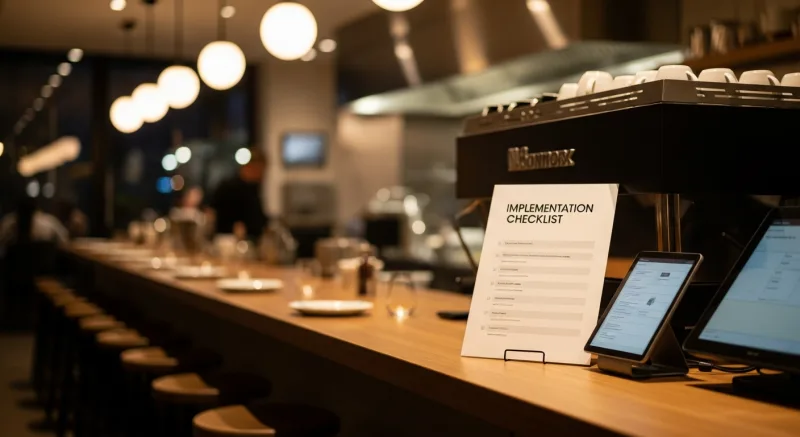
- Verify your POS supports QR payments. If you're on KwickOS, you're already set. If you're on Toast or Square, check what's included versus what costs extra.
- Decide: static, dynamic, or both. Full-service restaurants should use dynamic. Counter-service can start with static.
- Design your payment page. Add your logo, set tip presets (18/20/25), enable Apple Pay and Google Pay, configure receipt delivery.
- Order table materials. Acrylic table tents ($1-3 each) or laminated cards ($0.50 each). Include clear "Scan to Pay" instructions.
- Train staff. One sentence: "You can scan to pay right from your phone." That's the training.
- Add QR checks to your opening checklist. Verify every table's QR code daily.
- Monitor adoption for 30 days. Track what percentage of customers use QR vs. traditional. Expect 15-25% adoption in month one, growing to 35-50% by month three.
The Bottom Line
QR code payments are the lowest-cost, lowest-effort payment upgrade available to any business right now. No new hardware. No new processing fees. No complex integration. Just a QR code, your existing POS, and your customer's phone.
The math is straightforward: faster table turns, higher tips, less paper, fewer server trips, and a checkout experience that takes 8 seconds instead of 8 minutes. For a 60-seat restaurant, that translates to roughly $18,000-$32,000 in annual value from faster turns, labor reallocation, and tip improvement combined.
The businesses that adopted contactless tap early gained a permanent speed advantage. QR payments are the next step in that same trajectory. The question isn't whether your customers want this — 34% of them already do. The question is whether your POS system makes it easy or charges you extra for the privilege.
8-Second Checkout Is Free With KwickOS
QR payments, tipping, digital receipts, and loyalty enrollment — all built in, no add-on fees. See how KwickOS transforms your payment flow.
Get a Free Demo