 Ming Ye
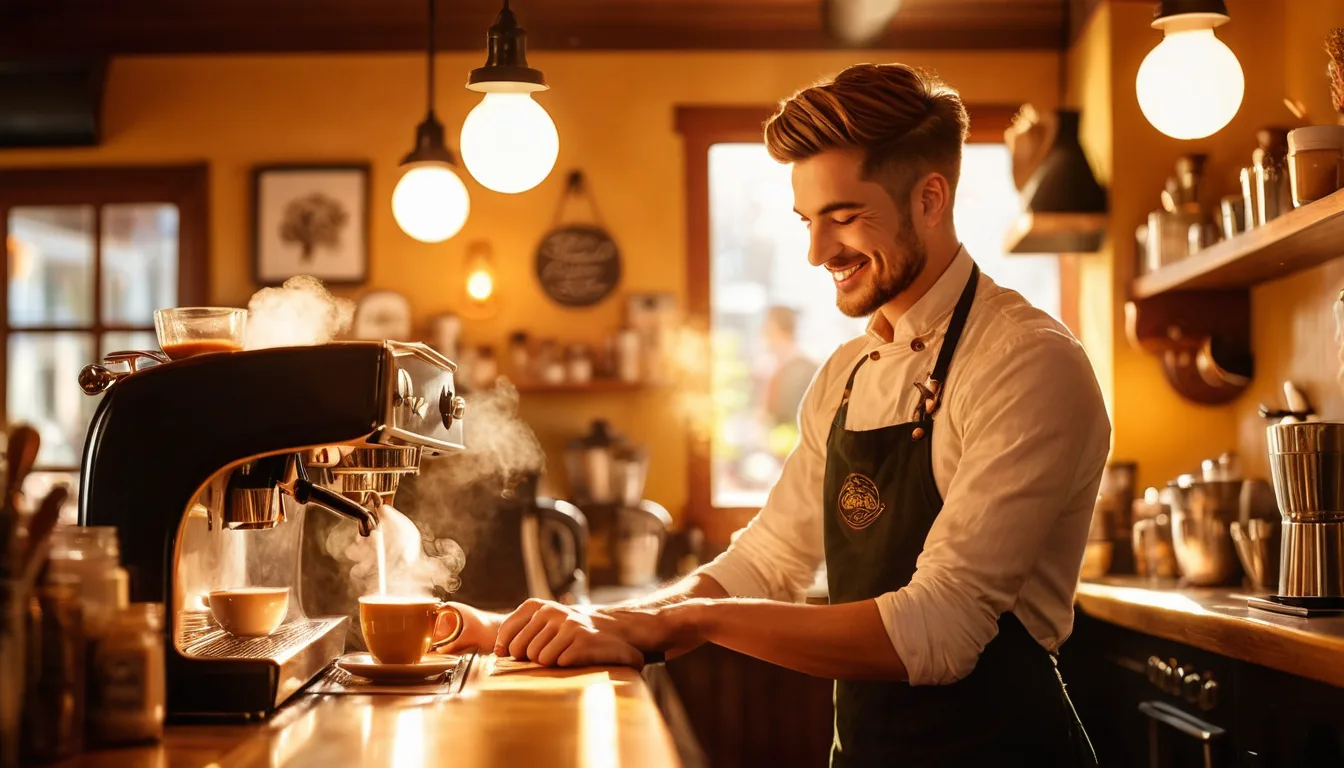
It's 7:14 AM. The line is twelve people deep. Your barista is punching in a "large oat milk lavender latte with an extra shot, light ice, no sweetener" while the customer behind them is already checking the time on their phone.
Every second that order takes to enter is a second the next customer considers walking out.
Here's the thing: the average coffee shop loses 11 customers per morning rush to slow checkout. At an average ticket of $6.20, that's $68/day. Multiply by 360 operating days, and you're looking at $24,480 in annual revenue that literally walked out the door because your POS couldn't keep up.
But it gets worse. Those 11 customers don't just leave once. They build a new habit. They find a faster shop. They never come back.
This guide walks you through every decision in setting up a coffee shop POS — from hardware placement to modifier configuration, barista screens to mobile ordering, tip prompts to loyalty programs. By the end, you'll have a system that handles 127+ drinks per hour without a single bottleneck.
The Coffee Shop POS Problem Nobody Talks About
Most POS systems were designed for full-service restaurants. They assume you have servers. They assume orders are complex multi-course meals. They assume the customer sits down and waits.
Coffee shops are the opposite. You need speed above everything. A full-service restaurant transaction takes 2-3 minutes. A coffee shop transaction needs to happen in under 15 seconds — from the moment the customer says "large cold brew" to the moment they tap their card and step aside.
And that's not all: coffee shop orders aren't simple. A "medium latte" actually involves 6-8 decision points:
- Size — small, medium, large (or your branded names: tall, grande, venti)
- Milk type — whole, 2%, oat, almond, coconut, soy (each with different upcharge logic)
- Espresso shots — single, double, triple, decaf, half-caf
- Temperature — hot, iced, blended
- Sweetness — regular, half sweet, no sweetener, specific syrup flavors
- Add-ons — whipped cream, cold foam, extra drizzle, alternative toppings
If your POS requires 6 separate screens to capture those decisions, your barista is tapping 12-15 times per order. At 2 seconds per tap, that's 30 seconds of screen time — double what it should be.
The right POS setup captures all of that in a single screen with one-tap modifiers. And that's where setup decisions matter more than the brand name on the box.
Hardware: What Goes Where and Why
Coffee shop hardware layout isn't about aesthetics. It's about eliminating wasted motion during a rush that's measured in seconds, not minutes.
The Order Station
Your primary POS terminal goes at the register — that's obvious. What's not obvious is the configuration.
Use a terminal, not a tablet. According to restaurant industry data, tablet POS systems have a 23% higher error rate during peak hours compared to dedicated terminals. The reason is simple: tablets have smaller screens, slower processors, and touch targets that are too small for speed-tapping during a rush. A dedicated POS terminal with a 15-inch screen gives your cashier enough real estate to see the full modifier grid without scrolling.
Position the terminal at a 15-degree angle facing the cashier with the customer-facing display angled toward the customer. This dual-screen setup does three things: confirms the order in real time (reducing errors), displays tip prompts without the cashier having to ask, and shows loyalty point balances that encourage enrollment.
The Customer-Facing Payment Terminal
Mount your payment terminal (we recommend the Pax A35 or A80) on a swivel stand at elbow height. The customer should be able to tap, dip, or swipe without the cashier touching the device. This shaves 3-5 seconds per transaction and eliminates the awkward card handoff.
Here's a setup detail most shops miss: configure your payment terminal to show the tip screen before the total. Industry research suggests customers tip 18-22% more when the tip prompt appears before they see the final amount. On a $6 latte, that's an extra $0.30-$0.40 per transaction — which adds up to $2,800-$3,700 per year in additional barista compensation at 30 transactions per hour.
The Barista Display (KDS)
This is the most underrated piece of hardware in a coffee shop. A kitchen display system mounted near the espresso machine replaces printed tickets, shouted orders, and the chaos that happens when three mobile orders fire simultaneously with two walk-in orders.
Shogun Japanese Hibachi learned this firsthand — they installed customized KDS displays at each station and had new operators proficient in under 5 minutes. Coffee shops see the same benefit: a well-configured barista screen eliminates the #1 source of drink errors (misread handwritten cups) and cuts average drink time by 8-12 seconds.
Mount the screen at eye level, 18-24 inches from the espresso machine. Use a commercial-grade display rated for humidity — standard consumer TVs fail within 3-6 months in a steam-heavy environment.
The Receipt Printer
Here's a controversial take: you might not need one. According to industry data, over 70% of coffee shop customers decline a printed receipt. Configure your POS to default to digital receipts (email or SMS) and keep one thermal printer behind the counter for the occasional customer who wants paper. This saves $400-$600/year in paper rolls and reduces counter clutter.
Modifier Setup: The 15-Second Order Rule
Your modifier configuration is the single biggest factor in checkout speed. Get this wrong and no amount of hardware upgrades will save you.
The rule: every standard drink order should require no more than 4 taps from the cashier. Tap 1 selects the drink. Tap 2 selects the size. Tap 3 selects the milk (with the most popular option pre-highlighted). Tap 4 confirms and sends to the barista screen.
Any additional customizations — extra shots, flavor syrups, alternative sweeteners — should be available as optional one-tap add-ons on the same screen. Never force the cashier to navigate to a second screen for common modifiers.
How to Structure Your Modifier Groups
Set up your POS with these modifier groups, in this order:
- Size (required) — 3-4 options, default to your most popular size
- Milk (required for espresso drinks) — 6-8 options, default to whole milk or 2%
- Shots (optional) — extra shot, decaf, half-caf
- Temperature (conditional) — only show for drinks available both hot and iced
- Sweetness (optional) — syrup flavors, sweetness level
- Toppings (optional) — whipped cream, cold foam, drizzles
The key insight: required modifiers should auto-prompt. Optional modifiers should be visible but not blocking. If your POS forces the cashier to explicitly skip "sweetness level" on every black coffee, you've just added 2 unnecessary seconds to 40% of your orders.
KwickOS handles this with conditional modifier logic — the system only shows relevant modifier groups based on the drink category. Order a drip coffee? You see size only. Order a latte? You see size, milk, and shots. No unnecessary taps, no wasted time.
Mobile Ordering: The Revenue You're Leaving on the Sidewalk
If you don't have mobile ordering in 2026, you're not competing. You're surviving.
Industry data shows that coffee shops with integrated mobile ordering see a 15-20% increase in morning revenue because commuters order from their car, their train, or their kitchen — and the drink is ready when they walk in.
But it gets worse for shops without it: customers who use mobile ordering at your competitor develop a habit. They're not choosing your shop versus theirs each morning. They're opening an app and tapping "reorder." You're not even in the consideration set.
Here's what matters about mobile ordering setup:
First-party ordering beats third-party every time. DoorDash and UberEats charge 15-30% commission on every order. On a $6.50 latte, that's $0.98-$1.95 going to the platform — which is likely your entire profit margin on that drink. KwickMenu provides first-party online ordering at a flat $2 + $6.99/delivery fee, keeping your margins intact.
The critical technical requirement: mobile orders must flow directly into your barista KDS queue. If mobile orders print on a separate ticket, or worse, require a staff member to manually re-enter them, you've created a bottleneck that defeats the entire purpose. Mobile orders should appear on the barista screen in the same queue as walk-in orders, color-coded so the barista knows which drinks are for pickup versus counter handoff.
Tip Configuration: Small Numbers, Big Impact
Tipping in coffee shops is a sensitive topic, but the data is clear: digital tip prompts increase tip frequency by 30-40% compared to a physical tip jar.
Your customer-facing display should show three preset options. The psychology behind the numbers matters:
- 15% / 20% / 25% — standard setup, the middle option gets chosen most often
- Always include a "Custom Amount" option and a "No Tip" button
- Never set the lowest option below 15% — it anchors expectations downward
- Display the dollar amount alongside the percentage ("20% — $1.30") so customers see how small it actually is
For mobile and online orders, enable tipping at checkout with the same preset structure. According to industry data, mobile order tips average $0.40-$0.80 higher than in-store when the tip prompt appears as part of the natural checkout flow rather than as an afterthought.
Gift Cards and E-Gift Cards: The Revenue Multiplier Most Coffee Shops Ignore
And that's not all. Here's one of the most overlooked revenue opportunities in the coffee industry: gift cards.
The average coffee shop gift card holder spends 23% more than the face value of the card. A $25 gift card generates $30.75 in revenue on average. Why? Because people don't track balances precisely. They buy a $5.50 latte on a $3.12 remaining balance and pay the difference — plus add a pastry they wouldn't have ordered with cash.
Your POS setup should support both physical gift cards and e-gift cards that customers can purchase and send directly from their phone. E-gift cards are especially powerful for coffee shops because they're impulse purchases — "Send a coffee to a friend" campaigns on Instagram and email consistently outperform traditional promotions.
Configure your register to prompt "Would you like to add a gift card?" during checkout at certain triggers: transactions over $15, transactions on Fridays (weekend gift-giving), and during November-December (holiday season). Industry research suggests coffee shops that actively promote gift cards generate $12,000-$18,000 in annual gift card sales — with 15% of that value never redeemed (known as breakage), which becomes pure profit.
Loyalty and Membership: Turn Morning Commuters into Lifers
The average coffee shop customer visits 3-4 times per week. A loyalty program increases that to 4.5-5.5 visits. At $6.20 per visit, that extra 1.5 visits per week adds up to $483 per customer per year.
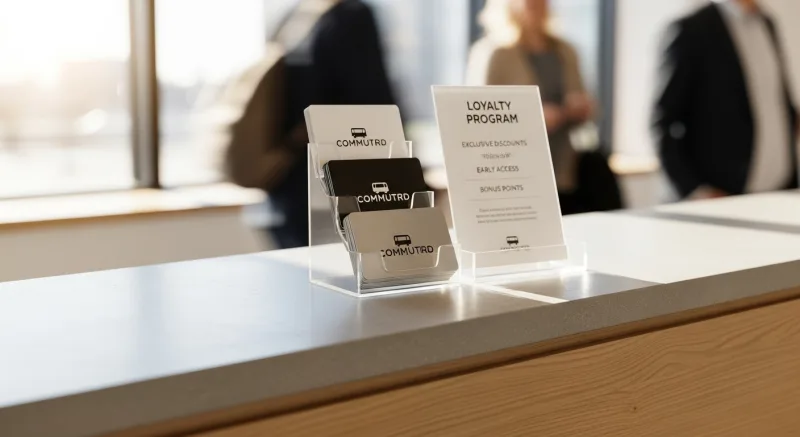
Here's the thing: physical punch cards have an 80% loss rate. Digital loyalty programs have a 3x higher redemption rate because the points are always there — on the customer's phone, in their account, visible every time they order.
The best coffee shop loyalty programs use a hybrid points-and-tier model:
- Points — 1 point per dollar spent. 50 points = free drink. Simple, clear, motivating.
- Tiers — Bronze (0-199 points/year), Silver (200-499), Gold (500+). Higher tiers unlock better perks: free size upgrades, double-point days, early access to seasonal drinks.
- Surprise rewards — Random free pastry after the 7th visit in a month. This unpredictability creates a dopamine loop that keeps customers engaged far more effectively than predictable rewards.
KwickOS loyalty integrates directly into the POS checkout flow. When a customer taps their card or enters their phone number, their points balance and tier status appear instantly. The cashier doesn't have to ask "are you a member?" — the system already knows.
Want to see how your loyalty program ROI stacks up? Try our loyalty program ROI calculator to model the numbers for your specific traffic and ticket size.
Payment Processing: The $3,000-$8,000/Year Decision
This is where most coffee shop owners make the most expensive mistake of their business. They choose a POS system first, then discover they're locked into that company's payment processing at a non-negotiable rate.
Toast charges 2.99% + $0.15 per transaction. Square charges 2.6% + $0.10. On a $6 latte, that's $0.33 (Toast) or $0.26 (Square) per transaction.
Now multiply by 300 transactions per day, 360 days per year:
| Processor | Fee per $6 Transaction | Daily (300 txns) | Annual |
|---|---|---|---|
| Toast (2.99% + $0.15) | $0.33 | $99.00 | $35,640 |
| Square (2.6% + $0.10) | $0.26 | $78.00 | $28,080 |
| IC-Plus (IC + 0.15% + $0.08) | $0.18 | $54.00 | $19,440 |
The difference between the most expensive locked processor and an interchange-plus plan you negotiated yourself? $16,200 per year. That's a second espresso machine. That's three months of rent in some markets. That's money you're paying simply because your POS system won't let you choose your own processor.
KwickOS is processor-agnostic — you choose any payment processor and negotiate your own rates. For a coffee shop doing 300+ transactions daily, this single feature typically saves $3,000-$8,000 per year compared to locked platforms like Toast or Square.
The Offline Problem: When WiFi Drops at 7:22 AM
Picture this: it's peak morning rush. Twelve people in line. And your internet goes down.
If you're running a cloud-only POS like Toast or Square, you're dead in the water. Cards don't process. Orders don't fire. Your barista is standing there while customers walk out. According to industry data, the average coffee shop loses $340-$520 per hour of POS downtime during peak hours.
This is why hybrid architecture matters. KwickOS runs locally on your hardware with 1ms response time — orders process, drinks fire to the barista screen, and cash transactions complete regardless of internet status. Card transactions queue locally and process automatically when connectivity returns. Your customers never know anything happened.
For a business where 60% of daily revenue happens in a 3-hour morning window, internet-dependent POS systems are an existential risk, not a minor inconvenience.
Inventory Tracking: Know Your Bean Cost Before It's a Problem
Coffee shop inventory is deceptively complex. You're tracking beans by the pound, milk by the gallon, syrups by the bottle, and cups by the case — and each maps differently to menu items.
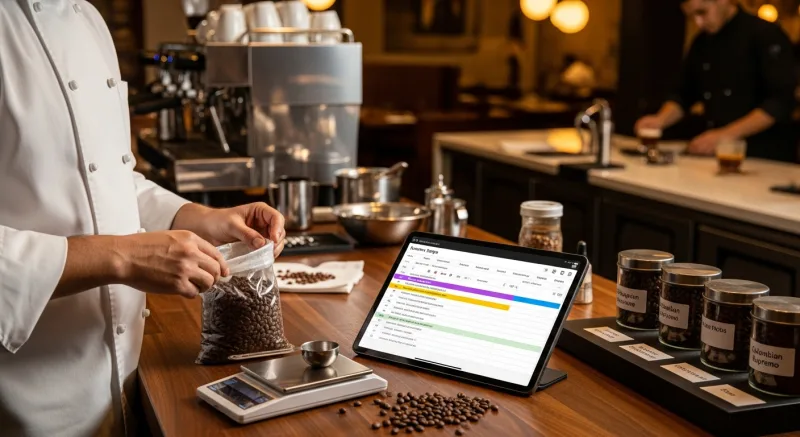
Configure your POS to track ingredient-level inventory with recipe-based depletion. When a barista makes a large oat milk latte, the system should automatically deduct:
- 18g of espresso beans
- 12oz of oat milk
- 1 large cup + lid + sleeve
This real-time tracking lets you set low-stock alerts — so you never run out of oat milk at 8 AM on a Monday — and generates actual food cost data instead of guesswork. Most coffee shops assume their cost per drink is around $0.80-$1.20. Actual ingredient tracking often reveals it's $1.40-$1.80 when you account for waste, over-pouring, and spoilage.
Multi-Language Support: The Urban Coffee Shop Reality
If your coffee shop is in any major U.S. metro area, your staff and customers speak multiple languages. A POS system that only operates in English creates friction for bilingual staff members who think faster in their native language, and excludes customers who prefer ordering in Spanish or Chinese.
KwickOS supports English, Chinese, and Spanish natively — the cashier interface, the barista KDS display, the customer-facing screen, and the mobile ordering interface all switch seamlessly. For a coffee shop in a neighborhood like Flushing, the San Gabriel Valley, or East LA, this isn't a nice-to-have. It's the difference between connecting with your community and alienating them.
Security: Fingerprint Clock-In Changes Everything
Coffee shops have the highest employee turnover rate in food service — industry data suggests 130-150% annually. That means you're constantly training new hires and managing who has access to what.
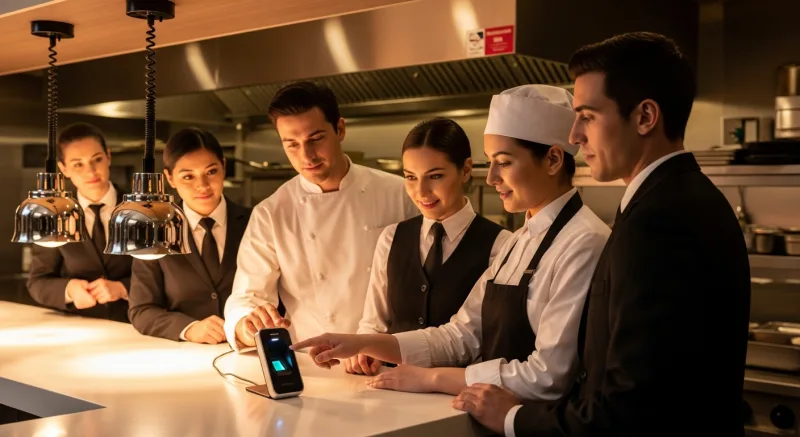
KwickOS fingerprint 1:N authentication means employees clock in and access the system with their fingerprint — no PINs to share, no manager codes to steal, no buddy-punching. The system can distinguish between a cashier (who can take orders and process payments) and a shift lead (who can issue refunds, apply discounts, and access reports) based solely on whose finger touches the scanner.
For a coffee shop with 8-12 employees and constant turnover, this eliminates time theft (which according to industry data costs the average small business $3,600/year) and removes the hassle of resetting PINs every time someone quits.
Real-World Setup: What 127 Drinks/Hour Actually Looks Like
Let's put it all together. Here's the flow for a coffee shop processing 127 drinks per hour during morning rush:
- Customer approaches register — cashier taps drink category on 15-inch screen (1 second)
- Size and modifiers — one-screen capture: size, milk, shots, add-ons (3-4 seconds)
- Loyalty check — phone number auto-pulls loyalty tier and points (1 second)
- Payment — customer taps card on swivel-mounted terminal while cashier confirms order (2-3 seconds)
- Tip screen — customer selects from 15%/20%/25% presets (2 seconds)
- Order fires to barista KDS — drink appears in queue with all modifiers, color-coded by drink type (instant)
- Next customer steps forward — total elapsed time: 10-12 seconds
Simultaneously, mobile orders arrive in the same barista queue. The KDS sorts by promise time, so a mobile order placed for 7:30 AM pickup gets prioritized alongside walk-in orders in the correct sequence.
This is how Tiger Sugar runs their self-service kiosk locations — 2 stores, 2 kiosks, minimal-step personalization for bubble tea that requires even more customization than coffee. The principle is identical: reduce taps, remove bottlenecks, let technology handle the complexity so humans can focus on making great drinks.
The Complete Coffee Shop POS Checklist
Before you finalize your POS setup, verify every item on this list:
- ☑ 15-inch terminal with customer-facing display
- ☑ Payment terminal on swivel mount (Pax A35/A80)
- ☑ Barista KDS screen, commercial-grade, mounted at eye level
- ☑ Modifier groups configured for 4-tap maximum on standard drinks
- ☑ Conditional modifier logic (only show relevant options per drink category)
- ☑ First-party mobile ordering integrated with barista KDS queue
- ☑ Digital tip presets at 15%/20%/25% with dollar amount display
- ☑ Digital loyalty program with points + tiers
- ☑ Physical and e-gift card support with register prompts
- ☑ Processor-agnostic setup with interchange-plus pricing
- ☑ Hybrid local+cloud architecture for offline resilience
- ☑ Ingredient-level inventory tracking with low-stock alerts
- ☑ Fingerprint employee authentication
- ☑ Multi-language interface (English, Chinese, Spanish)
Missing even two or three of these items costs the average coffee shop $8,000-$15,000 per year in processing fees, lost sales, and operational inefficiency. That's not speculation — that's math based on the numbers in this article.
Ready to Set Up Your Coffee Shop POS?
KwickOS is the only all-in-one platform built for the speed and complexity of coffee shop operations. Processor-agnostic, offline-capable, and configured for 127+ drinks per hour.
Get a Free Demo