 Kelly Ho
You just spent three weeks redesigning your menu. New photos. Better descriptions. A cleaner layout. And your average check went up by... nothing.
Meanwhile, the steakhouse down the street added one item — a $95 Wagyu ribeye — and their average entree sale jumped from $24 to $31 within two weeks.
They did not run a promotion. They did not train staff on upselling. They did not even sell many Wagyu steaks. They just put a number on a page, and that number changed how every customer evaluated every other price on the menu.
Here's the thing: this is not a clever trick. It is one of the most well-documented phenomena in behavioral economics, and it works whether you run a restaurant, a retail store, a nail salon, or a delivery operation. It is called the anchoring effect, and if you are not using it deliberately, you are almost certainly leaving money on the table.
What the Anchoring Effect Actually Is (And Why Your Brain Falls for It Every Time)
The anchoring effect is a cognitive bias where the first number a person sees disproportionately influences every judgment that follows. It was first described by psychologists Amos Tversky and Daniel Kahneman in the 1970s, and decades of research have confirmed that it affects even trained experts — real estate agents, financial analysts, and professional negotiators all fall for it.
Here is how it works in your business: when a customer opens your menu and the first entree they see is $95, their brain quietly recalibrates. The $38 ribeye that might have felt expensive a moment ago now registers as mid-range. The $28 chicken suddenly looks like a steal. And the $14 pasta? That is practically free.
The anchor does not need to sell. It just needs to exist. Its purpose is not revenue from that specific item — it is revenue from every item around it.
But it gets worse: if you do not set an anchor deliberately, your customers' brains will find one anyway. Maybe it is the price they paid at the last restaurant. Maybe it is what they think a "fair" price should be based on their grocery bill. You do not control that anchor. Which means you do not control their price perception.
The businesses that understand this do not leave anchor formation to chance.
The $95 Steak Experiment: Real Numbers From Real Restaurants
Let us walk through the math that makes restaurant owners rethink their entire menu strategy.
Imagine a casual-upscale restaurant with 150 covers per night and an average entree price of $26. The menu has 12 entrees ranging from $19 to $32. According to industry research, the typical distribution looks like this: most customers gravitate toward the middle of the range, ordering items between $23 and $28.
Now add one item: a $95 A5 Wagyu steak with truffle butter. Place it at the top of the entree section.
What happens?
- The perceived "middle" of the menu shifts upward. Instead of $23-$28 feeling like the comfortable zone, customers now gravitate toward $28-$36.
- The $32 item that used to be "the expensive one" becomes "not the expensive one." Sales of that item increase.
- Even customers who never consider the Wagyu still have their perception shaped by seeing it first.
According to restaurant industry data, adding a high-priced anchor item typically increases average entree price by 8-15%. On a base of $26, even an 8% lift means $2.08 more per entree. Across 150 covers per night, 365 nights per year, that is an additional $113,880 in annual revenue — from one menu line that might sell three times a week.
And that's not all: the Wagyu itself is not a loss leader. When someone does order it, the food cost on a premium cut with truffle butter runs about 30-35%, which means $95 minus roughly $33 in food cost equals $62 in gross profit per plate. Those three weekly orders add another $9,672 per year.
One item. No additional labor. No additional equipment. No marketing spend. Just psychology and a number on a page.
5 Anchoring Strategies That Work Across Every Business Type
The steakhouse example is dramatic, but anchoring is not limited to expensive restaurants. Here are five anchoring strategies that work for any small business — and how to implement each one using your POS system.
1. The Menu Anchor (Restaurants and Cafes)
Place your highest-priced item at the top of each menu category. This is the most straightforward application of the anchoring effect.
Key rules:
- The anchor must be real and orderable — not a joke item
- It should be 2-3x the price of your target item (the one you actually want to sell most)
- It needs premium ingredients or presentation that justify the price
- It appears first in the category, not buried at the bottom
Shogun Japanese Hibachi uses this approach with their premium wagyu and seafood platters positioned at the top of the hibachi menu. The result: customers feel comfortable ordering the $45 combination platters because the $89 premium platter reframes them as mid-range. With KwickOS, Shogun's team can update anchor items across all their digital menus and digital signage displays in minutes — no reprinting, no waiting for a designer.
2. The Strikethrough Anchor (Retail)
This is the "Was $149, Now $89" strategy. The original price serves as the anchor, making the current price feel like a bargain.
But here's the thing: if every item in your store has a strikethrough price, the effect weakens. Customers stop believing the "was" price was ever real. Use strikethrough anchoring selectively — on 15-20% of your products — and make sure the original price was genuinely charged for a reasonable period.
Your POS system should track the original price, current price, and the date of price changes so you can defend your "was" pricing if questioned. KwickOS stores full price history for every SKU, which matters for both marketing integrity and compliance with retail pricing regulations.
3. The Three-Tier Service Anchor (Salons, Spas, and Service Businesses)
Diva Nail Beauty uses a three-tier pricing structure that is a textbook example of anchoring in a service business:
| Tier | Service | Price | Role |
|---|---|---|---|
| Basic | Classic Manicure | $25 | Entry option (few people choose this) |
| Premium | Gel Manicure + Massage | $45 | Target item (most profitable, most ordered) |
| VIP | Luxury Spa Manicure + Paraffin + Massage | $75 | Anchor (makes Premium look reasonable) |
Without the $75 VIP tier, the $45 gel manicure feels expensive compared to the $25 classic. With the VIP anchor in place, $45 becomes the "smart middle choice." Diva Nail runs all four of their locations on KwickOS, and their automated commission calculations mean that stylists earn correctly on every tier — no manual math, no disputes. They reported a 90% increase in operational efficiency after switching.
4. The Bundle Anchor (Every Business)
Show the itemized cost of individual purchases, then present the bundle price as a clear savings.
For example, a restaurant running a family meal deal:
- 2 Entrees ($18 each) = $36
- 2 Sides ($8 each) = $16
- 2 Drinks ($4 each) = $8
- 1 Dessert = $9
- Total if ordered separately: $69
- Family Bundle Price: $49
The $69 is the anchor. Even if customers would not have ordered all those items individually, the anchor makes $49 feel like they are getting away with something. Tiger Sugar uses this approach for their dessert combo kiosks — their self-ordering kiosks display the individual prices first, then show the combo savings, and according to their data, bundle orders represent 40% of kiosk transactions.
Here is where your POS checkout flow matters enormously. A system that can display bundle comparisons on the customer-facing display during checkout reinforces the anchor at the moment of decision. KwickOS shows itemized savings on the customer screen automatically for any configured bundle or combo.
5. The Gift Card Anchor
This is one most businesses miss entirely. When you sell gift cards, the denominations you offer create an anchor.
If your gift card options are $25, $50, and $100, most buyers choose $50. But if you add a $200 option at the top, the $100 gift card suddenly becomes the new "middle" choice — and your average gift card sale jumps from $50 to $75-$80.
And that's not all: gift card anchoring compounds. According to industry data, recipients spend an average of 20-40% more than the gift card value. So a $100 gift card generates $120-$140 in total spending. An e-gift card program with strategically anchored denominations is one of the highest-ROI moves any business can make during holiday campaigns.
KwickOS supports both physical and e-gift cards with custom denominations. You control the anchor amounts, and the system tracks redemption, overspend, and breakage — the revenue from gift cards that never get fully redeemed.
How Anchoring Works in Your POS Checkout Flow
Anchoring does not stop at the menu or the shelf display. Your POS checkout process is another opportunity to deploy anchors — and most businesses waste it entirely.
Here is what an anchor-optimized checkout flow looks like:
Tip screen anchoring. When the tip options on your payment terminal read "18% / 20% / 25%," the 25% option is the anchor. Most customers will choose 20% — the "reasonable middle." If your options read "15% / 18% / 20%," most will choose 18%. You can increase average tips by $0.50-$1.50 per transaction just by adjusting the anchor tier. On 200 daily transactions, that is an extra $100-$300 per day going to your staff.
But it gets worse for businesses not paying attention: many legacy POS systems lock you into default tip percentages. KwickOS lets you customize tip screen options per terminal, per location, and even per order type — dine-in can show different tip anchors than takeout or delivery.
Loyalty enrollment anchoring. When asking a customer to join your loyalty program at checkout, frame the offer relative to what they are already spending. "You spent $47 today. Members earn 1 point per dollar — that's 47 points toward a $10 reward." The $47 they just spent is the anchor that makes 47 points feel like meaningful progress. Without that framing, "join our loyalty program" is forgettable noise.
KwickOS displays personalized loyalty enrollment prompts on the customer-facing screen, showing the exact dollar amount and points they would have earned on the current transaction. Businesses using this approach see loyalty enrollment rates 2-3x higher than generic sign-up prompts.
Upsell anchoring. When a server or kiosk suggests an add-on, the current order total is the anchor. "Your order is $34. Add a slice of cheesecake for $8?" The $34 anchor makes $8 feel small. "Your order is $34. Upgrade to premium sides for just $3 more?" The word "just" combined with the $34 anchor makes $3 feel trivial.
Rockin' Rolls Sushi Express uses KwickOS self-ordering kiosks across three locations with 49 iPad stations. Their kiosk upsell prompts are anchored against the running order total, and they see a 22% upsell acceptance rate — well above the industry average of 10-14%.
Anchoring Mistakes That Cost You Money
Not all anchoring attempts work. Here are the most common mistakes — and how to avoid them.
Mistake 1: The absurd anchor. A $200 burger at a casual diner is not an anchor. It is a joke. Customers will assume it is a misprint or a gimmick, and it undermines trust in all your other prices. The anchor must be believable within your brand context. If the most expensive item on your menu is $22, a $95 anchor is too large of a jump. Start with $38-$42 and work your way up over time.
Mistake 2: Hiding the anchor. If your highest-priced item is buried on page three of the menu, it is not anchoring anything. Anchors work through primacy — being seen first. Position them at the top of the menu, the top of each category, or in a visually prominent callout box. On digital menus and kiosks, make the anchor the first item displayed in each category.
Mistake 3: Too many anchors. If every category has three premium items at wildly different prices, the customer's brain cannot establish a reference point. One clear anchor per category is optimal. Two is acceptable if they serve different purposes (e.g., a premium single item and a premium sharing platter). Three or more creates noise instead of clarity.
Mistake 4: Ignoring the anchor's food cost. Your anchor item should still be profitable when it sells. You do not want a premium item with a 55% food cost sitting at the top of your menu — every time someone orders it, you lose margin. Aim for 30-35% food cost on anchor items. Premium ingredients justify premium prices, but they should not consume your profit.
Use your POS sales mix report to track anchor performance weekly. If your anchor is selling more than 5-8% of total category volume, the price may not be high enough. If it is selling less than 1%, consider whether it needs better positioning or a more compelling description.
Multi-Location Anchoring: Consistency Across Every Store
Anchoring strategy gets complex when you operate multiple locations. Different neighborhoods, different customer demographics, different competitive landscapes — should every location use the same anchors?
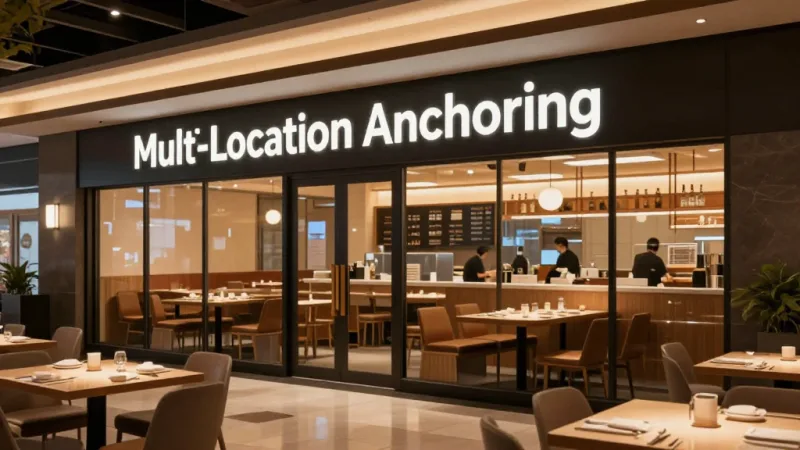
The answer depends on your brand positioning. Crafty Crab Seafood operates 19 locations with 152 terminals. Their anchor items (market-price lobster platters and king crab legs) are consistent across all locations, but the specific prices adjust based on local market rates and supplier costs. They use KwickOS to push menu updates — including anchor pricing — to all 19 locations simultaneously with one-click sync.
T. Jin China Diner takes a different approach. With 15 stores and 75 terminals across different markets, their anchor strategy uses a premium banquet menu that varies by location. The Houston locations anchor at $68 per person for the Emperor's Feast; the smaller-market locations anchor at $48. Both drive mid-range combo orders up by similar percentages because the anchor ratio to the target item stays consistent.
The key insight: the absolute dollar amount of the anchor matters less than the ratio between the anchor and the target item. A 2.5x ratio works in almost every context — $95 anchor to $38 target, $48 anchor to $19 target, $75 anchor to $30 target.
A processor-agnostic POS platform makes this easier because you are not locked into a single payment processor's pricing tiers. When KwickOS lets you choose any processor, the savings on processing fees — typically $3,000 to $8,000 per year — can fund your premium anchor ingredients without cutting into overall margins.
How to Measure Whether Your Anchors Are Working
Anchoring is not set-and-forget. You need to measure, adjust, and optimize. Here is what to track:
- Average ticket size — Compare the 30 days before and after introducing anchor items. Use your POS system's reporting dashboard to pull this data by category, not just overall average.
- Sales mix shift — Track which items are selling more and which are selling less. The goal is to see mid-tier items increasing in volume while the anchor sells occasionally.
- Category revenue — If anchor items cannibalize your current best sellers without increasing total category revenue, the anchor is too close in price to existing items.
- Customer feedback — If servers report customers laughing at the anchor price or questioning its legitimacy, the anchor is either too high or poorly justified.
- Loyalty and repeat visit data — Check whether anchoring affects customer return rates. If new anchor items attract premium customers who also enroll in your loyalty program, you are building long-term value beyond the immediate ticket lift.
KwickOS provides real-time sales mix analysis with category-level detail, so you can see the impact of an anchor item within the first week. The hybrid local+cloud architecture means reports process at 1ms locally even during peak service — no waiting for cloud servers to crunch your data while a line forms at the register.
Anchoring Beyond Food: Delivery, Kiosks, and Digital Experiences
Every digital touchpoint in your business is an anchoring opportunity.
Online ordering menus should list anchor items first in each category, just like physical menus. When customers scroll through your KwickMenu online ordering page, the first price they see in each section sets the reference point for everything below. Businesses using KwickDriver for delivery at a flat $2 + $6.99 per order can anchor that fee against the industry standard 15-25% commission — "Our delivery fee: $8.99. DoorDash takes: $12-$18 from the same order." The customer sees the comparison anchor and perceives direct ordering as a better deal.
Self-ordering kiosks are especially powerful for anchoring because the customer controls the pace. They see every price, linger on the options, and the anchor has more time to work. Baked Cravings' self-serve kiosk at Lego Land presents the premium cupcake assortment box ($38) before the individual cupcakes ($5.50 each). The box is the anchor, but it also drives bundle sales — customers who came in for one cupcake leave with four because the per-unit math against the $38 box makes $22 for four feel like value.
Digital signage amplifies anchoring by adding visual weight. When your KwickSign display shows the premium platter with a full-screen photo and the price in large type, it sets the anchor before the customer even reaches the counter. Research suggests that visual anchors (prices displayed on screens) are 20-30% more effective than text-only anchors (prices printed on a paper menu) because the visual context adds perceived value.
Putting It All Together: Your Anchoring Action Plan
Here is a step-by-step plan to implement price anchoring in your business this week:
- Pull your sales mix report. Identify your top-selling item in each major category. This is your current "target item" — the one you want customers to choose.
- Create an anchor item priced 2-2.5x above your target. Use premium ingredients, larger portions, or exclusive preparation methods to justify the price. The anchor must be real and orderable.
- Position the anchor first. Top of the menu category on paper menus, first item in digital menus and kiosks, featured on digital signage.
- Update your gift card denominations. Add a high-denomination option ($150 or $200) to shift the average gift card purchase upward. Set up e-gift cards if you have not already — they are pure profit margin with zero inventory cost.
- Adjust your tip screen anchors. Move your tip percentages up by one tier. If they are currently 15/18/20, change to 18/20/25.
- Measure for 30 days. Compare average ticket, sales mix, and category revenue against the prior 30 days. Use your POS sales mix report to identify what shifted.
One more thing: if your POS system does not support real-time sales mix reports, custom tip screens, or multi-channel menu updates, it is not just a technology limitation — it is a revenue limitation. Every day you cannot measure the impact of pricing changes is a day you are operating blind. KwickOS gives you all of these capabilities across restaurants, retail, and beauty and spa — and because it is processor-agnostic, the money you save on processing fees pays for the upgrade.
Your Menu Is Already Anchoring — The Question Is Whether You Control It
KwickOS gives you the tools to set, test, and optimize price anchors across every channel — menus, kiosks, signage, gift cards, and checkout. See what your first anchor item could be worth.
Try the Menu Engineering Calculator