 Ming Ye
You have been watching the numbers. Kiosk orders average $4.27 more per transaction than counter orders. Your competitor down the street installed two kiosks last month and cut their lunch rush wait time in half. Your staff keeps asking when they will stop being yelled at by hangry customers who just want to tap, pay, and sit.
So you start shopping. And immediately, you hit the wall.
Freestanding kiosks at $4,200. Countertop units at $1,800. Wall-mount options somewhere in between. A 15.6-inch screen that seems too small. A 27-inch screen that seems like overkill. Payment terminals that may or may not work with your POS. Enclosures rated for "commercial use" — whatever that means.
Here's the thing: the wrong kiosk form factor does not just waste money. It actively loses revenue. A freestanding kiosk shoved into a 900-square-foot bubble tea shop blocks the line. A tiny countertop kiosk in a busy fast-casual restaurant gets ignored because customers cannot see it. A wall-mount kiosk installed at the wrong height gets you an ADA lawsuit.
This guide breaks down exactly what hardware you need, what each form factor costs, where each one works best, and the technical specs that actually matter — so you buy once and get it right.
The Three Kiosk Form Factors: What You Are Actually Choosing Between
Every self-service kiosk on the market falls into one of three categories. The differences go far beyond appearance — they affect customer behavior, order volume, installation cost, and even your legal liability.
1. Freestanding Floor Kiosks ($3,200–$4,500+)
Freestanding kiosks are the ones you see at McDonald's and Panera — tall, floor-mounted units with large screens that stand on their own. They are the most visible, the most expensive, and the highest-performing in terms of order volume.
Typical specs:
- Screen size: 24-inch to 32-inch touchscreen
- Height: 55 to 65 inches (screen center at approximately 48 inches for ADA compliance)
- Footprint: 18 x 22 inches base, plus 36-inch clearance zone around it
- Weight: 45 to 85 lbs depending on enclosure material
- Power: Standard 120V outlet, 80-150W draw
- Payment: Integrated terminal mount (Pax IM30, Ingenico Lane/3000)
The advantage is pure visibility. A 27-inch screen at eye level, positioned near the entrance, captures customers who would otherwise default to the counter line. In high-traffic environments, freestanding kiosks generate 18-25% more orders than countertop units because they are impossible to miss.
But it gets worse if you pick this form factor for the wrong space. That 18 x 22-inch base plus the 36-inch ADA clearance zone means each kiosk consumes roughly 15 square feet of usable floor space. In a 1,200-square-foot restaurant where every table represents $200/hour in revenue, two freestanding kiosks eating 30 square feet could cost you a two-top — that is $400/hour in lost seating capacity during peak.
Best for: Fast-casual restaurants over 1,500 sq ft, quick-service chains, food courts, venues with wide entryways and high foot traffic.
2. Countertop Kiosks ($1,200–$1,800)
Countertop kiosks sit on an existing counter, shelf, or stand. They are essentially a commercial-grade tablet in a ruggedized enclosure with an integrated or attached payment terminal.
Typical specs:
- Screen size: 15.6-inch to 21.5-inch touchscreen
- Height: 12 to 18 inches (screen unit only)
- Footprint: 10 x 14 inches on counter surface
- Weight: 8 to 18 lbs
- Power: Standard 120V or USB-C (some models)
- Payment: Side-mounted or base-mounted terminal (Pax A35, Pax A80)
And that's not all: countertop kiosks have the fastest ROI of any form factor. At $1,200 to $1,800 per unit, a single countertop kiosk that processes 40 orders per day at a $4.27 upsell premium generates $170/day in incremental revenue. That is a payback period of 7 to 11 days.
The trade-off is visibility. A 15.6-inch screen sitting on a counter at waist height does not command attention the way a 27-inch floor unit does. You need signage, counter positioning, and staff direction to drive customers toward it.
Best for: Bubble tea shops, small restaurants under 1,200 sq ft, coffee shops, retail stores, businesses testing kiosk ordering before committing to floor units.
3. Wall-Mount Kiosks ($1,800–$2,800)
Wall-mount kiosks attach directly to the wall, saving both counter and floor space. They offer a middle ground between the visibility of freestanding and the affordability of countertop.
Typical specs:
- Screen size: 21.5-inch to 27-inch touchscreen
- Height: Adjustable mounting, screen center at 48 inches recommended
- Footprint: Zero floor space, zero counter space
- Weight: 15 to 30 lbs (plus mounting bracket)
- Power: In-wall or surface-run conduit
- Payment: Shelf-mounted or bracket-attached terminal below screen
Wall-mount is the most space-efficient option. Zero floor footprint, zero counter clutter. For narrow spaces — food court stalls, mall kiosks, hallway ordering in food halls — wall-mount is often the only option that works.
The downside is installation complexity. You need a wall that can hold 30+ lbs, power routed to the mounting location, and potentially data cable (Ethernet) run through the wall. Installation costs $200 to $500 per unit beyond the hardware price, compared to $0 for countertop (plug it in and go) and $100 to $200 for freestanding (bolt to floor).
Best for: Food courts, mall locations, narrow storefronts, restaurants that want kiosks without sacrificing any seating or counter space.
Screen Size: The Decision That Affects Every Order
Screen size is not a cosmetic choice. It directly impacts menu navigation speed, photo visibility, modifier selection accuracy, and — most importantly — average order value.
| Screen Size | Best For | Menu Items Visible | Photo Size | Avg. Order Impact |
|---|---|---|---|---|
| 15.6" | Simple menus (under 30 items), coffee, bubble tea | 4-6 per screen | Small thumbnails | Baseline |
| 21.5" | Most restaurants, retail, moderate menus | 6-9 per screen | Medium, appetizing | +12% vs 15.6" |
| 24" | Fast-casual, diverse menus, combo builders | 8-12 per screen | Large, detailed | +18% vs 15.6" |
| 27" | High-volume QSR, complex menus, upsell-heavy | 9-15 per screen | Large with modifiers visible | +22% vs 15.6" |
Here is the pattern interrupt most kiosk buyers miss: photos sell food, and photos need pixels. A study by the National Restaurant Association found that menu items with high-quality photos on digital ordering platforms see 30% higher selection rates than text-only listings. On a 15.6-inch screen, your photos are postage stamps. On a 24-inch screen, they are appetizing enough to trigger the impulse-add that turns a $12 order into a $16 order.
Tiger Sugar runs 2 kiosk stations across their 2 locations. Their bubble tea menu has over 200 possible customizations — sweetness levels, ice levels, toppings, size upgrades. On a 21.5-inch screen, every modifier fits on a single screen without scrolling. On a 15.6-inch screen, customers would need 3-4 extra taps per order, adding 45 seconds to each transaction during peak hours. At 80 orders per hour, that is 60 minutes of lost throughput per shift.
Payment Terminal Integration: Where Most Kiosk Buyers Get Burned
The kiosk hardware is only half the equation. The payment terminal attached to it determines your processing cost for as long as you own the unit.
Here's the thing: many kiosk vendors sell pre-configured hardware bundles with a locked-in payment processor. The kiosk looks affordable at $2,400 — until you realize the processing rate is 2.99% + $0.15, and you cannot change it without replacing the entire payment module.
On a kiosk processing $3,000/day in transactions, that locked rate costs $32,850/year in processing fees. An interchange-plus rate at IC + 0.20% + $0.10 on the same volume? About $25,550. That is $7,300/year in unnecessary fees — per kiosk.
This is why processor-agnostic kiosk integration matters. With a POS platform like KwickOS, you connect any compatible payment terminal to your kiosk — Pax A35, Pax IM30, Pax A80 — and route transactions through whatever processor gives you the best rate. If your processor raises rates next year, swap to a new one without touching your kiosk hardware.
| Terminal | Form Factor | Best Kiosk Type | Key Feature |
|---|---|---|---|
| Pax A35 | Compact countertop | Countertop kiosks | Small footprint, EMV + NFC |
| Pax IM30 | Kiosk-integrated | Freestanding, wall-mount | Built-in mounting brackets, PIN pad |
| Pax A80 | Full-featured countertop | Countertop, freestanding | Printer built-in, dual screen |
| Ingenico Lane/3000 | Enterprise kiosk | Freestanding (high-volume) | High durability, broad processor support |
Want to compare processing rates for your kiosk volume? Use our processing fee calculator to see what you are actually paying versus what you could save.
ADA Compliance: The $75,000 Mistake You Cannot Afford
This is the section that saves you from a lawsuit. ADA compliance is not optional — it is federal law, and kiosk accessibility lawsuits are increasing every year.
But it gets worse: most kiosk vendors will sell you a unit and leave compliance entirely to you. If you mount it at the wrong height, install it without wheelchair clearance, or skip audio accessibility, you are liable — not the vendor.
Here are the hard requirements:
- Forward reach: Touchscreen operable controls must be no higher than 48 inches from the floor, no lower than 15 inches.
- Side reach: If the kiosk requires a side approach (common with wall-mount), controls must be between 15 and 46 inches.
- Clear floor space: A 30 x 48-inch clear space must exist in front of or beside the kiosk for wheelchair access.
- Knee clearance: If the kiosk has a counter or shelf, knee space of at least 27 inches high, 30 inches wide, and 19 inches deep is required for forward approach.
- Screen angle: For freestanding kiosks, a 15-20 degree screen tilt allows both standing and seated users to view the display.
For a freestanding kiosk, this means the center of the screen should be at approximately 48 inches, not the typical 52-54 inches that many default installations use. For wall-mount kiosks, measure from the finished floor to the highest operable control — if your payment terminal is mounted above the screen, that terminal height is what matters.
KwickOS kiosk deployments include built-in multi-language support (English, Chinese, Spanish), configurable text sizes, and high-contrast display modes — accessibility features that many kiosk systems charge extra for or do not offer at all.
Real-World Deployment: Baked Cravings at Lego Land
Theory is useful. But nothing replaces seeing how kiosk hardware decisions play out in a real business.
Baked Cravings operates a self-serve kiosk at Lego Land — a 24-hour retail environment where there is no staff behind the counter. The kiosk is the entire ordering experience. They run a Pax A35 terminal integrated with KwickOS on a countertop kiosk configuration.
Why countertop instead of freestanding? Three reasons:
- Space constraint. The Lego Land retail stall has limited floor area. A freestanding kiosk would block the product display case.
- Budget efficiency. At $1,400 total hardware cost versus $3,800+ for freestanding, the countertop unit paid for itself in the first week of operation.
- Portability. Lego Land events require occasional setup changes. A countertop kiosk can be repositioned in 5 minutes. A bolted-down floor unit cannot.
The result: 24-hour unattended operation with zero staffing cost during off-peak hours. Every transaction routes through their chosen payment processor at interchange-plus rates — no locked-in processing, no vendor lock-in on the hardware.
And that's not all. Rockin' Rolls takes the opposite approach with 49 iPad-based self-ordering stations across 3 locations. Their high-volume sushi express model needs maximum kiosk density — and tablet-based countertop units let them place an ordering station on every table without consuming any additional floor space.
The Total Cost Breakdown: What You Will Actually Pay
Kiosk vendors love to quote the hardware price. They are less enthusiastic about the total cost of ownership over 3 years. Here is the honest math:
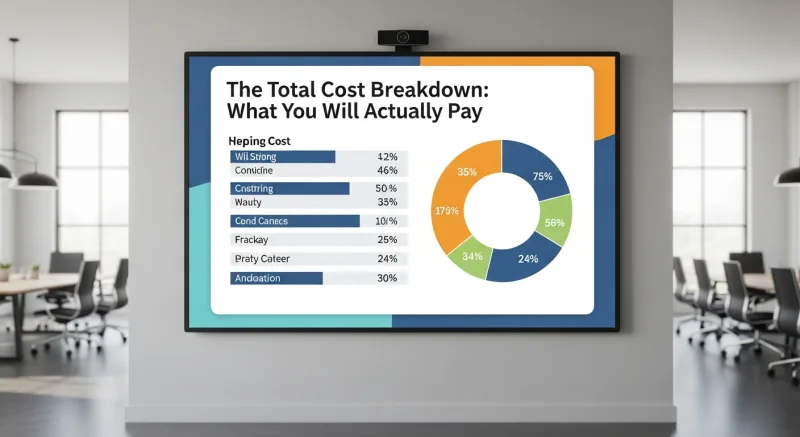
| Cost Component | Countertop | Wall-Mount | Freestanding |
|---|---|---|---|
| Hardware (screen + enclosure) | $1,200-$1,800 | $1,800-$2,800 | $3,200-$4,500 |
| Payment terminal | $300-$500 | $300-$500 | $400-$600 |
| Installation | $0 (plug and play) | $200-$500 | $100-$200 |
| Software/month | $50-$150 | $50-$150 | $50-$150 |
| Networking (if Ethernet) | $0-$100 | $100-$300 | $50-$150 |
| Year 1 Total | $2,100-$3,700 | $3,000-$5,600 | $4,350-$7,250 |
| 3-Year Total | $3,300-$6,100 | $4,200-$8,000 | $5,550-$9,650 |
Notice what is not in this table: processing fees. On a locked-processor kiosk doing $90,000/month in transactions (3 kiosks at $1,000/day each), you are paying $2,700/month in processing at 2.99% + $0.15. At interchange-plus, that drops to about $2,070/month — a savings of $7,560/year. Over 3 years, processor freedom saves you more than the kiosks themselves cost.
That math is not an exaggeration. It is why processor-agnostic hardware should be your first filter when shopping for kiosks — before screen size, before form factor, before anything else.
Connectivity: WiFi vs Ethernet and the Offline Question
Kiosks need an internet connection to process payments. The question is how reliable that connection needs to be — and what happens when it drops.
WiFi is simpler to set up and works for most countertop deployments. But WiFi is also the number one cause of kiosk downtime. A microwave in the kitchen, a crowded 2.4GHz channel, or a router reboot during lunch rush can knock your kiosk offline for 2-5 minutes. At 40 orders/hour, that is 3-8 lost orders — $45 to $120 in revenue per incident.
Ethernet eliminates wireless interference entirely. If you are installing wall-mount or freestanding kiosks, run an Ethernet cable during installation. The $50-$150 cost of the cable run pays for itself after a single avoided WiFi outage.
Here is what separates serious kiosk platforms from the rest: offline mode. KwickOS uses a hybrid local+cloud architecture — the kiosk software runs locally with 1ms response time, syncing to the cloud in the background. If your internet drops entirely, the kiosk continues taking orders and queues payment transactions for processing when connectivity returns. No frozen screens, no "system unavailable" messages, no lost sales.
Toast kiosks? Cloud-dependent. Internet drops and the kiosk shows an error screen. Compare the architectures here.
How to Choose: The Decision Framework
Stop overthinking this. Answer four questions and your form factor is decided:
- Do you have 15+ square feet of open floor space near your entrance? Yes → freestanding is your best ROI. No → countertop or wall-mount.
- Do you have available counter space? Yes → countertop is cheapest and fastest to deploy. No → wall-mount.
- Is your average check over $15? Yes → invest in a 21.5" or 24" screen for photo-driven upselling. No → a 15.6" screen handles simple menus efficiently.
- Can you choose your own payment processor? If your kiosk vendor locks you into their processor, stop and reconsider. The processing fee difference over 3 years will exceed the hardware cost. Choose a processor-agnostic platform first, then pick your kiosk hardware.
For most single-location restaurants, start with 1-2 countertop kiosks. Test customer adoption for 60 days. If kiosk orders exceed 30% of total orders, upgrade to freestanding or add more units. This approach limits your initial investment to $2,400-$3,600 while proving the concept with real data.
Multi-location operators like T. Jin China Diner (15 locations, 75 terminals) and Crafty Crab Seafood (19 locations, 152 terminals) benefit from standardizing on a single form factor across all locations. Centralized management through KwickOS means menu updates, pricing changes, and kiosk configurations push to all units with one click — no store-by-store manual updates.
The Bottom Line
Self-service kiosks are not a technology gamble in 2026. They are proven hardware that increases average order value, reduces labor pressure, and improves customer throughput. The gamble is choosing the wrong form factor, overpaying for hardware, or — worst of all — locking yourself into a processor that bleeds $7,000+ per year in unnecessary fees.
Pick the form factor that fits your space. Pick the screen size that fits your menu. And pick a platform that lets you choose your own payment processor, because the hardware is a one-time cost — but processing fees are forever.
Ready to Add Self-Service Kiosks?
KwickOS supports freestanding, countertop, and wall-mount kiosks with any payment processor. See the platform in action.
Get a Free Demo