 Ming Ye
Open your e-commerce dashboard right now. Check the stock count on your 10 best-selling products.
Now walk to your stockroom and count those same items on the shelf.
If you're like most independent retailers, those numbers don't match. And the gap between what your website says you have and what's actually sitting in your store is costing you somewhere between $12,000 and $24,000 per year in lost sales, canceled orders, and wasted labor.
Here's the thing: the problem isn't your store. It isn't your website. It's the gap between them.
A customer finds a product on your website at 9 PM. They place the order. Meanwhile, that same product sold in-store at 4 PM. Your website didn't know. Now you have an order you can't fulfill, a customer who gets a cancellation email, and a refund that costs you $3.50 in processing fees on top of the lost sale.
Multiply that by three times a week — which is the average for retailers running disconnected systems — and you're looking at $18,200 in annual revenue that simply evaporates.
But it gets worse: 34% of customers who receive an out-of-stock cancellation never buy from that brand again. You're not just losing a $47 order. You're losing a customer worth $1,200 over three years.
This guide shows you exactly how to connect your retail POS and e-commerce into a single system, what that integration actually looks like behind the scenes, and why the architecture of your POS determines whether real-time sync is even possible.
The $18,000 Problem: What Disconnected Inventory Actually Costs
Most retailers underestimate the cost of running two separate inventories because the losses are scattered across dozens of small incidents. Let's add them up.
| Cost Category | How It Happens | Annual Cost (Typical Retailer) |
|---|---|---|
| Oversold orders | Website sells items already sold in-store | $4,800 |
| Refund processing fees | $3.50 per refund × 3/week | $546 |
| Lost repeat customers | 34% churn after cancellation | $6,400 |
| Manual reconciliation labor | 4 hrs/week × $18/hr | $3,744 |
| Phantom stock (shows online, not on shelf) | Products invisible to online shoppers | $2,700 |
| Total | $18,190 |
And that's for a single-location retailer doing $500,000 in annual revenue. For multi-location operations? The number doubles or triples, because every additional store adds another inventory silo that can fall out of sync.
T. Jin China Diner runs 15 locations with 75 terminals — all feeding a single, real-time inventory. That's not because they have a massive IT department. It's because their POS architecture was designed to handle it from day one.
Why Most POS + E-Commerce "Integrations" Fail
You've probably seen the marketing: "Integrates with Shopify!" "Connects to WooCommerce!" And that's not a lie. But there's a difference between data integration and real-time sync — and that difference is where retailers get burned.
The Batch Sync Problem
Most POS systems that claim e-commerce integration use batch syncing. That means inventory counts update on a schedule — every 15 minutes, every hour, or (worst case) once a day.
Here's what that looks like in practice:
- 10:00 AM — Inventory syncs. Your website shows 4 units of a popular candle.
- 10:15 AM — A customer buys 2 in-store. In-store count drops to 2. Website still shows 4.
- 10:22 AM — An online customer orders 3. Website accepts the order because it thinks you have 4.
- 10:30 AM — Next sync runs. Now your system shows -1. You owe a customer 1 candle you don't have.
This isn't a rare edge case. For retailers with any meaningful in-store traffic, batch sync causes overselling every single week.
The Cloud-Only Latency Problem
And that's not all. POS systems that run entirely in the cloud — like Square and Shopify POS — add another layer of risk. Every transaction has to travel from your store to a remote server and back before it's confirmed. That round trip takes 20-50ms under ideal conditions. But during peak hours, server load can push that to 200-500ms.
For a busy retail store running 150+ transactions per day, those fractions of a second compound. And if your internet drops entirely? A cloud-only POS either stops working or goes into offline mode — and offline transactions don't sync until connectivity is restored, creating exactly the inventory gap we're trying to eliminate.
This is why architecture matters more than feature lists when evaluating POS systems for omnichannel retail. A system built on hybrid local+cloud architecture — where transactions process locally in 1ms and sync to the cloud in real time — doesn't have this problem. Local processing means your in-store POS never waits for a server. Cloud sync means your e-commerce store gets updated instantly.
What Real Omnichannel Integration Looks Like
A properly unified retail system doesn't just share data between your store and your website. It treats them as two windows into the same inventory. Here's what that means in practice:
1. Unified Product Catalog
You create a product once. Set the name, description, price, variants (size, color), barcode, and images in one place. That product automatically appears in your POS for in-store sales and in your e-commerce store for online sales. Change the price? It updates everywhere. Add a new variant? It shows up on both channels.
No duplicate data entry. No "I updated the website but forgot to change the register." One source of truth.
2. Real-Time Inventory Across Channels
When a customer buys a product in-store, the online stock count decreases within seconds — not minutes, not hours. When an online order comes in, the in-store availability adjusts immediately. This is where the hybrid architecture earns its keep: the local POS processes the in-store transaction instantly, then pushes the update to the cloud layer that feeds your e-commerce platform.
For multi-location retailers, this gets even more powerful. Imagine a customer visits your downtown store and finds their size is out of stock. Your staff checks the system and sees 3 units at the warehouse location. They ship-from-store or arrange a pickup at the other location — all from the same POS screen.
Crafty Crab Seafood does exactly this across 19 locations with 152 terminals. One product catalog, one inventory pool, one-click sync. What used to take their team 6 hours of weekly reconciliation now takes zero.
3. Buy Online, Pick Up In-Store (BOPIS)
BOPIS isn't just a convenience — it's a revenue multiplier. 67% of BOPIS customers add items to their purchase when they arrive to pick up. That $35 online order turns into a $52 transaction because the customer spotted something on the shelf while waiting.
But BOPIS only works if your POS can:
- Receive the online order automatically (no manual entry)
- Reserve the specific items so they don't sell to a walk-in customer
- Notify staff with a preparation checklist
- Track order status (received → preparing → ready → picked up)
- Handle partial fulfillment if one item is unexpectedly unavailable
Without tight POS integration, staff end up printing email orders, manually setting items aside, and hoping nobody sells the reserved stock before the customer arrives. That process breaks down the moment you're busy — which is exactly when BOPIS orders spike.
4. Unified Customer Data
Here's the part most retailers miss: omnichannel isn't just about inventory. It's about knowing your customer across channels.
When a customer who shops in-store creates an online account, their purchase history, loyalty points, and preferences should carry over. When they make a return in-store for an online purchase, the system should recognize the order without asking for a printout.
This unified customer view powers smarter marketing. You can send targeted promotions based on combined purchase history — "You bought running shoes in-store last month. These socks are 20% off online this week." That's the kind of personalization that turns one-channel customers into omnichannel loyalists.
The Gift Card and Loyalty Problem Nobody Talks About
Here's a pattern interrupt for you: gift cards and loyalty programs are the most commonly broken feature in disconnected POS + e-commerce setups.
Think about it. A customer buys a $50 e-gift card on your website and sends it to a friend. That friend walks into your physical store and tries to redeem it. If your POS and e-commerce don't share the same gift card database, you're stuck asking the customer to "use it online instead" — which is a terrible experience that you should never inflict on someone holding a gift card.
The same problem hits loyalty programs. If a customer earns 200 points shopping in-store but those points don't appear when they check out online, you've broken the one system designed to keep them coming back.
A unified POS platform handles this natively. Gift card balances, loyalty points, membership tiers, and e-gift cards all live in one system. Earn points in-store, redeem online. Buy a gift card online, use it at the register. No friction. No "sorry, the systems don't talk to each other."
How to Evaluate POS Systems for E-Commerce Integration
Not all "integrations" are created equal. When evaluating a POS system for omnichannel retail, ask these questions — and don't accept vague answers:
| Question | Red Flag Answer | Green Flag Answer |
|---|---|---|
| How often does inventory sync? | "Every 15 minutes" or "hourly" | "Real-time, sub-second" |
| What happens if internet drops? | "Offline mode — syncs when back" | "Local processing continues, syncs automatically on reconnect" |
| Can I choose my own payment processor? | "We handle payments for you" | "Processor-agnostic — use anyone" |
| Do gift cards work across channels? | "Online gift cards are separate" | "One balance, works everywhere" |
| Can I do BOPIS? | "With a third-party plugin" | "Built-in, with staff notification" |
| Do loyalty points sync in real time? | "Points update during nightly sync" | "Instant across all channels" |
And here's the question that matters most: does the POS lock you into their payment processor? Because if it does, you're not just losing processing freedom — you're losing $3,000 to $8,000 per year in unnecessary fees. That's money that could fund your entire e-commerce operation. Use our processing fee calculator to see exactly what you're overpaying.
The POS Comparison: Who Actually Delivers Omnichannel?
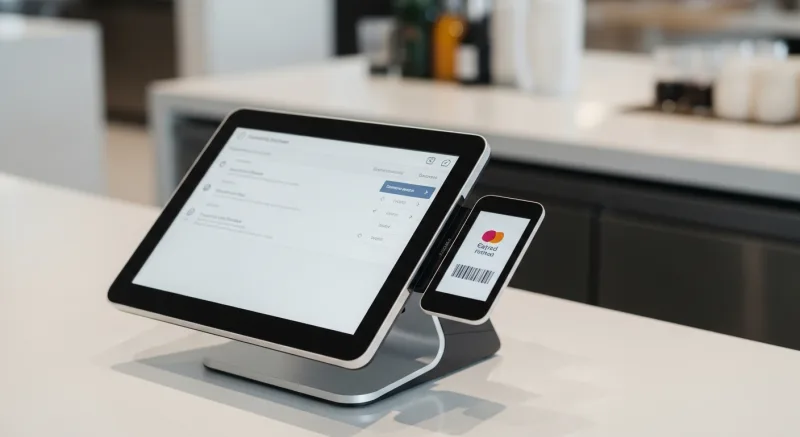
Let's compare how the major POS platforms handle e-commerce integration for retail:
| Feature | Square | Shopify POS | Clover | KwickOS |
|---|---|---|---|---|
| Inventory sync speed | Near real-time | Real-time | Batch (varies) | Real-time (1ms local) |
| Works offline | Limited | Limited | Limited | Full offline mode |
| Processor-agnostic | No | No | Limited | Yes — any processor |
| BOPIS built-in | Yes | Yes | Plugin | Yes |
| Unified gift cards | Yes | Yes | Plugin | Yes |
| Multi-location inventory | Yes | Yes | Limited | Yes (unlimited locations) |
| Multi-language support | No | Some | No | English, Chinese, Spanish |
| Fingerprint employee auth | No | No | No | 1:N and 1:1 |
Square and Shopify POS are competent options for small, single-location retailers who live entirely in their ecosystems. But the moment you need processor freedom, multi-language support, or bulletproof offline capability, the limitations show. For a detailed side-by-side analysis, see our POS comparison pages.
The 5-Day Implementation Roadmap
Connecting your POS and e-commerce doesn't have to be a months-long IT project. Here's a realistic timeline for a retailer with an existing store and website:
Day 1: Catalog Sync
- Import your product catalog into the unified system (or connect to your existing e-commerce platform via API)
- Map product variants, pricing, and barcodes
- Verify images and descriptions pull through correctly
Day 2: Inventory Baseline
- Conduct a full physical count (yes, this is unavoidable)
- Set accurate stock levels as the starting point for real-time tracking
- Configure low-stock alerts and reorder thresholds
Day 3: Order Flow Configuration
- Set up online order routing to your POS
- Configure BOPIS workflows and staff notifications
- Test the full order lifecycle: place online → receive at POS → fulfill → mark complete
Day 4: Gift Cards, Loyalty, and Payments
- Unify gift card and e-gift card systems across channels
- Configure loyalty points to earn and redeem on both channels
- Verify payment processing works seamlessly for online and in-store transactions
Day 5: Testing and Staff Training
- Run end-to-end test orders on every channel
- Train staff on the new order notification workflow
- Verify real-time inventory sync by selling in-store and checking online counts
KwickOS provides hands-on onboarding support throughout this process. Most retailers are fully operational within 1-3 days. Shogun Japanese Hibachi had staff proficient on the system in under 5 minutes — and that's a restaurant with complex workflows, not a straightforward retail setup.
Reporting: The Hidden Superpower of Unified Systems
Once your POS and e-commerce share a single data layer, your reporting transforms. Instead of exporting CSVs from two systems and trying to merge them in a spreadsheet, you get:
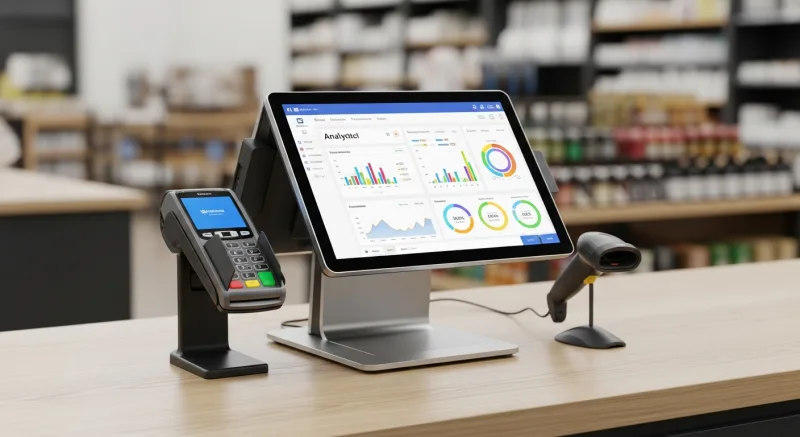
- True revenue by channel — see exactly what percentage of sales come from in-store vs. online vs. BOPIS
- Product performance across channels — discover that your best-selling in-store item barely sells online (hint: your product photos probably need work)
- Customer journey mapping — learn that 28% of your online buyers visited the store first, and 41% of BOPIS customers add in-store purchases
- Unified labor cost per transaction — compare the true cost of fulfilling an online order vs. a walk-in sale
- Inventory turnover by location — identify which products move faster online and allocate stock accordingly
This data drives real decisions. When Diva Nail Beauty connected their 4 locations into a single system, they saw a 90% efficiency increase — not from working harder, but from having the data to work smarter. The same principle applies to retail: you can't optimize what you can't measure, and you can't measure what lives in two separate systems.
Want to learn more about how POS data can transform your retail operations? Check out our retail industry guide or explore our free retail tools to start benchmarking your performance.
The Bottom Line
Running your store and your website as two separate businesses is costing you $18,000 per year in lost sales, wasted labor, and customer churn. And the problem only gets worse as your online sales grow.
The fix isn't a better spreadsheet or a faster employee doing manual counts. It's a POS system built with real-time, omnichannel architecture from the ground up — one that processes transactions locally in milliseconds, syncs to the cloud instantly, and treats your register and your website as equal citizens in the same system.
That means unified inventory. Unified customer data. Unified gift cards and loyalty. And the freedom to choose your own payment processor instead of paying $3,000-$8,000/year in locked-in processing fees.
For a retailer doing $500,000 in annual revenue, fixing the inventory sync problem alone recovers $18,000. Add processor savings of $4,000. Add the revenue lift from BOPIS ($6,000+ for most retailers). That's $28,000 in recovered and new revenue — every year.
The question isn't whether you can afford to unify your systems. It's whether you can afford not to.
Unify Your Retail Channels
KwickOS gives you real-time inventory sync, processor freedom, and true omnichannel capability — all in one platform. See it in action.
Get a Free Demo