 Ming Ye
You've been eyeing that neighborhood across town. Foot traffic looks great. The demographics match your customer profile. You can already picture your signage on the corner.
But here's the problem: the cheapest lease in that area is $4,500 a month with a 36-month commitment. That's $162,000 before you sell a single item.
And that's not all: according to industry research, roughly 60% of new retail locations fail to break even within the first year. Most of those failures could have been avoided with one simple test — a pop-up shop.
Here's the thing: a well-planned pop-up shop costs $1,500 to $3,000 to launch and can generate $10,000 to $25,000 in sales over 7 to 14 days. More importantly, it gives you the data you need to decide whether a permanent location makes financial sense — before you sign a lease you can't escape.
This guide covers everything from scouting a location to setting up your POS system, planning inventory, marketing the event, and measuring the metrics that matter. Whether you're a single-store retailer testing expansion or a food brand exploring brick-and-mortar for the first time, the playbook is the same.
Why Pop-Up Shops Work Better Than Market Research
Surveys lie. Focus groups are expensive. Demographic reports tell you who lives in a neighborhood but not whether they'll buy your product.
A pop-up shop is a real-world experiment. You put actual inventory in front of actual customers, accept actual payments, and walk away with hard data: revenue per day, average transaction value, best-selling items, busiest hours, customer demographics, and repeat visit rates.
But it gets worse: most retailers who skip the pop-up test and go straight to a permanent location discover their mistakes only after committing to a lease. Wrong neighborhood. Wrong product mix. Wrong price points. By then, they've spent $30,000 to $50,000 on buildout and inventory.
A pop-up inverts that risk. You spend $2,000 to learn what a $50,000 mistake would have taught you.
Consider Baked Cravings, a New York bakery that used a self-serve kiosk setup at Lego Land to test 24-hour retail without committing to a standalone location. The pop-up format — a PaxA35 terminal in a high-traffic venue — let them validate demand for grab-and-go cupcakes outside their core bakery hours. The data from that experiment shaped their entire expansion strategy.
Step 1: Location Scouting — Where to Set Up
Your pop-up location determines 70% of your results. Here's where to look and what to evaluate.

Venue Types Ranked by Cost and Foot Traffic
| Venue Type | Typical Cost | Foot Traffic | Best For |
|---|---|---|---|
| Farmers markets | $75-$300/day | High | Food, handmade goods, testing product-market fit |
| Shared retail spaces | $500-$2,000/week | Medium-High | Fashion, beauty, home goods |
| Mall kiosks | $1,500-$4,000/month | Very High | Impulse-buy products, seasonal items |
| Vacant storefronts | $1,000-$3,000/month | Varies | Full retail experience, brand launch |
| Events and festivals | $200-$1,000/day | Very High | Food, beverages, branded merchandise |
| Inside existing businesses | Revenue share | Built-in | Complementary products (coffee shop + bakery) |
The sweet spot for a first pop-up is a shared retail space or farmers market. Low commitment, existing foot traffic, and you can start this weekend if you move fast.
Location Evaluation Checklist
Before signing anything, visit the location at the same times you'd operate. Count foot traffic during three separate hour-long windows. Talk to neighboring businesses about their sales patterns. Check for:
- Power outlets — You need at least one dedicated outlet for your POS system and payment terminal
- WiFi or cellular signal — Test your phone's signal strength. If it's weak, you need a POS that works offline
- Parking and public transit access — Customers won't walk 4 blocks from the nearest parking lot
- Neighboring businesses — Are they complementary (coffee shop next to your bakery) or competitive?
- Restroom access — For you and your staff during long days
- Signage permissions — Can you put up banners, A-frames, or window displays?
Step 2: Permits, Insurance, and Legal Requirements
Skip the permits and risk a $500 to $5,000 fine on your first day. Not worth it.
Here's what you typically need (requirements vary by city):
- Temporary business license — $25 to $200, available from your city clerk's office. Apply 2 to 4 weeks ahead.
- Sales tax permit — Free in most states. Required to collect and remit sales tax on transactions.
- Certificate of occupancy — Usually provided by the venue landlord, confirms the space is approved for retail use.
- Health department permit — Required if selling food. $50 to $300 plus food handler certifications for all staff.
- General liability insurance — $150 to $500 for short-term event coverage. Many venues require proof of insurance before they'll let you set up.
Pro tip: some cities now offer a bundled "pop-up business permit" that covers temporary license, occupancy, and signage in a single application. Call your city's economic development office and ask. It can save you 2 weeks of paperwork.
Step 3: POS and Payment Setup — The Technology That Makes or Breaks You
Your checkout experience is your bottleneck. A slow, clunky POS at a pop-up doesn't just frustrate customers — it costs you sales. When you have a line of 8 people and each transaction takes 90 seconds instead of 30, half those people walk away.
Here's what your pop-up POS needs to do:
- Accept every payment type — Cash, chip, tap, Apple Pay, Google Pay. You're losing 15% to 20% of potential sales if you're cash-only in 2026.
- Work without WiFi — Pop-up venues have unreliable internet. Your POS must process transactions offline and sync when connectivity returns. KwickOS's hybrid local+cloud architecture handles this automatically — 1ms local response time whether you're connected or not.
- Track inventory in real time — You brought 200 units. You need to know when you're at 50 so you can restock or adjust pricing. Running out of a hot item on day 2 of a 7-day pop-up is a disaster you can prevent.
- Capture customer data — Email, phone number, zip code. This is how you build your list for the permanent location launch. Every pop-up transaction without a customer capture is a wasted opportunity.
- Run on portable hardware — A tablet, a card reader, and a receipt printer. That's it. No 50-pound terminal bolted to a countertop.
And that's not all: your POS also determines your processing costs. If you're using a locked-in processor charging 2.99% + $0.15 per transaction, you're paying $540 on $18,000 in pop-up sales. A processor-agnostic system on interchange-plus pricing brings that down to around $400 — saving $140 on a single pop-up event.
If you're running multiple pop-ups per year or testing several neighborhoods simultaneously, those processing savings compound. Across 5,000+ merchants, KwickOS processes over $2M in daily sales — and every one of those merchants chose their own payment processor.
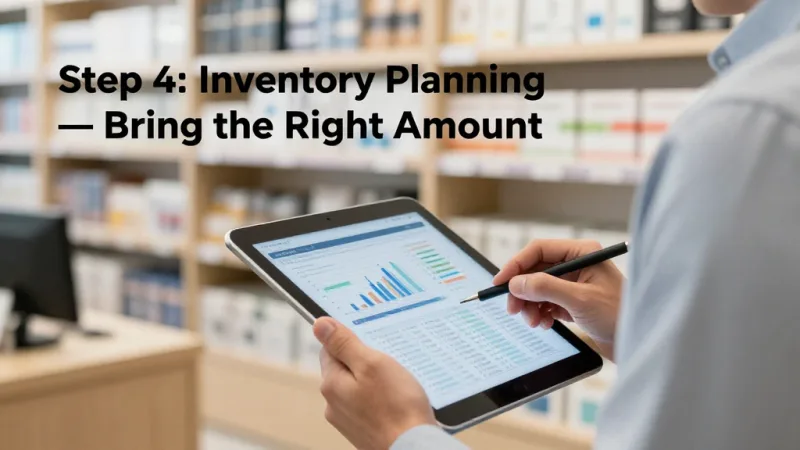
Step 4: Inventory Planning — Bring the Right Amount
Too much inventory ties up cash and creates a logistics headache at teardown. Too little means you miss sales and leave money on the table. Here's how to plan it right.
The 70/20/10 Inventory Rule
- 70% proven sellers — Products that already sell well at your main location. These pay the bills.
- 20% test items — New products, new sizes, new flavors. The pop-up is your laboratory.
- 10% impulse/add-on items — Small, low-cost items near the checkout. Stickers, samples, accessories. These increase average transaction value by $3 to $8.
How Much to Bring
Estimate daily foot traffic at the venue. Assume a 5% to 15% conversion rate (industry average for pop-ups). Multiply by your average transaction value to get projected daily revenue. Then stock 20% more than your projection — running out is worse than having leftovers.
For a 7-day pop-up in a location with 500 daily visitors:
| Metric | Conservative (5%) | Moderate (10%) | Optimistic (15%) |
|---|---|---|---|
| Daily transactions | 25 | 50 | 75 |
| Avg transaction value | $35 | $35 | $35 |
| Daily revenue | $875 | $1,750 | $2,625 |
| 7-day total | $6,125 | $12,250 | $18,375 |
| Inventory needed (+20%) | $3,675 at cost | $7,350 at cost | $11,025 at cost |
Start with the conservative estimate for your first pop-up. You can always restock from your main location mid-event if demand exceeds expectations — as long as your POS is tracking inventory in real time and alerting you when stock drops below threshold.
Step 5: Marketing — Fill the Pop-Up Before You Open
The biggest mistake first-time pop-up operators make: they set up a beautiful display in a great location and wait for people to walk in. That's not marketing. That's hoping.
Here's the thing: 50% to 70% of your pop-up revenue should come from customers you drove there intentionally, not random foot traffic.
Pre-Launch Marketing (2 to 4 Weeks Before)
- Email your customer list — Announce the pop-up with a date, location, and exclusive offer. "Show this email for 15% off" gives you a tracking mechanism and a reason to show up.
- Social media countdown — 14-day countdown with daily posts. Behind-the-scenes prep, product teasers, location reveals. Create a dedicated event hashtag.
- Local press and bloggers — Email 10 local bloggers and the events editor at your local newspaper. Pop-ups are inherently newsworthy because they're temporary.
- Partner with neighboring businesses — Cross-promote with businesses near your pop-up location. Offer their customers a coupon, and they put your flyers on their counter.
During the Pop-Up
- Gift cards and e-gift cards — Sell gift cards at the pop-up as a revenue multiplier. Customers who aren't ready to buy today will purchase a gift card for later — or for someone else. E-gift cards work especially well: a customer texts a $25 e-gift card to a friend, and now you have a new customer who visits your main location. According to restaurant industry data, gift card recipients spend 20% to 40% more than the card value on their visit.
- Loyalty program sign-ups — Every transaction is a loyalty enrollment opportunity. Offer 2x points for pop-up purchases or a free item on the next visit at your main location. This turns a one-time pop-up shopper into a repeat customer. Tiger Sugar uses their kiosk-based loyalty system to enroll customers with minimal steps — even in a temporary location, the enrollment takes 15 seconds.
- Live social media — Post stories and reels showing the line, the products, the energy. FOMO drives same-day visits.
- Collect email and phone at every transaction — Your POS should prompt for this at checkout. These contacts are the foundation of your launch marketing if you decide to open a permanent location.
Step 6: Staffing and Operations
A pop-up shop is intense. Long hours, high energy, no back office to retreat to. Staff it right.
- Never work alone — One person runs the POS and checkout. One person manages the floor, restocks displays, and engages customers. At minimum, you need two people during operating hours.
- Train on the POS before the event — Your staff should be able to process a sale, apply a discount, enroll a loyalty member, and handle a return without hesitating. KwickOS customers like Shogun Japanese Hibachi report operator proficiency in under 5 minutes — your pop-up team should be the same.
- Use fingerprint or PIN authentication — Even at a temporary location, you need to track who processed each transaction. If you have two staff members sharing one terminal, individual logins prevent accountability gaps and give you per-employee sales data.
- Set a daily cash reconciliation — Count the drawer at open and close. Match it against POS reports. Pop-up environments are chaotic, and discrepancies compound fast over a multi-day event.
Step 7: Checkout Flow That Maximizes Every Sale
Your pop-up checkout isn't just a transaction — it's a conversion machine. Every element of the checkout flow should be designed to increase transaction value and capture data.
- Modifier prompts — "Would you like to add a protective case?" "Want to upgrade to the larger size?" Your POS should prompt these automatically based on the items in the cart.
- Gift card upsell at checkout — "Would you like to grab a gift card while you're here? They make great last-minute gifts." Position gift cards within arm's reach of the register.
- Loyalty enrollment before payment — Enroll the customer in your points program before processing payment so this purchase earns rewards. First-purchase points give the customer an immediate reason to return.
- Digital receipt with return visit incentive — Email or text the receipt with a coupon code for your main location: "Thanks for visiting our pop-up! Use code POPUP15 for 15% off at our [Main Street] store." This bridges the pop-up to your permanent business.
- Customer-facing display — If your POS supports a second screen, use it. Customers who see their order building in real time add more items. Industry data suggests customer-facing displays increase upsells by 22%.
Step 8: Measuring Success — The 7 Numbers That Matter
A pop-up isn't just about revenue. It's a data collection mission. Track these metrics religiously:
- Total revenue — Obvious, but compare it against your investment. A $2,000 pop-up that generates $18,000 in sales at 50% margin returns $7,000 in profit.
- Average transaction value — Higher than your main store? The pop-up product mix or checkout flow might be better. Lower? Adjust your assortment.
- Conversion rate — Divide transactions by foot traffic count. Under 5%? Your display or product mix needs work. Over 15%? You've found a hot market.
- Customer capture rate — What percentage of transactions resulted in an email or phone number? If it's below 50%, your POS checkout flow needs a mandatory capture step.
- Top-selling items — Your POS sales mix report tells you exactly what this neighborhood wants. This shapes the inventory plan for a permanent location.
- Peak hours — When did 60% of your sales happen? This determines staffing and operating hours for a permanent location.
- Gift card and loyalty enrollment — How many gift cards sold? How many loyalty sign-ups? These predict future revenue from customers acquired at the pop-up.
Pull all of this from your POS reporting dashboard. If your POS can't generate these reports, you're flying blind — and the entire point of a pop-up as a market test is the data.
Rockin' Rolls Sushi Express runs 3 stores with 49 iPad self-ordering stations, all feeding data into a single dashboard. Whether it's a pop-up or a permanent location, the data architecture is the same. That's the advantage of a platform that scales with you.
Real-World Pop-Up Budget Breakdown
Here's what a realistic 7-day pop-up costs in a mid-size U.S. city:
| Expense | Cost |
|---|---|
| Venue rental (shared retail, 7 days) | $700-$1,200 |
| Temporary business license + permits | $75-$200 |
| Liability insurance (event coverage) | $150-$300 |
| POS system (portable tablet + reader) | $0 (use existing) or $300 for hardware |
| Signage and displays | $100-$400 |
| Marketing (social ads, flyers, email) | $100-$300 |
| Staff (2 people, 7 days, 8 hrs/day) | $1,600-$2,400 |
| Total | $2,725-$5,100 |
Notice that the POS system cost is $0 if you already have a platform that works on portable hardware. Multi-location systems like KwickOS let you add a pop-up as a temporary location in your dashboard, transfer inventory, and start selling — all without buying new equipment or signing up for a new processor. Compare that to Toast, where you'd need Toast-specific hardware at $799+ per terminal locked to their 2.99% processing rate.
When to Go Permanent — The Decision Framework
Your pop-up data tells you whether a permanent location makes sense. Here's the decision framework:
- Go permanent if: Your pop-up revenue exceeded projections by 20%+, conversion rate was above 10%, you captured 200+ customer contacts, and repeat foot traffic patterns suggest consistent demand.
- Run another pop-up if: Results were promising but not conclusive. Try a different time of year, different product mix, or adjacent location to validate.
- Walk away if: Conversion was below 5%, average transaction value was below your main store, and marketing efforts failed to drive traffic. You just saved $50,000+ in lease and buildout costs.
All three outcomes are wins. That's the beauty of the pop-up model — even a "failed" pop-up costs $2,000 to $5,000. A failed permanent location costs $50,000 to $150,000.
Multi-Location Operators: Pop-Ups as a Growth Strategy
For businesses like T. Jin China Diner (15 stores, 75 terminals) or Crafty Crab Seafood (19 stores, 152 terminals), pop-ups serve a different purpose: they're the first step in a systematic expansion playbook.
Here's how it works at scale: before committing to store #20, run a 14-day pop-up in the target market. Use your existing multi-location POS infrastructure. The pop-up location syncs to the same dashboard as your other 19 stores. You see the sales data alongside your established locations in real time.
If the pop-up performs, you negotiate the lease with data in hand: "We generated $25,000 in sales over 14 days at this address. Here's the customer demographic breakdown." That's a stronger negotiating position than walking in with a business plan and a dream.
KwickOS's multi-language support (English, Chinese, Spanish) also matters for pop-ups in diverse neighborhoods. If 40% of foot traffic in a potential location speaks Spanish, your POS and customer-facing experience should too.
Ready to Test Your Next Market?
KwickOS runs on any tablet, works offline, and lets you add a pop-up location in minutes. See how our multi-location platform powers everything from a single kiosk to 152 terminals.
Get a Free Demo