 Tom Jin
Watch the checkout line at any fast-casual restaurant during lunch rush. Count how many customers pull out a physical card versus holding up their phone.
Two years ago, it was maybe one in five. Today, it is closer to one in two.
And if your terminal flashes "NOT SUPPORTED" when a 28-year-old taps their iPhone, you just lost that customer. Not just today — permanently. Because they will remember. And they will not come back.
Here's the thing: this is not a trend you can wait out. Mobile payment adoption is not slowing down. It is accelerating. 71% of consumers under 35 now use a mobile wallet as their primary payment method. Among 18-to-24-year-olds, that number climbs to 83%.
That means if your business caters to anyone under 40 — which is most businesses — you are actively losing revenue every day your terminal cannot process a phone tap.
But it gets worse: the problem is not just the lost sale at checkout. It is the $47 average lifetime value of every customer who walks out because their preferred payment method was rejected. Multiply that across 5 lost customers per day, 365 days per year, and you are looking at $85,775 in annual revenue you never see.
This guide covers exactly where mobile payments stand in 2026, which wallets matter, what hardware you actually need, and how to make sure you are not the business that loses the next generation of customers over a $200 terminal upgrade.
The Mobile Payment Landscape in 2026: Numbers That Matter
Let us start with the data, because the adoption curve has moved faster than most business owners realize.
In-person contactless transactions — which include both tap-to-pay cards and mobile wallets — now represent 68% of all card-present transactions at NFC-enabled terminals in the United States. That is up from 41% in 2023 and 26% in 2021.
Of those contactless transactions, mobile wallets (phones and watches) account for roughly 40%, with tap-to-pay cards making up the remaining 60%. But the wallet share is growing at 15% year-over-year while card-tap growth has flattened.
| Mobile Wallet | U.S. Active Users (2026) | Market Share | Average Transaction Time |
|---|---|---|---|
| Apple Pay | ~75 million | 49% | 1.2 seconds |
| Google Pay | ~44 million | 29% | 1.4 seconds |
| Samsung Pay | ~22 million | 15% | 1.5 seconds |
| Other (PayPal, Venmo, Cash App) | ~11 million | 7% | Varies (3-15 sec) |
And that's not all: the demographic split tells an even more urgent story.
| Age Group | Mobile Wallet Usage (Monthly) | Prefers Mobile Over Card |
|---|---|---|
| 18-24 | 83% | 61% |
| 25-34 | 71% | 54% |
| 35-44 | 58% | 37% |
| 45-54 | 39% | 18% |
| 55+ | 21% | 8% |
If your customer base skews young — think bubble tea shops, coffee shops, quick-service restaurants, bars — you are dealing with a population where the majority expects to pay with their phone. Not as a nice-to-have. As a baseline expectation, the same way they expect WiFi and indoor plumbing.
How Mobile Payments Actually Work (The 2-Second Version)
Here is the part that trips up a lot of business owners: mobile payments are not a separate payment network. They ride on top of the existing card infrastructure.
When a customer taps their iPhone to pay with Apple Pay, here is what happens in under 2 seconds:
- Authentication. The customer's phone verifies their identity via Face ID, Touch ID, or passcode. This happens before the phone even touches the terminal.
- Tokenization. The phone does not transmit the actual card number. Instead, it sends a one-time token — a substitute number that is linked to the real card but useless if intercepted. This is more secure than a chip card.
- NFC transmission. The phone communicates with your terminal via Near Field Communication, a short-range wireless signal that works within 4 centimeters. The encrypted token transfers in about 0.3 seconds.
- Authorization. Your terminal sends the token through the normal card network (Visa, Mastercard, Amex) to the issuing bank. The bank authorizes, the terminal confirms, done.
The critical takeaway: mobile wallet transactions process at the same interchange rate as the underlying card. If a customer's Visa credit card has a 1.80% interchange rate when inserted as a chip, it has the same 1.80% rate when tapped via Apple Pay. You do not pay more for accepting mobile payments.
In fact, you may pay less over time. Tokenized transactions have significantly lower fraud rates, which means fewer chargebacks, fewer disputes, and lower fraud-related costs.
What You Need to Accept Every Mobile Wallet
Here's the good news: if your terminal was manufactured after 2020, there is a strong chance it already supports NFC contactless payments. Look for the contactless symbol — four curved lines that look like a sideways WiFi icon — on the front of your terminal.
Here's what makes this even simpler: one NFC terminal accepts all mobile wallets. Apple Pay, Google Pay, Samsung Pay, contactless Visa, contactless Mastercard — they all use the same NFC standard. You do not need separate hardware for each wallet.
Recommended NFC Terminals for 2026
| Terminal | Price Range | NFC | Best For |
|---|---|---|---|
| Pax A35 | $250-$350 | Yes | Countertop, self-service kiosks |
| Pax A80 | $350-$450 | Yes | Full-service restaurants, retail |
| Ingenico Lane/3000 | $300-$400 | Yes | High-volume countertop |
| Pax A920 (handheld) | $400-$500 | Yes | Tableside, line busting, food trucks |
But here is where the POS system matters — and where many business owners get stuck.
If your POS locks you into a proprietary payment terminal, you may be stuck with whatever hardware the vendor provides. Toast, for example, requires Toast-branded terminals. Square requires Square readers. You cannot swap in a better terminal even if you want to.
A processor-agnostic POS like KwickOS lets you pair any NFC-enabled terminal from any manufacturer. That means you can choose the terminal that fits your counter, your workflow, and your budget — and you can upgrade whenever the technology improves, without replacing your entire POS system.
NFC Tap-to-Pay vs QR Code Payments: Which Should You Accept?
You have probably seen QR codes on restaurant tables, at parking meters, and at farmer's market stalls. QR payments are growing, but they solve a different problem than NFC tap-to-pay.
Let us compare them head to head.
| Feature | NFC Tap-to-Pay | QR Code Payment |
|---|---|---|
| Speed | 1-2 seconds | 8-15 seconds |
| Hardware needed | NFC terminal ($250-$500) | Printed QR code ($0) |
| Customer action | Hold phone near terminal | Open camera, scan, open app, confirm |
| Works without internet | Yes (with offline-capable POS) | No — requires data connection |
| Best for | Counter checkout, drive-thru, high volume | Tableside, outdoor, pop-up, tips |
| Tipping integration | On terminal screen | In-app (varies by provider) |
The verdict: NFC tap-to-pay should be your primary contactless method. It is faster, requires fewer customer actions, and works with the wallets your customers already have set up. QR codes are a useful supplement for specific situations — tableside ordering, outdoor seating, food truck overflow — but they should not replace your NFC terminal.
And that's not all: speed at checkout directly impacts your revenue. A study from a national quick-service chain found that every 10 seconds saved per transaction during peak hours translated to 3 additional customers served per hour. At a $12 average check, that is $36/hour or $180 during a 5-hour rush — an extra $65,700 per year from faster checkout alone.
The Real-World Impact: What Happens When You Accept (or Don't Accept) Mobile Pay
Let me tell you what I have seen across 30 years in IT and 20 years working with restaurant operators.
When Tiger Sugar rolled out their 2 self-ordering kiosks across 2 locations, NFC was enabled from day one. Their customer base — primarily 18-to-30-year-old bubble tea drinkers — expected phone payments as a default. Within the first month, 62% of kiosk transactions were contactless, with mobile wallets making up over half of those. The minimal-step ordering process combined with instant phone-tap payment meant average transaction time dropped to under 45 seconds.
Contrast that with a restaurant I consulted for last year that was still running a 2017-era terminal with no NFC. They were in a college town. Their Yelp reviews had three separate mentions of "doesn't take Apple Pay" — and each of those reviews was 3 stars or lower. That is not a payment problem. That is a reputation problem that suppresses foot traffic from exactly the demographic that spends the most on dining out.
Rockin' Rolls took a different approach: 49 iPad self-ordering stations across 3 locations, every one of them paired with NFC-capable payment terminals. The result? Customers who paid via mobile wallet tipped 18% more on average than customers who swiped a card. The theory: digital payment feels less "real" than handing over plastic, so customers are slightly more generous with the tip slider.
Setting Up Mobile Payments: The Step-by-Step Checklist
Here is exactly what you need to do to ensure your business accepts every mobile wallet, with zero declined taps.
Step 1: Audit Your Current Hardware
Check every terminal in your store. Look for the NFC contactless symbol. If it is there, you are likely hardware-ready. If not, you need a terminal upgrade.
Not sure what terminals you have? Use our free POS hardware audit checklist to inventory your equipment.
Step 2: Verify NFC Is Enabled With Your Processor
This is the step most people miss. Even if your terminal has NFC hardware, your payment processor may not have enabled contactless transactions on your merchant account. Call your processor and ask: "Is NFC contactless enabled on my merchant ID?" If it is not, ask them to enable it — this is usually a same-day change at no cost.
Step 3: Check Your POS Integration
Your POS system needs to communicate with the NFC terminal. With a processor-agnostic system like KwickOS, the integration is automatic — the POS detects the payment method whether it comes from a chip insert, a card tap, or a phone tap. The hybrid local+cloud architecture means the transaction processes in 1ms locally even if your internet connection hiccups.
With locked POS systems, you are dependent on the vendor's terminal and their integration timeline. If Toast or Square has not updated their terminal firmware to support a new wallet or payment standard, you wait until they do. You have no choice.
Step 4: Train Your Staff (It Takes 5 Minutes)
The beautiful thing about NFC payments is that they require almost zero staff training. The customer holds their phone near the terminal. The terminal beeps. The receipt prints. Done.
The only training point: if a customer's tap does not register on the first try, have the cashier say "Try holding your phone flat against the reader for a second." That solves 95% of failed taps, which are usually caused by the customer hovering too far from the terminal.
Step 5: Display Contactless Accepted Signage
This is free marketing. Place a small "Apple Pay, Google Pay, and Contactless Accepted" sticker on your terminal and near your entrance. Customers who see these symbols are more likely to enter your store, especially in areas with high foot traffic and competitive dining options.
Mobile Payments and Processing Costs: What You Actually Pay
One of the biggest misconceptions about mobile payments is that they cost more to process. They do not.
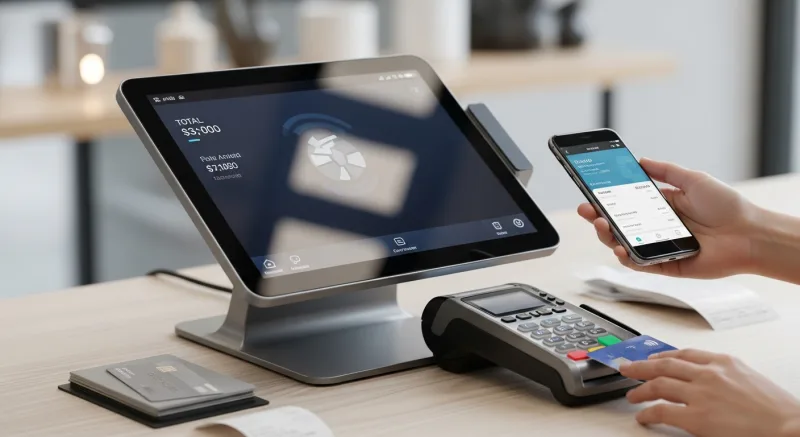
Here is the real cost breakdown for a $25 transaction:
| Payment Method | Interchange | Processing Fee (IC+) | Total Fee |
|---|---|---|---|
| Visa credit card (chip insert) | 1.80% | 0.20% + $0.10 | $0.60 |
| Same Visa via Apple Pay (NFC) | 1.80% | 0.20% + $0.10 | $0.60 |
| Debit card (chip insert) | 0.05% + $0.21 | 0.20% + $0.10 | $0.37 |
| Same debit via Google Pay (NFC) | 0.05% + $0.21 | 0.20% + $0.10 | $0.37 |
Identical. The only variable is the underlying card, not the delivery method.
But here's the thing: if your POS system locks you into a flat-rate processor, you are overpaying regardless of how the customer pays. Toast charges 2.99% + $0.15 whether the customer taps a phone or swipes a card. That is $0.90 on a $25 transaction — 50% more than interchange-plus pricing.
On $40,000/month in transactions, the difference between a locked flat-rate and a negotiated interchange-plus plan is $3,000 to $5,000 per year. That is not a mobile payment issue. That is a processing fee issue — and the fix is a processor-agnostic POS that lets you choose your own rates.
What's Coming Next: Payments Beyond 2026
The mobile payment landscape is not standing still. Here is what is on the near horizon:
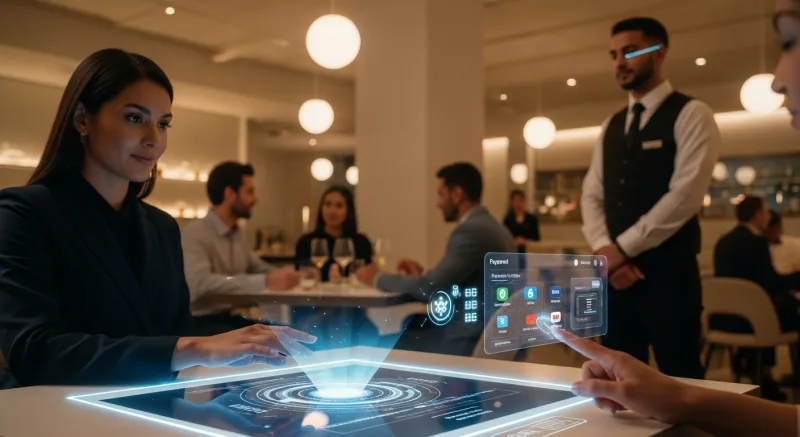
- Tap to Pay on iPhone/Android. Apple and Google now allow merchants to accept NFC payments directly on their phones — no separate terminal needed. A server could accept tableside payment using just their iPhone. This is already live in 2026 and expanding rapidly.
- Biometric payments. Amazon's palm-scanning "Amazon One" is in over 500 Whole Foods locations. Other biometric payment systems using fingerprint or facial recognition are in pilot. KwickOS already uses fingerprint 1:N authentication for employee access — customer-facing biometrics are a natural extension.
- Embedded payments in social apps. Instagram, TikTok, and WhatsApp are all building in-app ordering and payment. Restaurants that can integrate with these platforms will capture impulse orders from social media discovery.
- Wearable expansion. Beyond Apple Watch and Fitbit, expect payment-enabled rings, bracelets, and even smart clothing. The NFC standard supports all of these — your terminal does not need to change.
The common thread: every future payment method runs through NFC or token-based infrastructure. If your POS and terminal support today's NFC standards, they will support tomorrow's innovations. If your POS locks you into proprietary hardware, you are at the mercy of your vendor's upgrade timeline.
The Bottom Line: Mobile Pay Is Not Optional
This is not a technology article. This is a revenue article.
Every day you operate without NFC-enabled payment acceptance, you are losing customers. Not hypothetical customers. Real people who walk up to your counter, see that you do not accept their phone, and leave. They leave a 3-star review. They tell their friends. And they never come back.
The fix is straightforward and inexpensive:
- Upgrade to an NFC terminal if you do not have one ($250-$500 one-time cost).
- Verify NFC is enabled with your processor (free, same-day).
- Use a processor-agnostic POS that works with any terminal and any processor.
- Display "contactless accepted" signage at your entrance and register.
Total investment: under $500. Annual revenue protected: potentially tens of thousands of dollars.
For T. Jin China Diner, operating 15 stores with 75 terminals, the upgrade to NFC across all locations took less than a week and was managed remotely through their centralized KwickOS dashboard. No store closures. No downtime. Just a firmware push and a phone call to the processor.
That is the difference between a POS system that adapts with you and one that holds you back. And in 2026, being held back on payments is a cost no business can afford.
Ready for Every Wallet, Every Customer
KwickOS works with any NFC terminal and any payment processor. Accept Apple Pay, Google Pay, and every mobile wallet without vendor lock-in. See how it works.
Get a Demo