 Ming Ye
Picture your back office at the end of the month. A stack of consignor cards, a sales report, and a calculator.
Now you start the reconciliation every consignment owner dreads: who sold what, at what price, at what split, and what do you owe each of the 300 people whose things are on your floor?
Here's the uncomfortable truth: some of that math is going to be wrong. A 60/40 item accidentally paid at 50/50. A sale credited to the wrong consignor because two people both dropped off the same black wool coat. An item that sold three weeks ago but never got logged against anyone's account. A consignor who calls asking why her payout is short — and you have no clean answer.
Add up the miscalculated splits, the sales that slip through un-credited, and the hours of back-office time spent reconciling by hand, and a busy resale shop quietly bleeds $7,000 to $12,000 a year — some in real dollars, some in staff time you're paying for twice.
But it gets worse: every consignor who feels shorted or waits too long for a payout doesn't come back with their next box of goods. In a business where your inventory is your consignors, a payout you got wrong isn't just an accounting error — it's supply walking out the door.
Here's the thing: none of this is the cost of running a consignment shop. It's a tooling problem. When your POS gives every consignor an account, splits every sale the instant it rings, tags every unique item, and marks down aged stock on a schedule, the ledger reconciles itself. This guide walks through exactly what a consignment, resale, or thrift operation needs from a POS — with real numbers.
The Consignor Account Is the Heart of the Whole System
A regular retail POS assumes you own everything on your shelves. A consignment shop doesn't — most of it belongs to other people, and the software has to know whose. That's why the consignor account, not the product catalog, is the center of a resale POS.
Every person who brings you goods gets an account that holds:
- Their agreed split — a flat 50/50, a 60/40, or a tiered rate where higher-priced items earn the consignor a bigger share. The rate is attached to the person and to each item, so it's applied the same way every single time.
- Every item they've consigned, with its status: on the floor, sold, marked down, expired, or returned.
- Their running balance — exactly what you owe them right now, updated the moment anything sells.
- Their payout history and preference — cash, check, or store credit.
- The consignment terms and expiration date for each batch, so you know when unsold items convert, get donated, or go back.
When an item sells at the register, the split happens automatically: the consignor's share posts to their balance, your share books as revenue, and tax is handled on the full sale price. No spreadsheet, no month-end squint-fest, no "I think this one was 60/40." The consignor can be told their exact balance any time they ask, because it's always current.
Splitting Every Sale Automatically — the Diva Nail Principle
Calculating who gets paid what, per transaction, across hundreds of accounts, is exactly the kind of work software should do and humans should never touch. Do it by hand and you get errors, disputes, and lost evenings. Automate it and it simply disappears.
This is the same problem a commission-based service business faces. Diva Nail Beauty automated per-employee commission tracking across four locations on KwickOS and reported a 90% efficiency increase in the back-office work — the split that used to eat a manager's evening now calculates itself the instant the sale rings. A consignor split is the identical math: a sale, a rate, a person to credit. When the POS does it at checkout, the reconciliation you used to dread stops existing.
KwickOS also supports fingerprint 1:N employee verification, so a staff member authorizes a payout, a price override, or a return with a fingerprint rather than a shared PIN taped under the counter. In a business where cash and store credit move across the counter all day, that means every payout and every discount is tied to a real person — not a four-digit code three people know.
One-of-a-Kind Inventory: Every Item Is Its Own SKU
A grocery store scans a thousand identical cans of soup. A consignment shop scans one blazer, one mid-century chair, one vintage Coach bag — and then never sees that exact item again. This is the other thing a generic POS gets wrong: it assumes quantities, and you deal in singles.
A resale POS treats every intake item as its own record with its own barcode tag, capturing:
- The consignor it belongs to, so a scan at checkout knows whose account to credit.
- Condition and description — "wool coat, size M, like-new, minor pilling on left cuff" — so what's on the tag matches what's on the rack.
- The price and the split at the moment it hit the floor.
- The intake date, which is what drives automatic markdowns and expiration.
Printing a barcode tag per item at intake means checkout is a single scan that does everything: rings the sale, credits the right consignor, decrements that unique unit from the floor, and stamps it sold. No guessing which black coat just sold — the barcode already knows. If you've read our retail inventory and barcode guide, this is the same discipline applied to inventory where the quantity of every item is exactly one.
Aged Inventory: Let the POS Mark It Down for You
In consignment, time is the enemy. An item that's sat 90 days is taking up rack space a fresh piece could be earning from. The classic fix is a markdown schedule — but walking the floor re-ticketing hundreds of items by hand is a job nobody wants and everybody skips.
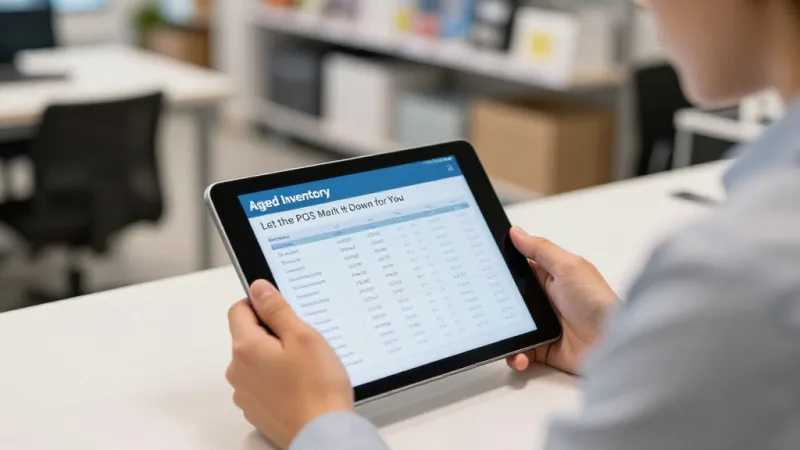
Because every item records its intake date, KwickOS applies the markdown schedule automatically:
| Age on floor | Automatic price | What it does |
|---|---|---|
| 0–30 days | Full ticket price | Prime window — freshest inventory, best margin |
| 31–60 days | 20% off | Nudge the browsers who were on the fence |
| 61–90 days | 40% off | Move it before it's dead stock |
| 90+ days | Final markdown or return to consignor | Reclaim the rack space; convert or return per terms |
No staff member re-tickets a thing. The floor stays fresh, slow inventory turns into cash and shelf space instead of clutter, and consignors see their items actually sell instead of gathering dust — which is exactly what keeps them bringing you more.
Keep 100% of Your Processing on the High-Ticket Resale
Plenty of consignment is $18 sweaters. But the money often lives in the big pieces: a $600 designer handbag, a $1,200 sofa, a $900 guitar, an estate-jewelry consignment. On tickets that size, the payment processing rate is not a rounding error — it's a real cost, and most all-in-one POS systems bury it because that's how they make their money.
Toast, Square, and similar systems lock you into their own payment processing at a flat rate you can't negotiate. KwickOS is processor-agnostic: you choose your own processor and negotiate your own interchange-plus rate. On a shop doing $30,000 a month across furniture, apparel, and specialty resale, the gap adds up.
| Locked flat rate (2.9% + $0.30) | Negotiated interchange-plus (~2.2%) | Annual difference | |
|---|---|---|---|
| Monthly processing cost | ~$930 | ~$690 | |
| Annual processing cost | ~$11,160 | ~$8,280 | ~$2,880 |
That's roughly $2,880 a year kept in the business, on volume you were already doing. Want to see how the platform stacks up against the locked-in players? The comparison pages lay it out processor by processor.
Store Credit: The Quiet Superpower of Resale
Here's a lever unique to consignment that a smart POS turns into a growth engine: pay the consignor in store credit instead of cash.
When a consignor takes their $140 payout as store credit — often with a small bonus, "take $140 cash or $160 in credit" — that money never leaves your shop. It comes right back across the counter for something on your floor, and the psychology is the same bonus-credit effect that makes "load $100, get $120" prepaid offers convert so well. You've turned a payout, which is money going out, into a sale, which is money staying in. KwickOS tracks each consignor's store-credit balance right alongside their cash balance and applies it automatically at checkout.
Gift Cards, Loyalty, and a VIP Membership That Fits Resale
A consignment shop lives on repeat browsers — the treasure hunters who come back every week to see what's new. Three tools turn that habit into revenue, and they all live in the same POS:
- Gift cards and e-gift cards. Native physical and digital gift cards let someone gift "a treasure hunt" at your shop, and they're the clean way to hand a shopper a refund they'll spend with you. A share of every gift card sold is never redeemed — that breakage becomes recognized revenue you keep.
- Loyalty points. Every purchase earns points on a shared customer profile, giving your regulars a reason to keep hunting with you instead of the shop down the street.
- A VIP membership. A recurring monthly membership — early access to new drops before they hit the public floor, a bonus payout percentage for consigning members, members-only sale hours — is billed automatically, with built-in dunning that retries failed cards and alerts staff so recurring revenue doesn't silently churn. In a business built on scarcity and the thrill of first pick, "get in before everyone else" is a membership people genuinely want.
Because gift cards, store credit, loyalty points, membership, purchase history, and consignor payouts all tie to the same customer profile, you can see that your best buyer is also a consignor, reward them on both sides, and turn a one-time drop-off into a two-way relationship.
Multi-Location and Staying Open When the Internet Isn't
Two more things a serious resale operation needs, and a consumer-grade register won't give you.
Multi-location on one dashboard. Growing from one storefront to two or three — or letting a consignor's items sell across all your locations — is where spreadsheets collapse entirely. T. Jin China Diner runs 15 stores and 75 terminals from a single dashboard on KwickOS; the same real-time, all-locations view lets a multi-store resale operator see every consignor balance, every item on every floor, and every store's numbers from one screen. Move a slow-selling item from a quiet location to a busier one and the consignor's account follows it automatically.
Hybrid local + cloud, so an internet drop doesn't stop you. KwickOS runs on a local machine and the cloud, with about 1ms local latency versus roughly 20ms for cloud-only systems. When the connection drops — and it will — you keep tagging intake, ringing up sales, and crediting consignors, and everything syncs when you're back online. A cloud-only POS just stops, and a shop full of one-of-a-kind items with a line at the register can't afford that. And with English, Chinese, and Spanish built in, the counter works for whoever's standing at it — shopper or consignor. See the full industry solutions for how the same platform adapts to retail, restaurant, and beauty businesses.
Stop Losing Payouts, Time, and Processing to Bad Tooling
KwickOS runs consignor accounts, automatic splits, one-of-a-kind tagging, scheduled markdowns, store credit, gift cards, loyalty, and VIP membership in one platform — with the freedom to choose your own processor and keep the margin on every high-ticket resale.
Explore Free Tools & Calculators
Frequently Asked Questions
How does a consignment POS split each sale between the store and the consignor?
Each item is tied to a consignor account with an agreed split — 50/50, 60/40, or a tier that changes with the price. When the item sells at the register, the POS instantly credits the consignor's share to their ledger and books the store's share as revenue, with tax handled on the full sale. There is no end-of-month spreadsheet and no hand math: the moment the sale rings, both sides of the split are recorded against the exact item and the exact consignor. KwickOS runs the same kind of automatic per-person split that Diva Nail Beauty used to automate commission across four locations and report a 90% efficiency increase in back-office work.
How does a resale shop track one-of-a-kind inventory where every item is unique?
Unlike a grocery store with a thousand identical cans, a consignment shop's inventory is single units — one blazer, one mid-century chair, one designer bag. The POS gives every intake item its own record and barcode tag with the consignor, condition, price, and the date it hit the floor, so a scan at checkout knows exactly which unique item sold, whose account to credit, and when it arrived. That per-item history is also what drives automatic markdowns and shrinkage tracking.
Can the POS automatically mark down aged inventory in a consignment store?
Yes. Because every item records its intake date, KwickOS can apply a markdown schedule automatically — for example 20% off at 30 days, 40% off at 60 days, and a final markdown or return-to-consignor at 90 days. This keeps the floor moving without a staff member walking the racks re-ticketing by hand, and it turns slow inventory into cash and shelf space instead of dead stock.
Can a consignment shop keep 100% of its payment processing revenue?
Yes. KwickOS is processor-agnostic, so a resale shop chooses its own payment processor and negotiates its own interchange-plus rate instead of being locked into a flat rate by the POS vendor. On higher-ticket resale — designer handbags, furniture, jewelry, instruments — the gap between a locked flat rate and a negotiated rate is real money, and across a shop doing $30,000 a month it commonly adds up to thousands of dollars a year kept instead of surrendered.
How do store credit, gift cards, loyalty, and VIP membership work in a resale POS?
KwickOS lets a consignor take their payout as store credit instead of cash, which keeps the money in the shop, and it includes native physical and digital gift cards and e-gift cards, a points loyalty program, and a recurring VIP membership — early access to new drops, a bonus payout percentage, members-only sale hours — billed automatically with dunning to recover failed cards. Gift card breakage becomes recognized revenue, and a shared customer profile ties purchases, store credit, consignor payouts, loyalty points, and membership to the same person.