 Tom Jin
Let me describe a Saturday you've probably lived.
The rush hits. One register can't keep up, so the line backs out the door. You've got a spare tablet in the office and a perfectly good employee standing next to it — but no card reader to pair with it, because the last quote you got for a second terminal was $399 plus a monthly lease. So the line stays long, a few people put their baskets down and walk, and you tell yourself you'll "look into it later."
Here's the thing: the reader you needed was already in your hand. The phone in your pocket has the exact same NFC chip that lets you tap to pay for your own coffee. For years, that chip could send a payment but not receive one. That wall is gone.
Tap-to-pay on phone — the technology called SoftPOS — turns any modern smartphone or tablet into a working card terminal, with zero additional hardware. No dongle. No dock. No $399 reader. The customer taps their card, phone, or watch against the back of your device, and the sale is done.
But it gets more interesting than "free reader." Because once accepting a payment no longer requires buying a box, the whole geography of your checkout changes — you can take money at the table, in the parking lot, at a pop-up, or from the twelfth person in line. This guide covers exactly how it works, which phones qualify, what the security and limits really are, where it shines, and — just as important — where it quietly falls short. We'll deal in specifics, not hype.
What Tap-to-Pay on Phone Actually Is
Strip away the branding and it's simple. Modern phones contain an NFC (near-field communication) chip — the same short-range radio that powers Apple Pay, Google Pay, and every contactless card tap you've ever made. Until recently, that chip in a merchant's phone could only send a payment. SoftPOS software unlocks the other direction: now the phone can read a contactless card or wallet and accept the payment.
You'll see it under a few names. Apple calls it Tap to Pay on iPhone. On Android, providers market it as tap-to-pay or SoftPOS (short for "software point of sale"). Under the hood they do the same job: they replace a physical terminal with an app plus the NFC hardware the phone already ships with.
The customer experience is identical to any modern terminal. They hold their card, phone, or smartwatch near the top of your device, wait for the confirmation, and they're done. No swiping, no dipping a chip, no signing a paper slip. For higher-value sales, the app can prompt for a PIN or signature right on the screen.
The difference the customer never sees is on your side: you spent nothing on hardware, and the "terminal" fits in your pocket.
Which Phones Work — And Which Don't
This is the first question every owner asks, so let's answer it plainly before going further. The single hard requirement is an NFC chip plus a recent operating system.
| Platform | Typical Requirement | Notes |
|---|---|---|
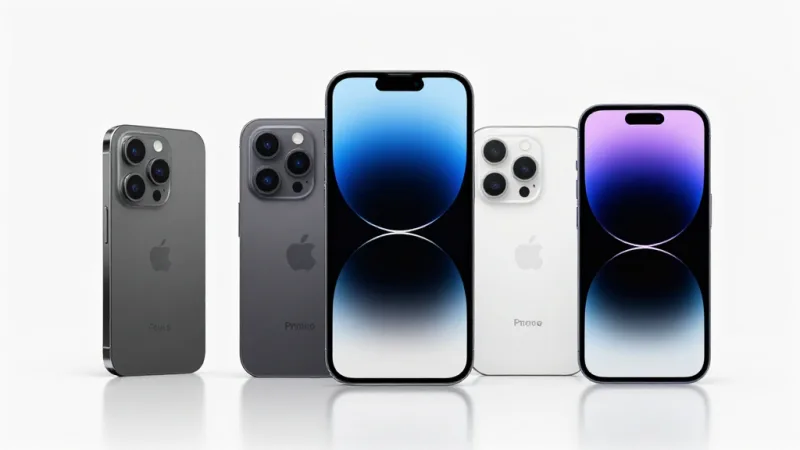
| Apple (Tap to Pay on iPhone) | iPhone XS or later, current iOS | Works through a supported payment app; iPads are not supported |
| Android | NFC device, Android 11+ | Exact model list depends on your provider's certification |
| Older / budget phones | No NFC | Not eligible — the chip simply isn't there |
Two practical gotchas are worth flagging up front. First, most iPads cannot do this — despite being the face of "tablet POS," the majority of iPad models lack the NFC hardware for accepting taps, so an iPad-based register still needs a paired reader. Second, a thick metal or wallet-style phone case can weaken the NFC signal; a slim case or a bare device gives you the most reliable read.
If you're weighing phone-based acceptance against dedicated mobile hardware, our guide to mobile POS handheld devices lays out when a purpose-built handheld earns its keep over a bare phone.
The Real Cost Math (This Is the Part That Matters)
Let's do the arithmetic most owners skip, because it's where the decision actually lives.
A second traditional terminal isn't just its sticker price. Add it up honestly:
- Hardware: $150 to $600 per terminal, or a lease at $20 to $50/month that never ends.
- The wait: days or weeks from "I need it" to "it's on the counter."
- The idle risk: a seasonal or pop-up register you use forty days a year, paid for all 365.
Tap-to-pay on phone collapses all three to roughly zero. The hardware cost is $0 because you already own the phone. Setup is minutes, not weeks. And there's nothing sitting idle in a drawer between busy seasons — you spin up a register the instant you need one and put the phone back in your pocket when you don't.
But — and this is the honest part — free hardware is not free acceptance. You still pay a processing fee on every tap, just as you would on any terminal. That's where the bigger money lives, and it's a separate fight worth having. If your platform locks you into a fixed processing rate, the "$0 terminal" savings can be erased many times over by an inflated per-swipe markup. We break that trap down in detail in our credit card processing fees guide — the short version is that who you process with matters far more to your bottom line than what the reader costs.
Want to see how the numbers land for your own volume? Run them through our processing fee calculator before you buy anything.
Is It Secure? The Honest Answer
Here's a fear worth taking seriously: "If my checkout is just an app on a phone, isn't that a security risk?"
The reassuring reality is that SoftPOS was built to clear the same bar as a physical terminal — and in one respect it's actually cleaner. Three things are true:
- The card number never touches your app. Card data is encrypted inside the phone's secure hardware and passed straight to the processor. Your payment app — and you — never see the full number, which keeps you inside the same PCI-compliant flow as a dedicated reader.
- It runs on real EMV contactless. The tap uses the identical cryptographic standard as any modern terminal. There's no "lite" version of the security because the payment is off a chip; a tap is a tap.
- Nothing is stored on the device. When the transaction completes, no sensitive card data lingers in the app or on the phone.
That said, a phone is a general-purpose device, so basic hygiene matters more than with a single-purpose box. Use a screen lock, keep the operating system updated, install only a certified payment app from your provider, and don't let the payment phone double as the shared "everybody's break-room device." Do that, and phone-based acceptance is as safe as the terminal it replaces.
Transaction Limits: The Old Rule vs. the New Reality
You may remember contactless payments having a ceiling — tap for a coffee, but insert the chip for anything over $100 or so. That old per-tap cap came from a time when contactless meant "no verification," so networks limited the risk.
Modern SoftPOS erases most of that limitation, because it can verify the cardholder right on the phone. If a sale is large enough to require cardholder verification, the app prompts for an on-device PIN or signature — the same protection a countertop terminal provides. That means you can ring up a $600 catering order or a $1,200 salon package on a phone, not just a $6 latte.
The practical limits you'll hit aren't technical walls anymore; they're set by your payment processor and your own risk settings. If you routinely take large-ticket sales, confirm your provider's verification flow and any daily caps up front — but don't assume the ancient $100 rule still applies. It generally doesn't.
Where Tap-to-Pay on Phone Genuinely Wins
The magic isn't the free reader by itself — it's what "a terminal anywhere" lets you do. A handful of situations where phone-based acceptance is a clear upgrade:
- Line-busting during a rush. Hand a second employee a phone and start taking payments halfway down the line. A queue that used to shed walk-aways becomes a queue that clears.
- Tableside and curbside. Servers close checks at the table; a runner takes payment at a car window for curbside pickup. The customer never waits for a walk back to the counter.
- Pop-ups, markets, and events. A farmers-market stall or a festival booth accepts full contactless payments without hauling and powering a terminal.
- Mobile and field service. A mobile groomer, a repair tech, or a delivery driver collects payment on the spot instead of invoicing and chasing it later.
- The overflow register you only sometimes need. Holiday weekends, a patio that only opens in summer, a second checkout for a big sale day — stand it up in minutes, no capital outlay.
Notice the common thread: every one of these is a moment where the lack of a nearby terminal used to cost you a sale, slow a line, or annoy a customer. Contactless acceptance is also simply what shoppers now expect at any of these touchpoints — if you want the broader picture on that shift, our contactless payment adoption guide has the numbers.
Where It Falls Short — And Why "Terminal" Isn't "System"
Now the part the breathless product announcements leave out. Tap-to-pay on phone is a fantastic way to accept a payment. It is not, by itself, a way to run a business. Those are different jobs, and conflating them is how owners get burned.
A bare SoftPOS app takes money. But a real POS checkout also has to:
- Hold your menu or product catalog with modifiers, sizes, and pricing.
- Route the order — to the kitchen display, the bar, the fulfillment station.
- Track inventory so you know what you actually have.
- Sell and redeem gift cards and e-gift cards, and run your loyalty and membership points at the moment of sale.
- Manage employees, tips, and shift accountability.
- Report — so you can see what's working across every register, phone included.
Here's the trap: a standalone tap-to-pay app that only accepts payments becomes another island. Its sales don't flow into your inventory, its transactions don't earn a customer their loyalty points, and it can't ring up the gift card sitting by the register. You've solved "take a payment" and re-created "disconnected data" — the exact problem a good platform exists to eliminate.
The right way to think about it: SoftPOS should be a mobile extension of your real system, not a separate one. The tap at the table and the tap at the counter should land in the same books, feed the same customer profile, and earn the same points. When phone-based acceptance is one more front-end on a unified platform — instead of a bolt-on with its own login and its own silo — you get the flexibility of "a terminal anywhere" without fracturing your data.
The Piece Most Owners Miss: Every Tap Is a Loyalty Moment
Here's what turns tap-to-pay from a cost-saver into a growth lever, and it's the thing almost nobody plans for.
When you take a payment on a phone that's connected to your platform, the checkout isn't just collecting money — it's a doorway to everything that keeps customers coming back. In one flow you can:
- Enroll or credit loyalty points at the table or in the line, so the convenience of tapping and the reward for coming back happen in the same three seconds.
- Sell an e-gift card on the spot — a customer at a pop-up who loved the product can buy a $50 e-gift card for a friend before they've even walked away.
- Redeem a gift card or membership anywhere in your space, not only at the fixed register.
- Capture the customer into a profile that remembers them next time, turning a one-off tap into a relationship.
That's the difference between a payment method and a platform. A cheaper way to swipe saves you a fee on the edge; gift cards, e-gift cards, and loyalty points collect more revenue, earlier, from every customer you already have. On KwickOS, POS checkout, gift cards, stored value, and loyalty all live in one system — so a payment taken on a phone in the parking lot earns points and moves inventory exactly like one taken at the counter. If you're deciding how to structure the rewards side, our points vs. membership comparison walks through which model fits which business.
How KwickOS Approaches Phone-Based Acceptance
Two design choices make phone-based acceptance actually pay off rather than just look modern.
The first is processor freedom. A "$0 terminal" is only a real saving if the per-transaction rate behind it is competitive. Because KwickOS is processor-agnostic, the phone in your pocket isn't chained to a single inflated rate — you keep the leverage to negotiate the fee that actually moves your bottom line. The reader being free means nothing if the swipe is expensive; here, both are on your side.
The second is one unified platform. Whether a sale comes from a fixed register, a kitchen-connected terminal, or a phone at the curb, it lands in the same books, the same inventory, and the same customer record. That hybrid local-plus-cloud backbone is the same one that keeps our multi-location operators running even when the internet drops — a phone-based register is just another node on it, not a disconnected app.
Consider how this plays out for a business like Tiger Sugar, the dessert brand running fast, high-volume counters where every second in line matters. The same platform that powers their kiosks and electronic receipts with loyalty can extend to a staff phone for line-busting on a peak afternoon — same menu, same points, same reporting, no extra hardware wheeled in. Or picture a multi-location group like Crafty Crab (19 stores, 152 terminals) adding a handful of phone-based overflow registers for a holiday weekend without buying a single new box, every sale still flowing into one dashboard.
If you want to see how phone acceptance stacks up against a locked, hardware-tied setup, our POS comparison pages put the platforms side by side, and our retail overview and restaurant platform overview show how checkout, gift cards, and loyalty fit together across every register you run.
A Practical Path Forward
If you're leaning "let's try this," here's the low-risk way to start:
- Check your phones. Confirm the devices you'd use have NFC and a current OS. Remember: most iPads don't qualify, so plan around phones.
- Start with one real use case. Pick the single situation costing you the most today — the backed-up line, the curbside handoff, the weekend pop-up — and deploy there first.
- Connect it to your system, not around it. Use SoftPOS as an extension of your POS platform so sales, inventory, gift cards, and loyalty points all stay in one place.
- Mind the fee, not just the hardware. A free reader on an expensive rate is a bad deal. Confirm your processing rate is competitive and run the numbers.
- Turn every tap into a relationship. Make sure each phone sale can earn points, sell an e-gift card, and capture the customer — that's where the real return is.
Tap-to-pay on phone is one of those rare upgrades that costs nothing to add and quietly removes friction everywhere at once. Used well, it's not a gimmick — it's a second (or fifth) register you already own, waiting in your pocket for the next busy Saturday.
Turn the Phone in Your Pocket Into a Register
KwickOS puts POS checkout, gift cards, e-gift cards, stored value, and loyalty in one processor-agnostic platform — so phone-based acceptance earns points, moves inventory, and keeps every dollar working, no matter where the tap happens. See how much the right setup saves you.
Calculate Your SavingsFrequently Asked Questions
What is tap-to-pay on phone (SoftPOS)?
Tap-to-pay on phone, also called SoftPOS (software point of sale), turns an ordinary NFC-equipped smartphone or tablet into a contactless card reader. The customer taps their credit card, phone, or smartwatch against the back of your device and the payment is captured through a payment app — no separate terminal, dongle, or dock required. It uses the same NFC chip your phone already uses for its own digital wallet.
Which phones work with tap-to-pay?
Most modern phones with NFC qualify. On the Apple side, Tap to Pay on iPhone requires an iPhone XS or later running a current version of iOS. On Android, you generally need a device with NFC and Android 11 or newer, though the exact model list depends on your payment provider's certification. Older phones without NFC, and most iPads, cannot accept contactless taps and are not eligible.
Is tap-to-pay on a phone secure?
Yes. Card data is encrypted by the phone's secure hardware and never stored in the payment app or on the device itself, and the transaction runs over the same EMV contactless standard as a physical terminal. Because the merchant never sees or types the card number, SoftPOS keeps you inside the same PCI-compliant flow as a dedicated reader. As with any device, you should still use a screen lock, keep the operating system updated, and only install a certified payment app.
Is there a transaction limit on tap-to-pay?
Contactless payments historically carried per-tap ceilings (often around $100 to $250), but modern SoftPOS solutions support on-device PIN entry and signature capture, which lets you accept high-value transactions well beyond the old contactless cap. Practical limits are set by your payment processor and your own risk settings rather than by a hard technical wall.
Does tap-to-pay on phone replace a full POS system?
Not for most businesses. Tap-to-pay on phone is an excellent way to accept a payment anywhere, but a full POS system also handles menus and catalogs, order routing to the kitchen or fulfillment, inventory, gift cards, loyalty and membership points, employee tracking, and reporting. The best setup uses SoftPOS as a flexible extension of a real platform — line-busting, pop-ups, tableside, deliveries — rather than as your only system.